Quantix
- Uzmanlar
- Sürüm: 5.0
- Güncellendi: 23 Şubat 2026

Quantix – A New Generation AI Trading Robot
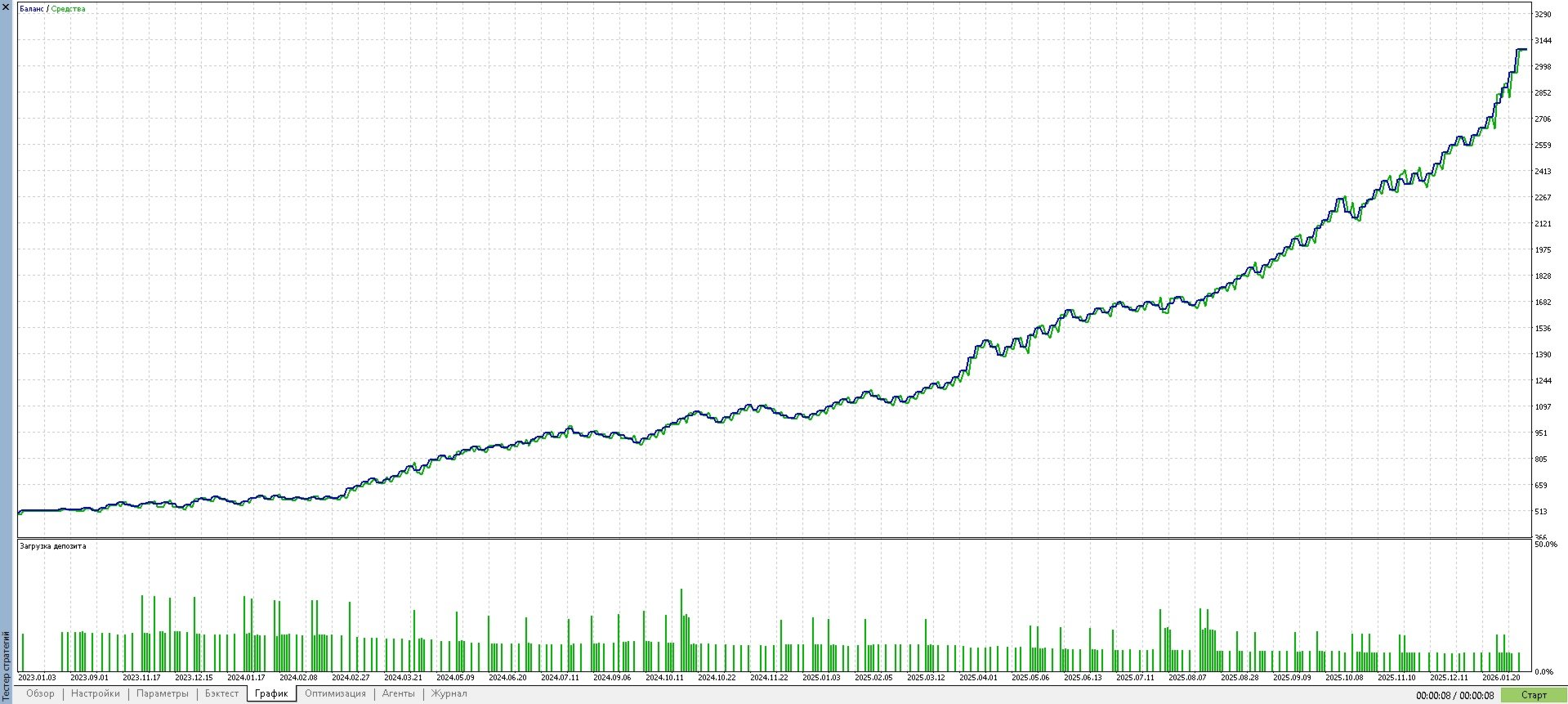
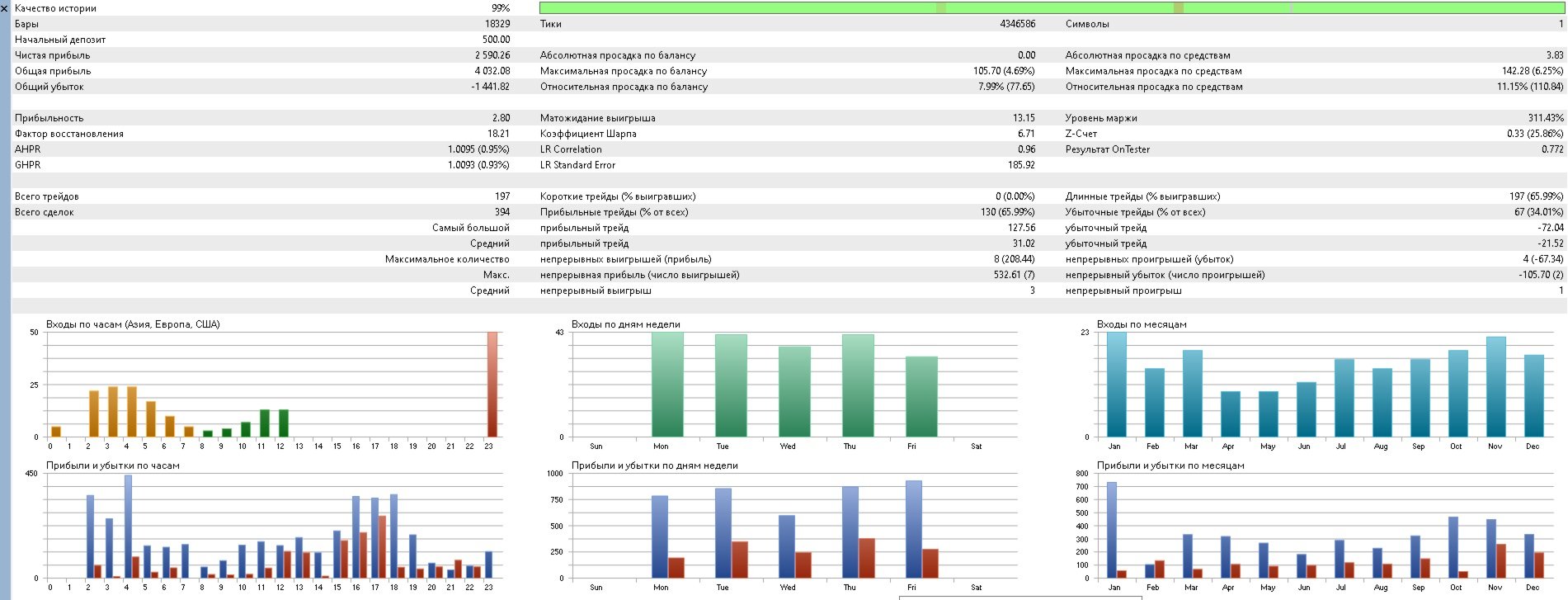
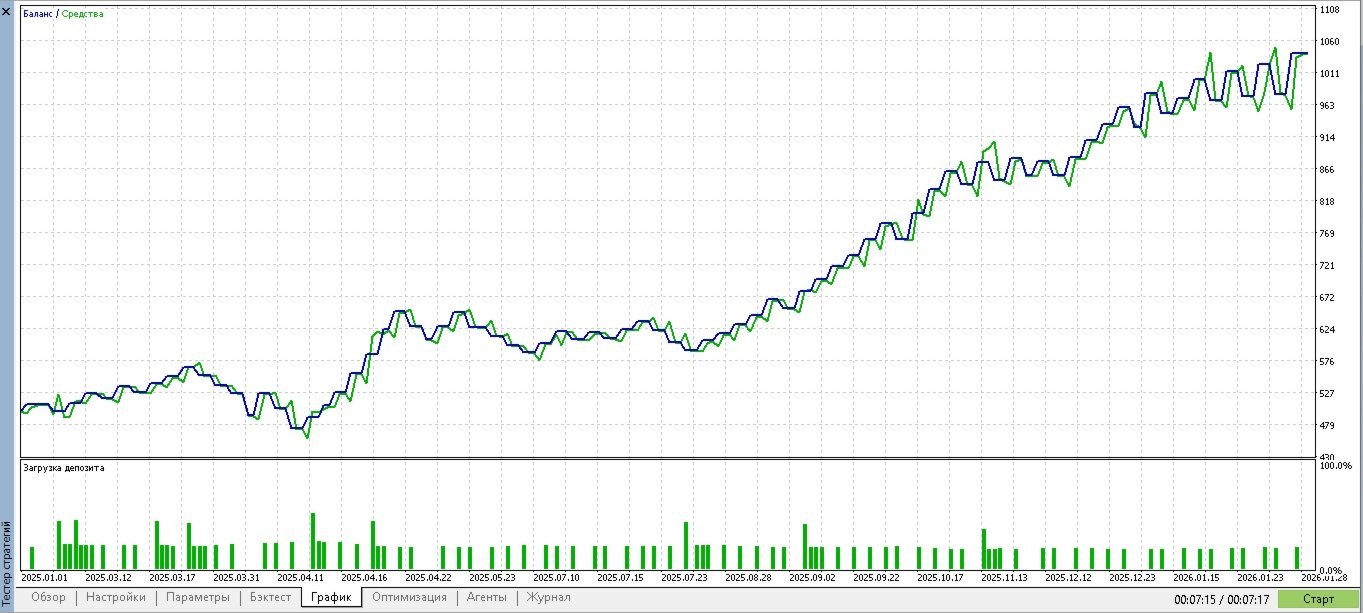
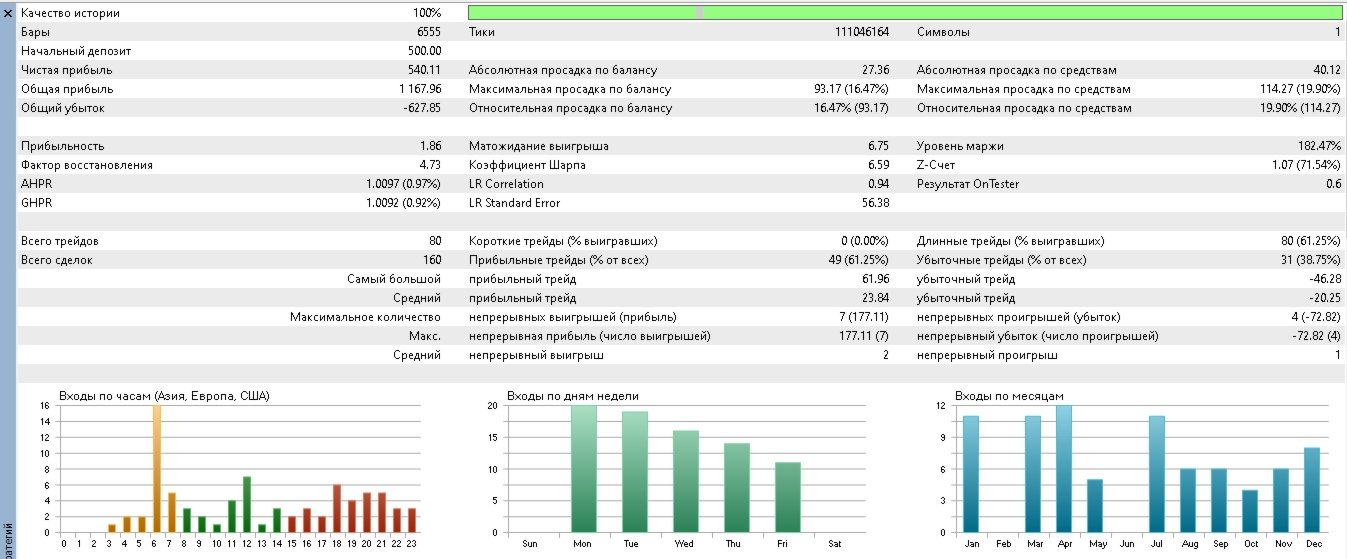
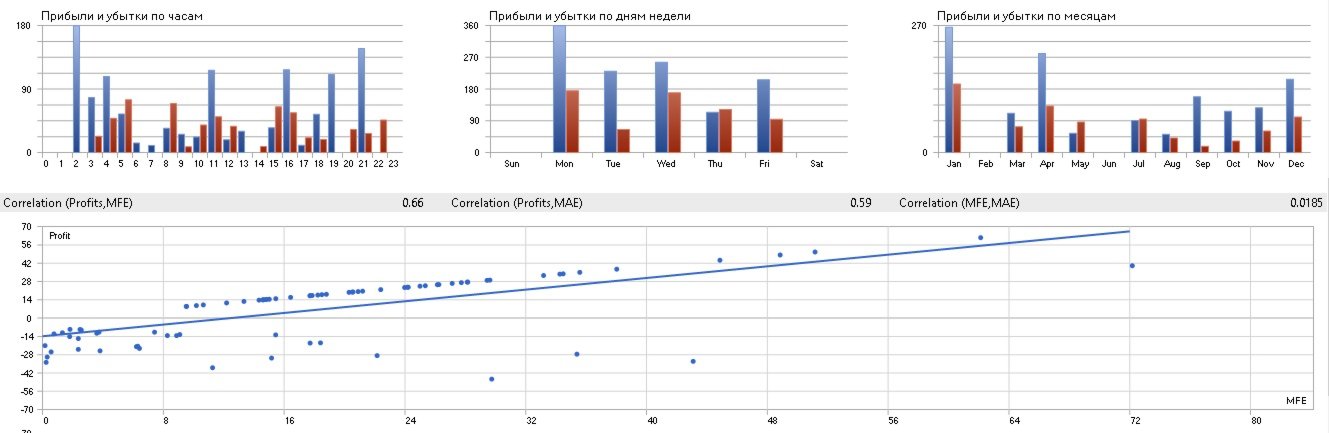
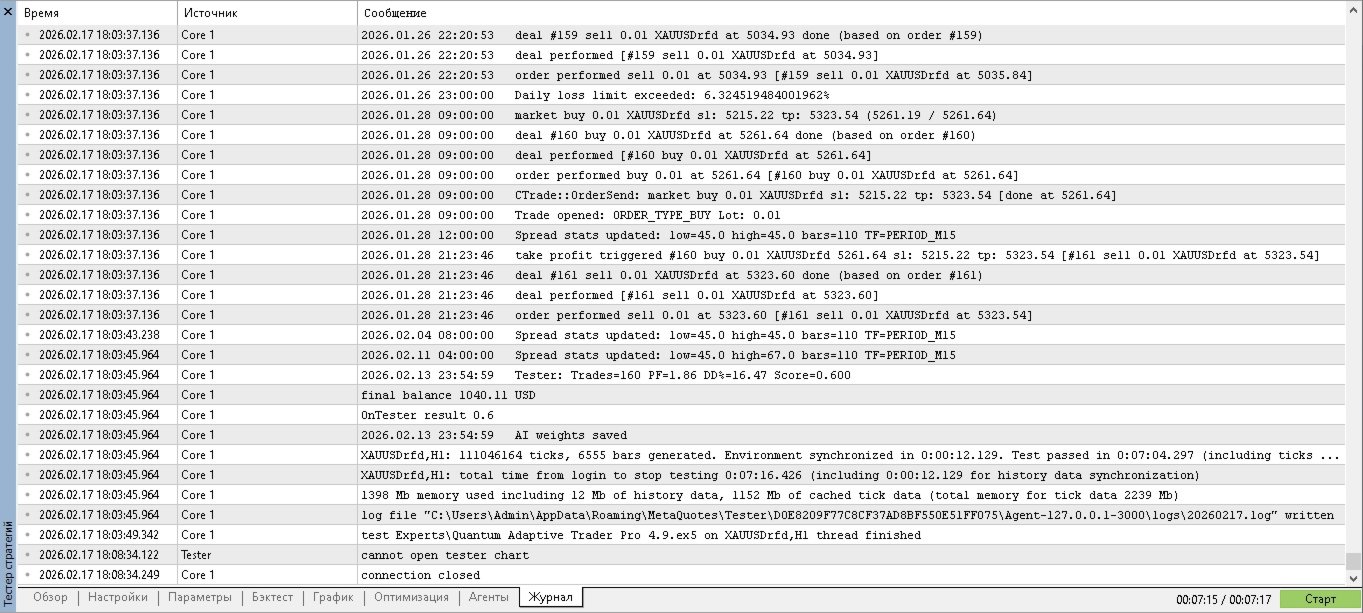
Quantix is an intelligent automated trading system designed for the foreign exchange and precious metals markets, demonstrating strong results (XAUUSD). At its core, the robot utilizes an adaptive algorithm that continuously learns from market data, combines signals from multiple indicators, and applies strict risk filters. It shows consistent deposit growth with moderate drawdown, indicating the reliability and effectiveness of its strategy.
🔍 How Quantix Works
Quantix analyzes the market not based on a single indicator, but across several dimensions simultaneously:
-
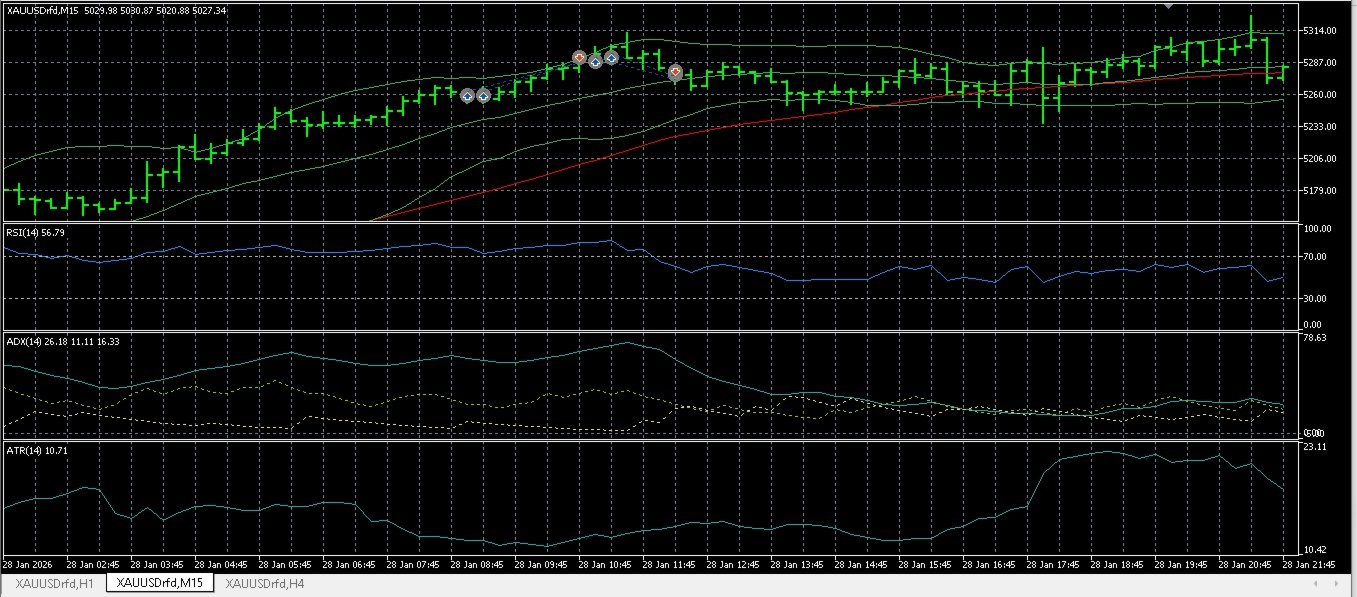
Classic Indicators – RSI, ADX, moving averages, Bollinger Bands, ATR.
-
Proprietary Metrics – Chaos Index, Quantum State of the market (trend/flat assessment).
-
Multi-Timeframe Analysis – Signal confirmation from higher and lower timeframes.
-
Adaptive AI – A neural network with weighting coefficients that adjust to current conditions. The robot remembers its trade history and improves forecast quality (learning both in real-time and via batch processing on accumulated data).
-
Entry Filters – Checks trading time, spread, volatility (ATR), and chaos to filter out false signals.
When all conditions align, Quantix opens a trade with a calculated volume (based on risk and ATR), sets a stop-loss and take-profit, and then manages the position:
-
Smart Trailing – The stop-loss is adjusted as the price moves, with the tightening speed potentially varying based on the rate of price change (speed‑based trailing).
-
Breakeven – After a certain profit is reached, the stop-loss is moved to the breakeven zone with a slight offset.
-
Adaptive Risk Management – Lot size changes depending on the series of losses/profits and the daily drawdown limit.
Quantix can also operate in two modes:
-
Optimization – Searching for the best parameters.
-
Validation – Testing the strategy on out-of-sample data (train/test split) to assess its stability.
✅ Advantages of Quantix
-
Adaptability – The AI continuously adjusts to market changes, eliminating the need for frequent re-tuning.
-
Comprehensive Analysis – Combining six independent signal sources provides more accurate forecasts.
-
Multi-Timeframe – Confirming the trend across multiple periods reduces the number of false entries.
-
Advanced Position Management – Dynamic trailing, breakeven, and speed-based stops help lock in maximum profits and protect the deposit.
-
Flexible Filter System – Screens trades based on time, spread, volatility, and chaos.
-
Risk Management – Automatic control of daily drawdown, adaptive lot sizing, and position limits.
-
Built-in Learning – Batch learning on historical trade data improves forecast quality without user intervention.
-
Testing Modes – Built-in validation on historical data helps assess the robustness of the strategy.
⚙️ Input Parameters (Configurable)
Quantix has numerous parameters, organized into logical groups. All are available for modification in the "Input Parameters" tab of the MetaTrader 5 terminal.
📊 AI PARAMETERS
-
LearningPeriod – Number of recent bars the AI uses to collect statistics (recommended: 200).
-
AdaptiveThreshold – Multiplier for the dynamic trade entry threshold (higher values mean fewer but more accurate signals).
📈 INDICATOR SETTINGS
-
RSIPeriod , ADXPeriod , ATRPeriodInput , FastMAPeriodInput , SlowMAPeriodInput – Periods for the corresponding indicators.
-
ChaosPeriod – Period for calculating the Chaos Index.
-
AnalysisTimeframe – Main timeframe for analysis (default M15).
🧠 AI MODULES (Enable/Disable and Set Weights)
-
UseRSI , UseADX , UseMA , UseChaosInAI , UseQuantumState – Flags to include indicators in the AI.
-
RSIWeight , ADXWeight , MAWeight , ChaosWeight , QuantumStateWeight – Weights for corresponding components (0.0…2.0).
🔍 ADDITIONAL FILTERS & CONFIRMATIONS
-
UseAdaptiveADX – Adaptive ADX threshold (uses percentile over recent bars).
-
AdxHistoryBars , AdxPercentile – Parameters for the adaptive ADX.
-
UseTrendFilter , TrendTF , TrendMAPeriod – Trend filter on a higher timeframe (default H4).
-
UseMTFConfirm , MTF_TF , MTF_MA_Period , MTF_Method – Signal confirmation using a multi-timeframe moving average (e.g., H1, EMA50).
💰 TRADING LOGIC
-
BaseRiskInput , MaxRisk – Base risk percentage per trade and maximum allowed risk.
-
MinBarsBetweenTrades – Minimum number of bars between trades (prevents frequent entries).
-
ATRMultiplierSL – ATR multiplier for the stop-loss.
-
TPtoSLRatio – Ratio of take-profit to stop-loss.
-
InpMagic – Unique Expert Advisor ID (to identify its own trades).
-
InpMaxPositions – Maximum number of simultaneously open positions.
🛡️ RISK MANAGEMENT
-
RiskIncreaseFactor , RiskDecreaseFactor – Factors for adjusting risk after a series of profits/losses.
-
MaxConsecutiveLosses – Number of consecutive losing trades after which risk is reduced.
-
DailyLossLimit – Daily loss limit as a percentage of peak equity.
🚦 SIGNAL FILTERS
-
UseChaosFilter , ChaosThreshold – Filter based on the Chaos Index (allows trades only when chaos is low).
-
UseTimeFilter , StartHour , EndHour – Trade only during specified hours.
-
UseSpreadFilter , MaxSpreadPips – Maximum allowable spread in pips.
-
UseSpreadPercentileFilter , SpreadStatPeriod , SpreadStatBars , SpreadLowPercentile , SpreadHighPercentile – Filter based on spread percentiles (allows trades only when spread is within a "normal" range).
-
UseAtrFilter , MinAtrPips – Minimum volatility (ATR) required for entry.
🧗 POSITION MANAGEMENT
-
UseTrailingStop – Enable trailing stop.
-
TrailAtrMult , TrailStopAtrMult , TrailStepAtrMult – ATR multipliers for trailing activation, stop distance, and step.
-
BreakEvenPips , BreakEvenOffsetPips – Move stop to breakeven when specified profit (in pips) is reached, with a slight offset.
⚡ ADVANCED TRAILING
-
UseSpeedBasedStop – Enable stop based on the rate of price change.
-
SpeedPeriod , SpeedThreshold , SpeedFactor – Parameters for calculating price speed and tightening the stop.
📚 BATCH LEARNING
-
UseBatchLearning – Enable periodic learning based on historical signal data.
-
BatchUpdateFrequency – How often the update occurs (in bars).
-
BatchLearningRate , BatchEpochs – Learning step size and number of epochs.
🔧 OPTIMIZATION MODE
-
InpOptimizationMode – When enabled, the EA operates in a mode suitable for optimization (bypassing certain checks).
📉 VALIDATION PARAMETERS (for OnTester)
-
InpValidationMode – Enable train/test split mode.
-
InpTrainStart , InpTrainEnd , InpTestStart , InpTestEnd – Dates for training and testing periods.
-
InpMinTrades , InpMinTradesTrain , InpMinTradesTest – Minimum number of trades required for each period.
-
InpMinProfitFactorTrain , InpMaxDrawdownTrain , InpMinProfitFactor , InpMinExpectancy , InpMaxDrawdownPct – Criteria for selecting successful optimization runs.
-
InpWeightProfitFactor , InpWeightExpectancy , InpWeightDrawdown , InpWeightSharpe , InpWeightSortino , InpWeightRecovery , InpWeightWinRate – Weights for calculating the final fitness score (OnTester result).
Quantix is more than just a set of indicators; it is a self-learning system capable of adapting to any market conditions. Thanks to its flexible settings, you can tailor the robot to your trading style and preferred instruments. Try Quantix and experience the power of artificial intelligence in trading