 MetaTrader 5
 Uzmanlar
 Göstergeler
 Kütüphaneler
 Yardımcı programlar
 Widget'lar
 Kurallar
YouTube'dan Mağaza ile ilgili öğretici videoları izleyin
Bir alım-satım robotu veya gösterge nasıl satın alınır?
Uzman Danışmanınızı
sanal sunucuda çalıştırın
sanal sunucuda çalıştırın
Satın almadan önce göstergeyi/alım-satım robotunu test edin
Mağazada kazanç sağlamak ister misiniz?
Satış için bir ürün nasıl sunulur?
MetaTrader 5 için Uzman Danışmanlar ve Göstergeler - 185
 Forex alım-satımını daha karlı hale getirmek için alım-satım robotları ve göstergeler kullanın. Alım-satım robotları, işlem açma ve kapatma sürecini otomatikleştirmenize olanak tanırken, göstergeler piyasa davranışını daha doğru bir şekilde tahmin etmenize yardımcı olur.
Bu sayfa, MetaTrader 5 uygulamalarının kataloğunu içermektedir.

This script calculates the SQN (System Quality Number) value of your account within a time interval that you will set. Keep in mind that trades with no initial stoploss value won't be calculated because of the nature of the system! The calculations will be made on your current account.
What is SQN? Van K. Tharp proposed a formula for System Quality Number (SQN) that measured strategy performance and could be used as a custom objective for optimizing strategy parameters. The formula was present
FREE

Revolutionize Your Trading Experience with Our Advanced Management Panel Maximize efficiency and control with our cutting-edge Management Trades Panel, exclusively designed for discerning traders. Our innovative panel is a game-changer in the realm of financial trading, offering unparalleled functionality and user-friendly features. Key Features: Automated Daily Profit/Loss Closure : Set your desired profit or loss thresholds, and let our panel automatically close all current trades when these
FREE
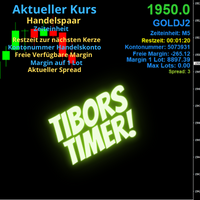
Indikator mit den Notwendigen Anzeigen im Chart - Als Expert installieren !
Dieser Indikator wurde von mir Entwickelt damit die Anzeige der relevanten Parameter klar und deutlich im Chart ist. Er dient zur Information und ist ohne Gewähr. Folgende Parameter werden angezeigt:
- Aktueller Kurs - Das Aktuelle Handelspaar - Die Restzeit zur nächsten Kerzenbildung / Zum Abschluss der Aktuellen Kerze - Die Kontonummer des Handelskontos - Die Frei Verfügbare Margin - Die Margin auf 1 Lot - Der Akt
FREE
Clean all symbols from a chart to get a better view. We all love to draw a chart, but it's hard to get the unwanted objects away that we don't need anymore. With this script, you simply remove ONLY SYMBOLS. All others will stay on the chart. In my eyes, a must-have tool in case you need to clean quick up to continue observations or strategy finding. Just pull it onto the chart.
KEEP IT GROWING! Happy Trading
FREE

This indicator shows spread value and Minimum and Maximum plus current symbol Leverage . It also displays ticks per minute . This shows how many ticks come in one minute averagelly. To compare brokers ,you can compare the minimum and maximum of spread specially news time and end of the day. In the news time run this indicator and see how spread wide.
The broker with the least fluctuation in spread is better.
FREE

Introducing the SL Limiter Bot: Your Friendly Stop-Loss Management Solution! Take control of your trading like never before with the SL Limiter Bot, a powerful and intelligent tool designed to enhance your risk management strategy on MetaTrader 5 platforms. Say goodbye to manual monitoring and hello to automated precision! Whether manual trading, EA trading, or using Trade Signals, SL Limiter Pro will help you minimize your risk!
Another utility from the Trade Agent Toolbox! Key Features: Advan
FREE

Manage your prop firm challenges with Raba Challenge Manager EA (FTMO, Rocket21, etc...). Functionalities: Close all positions when the goal profit is reached. Close all positions before reaching the daily drawdown limit. Close all positions before reaching the total drawdown limit. Notes: Auto enabling/disabling algo trading is disabled due to MQL Market policies.
I you have any doubt you can leave it in comments and I will anwer it asap. If you found this tool helpful for you, a comment an
FREE

Quickly clear all open charts in MetaTrader 5 with a single script execution. Ideal for traders who want to reset their workspace before starting a new trading session or analysis. Implementation Notes: This script is designed to operate under strict coding standards ( #property strict ) to ensure reliability and efficiency. No user inputs are required, as it automatically processes all open charts.
FREE
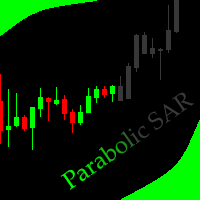
This indicator allows to hide Parabolic SAR (on all MT5 timeframes) from a date define by the user, with a vertical line (Alone) or a panel (with "Hidden Candles"). Indicator Inputs: Step Maximum Color Width Information on "Parabolic SAR" indicator is available here: https://www.metatrader4.com/en/trading-platform/help/analytics/tech_indicators/parabolic ************************************************************* Hey traders!! Give me your feeds! We are a community here and we have the sa
FREE

Script for quick updates (synchronization) trade history in the SQLite database. Saves closed positions and orders, symbols data.
Take advantage of SQLite's capabilities for intermediate data storage, analytics, and integrations of the MetaTrader platform. Keep all your data in one place.
Use the saved data in SQL analytical queries, from Python and other languages, to build dashboards
Parameters useDefaults true - use default parameters. Save data to the COMMON hierarchy, to the db/ram/{s
FREE

The GRat_OrderExport EA exports trades made in the MT5 (manual or any other Expert Advisor), which can later be imported by: GRat_BinanceImpor t or GRat_BybitImport or GRat_Crypto tool in order to copy trades to the crypto exchange; using the GRat Order Exchange library (in particular, by the GRat_OrderImport EA) in order to copy trades to another MT5 terminal or to another correlating symbol of the same MT5 terminal; using GRat_OrderImport (MT4) in order to copy trades to MT4 termina
FREE
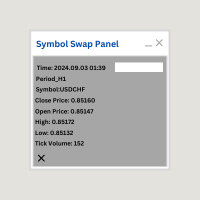
Symbol Swap Panel: Effortlessly switch the active symbol on your chart while simultaneously adding the new symbol to Market Watch. This tool ensures seamless integration and access to real-time market data, optimizing your trading workflow.
Description:
The "Symbol Swap Panel" is a versatile utility designed for traders seeking to manage their chart symbols and Market Watch more efficiently. This tool allows you to easily swap the current symbol on your chart while automatically adding the se
FREE

EA to help traders stay within tight risk management.
Asks only for account's initial balance and Stop Out DD. This is meant for prop firm traders, but will help any trader who is looking for a simple risk manager.
Trasks and reports daily PnL and will advise you to stop at 1% daily loss. Will advise you to wait if you have too many open trades.
Based on the open chart (symbol and timeframe) will recommend size and SL distance in order to risk the desired cash risk. See screenshot for example
FREE

Description The indicator based on Average True Range (ATR) is designed to accurately determine the possible range of price fluctuations on a selected timeframe. This tool is ideal for both beginner traders and experienced professionals looking to effectively plan their trades. Key Features: Displays possible price fluctuation levels on the chart, simplifying visual analysis. Utilizes the power of the ATR algorithm to calculate precise volatility values. Adapts to any timeframe, providing releva
FREE

BarionQuant Fractal Risk Entry is a manual trading script for traders who want disciplined position sizing without spreadsheet math. Drag the script onto a chart, and it places one market order sized to your equity risk percentage. HOW IT WORKS Choose Buy or Sell Choose stop mode: Fractal structure (swing-based) or Fixed pips Script calculates lot size: risk money ÷ stop distance Places one market order with stop loss attached ENTRY TIMING (fractal mode) Scan History — find the latest valid frac
FREE

The CloseByPercentLossOrProfit Expert Advisor closes all positions as the total profit of loss for the entire account reaches a specified value. The profit or loss is specified as percentage of the account balance. In addition, the Expert Advisor can delete pending orders. Allow AutoTrading before running the Expert Advisor. Instructions: Run the Expert Advisor on the chart. Input parameters: Language of messages displayed (EN, RU, DE, FR, ES) - the language of output messages (English, Russian,
FREE

* This product was converted using "BRiCK Convert4To5 MT 5 " based on the MQL4 source file of "BRiCK TradeByArrow MT4 Free" . BRiCK is a simple and versatile utility.
By combining Experts, Indicators and utilities like the Lego block, various trading styles can be realized. "TradeByArrow" is Utility that executes order processing when an arrow object is created on the chart.
Combined with Indicator which outputs arrow object, it can be used like Expert.
Parameter
[ArrowName] EntryBuy: A
FREE

Coin Flip – True Random Trading Automation Coin Flip is a unique and lightweight utility that makes trading decisions based on pure chance – just like flipping a coin! But don't let the simplicity fool you – this EA comes with powerful risk management features and professional-grade trade handling that gives you full control over your capital and strategy execution. Core Concept Unlike traditional systems based on indicators or patterns, Coin Flip EA executes trades based on a random deci
FREE

SL Manager is a trade management utility for MetaTrader 5. It removes the Stop Loss of your open positions during a time window that you choose, then puts it back at the end of the window. The goal is to keep a stop from being hit only by a spread spike, for example around the daily rollover or a session close when liquidity is low. Why a time window Around the daily rollover, many brokers widen the spread for a few minutes. A Buy closes at the Bid and a Sell at the Ask, so a wider spread can re
FREE
ImpulseShield EA is here to say NO to trading decisions made on Impulse
Have you ever placed a trade based on an impulsive decision and regretted your action? What if you could have been able to avoid taking the trade? ImpulseShield is here to help you to only when it is right. The Free Version Only Supports EURUSD, GBPUSD and USDJPY, Here is the Full Version, Just $30 https://www.mql5.com/en/market/product/131519 Key Settings and Their Role
The EA uses the inputs defined earlier to determine
FREE

Dashboard Premium Pro – Account Dashboard & Close All Panel for MT5 Dashboard Premium Pro puts everything you need to monitor your account in one clean panel on your chart: floating profit, daily results, buy/sell exposure, your last closed trade and real-time drawdown. One click closes every position, and a pause switch lets your own Expert Advisors know when to stop opening new trades. What the dashboard shows Floating P/L Current open profit or loss for the whole account, in large green or re
FREE
The script ObjChartSample.mql5 illustrates control of chart properties using the classes from the Standard Library .
FREE

Are you tired of creating each course notification individually ?
Simply let yourself be permanently notified of the current location of the course. Just set a value once, and the system will subsequently notify you via your smartphone. The system will provide you with the current course, the distance from the set course, and the set course itself. This way, you'll always stay informed without needing to constantly check the market or create manual notifications. Furthermore, the system provide
FREE

LineTrader PRO V7.06 Complete User Manual Automated & Semi-Automated Chart Line Trading System 1. Introduction to LineTrader PRO Welcome to the LineTrader PRO V6.0 user manual. This Expert Advisor (EA) is a comprehensive visual trading tool that executes and manages trades based on horizontal and trend lines drawn directly on your MT5 chart. It allows both full automation and semi-automated control through advanced hotkeys, trailing stops, and break-even functionalities. 1.1 Core Line Triggers
FREE

We use Price Action and Japanese Candlesticks at important price zones and standard times to open positions and use Risk/Reward: 1/2 - 0.2%/trade. Recommended symbol: EURUSD, GBPUSD, AUDUSD, USDCAD, USDJPY, GBPJPY, EURJPY. Contact me: Gmail: fifund.cuscare@gmail.com, Facebook , Twitter , Instagram . Product: Metatrader4 , Metatrader5 . Broker references: Exness , ICMarket , FBS .
FREE

Fingerprint Capture Script (CSV) This script creates a pattern “fingerprint” CSV from chart window by exporting the OHLC values of candles between two vertical lines . What it does Reads exactly two vertical line objects (VLINE) on the current chart Uses them as start/end markers of the candle range Exports the selected candles to a semicolon-separated CSV file in: Terminal → Common → Files How to use Open any chart and timeframe with the pattern visible in history. Place tw
FREE

Display the date, time and price according to the movement of the mouse cursor on the chart This is useful for discretionary trading.
It is an indispensable tool for verifying and studying past market prices and trades. Characteristic Date,Time and Price are displayed.
The value follows the movement of the mouse.
You can change the color of the text. Please refer to the video on youtube. For MT5 only.
FREE

Advanced Account Dashboard & Risk Monitor (MT5) This script provides a real-time on-chart dashboard for monitoring account performance, risk exposure, and execution conditions in MetaTrader 5. It is designed for traders who want clear visibility of account health and risk awareness during live trading or VPS operation.
The script does not open trades and does not interfere with any strategy logic . Key Features Account Metrics Live equity, balance, and floating profit/loss Open position count an
FREE

I’m sharing this EA here for free to support the trading community. I hope it’s helpful, and don’t hesitate to reach out if you have any questions or feedback!
Closes all Trades with click on a button. This button will appear on the right bottom side of the chart. When you remove the utility, the button will also dissappear. It closes all trades, no matter if Sell, Buy, the Symbol, if in profit or loss. One Click - and you solve it all. Especially made for demo and testing purposes. Use it wi
FREE

It can only be used in EURCHF . The Expert Advisor is a great tool that allows you to control your trade with ease and precision. The tool can be moved in the graphs and offers the following characteristics:
Instant order entry with a single click. Entry of pending orders using price tags and trend lines. Instant order closure with a single click. Instant order closure using trend lines as output levels that the broker can not see. We can modify the way to enter and exit the market, allowing us
FREE

This EA will read news from MQL website and create global variable to indicate if there is a news reported within the specified time frame. You can then read these global variable in your EA to filter out trades. Global variable format - News_CHF, News_EUR, News_GBP, News_JPY and News_USD If value is 0 means no news. If value is 1 means there is news reported within the specified time frame.
Please comment to give suggestion to improve it.
FREE

[FREE INDICATOR] IN03 TANIN SWAP DASHBOARD: REAL-TIME SWAP TRACKER
Are you holding overnight trades and want to keep track of your rollover costs? Introducing the IN03 Tanin Swap Dashboard, a clean, lightweight, and professional utility tool designed to track your swap costs in real-time, directly on your MT5 chart. 100% Free! KEY FEATURES: Real-Time Tracking: Instantly monitor Swap Long and Swap Short rates for multiple symbols. Auto Swap Detection: The system automatically detects and
FREE

GUARDIAN İşlem Paneli GUARDIAN İşlem Paneli Piyasayı Kontrol Edin. Takip Etmeyin. GUARDIAN sadece başka bir işlem paneli değildir.
Kaos, tereddüt veya duygusal işlem gerçekleştirmeyi reddeden yatırımcılar için bir komuta sistemidir. Şu gerçeği anlayan profesyoneller için inşa edildi:
İşlem hızı ve kontrolü sonuçları belirler. ️ GUARDIAN karar ve eylem arasındaki boşluğu kaldırır.
Rastgeleliği yapıyla değiştirir. ️
Grafiğinizi bir komuta merkezine dönüştürür. GUARDIAN'ın Dayattıkla
FREE

Ecco la traduzione in inglese, ottimizzata con gli stessi termini tecnici e lo stesso tono "tattico" per il Market internazionale di MQL5: Stealth Recon Radar: D1 Strategic Reconnaissance The market is not chased; it is awaited. Designed for traders who prioritize patience, discipline, and absolute precision, Stealth Recon Radar is an advanced diagnostic system that scans Daily (D1) charts in search of high-probability directional setups. This utility does not execute trades (no risk of unwanted
FREE

Mevcut Semboldeki Tüm Stop ve Kâr Seviyelerini Temizle Seçilen semboldeki pozisyonlar için tüm Stop Loss (SL) ve Take Profit (TP) seviyelerini hızlı ve etkili bir şekilde kaldıran bir araç. Manuel işlem yapmayı unutun — bu script her şeyi sadece birkaç saniyede halleder! Avantajlar: Hedefe yönelik yönetim: Sadece mevcut sembolün SL/TP seviyelerini kaldırır, diğer varlıkları etkilemez. Birden fazla açık pozisyonu olan traderlar için özellikle kullanışlıdır. Hızlı ve kullanışlı: Tek bir tıklama i
FREE

Choosing the levels of StopLoss and TakeProfit can have a very strong impact on the overall performance of trading. In addition to the obvious parameters of a trade transaction - the size of a possible win or probable loss - the levels of StopLoss and TakeProfit also affect the expected duration of the transaction, and the profitability of trading in general. If you have already determined the optimal transaction duration using the “ AIS-ODT ” script, then you can begin to determine the paramete
FREE

Overnight Protector is a professional MetaTrader 5 utility designed to temporarily remove Stop Loss levels during a configurable time window and automatically restore them afterward. ️ It is designed for traders who want to manage open positions around specific overnight conditions, rollover periods, temporary spread widening, low liquidity or other scheduled market events, while keeping the original Stop Loss information safely stored. Main Features Automatic Stop Loss removal at a config
FREE

Bu Sermaye Yöneticisi, girdiğiniz kâr/ödül veya kayıp/risk eşiğine göre (Ticaret hesabınızın temel para biriminde) çok sayıda açık pozisyonu anında kapatır.
Özkaynak yöneticisi, her bir pozisyonu bu kâr ve zarar eşiğine göre yönetir. Örneğin 10 açık pozisyonunuz vardı ve 5 tanesi eşiği geçti, öz sermaye yöneticisi hepsini bilgisayar hızında geçtikleri gibi kapatacaktır.
FREE

️ Prop Circuit Breaker MT5 Prop Circuit Breaker MT5 is an advanced, high-performance risk management utility designed exclusively for the MetaTrader 5 platform. This EA does not execute trades . Instead, it acts as an automated security shield, protecting your funded or challenge accounts from catastrophic losses and ensuring complete rule compliance. Whether you are manually trading or running a commercial EA that lacks built-in drawdown protection, Prop Circuit Breaker MT5 continuously moni
FREE

RiskCalc Shield: Comprehensive System Overview & User Manual ️ WARNING / DISCLAIMER Please manually verify all calculations before trading with real money! This tool is designed to be comprehensive but has currently only been tested extensively on a single broker. We highly recommend cross-checking the calculated values manually against your broker's Symbol Properties. (Alternatively, as an additional option, you could provide a screenshot to an AI to help verify the formula accuracy). The deve
FREE

️ This is a FREE version of the tool. Developed by a practicing trader with 12 years of live trading experience (verified tax records, 51 Finam certificates). Looking for professional trading solutions (Volume Profile, SMC, Risk Manager)? Author's full lineup of PRO indicators: https://www.mql5.com/en/users/musa1994/seller Official website and portfolio: https://developer-mql4-mql5.netlify.app/ SpreadMonitor is a professional MetaTrader 5 indicator that colorizes candles by spread level a
FREE

AnaliTickDemo is a demo version of AnaliTick. AnaliTIck is a financial instrument analysis and testing program based on the Metatrader5 platform. The object of analysis is the sequence of changes in the prices of Bid and Ask - ticks. The program may be useful to developers of scalping advisers and strategies, those who work on the news. The demo version differs from the full one in fewer filters and strategies. The analyzed period is one - the current trading day and two previous days. The strat
FREE

Monkey Lite offers the following array of features: One-click instant order entry (short or long). Track total current orders and total current profit. Instant Close Buy, Close Sell, Close All button. Utility types Risk management, Graphical objects, Panels. Main features
Take Profit and Stop Loss by money (not pip). After the price reached the Take Profit threshold, trailing stop 20% of the current profit. After the price reached the Stop Loss threshold, the orders will be closed immediately.
FREE

Presentation The URL html and xml to csv is designed to get contents from URLs with html or xml content, and to download it to an output format as a txt or as a csv file. It enables to get the whole web sites page, starting with the http protocol, in a document for a further use and in additional with downloading directly on the MetaTrader applications and on the desktop. It is a good advantage for taking the most data from events and economic calendars, and also publications related to the inst
FREE

The Martinware Eye Rest Reminder serves to periodically remind traders to rest their eyes without the need for a tool outside MT5.
Input parameters: Periodicity: play the alert every n minutes Alert with sound: define if the alert should include playing a sound Custom sound file: name of the custom sound file to be used instead of the default. It must be inside a folder named "Sounds", this one inside the "Files" folder in the Terminal's MQL5 directory tree. Alert with Alert message: informs
FREE

What is Close Charts Now? Do you have multiple charts open in MetaTrader 5 and need to close them all with a single click? Close Charts Now is the ideal solution for traders looking to save time and keep their workspace clean and organized. This script is designed to automatically close all open charts in your terminal, streamlining your workflow and avoiding tedious manual tasks. Features Simplicity: Just drag and drop. Efficiency: Save time by removing unnecessary charts in seconds. Ease of u
FREE
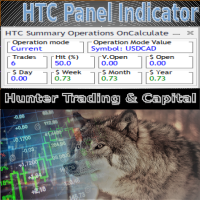
HTC Panel Indicator is an operational summary dashboard for use in conjunction with trading EA.
It provides a concise summary of the current year's trades, open positions and profit history.
The summary can be filtered by the current chart asset, by the ID (magic number) of an EA or by all trades performed in the year.
The panel must be inserted into the chart as an indicator, making it possible to add it to a chart that already has a trading EA.
FREE

The script analyzes the history of quotes and gives recommendations on the minimum deposit. The calculations take into account the variability of prices and the standard deviation. Margin requirements for the instrument are also taken into account. The result of the script is the minimum recommended deposit for trading the given currency pair.
FREE

WS Trade Result HUD is a lightweight and fast utility that displays essential information about your open trade directly on the chart: current profit/loss, lot/contract size, and TP/SL values automatically converted into points.
It is perfect for traders who want clarity and speed without cluttering the chart with heavy dashboards. The HUD works on any MetaTrader 5 instrument — including Forex, Crypto, Indices, Stocks and Futures — and updates in real time with every tick.
You can customize corn
FREE

Script for quick insertion of Limit orders offered for free by NS Finanças! Do not waste more time entering the price manually in order creation manually in the metatrader, with this script it is possible to save sets of your main limits entries and execute it quickly, in addition to the possibility of configuring the keyboard shortcut for quick access of the script . In addition, it is also possible to use the Qty Orders function, which will automatically create limit type orders with the gap s
FREE

## What It Does
2RICH.CAPITAL APP SYNC is a lightweight MetaTrader 5 Expert Advisor that acts as a push client, automatically syncing live positions and closed trade history from a trader's MT5 terminal to their personal journal on the 2RICH Capital website. Rather than requiring manual CSV exports or imports, the EA connects once with a secure API key and connection token, then reports account and trade data to the platform on a recurring interval.
## Core Features
- Multi-user architecture
FREE

Advanced position management EA that automatically closes ALL positions when your profit target is reached. Features cycle tracking, position limits by type (BUY/SELL), emergency close button, and detailed reporting. Perfect for managing multiple EAs or manual trading with automated profit taking.
FB CycleCloser Pro - Advanced Profit Target Manager
OVERVIEW: FB CycleCloser Pro is a sophisticated position management Expert Advisor designed to automatically close ALL open positions when a specif
FREE

This script allows you to visualize the risk of your account based on the open orders you have. * Low risk is between 0 and 10% of handicap * Medium risk is between 11% and 30% of handicap * High risk is more than 31% of handicap
The script displays the spread of the current pair, the total of open positions, showing the lotage for both directions (buy, sell) as well as the number of buy and sell operations.
FREE

This script is a very useful tool when it comes to practicing chart analysis.
If you activate this script, you are going to be thrown down on a random chart position. The active chart is used where you are right now. You need to have at least 6000 historical bars. You can set the number of bars at: Tools->Charts tab->"Max bars in chart"
Should you have any questions, comments feel free to contact me.
FREE

Script to load on chart the orders, starting from "Signal history report" downloaded from MQL5. If you found a good signal on "Signals" section of this site and you want to see the history orders on chart, you can do it, following this steps: - Download the csv file of history orders - Copy file in the common folder - Launch the script and set the input that are: - Report type (MT4 or MT5) - File name - Delimiter (default is ;) - Name of symbol to load (if symbol on file is for example EURUSDi,
FREE

Utility for know all informations and settings of terminal where the utility is loaded. The informations that you can know are for example:
- The path of folder where the terminal start
- The path of folder where the terminal store the indicators, experts advisors etc
- The path of common folder
- The permission to use DLL, to automated trading etc
- The permission to send email, FTP or notifications to smartphone
and many other informations
FREE

Utility for know all informations and settings of account where the platform is connected The informations that you can know are for example:
- The difference from server time and time of your PC
- The limit orders that you can place at market
- The credit that you have
- The stopout mode of your broker
- The exact name of company of your broker
and other informations
FREE

BatchLoader for Mobile Traders: The idea of BatchLoader just as the name implies is to enable traders open a single position through their mobile phone and have it duplicated based on the max position such trader set in the "input settings", we have day traders and scalpers who find it difficult to open several position when trying to scalp, with this BatchLoader, you won't have to worry about poor entry execution.. How to Use it; *install the expert on your desired chart you usually trade on(
FREE

Иногда бывает, что наши построения на графике выходят за пределы последнего бара. После выходных, эти построения могут измениться в виду особенностей учета времени в мт5. Данный индикатор поможет решить эту проблему - он проходит по всем графикам и сдвигает дату объекта, которая дальше, чем нулевой бар. После завершения работы индикатор удаляется. Параметры:
Direction - направление сдвига; DaysShift - количество дней, на которые сдвигается дата объекта, правее нулевого бара.
FREE

The script allows selecting the required 'Filter level' value of the AIS-MTF MT5 indicator. Run the script on the required chart and selected timeframe. Once its operation is complete, the HPS.csv file will be created in the Files folder. Open the file. You will see three columns. The 'Filter lvl' column represents the value of the 'Filter level' for the AIS-MTF indicator. Am. dev. - degree and direction of the indicator's deviation from the price level (sorted in ascending order). Negative valu
FREE

Expert Advisor to help beginners.
It allows you to adjust the following parameters:
Number of simultaneous positions The asset allowed to trade Maximum lots allowed per position Maximum number of positions per day When one of the parameters is not/no longer valid, the EA automatically closes new positions, preventing you from trading. This Expert Advisor helps you trade by mastering your trading psychology for you.
VPS essential.
Feel free to give me feedback and suggest further improvement
FREE

Tetris remains one of the most fun and addictive pieces of software to ever grace the computing scene. That's right, everything that everyone loves about Tetris can now be experienced on MT5 platform. Its beautiful simplicity and surprisingly fast-paced gameplay make it an exceptionally easy thing to just pick up and play on short notice. This version comes with everything everyone loves about Tetris. It has all six of the classic tetrimino shapes, the steadily growing level of challenge tha
FREE

The Maximun Minimun Strata (100 bars and any period) is used to identify key levels on a price chart, which can be useful in technical analysis and decision making in trading:
Identify Key Levels: They help identify support and resistance levels on a price chart. The support level represents a minimum floor at which the price tends to bounce upwards, while the resistance level represents a maximum ceiling at which the price tends to bounce downwards.
Decision Making: Traders use these key lev
FREE

Introduction Scruffy Countdown is a utility for MT5 that displays a countdown timer based on the chart's current timeframe. As each new bar (candlestick) appears the countdown is reset. Features include: Countdown based on current chart timeframe Customisable font and size Warning before and after the hour in minutes with customisable colours (optional) About Scruffy Coder We may be scruffy in name and wear a few scruffy clothes but we're dedicated to bring you useful and reliable tools for MT5
FREE

This script allows selecting the TakeProfit and StopLoss levels. It analyzes the history data, and then calculates the probability of reaching a given price level.
How the script works Suppose you have a trading strategy and you want to select the TakeProfit and StopLoss levels. Run the script and set the parameter: Number of Bars - the average position holding time in bars. Once the script operation is complete, the AIS-PPL.csv file will be created in the Files folder in the terminal data cata
FREE
Script for quick updates (synchronization) up-to-date data in the SQLite database. Saves open positions and orders, current quotes.
Take advantage of SQLite's capabilities for intermediate data storage, analytics, and integrations of the MetaTrader platform. Keep all your data in one place.
Use the saved data in SQL analytical queries, from Python and other languages, to build dashboards
Parameters useDefaults true - use default parameters. Save data to the COMMON hierarchy, to the db/ram/{s
FREE
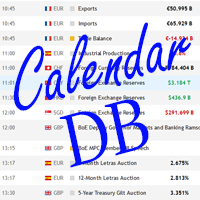
The strategy tester of the MT5 terminal does not allow robots (advisers) to read the events of the economic calendar. Therefore, news robots cannot be tested and optimized in the strategy tester. The solution to this problem is the reading of events by the robot from a previously prepared external database, in which the events of the economic calendar are recorded.
With the help of this utility, a Database File is generated from the economic calendar of the MT5 terminal. The File is created in
FREE

EA to prevent inactivity violations on prop firms.
This EA will scout for your most recent trade and if it is older than the number of days defined, will enter a micro lot position size 0.01 on the pair defined. It is recommended to use a tight spread pair like EURUSD. This EA will not act as long as you have at least one trade in the last X days (defined on config).
This EA will not place other trades or modify existing position.
FREE

Close All Charts Script (MT5 One-Click Cleaner) Instantly close all open charts in MetaTrader 5 with a single click Productivity Tool for Serious Traders Tired of manually closing dozens of charts one by one?
This lightweight script helps you clean your workspace instantly and stay organized. What This Script Does The Close All Charts Script automatically: ️ Detects all currently open charts
️ Closes them one by one
️ Provides execution log in the terminal All done in as soon
FREE
A service to keep the SQLite database up to date . Fast real -t ime operation . Saves open positions and orders , current quotes , and trading history . Take advantage of SQLite 's capabilities for intermediate data storage , analytics , and integration of the MetaTrader platform . Save all your data in one place . Use the saved data in SQL analytical queries , from Python and other la
FREE
MetaTrader Mağazası, geçmiş verileri kullanarak test ve optimizasyon için alım-satım robotunun ücretsiz demosunu indirebileceğiniz tek mağazadır.
Uygulamaya genel bakışı ve diğer müşterilerin değerlendirmelerini okuyun, doğrudan terminalinize indirin ve satın almadan önce alım-satım robotunu test edin. Yalnızca MetaTrader Mağazasında bir uygulamayı tamamen ücretsiz olarak test edebilirsiniz.

Alım-satım fırsatlarını kaçırıyorsunuz:
- Ücretsiz alım-satım uygulamaları
- İşlem kopyalama için 8.000'den fazla sinyal
- Finansal piyasaları keşfetmek için ekonomik haberler
Kayıt
Giriş yap
Web sitesi politikasını ve kullanım şartlarını kabul edersiniz
Hesabınız yoksa, lütfen kaydolun