Hope EA MT5
- Experts
-
AL MOOSAWI ABDULLAH JAFFER BAQER
 To trade successfully we need to go through the proven path that others had gone and reached!
Here are 17 quotes from such successful investors:
1- Limit your size in any position so that fear does not become the prevailing instinct guiding your judgment.
Joe Vidich - Versão: 6.10
- Atualizado: 6 novembro 2026
- Ativações: 5
Test it free first: load Hope EA in the MetaTrader 5 Strategy Tester, turn on visual mode, and watch how little it does while it waits and what it does when price turns against it.
PATIENT ENTRIES. A LADDER WITH LIMITS. A BOOK THAT REMEMBERS.
Hope EA is a two-sided grid for traders who prefer a quiet robot to a busy one. It enters only after a slow momentum reading turns back from an extreme, adds levels only when price has really moved, and pays down its oldest order with the profit of its newest. It is also written to rebuild its ladder from the live book after a terminal restart.
At a glance
• Closed-bar signal, and a 30-bar quiet period between first orders by default.
• BUY and SELL sides run on their own ladders on hedging accounts. On netting accounts only one direction runs at a time.
• Each side closes at one hidden basket target, drawn on the chart as a line.
• Lot steps stop at Max Lot Per Order (0.1), and orders stop at 100.
• No stop loss. No forced close-all. Risk is limited by blocking new orders, so please read the risk section.
Start here
1. Attach it to EURUSD H1, the chart used for the test figures below, and keep the defaults.
2. Allow algorithmic trading. A panel saying WATCHING means it is working and waiting.
3. Keep to the guide in the Lot input: 0.01 for every 1,000 USD.
4. Run the Strategy Tester on your own broker's data first, because spreads, swaps and contract sizes differ.
5. Give each chart its own MagicNumber. A second chart with the same magic is refused.
Why the name
Hope is not a plan, and a grid that runs on hope alone ends badly. This EA keeps the word and adds the discipline: wait for the sign, add with limits, shrink the oldest risk first, and refuse an order the account cannot carry.
The life of one cycle
The sign. With no order on a side, the EA checks a slow momentum reading once per bar. It needs a real turn away from an extreme, the spread must be within MaxSpread, and the quiet period must have passed.
The first order. The starting lot opens, an arrow marks the candle, and the target appears as a line.
The ladder. When price moves against the newest order by the built-in distance, the next level opens with a slightly larger lot. One level per bar on each side by default.
The basket target. After every new level, the target moves to the side's average price plus a small built-in distance, so a smaller bounce can close the whole side.
The pay-down. From the fifth order on a side, the EA compares the newest and oldest orders. When their combined result clears a built-in money amount, both close and a new order takes the newest one's place. The heaviest old position leaves without waiting for the full bounce.
After a restart
A ladder kept only in memory is lost on a restart. Here the anchor price and lot step are rebuilt from the newest live order, a missing target line is redrawn from the average price, and lines left by positions closed elsewhere are removed. The code path is written for this; the Strategy Tester cannot simulate a terminal restart, so try it on a demo account.
The console panel
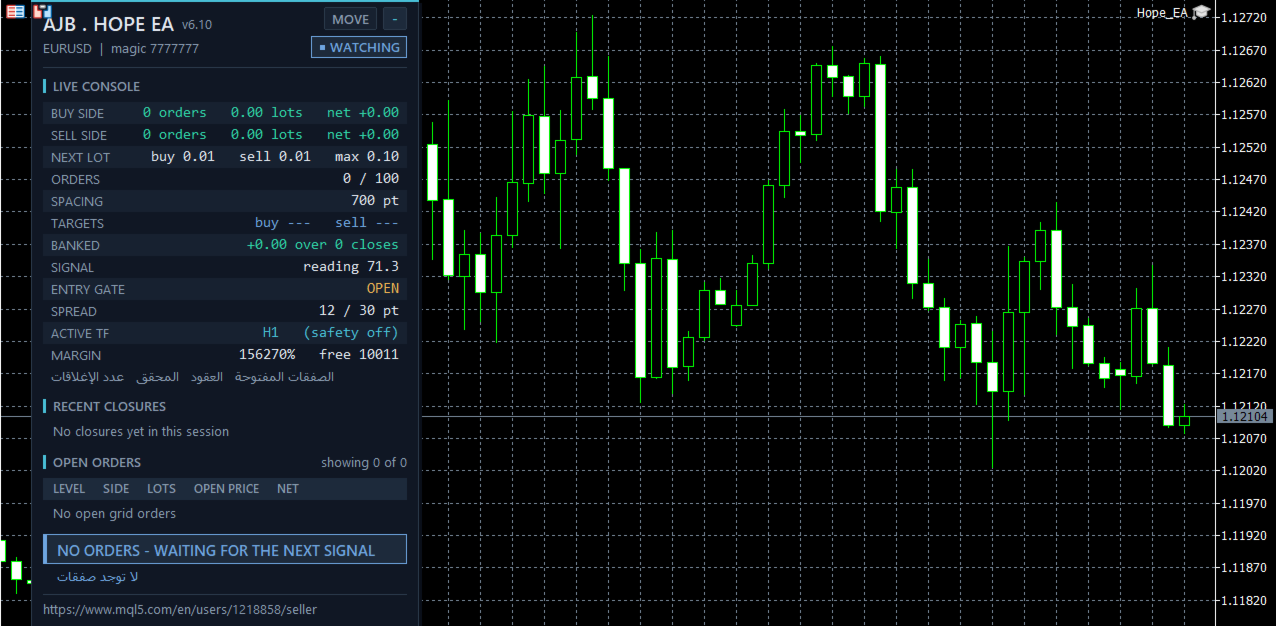
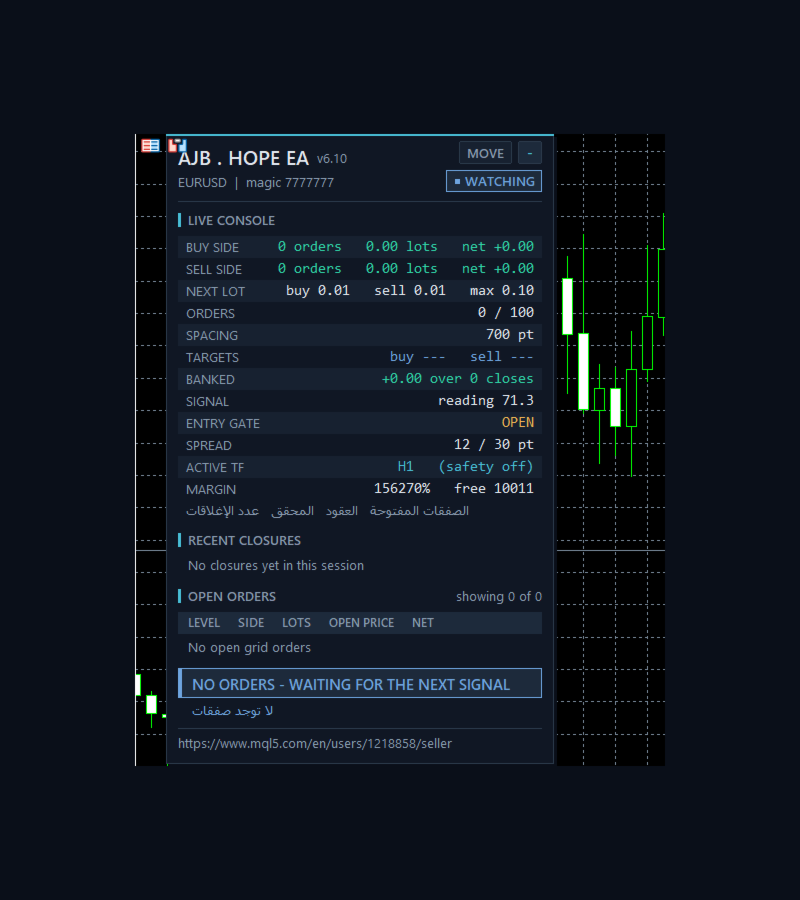
A dark card on the left of the chart, clear of the candles and price scale. It shows each side's orders, lots and net, the next lot, order count, spacing, both targets, banked profit, the signal reading, the entry gate, spread against your limit, active timeframe, margin level, recent closures, the open order table and a plain state banner. Drag it with MOVE and minimise it with the small button. It shrinks to fit small charts, and draws nothing in a non-visual test, so optimisation stays fast. Arabic lines are optional.
Built for real trading conditions
• Margin check: before each order, margin x 1.5 must fit in free margin. No hidden ceilings.
• Ladder discipline: lot and anchor move only after a real fill, so a refused order cannot inflate the next one.
• Volumes follow the symbol's minimum, maximum and step.
• Closed sessions: nothing is sent while the session is closed, and a market-closed reply pauses sending for 60 seconds.
• Close handling: a refused close keeps its target and is tried again, walking the filling modes with wider slippage on each retry.
• Magic isolation: each chart manages only its own symbol and magic number.
• Netting accounts: NetMaxMarginPercent blocks new levels above 5 percent used margin. It closes nothing.
• Margin timeframe safety, off by default: as margin level falls, the signal can move to a higher timeframe and spacing grows by that timeframe's ATR, then steps back after margin recovers.
What the tester showed
Default settings, one broker's demo data, hedging account, 2025.01.01 to 2026.09.30, 1 minute OHLC model, leverage 100:
• EURUSD H1, 10,000 USD: net +110.70, equity drawdown 0.57 percent, 93 trades, profit factor 3.16, at most 3 orders open at once, no stop-out.
• XAUUSD D1, 10,000 USD: net +7.85, equity drawdown 0.03 percent, 4 trades, no stop-out.
• The same two runs at 1,000,000 USD gave the same money results with no margin refusal.
• EURUSD H1 at only 50 USD: net +108.66 with no stop-out, but equity drawdown reached 64.23 percent and the margin buffer held back orders. That account is far too small for the lot.
These are small, quiet results from one simulated period. They are past simulations, not a promise, and they include no deep trend run to the order limit, so they do not show the worst case. Your numbers will differ, which is why the free test comes first. The netting path has not been run in my own tests.
Every setting explained
Orders
Note_Orders - a label line in the settings; it changes nothing.
Lot - starting lot (0.01). Guide: 0.01 for every 1,000 USD.
MaxSpread - no first order above this spread, in points (30).
OrderComments - comment on each order.
MagicNumber - this EA's ID; use a different one on each chart.
OpenBuyOrders - allows the BUY side (on).
OpenSellOrders - allows the SELL side (on).
SmallAccountMode - every order uses the symbol's minimum lot, with no lot growth (off).
Grid limits
Max_Lot_PerOrder - largest single order (0.1; 0 = no limit).
Max_lots_PerChart - most total lots on this symbol and magic (0 = no limit).
Max_Number_Orders - most open orders (100; 0 = no limit).
Execution
Note_Exec - a label line; it changes nothing.
FillingMode - Automatic asks the symbol what it accepts; the others force one mode.
MaxSlippagePoints - accepted slippage (30).
CloseRetries - close attempts before waiting for the next tick (5).
UseBrokerSideTPSL - also sends the target to the broker (off).
VerboseExecution - prints every trade reply in the journal (off).
Protection
Note_Safety - a label line; it changes nothing.
SignalBarsDelay - bars required between accepted first orders (30; 0 = off).
OneOrderPerBar - one new grid level per bar on each side (on).
MinMarginLevelPercent - no new order below this margin level percent (0 = off).
NetMaxMarginPercent - netting only: blocks new levels above this used margin, percent of equity (5; 0 = off).
Margin timeframe safety
Note_TF - a label line; it changes nothing.
UseMarginTFSafety - switches the feature on (off).
Level1MarginPct and Level1TF - at or below 6000 percent, use M15, never below the chart timeframe.
Level2MarginPct and Level2TF - at or below 5000 percent, use H1, never below the chart timeframe.
MarginTFHysteresisPct - margin must recover this far above a level before stepping back (500).
MarginTFATRPeriod - ATR length added to the spacing while a level is active (14).
Panel
Note_Panel - a label line; it changes nothing.
ShowPanel - shows or hides the panel.
PanelCorner - starting corner, 0 to 3.
PanelX and PanelY - offsets from that corner (30 and 30).
PanelBgColor and PanelTextColor - card and text colours.
PanelFontSize - base font size (9); the panel reduces it to fit.
MaxTableRows - open order rows shown (10).
ShowArabic - adds the Arabic lines (on).
ShowChartMarks - draws next level lines and entry arrows (on).
Plain words about risk
A grid adds to a losing direction. There is no stop loss, so in a long one-way move the floating loss stays open and keeps growing until price returns. With both sides open, losses on one side are not limited by the other. The order and lot limits stop new orders, but they do not close anything, and a large enough move can still reach a broker stop-out. Spacing, target distance and signal are built in and are not inputs. Spacing is counted in the symbol's own points, so on gold and other high-priced symbols it is very narrow; keep OneOrderPerBar on and test that symbol carefully. Use a lot your balance can carry, and never trade money you cannot afford to lose. The EA needs no DLLs and no extra files.
If Hope EA earns a place on your charts, a short honest review of how it behaved for you, good or bad, helps the next trader decide.