DocFX Telegram to MT4 Signal Follower

Introduction

Executes the trade signals posted in your Telegram channels or groups on MetaTrader 4, then manages each trade from the provider's follow-ups: stop and target changes, breakeven, partial closes, closes and cancellations. Reads DocFX Provider signals exactly and plain-text signals from other sources.


Full description

DocFX Telegram to MT4 Signal Follower reads the trade signals posted in your Telegram channels or groups and places them on your account. It doesn't stop at the entry. When the provider later posts "move SL to breakeven", "close half" or "close now", the EA finds the trade that message belongs to and does it.

It works with signals from the DocFX MT5/MT4 to Telegram Signal Provider, and with ordinary text signals from other channels, including ones typed by hand.


Important: what you need before buying

The EA reads Telegram through your own bot, and Telegram only shows a channel's posts to a bot that is an administrator of that channel. So:

  • You can follow any channel whose owner adds your bot as an administrator (it needs no admin rights at all, just the admin status). This is the normal setup when a signal provider offers automatic copying to members.
  • In a group, the bot can be an administrator, or an ordinary member if you switch its privacy mode off in @BotFather.
  • You cannot follow a public channel just because you are subscribed to it. If the owner won't add your bot, this EA can't read that channel.


What it does with a signal

  • Opens market orders and buy/sell limit and stop orders.
  • Reads the symbol, direction, entry or entry zone, stop loss and one or multiple take profits.
  • Finds the symbol on your broker even when the names differ: built-in aliases (GOLD, XAU, US30, DOW, NAS100, USTEC, GER40, DAX and others), your broker's prefix or suffix, and your own mapping (for example GOLD=XAUUSD.m).
  • Understands stops and targets given as prices or as distances in pips or points.
  • A target written as "open" means that part of the trade runs with no take profit.


It skips rather than guesses

Every message is scored on how clearly it reads as a signal.

  • Clear signals are executed.
  • Partly clear ones (for example, a stop with no entry) go to you for confirmation on the panel.
  • Unclear ones are skipped, and the log says what was and wasn't found.

Result posts such as "TP1 hit +40 pips", "SL hit" or "closed in profit" are recognised and never open a trade. Sanity checks refuse a signal whose stop or target is on the wrong side of the entry, whose pending type doesn't match where the price is, or whose prices are far from the market.


Managing the trade afterwards

When a follow-up arrives, the EA links it to the right trade:

  1. by the trade ID in DocFX Provider signals,
  2. by Telegram reply: most providers post updates as replies to the original signal,
  3. by symbol, when the follow-up names a symbol and exactly one open trade from that channel fits. If two trades fit, it does nothing and tells you.

It then carries out:

  • close, or close a percentage
  • move the stop loss, move to breakeven
  • change the take profit
  • move a pending order's entry, cancel a pending order
  • add to a position (scale-in). Each addition is its own order under the same trade.

A follow-up it can't link to a trade is logged and ignored. An unlinked "close now" never closes anything.


Edited messages

Providers often fix a typo after posting. If an edit changes the stop or target, your trade is updated. If it corrects the symbol or direction (BUY to SELL, say) within a few minutes of the original, the EA closes the wrong trade and opens the corrected one, so you never end up holding both. You can set it to only warn, or only close, instead. Edits are never executed as a second trade.


Lot sizing

  • Your own risk % of balance (default for most signals)
  • The provider's stated risk % (default for DocFX Provider signals)
  • Fixed lots
  • The provider's lots times a multiplier
  • The provider's lots, copied

Lots are always rounded down to your broker's lot step, never up.


Several take profits

Choose one position at the first target, one at the last, or split into one position per target. When split, the risk is calculated once for the whole signal and divided across the positions, equally or by your own weights, so three targets never means three times the risk. Optionally, the remaining positions move to breakeven when the first target is hit. Providers who open separate trades for each target are recognised too: same symbol, direction and stop within a few seconds become one trade with one risk budget.


Entry zones

For a signal like "buy 2350–2345": enter at market when price is inside the zone, or place a limit at the better edge. When price is outside: skip it, wait a set number of minutes for price to come back, or enter anyway within your slippage limit. Waiting signals are listed on the panel with a countdown.


Safety

  • Maximum risk per trade (% of balance)
  • Daily loss limit: stops new entries for the day, while still managing open trades
  • Maximum open trades and maximum lot size
  • Ignore signals older than a set number of seconds
  • Skip a signal if price has moved too far from the stated entry
  • Optional confirmation of every signal, with a preview of symbol, entry, stop, targets, lots and risk, and Execute / Reject buttons
  • If the provider removes their stop loss, your stop is kept by default and you are warned
  • Panel buttons: Pause entries, Pause all, Close all Follower trades
  • Pausing entries keeps managing open trades, so a provider's close is never missed


Reliable across restarts

  • Messages posted while the EA was off are counted and skipped, never executed late. If any came from a channel with open trades, you are warned to check them.
  • The link between each Telegram signal and your trades is saved, so after a restart a later "close" still finds its trade.
  • One bot can serve several Followers on different charts, terminals or computers, each following its own channels.
  • If the same account is set to follow the same channel twice on one computer, only one chart follows it; the other stands aside and says so.


Warnings that reach you

Anything that needs your attention (a refused change, a correction, a confirmation waiting) appears as a popup, on the panel, and as a push notification to the MetaTrader mobile app if you turn that on.


Clear diagnostics

  • On load the EA checks the token, that no webhook is blocking the bot, and that the bot can see each channel. It never posts anything.
  • Paste channels as @name, a t.me link, or the -100... ID, separated by commas.
  • A message from a chat you haven't listed is logged once with its ID, which is the easiest way to find a private channel's ID.
  • Every step is logged to the Experts tab: received, parsed, executed, skipped or refused, with the reason.
  • The panel shows connection status, each channel, today's executed, rejected and waiting signals, daily loss used, trades followed, and the confirmation card.


Setup in five steps

  1. In Telegram, open @BotFather, create a bot and copy the token.
  2. The channel owner adds your bot to the channel as an administrator, with every right switched off. The EA only reads; it never posts, edits or deletes. (In a group: make it an administrator, or send /setprivacy to @BotFather and choose Disable.)
  3. Enter the token and the channel(s) in the EA inputs.
  4. In MetaTrader, go to Tools > Options > Expert Advisors, tick "Allow WebRequest for listed URL" and add https://api.telegram.org
  5. Attach the EA to one chart, any symbol. It trades every symbol the signals name, on that terminal.


Don't connect anything else to the same bot (another copier, a webhook). DocFX products share a bot safely; other programs take the messages for themselves.


About the demo

MetaTrader doesn't allow internet connections in the Strategy Tester, so the demo version cannot read Telegram and will not open trades. It shows the panel and the inputs only.


Notes

  • Works with any broker and any MT4 account.
  • Uses its own magic number, so it runs next to other EAs and manual trading without touching their trades.
  • Deleting a signal in Telegram does not cancel it. The provider should post "cancel" or "close".
  • Signals are read in English.
  • On ECN accounts the trade is opened first and the stop and target are set straight after. If the broker refuses them, you get a warning naming the levels to set by hand.
  • On MT4 a partial close gives the rest of the trade a new ticket number. The EA follows the trade across the change.


Inputs

Group Input Default
Telegram Bot token (your own bot, from @BotFather) empty
Channels to follow: @name or -100... ID, comma-separated empty
Seconds between checks for new messages 5
Reading signals Unit for a bare stop distance such as "SL 30" Pips
Symbol mapping, e.g. GOLD=XAUUSD.m;US30=DJ30 empty
Prefix / suffix your broker adds to every symbol empty
Link a follow-up by its symbol when exactly one trade fits true
Lot sizing Lot mode for DocFX Provider signals Signal's RISK % applied to my balance
Lot mode for every other signal My own risk % of balance
My risk per trade (% of balance) 1.0
Fixed lots 0.01
Multiplier on the provider's lots 1.0
Largest lot size per trade (0 = no limit) 0
Multiple take profits Signals with several targets Split into one position per target
How the lots are split Equal
Weights for a weighted split 50,30,20
Move the remaining legs to breakeven when TP1 hits true
Seconds to collect separate legs of one trade 5
Entries Price inside the entry zone Enter at market
Price outside the entry zone Wait for price to enter the zone
Minutes to wait 15
Accept signals without a stop loss true
Pending order expiry in minutes (0 = good till cancelled) 0
Safety Maximum risk per trade (%, 0 = off) 2.0
Daily loss limit (% of day-start balance, 0 = off) 5.0
Maximum open trades (0 = no limit) 0
Ignore signals older than this many seconds (0 = off) 60
Skip if price is this far from the signal's entry (pips, 0 = off) 0
Confirmation Ask before executing every signal false
Reject an unanswered confirmation after (seconds) 120
Edits and management When an edit changes symbol or direction Close and reopen corrected
Reopen only if corrected within (minutes, 0 = no limit) 5
Remove my stop loss when the provider removes theirs false
Alerts Send warnings to the MetaTrader mobile app true
General Magic number 46242014
Panel X / Y 20 / 40
Log every action to the Experts tab true

Produtos recomendados
Mutiple Orders with ChangernTFnMgt
Opengates Success International
MULTIPLE ORDERS With Symbol and Time Frame Changer Multiple Orders Utility is created to give easy profits-making trades with a little movements and without going long distance to get it all. This Utility opens multiple orders as many trades as the number specified by the User or as many as permitted by your Broker in the same direction on the same currency pair simultaneously. The idea behind it, is that instead of running after 100 - 200 pips which may not likely be attainable in the record
O indicador Crypto_Forex "Auto FIBO Pro" é uma ótima ferramenta auxiliar na negociação! - O indicador calcula e coloca automaticamente no gráfico os níveis de Fibonacci e as linhas de tendência locais (cor vermelha). - Os níveis de Fibonacci indicam áreas-chave onde o preço pode reverter. - Os níveis mais importantes são 23,6%, 38,2%, 50% e 61,8%. - Pode utilizá-lo para scalping de reversão ou para negociação de grelha de zona. - Existem muitas oportunidades para melhorar o seu sistema atual ut
Fibonacci Expansion and Retracement Analysis Fibonacci retracing and extended line tools for the MT4 platform, ideal for traders who use the DiNapoli point trading method and the Golden Section trading The main function: 1. You can draw multiple sets of Fibonacci retracements directly, and the relationship between important return points is clear at a glance. 2. Can draw Fibonacci extensions 3. The Fibonacci foldback and extension of the line can be moved left and right for easy observation
Trend Ray
Andriy Sydoruk
The indicator shows the potential trend direction by cyclical-wave dependence. Thus, all the rays of the intersection will be optimal rays, in the direction of which the price is expected to move, taking into account the indicator period. Rays can be used as a direction for potential market movement. But we must not forget that the approach must be comprehensive, the indicator signals require additional information to enter the market.
Trendiness Index
Libertas LLC
5 (3)
"The trend is your friend" is one of the best known sayings in investing, because capturing large trendy price movements can be extremely profitable. However, trading with the trend is often easier said than done, because many indicators are based on price reversals not trends. These aren't very effective at identifying trendy periods, or predicting whether trends will continue. We developed the Trendiness Index to help address this problem by indicating the strength and direction of price trend
Magic EA MT4
Kyra Nickaline Watson-gordon
3 (1)
Magic EA is an Expert Advisor based on Scalping, Elliot Waves and with filters such as RSI, Stochastic and 3 other strategies managed and decided with the robot smartly. Large number of inputs and settings are tested and optimized and embedded in the program thus inputs are limited and very simple. Using EA doesn't need any professional information or Forex Trading Knowledge. EA can trade on all symbols and all time frames, using special and unique strategies developed by the author. The EA wo
Night Scalper EA Lite
Robots4Forex Ltd
2.25 (4)
The Night Scalper EA Lite is a fully automated Expert Advisor that trades at night and relies on price reversion. The EA trades using market orders and has the option to use time averaging to improve performance. This EA works best on EURUSD using the M5 timeframe, but will also work on AUDUSD, GBPUSD, NZDUSD, USDCAD, USDCHF and likely many more. A VPS is advisable when trading this system and a low spread and commission based broker is best. Check the comments for back test results and optimiz
FREE
Jet Punch
Didit Haryadi Saputra
Jet Punch is another best expert advisor for MT4,  can help you make money while you sleep by automatically entering and exiting trades. It trades by opening trades every day and closing them at the right time to ensure you always earn a profit. The software is very simple and can be used by both beginner and experienced traders.  Jet Punch was tested and has successfully passed the stress test with slippage and commission approximate to the real market condition. Recommendations: Currency pair:
Harvest GOLD
Sayan Vandenhout
Harvest GOLD USES THE TREND WAVE INDICATOR AND IT CAN IDENTIFY THE BEGINNING AND THE END OF A NEW WAVE TREND MOVEMENT. AS AN OSCILLATOR, THE INDICATOR IDENTIFIES THE OVERBOUGHT AND OVERSOLD ZONES. IT WORKS GREAT TO CATCH THE SHORT TERM PRICE REVERSALS AND USES A MARTINGALE STRATEGY TO CLOSE ALL TRADES IN PROFIT. USE DEFAULT SETTINGS ON H1 OR HIGHER TIME FRAME ON ANY PAIR FOR MORE ACCURATE TRADES WHY THIS EA : Smart entries calculated by 3 great strategies The EA can be run on even a $30000
️ PROTOCOLO ORION 2P: A Arquitetura do Lucro Inevitável Pare de perseguir o mercado. Comece a ditar as regras. O trading convencional é uma batalha perdida contra o caos. O PROTOCOLO ORION 2P não é um indicador e não é um conselho: é um Protocolo Algorítmico de Lógica Binária projetado para uma única missão: a extração sistemática de valor. Enquanto os outros tentam adivinhar a direção, nós construímos uma jaula matemática. A Anatomia da Perfeição: O Nível Duplo O coração do sistema bate at
Vizzion
Joel Protusada
Vizzion is a fully automated scalping Expert Advisor that can be run successfully using GBPJPY currency pair at H1 timeframe. Very Important This Expert Advisor can not run with any EAs in the same account. As part of the money management plan, it calculates and monitors the Margin Level % and assumes that all open trades are created by it. If you want an Expert Advisor that trades in a daily basis, this EA is not for you because using this requires a patience to wait for a few days or weeks on
H4 GBPUSD Trend Scalper is a trend signal scalper The EA trades according to the trend strategy using original built-in indicator for opening and closing orders. The external inputs for limiting trading on Fridays and Mondays are available. The purpose of the strategy is to use the current trend with the most benefit. According to the results of testing and working on demo and real accounts, the best results achieved by using the Н4 timeframe on the GBP/USD pair Works on MetaTrader 4 Build 971+
Universal Indicator to Telegram Alerts  is a smart trading tool that works seamlessly with both MT4 and Telegram, offering traders more flexibility and convenience. It connects your MT4 platform to Telegram, sending real-time alerts and chart screenshots directly to your Telegram from any indicator with buffers. This means you can stay updated on your trades even when you're not at your computer. Whether you're on your phone or tablet, you'll never miss an important trading opportunity. The ale
AdvCopyTraders
Chukwudi Joshua Obiekwe
AdvCopyTraders PRO is a powerful and ultra-fast trade copier designed for traders who manage multiple MT4 accounts. It duplicates all trades from a Master account to one or more Slave accounts instantly — including entries, exits, modifications, SL/TP updates, and partial closes. Whether you're a signal provider, fund manager, or using multiple brokers, this copier guarantees perfect synchronization and zero execution delay on the same PC/VPS. Key Features Instant Copying (0–1ms) Lightning-f
Prop Account Risk Manager
Perpetual Chinemerem Vincent
Introducing "Prop Risk Manager": Your Trading Discipline Partner Are you a trader looking to adhere to prop firm rules with unwavering discipline? Look no further. "Prop Risk Manager" is your comprehensive solution for navigating prop firm guidelines and optimizing your trading success. Key Features: - Precision Risk Management : "Prop Risk Manager" aligns with prop firm principles to ensure you never trade during news events, hold trades overnight, or risk weekends. - Tailored Trading Hou
FREE
Semi Automated EA for working as your trading assistant. Overview Trading planner will make you act like professional traders in real markets. Before entering markets, they make a plan for their trades, screening out all opportunities in all time frames. Trading Planner can be used for all Time Frames (M1 ~ MN). Simply draw trendline as a trend and Support/Resistance . At this version , market opportunities will be taken by trendline using strategy of 1, 2, 3 . Simply draw the trendline by defin
Cerberus FX
Giovanni Maccioni
Cerberus is a powerful automated trading system developed for traders seeking strong market responsiveness combined with intelligent execution control. Inspired by the concept of constant vigilance and multi-layer protection, Cerberus utilizes a proprietary algorithmic framework designed to monitor market behavior from multiple analytical perspectives simultaneously. Optimized specifically for the H1 timeframe , the system is engineered to capture market opportunities with greater operational in
Double or Nothing Daily Version MT4
Rui Fernando Pimentel De Oliveira
DOUBLEorNOTHING Daily é a versão da família DOUBLEorNOTHING criada para combinar uma estratégia agressiva de trading em Gold / XAUUSD com uma gestão de capital orientada à proteção frequente dos lucros realizados. A ideia central da família DOUBLEorNOTHING é simples: estratégias de recovery podem gerar crescimento elevado, mas também podem enfrentar drawdowns significativos. Por isso, cada versão da família utiliza a mesma lógica principal de trading, mas trata o capital e os lucros de forma dif
VR Cub
Vladimir Pastushak
VR Cub é um indicador para obter pontos de entrada de alta qualidade. O indicador foi desenvolvido para facilitar cálculos matemáticos e simplificar a busca por pontos de entrada em uma posição. A estratégia de negociação para a qual o indicador foi escrito tem provado a sua eficácia há muitos anos. A simplicidade da estratégia de negociação é a sua grande vantagem, o que permite que até mesmo os comerciantes novatos negociem com sucesso com ela. VR Cub calcula os pontos de abertura de posição e
Robot scalper for M5 timeframe. Trades on the GBPUSD currency pair. This robot has been specially developed by a company of professional traders for trading in the pound sterling. The robot approximately opens 5 to 15 trades every day. It is best to trade with brokers that have a low spread on GBPUSD up to 10 pips. The recommended minimum deposit to start is $500 or more. Advantages: does not use martingale. not a net. every trade has a stop loss. professional bot specifically for the GBPUSD p
Gyroscopes
Nadiya Mirosh
Gyroscope        professional forex expert   (for EURUSD, GBPUSD, USDJPY, AUDUSD, USDCHF, EURGBP, EURJPY, NZDUSD, USDCAD, EURCHF, AUDJPY, CADJPY pairs)   alyzing the market using the Elliot Wave Index. Elliott wave theory is the interpretation of processes in financial markets through a system of visual models (waves) on price charts. The author of the theory, Ralph Elliott, identified eight variants of alternating waves (of which five are in the trend and three are against the trend). The mov
Gold Crazy EA MT4
Nguyen Nghiem Duy
Gold Crazy EA   is an Expert Advisor designed specifically for trading Gold H1/ EU M15. It use some indicators to find the good Entry. And you can set SL or you can DCA if you want. It can be an Scalping or an Grid/ Martingale depend yours setting. This EA can Auto lot by Balance, set risk per trade. You also can set TP/ SL for earch trade or for basket of trade. - RSI_PERIOD - if = -1, then the default strategy works, if >0, then the RSI strategy works - MAX_ORDERS - to trade with only 1 order,
Pirate
Anatoliy Lukanin
3.9 (20)
Deposit :   from 100 deposit units Trading pairs: I recommend currency pairs: EURAUD, CHFJPY, EURCHF, EURGBP, AUDCHF, CADCHF, USDCHF. Trading period :  Any Account: You should use ECN-ECN.Pro accounts with five-digit quotes with a moderate size (spread). Parameters: USING - Choice, trading risk or fixed lot RISK/LOT - Lot Risk Value RESTORING_THE_BALANCE - Restoring balance* HOW_THE_RESET_WINDOW - Reset the Global Variable TAKE_PROFIT - Set profit STOP_LOSS - Set loss COUNT_BUY - The number of s
Apart from the view of violent positions, this EA focuses on stable profits Applicable varieties: AUDUSD, USDCHF, NZDUSD, USDJPY and other currencies with relatively stable trend This EA provides chart parameters and quick close position buttons. The table text is spelled in Chinese and Pinyin, which is more convenient for Chinese people to watch. You can understand the meaning of variables simply by spelling. The account should keep more than 3000 yuan. If it is less than 3000, please change
Magic Balance
Daniil Evstratenko
The indicator shows which trading pairs, strategies, robots and signals that you use are profitable and which are not. The statistic of trades and balance graph are displayed in the account currency and pips - to switch simply click on the graph. button "$"(top left) - minimize/expand and move the indicator panel button ">"(bottom right) - stretching and resetting to the original size Statistic of trades 1 line - account balance, current profit and lot of open trades; 2 line - the number of all
TradePilot
Hossein Khalil Alishir
TradePilot Expert Advisor (EA) for MetaTrader 4 TradePilot is a professional and user-friendly Expert Advisor (EA) for MetaTrader 4 (MT4) . It simplifies automated trading , risk management , and trade execution using a smart trading panel . Perfect for beginners and experienced traders looking for a reliable trade manager EA with automated lot size calculation . Key Advantages User-Friendly Trading Panel: Customizable panel with buttons and hotkeys. Smart Risk Management: Supports percen
Rainbow Price Visualizer v1.21 See where the market really breathes. Turns your MT4 chart into an ultra-precise heatmap that highlights price zones favored by big players. Why it matters 300 price levels at 0.2‑pip resolution — microscopic detail. 8 visual themes (Rainbow, Fire, Ocean…) for instant readibility. Smart opacity: low noise fades, real zones pop. Lightweight rendering with automatic cleanup. Fully customizable: saturation, opacity, resolution, history depth. Bands project into the f
CRT Candle Range Theory HTF MT4 - Ultimate CRT Indicator: Conceitos Avançados de ICT e Sistema de Negociação SnR Malaio Domine as pegadas dos criadores de mercado com o indicador mais avançado de Candle Range Theory. Desbloqueie o verdadeiro poder dos Smart Money Concepts (SMC) e opere com a precisão das instituições com o Ultimate CRT Indicator. Construído exclusivamente para traders sérios, este indicador automatiza a altamente eficaz Teoria CRT, um pilar central dos Conceitos ICT (Inner Circl
Introduction It is common practice for professional trades to hide their stop loss / take profit from their brokers. Either from keeping their strategy to the themselves or from the fear that their broker works against them. Using this indicator, the stop loss / take profit points will be drawn on the product chart using the bid price. So, you can see exactly when the price is hit and close it manually.  Usage Once attached to the chart, the indicator scans the open orders to attach lines for t
FreqoMaster
Stanislav Korotky
The main idea of this indicator is rates analysis and prediction by Fourier transform. The indicator decomposes exchange rates into main harmonics and calculates their product in future. The indicator shows 2 price marks in history, depicting price range in the past, and 2 price marks in future with price movement forecast. Buy or sell decision and take profit size are displayed in a text label in the indicator window. The indicator uses another indicator as an engine for calculations - FreqoMet
Os compradores deste produto também adquirem
Unlimited Trade Copier Pro is a tool to copy trade remotely to multiple MT4, MT5 and cTrader accounts at different computers/locations over internet. This is an ideal solution for you if you are a signal provider and want to copy your trades to other receivers globally on your own rules. One provider can copy trades to multiple receivers and one receiver can get trade from multiple providers as well. The provider can even set the subscription expiry for each receiver, so that receiver will not b
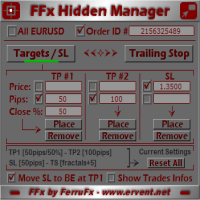
O painel FFx Hidden Manager vai ajudar facilitando o gerenciamento de suas ordens diretamente no gráfico. Abaixo a descrição de todos os recursos: TP, SL e Trailing Stop ficam ocultos Cada ordem tem a sua própria linha no gráfico Arrasta e solta (Drag & Drop) qualquer linha para alterar o TP/SL, conforme sua necessidade Opção para mover automaticamente a linha SL no empate (breakeven) quando TP # 1 for atingido Opção para escolher o tipo de TP/SL (por pips ou preço) Opção para escolher o tipo de
FFx Risk Calculator panel will help you to calculate very easily your trades size, SL or the risk directly on the chart. All features are described below: Option to select which parameter to calculate: Risk, Stop Loss or Lot Size The panel will show if the lot size is allowed according to the current account free margin Button to maximize/minimize the panel Drag and Drop the panel anywhere on the chart How to use it? Select the parameter you want to be calculated. It will be based on the 2 other
News Trader Pro
Vu Trung Kien
4.38 (16)
News Trader Pro é um robô único que permite a negociação com notícias pela sua estratégia pré-definida. Ele carrega pedaços de notícias de vários sites populares de Forex. Você pode escolher qualquer notícia e programar a estratégia para negociar, então o News Trader Pro vai operar com essa notícia através de uma estratégia selecionada automaticamente quando a notícia for publicada. As notícias dão a oportunidade de ter pips desde que o preço tenha um grande movimento com a publicação. Agora, co
FFx Watcher PRO
Eric Venturi-Bloxs
The FFx Watcher PRO is a dashboard displaying on a single chart the current direction of up to 15 standard indicators and up to 9 timeframes. It has 2 different modes: 1. Watcher mode: Multi Indicators User is able to select up to 15 indicators to be displayed User is able to select up to 9 timeframes to be displayed 2. Watcher mode: Multi Pairs User is able to select any number of pairs/symbols User is able to select up to 9 timeframes to be displayed This mode uses one of the standard indicat
If you wish to draw Support and Resistance lines, view: daily market opening, classical pivot levels, Fibonacci pivot levels, trend lines, Fibonacci levels, the remaining time to candle closing, and current spread. If you seek to place your orders with the exact lot that meets your desired stop loss risk. If you wish to do all this and more with just one click, then this is the perfect tool to use. This tool will allow you to feel more relaxed when deciding to open orders, as well as predicting
Unlimited Binary Options Copier Remote is a powerful tool to copy binary options trades remotely between multiple accounts at different locations over internet. This is an ideal solution for signal provider, who want to share his binary options trades with the others globally on his own rules. One provider can copy trades to unlimited receivers and one receiver can get trade from unlimited providers as well. The provider can set the subscription expiry for each receiver, so that receiver will no
Pairs Trade
Oleg Pechenezhskiy
The Pairs Trade indicator is a utility for semi-automatic pair trading. It allows combining the charts of two arbitrary instruments, even if the schedules of their trading sessions are different. It displays a spread chart in the form of a histogram with an overlaying moving average. It calculates the swap that will be charged for the synthetic position (in the deposit currency). It is possible to set a level for automatic opening of a synthetic position on the spread chart (analogous to the 'se
Corporate Report
Pavel Verveyko
5 (1)
The script displays info about the share's corporate reports and dividends. The data is downloaded from   investing.com : Report date Profit per share (EPS) Revenue Market capitalization Amount of dividends Date of payment of dividends Dividend income The product cannot be tested in the tester (since it is not possible to receive data from the Internet). Before launching:  Add 2   URL   https://ru.investing.com/earnings-calendar/Service/getCalendarFilteredData  and   https://ru.investing.com/di
This Stacker EA will: Automatically set Stop loss on a new order Automatically set Take profit on a new order Stack (or open up to 4 additional orders at the same time) when a new order is placed, the SL/TP can be preset individually for each order. Provides a transparent replacement for the standard 1-click trading buttons in MetaTrader 4 (1 click still works and SL/TP will automatically be set as well as Stacking). Automatically calculate lot order size according to preset risk management perc
FXFledgling Exit Tool is a complete risk management tool that analyzes both the open trades and the direction of the pair of open trades. As long as the suggested entry and lotsizing management presented here is followed strictly, you will have a high chance (but no guarantee) of surviving the trade. What It Does It is used as an exit tool. It helps the trader to manage any manual trade that he transacted. It does the following: Trail Stop Dynamic Stop Loss - a calculated stop-loss that changes
Crypto Market Pro
Daniil Kurmyshev
5 (1)
New opportunities for analyzing cryptocurrency in the usual MetaTrader 4. For example : We select the symbol of the cryptocurrency and attach any indicators, Expert Advisors or scripts. Startup Mode View cryptocurrency; Data collection. Capabilities Work as with a standard currency chart; Automatic update of open charts; Selection of individual cryptocurrency for updating; Selection of individual timeframes for updating; Work on the desired timeframes; Open charts do not affect the work of Cry
Telegram Notify
Kin Hang Tan
1 (1)
Notify Telegram is a utility that bridge your MetaTrader4 trading activities to your Telegram chat/channel. It will help you to monitor your MetaTrader4 actions such as placing trade, modifying order's TP/SL, closing trades etc and send a notification message to your dedicated Telegram chat/channel. It does not execute any trade on your MetaTrader4 account. It can be useful for monitoring EA performance or providing signal to your Telegram channel/group subscribed. Parameters Token ="" - enter
The  Easy Strategy Builder (ESB)  is a " Do It Yourself " solution that allows you to create a wide range of the automated trading strategies without any line of codes. This is the world’s easiest method to automate your strategies that can be used in STP, ECN and FIFO brokers. No drag and drop is needed. Just by set conditions of your trading strategy and change settings on desired values and let it work in your account. ESB has hundreds of modules to define unlimited possibilities of strategi
Telegram ChartSnap is an utility tool to bridge your MetaTrader 4 activities to your Telegram chat/group/channel. It will screen shot your MetaTrader 4 chart and send it to your dedicated Telegram chat/group/channel through a Telegram bot. The whole process will keep repeating based on a time cycle that predetermined by the user. It is a convenient tool for those who like to get access to their favorite system/dashboard that only available at MetaTrader Desktop. Beside that, trader can easily s
Советник риск-менеджер с огромным арсеналом возможностей защиты вашего депозита. Для инвесторов, которые решили передать капитал в доверительное управление. Когда у трейдера нет доступа к настройкам - нивелирует торговые риски. А также для трейдеров, которые осознали необходимость стороннего контроля за их торговлей для улучшения торговых результатов.  Для максимальных результатов - должен стоять на отдельном VPS сервере и у трейдера не должно быть возможности менять настройки в торговый период.
Grid Hero War Pad
Chock Hwee Ng
3.4 (5)
Grid Hero War Pad is a  GRAPHICAL MANUAL TRADER version of the original Grid Hero EA, designed and created for ADVANCED TRADERS who are experienced in plotting their own market entries. It is coded using ADVANCED GRAPHICAL INTERFACE programming, that combines the power of discretionary trading with Grid Hero algorithm in the form of a graphical console with button-click easy execution. It allows you to execute trades manually using Market Orders and Pending Orders, and then automatically uses th
The advantage of using this EA This EA directly updates takeprofit and stop losses that are still empty in a manual order Parameters Multiplier: Multiplier value of the previous transaction Distance: Distance hedging from the previous order Takeprofit: take profit taken from the last price + the value of this column We recommend that you do not add more than one manual transaction in the same pair martingale hedging | manual hedging | hedging manual | hedging lot | best robot | best ea

MirrorEA
Eugenio Bravetti
The new version of  MirrorSoftware 2021  has been completely rewriten and optimized.  This version requires to be loaded only on a single chart because  it can detect all actions on every symbol and not only the actions of symbol where it is loaded. Even the  graphics and the configuration mode  have been completely redesigned. The MirrorSoftware is composed of two components (all components are required to work):  MirrorController  (free indicator): This component must be loaded into the MASTER
Open charts
Maksim Slovakov
Скрипт открывает графики по всем инструментам находящимся в окне "Обзор рынка" и по желанию может задать для всех графиков один шаблон. Так-же можно удалить все графике открытые в терминале Мт4. В скрипте имеются следующие настройки: "Таймфрейм" по умолчанию M30;             (Можно поставить свой: M1, M5, M15, M30, H1, H4, D1, W1, MN.) "Задержка" по умолчанию "0";                  (Задержка перед открытием следующего графика в миллисекундах.) "Шаблон" по умолчанию "True";                (True=пр
TFA Trade Manager
TFA Global Pte. Ltd.
(8th Feb 2019 Launch Promo: $97/lifetime just for 1 day! Price goes to $180/lifetime in 24 hours!) The TFA Trade Manager helps you easily manage your trades with an intelligent vertical "bars" system. You easily now easily click + drag your entry, stop loss, take profit, breakeven, partial profit and trailing stop with a few simple mouse clicks. You can also easily calculate the risk you wish to allocate to each trade by telling the trade manager your desired risk %, lot size or $dollars to risk
Quantized Trend
Oleg Pechenezhskiy
This utility automatically draws the trend channel on the price chart. For the time interval from the specified date to the current bar, the drawn channel is almost optimal. Placing the beginning of the channel at a more distant historical price extremum, you get a visualization of a longer-term trend. Channel slope is not a continuous value, but takes one of discrete values (in AxB format, where A is the number of price points (points), and B is the number of timeframes). This program works ONL
--------------Welcome to use [MQL5 Signal Analyze Master]------------------  Function: Draw order tracks of MQL5 MT4 and MT5 signal on MT4 chart. [Using guide] 1.Use it as Experts. 2.Download history record from MQL5 signal(MT4 signal or MT5 signal).  3.Paste history record file below "MQL4/Files/" 4.Load [Signal Analyze Master] on the symbol chart what you want to analyze. 5.Paste the history record file name to parameter 'FileName' 6.Select  SignalType  match the history you download on MT4
Forex copier
Alexandr Bryzgalov
4.5 (2)
We offer simple and reliable software that can  copy trades  between any MT4 accounts. Easy to use MetaTrader copier which saves valuable time Reliable, so you are protected from technical issues Powerful, with a lot of features available Who can use this MT4 copier? Forex Copier is a solution for individual traders or account managers who need to execute trade signals from external sources or who need to  manage several MetaTrader 4 accounts  at the same time. We do not offer you “yet another
Forex Market View Dashboard and CSM
Opengates Success International
5 (1)
FFXMV Dashboard + CSM is a custom indicator combined with Currency Strength Meter . It is created to give the Traders a full view of what is going on in the market. It uses a real time data to access the market and display every bit of information needed to make a successful trading. Before attaching this Indicator to your window chart, go to your MT4's Market Watch panel and HIDE all the Currency pairs you don't need or trade and leave the rest there. The reason is that FFMV Dashboard will DISP
Trendline Scalper Robot
Vijay Vikram Singh Kushwah
Trading  Robot which automates your scalping and take your profitability  and forex trading experience to the next level ,Computer cannot analyse market as humans do, at same time we cannot compete with them in terms of speed of execution, hft  & emotionlessness  .  ​In this scalp-trading robot we have integrated human analysis with quick algorithmic execution  to enter and exit trades at fraction of seconds Get More details at :  https://www.noemotionfx.com/tl-scalper-ea To test , use it in dem
NewsReady
Joel Protusada
NewsReady is a semi-automated Expert Advisor that uses a smart straddle methods It needs to be set in charts 2 to 10 minutes before Economic Data release with a red-flag impact on currencies related to the news. Then it run pending orders in specified number of minutes indicated in the time-period parameter. After the specified time, it will stop trading and will remove all pending orders. Important You can not backtest this tool because it is semi-automated and can only be set and run a few min
TSScreenIchimoku
Salvatore Labriola
Panel designed for ichimoku traders. Intelligent algorithm that reveals signals over multiple time frames and multiple currency crosses.   The benefits you get :   Significantly lightens the signal search analysis. Never redesigns, does not retreat, never recalculates. Works on forex, CFD, Crypto and stocks, time frames from M5 to W1. Integrated pop-up, push notification and sound alerts. Easy to use. Parameters : Number_Instrument = 10; Number of instruments displayed Tenkan = 9; Kijun = 26;
Advanced Smart Renko and Heiken Ashi Candle Trader is ONE STOP SOLUTION based semi/fully - automated multi-currency EA carefully engineered for traders to enter the trade based on their Analysis or in fully automated mode for scalping, trend trading, candle breakout trades and also automated news trading with inbuilt trade management solution.    Advantages    No grid / Martingale Works on Classic Renko, Renko Heiken Ashi charts and classic Heiken Ashi charts    Features Multi-Currency Ma
Binary expert
Dmitriy Konogorov
Expert for a binary options on mt4, he have  two built-in a indicators and many different settings. The expert has one a level of martingale, but it is recommended to use it on  the instruments with a yield of 85 percent. it can be used simultaneously on a variety of currency instruments. All settings have already been made, but you can also configure them yourself . Currency for do trading is a Russian ruble. Good trading to everyone.
Mais do autor
One-click risk-based trading with draggable SL/TP and a live risk readout. Full description DocFX Trade Manager is a lightweight, always-on trading panel that handles the full lifecycle of a discretionary trade. It handles lot sizing, entry, stop management, break-even, trailing, and partial exits; all without manual lot-size math or switching away from your chart.   Complete with strategy tester support. Key features One-click buy/sell with your choice of Risk % of balance (with 1%/2%/5% pre
Introduction Broadcasts your MetaTrader 4 trades to a Telegram channel, group or chat: opens, pending orders, stop-loss and take-profit changes, breakeven, partial closes, and closes with the reason. Each trade posts as one thread of replies. Full description DocFX MT4 to Telegram Signal Provider sends your trades to Telegram as they happen. Attach it to any chart, give it a bot token and a channel, and from then on every action on the account is posted for you: entries, pending orders, stop ch
Trendy Boom and Crash Trader
Felix Kenechi Onodu
4 (2)
Designed to trade the boom and crash indices from deriv.com on mt5, Trendy EA is a consistent scalper. It uses one or two moving averages to determine the trend, and then the awesome oscillator is used to identify entry points. All analysis is done on the 1 minute time frame, and every position is opened with stop loss and take profit levels. FEATURES Quick set-up using trading modes Trade all instruments from a single chart Smart automatic lot size adjustment Built-in account protection for th
One-click risk-based trading with draggable SL/TP and a live risk readout. Full description DocFX Trade Manager is a lightweight, always-on trading panel that handles the full lifecycle of a discretionary trade. It handles lot sizing, entry, stop management, break-even, trailing, and partial exits; all without manual lot-size math or switching away from your chart. Complete with strategy tester support. Key features One-click buy/sell with your choice of Risk % of balance (with 1%/2%/5% prese
Introduction Broadcasts your MetaTrader 5 trades to a Telegram channel, group or chat: opens, pending orders, stop-loss and take-profit changes, breakeven, partial closes, and closes with the reason. Each trade posts as one thread of replies. Full description DocFX MT5 to Telegram Signal Provider sends your trades to Telegram as they happen. Attach it to any chart, give it a bot token and a channel, and from then on every action on the account is posted for you: entries, pending orders, stop c
Introduction Executes the trade signals posted in your Telegram channels or groups on MetaTrader 5, then manages each trade from the provider's follow-ups: stop and target changes, breakeven, partial closes, closes and cancellations. Reads DocFX Provider signals exactly and plain-text signals from other sources. Full description DocFX Telegram to MT5 Signal Follower reads the trade signals posted in your Telegram channels or groups and places them on your account. It doesn't stop at the entry.
Filtro:
Sem comentários
Responder ao comentário