Consecutive Candle Reversal
- Experts
-
Chawada Krunal Pratapbhai
 I design rule-based trading systems focused on market behavior,
risk control, and execution discipline.
My work is not about predictions or daily profits.
It is about how systems behave under real market conditions.
I specialize in MT4/MT5 Expert Advisors, prop-firm–safe risk management, - Versão: 1.3
Consecutive Candle Reversal is a simple counter-trend Expert Advisor based on candle sequences.
Logic
The EA reads completed candles on the selected signal timeframe (M1 by default). When a set number of consecutive candles close in the same direction (7 by default), it opens one trade in the opposite direction at the open of the next candle. After 7 bearish candles it buys; after 7 bullish candles it sells. A candle that closes at its open price breaks the sequence. The signal is checked once per new bar, and the forming candle is never used.
Each trade has a fixed Stop Loss and Take Profit in pips, set at entry. There is no martingale, grid, averaging or trailing stop. No indicators are used.
Trade safety checks
Before each order the EA checks the volume against the symbol limits, the free margin, and the Stop Loss and Take Profit distance against the current price and the broker stop level. If a check fails, the order is not sent and the reason is written to the Experts log.
Inputs
ConsecutiveCandles - number of same-direction closed candles required (default 7)
TakeProfitPips - Take Profit in pips (default 20)
StopLossPips - Stop Loss in pips (default 40)
LotSize - fixed trade volume (default 0.01)
MagicNumber - identifies the EA's positions
DeviationPoints - maximum price deviation for market orders
TradeSymbol - symbol to trade; empty uses the chart symbol
SignalTimeframe - timeframe used for the candle sequence (default M1)
UseSessionFilter - optional time window for new entries, in server time (off by default)
SessionStartHour, SessionStartMinute, SessionEndHour, SessionEndMinute - session window settings
Notes
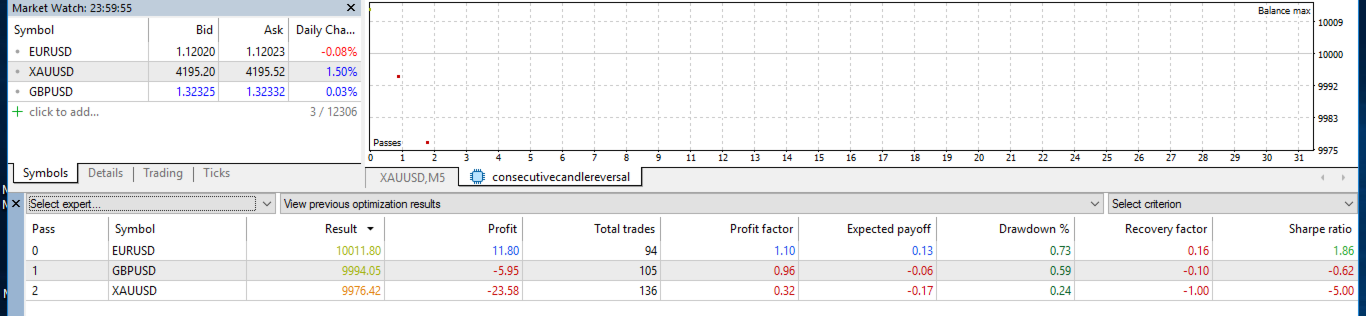
The EA was designed for EURUSD on M1 and works on hedging and netting accounts. Pip size is calculated from the symbol digits. On symbols with wide spreads, such as gold, a trade may be skipped when the spread is larger than the Stop Loss distance. Test the EA in the Strategy Tester with your broker's data and settings before using it on a live account. Trading involves risk of loss.
Note
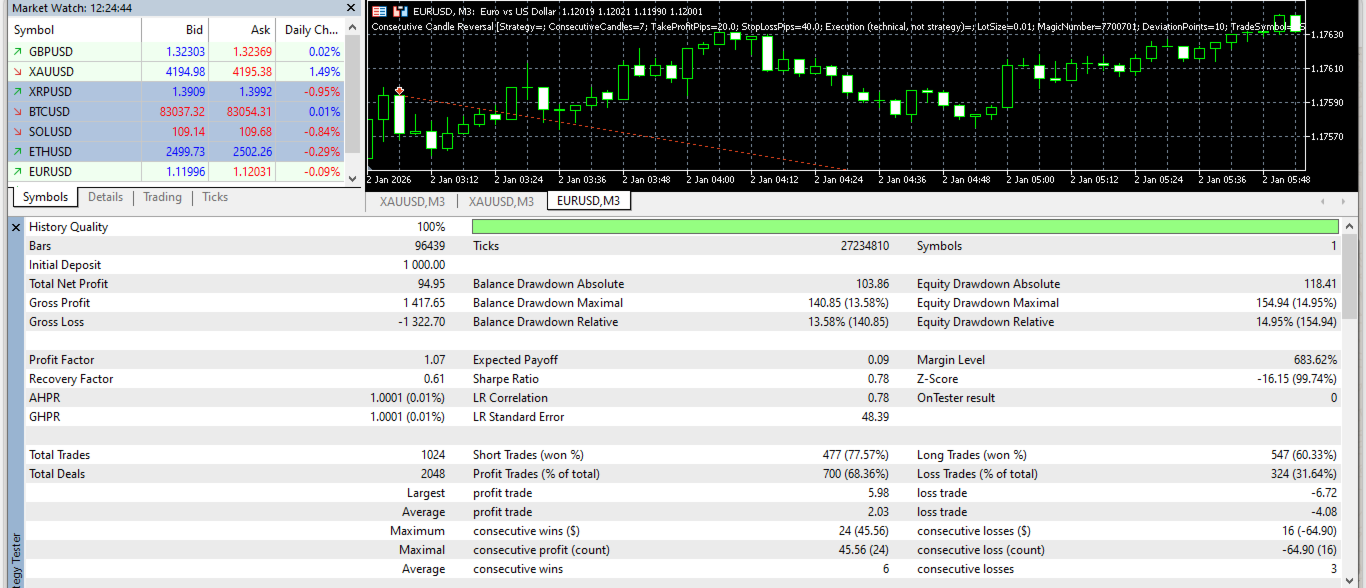
Recommended settings: EURUSD, SignalTimeframe = M3, LotSize = 0.01 per 1,000 USD of balance.
The default SignalTimeframe input is M1. To use the recommended setting, change SignalTimeframe to M3 in the inputs. The chart timeframe does not affect the signal; only the SignalTimeframe input does.
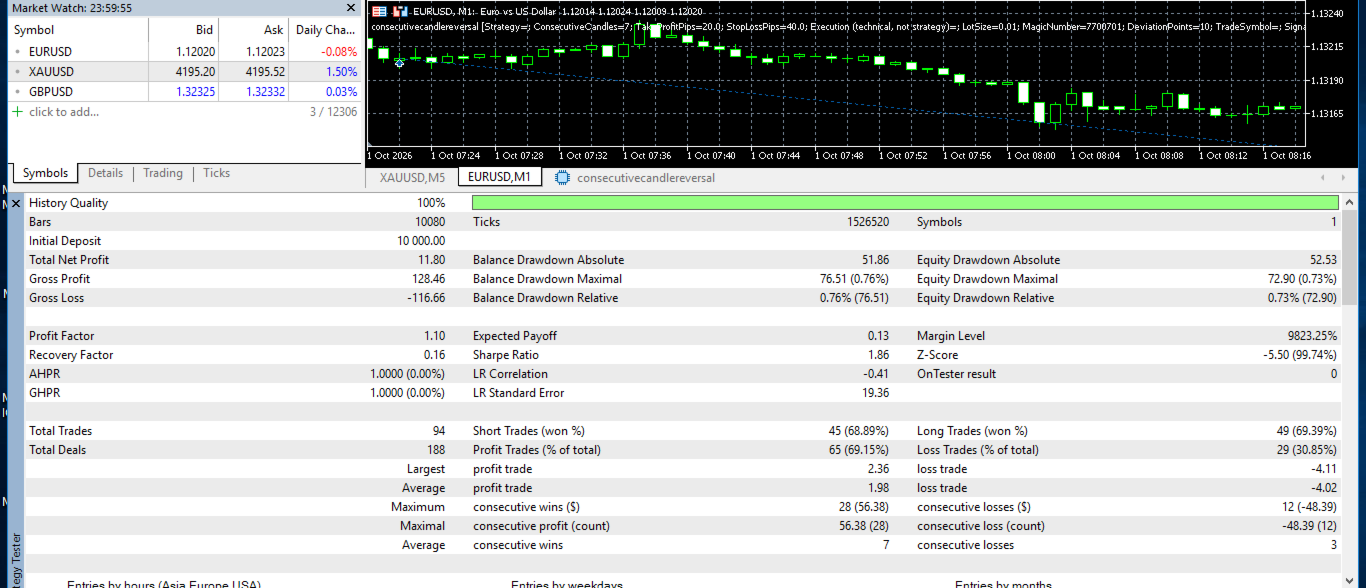
In the author's Strategy Tester runs on EURUSD (historical data from January to October 2026, every tick mode, 1,000 USD initial deposit), the M3 setting showed lower drawdown and a better balance between risk and reward than the M1 setting. These are backtest results, not real trading results. Results with other brokers, periods or settings may differ.