Quantum Index Trend EA
- Experts
-
Guad Bibar
 Founder of Quantum Labs and developer of practical MT4 and MT5 tools for traders who value risk control, transparent logic, and disciplined execution. I build non-repainting indicators, market-regime dashboards, and Expert Advisors with clearly documented rules and realistic risk controls—without
 - Versão: 1.1
- Ativações: 5
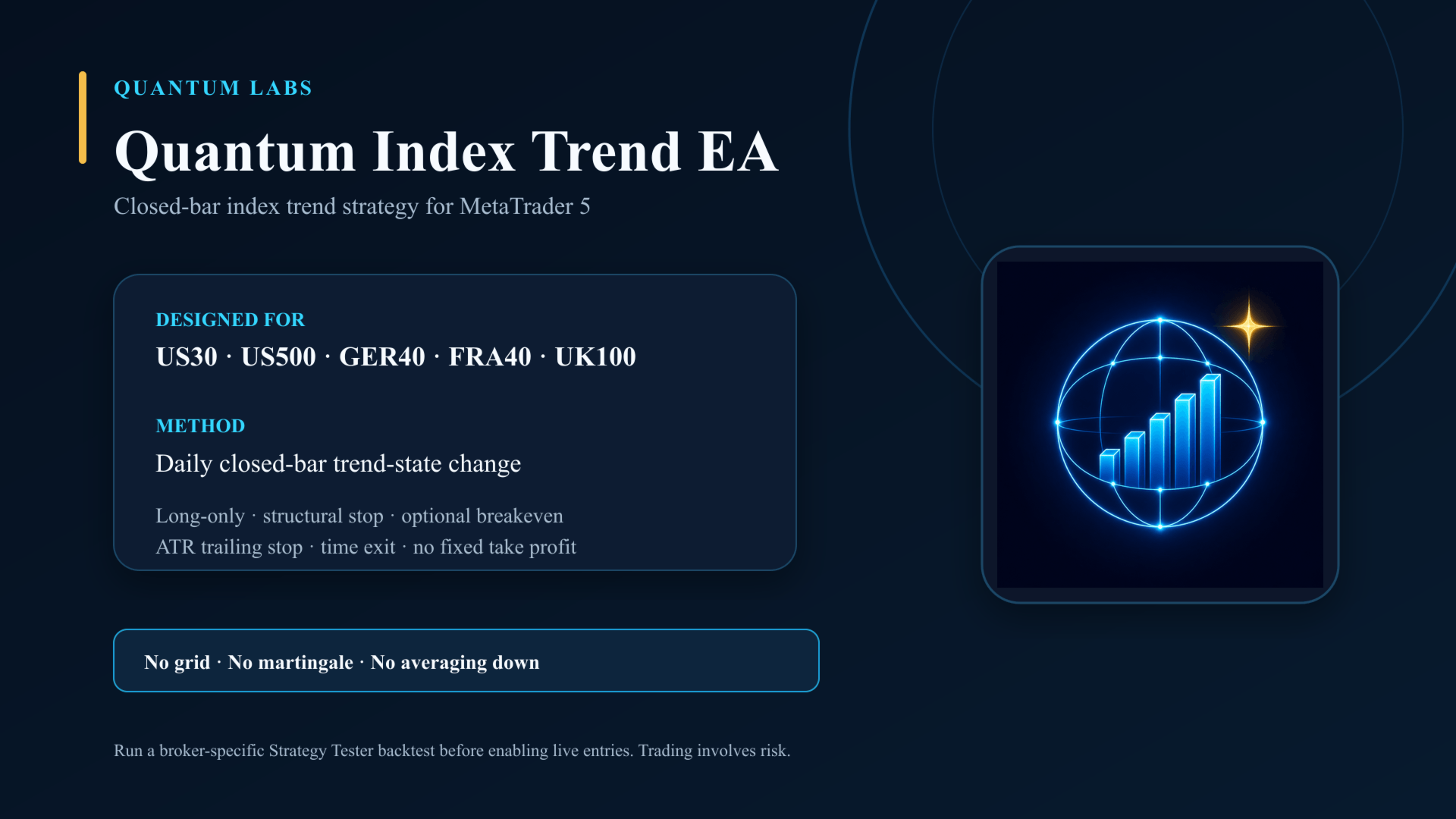
Quantum Index Trend EA is a closed-bar trend strategy for selected cash-index CFDs in MetaTrader 5.
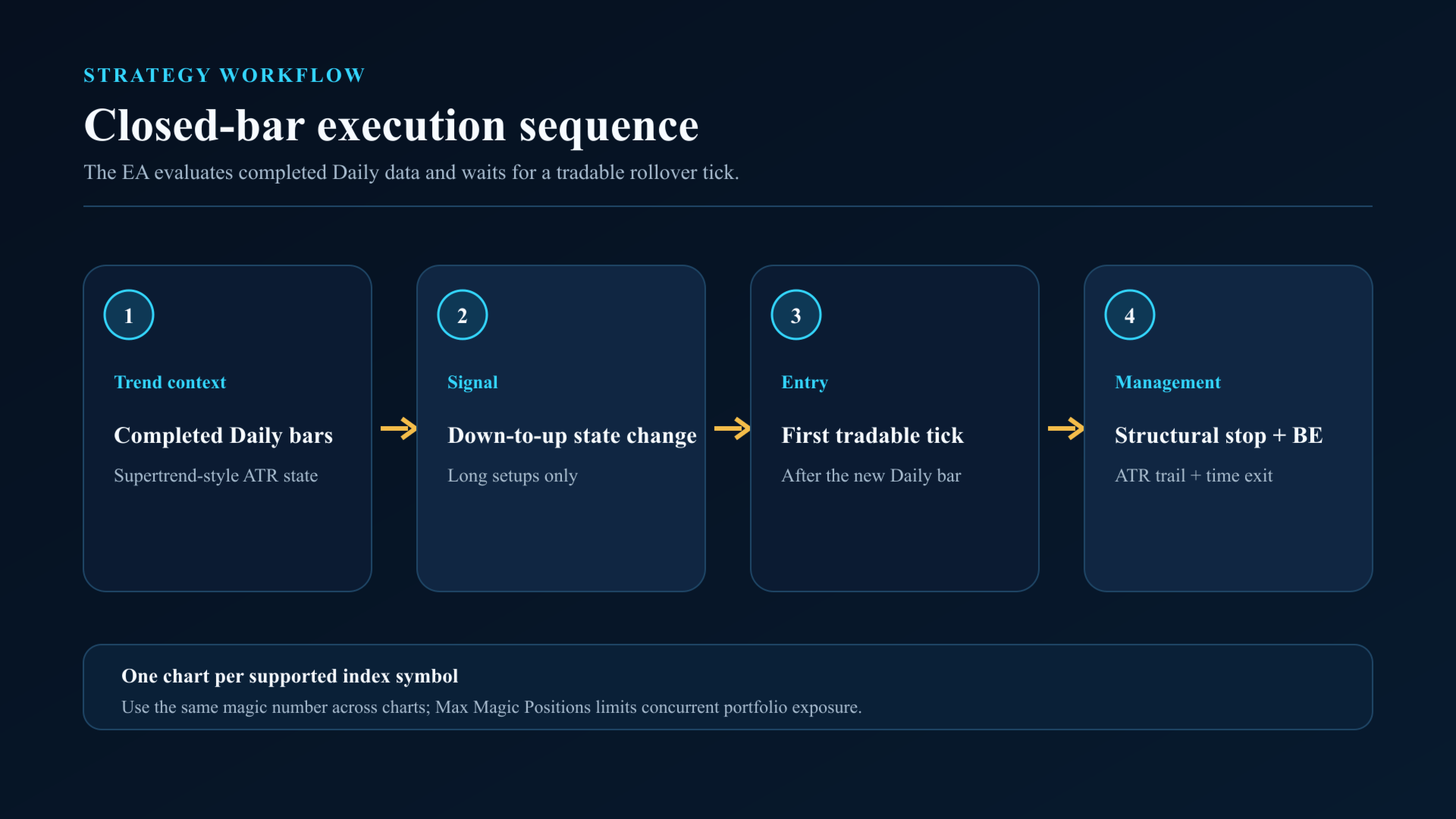
The EA reads Daily data internally, so it can be attached to any chart timeframe. An H1 chart provides a practical view of its first-tradable-tick execution after the Daily rollover.
How it works
The strategy calculates a Supertrend-style state from completed Daily bars using Average True Range. A long setup is created when the completed-bar state changes from down to up.
The EA waits for the symbol to become tradable after the new Daily bar begins. It then attempts one long entry on the current chart symbol. It does not open short positions.
Position management
Every new position starts with a broker-side structural stop below the signal structure. If the completed-bar price excursion reaches one initial risk unit, the EA can move the stop to breakeven. It then applies a close-based Average True Range trailing stop. A position that remains open for the configured number of Daily bars is closed by the time-exit rule.
There is no fixed take profit. There is no grid, martingale, averaging down, recovery sequence, or hidden multiplier.
Risk and execution controls
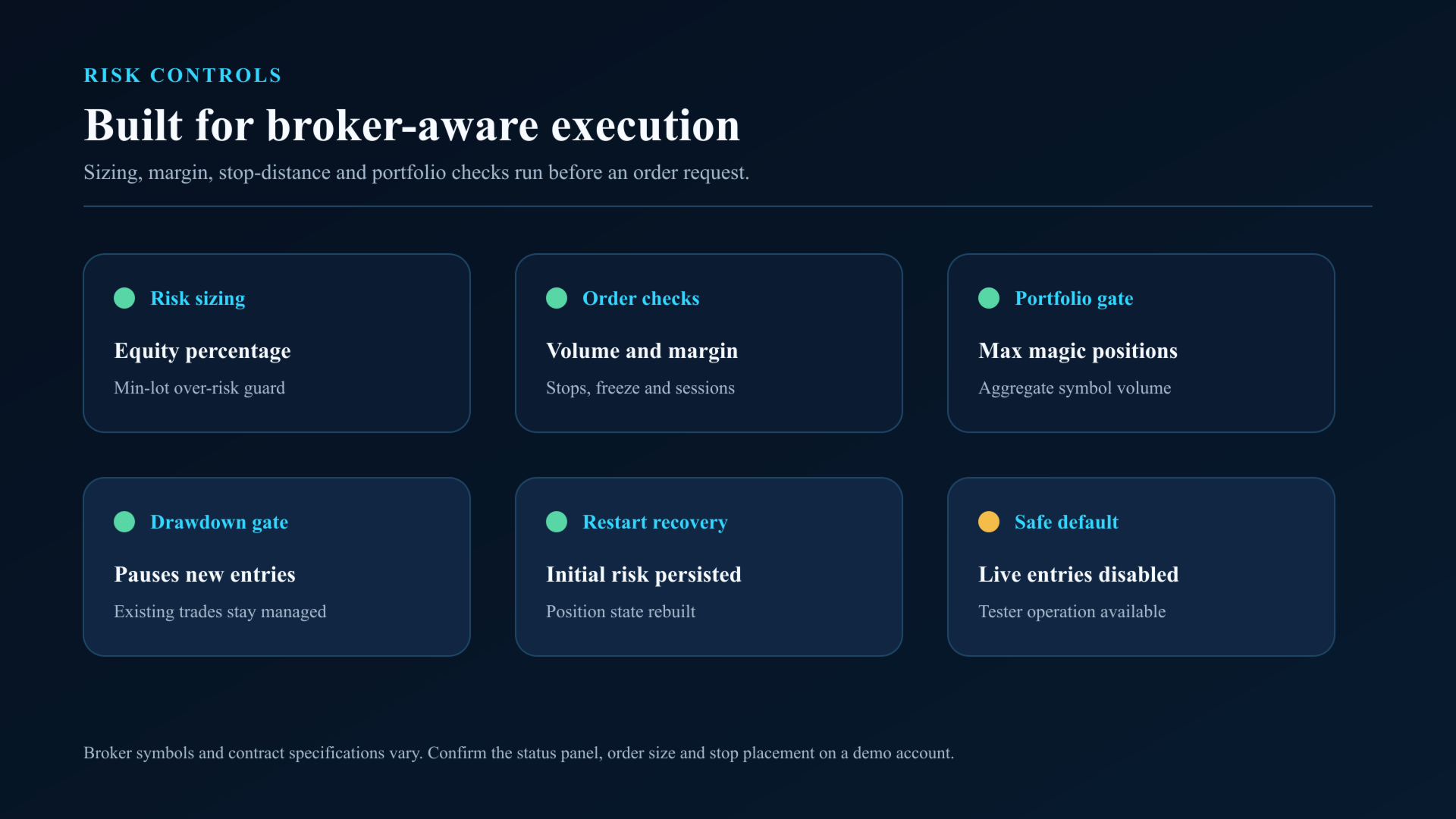
The default risk is 0.5 percent of account equity per new position. Position size is calculated from the entry-to-stop distance and the broker's contract specification.
The EA checks minimum and maximum volume, volume step, aggregate symbol volume limits, free margin, stop distance, freeze distance, trading sessions, and optional spread limits before sending or modifying an order.
If the broker's minimum lot would exceed the planned risk budget, the entry is skipped by default.
An equity drawdown gate can pause new entries. Existing positions with the matching symbol and magic number remain managed when new entries are disabled.
Supported market scope
The intended scope is cash-index CFDs whose broker symbol contains a common alias for US30 or Dow, US500 or SP500, GER40 or DAX, FRA40 or CAC, or UK100 or FTSE.
Broker naming and contract specifications vary. Confirm that the status panel identifies the chart symbol as supported before enabling live entries.
Setup
1. Attach the EA to one supported index chart.
2. Keep the default risk settings for the first test.
3. Use a broker-specific spread limit if required.
4. Run a Strategy Tester backtest with your broker's symbol and history.
5. Run on a demo account and review the journal, order size, stop placement, and session timing.
6. Set Enable Trading to true only after those checks.
For a multi-index portfolio, attach the EA to one chart per symbol and use the same magic number. The Max Magic Positions input limits the number of concurrent positions across those charts.
Important limitations
This is a low-frequency, long-only trend strategy. It can remain flat for extended periods. Index symbols can gap, spreads can widen, and broker contract specifications can differ materially.
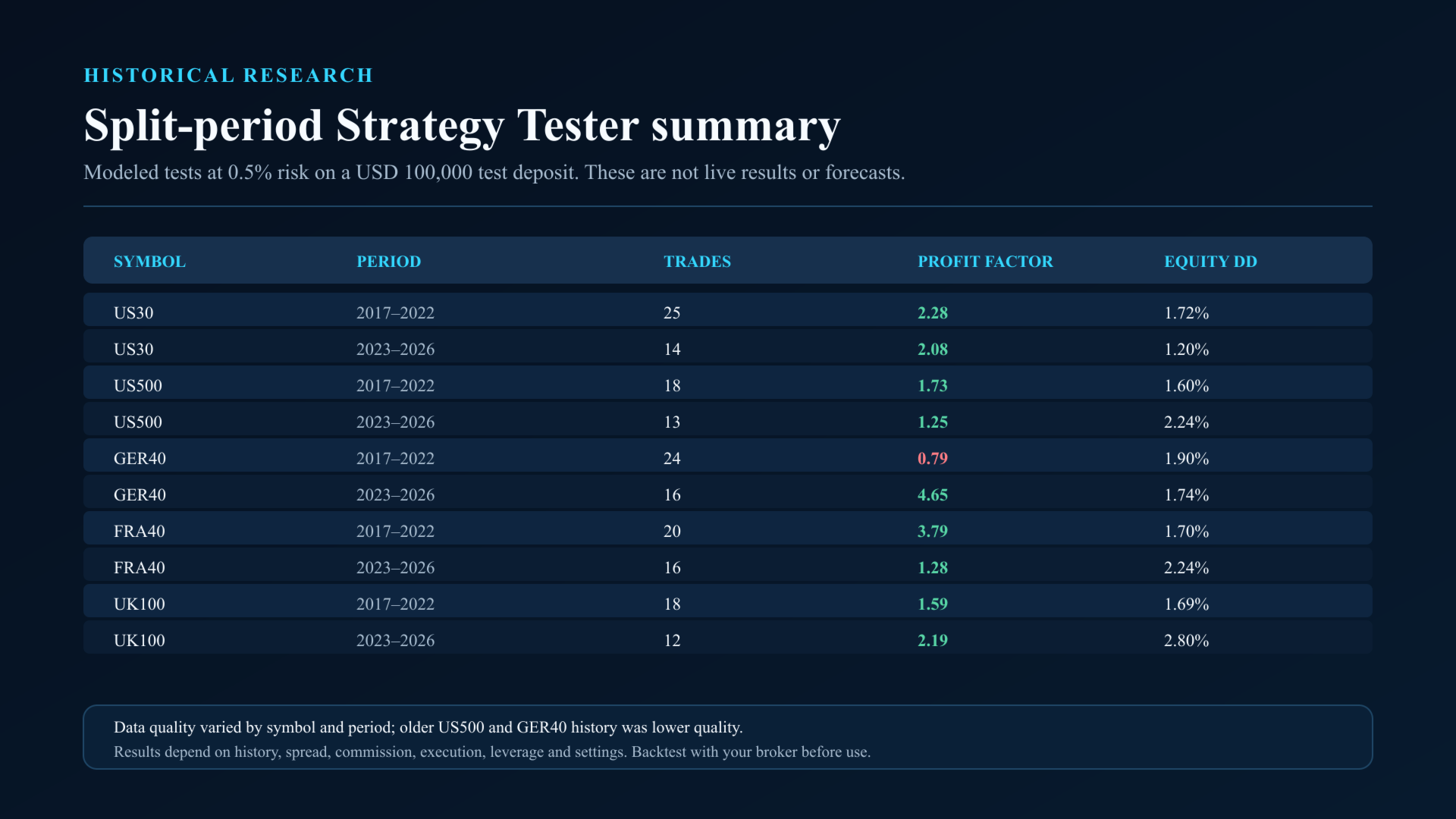
Results vary by symbol, history quality, spread, commission, execution, leverage, and input settings. A backtest is a historical simulation and is not a live result or a forecast. Test the product with your broker before use. Trading involves risk.