Trend Line Break Alert
30 USD
Download demo:
43
Publicado:
6 janeiro 2024
Versão atual:
1.0
Não encontrou o robô certo? Encomende um para você
no serviço Freelance.
Ir para o Freelance
no serviço Freelance.
Como comprar um robô de negociação ou indicador?
Execute seu EA na
hospedagem virtual
hospedagem virtual
Teste indicadores/robôs de negociação antes de comprá-los
Quer ganhar dinheiro no Mercado?
Como apresentar um produto para o consumidor final?

Você está perdendo oportunidades de negociação:
- Aplicativos de negociação gratuitos
- 8 000+ sinais para cópia
- Notícias econômicas para análise dos mercados financeiros
Registro
Login
Você concorda com a política do site e com os termos de uso
Se você não tem uma conta, por favor registre-se
Nothing shows on the chart. Can you look into this?
Hi Jabautista,
Thank you for your purchase and for reaching out.
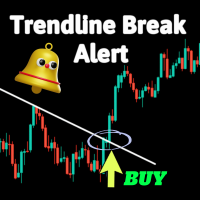
Our Trendline Break Indicator provides alerts when manually drawn trendlines are broken. It is not an automatic trendline detection tool. Please follow these steps to ensure it functions correctly:
Draw trendlines Manually: Use your platform's drawing tools to manually draw the trendlines you want to monitor.
Apply the Indicator: Ensure the indicator is correctly applied to your chart and the settings are configured as desired.
Monitor for Alerts: The indicator will monitor the drawn trendlines and alert you when a break occurs.
If you downloaded the demo version first, you should have seen that the indicator requires manually drawn trendlines to function.
Please verify these steps and let me know if the issue persists. Feel free to provide more details or screenshots if you need further assistance.
Looking forward to your feedback.
Hi Jabautista,
Thank you for your purchase and for reaching out.
Our Trendline Break Indicator provides alerts when manually drawn trendlines are broken. It is not an automatic trendline detection tool. Please follow these steps to ensure it functions correctly:
Draw trendlines Manually: Use your platform's drawing tools to manually draw the trendlines you want to monitor.
Apply the Indicator: Ensure the indicator is correctly applied to your chart and the settings are configured as desired.
Monitor for Alerts: The indicator will monitor the drawn trendlines and alert you when a break occurs.
If you downloaded the demo version first, you should have seen that the indicator requires manually drawn trendlines to function.
Please verify these steps and let me know if the issue persists. Feel free to provide more details or screenshots if you need further assistance.
Looking forward to your feedback.
It works. Thank you very much for the informative response!