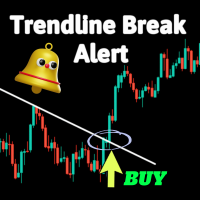
Trend Line Break Alert
30 USD
Demo indirildi:
43
Yayınlandı:
6 Ocak 2024
Mevcut sürüm:
1.0
Uygun bir robot bulamadınız mı?
Freelance üzerinden kendi
robotunuzu sipariş edin
Freelance'e git
Freelance üzerinden kendi
robotunuzu sipariş edin
Bir alım-satım robotu veya gösterge nasıl satın alınır?
Uzman Danışmanınızı
sanal sunucuda çalıştırın
sanal sunucuda çalıştırın
Satın almadan önce göstergeyi/alım-satım robotunu test edin
Mağazada kazanç sağlamak ister misiniz?
Satış için bir ürün nasıl sunulur?

Alım-satım fırsatlarını kaçırıyorsunuz:
- Ücretsiz alım-satım uygulamaları
- İşlem kopyalama için 8.000'den fazla sinyal
- Finansal piyasaları keşfetmek için ekonomik haberler
Kayıt
Giriş yap
Web sitesi politikasını ve kullanım şartlarını kabul edersiniz
Hesabınız yoksa, lütfen kaydolun
Nothing shows on the chart. Can you look into this?
Hi Jabautista,
Thank you for your purchase and for reaching out.
Our Trendline Break Indicator provides alerts when manually drawn trendlines are broken. It is not an automatic trendline detection tool. Please follow these steps to ensure it functions correctly:
Draw trendlines Manually: Use your platform's drawing tools to manually draw the trendlines you want to monitor.
Apply the Indicator: Ensure the indicator is correctly applied to your chart and the settings are configured as desired.
Monitor for Alerts: The indicator will monitor the drawn trendlines and alert you when a break occurs.
If you downloaded the demo version first, you should have seen that the indicator requires manually drawn trendlines to function.
Please verify these steps and let me know if the issue persists. Feel free to provide more details or screenshots if you need further assistance.
Looking forward to your feedback.
Hi Jabautista,
Thank you for your purchase and for reaching out.
Our Trendline Break Indicator provides alerts when manually drawn trendlines are broken. It is not an automatic trendline detection tool. Please follow these steps to ensure it functions correctly:
Draw trendlines Manually: Use your platform's drawing tools to manually draw the trendlines you want to monitor.
Apply the Indicator: Ensure the indicator is correctly applied to your chart and the settings are configured as desired.
Monitor for Alerts: The indicator will monitor the drawn trendlines and alert you when a break occurs.
If you downloaded the demo version first, you should have seen that the indicator requires manually drawn trendlines to function.
Please verify these steps and let me know if the issue persists. Feel free to provide more details or screenshots if you need further assistance.
Looking forward to your feedback.
It works. Thank you very much for the informative response!