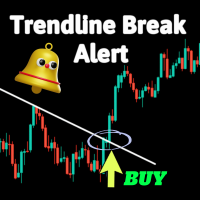
Trend Line Break Alert
30 USD
Demo downloaded:
43
Published:
6 January 2024
Current version:
1.0
Didn't find a suitable robot?
Order your own one
on Freelance
Go to Freelance
Order your own one
on Freelance
How to buy а trading robot or an indicator
Run your EA on
virtual hosting
virtual hosting
Test аn indicator/trading robot before buying
Want to earn in the Market?
How to present a product for a sell-through

You are missing trading opportunities:
- Free trading apps
- Over 8,000 signals for copying
- Economic news for exploring financial markets
Registration
Log in
You agree to website policy and terms of use
If you do not have an account, please register
Nothing shows on the chart. Can you look into this?
Hi Jabautista,
Thank you for your purchase and for reaching out.
Our Trendline Break Indicator provides alerts when manually drawn trendlines are broken. It is not an automatic trendline detection tool. Please follow these steps to ensure it functions correctly:
Draw trendlines Manually: Use your platform's drawing tools to manually draw the trendlines you want to monitor.
Apply the Indicator: Ensure the indicator is correctly applied to your chart and the settings are configured as desired.
Monitor for Alerts: The indicator will monitor the drawn trendlines and alert you when a break occurs.
If you downloaded the demo version first, you should have seen that the indicator requires manually drawn trendlines to function.
Please verify these steps and let me know if the issue persists. Feel free to provide more details or screenshots if you need further assistance.
Looking forward to your feedback.
Hi Jabautista,
Thank you for your purchase and for reaching out.
Our Trendline Break Indicator provides alerts when manually drawn trendlines are broken. It is not an automatic trendline detection tool. Please follow these steps to ensure it functions correctly:
Draw trendlines Manually: Use your platform's drawing tools to manually draw the trendlines you want to monitor.
Apply the Indicator: Ensure the indicator is correctly applied to your chart and the settings are configured as desired.
Monitor for Alerts: The indicator will monitor the drawn trendlines and alert you when a break occurs.
If you downloaded the demo version first, you should have seen that the indicator requires manually drawn trendlines to function.
Please verify these steps and let me know if the issue persists. Feel free to provide more details or screenshots if you need further assistance.
Looking forward to your feedback.
It works. Thank you very much for the informative response!