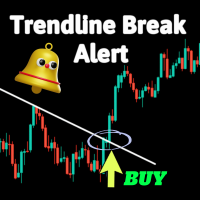
Trend Line Break Alert
30 USD
Descargado demo:
43
Publicado:
6 enero 2024
Versión actual:
1.0
¿No ha encontrado el robot adecuado?
Encargue el suyo
en la bolsa Freelance.
Pasar a la bolsa
Encargue el suyo
en la bolsa Freelance.
Cómo comprar un robot comercial o indicador
Inicia el robot en el
hosting virtual
hosting virtual
Pruebe un indicador/robot comercial antes de comprarlo
¿Quieres ganar en el Market?
Cómo ofrecer un producto para que lo compren

Está perdiendo oportunidades comerciales:
- Aplicaciones de trading gratuitas
- 8 000+ señales para copiar
- Noticias económicas para analizar los mercados financieros
Registro
Entrada
Usted acepta la política del sitio web y las condiciones de uso
Si no tiene cuenta de usuario, regístrese
Nothing shows on the chart. Can you look into this?
Hi Jabautista,
Thank you for your purchase and for reaching out.
Our Trendline Break Indicator provides alerts when manually drawn trendlines are broken. It is not an automatic trendline detection tool. Please follow these steps to ensure it functions correctly:
Draw trendlines Manually: Use your platform's drawing tools to manually draw the trendlines you want to monitor.
Apply the Indicator: Ensure the indicator is correctly applied to your chart and the settings are configured as desired.
Monitor for Alerts: The indicator will monitor the drawn trendlines and alert you when a break occurs.
If you downloaded the demo version first, you should have seen that the indicator requires manually drawn trendlines to function.
Please verify these steps and let me know if the issue persists. Feel free to provide more details or screenshots if you need further assistance.
Looking forward to your feedback.
Hi Jabautista,
Thank you for your purchase and for reaching out.
Our Trendline Break Indicator provides alerts when manually drawn trendlines are broken. It is not an automatic trendline detection tool. Please follow these steps to ensure it functions correctly:
Draw trendlines Manually: Use your platform's drawing tools to manually draw the trendlines you want to monitor.
Apply the Indicator: Ensure the indicator is correctly applied to your chart and the settings are configured as desired.
Monitor for Alerts: The indicator will monitor the drawn trendlines and alert you when a break occurs.
If you downloaded the demo version first, you should have seen that the indicator requires manually drawn trendlines to function.
Please verify these steps and let me know if the issue persists. Feel free to provide more details or screenshots if you need further assistance.
Looking forward to your feedback.
It works. Thank you very much for the informative response!