 MetaTrader 5
 Experts
 Indicadores
 Bibliotecas
 Utilitários
 Widgets
 Regras
Conheça o Mercado MQL5 no YouTube, assista aos vídeos tutoriais
Como comprar um robô de negociação ou indicador?
Execute seu EA na
hospedagem virtual
hospedagem virtual
Teste indicadores/robôs de negociação antes de comprá-los
Quer ganhar dinheiro no Mercado?
Como apresentar um produto para o consumidor final?
Novas ferramentas de negociação para MetaTrader 5 - 73
 Abaixo estão os programas de negociação que simplificam o trading no MetaTrader 5. Passe o mouse sobre um produto para ler uma descrição mostrando seu propósito.
All in one Multipurpose Telegram Trade Management , Manage and Copy Trades on the go From Telegram Pro Version MT5: www.mql5.com/en/market/product/95742 Pro Version MT4: www.mql5.com/en/market/product/85691
Execute Trades on mobile with fast execution When away from desktop MT5, or scalping the market with mobile device, or needed to copy trades from telegram groups while away, or doing some other activities, Telegram EA Manager is an effective tool to perform any trade operation with swift
FREE
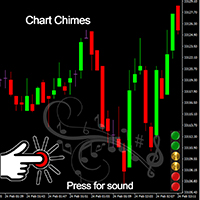
Apresentando o Chart Chimes - o indicador MT4/MT5 que torna a negociação uma sinfonia de som! Cansado de olhar para gráficos o dia todo? Precisa de um pouco de ânimo para manter o ânimo enquanto negocia? Bem, o Chart Chimes tem tudo para você!
Com Chart Chimes, toda vez que você apertar esse botão, você ouvirá um som divertido que trará um sorriso ao seu rosto e um salto para o seu passo. Imagine negociar com o som de um trompete triunfante ou de uma harpa suave ao fundo - é como ter sua própr
FREE

O único objetivo do Blind Broker System é ocultar seus planos de negociação e torná-los invisíveis para o seu corretor. Se você realmente deseja torná-lo "cego" e garantir que ele não saiba nada com antecedência sobre seus níveis de stop loss, níveis de lucro, volumes - basta usar este robô de negociação.
Agradecimentos especiais ao Sr. Henryk Kardas pela iniciação e ideia deste projeto. Lembre-se de que uma demonstração gratuita fornecida pela MQL não permite que você teste os recursos dest

ขอบคุณ แรงบันดาลใจ จากโค้ชแพม ที่ทำให้เริ่มทำ Close all ตัวนี้ และขอขอบคุณทุกคนที่ให้ความรู็มาโดยตลอด ไม่ว่าจะทางตรงทางอ้อม ขอบคุณทุกคนที่ให้ความรู้เพื่อนร่วมเทรด ทั้งนี้เพื่อให้นักเทรดทุกคนได้มีเครื่องมือในการควบคุมการปิดการซื้อขาย จึงขอพัฒนาโปรแกรม close all version 5 ได้ใช้ทุกคน Close all and update profit Version 1.00 (MT5) Full version Give you free
For MT4 Click https://www.mql5.com/en/market/product/79252
Fix TPSL calculate
Program function
Tab 1 Close order function and show br
FREE
Multi Chart Sync MT5 is a tool that synchronizes the chart symbol it is placed on to other charts, it can also be customized to exclude/skip some pairs from being synchronized to other charts, It also supports prefixes and suffixes that can be set from the input parameters for brokers with none-standard symbol formats, Synchronisation can be done once or continuously where if a synchronized chart symbol changes it will be reverted to the original/master symbol. This tool comes in handy for mult

Apresentamos o "Auto-Timed Close Operations", um utilitário importante para traders do MetaTrader 5! Este utilitário foi desenvolvido para ajudar traders de todos os níveis a fechar automaticamente suas posições abertas no momento exato que desejarem. Com o "Auto-Timed Close Operations ", você ganha o controle necessário sobre suas negociações e pode evitar surpresas indesejáveis ao final do dia ou em qualquer outro momento predefinido. Sabemos como é importante proteger seus lucros e limitar
This EA will set breakeven or breakeven-plus for your trades, whether you have manually or automatically set stop loss or not. If your broker charges commissions per trade, you need to set breakeven plus, not just breakeven, in order to cover up those charges and properly let your trades run at zero risk. Inputs:
In the inputs section , set BEPoffsetPips to 0, to use it as a "breakeven" EA. Or set BEPoffsetPips to any amount of pips you want, to use it as a "breakeven-plus" EA. "OnProf

Customize your charts with this simple utility. Choose in the 24 pre-built color sets, or use your own colors, save them to re-use them later. You can also add a text label on your chart.
--- Chart Colors-- Color Set : 24 prebuilt color sets (select "Custom" to use colors below) Background color Foreground color Grid color Chart Up color Chart Down color Candle Bull color Candle Bear color Line color Volumes color --- Label--- Text Label : Type the text you want to appear on the chart Label P
FREE

OR One-Click - Exiting EA on OsMA and RSI
This utility will not create a new position for you nor will it find a new opportunity. It will help you exit a trade. It allows you to use the "One-Click" feature on your cellphone MT5 APP to place a trade; then the utility will modify and manage the position until it is closed. This utility will work on the following 16 symbols. USDJPY, EURJPY, AUDJPY, CADJPY, GBPJPY, EURUSD, EURGBP, EURCAD, EURAUD, AUDCHF, AUDCAD, USDCAD, USDCHF, AUDUSD, GBPUSD, N
FREE
O único objetivo do Blind Broker System é ocultar seus planos de negociação e torná-los invisíveis para o seu corretor. Se você realmente deseja torná-lo "cego" e garantir que ele não saiba nada sobre seus níveis de stop loss, volumes, níveis de lucro com antecedência, basta usar este robô de negociação.
Blind Broker System é um sistema alternativo de gestão de ordens.
A diferença é que todas as ordens enviadas através do Blind Broker System ao invés de serem gravadas no servidor da corre
FREE
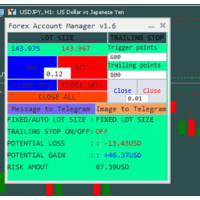
The "Lot Size" button toggles between fixed and auto lot size modes. Fixed mode uses a predetermined lot size, while auto mode calculates lot size based on a customizable percentage of the account balance, displayed at the bottom. The "Trailing Stop" button enables the activation or deactivation of the trailing stop feature. Initially set to "No Trailing," clicking the button changes it to "Trailing ON" when the trailing stop is active, and "Trailing OFF" when it is inactive. Below the button,

基于Goodtrade/GoodX 券商推出的黄金双仓对冲套利的交易模型/策略/系统,在日常的操作遇到的问题: 1、B账户跟随A账户即刻下单。 2:A账户 下单后 B账户 自动抄写止损止盈。 3:A账户平仓B账户同时平仓。 4:B账户平仓A账户也平仓。 5:不利点差下拒绝下单。 6:增加有利点值因子。 通过解决以上问题,改变了熬夜、手工出错、长期盯盘、紧张、恐慌、担心、睡眠不足、饮食不规律、精力不足等问题 目前解决这些问题后,有效提升了工作效率和盈利比例,由原来月10%盈利率提升到月45%的最佳盈利率。 原来的一名交易员只能管理操作两组账户,通过此EA提高到操作管理高达16组交易账户,或许你可以超越我们的记录,期待你的经验交流。 此EA分为: GoodtradeGoodX Tradercropy A GoodtradeGoodX Tradercropy B 是一个组合EA,假设您购买的额 GoodtradeGoodX Tradercropy A 必须同时购买 GoodtradeGoodX Tradercropy B 两个组合使用会到最佳效果。
Close it All is the EA that most of traders want because it help them did not miss their profit or protect them from the loss. Why you need the Close It All ? the EA work to close all open positions and the pending orders in the account when its reached to specified profit or loss. Input Parameters : ProfitInMoney : the number of profit in USD. LossInMoney : the number of loss in USD.
the upcoming versions including more helpful tools.

O Connector Solutions Binance é um programa utilitário para copiar negociações na Binance Exchange.
Será útil se você negociar no MetaTrader 5, mas quiser que suas negóciações sejam colocadas em uma plataforma de troca de criptomoedas como a Binance.
O Connector Solutions Binance copia negociações da conta demo feita através do MetaTrader 5 (nesta conta demo deve haver criptomoedas com as quais você deseja trabalhar).
Esta versão do Connector Solutions Binance é gratuita e, portanto, só func
FREE

Copy Trade EA (Expert Advisor) is an automatic trading software that can help investors automatically replicate the trading strategies and operations of other traders, thus obtaining trading results similar to those of other traders. The software is based on the MetaTrader platform and has the characteristics of easy-to-use, efficient, flexible, and adaptive, providing investors with a one-stop solution for automated trading. The software supports multiple trading varieties, including Forex, com

This tool is designed to quickly calculate the lot depending on the Stop Loss.
The control is done by hot keys
By default:
1 - Limit order price level
2 - Stop Loss Level
3 - Take Profit Level
Space Bar - Open an order
Escape - Cancel All 9 - Open 2 orders
Market Order
To open a Market order, click (2) and set up Stop Loss with the mouse If you want to put Take Profit - click (3) and set up Take Profit with the mouse
FREE
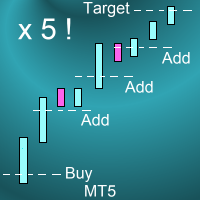
Introduction This powerful MT4 trade mangement EA offers a way potentially to aggressively multiply trade profits in a riskfree manner. Once a trade has been entered with a defined stoploss and take profit target then the EA will add three pyramid add-on trades in order to increase the overall level of profit. The user sets the total combined profit target to be gained if everything works out. This can be specified either as a multiple of the original trade profit or as a total dollar amount. Fo
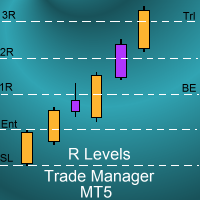
Introduction
The SDS_TradeManager EA is a powerful EA designed to manage your positions once you have been filled. It basically works a break-even stop and also a trailing stop where the trigger levels and trail levels are all specified in "R's", that is to say multiples of the initial trade risk. Many successful professional traders think about all their trades and profit taking in terms of multiples of the initial risk R. So for example, if your initial risk on your trade is 50 pips and you wa
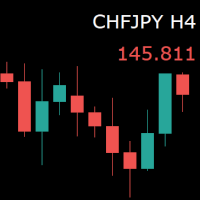
For those who monitor charts from afar, this utility is essential. It displays the chart symbol, time frame, and bid price as text. Users can adjust the text position, color, and font size. It’s also a useful tool for forex video publishers. There will be no more complaints about which symbol and time frame are displayed on the screen, even if the content is viewed on a phone. Symbol prefixes such as “_ecn” or “_stp” can be removed from the displayed symbol.
FREE
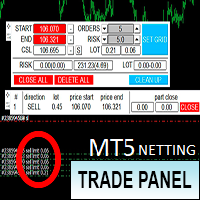
Торговая панель предназначена для установки сетки ордеров с различными параметрами. Предназначена для торговли акциями, где в одном лоте будет одна акция, на неттинговых видах счетов. Панель не дает дает открывать сетки на продажу, если уже стоят ордера на покупку и наоборот, есть возможность только управления текущей сеткой. Имеет несколько основных функций по установке ордеров в заданном диапазоне и с заданным риском, закрытию части ордеров из сетки, переносом в безубыток, закрытие части по п

Este EA permite que você nunca mais precise calcular o volume de negociação. E isso também significa que você pode Concentre-se mais na análise Concentre-se mais na mentalidade de negociação tomar melhores decisões Obtenha lucros mais estáveis e sustentados Além disso, também adicionamos duas funções: cálculo automático do preço do lucro e sistema de controle de perdas diárias para ajudar os usuários a executar cada transação com mais facilidade e disciplina. Moedas disponíveis: par de moedas
M ulti Cross Alert! on your smartphone. Use multiple indicators to get a crossover signal on chart as well as on MetaTrader app. You can use all crossovers at the same time but it is not recommended cause your chart will look messy. Instead use combination of two indicators which will be better. IMP NOTE:- More indicators will be added in future updates. Any suggestions regarding indicators are welcome! Indicators List: 1. MA (Cross) 2. RSI (OB/OS) 3. MACD Lines (Main Line & Signal Line Cross)
FREE

A professional tool for real-time monitoring of the account status and the work of Expert Advisors. Information about the account status can be sent to Telegram chats automatically at a specified interval or upon request.
From the screenshots of the open charts of the terminal, you receive upon request from your Telegram bot. Account information includes: 13:02 Trade monitoring by Telegram v.1.0 (headline) Account : 6802ххх RoboForex-Pro (account information)
Profit start: 2661 USD (profit earne

This bot is designed to compliment your existing trading strategy. The Advanced Entry Bot is NOT FULLY AUTOMATED. Once the user finds an area of interest, he or she can set the bot to BUY or SELL and input their area of interest into the settings. In essence, this bot enables traders to do their analysis of the market; then utilize the Advanced Entry Bot to benefit from a mechanical and automated system that takes entries once price reaches their area of interest. I created this bot as a way to

With the 2UP Risk & Trade Management EA you will be able to enjoy seeing your positions being fulfilled all you gotta do is take the position and have the right lot size and the 2UP EA will do the rest
- You can set your risk per position so your account never losses more than what is supposed to, it will close automatically once you reach a certain % of DrawDown. - You can set your reward as well based on %, how much do you wanna grow your account in % per trade ?, it will close automatically

Meditation Seed:
Meditation is a practice in which an individual uses a technique – such as mindfulness, or focusing the mind on a particular object, thought, or activity – to train attention and awareness, and achieve a mentally clear and emotionally calm and stable state.[1][2][3][4][web 1][web 2] Meditation is practiced in numerous religious traditions. The earliest records of meditation (dhyana) are found in the Upanishads, and meditation plays a salient role in the contemplative repertoire
FREE

OrderHelper script is super easy and trader friendly to use. It would boost your trading experience. Because it is designed to open one to multiple orders quickly with just one click. Besides using the OrderHelper script, traders can define various parameters for open orders such as the symbol, order type, lot size, stoploss, takeprofit and more. Basically, with this script traders can manage their open orders more efficiently and save their trading time. OrderHelper manages:
Open the number of

Hello Partial N Trail Ea exists to make your trader life easier. How? Well.. With this ea you can be sure that your positions are safe when you´re away or doing something else! Features: 1) -Activate/Deactivate Partial Close -Partial Close at X Pips -% to be closed 2) - Activate/Deactivate SL to Break even -Break even start -Break even Profit 3) -Activate/Deactivate Trailing Stop -Trailing Start -Trailing Distance 4) Auto place TP at x pips Auto place SL at x pips above/below last closed c
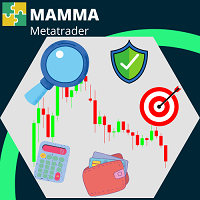
O indicador MAMMA é ideal tanto para iniciantes quanto para traders avançados para calcular STOPs, VOLUMES ou o nível de RISCO. Você tem um cockpit para controlar os parâmetros e adaptar a ferramenta à sua negociação. Este cockpit pode ser movido ou simplesmente reduzido para ser ampliado quando você precisar. Existem 3 métodos de cálculo: Você pode calcular automaticamente o risco com base no que planeja fazer com o tamanho do lote e o tamanho do stop Você pode definir o tamanho do lote com bas

T his is an ON CHART trade management panel. In other words, ON CHART Lot Size, Buy, Sell, Stop Loss, Take Profit, Close Buy, Close Sell and Close All buttons! *IMPORTANT NOTE: Input settings are NOT usable. You can change or insert Stop Loss and Take Profit values only on the chart panel. (See the below video!) This one is MT5 version!
BUTTONS List: 1. Lot Size - (0.01) is default click on it and insert the lot size with which you want to open a trade. 2. Stop Loss - (0.0) is default click on
FREE

PROTECT YOUR FTMO Account in a simplest way Must-Have Account Protector for any Prop-trading Account and Challenge MT4 / MT5 Expert Advisor that protects your Forex Prop Trading account from an unexpected drawdown! FTMO Protector is a Tool that lets you manage trades and control your profit and loss across multiple Robots and currency pairs using a simple parameters and settings. Use as many EAs and Instruments you need, the Protector will: 1. Calculate your midnight (01:00 System time) Balan

Line function : Displays the opening line, Stop Loss, Take Profit( 3:1 RR ) on the chart. Risk management : The risk calculation function calculates the volume of a new order taking into account the established risk and the size you want to risk. It allows you to set any Stop Loss size between 3 and 10 pips. Breakeven Button : Brings all open orders to Breakeven. Clear button : Clears the graph and the selected parameters. Trade Button : Execute the idea. Partials Button : Taking partials of al

Have you ever wanted to back-test a strategy but never wanted to risk real money? And the thought of using a demo account is exhausting as real time markets develop your skills slowly. This utility will help you develop your strategy faster and will help determine if the strategy works long-term by simulating real trading through back-tests. This will save you time as you can back-test strategies from previous price data. With the new update you can now change your lot-size add take-profit and
FREE

TTraderAssistant was developed to help ordinary traders in there journey to becoming successful and profitable traders. TTraderAssistant will/does not open trades on it's own, it's sole purpose is to work along the trader. TTraderAssistant will help you manage your trading risk with a variety of lot-sizing profiles available to open trades by your command and risk appetite. Various Trailing-Stop Features were built in such as Trailing-Start and Trailing-Step to help judge your exiting strateg
FREE
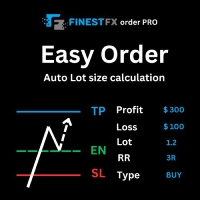
FinestFx order PRO is easy order execution and auto risk management tool developed by FinestFx official Programmer : Mohammed Rafi Just move SL,TP , Entry lines or Type SL,TP on entry columns . Lot are calculated automatically by fill out the loss cut amount. Work with all base currencies Fixed loss amount can be selected. Calculate risk rewards. Market order, limit order, and stop order are selected using buttons Supports FX, CFD, and crypto currency on MT5 Visit the owner website to see it

Auto Take Profit MT5 is designed to take profits in automatic way.
As a trader (manual or auto), you define your own expected profits schema. When you open one or several orders, the AutoTP program calculates profits then update into SL or TP automatically. It also re-calculates and updates accordingly for remaining open positions when a new order opened or an existing position closed. ---------------------------------- (Watch live in this DEMO ONLY signal https://www.mql5.com/en/signals

A utilização de Pips Pop Up facilita o conhecimento dos seus lucros e perdas em pips e pontos!
Quando este Expert Advisor (EA) está activo, informações básicas da posição fechada, tais como nome do símbolo, pips do resultado e lucro ou perda na sua moeda, são mostradas no gráfico a que este EA está ligado no momento em que a sua posição é fechada.*
Também fornece parâmetros opcionais para alterar o estilo da fonte, tamanho, cor, localização para mostrar resultados, velocidade da sua rolagem, d

Este é um serviço de utilidade de encomendas, com o qual se pode vender, comprar, ou fazer encomendas cruzadas por ordem do mercado, definindo ao mesmo tempo stop-loss (SL) e take-profit (TP). Existem 2 opções para definir SL e TP: por pontos ou preço.
Além disso, basta clicar num botão para alterar SL e TP de todas as suas posições do símbolo que é mostrado no gráfico a que este Expert Advisor (EA) está anexado, ou fechá-las também. Também fornece uma função para excluir qualquer das suas posi
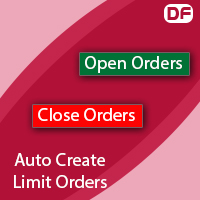
You can use this tool to create as many pending orders (limit order) as you want in one button press. All inputs must be in points. You can use this useful tool when such as FED speech times. User Inputs:
MagicNumber = Magic number DeviationPoint = Deviation point number for limit orders Level = You can choise how many level do you want to create pending orders. BuyOrder = true/false SellOrder = true/false StartDistance = Distance between each level. StepDistance = Distance to be added increment
FREE

You can send MetaTrader screenshot easily to your identified telegram channel via press the send button that on the chart. TelegramBotToken: Telegram API credentials. You can create API credentials on my.telegram.org web page ChatId: Your telegram chatId. Secreenshots will be sending this channel - Please do not press the button repeatedly. This may cause your bot or ip address to be blocked. - You have to add telegram api address ( https://api.telegram.org ) in Option > Expert Advisors > Allow
FREE

A depth of market product is a powerful trading tool that provides a comprehensive view of the supply and demand levels for a particular financial instrument. It provides traders with a real-time display of all the buy and sell orders that are currently available in the market, allowing them to make more informed trading decisions based on the most up-to-date information available. With Valle Depth Of Market , traders can see not only the best bid and ask prices, but also the volume of orders at

Ferramenta de Posição de Negociação e Backtesting:
A "Ferramenta de Posição de Negociação e Backtesting", também conhecida como "Ferramenta de Risco e Recompensa", é um indicador abrangente e inovador projetado para aprimorar sua análise técnica e estratégias de negociação. A Ferramenta de Risco é uma solução completa e fácil de usar para gestão eficaz de riscos na negociação forex. Com a capacidade de visualizar posições de negociação, incluindo preço de entrada, stop-loss (SL) e take-profit
FREE
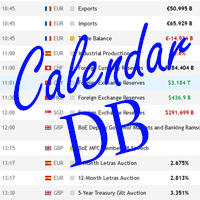
The strategy tester of the MT5 terminal does not allow robots (advisers) to read the events of the economic calendar. Therefore, news robots cannot be tested and optimized in the strategy tester. The solution to this problem is the reading of events by the robot from a previously prepared external database, in which the events of the economic calendar are recorded.
With the help of this utility, a Database File is generated from the economic calendar of the MT5 terminal. The File is created in
FREE

Trade on Binance in MT5! GRat_Crypto is a tool for manual and automated trading , including ANY available EA, ANY cryptocurrency on most popular crypto exchange Binance in the familiar MT5 environment 24/7. Features 1. ALL instruments of the most popular crypto exchange Binance . 2. The ability to place ANY type of order available in MT5, both market and pending, to modify orders and positions, to delete orders and close positions (even partially), to set trailing stop and trailing profit. 3
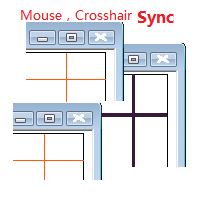
Objective: Mouse Crosshair Synchronization In multiple-charts. Syncronization crosshair for other timeframes. Syncronization mouse for other timeframes. Use: 1. Download the program and put it in the dir (MQL 5 / Indicators or MQL 4 / Indicators). 2. Load this indicator to the charts that need to be synchronized. It just work. 3. Support the left and right keys of the keyboard. When the left and right keys move crosshair on a chart, the same symbol charts will a

Automatic Trade Calculation Panel One-Klick-Trading Automatic calculation of Lot sice Atuomatic calulation of Stop-Loss and TakeProfit Up to 3 partial closings Trailingstop (Stop-Loss moves automatically) The lot size is calculated by the previously determined risk (e.g. 1.0% of the account size) and the distance of the Stop Loss from the entry point. The distance from the Stop Loss to the entry point results from the ATR indicator multiplied by a freely selectable factor. The Stop Loss and
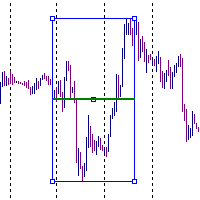
It is just an alternative fibo lines. mt4 have is a very strange drawing of fibo lines, this utilites was written for mt4, but for mt5 it may not be particularly useful. A simple Box (Rectangle) graphic element with adjustable levels binding: it is possible to specify up to 17 custom levels, all rectangles on the chart with the given prefix in their name are processed. Levels are specified in % of the height of the rectangle. A convenient graphical element for analyzing charts by growth-correct
FREE

AC Trade Assistant – Simplify Your Trading Experience The AC Trade Assistant is a compact and efficient tool designed to help traders execute orders quickly and manage trades with ease. Whether you’re a beginner or an experienced trader, this assistant streamlines your workflow and enhances your trading performance. Key Features : § Compact Design : A non-intrusive dialog box that keeps your chart clean and organized. § Fast Order Execution : Place market orders, pending orders, and manag

O UTM Manager é uma ferramenta intuitiva e fácil de usar que oferece uma execução de negociação rápida e eficiente. Um dos recursos de destaque é o modo "Ignorar spread", que permite negociar ao preço das velas, ignorando completamente os spreads (por exemplo, permite negociar pares de spread mais alto em LTF, evitando ser retirado de negociações por spread). Outro aspecto importante do UTM Manager é sua copiadora comercial local exclusiva, permitindo a flexibilidade de executar diferentes estra

This EA will provide you with the amount of points once you open a position, being a sell or a buy. I use it instead of the profit, as this plays some tricks in my mind. You can also set up a Take Profit and/or a Stop Loss in the settings of the EA.
The point calculation will only work with manual trade. Magic number is 0.
You also have the possibility to create labels for + Haut, - Haut, - Bas, + Bas and some trendlines at a 45 or - 45 degree angle.
Here are the settings :
Settings
Choices

Introducing the Revolutionary Trade Closing Assistant ! Are you tired of manually closing hundreds trades? Are you a scalper , day trader , swing trader and you want to maximize your profits and minimize your losses by closing multiple positions at thesame time under different conditions? Are you a Prop Firm Trader who wishes to avoid hitting maximum daily drawdown? Search no further. This kit is the ultimate solution for all you.
GUIDE TO USE THE KIT 1. Shows the total profit/los

Trace une ligne fléchée à la hauteur de votre choix, de la couleur de votre choix, sur la date d'aujourd'hui de 00h00 à 23h59 le même jour.
Choisissez à quelle hauteur (en points) vous souhaitez la tracer, la grosseur de la ligne ainsi que la couleur et voila, traçage automatique.
Paramètres
Choix Points
Mettre le chiffre en point de votre ligne
Couleur
Choisissez la couleur de la ligne
Style
Plusieurs styles disponibles, défaut est Solide
Grosseur Ligne
Grosseur de Très fine a Très large, d

Exibir no gráfico até 7 sessões de mercado e 3 intervalos semanais, totalmente personalizáveis Cada sessão e intervalo pode ser exibido ou ocultado e adaptado para se ajustar a períodos especiais intradia ou intrassemana de acordo com as necessidades de cada trader Defina os horários de início/fim das sessões usando qualquer um destes métodos: Hora GMT/UTC (ajustável para qualquer fuso horário) Hora do servidor/corretora (hora do gráfico) Hora local (hora do seu computador)
Recursos da versão

Ferramenta de Relatórios Darwin EA
Preço introdutório excepcional! 35 USD
DESCRIÇÃO:
Darwin Reports Tool EA é o novo produto da gama Darwin.
Os produtos Darwin são bem conhecidos e reputados na MQL5 pela sua qualidade e desempenho.
Desta vez não é um consultor especializado que vos proponho, mas sim um utilitário destinado a automatizar tarefas.
Essencialmente, para fazer relatórios das suas actuações
EXPLICAÇÕES :
De facto, graças a esta utilidade, poderá enviar qualquer relatório de

SIMPLE AND QUICK CHART CLEANUP SCRIPT - FREE FOR ALL - EASY TO DRAG AND DROP ONTO THE CHART - A MUST HAVE IN MY EYES
Everybody loves to draw on a chart! But cleaning is nobodies favor. Most of the time it will be faster to dump all and redraw the important part. Repetition makes you good! ALWAYS think about that! KEEP IT GROWING, ;-) I wish you a good day, Traders!
If you need something, send me a message. Best wishes to you from Vienna!
FREE
Clean all symbols from a chart to get a better view. We all love to draw a chart, but it's hard to get the unwanted objects away that we don't need anymore. With this script, you simply remove ONLY SYMBOLS. All others will stay on the chart. In my eyes, a must-have tool in case you need to clean quick up to continue observations or strategy finding. Just pull it onto the chart.
KEEP IT GROWING! Happy Trading
FREE
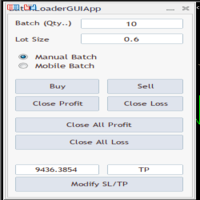
BatchLoaderGUIApp is a Utility tool that allows TRADERS to efficiently manage their trade with "ONE CLICK" such as "Closing All Positions In Profit or Loss", "Closing A Single or Batch Position In Loss or Profit" and "Modifying Positions". A Mobile Batch option enables a trader Batch Load a single Mobile Execution.. "Experience the ultimate trading efficiency with BatchLoaderGUIApp for MetaTrader - one-click management for opening, closing, and modifying positions, plus mobile batch execution fo
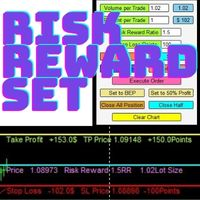
Risk Reward Manager is Utilities to help you calculate exact profit and loss or Risk Reward Ratio based on your preference Risks. There is panel you can change at anytime. The panel shows : Volume per Trade (Editable). You can change the volume you desire. Percent per Trade (Editable). You can change the Percentage of your desire Risks. You can change to 1% Risk per Trade for Conventional Trading Strategy. Risk Reward Ratio (Editable). You can change any Risk Reward Ratio you want. 1:1,5 || 1:2

Utility for managing open positions and pending orders. The built-in trailing stop has five modes and seven tools. There is a virtual stop loss and a virtual take profit, which can be freely moved around the chart. With the help of the built-in trading simulator, you can check how the EA works in the strategy tester. Um guia detalhado do UTralVirtualMT5 pode ser encontrado na seção "Discussão". No testador MT5, o movimento manual das linhas virtuais SL e TP de acordo com o gráfico não funciona!
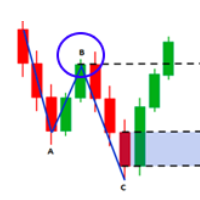
Scanner de fuga Fibo Musang FMBCR CB1 MT5
Fibo Musang CB1 ou Candle Break 1 é uma estratégia que funciona muito bem em ouro XAUUSD e outros símbolos forex. Este scanner irá ajudá-lo a digitalizar moedas mulltisymbol muito rapidamente e obter alertas sobre a fuga do FMCBR CB1
Por favor, veja o vídeo para mais detalhes, pois é totalmente personalizável de acordo com a preferência do trader:
1. Você pode selecionar o período de tempo e o histórico de barras
2. Você pode modificar sua configura

A utility for managing open positions using virtual (invisible to the broker) stops. Virtual stop loss and virtual take profit can be freely moved around the chart. If the price touches the virtual stop line (TP, SL, TS), the EA will close all orders of the same direction on the current chart. Closing orders by virtual take profit is possible only if there is a profit.
With the help of the built-in trading simulator, you can, in the strategy tester, see how the adviser works. Parameters Block

This Expert Advisor waits a position to be opened, no matter if you open manually or with the EA buttons or eventually via mobile: it creates a Grid in Anti Martingale with pending stop orders in the same direction of the first position. You can specify the number of orders, the size and the distance between the orders. You can also adjust the Monetary Target of the Grid, the monetary Stop Loss, the Intermediate Target (when reached the EA insert an order with opposite direction of the total pos
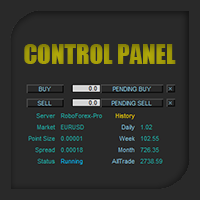
Control Panel mette a disposizione una semplificata ed avanzata gestione dedicata per ogni singolo mercato Forex, CFD, Materie Prime, Indici Azionari, Metalli Preziosi, Prodotti Energetici, Azioni & Crypto Valute, dal trade pad si posso aprire posizioni e ordini pendenti, visualizzare tutti i dati relativi alla quantità delle posizioni Buy, Sell e di tutti i trade oltre alla quantità espressa in lotti anche per i posizionamenti hedge indicando il valore espresso in lotti relativo all’esposizion

Broker Desynchronization script MT5 is a script in the form of an EA. It will check the desynchronization of a BROKER's server compared to your time at your PC.
Usually BROKER sets time forward to have some space to execute trades.
If you wish to check how big the difference is, please load the EA to any chart.
After loading, it will wait for the first tick to check the desynchronization.
Information will be available for 10 seconds.
NOTE!
If market is closed, you get information to try again la
FREE
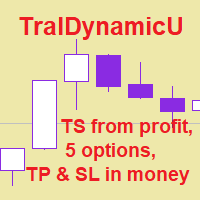
The utility for managing open positions can work with stops (take profit and stop loss) in money, percentages or points. The built-in trailing stop starts working from profit, the size of which can be set in currency or as a percentage. Trailing stop can work in three modes and for five instruments. With the help of the built-in trading simulator, you can check how the utility works in the strategy tester. Benefits setting stop loss and take profit in the deposit currency, as a percentage of the

Not just a copy trader. A signal factory! Imagine trading without surrendering your day to charts. While you’re out living, an engine that never gets tired is busy reading markets, scanning news, spotting high-quality entries, and dropping Telegram alerts with full explanations and screenshots.
And when a setup hits? One tap. Lot sizing, entries, SL/TP, risk control, breakevens, news tracking — all done automatically.
You keep your freedom; your side hustle keeps running. EazyTrader — the essen
FREE

Panel for send/modify orders/positions by handle moved levels for take profit, stop loss, open price and expire at with lot calculations in several modes. Settings: Risk management Lot calculation mode: default: Free margin, Modes: Fixed, Free margin, Equity, Balance Minimal lot size - default: 0.01 Maximal lot size - default: 0.1 Fixed lot - default: 0.01 Percents - default: 5 Trade when have free margin (0 - disabled) - default: 30 Levels Style - default: Dash Width - default: 1 Panel Positio
The purpose of this service is to warn you when the percentage of the margin level exceeds either a threshold up or down. Notification is done by email and/or message on mobile in the metatrader app. The frequency of notifications is either at regular time intervals or by step of variation of the margin. The parameters are: - Smartphone (true or false): if true, enables mobile notifications. The default value is false. The terminal options must be configured accordingly. - email (true or false)

You may have found after a carefully planned trade something happened. An unexpected event... You forgot to look the web calender or use any kind of program. This fills this gap in its own way. Features: - show all events as vertical lines - low, medium or high events... with different colors. -name of the events and numbers associated with the event are also shown such actual value, forecast value and previous value.
The calendar information is obtained from your broker. It is a built-in serv
FREE
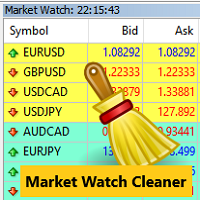
Clean up Market Watch from unused symbols.
If you use multiple advisors and terminals on the same account your Market Watch windows may get filled with unused symbols from orders and positions opened on other terminals. Every symbol in the Market Watch consumes cpu power and bandwidth to get constantly updated and if you are on a vps you want to minimize resources consumption. Market Watch Cleaner helps you with that by periodically cleaning your Market Watch window from unused symbols.
Param
FREE
O Mercado MetaTrader é a única loja onde você pode baixar um robô demonstração de negociação gratuitamente para testes e otimização usando dados históricos.
Leia a visão geral e opiniões de outros clientes sobre os aplicativos, faça o download para o seu terminal e teste um robô de negociação antes de comprá-lo. Apenas no Mercado MetaTrader você pode testar um aplicativo de forma absolutamente gratuita.

Você está perdendo oportunidades de negociação:
- Aplicativos de negociação gratuitos
- 8 000+ sinais para cópia
- Notícias econômicas para análise dos mercados financeiros
Registro
Login
Você concorda com a política do site e com os termos de uso
Se você não tem uma conta, por favor registre-se