 MetaTrader 5
 Experts
 Indicadores
 Bibliotecas
 Utilitários
 Widgets
 Regras
Conheça o Mercado MQL5 no YouTube, assista aos vídeos tutoriais
Como comprar um robô de negociação ou indicador?
Execute seu EA na
hospedagem virtual
hospedagem virtual
Teste indicadores/robôs de negociação antes de comprá-los
Quer ganhar dinheiro no Mercado?
Como apresentar um produto para o consumidor final?
Expert Advisors e Indicadores para MetaTrader 5 - 559
 Use robôs de negociação e indicadores para aumentar os rendimentos com a negociação em Forex. Com ajuda de robôs de negociação, você pode automatizar o processo de abertura e fechamento de transações, por outra lado, os indicadores o ajudam a prever com mais precisão o comportamento futuro do mercado.
A página contém um catálogo de aplicativos MetaTrader 5.
Use robôs de negociação e indicadores para aumentar os rendimentos com a negociação em Forex. Com ajuda de robôs de negociação, você pode automatizar o processo de abertura e fechamento de transações, por outra lado, os indicadores o ajudam a prever com mais precisão o comportamento futuro do mercado.
A página contém um catálogo de aplicativos MetaTrader 5. 
O LT VWAP é um indicador para MetaTrader 5 que mostra o preço médio ponderado pelo volume diretamente no gráfico. Ele ajuda o trader a visualizar regiões importantes de preço, acompanhar a tendência e identificar possíveis zonas de suporte, resistência, equilíbrio, esticamento e retorno à média. A versão 2.0 foi totalmente ampliada em relação à versão anterior, mantendo a simplicidade de uso e adicionando novos recursos para uma análise mais completa.
Principais recursos: - VWAP Diário - VWAP

Приветствую тебя, мой контрагент на FORTS))) За 8 лет работы в офисе брокерской компании и 12 лет активного трейдинга я реализовал стабильную стратегию в робота. Если техническим языком, то этот робот торгует ретест уровня/двойное дно/вершину и прочие фигуры тех.анализа. Настройки советника позволяют ему определить экстремум перед разворотом движения и войти в сделку в самой выгодной точке.
Посмотри, Друг мой, внимательно параметры и сразу сможешь его настроить. Удачи тебе и профита! (ОБРАТИ В

Read Elliott wave principle automatically. With the Swing Reader, you can easily read the Elliott Wave Principle through an automatic system. With swing, we mean a ZigZag market that is created by a breakout of its standard deviation. You can set the deviation manually, or you can let the indicator do it automatically (setting the deviation to zero).
Advantages you get Never repaints. Points showing a horizontal line, in which statistically a long wave ends. Candles showing a vertical line in w
ZhiBiTMG é uma coleção de indicadores de tendências e martingale para todos os segmentos de mercado e todos os ciclos gráficos. Muitos indicadores no mercado violam a tendência, mas afirmam ser precisos, mas é realmente preciso? Na verdade, não é preciso! Porque o mercado deve seguir a tendência. Este indicador ZhiBiTMG dá o sinal de Martingale na premissa da tendência. Isso estará de acordo com as regras do mercado. Instruções de uso: A linha vermelha é a linha de tendência descendente (Sell),

Características Ponto de início da VWAP movimentável. 7 tipos de métodos de cálculos da VWAP: fechamento, abertura, máxima, mínima, preço médio, preço típico e fechamento ponderado. 2 tipos de cálculo de volume: ticks ou volume real. Desse modo, o indicador funciona em qualquer mercado, como por exemplo: ações, futuros, forex, commodities, etc. Cor, estilo de linha e espessura de linha da VWAP personalizável. Label que exibi o preço atual da VWAP. Alerta de rompimento na VWAP que pode ser ativa

Características 3 tipos de caixas: altista, baixista e desconhecida. A caixa desconhecida surge quando os preços se movem no sentido oposto a da caixa atual. Permite definir a pontuação necessária para a troca de caixa. Permite definir tanto os tipos e as cores das bordas das caixas ou cor de fundo. Texto que mostra a pontuação de reversão das caixas. Permite definir o tamanho, cor, posição de canto e a margem vertical do texto. Aba Parâmetros de Entrada Reversal Points - Pontos de reversão. Lim
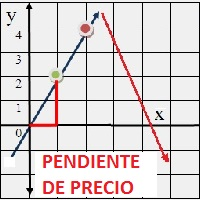
Indicador en base a la pendiente de la linea de precio, dibuja una línea de color cuando sube a base de los precios que previamente has sido procesados o linealizados, y cuando baja la pendiente la linea linealizada toma otro color. En este caso se a considerado 6 lineas de diferentes procesos desde pendientes largas hacia las cortas, observándose que cuando coincidan las pendientes se produce un máximo o mínimo, lo que a simple vista nos permitirá hacer una COMPRA O VENTA.
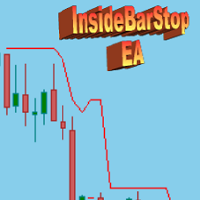
This Export Advisor implements the trailing stop algorithm "Trailing Stop with Inside Bars" that was suggested by the famous German trader and author Michael Voigt ("Das grosse Buch der Markttechnik") to capture robust gains when trading strong price moves. It is used for semiautomatic trading. You open a position manually and apply the expert to the chart. It modifies your order by setting a stop loss according to the trailing stop algorithm. Your trade direction (Long/Short) is detected automa

Características 3 tipos de torres: altista, baixista e desconhecida. A torre desconhecida surge quando os preços se movem no sentido oposto a torre atual. Texto que mostra a porcentagem restante para a mudança de torre. Permite definir a pontuação necessária para a troca de torre. Permite definir o tamanho da fonte dos textos de porcentagem. Permite definir tanto as cores das torres quanto as cores dos textos de porcentagem.
Aba Parâmetros de Entrada Reversal Points - Pontos de reversão. Limite

****************************************************** SIGNAL: https://www.mql5.com/zh/signals/586055 this is an Arbitrage system which base on EURUSD EURGBP GBPUSD you need a smallest spread and lowest ping account like ECN. I run it on icmarket and tester in icmarket history data run it on any chart then it will trade on EURUSD EURGBP GBPUSD when sign has checked ****************************************************** attention:it is cannot run on GBPUSD M30 chart.

Индикатор показывает развороты рынка в виде стрелок. Разворотные сигналы основаны на моих личных наблюдениях за поведением рынка. В основу взяты такие принципы как поиск экстремумов, объемы и Price Action. Индикатор дает сигналы на следующих принципах: Поиск окончания тенденции на рост/снижение рынка Поиск модели разворота на основе Price Action Подтверждение разворота объемом контракта. Также в индикатор встроен сигнал при появлении стрелки. Индикатор не перерисовывается. Индикатор не перерисов
SymbolAutoChanger PRO MT5 There is also version for MetaTreader4 This tool allows you to automatically change the chart symbols in a row. Example: EUR → GBP → JPY → CHF → CAD → AUD → NZD You need only to set up interval in seconds between auto switch. Also, you can choose whether to switch between all symbols provided by your broker or only between symbols available in the Market Watch window.
PRO version has following featuters: Next button Previous button Pause/Continue botton With this ex

Referências: "A Modern Adaptation of the Wyckoff Method" "The Secret Science of Price and Volume" "Trades About to Happen" Para saber mais pesquise na internet: "The Wyckoff Method", "Weis Wave" and "Volume Spread Analysis".
Carcterísticas 3 tipos de ondas: altista, baixista e desconhecida. A onda desconhecida surge quando os preços se movem no sentido oposto a onda atual. Texto que mostra a porcentagem restante para a mudança de onda. Permite escolher o tipo de volume que serão acumulados n

Scalper Private O Expert Advisor pode trabalhar em qualquer modo de negociação, começando com escalpelamento, bem como para modos de operação de médio e longo prazo, tudo depende das configurações do Expert Advisor. Descrição das configurações do consultor: Time_next_order - tempo em segundos após o qual o próximo pedido será aberto Lote - muitos pedidos TakeProfit - nível de lucro StopLoss - nível de perda Time_close_order - tempo em segundos após o qual um pedido lucrativo será fechado Magic

This long-term trading system works on 12 pairs and 4 timeframes . The Expert Advisor uses various trading systems, such as trend trading, counter-trend trading and others. This increases the chances of sustained growth and reduces exposure to a single pair or individual operations. The risk is tightly controlled.
/>
The EA has the built-in smart adaptive profit taking filter. The robot has been optimized for each currency and timeframe simultaneously. It does not need arrival of every tick an

Estratégia Bandas de Bollinger (“Estratégia da Paula”)
Estratégia A estratégia desse robô é baseada no retorno as médias, operando o indicador Bandas de Bollinger. Essa estratégia é popularmente conhecida como “Estratégia da Paula”. Basicamente o robô fica monitorando barras que rompam a Banda de Bollinger (tanto a superior quanto a inferior) para depois voltar para dentro da Banda na próxima barra. Se a condição acima for satisfeita, considerando também os demais parâmetros do robô, o mesmo e

What is this: Violent trading: means sending a large number of orders to your brokerage server, it can conduct a stress test of the trading. In this program you can run a variety of trading tests. Now you can trade at high speed, For example 1000 orders in an instant. The Demo version's link: https://www.mql5.com/en/market/product/38431/ Why to use: Whether manual trading or EA trading, the status of the broker server is very important. So it is beneficial to conduct a trading stress test on
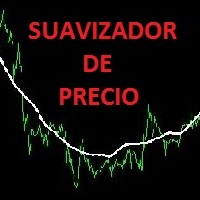
Funciona identificando picos de máximos y mínimos, para luego eliminarlos haciendo una linea o curva, pudiendo el usuario ingresar el valor de que tanto puede suavizar. Nos facilita poder ver la tendencia así como ver el cruce que puede hacer con otros indicadores, mostrando a simple vista los inicios y salidas de una tendencia u operación. Así también facilita la visualización de subidas y bajadas.
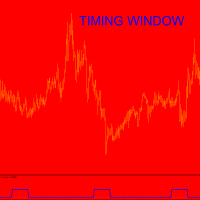
As for the cycle discussion, I invite you to read the TimingCycleWithLLV indicator presentation ...please ask me if something is not clear. I think that time is much more important than price;this is the reason for wich I trade only when one cycle finishes and the new one start. WHAT is Timing Window? It is a certain number of bars within which inversion is probable I do not know how much inversion will be....how many pips,BUT market will inverts with high probability.Time for inversion is ok. S
- Deixe seu robô operando e vá trabalhar!
- Day trade para mercados futuros - contratos de índice e dólar
- O robô também funciona com qualquer outro ativo da BM&F (PETR4, VALE3 etc)
- Robô para rodar no Metatrader 5 (Plataforma Gratuita)
- Opera a favor da tendência. Caso o mercado continue subindo, o robô comprará mais contratos, caso ele caia, venderá mais contratos. A meta, muitas vezes, já é batida nas primeiras horas do dia
- É um robô que você consegue definir a sua meta diária em di
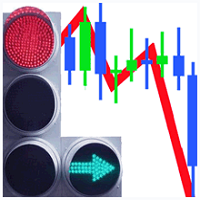
The SemiScalpel Expert Advisor is a semi-scalping system which analyzes the market using an oscillator. During tests use the "Every tick" mode. The expert works only with accounts like "Netting" Adjust StopLoss , TakeProfit , TrailingStart , TrailingBreakeven and TrailingStop to set the system operation mode: scalping or standard. Simple overbought/oversold levels are used. You can use one of the indicators (select the value of the Signal parameter): RSI CCI WPR DEM MOM RVI
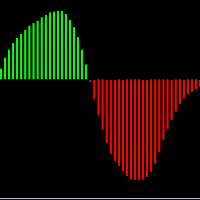
É um indicador oscilador baseado no "MACD" convencional porém com suavização . Através desse indicador você será capaz de operar sem os ruídos produzidos pelo indicador "MACD" convencional. Em quais ativos o indicador funciona: Em qualquer ativo do mercado, tanto em forex, como B3 ou binárias. Qual é o novo parâmetro: Smooth Period ou período de suavização, que representa o período que será suavizado no "MACD".
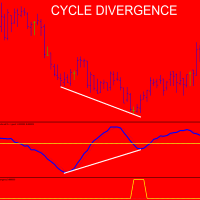
Please,put CycleDivergence in the same folder of TimingCycleWithLLV otherwise it does not run. As for the cycle discussion, I invite you to read the TimingCycleWithLLV indicator presentation ...please ask me if something is not clear. I think tha time is much more important than price;this is the reason for wich I trade only when one cycle finishes and the new one start. In order to use the CycleDivergence indicator follow these steps: 1) for example (see imagine number four) 1 minute chart,in t

Indicador multi-nivel y multi-timeframe que permite seguir la tendencia del precio de cualquier par de divisas, metales, acciones, CFD's, etc. Intuitivo y fácil de aplicar sobre cualquier gráfico.
Parámetros: Timeframe : Marco de tiempo que se le aplicará al nivel Period : Periodo que se aplicará Applied Price : Precio a aplicar
Aplicaciones: Se puede usar aplicando diferentes niveles sobre el mismo gráfico, por ejemplo, in nivel de 8, 14, 20, etc.

The Expert Advisor works with ticks, calculates volatility and operates in the volatility working range. After that, the EA defines price deviation from the price balance level and starts working in the direction set in the input parameters and on the appropriate levels that are also specified in the inputs. Setting (by default) is displayed in the screenshot. Before working in real time, optimize a month on every tick ! The optimization setting is provided. It is enough to optimize the EA once

İlk süreç, pazarın yorgunluk semptomlarını bolinger bandı ve hareketli ortalama göstergeleri ile tespit etmekle başlar. İşlem beklendiği gibi gitmezse, ikinci işlem başlar. İşlemi Avrupa ve ABD oturumları için makul bir kar veya zararla kapatır. eurusd 1 saat kullanılır. Ayda 3 veya 4
Sihirli numara = sihirli sayı inp1_TimeStart = Zaman Başlangıcı inp1_TimeEnd = Zaman Sonu inp5_VolumePercent = Birim Yüzde Satın Al inp11_mmMgInitialLots = mm MgInitia lLots satın al inp11_mmMgMultiplyOnLoss

Using the basic principles that allow scientists to report a tsunami a few minutes before it happens (tested during a period of almost 10 years), we have designed an algorithm able to perceive its wave length, amplitude, height, rate, period and acceleration.
This allows our Expert Advisor (EA) to make transactions or to send automatic signals for up to 5 currency pairs (EUR/USD, USD/CHF, AUD/USD, USD/CAD, USD/MXN). In other words, our algorithm identifies the main trend through the result o
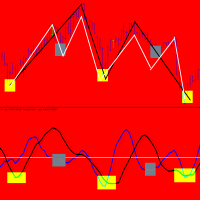
TimingCycleWithLLV is an excellent tool to determine the timing of your entry point! Everyone knows that cycles exist both in nature and in financial markets.Cycles are present in all time frames,from 1 minute to 1 year.Sometimes they are very clear to identify,others there is overlap between cycles of varyng duration. I can say this:the one-day cycle corresponds to the duration of a trading day( for example the one-day cycle for GERMAN DAX index is 14 hours as the trading day is 14 hours). Obvi

Apesar de um indicador muito simples, ele auxilia o trader que por ventura fica posicionado vários dias em uma operação se, o Swap do ativo esta a favor ou contra a sua operação. É o indicador ideal para operadores de longo prazo. O Swap é a taxa que o operador paga por ficar posicionado de um dia para outro ou as vezes de uma semana para outra. Há estratégias que além de um setup e um gerenciamento de risco contemplam também operar a favor do Swap.
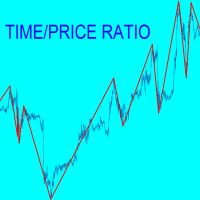
A chart is made by price and time but many traders consider only price.For each swing TIME-PRICE RATIO indicator shows in real time ratio between price/time and time/price. Moreover in the past you can read for each swing :number of pips;number of bars;ratio P/T and ratioT/P. Why it is usefull? because when P/T or T/P is a fibonacci ratio,the probabilities increase for inversion near support/resistance lines.During swing formation an audible alarm and a warning window advise you that a fibonac

Better Scroll habilita e desabilita o recurso AutoScroll do MT5 quando você rola, tornando o recurso mais intuitivo e conveniente. Você não precisará mais habilitar e desabilitar o AutoScroll manualmente ou levá-lo ao final do gráfico porque você esqueceu de desativá-lo quando estava testando ou analisando dados históricos de preços. Resumo
AutoScroll é DESATIVADO quando:
Clique do mouse + Arraste para a esquerda (passado da vela aberta no momento) Roda do mouse Rolar para a esquerda (passando

First thirty minutes are essential for a trading session. The early reaction of traders and market players sets a path for the rest of the day. KT London Breakout EA takes advantage of this phenomenon, and after analyzing the first thirty minutes of London session, it places two bidirectional pending orders. One of pending order is eventually canceled after realizing the market direction with certainty.
It has been strictly tested and developed for EUR/JPY using 30-Min Time Frame. You can expe

Это полностью автоматизированный советник. Данный советник использует данные индикаторов SAR, ADX, EMA, SMA c некоторыми дополнениями. Не использует Мартингейл. Убыточные сделки пытается закрыть за счет прибыли прошлых сделок. При наличии на счете других открытых сделок или при ручном открытии сделок - сам закроет их при достижении прибыли. Советник использует виртуальные stoploss и takeprofit. Рекомендуется работа на нескольких валютных парах одновременно (не менее 5) Торговое плечо: от 100 д
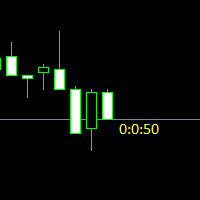
Простая утилита показывающая время до формирования свечи. Может быть очень полезна, если вход в сделку завязан на начале/завершении свечи.
Входные параметры FontColor - Цвет текста. FontSize - Размер текста. FontName - Шрифт текста. TimeOnly - Указывать только время, без дополнительного текста. TypeOfDrawing - Тип отображения информации Важно : в работе программы возможна задержка в 1 секунду.
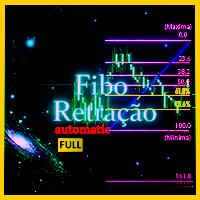
Descubra zonas de RETRAÇÃO e DEFESA traçadas AUTOMATICAMENTE com base na MAXIMA e MINIMA do dia com o indicador Fibo Retração Máxima e Mínima Full Nesse indicador os níveis de retração serão ajustados automaticamente , de acordo com a máxima e mínima do dia , dessa forma o operador pode analisar os pontos de retração importante, como as Zonas de Ouro (61,8%) . O indicador técnico de retração Fibonacci para muitos é essencial e a base de todas a previsões dos movimentos do mercado. O nome
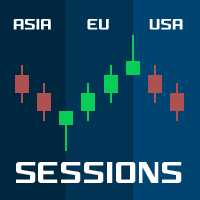
Sessions PRO is a perfect tool which divide your chart screen by 3 main market sessions: 1> asian 2> european (with division for Frankfurt and London start) 3> american
Sessions PRO is perfect especially for trading indices, where main pivot points often occurs along with new market center enters the market. With Sessions PRO you see what events happened at their exact corresponding time - European and American moves and pivot points are much more important than asian. Stop analyzing your c

this indicator very simple and easy if you understand and agree with setup and rule basic teknical sba you can cek in link : please cek my youtube channel for detail chanel :
an for detail info contact me basicly setup buy (long) for this indicator is Magenta- blue and green candle or magenta - green and green candlestik and for setup sell (short) is Black - yellow - and red candle or black - red and red candlestik

iVolX indicator horizontal volumes for all time periods
Main settings of the indicator: VolumeSource - select data for volumes (tick or real) PeriodMinutes - selection period for rendering of volumes PeriodsNumber - number of periods to show on the chart StartDate - the start date of the calculations ClusterPoints - cluster width Color - color MaxVolColor - maximum volume color ValueArea - the value of the zone of balance ValueAreaColor - color of the balance zone MaxVolFontSize - font size Mav
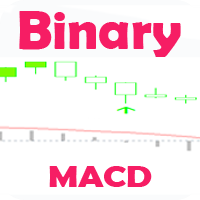
Индикатор, показывающий момент преодоления нулевой отметки индикатора MACD. Подходит для бинарной торговли, т.к. имеется возможность посчитать точность сигналов, в зависимости от времени экспирации.
Входные параметры Period of SMA1 - Период 1 скользящей средней Period of SMA2 - Период 2 скользящей средней Period of SMA3 - Период 3 скользящей средней Price Type - Тип цены, используемый индикатором MACD Invert signals - Возможность давать инвертированные сигналы (для работы по тренду) Inform

Ultra Advanced New RSI é um indicador baseado no RSI para MetaTrader 5. O Índice de Força Relativa compara os ganhos e as perdas recentes para mostrar o momentum do preço. Principais características
- Baseado no Índice de Força Relativa
- Disponível para MetaTrader 5
- Ajuda a estudar o momentum e condições de mercado esticadas
- Fácil de usar
- Uma versão demo está disponível para teste Configurações recomendadas
Tempos gráficos: M30, H1, H4
Pares: EUR/USD, USD/JPY, GBP/USD, USD/CHF, USD/CAD, A

Ultra Advanced Oscillator é um indicador oscilador para MetaTrader 5. Os osciladores ajudam o trader a estudar o momentum e a ver quando um movimento está ganhando ou perdendo força. Principais características
- Análise de momentum do tipo oscilador
- Disponível para MetaTrader 5
- Pode ser combinado com análise de tendência e de ação do preço
- Fácil de usar
- Uma versão demo está disponível para teste Configurações recomendadas
Tempos gráficos: M30, H1, H4
Pares: EUR/USD, USD/JPY, GBP/USD, USD

Ultra Advanced Trend Trigger é um indicador técnico para MetaTrader 5 voltado para a análise de tendência. Ele ajuda o trader a ler a direção do mercado antes de aplicar um plano de operação pessoal. Principais características
- Criado para análise de acompanhamento de tendência
- Disponível para MetaTrader 5
- Fácil de usar
- Adequado a tempos gráficos intradiários e de swing, de M30 a H4
- Uma versão demo está disponível para teste Configurações recomendadas
Tempos gráficos: M30, H1, H4
Pares:
The Levels indicator has been created to simplify the process of plotting support and resistance levels and zones on selected timeframes. The indicator plots the nearest levels of the selected timeframes, which are highlighted in different colors. It significantly reduces the time needed to plot them on the chart and simplifies the market analysis process. Horizontal support and resistance levels are used to identify price zones where the market movement can slow down or a price reversal is like
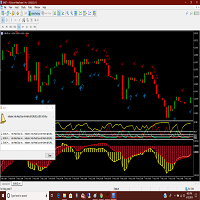
Adx and Macd are powerful indicators which can warn you of a change of direction. Put them together with this great indicator that will warn you of impending changes long before any ma lines cross. More screen shots on the MT4 version. Arrow indicates a solid macd cross and the check marks show the adx movements. You can trade the long term with the macd crosse and scalp the adx changes while you hold the main trend. Thanks for checking out my indicators.

The EA uses a reverse strategy. To detect trading signals, the following indicators are used: Moving Average, Relative Vigor Index, Average True Range, Alligator and other custom indicators . Each pair has a stop loss, take profit, breakeven and trailing stop. The EA trades on many major currency pairs and timeframes. The EA uses timeframes: MetaTrader 4 MetaTrader 5 M1, M5, M15, M30, H1 M1, M2, M3, M4, M5, M10, M12 , M15, M20, M30, H1 , H2 Real monitoring 1 : https://www

ZigZag with backlight Fibonacci levels. The indicator has the ability to set any number of levels, the signals of the intersection of which can be sent to your mobile device email, as well as viewed via alerts. The indicator is designed to perform wave analysis, search for harmonic petterns, as well as search for other technical analysis figures. This Zigzag uses the principle of constructing extrema in which any trader will understand very easily. First, the indicator finds the upper and lower

Crypto Trend Finder follow trend. Color change trend changed. Works in BTCUSD/BABUSD/BSVUSD/ETHUSD/ETCUSD/BTGUSD/DSHUSD/ZECUSD/IOTUSD/XRPUSD and all crypto pairs
Best timeframes 15M/30M/1H/4H/DAILY Note : Not use 1M/5M
Signal on close of a bar. DOES NOT repaint. DOES NOT repaint. DOES NOT repaint. DOES NOT repaint.
DOES NOT recalculate. DOES NOT recalculate. DOES NOT recalculate. DOES NOT recalculate Settings : No Settings, change color

O ZhiBiSmart é adequado para todos os ciclos gráficos de todas as variedades do mercado. Ele usa a chamada de retorno da tendência para criar a banda de rejeição, o que melhor previrá a banda e a tendência. Compre a ordem: uma marca com uma seta verde para cima; Compre o fecho: a marca da cruz verde aparece; Venda a ordem: uma marca com uma seta amarela para baixo; Venda o fim: uma marca de cruz amarela; Parametrização: [TrendPeriod]: o período da linha de tendência; [SignalPeriod]: o período da

Sniper Trend Finder follow trend. Color change trend changed.
Works in EURUSD/GBPUSD/XAUUSD/USOIL/US500/USDJPY/USDCAD/JP225/USDTRY/USDMXN and all pairs
Best timeframes 5M/15M/1H/4H/DAILY
Signal on close of a bar.
DOES NOT repaint. DOES NOT repaint. DOES NOT repaint. DOES NOT repaint.
DOES NOT recalculate. DOES NOT recalculate. DOES NOT recalculate. DOES NOT recalculate Settings No Settings, change color

O nível Premium é um indicador único com mais de 80% de precisão nas previsões corretas!
Este indicador foi testado pelos melhores Especialistas em Negociação por mais de dois meses!
O indicador do autor você não encontrará em nenhum outro lugar!
A partir das imagens você pode ver por si mesmo a precisão desta ferramenta!
1 é ótimo para negociar opções binárias com um tempo de expiração de 1 vela.
2 funciona em todos os pares de moedas, ações, commodities, criptomoedas
Instruções:
Assim

Sensey Candlestick Pattern Recognition Indicator Sensey is an advanced tool capable of accurately recognizing candlestick patterns. It not only detects patterns but also identifies price highs and lows over specific periods. Sensey works flawlessly across various timeframes and is compatible with all currency pairs, futures, and commodity markets. Unlike some other indicators, Sensey does not repaint historical data, providing reliable analysis even in cryptocurrency markets. You can verify its

The indicator compares quotes of a given symbol and a synthetic quote calculated from two specified referential symbols. The indicator is useful for checking Forex symbol behavior via corresponding stock indices and detecting their convergence/divergence which can forecast future price movements. The main idea is that all stock indices are quoted in particular currencies and therefore demonstrate correlation with Forex pairs where these currencies are used. When market makers decide to "buy" one

Hunter Trend: Arrow Indicator for Binary Options Trading Hunter Trend is an arrow indicator designed for trading binary options (turbo options) on the M1 timeframe, allowing for short-term trading opportunities. How to Trade with this Tool: Signals may appear when a candlestick forms. Once such a signal appears, wait for the closure of that candlestick. Upon the opening of a new candlestick, open a trade for 1-2 candlesticks in the indicated direction. In this case, for 1-2 minutes. A blue dot

This EA has built-in trend acceleration indicator to check the trends before performing any trading action. It's engine is provided with: trailing Stop Loss; bad time to trade filter for each day of the week; enable and disable martingale mode; define the maximum spread value to trade; define the minimum equity percentage to allow trading; the input values are already optimized for EURUSD at timeframe M1. The Strategy This Expert Advisor uses built-in trend acceleration indicator where you can s

Robonacci Universal is designed to trade any markets (Stocks, Forex, Commodities, Futures, Cryptos). The strategies are developed based on various Price Actions that will be observed on different Fibonacci Retracement levels. Product Home Page: https://www.mql5.com/en/market/product/36095
ADVANTAGES:
Works on any market and time frames Multiple Strategies in 4 categories: Retracement, Breakout, Trend Follow, Reversal Trades simultaneously on any number of markets under the same account Disp

Description: The Volume Profile displays detailed informations of historical trading activities at certain price levels (Market Profile). Locate the areas with the best prices in the market and get an advantage over other market participants.
Features: Customizable Market Profile Shows the "fair" Value Area with 70% of all Volume
Shows critical low volume zones
Shows VPOC, VAL and VAH Points integrated resource management to reduce the load while working with multiple charts Works on all timefr

The initial price is 89 USD, the future price is 200 USD
Trading is carried out by market orders from important price levels, which are determined by an advanced adaptive algorithm EA . the Algorithm allows you to determine the dynamic levels of price changes, which gives the EA the ability to quickly find entry points. The EA determines the short-term trend and opens a position with a subsequent partial closure, the average position is open for several hours. The EA trades many major currenc

This is a cluster expert adviser. It allows for trading an arbitrary set of instruments, which may include Forex currencies, indices, goods, stocks, etc. It's based on algorithm used by SuperIndices indicator (the indicator itself is not required, but can be useful for visual analysis). The trading strategy is to buy assets in upper part of the indicator and sell assets in lower part. You can choose the signal strength for entering and exiting the market. If the signal becomes stronger by predef
AutoBuy - is a script place pending buy stop orders with automatic calculation of the volume (number of shares) depending on the risk of money on the deal. Inputs: Risk - number in USD of money put on the trade.
BuyHighStep - the number of USD, a step up from the rates High of the current candle (bar) stock up to buy. Minimum value is 0.01
StopLossStep - the number in USD, the step from the price of the buy stop order down to close the deal at a loss. The minimum value of 0.10
TakeProfitStep -

This indicator would help you I DENTIFY different HORIZONTAL SUPPORT / RESISTANCE LEVELS AND TRENDLINES.
ADVANTAGES: Use up till 5 different levels of Support and Resistance Use up till 5 different trend lines Use true/false options to display for Support/Resistance or Trend line Image
PARAMETERS: nPeriod: the time period to decide
Limits: the candles limit to look back
UseHorizontalLines: true/false option to display Horizontal Support and Resistance Lines UseTrendline: true/false option to
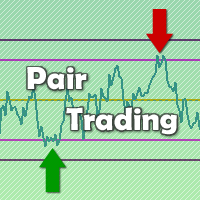
Indicador de cointegração entre ativos Indicador para estratégias de arbitragem estatística e quantitativa. Podendo realizar Long&Short ou Long&Long/Short&Short entre dois ativos distintos. O indicador realiza uma série de testes estatísticos entre os ativos e mostra se o par é cointegrado ou não.
Estratégias sugeridas de uso (a) Verificar se o par está cointegrado pelo teste ADF (Augmented Dickey-Fuller Test). 0% o par não está cointegrado; 90% 95% 97.5% e 99% o par está cointegrado (o maior é

I present to your attention experimentally, a new EA that forms the trading range of the time interval. The EA has built-in proprietary algorithms for transaction support.
The emerging range is set manually by the EA settings, such ranges can be set up to two pieces. After a specified time and capture the trading range, the EA starts its work. When the price goes beyond the limits of this range, the EA opens an order with market execution, accompanying the transaction, placing Take profit and S

O Área de Saída Ultimate é uma ferramenta prática de gráficos que exibe ATR diário (Average True Range - Alcance Médio Verdadeiro) e ADR (Faixa Diária Média) Os níveis são exibidos diretamente no seu gráfico, ajudando os traders a entenderem o quanto um ativo normalmente se move em um único dia. Ao mostrar esses níveis, você pode visualizar as variações de preço em seu gráfico. Com base nas zonas-alvo de volatilidade , o indicador responde a uma pergun

The latest most requested Binary Options arrow indicator in the Garuda Signals product line is now on MT5! Binary options signal based on multiple time frame cross over analysis. Gets confirmation from the most consistent signals known to man; Ichimoku, SMA, Bollinger Bands; and also uses the 1 Hour time frame as trend confirmation , so you don't have to open up multiple chart and waste time. - Can be used for all time frames up to 1 hour, but is most POWERFUL for 1 and 5 min options. - Place yo
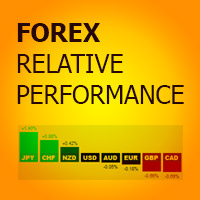
Forex Relative Performance indicator This indicator calculates the relative strength of major currencies against the US dollar. The basic idea behind this indicator is "to buy strong currency and to sell weak currency". This indicator allows you to quickly identify the best forex pair to trade according to your trading style (Intraday, Scalping, Swing, or Long Term)

The Profit30 for MT5 platform( Also Available for MT4 in Mql5 Market Place) Expert Adviser, uses 7 different 'price action style' system on the EURUSD pair, on the M5, M15, M30, H1 timeframes.Best optimized perform in H1 chart
The EURUSD pair offers in general the best performance in the major part of the Profit30 EAs. In this EA, a selection of Profit30 systems has been rewritten and configured explicitly for get the best performance in the EURUSD pair. The EURUSD pair offers in general the

A MATRIZ
MODELO MATEMATICO PARA CALCULO DE PONTO FUTURO
CALCULADORA DA BOLSA E FOREX Lekimdikator calcula os melhores preços do dos mercados pra entrar ou sair
Aprenda a negociar em bolsas de valores, Forex, Ações, Opções de Ações, Câmbio, Fundos de Investimentos, Fundos Imobiliários ou qualquer mercado que tenha acesso ao MetaTrader 5 com Lekimdikator É uma Ferramenta para comerciantes iniciantes ou experientes , todos precisam usar para proteger suas contas e obter mais disciplina nos tr
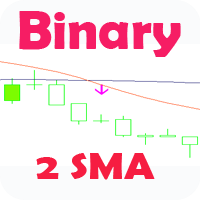
Стрелочный индикатор, выдающий сигнал при пересечении 2 SMA. Сигналы выдаются в виде стрелок и подходят для торговли бинарными опционами.
Входные параметры First period- период 1 MA Second period - период 2 MA Invert signals - Возможность давать инвертированные сигналы (для работы по тренду) Candles to count - количество свечей для подсчета статистики Expiration - время экспирации сигнала Length - расстояние для сигналов Особенности :
Возможность использовать инверсию сигналов Возможност

This long-term trading system works on 20 pairs and 1 timeframes. The Expert Advisor uses various trading systems, such as trend trading, countertrend trading and others. This increases the chances of sustained growth and reduces exposure to a single pair or individual operations. The risk is tightly controlled.
The EA has the built-in smart adaptive profit fixing filter. The robot has been optimized for each currency and timeframe simultaneously. It does not need arrival of every tick and hig
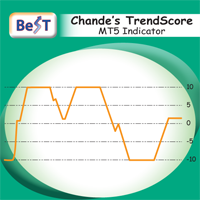
BeST_Chande TrendScore Indicator points the start of a trend with high degree of accuracy and it is amazing for scalping on the 1min timeframe. It is also a simple way to rate trend strength. It indicates both the direction and strength of a trend and can be easily combined with various trend-following, swing and scalping strategies.As of a trend’s direction and strength a value of +10 signals a strong uptrend while a value of -10 signals a strong downtrend. Generally a positive score shows an
O Mercado MetaTrader é um site simples e prático, onde os desenvolvedores podem vender seus aplicativos de negociação.
Nós iremos ajudá-lo a postar e explicar como descrever o seu produto para o mercado. Todos os aplicativos no Mercado são protegidos por criptografia e somente podem ser executados no computador de um comprador. Cópia ilegal é impossível.

Você está perdendo oportunidades de negociação:
- Aplicativos de negociação gratuitos
- 8 000+ sinais para cópia
- Notícias econômicas para análise dos mercados financeiros
Registro
Login
Você concorda com a política do site e com os termos de uso
Se você não tem uma conta, por favor registre-se