 MetaTrader 5
 Experts
 Indicadores
 Bibliotecas
 Utilitários
 Widgets
 Regras
Conheça o Mercado MQL5 no YouTube, assista aos vídeos tutoriais
Como comprar um robô de negociação ou indicador?
Execute seu EA na
hospedagem virtual
hospedagem virtual
Teste indicadores/robôs de negociação antes de comprá-los
Quer ganhar dinheiro no Mercado?
Como apresentar um produto para o consumidor final?
Utilitários de negociação para a plataforma MetaTrader 4 - 32
 Abaixo estão os programas de negociação que simplificam o trading no MetaTrader 4. Passe o mouse sobre um produto para ler uma descrição mostrando seu propósito.
-------------------------------------------------------------------------------------------------------------------------------------------------- First free version of this product is here : https://www.mql5.com/en/market/product/46855?source=Site+Profile+Seller -------------------------------------------------------------------------------------------------------------------------------------------------- This product is an EA that can be used either to practice to educate yourself on Tester

1. Money Printing Robot is a wave trading expert, so please copy it into the 'expert' folder. 2. Please run it in H4 timeframe in order to make the best score of it, the shorter the timeframe you choose ,the worse score you get. 3. the 'Variable' of BuyStopLossPercentage and SellStopLossPercentage is defaulted 0.02,which means 2% of the freemargin ,that is the maximum loss one trade may bring. or you can change it according to your risk management policy. Order lot changes according to the st

Pro Indicator Trader is a professional trading tool with which you can automate/create a trading strategy using the 31 classical Metatrader 4 indicators. An elegant and intuitive interface allows you to customize your strategy down to the smallest detail and choose whenever the EA should open a buy or sell position. For each entry-trade rule, you can use up to 14 different indicators.
The EA is designed for professional traders, therefore it has many advanced functions. The EA records the order
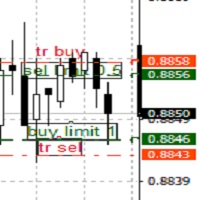
TrailingTakeProfit The script is an assistant in the set levels of TakeProfit relative to High, Low in real time.
Automatically sets the TakeProfit level on all High, Low orders to the required TakeProfit distance, which is set by the TakeProfit parameter in real time relative to the High, Low number of the corresponding Bars number (set by the bars parameter).
Utility settings:
TakeProfit - the distance in points at the maximum and minimum prices, respectively, for sell and buy orders.
Bar

LEFORT is a multi-currency, fully automatic, high-frequency trading robot. The robot works with any instruments in MT4 on any timeframe. The algorithm of the expert Advisor is as follows Single-scalping trades will. Using the analytical signals module, the robot analyzes the market dynamics, and then makes single trades in the direction of the dominant trend with a profit of several pips. A series of open orders. The robot makes a series of trades on a pullback in the direction of the dominant t
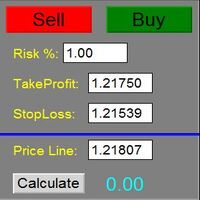
The Panel does not work in the tester. You can test it live with demo version. Demo version link: https://www.mql5.com/en/market/product/61344?source=Site+Market+MT4+Utility+Rating004
Easy Order Panel is a easy panel that can help you to place your orders quickly and easily. Works on all currencies. Configure the Risk and automatically when you press Sell/Buy button an operation with the right lot will be opened. in this way you lose at most the percentage entered.
- just double click on the

The utility for manual trading to manage open positions.The built-in trailing stop has three modes and seven instruments: by pips, by bar extremes, by fractals, by volumes, by MA, by Parabolic SAR and by ATR. With the help of the built-in trading simulator, you can check how the EA works in the strategy tester. Guide to UTrailingMini can be found in the "Comments" section. Benefits 3 trailing stop modes: normal, total and mobile stop loss; 7 options: by points, by bar extremes, by fractals, by v
APIPS Expert Advisor puts a Take Profit on all positions at the total breakeven distance or at the distance of the specified take Profit value .
If several orders are opened, the Expert Advisor puts a Take Profit on all positions at the total breakeven distance + the specified Take Profit value. You can specify to close all positions only on the excess without profit. If there are no open orders and you open a trade on the market, the APIPS Expert Advisor automatically sets the Take Profit by t

The Trading Control Panel EA let you: - Calculated lot size based on the (% or $ risk) - Place multiple (Market/Limit/Stop) trades at same time - Manage all open trades (move SL to BE, take partial profit, close all trades) This is a handy tool for those who wont to open multiple orders without spending time on lot calculations. When opening multiple orders the first order has the first TP and all other orders get the second TP.

Lines Resource is an technical indicator that dysplay lines in the chart giving some notion of supports and resistance levels for the correct functionallity of Optimal Investor EA an multicurrency EA that gives an 52% return monthly. Please install it, to run Optimal Investor EA correctly. Next to it, install Profitnator Resources Indicator FREE , to Run Optimal Investor EA.the second and last one resource.
FREE

This application allows you to broadcast any trading activity of your choice on the account in the telegram channel. You choose: Where to broadcast (you can simultaneously broadcast to several channels by running several copies of the robot on your account at the same time) Orders and positions placed by a robot or a human, or both What symbols (All or are entered through a space EURUSD.i EURGBP.i ...) Information about what actions to send (you can set up several robots on the account to set up

Note: MT4 Backtest cannot test EAs that trades with several symbols simultaneously. For backtest use MT5 versions download here . Note : Limited version can trade with the volume less than 0.05 lots.
Important :
This is Arbitrage EA and may not work on all accounts. It is recommended to follow the testing process described on product screenshots. If you are not familiar with arbitrage trading, It is recommended to use our other trading robots .
Strategy :
EA will place trades based on Tria

Avenger Expert Advisor The Avenger Expert Advisor (EA) is a sophisticated trading tool designed to help traders automate their trading strategies with precision and efficiency. This EA leverages advanced trend indicators and customizable settings to optimize trading performance. Key Features: Trend Indicator Settings: Main Trend Indicator: Utilizes the primary trend indicator for position openings. First and Second Trend Filters: Additional filters to refine trend signals and enhance accura
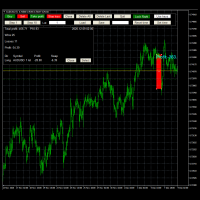
Advanced Trade Simulator
It is an indicator you can attach to any chart and then buy and sell the given symbol virtually. No actual trading takes place. You can attach it to multiple charts. Then you can buy multiple symbols.
A more detailed description here: https://www.mql5.com/en/blogs/post/750336 Features:
- buy and sell immediately on the given time frame - market , limit and stop orders - generalized OCO, more than 2 orders can cancel each other. - OSO, one sends another.. - set lot ba

Chart State Saver for MT4 is utility which helps to save states of all your charts even if they will be closed. And then all saved charts' states can be easily loaded back to charts.
It stores templates for each particular currency pair and automatically applies them to charts once they will be opened at next time. Also they can be applied to the charts by your own needs. Thus you can close any chart at your MT4 without scaring to lose chart's data like drawls, messages, chart styling and so on

For those who are still not confident in their system or are testing new techniques to make it easier without wasting time to change the charts one by one, we recommend EA Smart Backtest to help you backtest your system efficiently.
-The EA is intended to Backtest your system. -Able to open buy or sell in visual mode and can modify values for LOT, SL, TP. -The chart also shows the Balance Equity Profit status. -Can choose to close, Buy, Close, Sell

Overview The Expert Advisor sends notifications to a mobile phone, via e-mail or plays a sound in case any changes are detected on the trading account: opening/closing positions, changing order parameters, balance or leverage. Also, the Expert Advisor can inform that Equity on the trading account has dropped below a specified value or Free Margin is small compared to Margin. The Expert does not trade, it only monitors your account.
Launching the Expert Advisor For the Expert Advisor to work, pl

Simple Order and Risk Management Tool. Secure your profits and protect your capital!
Features Visual Stoploss, TakeProfit Levels (Hotkey: SHIFT+M) Visual Pending Order Level (Hotkey: SHIFT+P) 5 Custom LotSizes for Open Orders (Each lotsize has a corresponding hotkey) This requires that an SL level is previously set Automatic Partial Close Expert will automatically close partial positions in when it reaches a target profit level. Automatic Stoploss to Breakeven Expert will automatically set y

Сообщения в Telegram из MT4 о торговых событиях: Открытие/закрытие сделок; Выставление/удаление отложенных ордеров. Версия утилиты для MT5 здесь: https://mql5.com/8bjk5 Настройки Telegram:
Создайте своего бота. Для этого напишите для пользователя @BotFather команду /newbot , и следуйте инструкциям. В результате вы получите Token бота, примерно такой: 1245680170:BBGuDFVkTYIPtjSaXMgQEhdfg7BOQ6rl8xI. Узнайте свой ID в Telegram, для этого напишите пользователю @userinfobot любое сообщение.
New version based on the product: Trade History MT4 To Excel
Hello Traders! I have received many comments on my product " Trade History MT4 To Excel " which I have decided to create a new more complete version based on your suggestions. The result is fantastic, you will not find anything like it anywhere, I know because I have checked :-) WARNING: To give you an unique product I had to modify the standard mql4 files. Before to run the interface you need to load this file in the directory. You

This EA utility does not trade on its own, but it only modifies the open trades to add take profit and stop loss that was opened manually or by any other expert advisors.
The distance is based on Pips .
How Does It Work? If Symbol to modify is set to "All Symbol" simply attach it to one chart, and all open trades in the entire terminal will set the take profit and stop loss . If Symbol to modify is set to "Local Symbol" , it will only set the ta

This utility copies graphic objects from the MASTER chart to the SLAVE chart. Install it as an indicator. The version for MT5 is here: https://www.mql5.com/en/market/product/61935 It can work in the following modes: Master CHART to Slave CHART in one MT4 or MT5 Master MT4 to Slave MT4 (one or more) Master MT4 to Slave MT5 (one or more) Master MT5 to Slave MT5 (one or more) Master MT5 to Slave MT4 (one or more) You can use multiple Master-Slave groups by setting the ID parameter . You can copy al

This tool working You can buy or sell from the button of this tool, the lot size can be filled manually, as for the close all buy button to end all buy positions, close all sell button to end all sell positions, Close All profit button to end All profit position, Close All Loss button to end all loss position, Delete Pending button to delete all Pending order, close all orders to end all orders. The variable, you can use close all percent for close all orders when profit in percent, if close

Utility for informing in telegrams with a wide functionality -->>> English parameters menu version, Russian menu parameters version here first 10 sales at $ 30, next 10 at $ 40 and so on Works correctly with Windows 10, Windows Server 2012 and above Can send notifications to channel or private messages : Signal name (it is convenient to send signals from several terminals to one channel) Opening an order (instrument, volume, order type, quote, take profit, stop loss, order number, opening time

Este utilitário permitirá que você copie qualquer transação de um terminal com a configuração Master para outros terminais com a configuração Slave
Ao mesmo tempo, você pode escolher quais pares copiar, definir o tamanho da ordem copiada em vários parâmetros. Defina um limite de perda por rebaixamento ou copie apenas transações lucrativas
Você pode copiar transações de MT4 ou MT5 para MT4 ou MT5 de outras corretoras
Agora não será difícil copiar os sinais de qualquer ea trabalhando no MT4 pa

O consultor assistente do trader abre posições nas linhas de tendência, puxa ordens pendentes não visíveis ao centro de negociação ao longo das linhas de tendência.
As posições são abertas e fechadas apenas quando o terminal Está ligado!
Ótimo para negociação de níveis de negociação, mantendo o seu tempo e saúde.
O EA responde apenas às linhas de tendência de três cores, por padrão:
Verde-cor de compra, antes de comprar fechar todas as posições de venda;
Yellow-cor de fechamento de todas as

This TraderMaster EA is super helpful for professional trader.
Input Parameter Section: 1) Allow trader to set different line style, such as color, width; 2) Apply our chart style, if set false, it will not change the chart style; 3) Select different panel mode 3.a) Simple Mode, for trader immediately place a market order, pending order, delete and close orders; 3.b) Draw Line Mode, for price action traders who want to trade for trend and reverse in his trading plan; 3.c) Advanced Mode, includ

The utility helps to locate in the lower time frames the maximum and minimum of the upper time frame. The length of time frame level line represents the temporal length of the upper time frame.
The indicator draws lines that delimit the upper time frames candle and highlights his high-low price, the pips candle range, the returns and the volatility.
How it works:
Firstly . Choose which time frames levels to represent in the lower ones : monthly, weekly, daily, H4, H1, M30, M15, M5. The

Smart Stop FX - Never let a winning trade become a losing trade, ever again.
Smart Stop FX is an intelligent trade management robot that gives you the flexibility to manage your trades even when you can't be on the charts. Either sleeping, a long flight, or the myriad of other commitments that life throws our way, Smart Stop FX can give you the security that your positions won't go into unnecessary losses. There are three ways to use Smart Stop FX.
Breakeven Mode - In this mode, Smart Stop F
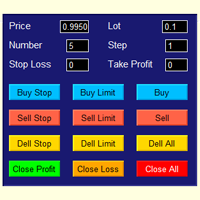
The best panel of all major Forex trading buttons, which every trader definitely needs to relieve his trade, whether he is a beginner or a professional. The Expert Advisor places pending orders at the price you entered. You can enter the number of pending orders and the step between orders. There are buttons for opening market orders, buttons for deleting pending orders, buttons for closing orders with profit and loss. And the very last button of the advisor closes pending and market orders on
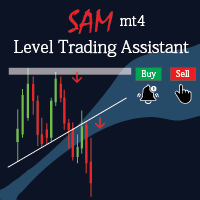
Sam level trading assistant is an expert advisor that mainly helps a trader to automatically place and manage trades basing on key levels of support and resistance that are MANUALLY drawn on the chart by the trader. These key levels include trend lines and rectangles. The expert advisor can either automatically open SINGLE trades by opening buy or sell orders, HEDGE by opening both a buy stop and a sell stop order or send ALERTS when a given criteria such as a candlestick/ bar either TOUCHING or
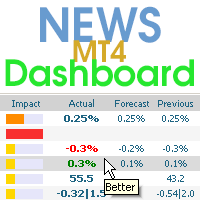
Este painel exibe notícias atuais de três fontes: do site ForexFactory.com (calendário FFC), do site Investing.com e do Calendário Econômico de mql5.com. Você pode classificar as notícias por impacto e por país e exibi-las no gráfico com um clique. Ao manter pressionada a tecla 'Ctrl', você pode selecionar várias 'moedas' ou 'impactos' diferentes para classificar. Além disso, este utilitário mostra não apenas a previsão, mas também os valores reais após aparecerem no site. Você pode definir uma

The Consistent Trader is very useful if you want to improve your performance in the long term and avoid common mistakes . This EA adds a panel where you can put SIZE and stop loss PIPS of positions. You can open a sell or buy (one at time), and you can close it with a close button. It also shows actual pips spread. This works only alone without others EA (one instance), and only opening positions with its dedicated panel. This Utility helps and does these things : You cannot watch and open timef

Sobre este indicador Este indicador exibe os valores OHLC de todos os intervalos de tempo selecionados para o número de velas especificado na forma de linhas.
____________________________________________________________________________________________________________________
Qual é a ideia por trás desse indicador? Como você sabe, as áreas de suporte / resistência oferecem boas oportunidades de negociação para os traders.
Uma das melhores maneiras de detectar essas áreas é usar os valores H

Auto Trailing Assistant (ATA) - Revolutionary Forex Trade Management Utility Core Capability Auto Trailing Assistant is a sophisticated Meta Trader utility that helps traders automatically manage and optimize trading positions with unparalleled precision and flexibility. With its comprehensive set of features, this powerful tool enables traders determine minimum guaranteed profits for each position, displayed very colourfully on the Chart of your Meta Trader. Flexible Position Targeting Mult

Buy The Dip Util is an halfautomatic expert advisor (EA), to buy on dips (days lows) and sell on spikes (days highs). A profit can exceed a loss trade up to 10 times , so the user can have several loss trades and still make profit.
Orders are opened at the change of the hour , if a button in the chart is pressed. The Buy The Dip as EA does this automaticly.
The order stoploss is automaticly set right below the low of the former hour (buy) or right over the high (sell). The position size

This is a simple and very effective utility for closing orders with one click. You will need it if you have a number of open orders on your balance and it takes too long to close them manually, which might lead to an extra loss of money on the account. The utility consists of an external panel with two buttons " Close by Filter" and " Close ALL" , which is convenient to move around the graph. You can set the Close ALL utility so that orders are closed as soon as the specified profit or loss v
Enhance Your Trading with the Exit Manager Elevate your trading strategy with the Exit Manager, designed to ensure optimal closure of your trades at precisely the right moments. Once you've placed an order, our Exit Manager steps in and starts monitoring the order based on YOUR predetermined conditions, and can even trail your stop loss to mitigate risk.
Key Features: Set & Forget Functionality
With the Exit Manager, simply place your trade and let the tool do the rest. It continuously monitor

EA Saving Money will help you save your accumulated profit on trades and protect your deposit from negative trades. This utility allows you to manage an unlimited number of orders opened manually or by an Expert Advisor. It helps to save profits and increase the account balance both when trading manually and when trading with various Expert Advisors that use Stoploss. The utility also has a built-in panel for the convenience of opening orders. When opening orders through the panel, the Expert A

Capital protector is an Expert Advisor who works based on the profit and loss of your account. Its functions include: Closing of all orders when a certain profit or loss is reached. Remove any other Expert Advisor installed on a secondary chart when a certain profit or loss is reached. Send a notification to the mobile when a certain loss or profit is reached. To configure the Expert Advisor you will only have to program the loss limit that you are willing to lose or the profit limit that you

"Support or Resistance Alert Broken" is a simple and very intuitive tool that allows you to create or eliminate horizontal and trend supports and / or resistances with a simple click.
When the support or resistance line is broken by the closing price at the end of the current candle, the "Support or Resistance Alert Broken" tool will send an alert with sound, as well as a notification to the MT4 or MT5 mobile application. This tool can send alerts from multiple pairs at the same time. Utility
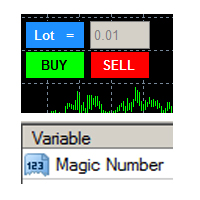
this tool is to help your trading by clicking the buy or sell button, to fill in the magic number please fill in the variable, don't forget to activate autotrade on metatrader 4 then check Allow live trading so that the emoji turn into a smile, you can combine this tool with other tools such as EA auto means the Magic Number which is the same between this tool and your EA
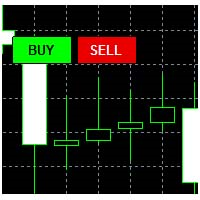
This tool helps your trades to open trades manually, and will mean it automatically, so it will not be difficult to profit from calculating pipsteps or lots when you open the next trade, so if you have a strategy to open then this tool will help you to do that, on the tool. which can mean is a lot or a pipstep, so that it can help make your trading easier. You will get more profit, because the time required is shorter.

Current Order Take Profit this indicator shows settled level of Take profit current opened order. If order Take Profit will be changed it will be shown on screen immediately. The same with pips left to get so as to close the position. If the price will drop beneeth the open order price it will change the color of pips digits left to gain. That is usefull when you change Take profit level by drag the price line using mouse to new level na wykresie.
FREE
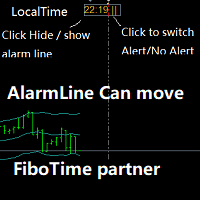
Partner with fibotime or the news calendar. When you determine the important transaction time, move the alarm line directly on your main chart, and then alert you of the arrival of this time on the set time! 1,When you use fibotime or have important market news release, you need an alarm clock to make sure you don't miss a good deal!This alarm clock is placed on your MT4 main picture directly, so you don't need to waste your time setting the alarm clock on your computer or mobile phone! 2,Autom

Purpose: IF you are apart of a signal group or have a losing strategy this tool is perfect for you. This Expert Adviser is a Trade Copier which Copies Trades on the same account, It takes trades in the same direction or opposite direction. You can set 100% for same trade size or 200% to double up, while the same percentage rule also work for the stop-loss and take profit distances.
input: Copy All or By Magic Take only new trades = False; Take same direction of existing trade or counter_direct

Faça negociações com símbolos correlacionados que não fazem nenhum sentido. E daí se pudéssemos verificar quais símbolos não são correlacionados entre si e são opostos na tendência atual. Para esta análise simples e rápida, você pode usar este utilitário. Simplesmente execute e veja a lista de pares de símbolos que são opostos entre si. Os resultados da análise serão impressos no log de estratégias. Duplicidade A -> B == B -> A não é exibida.
FREE

VR Assistant Charts é uma ferramenta conveniente para traders que trabalham com objetos gráficos na janela do terminal de negociação MetaTrader. O programa permite alterar a cor, estilo, espessura e outras características das linhas de tendência, níveis de Fibonacci, leques de Gann e outros elementos gráficos no terminal MetaTrader com um clique do mouse. Configurações, arquivos de configuração, versões demo, instruções, solução de problemas podem ser obtidos em [blog]
Você pode ler ou escrever
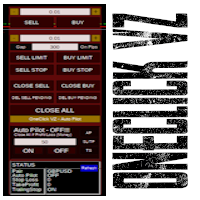
Simple panel of trade on your chart with OneClick VZ . This trade panel will make it easier for you.
Equipped with several functions that make it very easy for you. You can try Trial Version OneClick V1 in here .
This version includes: Open Order Buy Open Order Sell Open Pending Order [Buy Limit - Buy Stop - Sell Limit-Sell Stop] Close ALL orders
Close Order Buy Close Order Sell Delete Pending Order [Buy Limit - Buy Stop - Sell Limit-Sell Stop] Order Management: Stop Loss Take Profit Trailing S
Hello Trader ! If you are looking for a tool to export the historical data series of any timeframe in excel, you are in the right place! Load this tool on a chart for the selected pair, choose the timeframe you want to export, and that's it! You can decide whether to export the entire historical series (pay attention at the number of bars you are exporting) or a predefined time interval;
PARAMETERS: 1 - Choose the Time Frame you want to export, the chart will update automatically; 2 - The Inte

Giant Trade Panel comes as a whole package with functionalities that will satisfy all your needs as a manual trader. I created this utility to help you manage your trades from a single chart with just a few clicks . It has a smooth interface which is very responsive. The utility has sub panels each with different functions: Symbols panel - This will help you open chart of any symbol with just one click. Timeframes panel - With this you can navigate from M1 timeframe to MN1 timeframe with jus

Cesta UR
O melhor que você pode fazer é evitar que seus pedidos se transformem em perdas. Agora você pode relaxar e deixar que o UR Basket cuide disso.
Vantagens de usar a Cesta UR:
Todos os parâmetros podem ser alterados dinamicamente no painel gráfico do seu gráfico - você NÃO precisa reiniciar o EA para alterar os parâmetros ou recuperar as configurações usadas! Você pode acompanhar seus pedidos através de: - Número mágico - Comentário EA - Ambos mencionados acima - Todas as sua

The script writes to a text file all-important trading information about the chart symbol including symbol leverage, point value, required margin, swaps, trade and quote sessions and so on.
Most traders need this information for their trading decisions. For example for stop loss placement, for volume calculating, for trades closing before session end... You can see a text file example on the screenshot.
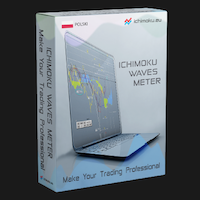
The professional utilities "Ichimoku Waves Meter" to analyse graphs using the correct interpretation of Ichimoku kinkōhyō!
The indicator allows us to use Time Theory and Target Price Theory at the same time. The obtained image shows the convergence of waves, which confirms the accuracy of the analysis. It is possible to hide the graphical or numerical informations that are notinteresting at the moment. The indicator uses numerical values of Hosoda, which it recognizes on the chart and then emph

The professional utilities "Ichimoku Waves Meter" to analyse graphs using the correct interpretation of Ichimoku kinkōhyō!
Is a graphic program that allows traders to quickly and easily measure the proportions between the indicated points on the price graph. This time and price indicator is a basic tool for analysing the chart according to the Ichimoku strategy on the MT4 platform. Using this tool allows an insightful and complete analysis of time waves as well as price waves in a very short ti

The professional utilities "Ichimoku Waves Meter" to analyse graphs using the correct interpretation of Ichimoku kinkōhyō!
Is a graphic program that allows traders to quickly and easily measure the proportions between the indicated points on the price graph. This time and price indicator is a basic tool for analysing the chart according to the Ichimoku strategy on the MT4 platform. Using this tool allows an insightful and complete analysis of time waves as well as price waves in a very short ti

The professional utilities "Ichimoku Waves Meter" to analyse graphs using the correct interpretation of Ichimoku kinkōhyō!
Is a graphic program that allows traders to quickly and easily measure the proportions between the indicated points on the price graph. This time and price indicator is a basic tool for analysing the chart according to the Ichimoku strategy on the MT4 platform. Using this tool allows an insightful and complete analysis of time waves as well as price waves in a very short ti
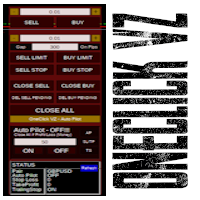
Simple button panel of trade on your chart with OneClick VZ . This trade panel will make it easier for you.
Equipped with several functions that make it very easy for you. You can try Trial Version OneClick V1 in here .
This version includes: Open Order Buy Open Order Sell Open Pending Order [Buy Limit - Buy Stop - Sell Limit-Sell Stop] Close ALL orders
Close Order Buy Close Order Sell Delete Pending Order [Buy Limit - Buy Stop - Sell Limit-Sell Stop] Order Management: Stop Loss Take Profit Tra

Automatically closes orders when profit per lot or total profit reaches your specified level Per a lot : The amount of wins per lot in the selected symbol. Each orders is calculated as 1 lot. Example: If EURUSD total lot is 2.05 and earnings per lot is $ 100, then 100 * 2.05 = 205 $.
Orders will be closed when EURUSD has a total profit of $ 205. When the total of all orders on the selected symbol reaches the specified amount, it closes all orders belonging to the symbol.
For example: There are 3
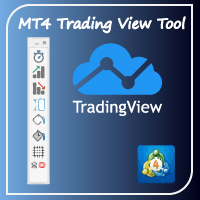
Hello Traders! I share with you today a tool that I use on a daily basis. For those of you like me who do the analysis on the trading view and then enter the trades on the MT4, it's known that can be problems. This tool is for just that.
MAIN FUNCTION: 1 - Candle Close Timer: for those who do scalping or short-term operations, you need to know the exact moment of the closing and opening of a new candle; 2 - Trading View Interface: Check on your broker if your analysis in therm of Risk Reward Ra

Painel de Comércio Completo para o método "No Nonsense Forex": Este painel encapsula quase tudo o que necessitará para executar o seu próprio algoritmo NNFX, ajudando-o a negociar ainda mais rápido e fácil. Tem 3 partes: Painel de Símbolos Alterne rapidamente para qualquer símbolo nas suas tabelas, premindo o seu nome. Informações adicionais podem ser apresentadas no painel: negociações abertas actualmente, correlação dessas negociações com outros símbolos (excepto se o seu stop loss estiver no

Telegram Notifier is a simple and powerful utility which sends notification, news from MT4 to Telegram channel and group. WHO WILL NEED THIS UTILITY 1. EA Sellers who want to manage automatically their private channel and chat group.
2. Signal Providers who want to send the signals, reports and news to the channel or chat group. CORE FEATURES
1. Can use with View Account and not need to enable the Auto Trading button.
2. Track orders by the second interval instead of the market tick to optimize
Fundamental Scanner is a Non-Repaint, Multi Symbol and Multi Time Frame Dashboard based on Fundamental Signals Indicator . Fundamental Signals Indicator has a powerful calculation engine that can predict market movement over 3000 pips (30000 points). The indicator is named fundamental because it can predict trends with large movements, no complicated inputs and low risk.
Features :
Multi-Symbol Support (Support automatic listing of market watch symbols) Multi-TimeFrame Support (Over 7 custo

Trend line Trader Ultimate EA
A "Professional Trading Panel" that every experienced and beginner manual trader needs it.
"Trend Line Trader Ultimate EA" makes it easy to never miss an opportunity of a good point to open positions. Demo version doesn't work due to programmatic limitations. Please watch videos and images for more information.
Key Features of Trend line Trader Ultimate EA:
Fully graphical interface. Extremely precise and reliable. Risk Manager , Lot calculator , Trailing Stop . Mu

Utility Description This is a useful utility that can help traders to Stay in touch with their Accounts and hear about account critical conditions. With this utility, traders will receive notifications of broker server connectivity status. Different forms of notifications are supported such as Android or IOS phone notifications, Email messages or Popup Alerts. Also any changes on positions can be sent as a notification based on user settings. All above features can be customized using the EA inp

Auto trade V20 is a trading tool like Robot or Expert Advisor that is used for automatic trading, this type is Martingale EA, the recommended broker is FBS, EU Pair, default setting. If you want to find the best setting, please look for it by backtesting it, so that you find the best setting and help your trading become more profitable, please try this tool to help you trade. minimum deposit 200 $ cen lot 0.01, pipstep in points.
For more info join to http://discord.io/reitakfx where you can get info how to set, how to trade or for your questions -------------------------------- If you want this panel and all my other products for FREE , create account here http://bit.ly/reitakfxroboforex and then write me and I will send you all my actual and future product for FREE + VIP on my DISCORD --------------------------------------
Set in panel what margin will use to trade. When you ready to trade, just click to buy or sel

If you are looking for a U tility can Auto Trading and send Signals to yours Telegram Chanel . DON'T MISS IT!
BLUE FOREX EA works on a linear regression channel. The utility trades from the channel borders, stop-loss and 2 take-profit levels with partial closing of orders are used for closing. The chart displays information about profit and draws the regression channel itself. The channel values are recalculated only when a new bar is formed.
- Min deposit: 100$
- Recommend ECN broker with L

Smarty Trade Panel ( https://t.me/SmartyTradePanel ) is a visual set and go trade panel. Press the BUY or the SELL button to make the trade settings visible. The trade levels can be moved around with the mouse. A magnet function will be active as long as you hold the shift-key pressed. I have chosen to avoid entering numbers to make the panel an excellent tool for rapid low time-frame trading. In a few seconds you can set the SL, ENTRY and TP levels and arm the trade without to worry about mone

Introduction
This product is a risk control system in the entire series of Meida Quantitative products.。 This risk control can achieve risk control in various aspects such as mobile phone order listing, expert bugs, net worth, profit and loss, number of hands, odd number, price, time, discipline, etc Flexible implementation of specific risk control functions for combinations such as magic number groups, currency groups, and order annotation groups。 The screen displays which risk control function
O Mercado MetaTrader oferece um local conveniente e seguro para comprar aplicativos para a plataforma MetaTrader. Faça download de versões de demonstração gratuitas de Expert Advisors e indicadores a partir do seu terminal para testes no Testador de Estratégia.
Teste os aplicativos em diferentes modos para monitoramento do desempenho e assim fazer um pagamento para o produto que você deseja, usando o sistema de pagamento MQL5.community.

Você está perdendo oportunidades de negociação:
- Aplicativos de negociação gratuitos
- 8 000+ sinais para cópia
- Notícias econômicas para análise dos mercados financeiros
Registro
Login
Você concorda com a política do site e com os termos de uso
Se você não tem uma conta, por favor registre-se