 MetaTrader 5
 Experts
 Indicateurs
 Bibliothèque
 Utilitaires
 Widgets
 Règles
Regardez les tutoriels vidéo de Market sur YouTube
Comment acheter un robot de trading ou un indicateur
Exécutez votre EA sur
hébergement virtuel
hébergement virtuel
Test un indicateur/robot de trading avant d'acheter
Vous voulez gagner de l'argent sur Market ?
Comment présenter un produit pour qu'il se vende bien
Utilitaires de trading pour MetaTrader 4 - 32
 Vous trouverez ci-dessous des programmes de trading simplifiant le trading sur le marché Forex dans MetaTrader 4. Passez la souris sur un utilitaire dans la liste ci-dessous pour lire sa description et son objectif.
This application allows you to broadcast any trading activity of your choice on the account in the telegram channel. You choose: Where to broadcast (you can simultaneously broadcast to several channels by running several copies of the robot on your account at the same time) Orders and positions placed by a robot or a human, or both What symbols (All or are entered through a space EURUSD.i EURGBP.i ...) Information about what actions to send (you can set up several robots on the account to set up

Note: MT4 Backtest cannot test EAs that trades with several symbols simultaneously. For backtest use MT5 versions download here . Note : Limited version can trade with the volume less than 0.05 lots.
Important :
This is Arbitrage EA and may not work on all accounts. It is recommended to follow the testing process described on product screenshots. If you are not familiar with arbitrage trading, It is recommended to use our other trading robots .
Strategy :
EA will place trades based on Tria

Avenger Expert Advisor The Avenger Expert Advisor (EA) is a sophisticated trading tool designed to help traders automate their trading strategies with precision and efficiency. This EA leverages advanced trend indicators and customizable settings to optimize trading performance. Key Features: Trend Indicator Settings: Main Trend Indicator: Utilizes the primary trend indicator for position openings. First and Second Trend Filters: Additional filters to refine trend signals and enhance accura
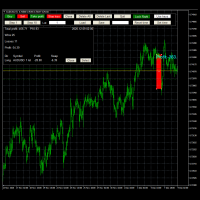
Advanced Trade Simulator
It is an indicator you can attach to any chart and then buy and sell the given symbol virtually. No actual trading takes place. You can attach it to multiple charts. Then you can buy multiple symbols.
A more detailed description here: https://www.mql5.com/en/blogs/post/750336 Features:
- buy and sell immediately on the given time frame - market , limit and stop orders - generalized OCO, more than 2 orders can cancel each other. - OSO, one sends another.. - set lot ba

Chart State Saver for MT4 is utility which helps to save states of all your charts even if they will be closed. And then all saved charts' states can be easily loaded back to charts.
It stores templates for each particular currency pair and automatically applies them to charts once they will be opened at next time. Also they can be applied to the charts by your own needs. Thus you can close any chart at your MT4 without scaring to lose chart's data like drawls, messages, chart styling and so on

For those who are still not confident in their system or are testing new techniques to make it easier without wasting time to change the charts one by one, we recommend EA Smart Backtest to help you backtest your system efficiently.
-The EA is intended to Backtest your system. -Able to open buy or sell in visual mode and can modify values for LOT, SL, TP. -The chart also shows the Balance Equity Profit status. -Can choose to close, Buy, Close, Sell

Overview The Expert Advisor sends notifications to a mobile phone, via e-mail or plays a sound in case any changes are detected on the trading account: opening/closing positions, changing order parameters, balance or leverage. Also, the Expert Advisor can inform that Equity on the trading account has dropped below a specified value or Free Margin is small compared to Margin. The Expert does not trade, it only monitors your account.
Launching the Expert Advisor For the Expert Advisor to work, pl

Simple Order and Risk Management Tool. Secure your profits and protect your capital!
Features Visual Stoploss, TakeProfit Levels (Hotkey: SHIFT+M) Visual Pending Order Level (Hotkey: SHIFT+P) 5 Custom LotSizes for Open Orders (Each lotsize has a corresponding hotkey) This requires that an SL level is previously set Automatic Partial Close Expert will automatically close partial positions in when it reaches a target profit level. Automatic Stoploss to Breakeven Expert will automatically set y

Сообщения в Telegram из MT4 о торговых событиях: Открытие/закрытие сделок; Выставление/удаление отложенных ордеров. Версия утилиты для MT5 здесь: https://mql5.com/8bjk5 Настройки Telegram:
Создайте своего бота. Для этого напишите для пользователя @BotFather команду /newbot , и следуйте инструкциям. В результате вы получите Token бота, примерно такой: 1245680170:BBGuDFVkTYIPtjSaXMgQEhdfg7BOQ6rl8xI. Узнайте свой ID в Telegram, для этого напишите пользователю @userinfobot любое сообщение.
New version based on the product: Trade History MT4 To Excel
Hello Traders! I have received many comments on my product " Trade History MT4 To Excel " which I have decided to create a new more complete version based on your suggestions. The result is fantastic, you will not find anything like it anywhere, I know because I have checked :-) WARNING: To give you an unique product I had to modify the standard mql4 files. Before to run the interface you need to load this file in the directory. You

This EA utility does not trade on its own, but it only modifies the open trades to add take profit and stop loss that was opened manually or by any other expert advisors.
The distance is based on Pips .
How Does It Work? If Symbol to modify is set to "All Symbol" simply attach it to one chart, and all open trades in the entire terminal will set the take profit and stop loss . If Symbol to modify is set to "Local Symbol" , it will only set the ta

This utility copies graphic objects from the MASTER chart to the SLAVE chart. Install it as an indicator. The version for MT5 is here: https://www.mql5.com/en/market/product/61935 It can work in the following modes: Master CHART to Slave CHART in one MT4 or MT5 Master MT4 to Slave MT4 (one or more) Master MT4 to Slave MT5 (one or more) Master MT5 to Slave MT5 (one or more) Master MT5 to Slave MT4 (one or more) You can use multiple Master-Slave groups by setting the ID parameter . You can copy al

This tool working You can buy or sell from the button of this tool, the lot size can be filled manually, as for the close all buy button to end all buy positions, close all sell button to end all sell positions, Close All profit button to end All profit position, Close All Loss button to end all loss position, Delete Pending button to delete all Pending order, close all orders to end all orders. The variable, you can use close all percent for close all orders when profit in percent, if close

Utility for informing in telegrams with a wide functionality -->>> English parameters menu version, Russian menu parameters version here first 10 sales at $ 30, next 10 at $ 40 and so on Works correctly with Windows 10, Windows Server 2012 and above Can send notifications to channel or private messages : Signal name (it is convenient to send signals from several terminals to one channel) Opening an order (instrument, volume, order type, quote, take profit, stop loss, order number, opening time

Cet utilitaire vous permettra de copier toutes les transactions d'un terminal avec le paramètre maître vers d'autres terminaux avec le paramètre esclave
Dans le même temps, vous pouvez choisir les paires à copier, définir la taille de l'ordre copié sur plusieurs paramètres. Définissez une limite de perte sur le retrait ou copiez uniquement les transactions rentables
Vous pouvez copier des transactions de MT4 ou MT5 à MT4 ou MT5 d'autres courtiers
Maintenant, il ne sera pas difficile de copie
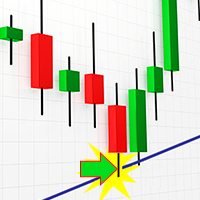
The Expert Advisor is a trader's assistant, opens positions on trend lines, pulls pending orders that are not visible to the dealing center along the trend lines.
Positions are opened and closed only when the terminal is turned on!
Great for trading from trading levels, saving you time and health.
The Expert Advisor responds only to trend lines of three colors, by default:
Green - the color of the purchase, all Sell positions will be closed before the purchase;
Yellow is the colour of closu

This TraderMaster EA is super helpful for professional trader.
Input Parameter Section: 1) Allow trader to set different line style, such as color, width; 2) Apply our chart style, if set false, it will not change the chart style; 3) Select different panel mode 3.a) Simple Mode, for trader immediately place a market order, pending order, delete and close orders; 3.b) Draw Line Mode, for price action traders who want to trade for trend and reverse in his trading plan; 3.c) Advanced Mode, includ

The utility helps to locate in the lower time frames the maximum and minimum of the upper time frame. The length of time frame level line represents the temporal length of the upper time frame.
The indicator draws lines that delimit the upper time frames candle and highlights his high-low price, the pips candle range, the returns and the volatility.
How it works:
Firstly . Choose which time frames levels to represent in the lower ones : monthly, weekly, daily, H4, H1, M30, M15, M5. The

Smart Stop FX - Never let a winning trade become a losing trade, ever again.
Smart Stop FX is an intelligent trade management robot that gives you the flexibility to manage your trades even when you can't be on the charts. Either sleeping, a long flight, or the myriad of other commitments that life throws our way, Smart Stop FX can give you the security that your positions won't go into unnecessary losses. There are three ways to use Smart Stop FX.
Breakeven Mode - In this mode, Smart Stop F
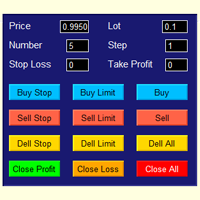
The best panel of all major Forex trading buttons, which every trader definitely needs to relieve his trade, whether he is a beginner or a professional. The Expert Advisor places pending orders at the price you entered. You can enter the number of pending orders and the step between orders. There are buttons for opening market orders, buttons for deleting pending orders, buttons for closing orders with profit and loss. And the very last button of the advisor closes pending and market orders on
Sam level trading assistant is an expert advisor that mainly helps a trader to automatically place and manage trades basing on key levels of support and resistance that are MANUALLY drawn on the chart by the trader. These key levels include trend lines and rectangles. The expert advisor can either automatically open SINGLE trades by opening buy or sell orders, HEDGE by opening both a buy stop and a sell stop order or send ALERTS when a given criteria such as a candlestick/ bar either TOUCHING or
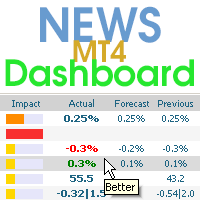
This dashboard displaying current news from ForexFactory.com (calendar FFC) and from the Investing.com website . You can sort news by impact and by country, and display them on the chart with one click. By holding down the 'Ctrl' key, you can select several different 'currencies' or 'impacts' to sort. Also, this utility shows not only the forecast, but also the actual values after they appear on the site. You can set a separate notification for each news.
You can read the news using your EA

The Consistent Trader is very useful if you want to improve your performance in the long term and avoid common mistakes . This EA adds a panel where you can put SIZE and stop loss PIPS of positions. You can open a sell or buy (one at time), and you can close it with a close button. It also shows actual pips spread. This works only alone without others EA (one instance), and only opening positions with its dedicated panel. This Utility helps and does these things : You cannot watch and open timef

About this indicator
This indicator displays the OHLC values of all selected timeframes for the specified candles number in the form of lines. ____________________________________________________________________________________________________________ What is the idea behind this indicator?
As you know, support/resistance areas provide good trading opportunities for traders. One of the best ways to detect these areas is to use the High, Low, Close (or even Open) values of the previous cand

Présentation d'Auto Trailing Assistant - Votre solution ultime de gestion des suivis automatiques Forex Auto Trailing Assistant est un programme très avancé conçu pour révolutionner la façon dont vous gérez vos transactions avec des stops suiveurs. Avec son ensemble complet de fonctionnalités, cet outil puissant vous permet d'optimiser les résultats de vos transactions avec facilité et précision. ATA représente Auto Trailing Assistant dans les instructions ci-dessous. (*) Présentation des

Buy The Dip Util is an halfautomatic expert advisor (EA), to buy on dips (days lows) and sell on spikes (days highs). A profit can exceed a loss trade up to 10 times , so the user can have several loss trades and still make profit.
Orders are opened at the change of the hour , if a button in the chart is pressed. The Buy The Dip as EA does this automaticly.
The order stoploss is automaticly set right below the low of the former hour (buy) or right over the high (sell). The position size

This is a simple and very effective utility for closing orders with one click. You will need it if you have a number of open orders on your balance and it takes too long to close them manually, which might lead to an extra loss of money on the account. The utility consists of an external panel with two buttons " Close by Filter" and " Close ALL" , which is convenient to move around the graph. You can set the Close ALL utility so that orders are closed as soon as the specified profit or loss v
Enhance Your Trading with the Exit Manager Elevate your trading strategy with the Exit Manager, designed to ensure optimal closure of your trades at precisely the right moments. Once you've placed an order, our Exit Manager steps in and starts monitoring the order based on YOUR predetermined conditions, and can even trail your stop loss to mitigate risk.
Key Features: Set & Forget Functionality
With the Exit Manager, simply place your trade and let the tool do the rest. It continuously monitor

EA Saving Money will help you save your accumulated profit on trades and protect your deposit from negative trades. This utility allows you to manage an unlimited number of orders opened manually or by an Expert Advisor. It helps to save profits and increase the account balance both when trading manually and when trading with various Expert Advisors that use Stoploss. The utility also has a built-in panel for the convenience of opening orders. When opening orders through the panel, the Expert A

Capital protector is an Expert Advisor who works based on the profit and loss of your account. Its functions include: Closing of all orders when a certain profit or loss is reached. Remove any other Expert Advisor installed on a secondary chart when a certain profit or loss is reached. Send a notification to the mobile when a certain loss or profit is reached. To configure the Expert Advisor you will only have to program the loss limit that you are willing to lose or the profit limit that you

"Support or Resistance Alert Broken" is a simple and very intuitive tool that allows you to create or eliminate horizontal and trend supports and / or resistances with a simple click.
When the support or resistance line is broken by the closing price at the end of the current candle, the "Support or Resistance Alert Broken" tool will send an alert with sound, as well as a notification to the MT4 or MT5 mobile application. This tool can send alerts from multiple pairs at the same time. Utility
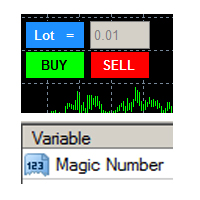
this tool is to help your trading by clicking the buy or sell button, to fill in the magic number please fill in the variable, don't forget to activate autotrade on metatrader 4 then check Allow live trading so that the emoji turn into a smile, you can combine this tool with other tools such as EA auto means the Magic Number which is the same between this tool and your EA
This tool helps your trades to open trades manually, and will mean it automatically, so it will not be difficult to profit from calculating pipsteps or lots when you open the next trade, so if you have a strategy to open then this tool will help you to do that, on the tool. which can mean is a lot or a pipstep, so that it can help make your trading easier. You will get more profit, because the time required is shorter.

Current Order Take Profit this indicator shows settled level of Take profit current opened order. If order Take Profit will be changed it will be shown on screen immediately. The same with pips left to get so as to close the position. If the price will drop beneeth the open order price it will change the color of pips digits left to gain. That is usefull when you change Take profit level by drag the price line using mouse to new level na wykresie.
FREE
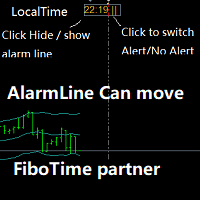
Partner with fibotime or the news calendar. When you determine the important transaction time, move the alarm line directly on your main chart, and then alert you of the arrival of this time on the set time! 1,When you use fibotime or have important market news release, you need an alarm clock to make sure you don't miss a good deal!This alarm clock is placed on your MT4 main picture directly, so you don't need to waste your time setting the alarm clock on your computer or mobile phone! 2,Autom

Purpose: IF you are apart of a signal group or have a losing strategy this tool is perfect for you. This Expert Adviser is a Trade Copier which Copies Trades on the same account, It takes trades in the same direction or opposite direction. You can set 100% for same trade size or 200% to double up, while the same percentage rule also work for the stop-loss and take profit distances.
input: Copy All or By Magic Take only new trades = False; Take same direction of existing trade or counter_direct

Make trades on symbols which are corelated not making any sense. So what if we can check, which of symbols are not corelated to each other and are oposit in current trend. For this simple and quick analyze you can use this utility. Simply run and see list of symbol pairs which are oposit to each other. Results of analyse will be printed in Strategies log. Duplicity A -> B == B -> A is not displayed.
You can specify period for which will be calculated trend (Daily,Hourly,Mothly), choice de
FREE

VR Assistant Charts — Il s'agit d'un outil pratique pour les traders travaillant avec des objets graphiques dans la fenêtre du terminal de trading MetaTrader. Le programme vous permet de modifier la couleur, le style, l'épaisseur et d'autres caractéristiques des lignes de tendance, des niveaux de Fibonacci, des éventails de Gann et d'autres éléments graphiques dans le terminal MetaTrader en un seul clic de souris. Les paramètres, les fichiers de configuration, les versions de démonstration, les
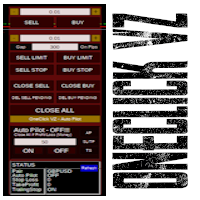
Simple panel of trade on your chart with OneClick VZ . This trade panel will make it easier for you.
Equipped with several functions that make it very easy for you. You can try Trial Version OneClick V1 in here .
This version includes: Open Order Buy Open Order Sell Open Pending Order [Buy Limit - Buy Stop - Sell Limit-Sell Stop] Close ALL orders
Close Order Buy Close Order Sell Delete Pending Order [Buy Limit - Buy Stop - Sell Limit-Sell Stop] Order Management: Stop Loss Take Profit Trailing S
Hello Trader ! If you are looking for a tool to export the historical data series of any timeframe in excel, you are in the right place! Load this tool on a chart for the selected pair, choose the timeframe you want to export, and that's it! You can decide whether to export the entire historical series (pay attention at the number of bars you are exporting) or a predefined time interval;
PARAMETERS: 1 - Choose the Time Frame you want to export, the chart will update automatically; 2 - The Inte

Giant Trade Panel comes as a whole package with functionalities that will satisfy all your needs as a manual trader. I created this utility to help you manage your trades from a single chart with just a few clicks . It has a smooth interface which is very responsive. The utility has sub panels each with different functions: Symbols panel - This will help you open chart of any symbol with just one click. Timeframes panel - With this you can navigate from M1 timeframe to MN1 timeframe with jus

Panier UR
Le mieux que vous puissiez faire est de protéger vos commandes contre les pertes. Vous pouvez maintenant vous détendre et laisser UR Basket s'en occuper.
Avantages d'utiliser UR Basket :
Tous les paramètres sont dynamiquement modifiables dans le panneau graphique de votre graphique - Vous n'avez PAS besoin de redémarrer l'EA pour modifier les paramètres ou rappeler les paramètres que vous avez utilisés ! Vous pouvez suivre vos commandes via : - Nombre magique - Commentaire EA

The script writes to a text file all-important trading information about the chart symbol including symbol leverage, point value, required margin, swaps, trade and quote sessions and so on.
Most traders need this information for their trading decisions. For example for stop loss placement, for volume calculating, for trades closing before session end... You can see a text file example on the screenshot.
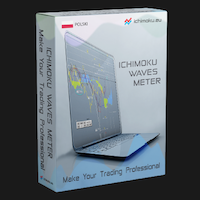
The professional utilities "Ichimoku Waves Meter" to analyse graphs using the correct interpretation of Ichimoku kinkōhyō!
The indicator allows us to use Time Theory and Target Price Theory at the same time. The obtained image shows the convergence of waves, which confirms the accuracy of the analysis. It is possible to hide the graphical or numerical informations that are notinteresting at the moment. The indicator uses numerical values of Hosoda, which it recognizes on the chart and then emph

The professional utilities "Ichimoku Waves Meter" to analyse graphs using the correct interpretation of Ichimoku kinkōhyō!
Is a graphic program that allows traders to quickly and easily measure the proportions between the indicated points on the price graph. This time and price indicator is a basic tool for analysing the chart according to the Ichimoku strategy on the MT4 platform. Using this tool allows an insightful and complete analysis of time waves as well as price waves in a very short ti

The professional utilities "Ichimoku Waves Meter" to analyse graphs using the correct interpretation of Ichimoku kinkōhyō!
Is a graphic program that allows traders to quickly and easily measure the proportions between the indicated points on the price graph. This time and price indicator is a basic tool for analysing the chart according to the Ichimoku strategy on the MT4 platform. Using this tool allows an insightful and complete analysis of time waves as well as price waves in a very short ti

The professional utilities "Ichimoku Waves Meter" to analyse graphs using the correct interpretation of Ichimoku kinkōhyō!
Is a graphic program that allows traders to quickly and easily measure the proportions between the indicated points on the price graph. This time and price indicator is a basic tool for analysing the chart according to the Ichimoku strategy on the MT4 platform. Using this tool allows an insightful and complete analysis of time waves as well as price waves in a very short ti
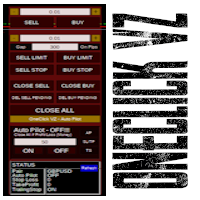
Simple button panel of trade on your chart with OneClick VZ . This trade panel will make it easier for you.
Equipped with several functions that make it very easy for you. You can try Trial Version OneClick V1 in here .
This version includes: Open Order Buy Open Order Sell Open Pending Order [Buy Limit - Buy Stop - Sell Limit-Sell Stop] Close ALL orders
Close Order Buy Close Order Sell Delete Pending Order [Buy Limit - Buy Stop - Sell Limit-Sell Stop] Order Management: Stop Loss Take Profit Tra

Automatically closes orders when profit per lot or total profit reaches your specified level Per a lot : The amount of wins per lot in the selected symbol. Each orders is calculated as 1 lot. Example: If EURUSD total lot is 2.05 and earnings per lot is $ 100, then 100 * 2.05 = 205 $.
Orders will be closed when EURUSD has a total profit of $ 205. When the total of all orders on the selected symbol reaches the specified amount, it closes all orders belonging to the symbol.
For example: There are 3
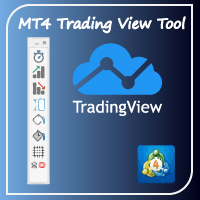
Hello Traders! I share with you today a tool that I use on a daily basis. For those of you like me who do the analysis on the trading view and then enter the trades on the MT4, it's known that can be problems. This tool is for just that.
MAIN FUNCTION: 1 - Candle Close Timer: for those who do scalping or short-term operations, you need to know the exact moment of the closing and opening of a new candle; 2 - Trading View Interface: Check on your broker if your analysis in therm of Risk Reward Ra

Complete Trade Panel for the No Nonsense Forex method: This panel encapsulates almost all things you will need to execute your own NNFX algorithm, helping you trade even faster and easier. It has 3 parts: Symbol Panel Switch to any symbol in your charts quickly by pressing its name. Additional information can be displayed in the panel: currently open trades , correlation of those trades with other symbols (except if their stop loss is in breakeven or positive) and upcoming news (next daily candl

Telegram Notifier is a simple and powerful utility which sends notification, news from MT4 to Telegram channel and group. WHO WILL NEED THIS UTILITY 1. EA Sellers who want to manage automatically their private channel and chat group.
2. Signal Providers who want to send the signals, reports and news to the channel or chat group. CORE FEATURES
1. Can use with View Account and not need to enable the Auto Trading button.
2. Track orders by the second interval instead of the market tick to optimize
Fundamental Scanner is a Non-Repaint, Multi Symbol and Multi Time Frame Dashboard based on Fundamental Signals Indicator . Fundamental Signals Indicator has a powerful calculation engine that can predict market movement over 3000 pips (30000 points). The indicator is named fundamental because it can predict trends with large movements, no complicated inputs and low risk.
Features :
Multi-Symbol Support (Support automatic listing of market watch symbols) Multi-TimeFrame Support (Over 7 custo

Trend line Trader Ultimate EA
A "Professional Trading Panel" that every experienced and beginner manual trader needs it.
"Trend Line Trader Ultimate EA" makes it easy to never miss an opportunity of a good point to open positions. Demo version doesn't work due to programmatic limitations. Please watch videos and images for more information.
Key Features of Trend line Trader Ultimate EA:
Fully graphical interface. Extremely precise and reliable. Risk Manager , Lot calculator , Trailing Stop . Mu

Utility Description This is a useful utility that can help traders to Stay in touch with their Accounts and hear about account critical conditions. With this utility, traders will receive notifications of broker server connectivity status. Different forms of notifications are supported such as Android or IOS phone notifications, Email messages or Popup Alerts. Also any changes on positions can be sent as a notification based on user settings. All above features can be customized using the EA inp

Auto trade V20 is a trading tool like Robot or Expert Advisor that is used for automatic trading, this type is Martingale EA, the recommended broker is FBS, EU Pair, default setting. If you want to find the best setting, please look for it by backtesting it, so that you find the best setting and help your trading become more profitable, please try this tool to help you trade. minimum deposit 200 $ cen lot 0.01, pipstep in points.
For more info join to http://discord.io/reitakfx where you can get info how to set, how to trade or for your questions -------------------------------- If you want this panel and all my other products for FREE , create account here http://bit.ly/reitakfxroboforex and then write me and I will send you all my actual and future product for FREE + VIP on my DISCORD --------------------------------------
Set in panel what margin will use to trade. When you ready to trade, just click to buy or sel

If you are looking for a U tility can Auto Trading and send Signals to yours Telegram Chanel . DON'T MISS IT!
BLUE FOREX EA works on a linear regression channel. The utility trades from the channel borders, stop-loss and 2 take-profit levels with partial closing of orders are used for closing. The chart displays information about profit and draws the regression channel itself. The channel values are recalculated only when a new bar is formed.
- Min deposit: 100$
- Recommend ECN broker with L

Smarty Trade Panel ( https://t.me/SmartyTradePanel ) is a visual set and go trade panel. Press the BUY or the SELL button to make the trade settings visible. The trade levels can be moved around with the mouse. A magnet function will be active as long as you hold the shift-key pressed. I have chosen to avoid entering numbers to make the panel an excellent tool for rapid low time-frame trading. In a few seconds you can set the SL, ENTRY and TP levels and arm the trade without to worry about mone

Introduction
This product is a risk control system in the entire series of Meida Quantitative products.。 This risk control can achieve risk control in various aspects such as mobile phone order listing, expert bugs, net worth, profit and loss, number of hands, odd number, price, time, discipline, etc Flexible implementation of specific risk control functions for combinations such as magic number groups, currency groups, and order annotation groups。 The screen displays which risk control function

Breakout System EA works based on HFT (high-frequency trading) algorithm and mini bar height. it open trades when bar height meets some indicators mathematical confirmation. * Forex EA Features – Allow compound interest or Fix lots by Users – Spreads protection, using pending orders (stop order) without any market orders – No grid. No martingale – A small Stoploss for every trade – Combine with RSI, Ichimoku and Awesome Oscillator indicators to balance the price – Primitive Price Action Activ
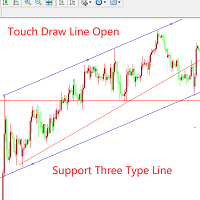
If you are interested in this product or have questions, and need any help, you can add the author WeChat or whatsapp: 17317545896 This EA is an auxiliary trading tool. The first time you touch the line of the hand animation, it will automatically open an order and enter the market. It supports 3 lines: 1. Trend line 2. Horizontal line 3. Channel line. When trying it out, please change the description field to "1", After one touch, the line will become invalid and turn white. Please see the pic

One-Click Strategy
One-Click Strategy is designed to make your life easier when placing trades. It is suited to be used with common strategies where you place your stop loss over the recent high or below the recent low. This is very common when you trade support and resistance for a bounce or break out. Want to sell or buy? Press "sell" or "buy" and the SL is placed above/below the recent high/low with a target of your choice. Lot size is calculated based on your settings. Taking trades takes
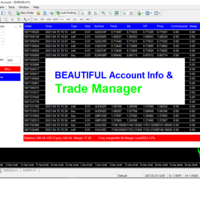
Trade Manager and Account Info helps you to manage your orders and watch the progress of open trades within one chart. All open orders are displayed on the right side.
How to use This dashboard reads all the Market watch symbols and displays them in a dropdown menu, therefore you should ensure your desire symbols are on the Market watch. You can select any pair of choice and any order type without the need to keep switching between charts. You can close individual trades by clicking the "X" bu
"One Click Trade" is the most faster risk manager of times! With Auto Mode, I don't even need clicks, only TWO keys to activate trades and send my order. Mouse movement does it ALL, with Auto Mode enabled!
Basic instruccions: ''Tools/Options/Experts Advisor/Allow automated trading'' box should be checked In ''Common'' tab, check ''Allow live trading'' box
In ''Inputs'' tab, set ''Money Risk'', set ''Risk/Reward Ratio'', click on ''Accept''
Press ''A'' and move the mouse on chart (to have Sto

It is an expert advisor that scans the last patterns on defined symbols and timeframes . Multi Symbols /pairs , Multi timeframes . There are 2 ways to specify symbols : Automatically scan all symbols available on the market watch (true/false) Type any symbols ,separated by comma. There are also 2 ways to specify timeframes : Automatically scan all timeframes available on mt4 (true/false) Type any timeframes,separated by comma.
Unlimited symbols available in an account and unlimited timefra

Fast Position Copier - Reciver Tool This is Fast and Simple position copier from MT4-----> MT4. Copying positions requires two bots : Master/Slave. Master ( Sender Position ) Slave ( Reciver Position) This is a Slave version (reciver) and you need to download a Master version from HERE . This tool is suitable for using to copy positions and manage them from a MetaTrader on one or more MetaTraders located on a server or computer. MetaTraders must be installed side by side.

LINE TRADER is a versatile, semi-automatic Expert Advisor for trading vertical and horizontal levels.
The Expert Advisor actually consists of 4 buttons with which lines are drawn.
The Expert Advisor automatically works on any lines chosen by the trader. Lines can be drawn at any convenient angle. You just need to draw a line:
- OPEN - to open an order;
- STOP - stop loss;
- TAKE - to completely close the deal and fix all profits;
- CLOSE - closing an order (when crossing the line);

The Ichimoku Kinko Hyo, or Ichimoku for short, is a technical indicator used to gauge momentum along with future areas of support and resistance. Ichimoku technical indicators include five lines called Tenkan-sen, Kijun-sen, Senkou Span A, Senkou Span B, Chickou Span. Rent EA, buy EA Connect via Skype link to exchange details: https://join.skype.com/invite/X1Y3At5EwsvY
Support email: sealteamhn@gmail.com Hotline: Mr.Tu 0971678888
Data History Export to Excel with Automated export for new bars. ALL forex pair ALL TimeFrames Export in .csv or .txt, you can manage the Time Bars, Open, Low, High, Close *********************************************************************************************************************************************************************************************************************************************** Have fun! If you like this Script take a look to my other product: Forex Graphical Inter
Le MetaTrader Market est la seule boutique où vous pouvez télécharger un robot de trading de démonstration gratuit pour le tester et l'optimiser à l'aide de données historiques.
Lisez l’aperçu de l'application et les avis d'autres clients, téléchargez-la directement sur votre terminal et testez un robot de trading avant de l'acheter. Seul MetaTrader Market vous permet de tester gratuitement une application.

Vous manquez des opportunités de trading :
- Applications de trading gratuites
- Plus de 8 000 signaux à copier
- Actualités économiques pour explorer les marchés financiers
Inscription
Se connecter
Vous acceptez la politique du site Web et les conditions d'utilisation
Si vous n'avez pas de compte, veuillez vous inscrire