
EA Magic Sand MT4
- Experts
- 버전: 4.1
- 업데이트됨: 27 6월 2026
- 활성화: 10

Overview
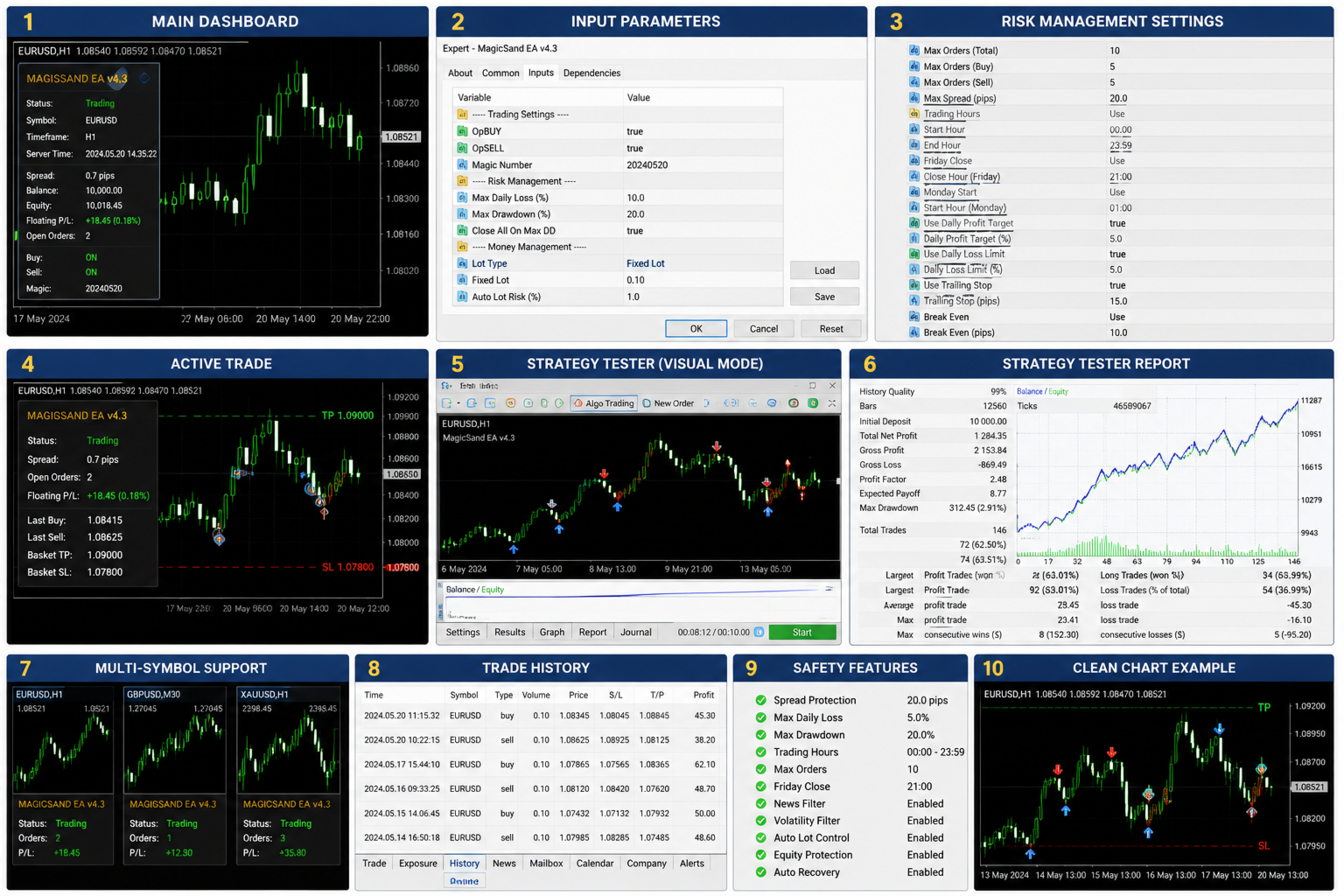
MagicSand is a professional automated trading Expert Advisor designed for MetaTrader 4. It provides a wide range of configurable settings, allowing traders to customize trade management, money management, trading sessions, and risk protection according to their own preferences.
The EA includes multiple independent trading modules, advanced position management, and comprehensive safety features while remaining simple to configure.
Live Signal
https://www.mql5.com/en/signals/2347704
Recommended Settings
https://www.mql5.com/en/market/product/77860/comments/page4#comment_58487038
News Filter EA
https://www.mql5.com/en/market/product/77860/comments/page5#comment_58487069
Main Features-
Fully automated trading
-
Independent Buy and Sell control
-
Multiple configurable entry modules
-
Individual Magic Numbers
-
Flexible money management
-
Fixed or dynamic lot sizing
-
Daily profit target
-
Equity protection
-
Maximum drawdown protection
-
Trailing Stop
-
Profit Lock
-
Trend Filter
-
Configurable trading sessions
-
Weekly trading schedule
-
GMT offset support
-
On-chart information panel
-
Customizable display settings
-
VPS friendly
-
Suitable for running multiple EA instances
General Trading
Configure the basic trading options:
-
Enable or disable Buy trading
-
Enable or disable Sell trading
-
Allow or prevent opening new trade series
Entry Modules
MagicSand provides multiple independent entry modules.
Each module includes:
-
Enable/Disable
-
Lot Size
-
Maximum Drawdown
-
Entry Distance
-
Reverse Direction option
-
Trade Comment
-
Individual Magic Number
Every module can be configured independently.
Trend Filter
Optional trend filtering is available.
Settings include:
-
Enable Trend Filter
-
Trend Timeframe
-
Moving Average Period
-
Moving Average Method
-
Close opposite trend positions
Money Management
Configure the following:
-
Fixed Lot Size
-
Automatic Money Management
-
Lot Multiplier
-
Maximum Lot Size
-
Maximum Orders
-
Take Profit
-
Stop Loss
Choose settings that match your account size and personal risk tolerance.
Risk Protection
Built-in protection features include:
-
Equity Protection
-
Daily Profit Target
-
Drawdown Alerts
-
Maximum Drawdown Limits
These settings help manage account exposure during trading.
Trade Management
Available options include:
-
Trailing Stop
-
Trailing Step
-
Profit Lock
-
Lock Activation Level
-
Slippage Control
Trading Sessions
Trading activity can be restricted using built-in session filters.
Configure:
-
Up to three trading sessions
-
Trading days
-
GMT Offset
-
Friday Closing
-
Monday Opening
If disabled, the EA can operate continuously.
Display Settings
Customize the chart panel by changing:
-
Panel Position
-
Background
-
Colors
-
Display Appearance
-
Copy the EA into the Experts folder.
-
Restart MetaTrader 4.
-
Attach the EA to a chart.
-
Enable AutoTrading.
-
Enable Allow DLL Imports.
-
Verify the smiley face appears in the chart corner.
-
MetaTrader 4
-
Stable VPS
-
Low spread broker
-
Fast execution
-
Reliable internet connection
Trading leveraged financial products involves substantial risk and may not be suitable for every investor.
Past performance does not guarantee future results.
Always:
-
Test the EA on a demo account first.
-
Use appropriate lot sizes.
-
Configure risk settings carefully.
-
Monitor your account regularly.
-
Never trade with funds you cannot afford to lose.
For technical support, updates, or installation assistance, please contact the seller through the MQL5 Market messaging system.
When requesting support, include:
-
Broker name
-
MT4 build number
-
Screenshot of EA settings
-
Experts log
-
Journal log
-
Description of the issue
This will help resolve your request as quickly as possible.
































































I am very pleased with the product from the author, I have been using it for more than six months, now I use the product Magic Sand Classic as a challenge on ftmo and passed it twice. There is always technical support, the admins and moderators of these products from the author will help at any time, thank you. Really like.