LT Trade Copy MT4
- 유틸리티
-
Thiago Duarte
 안녕하세요! 제 이름은 Thiago(영어 이름 James)이며, 프로그래머입니다.
저는 2016년부터 시장 업계에 활동해 왔으며 브라질인입니다.
저는 시장 애호가 커뮤니티인 Litoral Trading의 창립자이자 관리자입니다.
2019년 3월부터 MQL5 프로그래밍을 해오고 있으며, MT5에 집중하여 여러분의 성장을 돕고 있습니다.
여행을 좋아하고, 두 바퀴 탈것을 사랑합니다.
여러분의 전략을 자동화하고 싶으신가요? 견적을 위해 연락해 주세요!
우리의 페이지: - 버전: 1.6
- 업데이트됨: 1 7월 2026
- 활성화: 5
LT Trade Copy MT4 - 전문가용 실시간 주문 복사 프로그램
LT Trade Copy MT4는 동일한 컴퓨터 또는 로컬 네트워크(LAN) 내의 MetaTrader 4와 MetaTrader 5 터미널 간에 최소한의 지연 시간과 절대적인 정확성으로 거래를 동기화/복사해야 하는 트레이더를 위해 개발된 고성능 툴입니다.
가볍고 안정적인 구동을 목적으로 개발된 이 유틸리티는 플랫폼 간의 완벽한 상호 통신을 지원하며, 자산 관리자 및 여러 증권사 계좌를 동시에 운영하는 트레이더에게 가장 이상적인 솔루션입니다.
■ 주요 핵심 기능
-
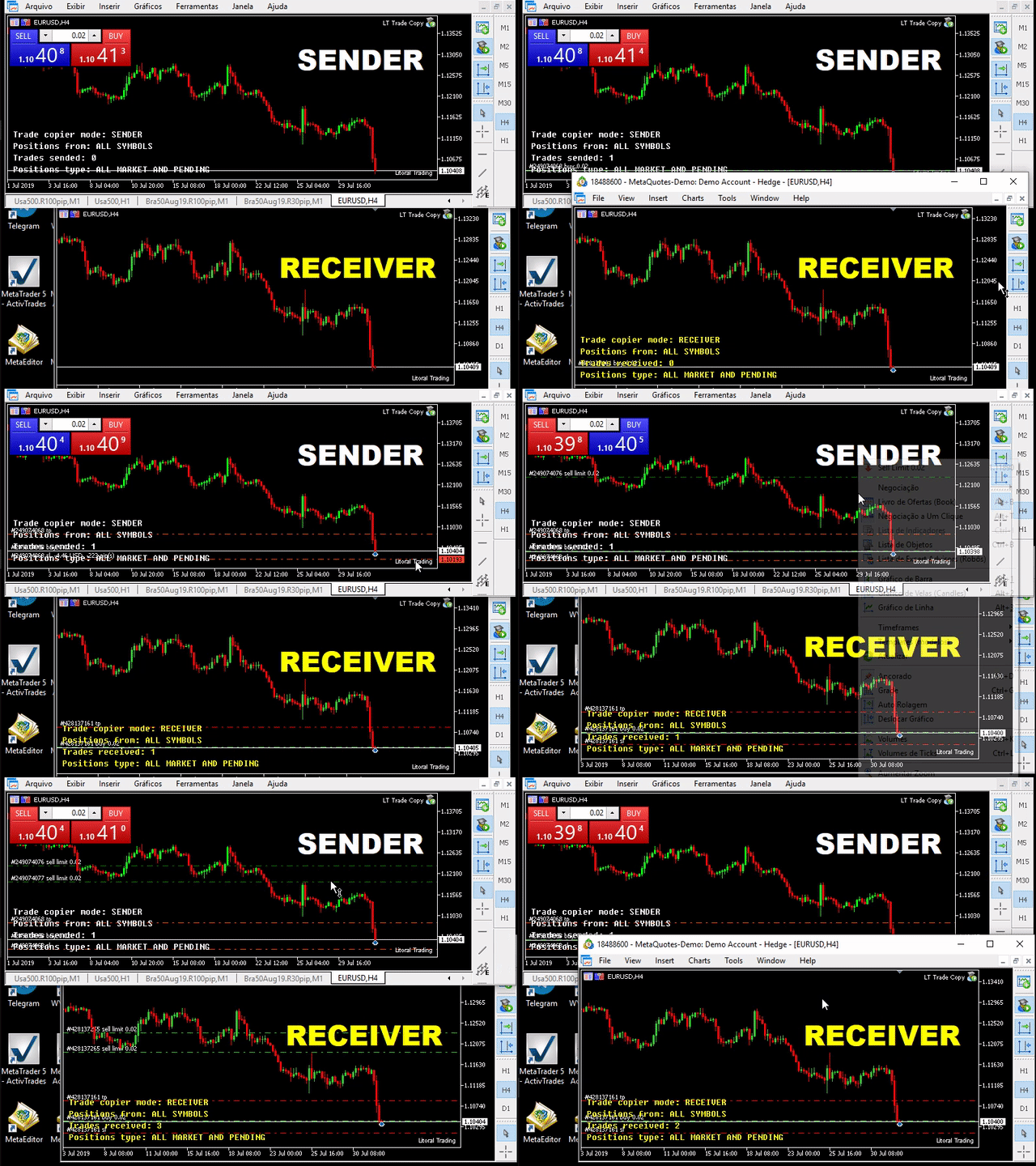
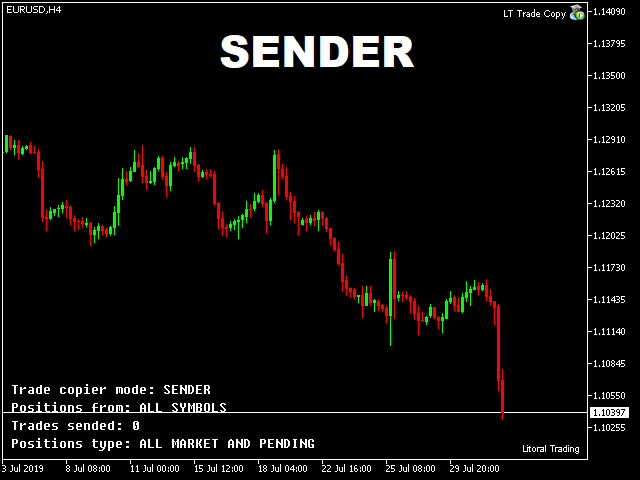
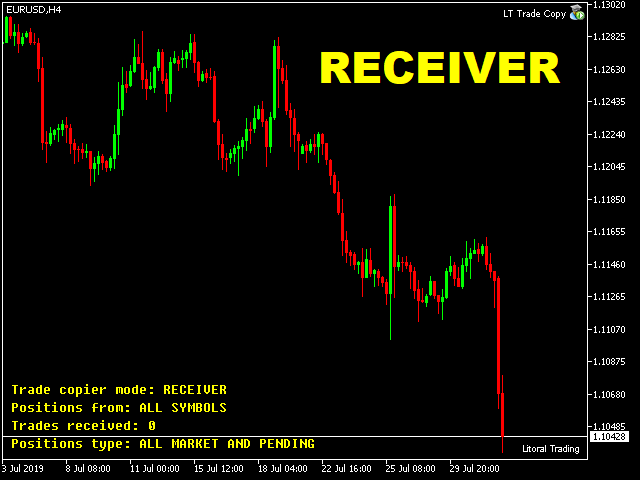
듀얼 모드 (Sender/Receiver): 하나의 Expert Advisor(EA)가 상황에 따라 송신자( SENDER - 시그널 전송) 또는 수신자( RECEIVER - 신호 수신 및 체결)로 작동합니다.
-
교차 플랫폼 호환성 (Cross-Platform): MT4에서 MT5로 신호를 보내거나, MT5의 신호를 MT4 터미널로 받아보는 작업을 투명하고 매끄럽게 처리합니다.
-
다양한 진입 로트(Lot) 설정:
-
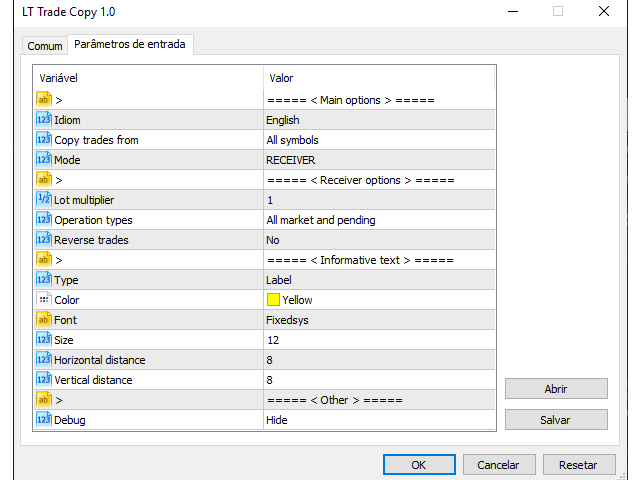
배율 방식 (Multipliers): 계좌 간의 완벽한 비례 투입 기능 지원.
-
고정 로트: 모든 복사 주문을 사용자가 지정한 표준 수량으로 진입합니다.
-
동일 로트: 송신 계좌의 진입 수량을 그대로 재현합니다.
-
-
스마트 자산 매핑: 이름이 서로 다른 자산 종목을 동기화하며, 접미사를 사용하는 증권사(예: EURUSD.m, GBPUSD.ecn)도 완벽하게 지원합니다.
-
필터링 기능: 시장가 주문만 복사할지, 대기 주문(Pending Orders)만 복사할지, 혹은 둘 다 복사할지 선택할 수 있습니다.
-
반대 매매 모드 (Reverse Trading): 매수를 매도로 변환하여 복사하는 반전 전략으로, 손실이 나는 셋업을 뒤집어 복사할 때 이상적입니다.
-
자산 보호 기능: 철저한 리스크 관리를 위해 일간 목표 수익(Daily Profit) 및 일간 허용 손실(Daily Loss) 제한을 설정할 수 있습니다.
-
초저지연 체결: 최적화된 CSV 파일 처리 방식으로 신속한 체결 속도를 보장합니다.
■ 왜 LT Trade Copy MT4를 선택해야 할까요?
-
중복 진입 방지: 내장된 이력 체크 시스템이 터미널 재부팅이나 극심한 변동성 상황에서도 "좀비 오더"나 중복 주문이 체결되는 현상을 차단합니다.
-
인포메이션 대시보드: 연결 상태, 데이터베이스 ID, 계좌 잔고를 차트 상에서 직접 확인할 수 있습니다.
-
매직 넘버(Magic Number) 필터: 복사하고자 하는 특정 EA나 로봇 전략을 정확하게 선택할 수 있습니다.
-
비활성화 자산 목록: 복사를 원치 않는 특정 종목을 차단하는 기능 지원.
■ 설정 방법
-
마스터 터미널 (Sender / 보내는 쪽): 차트에 EA를 적용한 뒤, 모드를 SENDER 로 설정하고 「데이터베이스 ID」를 입력합니다.
-
슬레이브 터미널 (Receiver / 받는 쪽): 차트에 EA를 적용한 뒤, 모드를 RECEIVER 로 설정하고 마스터와 동일한 「데이터베이스 ID」를 입력합니다. 모든 설정이 완료되었습니다! 시스템이 즉각적인 복사를 시작합니다.
■ 중요 주의사항
메타트레이더 프로그램 하나당 단 한 개의 복사 EA만 실행하십시오. 하나의 인스턴스만으로도 설정된 모든 자산에 대한 송신 및 수신 업무를 동시에 처리합니다. 이 권장 사항을 따르시면 연산 충돌을 방지하고 시스템의 완벽한 안정성을 보장할 수 있습니다.
■ 고객 지원 및 다른 버전
-
MetaTrader 5 버전 링크: LT Trade Copy MT5 바로가기 클릭
-
고객 지원: 기술적인 도움이 필요하신 경우 'Discussion(문의/토론)' 탭을 이용하시거나 MQL5.com 공식 채팅의 1:1 메시지를 보내주시기 바랍니다.