Copyist MS

4

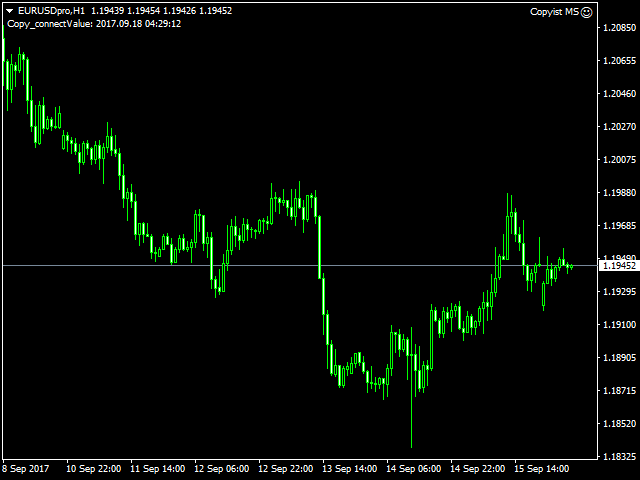
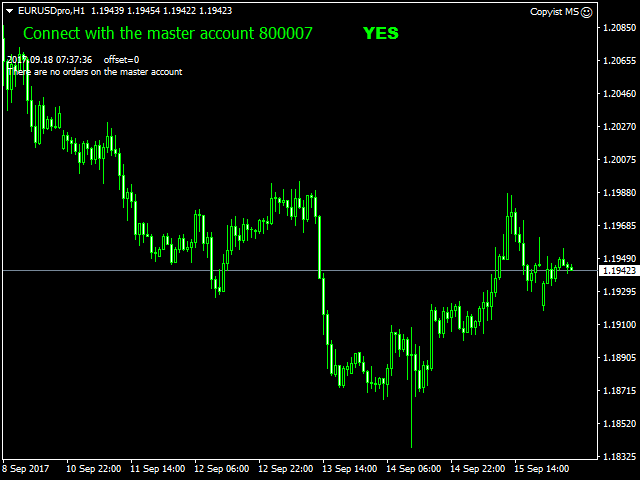
Copyist MS is a simple and easy to use trade copier. It works as a single-file Expert Advisor with toggled Master and Slave operation modes.


Configurations

  • Type of work - work mode selection: Master or Slave;
  • Copy by magic number - copy trade orders by magic number (configure in master terminal)
  • Will not copy currency pairs - list of unwanted currency pairs to copy (configure in master terminal)
  • Master account number - master-terminal trading account number;
  • Selective copying currency pairs - individual selection of currency pairs for copying
  • Max orders on one currency pair - maximum number of orders for one currency pair
  • Max spread (0-off) - maximum spread filter (0-disabled)
  • Waiting for spread normalization - waiting time for spread stabilization to open an order
  • Copy Buy limit-Sell limit - copy Buy/Sell Limit orders;
  • Copy Buy stop-Sell stop - copy Buy/Sell Stop orders;
  • Copy Take Profit - copy Take Profit;
  • Copy Stop Loss - copy Stop Loss;
  • Take Profit (0-off) - take profit (0 - do not use);
  • Stop Loss (0-off) - stop loss (0 - do not use);
  • Profit transfer stop to breakeven (0-off) - profit level for breakeven activation (0 - do not use);
  • Step breakeven (0-off) - breakeven step (0 - do not use);
  • The trailing stop (0-off) - trailing (0 - do not use);
  • Step trailing stop (0-off) - trailing step (0 - do not use);
  • Add a suffix to the Slave orders - add a suffix to the slave orders;
  • Delete suffix in master orders - delete master order suffix;
  • Fixed lot - lot used in trading (if 0, then the lot of the master terminal is copied);
  • Coefficient lot - calculation of the coefficient of the copied lot
  • Revers - reverse
  • Only Open - true/false copy only open orders
  • Copy with pips delay - true/false copy trade orders only with transfer in points
  • Distance pips (-) - pip distance
  • Waiting time, sec - waiting for a minus distance
  • Copy Comment - true/false
  • Order ID - order identifier;
  • Show info - display information on the chart.  
Replacement Symbols Master-Slave
    • Symbols 1 - replacement of copied currency pairs, you can copy from one currency pair to another, example: EURUSD-XAUUSD currency pairs are indicated with a hyphen.
    리뷰 5
    Paul Edward Clayfield
    593
    Paul Edward Clayfield 2021.08.23 20:05 
     

    I have been using this utility for quite some time now (nearly a year) and its is excellant. It is simple to use and very useful for not just basic copying but also Money Management. So if for instance you are subscribed to an account with MQL5 and you want to either leverage it up or down this utility works well. So for example I subscribe to a signal provider who Martingales and has a potential DrawDown of 25%, I don't mind the risk on my smaller account as his returns are 20% plus per month, but on my larger account I'm happy to sacrifice some of the return to limit the risk and so with this Copier I can easily do that, Also, I can set the Copier so that when it trades in the direction of the forecast Daily TF I can have a higher lot size than those against thus also managing my risk. So all in all this is perfect for my needs. Aleksei is also very responsive and helpful. Thank you Aleksei for a great utility and customer experience.

    Svetlin Popov
    144
    Svetlin Popov 2021.04.22 22:22 
     

    Does the job and it's reliable and fast. No complaints so far. 5 stars from me.

    agolovkov
    35
    agolovkov 2018.07.10 15:25 
     

    Отличный копировщик сделок!

    Варианты использования:

    1. Если вы успешный трейдер и демонстрируете положительный результат, то этим интересуются ваши знакомые, которые также хотять вложить средства в работу с доходностью выше банковского депозита.

    2. Как вариант использовать советника для уменьшения рисков от кидалова брокеров-кухонь, типо IndigoDMA, STP Broker (Finago), чтобы складывая все яйца в одну корзину, не остаться без яиц вообще)))

    3. И самый интересный вариант: как вариант для MoneyManagement'a и Риск-менеджмента при использовании больших плеч на небольших депозитах с целью более эффективной отдачи депозита, либо для создания комфортных условий за счет снижения психологической нагрузки в торговле.

    Например, в рамках риск-менеджмента у вас есть комфортный уровень риска на сделку 2% на самую правильную сделку. Чтобы получить от этих 2% риска осязаемый профит, например 1:3 - 1:5 хочется задействовать большую сумму для работы. Но тогда выходит, что вы нарушаете правила ММ и это ложится на вас доп.нагрузкой при принятии решения на вход в сделку. Ваш реальный счет 500 USD. Далеее, вы создаете другой счет, демо-счет с депозитом в 1000 USD и торгуете на нем как на реальном, так как он линкуется с вашим реальным счетом, но с привычными мозгу параметрами риска. Естественно, необходимо контролировать реальный счет на предмет достаточности маржи, если у вас открыто много сделок, либо ограничить их общим риском на портфель открытых сделок.

    4. Как вариант разгрузить ваш компьютер, если используются индикаторы и советники из разных систем, и вам необходимо выставлять ордера исходя из данных, которые показывают индикаторы на каждом из терминалов. При этом ордера агрегируются слейв-аккаунтом на один терминал без нагрузки на ресурсы компьютера. Это очень удобно, если вы используете серверные/поточные данные для индикаторов, либо если эти индикаторы не работают без конфликтов между собой в рамках одного терминала, и вы, продолжая отработку сценария работы в п.3, транслируете все это на слейв-аккаунт.

    Работает все стабильно и отлично) Копировщик также поддерживает работу с копированием сделок от терминалов разных брокеров (необходимо указывать настройки "Add a Suffix to a Slave terminal" / "Delete suffix in master orders").

    Order ID в настройках трогать не нужно.

    В общем, я доволен. Инструмент в работу!

    추천 제품
    Fast Trade Copier
    Volodymyr Hrybachov
    4.2 (5)
    The trade copier is designed for a fast and accurate copying of orders between the MetaTrader 4 terminals. The trade copier copies trades from the Master account to the Slave account by writing information to the total file, which is located in the common directory of the MetaTrader 4 terminals. This allows the trade copier to either customize various schemes for receiving and transmitting trade signals by changing the file name. Reading and writing the copier file is performed by timer. The tra
    Symbol Order Close EA was developed to handle the closing and trailing of profit per symbol. The expert can also trail by dollars and the user can specify a particular magic number in case multiple experts are used on the same account. You can close by total profit on a symbol, start trailing, stop trailing and trailing step, all in a dollar value This EA is VERY handy if you are running an expert that trades multiple symbols and ends up with a floating profit. It can also be used to close man
    Local Trade Copier EA MT4
    Juvenille Emperor Limited
    4.96 (108)
    Local Trade Copier EA MT4 를 사용하여 매우 빠른 거래 복사 경험을 해보세요. 1분 안에 간편하게 설정할 수 있으며, 이 거래 복사기를 사용하면 Windows 컴퓨터 또는 Windows VPS에서 여러 개의 MetaTrader 터미널 간에 거래를 0.5초 미만의 초고속 복사 속도로 복사할 수 있습니다. 초보자든 전문가든 Local Trade Copier EA MT4 는 다양한 옵션을 제공하여 사용자의 특정 요구에 맞게 맞춤 설정할 수 있습니다. 이는 수익 잠재력을 높이려는 모든 사람을 위한 최고의 솔루션입니다. 지금 사용해보시고 이것이 왜 시장에서 가장 빠르고 쉬운 무역용 복사기인지 알아보세요! 팁: 여기 에서 데모 계정에서 Local Trade Copier EA MT4 데모 버전을 다운로드하여 사용해 볼 수 있습니다. 다운로드한 무료 데모 파일을 MT4 >> File >> Open Data Folder >> MQL4 >> Experts 폴더에 붙여넣고 터미널
    RSI Scanner
    Tetyana Shcherba
    Utility is designed to monitor and analyze the market conditions for all symbols of the MetaTrader 4 terminal using real-time data from the RSI indicator. Automatically detects all the pairs in your terminal, and also can filter them into groups. Gets the RSI indicator data for all timeframes and all selected pairs. Tracks up to 4 programmable signal patterns and notifies when they appear. Automatically opens a new chart for a given template when you click the desired pair in the table. Input p
    The utility copies trades from the signal provider accounts (master accounts, one or multiple providers) to unlimited number of receiver accounts (slave accounts). The provider is defined by the 'provider' parameter (any combination of numbers and letters). For example, there are two providers. Run the utility in master mode on them, and set different values to the provider parameter. On the account designated for copying these signals, run two utilities in slave mode in different windows, setti
    Currency Strength Trade Panel EA MT4 는 초보자 또는 전문가 트레이더를 위한 혁신적인 솔루션입니다! 8개 주요 통화의 일반적인 28개 조합을 제외하고 가격 조치와 결합하고 모든 기호/쌍에 적용할 수 있기 때문에 통화 강도 개념을 완전히 새로운 수준으로 끌어 올립니다. 즉, 모든 통화, 상품 및 암호화폐(인덱스 제외)를 포함하여 모든 쌍의 장단점을 거래할 수 있습니다. 복잡한 강도를 해독할 필요 없이 모든 쌍의 두 부분의 장/약 균형을 시각적으로 알려주는 컬러 막대를 사용하여 한 눈에 16/32 기호에 대한 명확한 통찰력을 제공하는 진정한 획기적인 제품입니다. 다른 전통적인 통화 강도 솔루션에서와 같이 선 또는 히스토그램. 통화 강도 무역 패널 EA MT4 는 또한 MT4에서 찾을 수 있는 가장 간단하고 사용하기 쉬운 무역 패널입니다. 추가 창이나 패널을 열 필요 없이 한 표면에 모든 옵션과 기능이 있습니다. 그것은 인터페이스를 사용하기 매우 편리한 하
    FXA LTC is a trade copier for MT4 terminal. This is a fantastic tool for coping trades from one MT4 terminal to many others running on the same PC/VPS. It is extremely easy to setup with minimal settings you can be coping trades in minutes. FXA LTC also caters for Brokers that use different symbol names. FXA LTC will copy trades in 0.5 seconds or less. Please note this will only work on live charts, it will not do anything in the simulator Features Super fast trade coping less than 0.5s the cop
    Magic Curves
    Aleksey Usachev
    Indicator shows balance curves based on magic number for portfolio analysis. It allows to visually estimate different strategies performance on a single symbol. Any of magic number can be hidden by clicking on the value in legend. Parameters: HideAllOnStart - all magics are hidden and can be activated by clicking on its value; MAMode - shows average profit from trades; MAPeriod - Moving average period; Magics - a string with magic numbers separated by comma like "1,2,123". If this field is empty
    Exp COPYLOT CLIENT for MT4
    Vladislav Andruschenko
    4.65 (66)
    MetaTrader 4용 트레이드 복사기.       모든 계정의 외환 거래, 포지션, 주문을 복사합니다. 그것은 최고의 무역 복사기 중 하나입니다       MT4 - MT4, MT5 - MT4       위해       카피롯 MT4       버전(또는       MT4 -  MT5   MT5 - MT5       위해       카피롯 MT5       버전). MT5 버전 전체 설명   +DEMO +PDF 구입 방법 설치하는 방법     로그 파일을 얻는 방법     테스트 및 최적화 방법     Expforex의 모든 제품 복사기   버전         MetaTrader 5   터미널 (   МТ5 - МТ5, МТ4 - МТ5   ) -   Copylot Client MT5 고유한 복사 알고리즘은 마스터 계정에서 고객 계정으로 모든 거래를 정확하게 복사합니다. 이 제품은 또한 높은 작동 속도에서 높은 오류 처리로 유명합니다. 강력한 기능 세트. 프로그램은 여러 터
    Auto Trade Copier
    Vu Trung Kien
    4.76 (84)
    Auto Trade Copier is designed to copy trades to multiple MT4, MT5 and cTrader accounts/terminals with 100% accuracy. The provider and receiver accounts must be on the same PC/VPS. With this tool, you can copy trades to receiver accounts on the same PC/VPS. All trading actions will be copied from provider to receiver perfectly. This version can be used on MT4 accounts only. For MT5 accounts, you must use Auto Trade Copier for MT5 . Reference: - For MT4 receiver, please download Trade Receiver Fre
    Local Copy Trading Osw MT4
    William Oswaldo Mayorga Urduy
    로컬 카피 트레이딩 OSW   MT4 이 뛰어난 카피 트레이딩 도구를 사용하면 다음 간에 자산을 복사할 수 있습니다. >MT4에서 MT4로 (MT4 버전 보유 시) >MT5에서 MT5로 (MT5 버전 보유 시) >MT4에서 MT5로 (두 버전 모두 보유 시) 먼저 봇을 배치할 계정을 마스터 계정으로 할지 슬레이브 계정으로 할지 선택해야 합니다. 그런 다음 "수락"을 클릭하면 복사가 시작됩니다. 더욱 세밀한 복사를 원한다면 슬레이브 설정을 수정하여 복사 프로세스를 구체적으로 맞춤 설정할 수 있습니다. 주요 기능은 다음과 같습니다. >밀리초 단위의 복사 속도 >여러 자산을 동시에 복사해야 하는 경우, 고유한 복사 채널 생성 >접미사와 접두사를 모든 조합으로 추가 또는 제거하여 다른 이름으로 자산을 복사할 수 있습니다. > 접미사나 접두사를 사용하여 이름을 변경할 수 없는 특정 자산만 복사합니다. > 복사할 자산을 잠급니다. > 주문 유형별로 복사할지 여부를 선택합
    Rua TrailingStop BreakEven Little
    PHAM KIM QUY RuaCoder
    4.5 (2)
    Rua TrailingStop BreakEven Little The EA not for Real Account. You can EA for Real Account with link:   https://www.mql5.com/en/market/product/47635 Uses of EA - Trailingstop: Move stoploss continuously. - Breakeven: Move the stoploss once. Custom parameters: All OrderOpenTime:     + true: acts on all order     + false: only affect the order opened since EA run All OrderType:     + true: acts on all order.     + false: only the order is running (Buy, Sell) TraillingStop: true (Use), false (do n
    FREE
    Black Square
    Maksim Neimerik
    This is an Expert Advisor with the elements of graphics trading. It performs trading operations using the "Rectangle" (or "Square") shape. The Expert Advisor automatically draws a square and opens a Buy or Sell orders when the price crosses its lower or upper bounds respectively. The shape can be drawn manually. For this purpose you should disable the auto drawing feature in the Expert Advisor settings. If the price moves in the wrong direction, the Expert Advisor sets up to four orders in accor
    Trade Assistant Pro 36 in 1
    Makarii Gubaydullin
    4.76 (21)
    다기능 거래 도구: 로트 계산기, 그리드 주문, 위험/보상 비율, 거래 관리자, 수급 구역, 가격 행동 분석 등 데모 버전   |   사용자 설명서 트레이딩 어시스턴트 는 전략 테스터에서 작동하지 않습니다: 이 유틸리티 를 테스트하려면 데모 버전을 여기서 다운로드하세요. 질문 /개선 아이디어/버그 발견 시 저에게 연락 하세요 MT5 버전이 필요하시면, 여기서 사용 가능합니다 거래 프로세스 를 단순화, 가속화, 자동화하세요. 이 대시보드 로 표준 터미널 기능을 확장합니다. 트레이딩 패널 은 모든 거래 상품에서 작동합니다: 외환, 주식, 지수, 암호화폐 등. 1. 새로운 거래 열기 : 로트/위험/위험보상비 계산: 수동 거래의 위험 관리 로트 계산기 (위험 크기 기반 거래량 계산) 위험 계산기 (로트 크기 기반 위험 금액) 위험 보상 비율 그리드 주문: + 동적 거리 옵션 및 분할 로트 옵션 주문 활성화 트리거, + Buy StopLimit/Sell StopLimit: Mt4에서도 가능
    Direct translation of blackcat's L3 Banker Fund Flow Trend Oscillator. Get push notifications on your phone app when a signal bar has formed. Historical signals are shown with buy/sell arrow right on the main chart. Indicator uses two data calculations to check for a cross below 25% level (a signal to go long) and above 75% level (a signal to short). For any further questions  feel free to contact me directly. Including requests for product improvements.
    MTR BTC spot
    Eduard Gluhov
    MTR BTC spot - алгоритм данного эксперта  покажет, где можно оптимально набирать позиции на споте, открывая сделки в терминале имейте ввиду что торговля с плечом особенно на такой паре как BTC USD очень рискованная, и тем не менее эксперт справляется со своей задачей если не превышать риски. И всё же я бы советовал просто дублировать уровни покупок на споте, эти уровни покажет вам советник открывая сделки, и сообщит вам об открытии по MetaQuotes ID. Торговля ведётся на таймфрейме H4. Я рекомендо
    Virtual Collider Manual   is a trading assistant with a built-in panel for manual trading. It automatically moves a position opened by a trader in profit using innovative adaptive grid algorithm of averaging and adaptive pyramiding Know-how of the grid algorithm of averaging and pyramiding of the   Virtual Collider Manual   trading robot is based on fully automatic adaptation of all characteristics of dynamically build order grid and pyramid with actual price movement with no need for adjusting
    Breakout Order Manager
    Stephen Sanjeeve Sahayam
    대부분의 소매 거래자는 위험을 관리하고 과도한 위험을 감수하거나 과도한 거래로 계정을 날릴 수 없습니다. 이 도구는 드로다운 및 위험 관리를 완전히 자동화하여 트레이더가 항목에만 집중할 수 있도록 합니다. 브레이크 아웃 또는 풀백 거래에 이상적입니다. 매도 거래의 고점 위나 매수 거래의 저점 아래에 손절매를 배치하여 위험을 계산하기 위해 이전에 마감된 캔들 높이를 사용합니다. Stoploss 배치는 기간별로 사용자 지정할 수 있습니다. 드로다운에 있을 때; 사전 정의된 손절매 비율로 부분 포지션을 자동으로 마감하여 위험을 관리합니다. 위험 보상 또는 핍 값으로 여러 테이크 이익 수준을 설정합니다. 모든 진입 방법과 거래 스타일에 사용할 수 있습니다. 스캘핑, 일중 또는 스윙 거래. 특징: 고유한 "주문 유형" 설정으로 브레이크아웃과 풀백을 모두 거래할 수 있습니다. 가장 최근에 마감된 캔들 높이를 사용하여 모든 지정가 또는 중지 주문에 대한 위험을 자동으로 계산합니다. Stop
    The utility displays in a convenient form the historical trades made on the account. You can filter trades by magic or comcent, display only profitable or losing trades, and only buy or sell trades. Using this utility, you can see trade entry and exit points, stop loss and take profit levels, trade profit, magic number and comment, order ticket and order size - you only need to run the utility on the chart of the currency pair you want information on get and customize the input parameters. MT5
    자동 주문 및 위험 관리를 위한 유틸리티입니다. 이익을 최대한 활용하고 손실을 제한할 수 있습니다. 트레이더를 위한 실무 트레이더가 만들었습니다. 유틸리티는 사용하기 쉽고 거래자가 수동으로 또는 고문의 도움을 받아 열린 시장 주문과 함께 작동합니다. 매직 넘버로 거래를 필터링할 수 있습니다. 유틸리티는 동시에 원하는 수의 주문을 처리할 수 있습니다. 다음과 같은 기능이 있습니다. 1. 손절매 및 이익 수준 설정 2. 후행 정지 수준으로 거래를 마감합니다. 3. 손익분기점 설정. 유틸리티는 다음을 수행할 수 있습니다. 1. 각 주문에 대해 개별적으로 작업(각 주문에 대해 수준이 별도로 설정됨) 2. 단방향 주문 바스켓으로 작업(레벨은 모든 주문에 대해 공통으로 설정되며 별도로 구매 및 판매) 3. 다방향 주문 바구니로 작업(레벨은 모든 주문에 대해 공통으로 설정되며 BUY 및 SELL 함께) 옵션: STOPLOSS - =-1이 사용되지 않는 경우 핍에서
    Features - Showing BALANCE -   Showing  EQUITY -   Showing  PROFIT -   Showing  LOTS -   Showing  SPREAD -   Showing  SELLS & BUYS TOTAL(Current Pair) -   Showing  SELLS & BUYS TOTAL(ALL Pairs) -   Showing   ORDERS TOTAL -   Showing  Lots Value will be used -   Showing  Pips Value for SL/TP will be used -   Showing  Amount of order will be used -   Showing Clock for Current Candle - Button for RESET(Closing all Orders(Opened,Limit and Stop) - Button for  Clearing Open Orders - Butto
    ONECLICK COPIER EA – UNIFIED VERSION 1.0 Category: Trade Utility | Type: Local Trade Copier for MT4 Created by fxdancer (Hani Mabad) Version: 1.0 – May 2025 OVERVIEW OneClick Copier EA is a local trade copying utility, not a trading strategy. It is designed for manual traders, fund managers, or multi-account users who want to mirror trades across MT4 terminals running on the same computer. This EA does not generate signals or place trades by itself. Instead, it acts as a bridge between accou
    Copy Master mt4
    Evgenii Aksenov
    5 (5)
    이 유틸리티를 사용하면 마스터 설정이있는 한 터미널에서 슬레이브 설정이있는 다른 터미널로 모든 트랜잭션을 복사 할 수 있습니다 동시에 복사 할 쌍을 선택하고 여러 매개 변수에 따라 복사 된 순서의 크기를 설정할 수 있습니다. 드로우 다운 손실 한도를 설정하거나 수익성있는 거래 만 복사하십시오 Mt4 또는 mt5 에서 다른 브로커의 mt4 또는 MT5 로 거래를 복사 할 수 있습니다 이제 mt4 에서 일하는 전문가의 신호를 MT5 터미널 또는 뒤로 복사하는 것이 어렵지 않을 것입니다 복사 마스터를 사용하여 다른 신호,전문가 고문,수동 거래에서 거래를 복사하십시오.  를 사용하여 설정을 변경할 수 있습니다 많은 크기,무역 방향으로만 복사 수익을 거래하고 설정 값을 저장하는 금고  복사 마스터는 하나의 계정에 서로 다른 가입 신호의 여러 전략을 결합 할 수 있습니다 익을 MT4,당신은 필요합 복사본을 마스터 MT5 버전:  https://www.mql5.com/ko/mar
    Trade Copier for MT4   Supports multiple master and slave terminals   Local operation without DLL usage   Optional slow monitoring mode   Compatible with prop firm and personal accounts Trade Copier MT4 To MT4 Advanced Multi-Account Trade Copier for MT4/MT5 – Master & Slave Synchronization This Expert Advisor is a fully automated multi-account trade copying system designed for professional traders who require fast, stable, and flexible synchronization between MT4/MT5 accounts. It supports
    Mk EURUSD ecn
    Maryna Kauzova
    Only 1 copies at the price of 99 USD. Last price 999 USD   EURUSD ECN - is a trading algorithm designed for trading on ECN accounts or any other accounts with small margins and small spread! EURUSD ECN trading strategy is based on historical axioms of breaking the daily price range. Why EURUSD ECN belongs to safe trading systems?! - each order has a short fixed Stop Loss - the EA will not open an order if the trading account conditions do not match the recommendations (if orders are not opened
    Trade Assistant B90 MT4
    Mohammadbagher Ramezan Akbari
    Trade Assistant B90 is designed for manual trading so that it helps us to manage capital and position well. This expert has the ability to change the default inputs of the expert as desired before use. You can see the expert entries in the photo below, each of which we explain below. 1.    Background Color : With this entry, you can change the assistant's background Color 2.    Font size: You can change the size of the fonts used in the assistant. 3.    Button‌ color: Change the color of assis
    Customized Copy MT4
    Kyra Nickaline Watson-gordon
    Customized Copy is a Multi-Terminal visual trade copying utility that supports Metatrader4 and Metatrader5 for Trade Copying.  You can activate EA on 10 different PCs/VPS. On each PC/VPS can install on Unlimited Terminals. Specifications :     Real Time, Multi Terminal - Multi Account - MT4/MT5 trade copying (support over 50 accounts at same time)     All settings are input visually.     Visual display and modify of copy map and network     Each copy path can be used with different settings
    Initial Stop Loss Setup : Automatically applies an initial stop loss (in points) immediately when a trade is opened. Provides peace of mind by ensuring every trade is protected against unfavorable price movements. Dynamic Trailing Stop : Adjusts the stop loss at the close of each candle based on a fixed point distance. Moves the stop loss incrementally closer to the current price, locking in profits as the market moves in your favor. Works Across All Timeframes : The EA adapts to any chart time
    Just Copier MT4
    Agung Imaduddin
    5 (4)
    "Just copier" is designed to copy trading without any complicated settings. The copy can be done in one PC. One EA can be set as master (provider) or slave (receiver). The receiver lot can be set to multiple providers lots. Please also check this product at fxina.hostingerapp.com.  Any type of copy is available. MT4 -> MT5 MT4 -> MT4 MT5 -> MT5 MT5 -> MT4 If you want to copy MT4 -> MT5 or MT5 -> MT4, please purchase "Just copier" for MT4 and "Just copier" for MT5 separately. Just Copier can copy
    Скрипт собирает статистику по размерам свечей и сохраняет данные в файл CSV. Каждая строка таблицы - это отдельная свеча с ее характеристиками: время, направление (1 - бычья/доджи, -1 - медвежья), размер верхней и нижней тени, размер тела и полный размер свечи. Индикатор, который отбражает размеры свечей, а также построенные по этим размерам скользящие средние, можно скачать здесь . ПАРАМЕТРЫ FileName:  имя файла, в который экспортируются данные. Если оставить поле пустым, то имя файла - "Cand
    이 제품의 구매자들이 또한 구매함
    Trade Assistant MT4
    Evgeniy Kravchenko
    4.42 (193)
    거래당 위험 계산, 라인을 사용한 손쉬운 신규 주문, 부분 청산 기능을 통한 주문 관리, 7가지 유형의 트레일링 스탑 및 기타 유용한 기능을 제공합니다. 추가 자료 및 지침 설치 지침 - 애플리케이션 지침 - 데모 계정용 애플리케이션 평가판 라인 기능       - 차트에 개시선, 손절매, 차익실현을 표시합니다. 이 기능을 사용하면 새로운 주문을 쉽게 하고 개봉 전에 추가 특성을 볼 수 있습니다. 위기 관리       -       위험 계산 기능은 설정된 위험과 손절매 주문의 크기를 고려하여 새 주문의 볼륨을 계산합니다. 이를 통해 손절매 크기를 설정하고 동시에 설정된 위험을 존중할 수 있습니다. 로트 계산 버튼 - 위험 계산을 활성화/비활성화합니다. 필요한 위험 값은 위험 필드에 0에서 100 사이의 백분율 또는 예금 통화로 설정됩니다. 설정 탭에서 위험 계산 옵션을 선택합니다. $ 통화, % 잔액, % 지분, % 자유 마진, % 사용자 정의, % AB 이전 일, % AB
    Trade Manager EA에 오신 것을 환영합니다. 이 도구는 거래를 보다 직관적이고 정확하며 효율적으로 만들기 위해 설계된 궁극적인 리스크 관리 도구 입니다. 단순한 주문 실행 도구가 아닌, 원활한 거래 계획, 포지션 관리 및 리스크 제어를 위한 종합 솔루션입니다. 초보자부터 고급 트레이더, 빠른 실행이 필요한 스캘퍼에 이르기까지 Trade Manager EA는 외환, 지수, 상품, 암호화폐 등 다양한 시장에서 유연성을 제공합니다. Trade Manager EA를 사용하면 복잡한 계산은 이제 과거의 일이 됩니다. 시장을 분석하고 진입, 손절 및 익절 수준을 차트의 수평선으로 표시한 후 리스크를 설정하면, Trade Manager가 이상적인 포지션 크기를 즉시 계산하고 SL 및 TP 값을 실시간으로 표시합니다. 모든 거래가 간편하게 관리됩니다. 주요 기능: 포지션 크기 계산기 : 정의된 리스크에 따라 거래 크기를 즉시 결정합니다. 간단한 거래 계획 : 진입, 손절, 익절을 위한
    Copy Cat More Trade Copier MT4 (복사 고양이 MT4) 는 단순한 로컬 트레이드 카피어가 아니라, 오늘날의 거래 환경을 위해 설계된 완전한 리스크 관리 및 실행 프레임워크입니다. Prop Firm 챌린지부터 개인 계좌 관리까지, 강력한 실행력, 자본 보호, 유연한 설정, 고급 거래 처리 기능을 통해 모든 상황에 적응합니다. 이 카피어는 Master(송신자) 와 Slave(수신자) 모드 모두에서 작동하며, 실시간으로 시장가/지정가 주문, 거래 수정, 부분 청산, Close By 작업을 동기화합니다. 데모 및 실계좌 모두 호환되며, 거래용 비밀번호 또는 투자자 비밀번호로도 사용할 수 있습니다. Persistent Trade Memory 기술을 통해 EA, 터미널, VPS가 재시작되더라도 거래가 복원됩니다. 여러 Master와 Slave를 동시에 관리할 수 있으며, 브로커 간 차이는 접두사/접미사 자동 감지 또는 심볼 매핑으로 처리됩니다. 매뉴얼/설정: Copy C
    Trade copier MT4
    Alfiya Fazylova
    4.58 (33)
    Trade Copier는 거래 계정 간의 거래를 복사하고 동기화하도록 설계된 전문 유틸리티입니다. 복사는 공급자의 계정/단말기에서 동일한 컴퓨터 또는 vps에 설치된 수신자의 계정/단말기로 발생합니다. 구매하기 전에 데모 계정에서 데모 버전을 테스트할 수 있습니다. 데모 버전 여기 . 전체 지침 여기 . 주요 기능 및 이점: 복사기는 "МТ4> МТ4", "МТ4> МТ5", "МТ5> МТ4" 복사를 지원합니다. 복사기는 데모 계정 > 실 계정, 실 계정 > 데모 계정, 데모 계정 > 데모 계정 및 실제 계정 > 실 계정 복사를 지원합니다. 복사기는 읽기 전용 암호가 적용된 투자자 계정에서 복사를 지원합니다. 하나의 공급자 터미널은 여러 수신 터미널로 트랜잭션을 보낼 수 있고 하나의 수신 터미널은 여러 공급자 터미널에서 트랜잭션을 수신할 수 있습니다. 복사기는 귀하 또는 귀하의 고문이 거래하는 동일한 터미널에서 작동할 수 있습니다. 높은 복사 속도(0.5초 미만). 복사기에는 간편
    Trade Dashboard MT4
    Fatemeh Ameri
    4.96 (53)
    Tired of complex order placement and manual calculations? Trade Dashboard is your solution. With its user-friendly interface, placing orders becomes effortless, by a single click, you can open trades, set stop loss and take profit levels, manage trade lot size, and calculate risk to reward ratios, allowing you to only focus on your strategy. Say goodbye to manual calculations and streamline your trading experience with Trade Dashboard. Download  Demo Version  right now. You can find  Details of

    The product will copy all telegram signal to MT4   ( which you are member  ) , also it can work as remote copier.  Easy to set up, copy order instant, can work with almost signal formats, image signal, s upport to translate other language to English Work with all type of channel or group, even channel have "Restrict Saving Content", work with  multi channel, multi MT5 Work as remote copier: with signal have ticket number, it will copy exactly via ticket number. Support to backtest signal. How to
    News Filter EA: Advanced Algo Trading Assistant News Filter EA is an advanced algo trading assistant designed to enhance your trading experience. By using the   News Filter EA , you can integrate a Forex economic news filter into your existing expert advisor, even if you do not have access to its source code. In addition to the news filter, you can also specify   trading days   and   hours   for your expert. The News Filter EA also includes   risk management   and   equity protection   features
    VirtualTradePad mt4 Extra
    Vladislav Andruschenko
    4.86 (59)
    한 번의 클릭으로 거래할 수 있는 거래 패널.   위치 및 주문 작업!   차트 또는 키보드에서 거래. 거래 패널을 사용하면 차트에서 클릭 한 번으로 거래하고 표준 MetaTrader 컨트롤보다 30배 빠르게 거래 작업을 수행할 수 있습니다. 거래자의 삶을 더 쉽게 만들고 거래자가 훨씬 빠르고 편리하게 거래 활동을 수행할 수 있도록 도와주는 매개변수 및 기능의 자동 계산. 차트의 무역 거래에 대한 그래픽 팁 및 전체 정보. MT5 버전 전체 설명   +DEMO +PDF 구입 방법 설치하는 방법     로그 파일을 얻는 방법     테스트 및 최적화 방법     Expforex의 모든 제품 열기 및 닫기, 반전 및 잠금, 부분 닫기/오토로트. 가상/실제 손절매/이익 실현/후행 정지/손익분기점, 주문 그리드 .... MetaТrader 4   의 주요 요청 거래 제어판   : 구매, 판매, 구매 중지, 구매 제한, 판매 중지, 판매 제한, 닫기, 삭제, 수정, 후행 중지, 손절매,
    복사기->편리하고 빠른 인터페이스 상호작용으로 사용자가 바로 사용 가능       ->>>> Windows 컴퓨터 또는 VPS Windows에서 사용하는 것이 좋습니다. 특징: 다양하고 개인화된 복사 거래 설정: 1. 다양한 신호 소스에 대해 다양한 로트 모드를 설정할 수 있습니다. 2. 다양한 신호 소스를 포워드 및 리버스 복사 거래에 대해 설정할 수 있습니다. 3. 신호는 주석으로 설정할 수 있습니다. 4. 계약 로트에 따라 로트를 교정할지 여부 다양하고 개인화된 복사 주문 설정 2: 1. 다양한 품종에 대해 다양한 로트 모드를 설정할 수 있습니다. 2. 정방향 및 역방향 복사 주문에 대해 다양한 품종을 설정할 수 있습니다. 3. 주석으로 신호를 설정할 수 있습니다. 4. 계약 로트에 따라 로트를 교정할지 여부 댓글 필터링, MAGIC 필터링, 시그널 로트 필터링, 로컬 제품 필터링 근무시간 설정 역동기화 SLAVE 닫힘 주문 바인딩 기능: 모든 주문은 설정된 신호 소스 주문
    일별 및 주별 마감 거래 내역, 현재 진행 중인 거래, 외환 노출을 한 차트에서 즉시 확인하세요! 히트맵을 사용하여 수익성 있는 거래와 거래 포트폴리오 내에서 현재 하락이 있는 위치를 파악하세요. 빠른 마감 버튼 빠른 마감 버튼을 사용하여 단일 심볼에 대한 모든 거래를 마감하거나, 개별 거래를 전체적으로 마감하거나, 버튼을 클릭하여 일부 수익 또는 손실을 실현하세요. 더 이상 목록에서 거래를 찾아 거래의 일부를 마감하는 방법을 알아낼 필요가 없습니다. 대시보드는 외환 쌍을 거래하는 동안 각 통화 심볼에 대한 현재 노출도 표시하므로 주요 뉴스 이벤트에 앞서 과도하게 노출될 수 있는 영역을 파악하는 데 도움이 됩니다. 버튼을 사용하여 뉴스가 나오기 전에 노출을 즉시 빠르게 줄이거나, 이미 뉴스가 발생하여 수익을 창출한 경우 클릭 한 번으로 빠르게 수익을 확보할 수 있습니다! 진행 중인 거래 히트맵 거래 히트맵은 달러 비용 평균화를 사용하여 거래의 확장 및 축소를 수행하는 포지션 거
    Comprehensive on chart trade panel with the unique ability to be controllable from mobile as well. Plus has a library of downloadable configuration, e.g. exit rules, extra panel buttons, pending order setup and more. Please see our product video. Works with all symbols not just currency pairs. Features On chart panel plus controllable from free app for Windows, iPhone and Android Built-in script engine with library of downloadable configuration, e.g. add 'Close All Trades in Profit' button, exit
    Take a Break
    Eric Emmrich
    5 (31)
    One tool to protect all your EAs — news filter, equity protection, time filter and more — free demo available Take a Break has evolved from a basic news filter into a comprehensive account protection solution. It pauses your other Expert Advisors during news events or based on custom filters. When trading resumes, it automatically restores your entire chart setup , including all EA settings. Typical use cases: One news filter for all your EAs. Pause trading during news or high volatility — and c
    MT4 to Telegram Signal Provider 는 사용하기 쉽고 완전히 사용자 정의가 가능한 도구로, 텔레그램으로 신호를 보내어 계정을 신호 제공자로 변환할 수 있습니다. 메시지 형식은 완전히 사용자 정의가 가능합니다! 그러나 간단한 사용을 위해 미리 정의된 템플릿을 선택하고 메시지의 특정 부분을 활성화하거나 비활성화할 수도 있습니다. [ 데모 ]  [ 매뉴얼 ] [ MT5 버전 ] [ 디스코드 버전 ] [ 텔레그램 채널 ]  New: [ Telegram To MT5 ] 설정 단계별 사용자 가이드 가 제공됩니다. 텔레그램 API에 대한 지식이 필요 없으며, 개발자가 필요한 모든 것을 제공합니다. 주요 기능 구독자에게 보낸 주문 세부 정보를 사용자 정의할 수 있는 기능 예를 들어 브론즈, 실버, 골드와 같은 계층 구독 모델을 만들 수 있습니다. 골드 구독은 모든 신호 등을 받게 됩니다. ID, 심볼 또는 코멘트별 주문 필터링 주문이 실행된 차트의 스크린샷을 포함 보낸
    Ultimate MT4 to Telegram (UMT) sends controlled trades (via symbol, magic, comment) to your telegram channel. It sends open and closed trades, including pending orders and TP/SL modifications, along with chart screenshots, to any telegram channel. Additionally, you can send trade reports of open trades and summary profit/pip reports for day, week, or month. You can customize the design of the trade actions or reports with variables and emoticons.  A beautiful panel allows you to visualize all t
    Risk/Reward Tool은 MetaTrader 4에서 거래를 계획, 시각화 및 실행하는 방식을 혁신하도록 설계된 전문가급 Expert Advisor입니다. 정밀한 리스크 관리를 중시하는 재량 트레이더이든, 거래 설정을 시각적으로 테스트해야 하는 전략 개발자이든, 이 도구는 우아하고 직관적인 인터페이스에서 필요한 모든 것을 제공합니다. 기본적인 포지션 계산기와 달리, Risk/Reward Tool은 시각적 거래 계획을 즉각적인 실행 기능, 실시간 손익 모니터링 및 포괄적인 거래 관리 기능과 결합합니다. 이 도구는 MT4 전략 테스터와 완전히 호환되어 실제 자본을 위험에 빠뜨리지 않고 거래 전략을 연습하고 접근 방식을 개선할 수 있습니다. 도구의 전체 매뉴얼은 여기에서 확인할 수 있습니다: https://www.mql5.com/en/blogs/post/766244 MT5 version:  https://www.mql5.com/en/market/product/158601 주요 기능
    CloseIfProfitorLoss with Trailing
    Vladislav Andruschenko
    4.87 (31)
    이익 추적 기능으로 총 이익/손실에 도달하면 MetaTrader 4에서 포지션을 청산합니다. 가상 정지 (별도 주문) 을 활성화할 수 있습니다. BUY 및 SELL 포지션을 별도로 계산하고 마감합니다 (BUY SELL 별도). 모든 심볼 또는 현재 심볼 만 닫고 계산합니다 (모든 심볼). 이익을 위해 후행 추적 을 활성화합니다 (후행 이익). 예금 통화, 포인트, 잔액의 %에 대한 총 손익을 마감합니다. 이 애플리케이션은 다른 EA와 함께 또는 수동 거래와 함께 모든 계정에서 사용하도록 설계되었습니다. MT5 버전 전체 설명 + DEMO + PDF 구입 방법 설치하는 방법 로그 파일을 얻는 방법 테스트 및 최적화 방법 Expforex의 모든 제품 일부 쌍 또는 모든 쌍의 총 거래 잔액이 설정에서 지정된 값보다 크거나 같으면 모든 포지션이 닫히고 주문이 삭제됩니다. 이 버전은 지정된 이익 수준에서 포지션을 마감할 수 있을 뿐만 아니라 더 나은 결과를 위해 이익을 추적할 수도 있습니다
    Telegram Signal pro
    Sara Sabaghi
    4.86 (7)
    What is it? Think about it, you can send all the orders/positions info to your telegram channel or group to create your community or VIP signals on telegram. Position info means this EA forward all of your new positions open details (Open price, Open time, Position Type, position Symbol and volume), positions changes ( SL or TP modifying or pending price changes) and position close (Close price, profit or loss, position duration time) and also EA Send NEWS alert (Economic calendar event) on you
    TradePanel MT4
    Alfiya Fazylova
    4.85 (92)
    Trade Panel은 다기능 거래 보조원입니다. 이 애플리케이션에는 수동 거래를 위한 50개 이상의 거래 기능이 포함되어 있으며 대부분의 거래 작업을 자동화할 수 있습니다. 전략 테스터에서는 애플리케이션이 작동하지 않습니다. 구매하기 전에 데모 계정에서 데모 버전을 테스트할 수 있습니다. 데모 버전 여기 . 전체 지침 여기 . 거래. 한 번의 클릭으로 거래 작업을 수행할 수 있습니다: 자동 위험 계산을 통해 지정가 주문 및 포지션을 엽니다. 한 번의 클릭으로 여러 주문과 포지션을 열 수 있습니다. 주문 그리드를 엽니다. 그룹별 대기 주문 및 포지션을 마감합니다. 포지션 반전(매수 청산 후 매도 개시 또는 매도 청산 후 매수 개시). 포지션 고정(매수 포지션과 매도 포지션의 양을 동일하게 하는 추가 포지션 개설). 한 번의 클릭으로 모든 포지션을 부분 청산합니다. 모든 포지션의 이익실현과 손절매를 동일한 가격 수준으로 설정합니다. 모든 포지션에 대한 손절매를 해당 포지션의 손익 분기
    Exp4 Duplicator
    Vladislav Andruschenko
    4.5 (22)
    Expert Advisor   는   귀하의 계정 MetaTrader 4   에서 사전 설정된 횟수만큼 거래 및 포지션을 반복하거나 신호를 보냅니다. 수동으로 또는 다른 Expert Advisor에 의해 열린 모든 거래를 복사합니다. 신호를 복사하고 신호에서 로트를 늘립니다   ! 다른 EA의 수를 늘립니다. 다음 기능이 지원됩니다: 복사된 거래에 대한 사용자 지정 로트, 손절매 복사, 이익 실현, 후행 정지 사용. MT5 버전 전체 설명 +DEMO +PDF 구입 방법 설치하는 방법     로그 파일을 얻는 방법     테스트 및 최적화 방법     Expforex의 모든 제품 연결 MetaTrader용 무역 복사기는 여기에서 사용할 수 있습니다:   COPYLOT 주목 참고: 터미널 간 거래를 위한 복사기가 아닙니다. 전략 테스터에서 Expert Advisor를 테스트하고 비주얼 모드에서 EAPADPRO 도구 모음과 거래할 수 있습니다! 1개의 통화 쌍에 EA를 설치하는 것
    Eezeorder 2
    Tawanda Tinarwo
    5 (2)
    NEW VERSION!  NB: IF YOU ARE USING A VERY HIGH RESOLUTION MACHINE AND THE EA DISPLAY LOOKS TOO SMALL, CONTACT ME SO I CAN HELP YOU. Open Multiple Trades on MT4 in 1 click at one price. Enter the Lot size Specify the number of trades you want to open Choose whether you want TP SL or Trailing Stop Once you are done, click Buy or Sell Open Multiple Pending Orders on MT4 in 1 click at one price. Enter the Lot size Specify the gap from the current price, where you want to place the pending order Spe
    --------------Welcome to use [MQL5 Signal Analyze Master]------------------  Function: Draw order tracks of MQL5 MT4 and MT5 signal on MT4 chart. [Using guide] 1.Use it as Experts. 2.Download history record from MQL5 signal(MT4 signal or MT5 signal).  3.Paste history record file below "MQL4/Files/" 4.Load [Signal Analyze Master] on the symbol chart what you want to analyze. 5.Paste the history record file name to parameter 'FileName' 6.Select  SignalType  match the history you download on MT4
    Local Trade Copier   is an advanced tool designed for efficiently copying trades between accounts in the   local   mode. It allows for lightning-fast order replication from a master account to a slave account. In local mode, trades are copied instantly, while in remote mode, the copying process takes less than 1 second. MT5 Version MT5 Full Version (Local & Remote) MT4 Full Version (Local & Remote) Local mode refers to both MetaTrader platforms being installed on the same system. It fully suppo
    MT4 to Discord Signal Provider 는 Discord로 직접 거래 신호를 보내는 데에 설계된 사용자 친화적이고 완전히 맞춤화할 수 있는 유틸리티입니다. 이 도구는 귀하의 거래 계좌를 효율적인 신호 제공자로 변환합니다. 귀하의 스타일에 맞게 메시지 형식을 사용자 정의하세요! 사용 편의성을 위해 사전에 디자인된 템플릿을 선택하고 포함하거나 제외할 메시지 요소를 선택할 수 있습니다. [ 데모 ] [ 매뉴얼 ] [ MT5 버전 ] [ Telegram 버전 ]  New: [ Telegram To MT5 ] 설정 간편한 설정을 위해 저희의 상세한 사용자 가이드 를 따르세요. Discord API에 대한 사전 지식이 필요 없습니다; 필요한 모든 도구를 제공합니다. 주요 기능 구독자 업데이트를 위한 주문 세부 정보를 사용자 정의합니다. 각 계층이 다른 수준의 신호 접근을 제공하는 브론즈, 실버, 골드와 같은 계층적 구독 모델을 구현합니다. 주문이 실행된 차트의 스크린샷을 첨
    Automatic Trailing Stop Based on Take Profit Percentage with Profit Lock EA MT4   Lock in your profits and "let your winners run" past your 100% take profit target with this EA.  This Expert Advisor automatically adjusts your Stop Loss based on up to 4 user-defined Take Profit Target Percentages, locking in your profit.  If price pushes past your 100% take profit target, the EA will automatically trail the price by user-defined pips, so you won't miss that runaway train again.   EA Features The
    특별 할인 – 40% 할인 고급 거래 관리자 – 더 빠르고, 더 스마트하고, 더 안전한 수동 거래를 위한 최고의 올인원 솔루션 차트엔드 거래 관리자 AI로 수동 거래를 혁신하세요. 즉각적인 주문 실행, 시각적인 거래 계획, 강력한 위험 관리 기능을 하나의 직관적인 도구에 통합한 전문가급 차트 패널입니다. 차트를 벗어나지 않고도 그 어느 때보다 빠르게 주문을 실행하고, 위험을 관리하고, 수익을 보호할 수 있습니다. 정확성과 효율성을 높이고자 하는 모든 트레이더에게 적합합니다. MT4 전략 테스터에서 위험 부담 없이 테스트해 보세요 데모 버전을 다운로드하여 모의 거래 기능을 사용해 보세요. 실제 거래에 들어가기 전에 안전한 시뮬레이션 환경에서 주문 실행 연습, 위험 관리 규칙 테스트, 전략 개선을 할 수 있습니다. 자세한 사용자 설명서 및 단계별 가이드는 다음 링크를 참조하세요. https://www.mql5.com/en/blogs/post/764217 주요 장점: 빠른 거래
    Riskless Pyramid
    Snapdragon Systems Ltd
    5 (1)
    Introduction This powerful MT4 trade mangement EA offers a way potentially to aggressively multiply trade profits in a riskfree manner. Once a trade has been entered with a defined stoploss and take profit target then the EA will add three pyramid add-on trades in order to increase the overall level of profit. The user sets the total combined profit target to be gained if everything works out. This can be specified either as a multiple of the original trade profit or as a total dollar amount. Fo
    Seconds Chart — MetaTrader 4에서 초 단위 차트를 생성하는 독특한 도구입니다. Seconds Chart 를 사용하면 초 단위로 설정된 타임프레임으로 차트를 작성할 수 있어, 표준 분 또는 시간 단위 차트에서는 불가능한 유연성과 정밀한 분석이 가능합니다. 예를 들어, S15 타임프레임은 15초 동안의 캔들로 구성된 차트를 의미합니다. 모든 인디케이터, 전문가 자문(EA), 스크립트를 사용할 수 있으며, 표준 차트와 동일한 편리함으로 작업할 수 있습니다. 표준 도구와 달리, Seconds Chart 는 초고속 타임프레임에서도 높은 정확도와 지연 없이 작업할 수 있도록 지원합니다. Seconds Chart의 장점 1초부터 900초까지 의 타임프레임 지원. 즉시 로딩 MT5 터미널의 틱 데이터베이스 가져오기로 역사적 데이터를 빠르게 불러옵니다. MT5 터미널에서 Tick Database 유틸리티를 먼저 실행해야 틱 데이터베이스를 가져올 수 있습니다. 실시간 데이터 업데
    Trading History MT4
    Siarhei Vashchylka
    5 (9)
    Trading History - A program for trading and money management on the history of quotes in stratagy tester. It can work with pending and immediate orders, and is equipped with trailing stop, breakeven and take profit functions. Very good for training and testing different strategies. Manual (Be sure to read before purchasing) Advantages 1. Allows you to test any trading strategy in the shortest possible time 2. An excellent simulator for trading training. You can gain months of trading experience
    Effortlessly calculate lot sizes and manage trades to save time and avoid costly errors The Trade Pad Pro EA is a tool for the Metatrader Platform that aims to help traders manage their trades more efficiently and effectively. It has a user-friendly visual interface that allows users to easily place and manage an unlimited number of trades, helping to avoid human errors and enhance their trading activity. One of the key features of the Trade Pad Pro EA is its focus on risk and position manageme
    This EA is fully automated , it is built based on  the method of catching the pop-up Alert event and forwarding them to Telegram Channel/Group. Parameters of the EA: -------- <EA Settings> -------- Magic Number:   The identifying (magic) number of the currently selected order. Bot name:   Name of the Expert Advisor. Allow forward Alert: Enable/ Disable Forward Alert. Do not send messages after the current time (seconds) . Number of rows to read from list (>= 4...| affect processing speed). --
    제작자의 제품 더 보기
    Night channel scalper
    Aleksei Moshkin
    3.38 (8)
    Night channel scalper is a fully automatic trading advisor. The strategy of night scalping in the channel, working hours 2-3 hours. Advisor does not use martingale. does not use a grid, does not use hedging. All trading orders are protected by stop loss, the recommended timeframe for working M5 is M15. It has a setting of dynamic take profit and stop loss. The minimum deposit for work is 10 -15 dollars for one currency pair, leverage 1: 500 Settings Take Profit - Fixed Take Profit Dynamic Take
    FREE
    Forex Factory News EA
    Aleksei Moshkin
    4.02 (44)
    Expert Advisor designed for news trading. The news are downloaded from the Forex Factory, Investing.com, myfxbook.com websites. Make sure to add the URL to the terminal settings. The EA should be attached to each currency chart. In the Symbol News field, set the currency symbol for searching news in the calendar. Example: if the EA is attached to the AUDUSD chart, set Symbol News to AUD; if USDCAD, Symbol News - CAD, XAUUSD Symbol News - USD, and so on. Change the magic number for each chart, an
    Copier MS MT5 Netting Copyist MS is a fast and easy-to-use copier of trade orders; it works as an advisor in the form of a single file with switching between the Master and Slave operating modes. The current version of the adviser works only on netting accounts. Settings Type of work - selection of the operating mode: Master or Slave; Master account number - number of the trading account of the master terminal; Selective copying currency pairs - individual selection of currency pairs for copyin
    FREE
    Day Breakout EA
    Aleksei Moshkin
    3.88 (8)
    The automatic advisor works according to a simple strategy for the breakout of the previous day's high and low. In the settings there is a function to reverse orders Reverse, when the maximum is broken, instead of buying, a sell will be opened, and when the minimum is broken, instead of selling, a buy will be opened. Real monitoring https://www.mql5.com/en/signals/833080 Settings Reverse - when the level is broken, orders will be opened in the opposite direction The maximum number of limit o
    FREE
    Forex Factory News EA mt5
    Aleksei Moshkin
    4 (1)
    This Expert Advisor trades news on any timeframe. The news are downloaded from the Forex Factory website. Make sure to add the URL to the terminal settings. Live signal :   https://www.mql5.com/ru/signals/2357864?source=Site +Signals+My The EA is launched on a single chart and defines all necessary pairs for trading on its own. The robot works with pending orders setting two Buy stop and Sell stop orders before a news release. It determines the time zones of the calendar and terminal automatica
    Nfp EA
    Aleksei Moshkin
    Автоматический советник предназначен для торговли новости Nonfarm Payrolls. Торгует советник один раз в месяц при выходе новости, новость ищет и скачивает с сайта Investing.com. Советник мультивалютный устанавливается только на один график, валютная пара любая, таимфрейм любой. В настройках советника установлены для торговли эти валютные пары (USDJPY, GBPUSD, EURUSD, USDCAD, NZDUSD, AUDUSD) список валют можно редактировать добавлять либо удалять нужные валюты для торговли.  Для работы советн
    Automatic advisor locker. It opens a buy and sell order and then opens a grid with a martingale, while each grid order will be locked by an opposite order. The order grid is closed upon reaching a certain profit value in the deposit currency. For one currency pair, the minimum deposit is 5000 usd. For 50 usd cent bills. Trading leverage 1: 500 and higher. Settings Start time - Start of trading Number of trades per day - Number of trades per day Number of locking orders - Number of locking g
    GAP Hunter EA
    Aleksei Moshkin
    4 (1)
    GAP Hunter EA The expert's trading strategy is based on finding a gap (price gap) that occurs after weekends and holidays. Basically, the majority of gaps closes on the same day or within several days, the expert tracks such price gaps and when it arrives opens an order in the opposite direction in the direction of closure. There are settings to search for gep only on Monday, search for gep every day on the shift of days, and 0-24 gap search around the clock. In the settings there is a sprea
    Sniper EA
    Aleksei Moshkin
    The EA trades at the beginning of the London session. This non-indicator trading strategy is based on the price movement of a currency pair during that day, the previous day and the entire previous week. The Expert Advisor is equipped with partial closing of a trading lot, a spread filter.                                                                                                                                                                                                    The recommend
    Daytime Equilibrium is a completely safe EA, does not use martingale, does not use hedging, all orders are protected by stop loss Take Profit - take profit Recommended currency pair USDJPY   Take Profit - hide the take profit setting Stop Loss - stop loss Fixed lot - a fixed lot that will be used in trading Using margin,% - selection of the type of trade, fixed lot or percentage of free margin Percentage of margin for trading - percentage of free margin for trading Trail 1 - true / false Traili
    Channel scalper EA
    Aleksei Moshkin
    4 (9)
    Channel scalper EA Live signal:   https://www.mql5.com/en/signals/2282924?source=Site +Signals+My The EA trades in the SMA channel based on price change rate and volatility. Trading starts 1 hour before rollover and 1 hour after rollover, from 23:00 to 01:00. Trading settings from 23:00 to 01:00 are suitable for brokers using GMT+2 in winter and GMT+3 in summer. If your broker uses GMT-0, the trading start time must be set between 20:00 and 22:00. The EA does not use dangerous strategies, all
    Super helper
    Aleksei Moshkin
    5 (1)
    The expert utility is designed to automate the trading of most arrow indicators. You do not need to wait for the indicator signal in order to open an order manually, the utility will handle it for you. When a signal arrow to buy or sell appears on the chart, the EA opens an order itself. To connect the indicator, you need to add the signal arrow buffer number to the EA settings. Settings.  INDICATOR SIGNAL SETTINGS Name of the indicator - the name of the indicator Subwindow number - subwindo
    Gold pips EA
    Aleksei Moshkin
    1 (1)
    The Gold pips EA breakout advisor works from levels with Buy Stop and Sell Stop pending orders, for price changes at a certain point in time, the maximum and minimum of the bar act as levels. The advisor does not use dangerous strategies such as martingale, grid and averaging. To achieve the best results, it is very important to use LOW SPREAD accounts! Recommendations: Currency pair: XAUUSD, but you can use any. Timeframe: M5, M15 Minimum deposit: $50 Account type: ECN, Raw or Razor with ver
    Copyist MS MT5
    Aleksei Moshkin
    3.5 (4)
    Copyist MS — это простой и удобный в использовании торговый копир. Работает как однофайловый советник с переключаемыми режимами работы Master и Slave. Ордера можно копировать из МТ5 в МТ5, из МТ5 в МТ4, из МТ4 в МТ5. Для копирования ордеров в MetaTrader 4 требуется версия советника для MetaTrader 4. Текущая версия советника работает только на ХЕДЖИНГОВЫХ счетах. Параметры Тип работы - выбор режима работы: Master или Slave; Копировать по магическому номеру - копирование торговых ордеров по магич
    Channel scalper EA MT5
    Aleksei Moshkin
    5 (1)
    Channel scalper EA The EA trades in the SMA channel based on price change rate and volatility. Trading starts 1 hour before rollover and 1 hour after rollover, from 23:00 to 01:00. Trading settings from 23:00 to 01:00 are suitable for brokers using GMT+2 in winter and GMT+3 in summer. If your broker uses GMT-0, the trading start time must be set between 20:00 and 22:00. The EA does not use dangerous strategies, all trading orders are protected by a stop loss. Currency pairs for trading eurusd,
    필터:
    Paul Edward Clayfield
    593
    Paul Edward Clayfield 2021.08.23 20:05 
     

    I have been using this utility for quite some time now (nearly a year) and its is excellant. It is simple to use and very useful for not just basic copying but also Money Management. So if for instance you are subscribed to an account with MQL5 and you want to either leverage it up or down this utility works well. So for example I subscribe to a signal provider who Martingales and has a potential DrawDown of 25%, I don't mind the risk on my smaller account as his returns are 20% plus per month, but on my larger account I'm happy to sacrifice some of the return to limit the risk and so with this Copier I can easily do that, Also, I can set the Copier so that when it trades in the direction of the forecast Daily TF I can have a higher lot size than those against thus also managing my risk. So all in all this is perfect for my needs. Aleksei is also very responsive and helpful. Thank you Aleksei for a great utility and customer experience.

    Aleksei Moshkin
    18958
    개발자의 답변 Aleksei Moshkin 2021.08.25 10:57
    Thank you!
    Md. Shahadat Hossain
    867
    Md. Shahadat Hossain 2021.08.04 09:00 
     

    only good thing of this product is it copy trades almost 99% time. all other things are horrible. sudden close in slave, wrong tp sl placement on slave, or not coping sl tp on slave.

    provided all the necessary data to the seller - making video of live trading so that issue can be understand properly, providing log files. images of expert tabs msg etc.

    but according to seller problems is in my end so he asked me to share my trading platform details .

    anyway dont purchase any product without seeing reviews and contacting with its real user, bcz once u paid , u wont get any refund . mql dont have that option. bcz they dont refund they money once they get into their pocket.

    Aleksei Moshkin
    18958
    개발자의 답변 Aleksei Moshkin 2021.08.18 21:21
    https://prnt.sc/1qan1nv
    You forgot to attach our last correspondence.
    I hope that the moderation of the site will judge us.
    I am ready to provide the code for verification to the site moderators.
    Then you will publicly apologize for all the insults!
    Svetlin Popov
    144
    Svetlin Popov 2021.04.22 22:22 
     

    Does the job and it's reliable and fast. No complaints so far. 5 stars from me.

    agolovkov
    35
    agolovkov 2018.07.10 15:25 
     

    Отличный копировщик сделок!

    Варианты использования:

    1. Если вы успешный трейдер и демонстрируете положительный результат, то этим интересуются ваши знакомые, которые также хотять вложить средства в работу с доходностью выше банковского депозита.

    2. Как вариант использовать советника для уменьшения рисков от кидалова брокеров-кухонь, типо IndigoDMA, STP Broker (Finago), чтобы складывая все яйца в одну корзину, не остаться без яиц вообще)))

    3. И самый интересный вариант: как вариант для MoneyManagement'a и Риск-менеджмента при использовании больших плеч на небольших депозитах с целью более эффективной отдачи депозита, либо для создания комфортных условий за счет снижения психологической нагрузки в торговле.

    Например, в рамках риск-менеджмента у вас есть комфортный уровень риска на сделку 2% на самую правильную сделку. Чтобы получить от этих 2% риска осязаемый профит, например 1:3 - 1:5 хочется задействовать большую сумму для работы. Но тогда выходит, что вы нарушаете правила ММ и это ложится на вас доп.нагрузкой при принятии решения на вход в сделку. Ваш реальный счет 500 USD. Далеее, вы создаете другой счет, демо-счет с депозитом в 1000 USD и торгуете на нем как на реальном, так как он линкуется с вашим реальным счетом, но с привычными мозгу параметрами риска. Естественно, необходимо контролировать реальный счет на предмет достаточности маржи, если у вас открыто много сделок, либо ограничить их общим риском на портфель открытых сделок.

    4. Как вариант разгрузить ваш компьютер, если используются индикаторы и советники из разных систем, и вам необходимо выставлять ордера исходя из данных, которые показывают индикаторы на каждом из терминалов. При этом ордера агрегируются слейв-аккаунтом на один терминал без нагрузки на ресурсы компьютера. Это очень удобно, если вы используете серверные/поточные данные для индикаторов, либо если эти индикаторы не работают без конфликтов между собой в рамках одного терминала, и вы, продолжая отработку сценария работы в п.3, транслируете все это на слейв-аккаунт.

    Работает все стабильно и отлично) Копировщик также поддерживает работу с копированием сделок от терминалов разных брокеров (необходимо указывать настройки "Add a Suffix to a Slave terminal" / "Delete suffix in master orders").

    Order ID в настройках трогать не нужно.

    В общем, я доволен. Инструмент в работу!

    Svyatoslav Kucher
    4842
    Svyatoslav Kucher 2017.09.26 10:08 
     

    사용자가 평가에 대한 코멘트를 남기지 않았습니다

    리뷰 답변