RiskManagementTrader

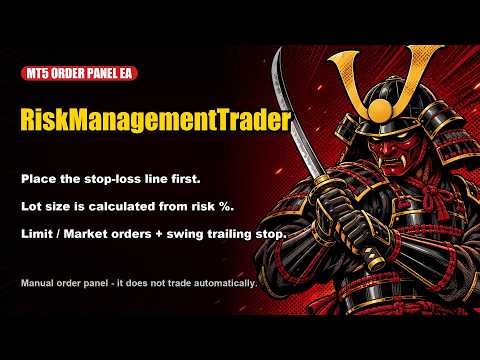
RiskManagementTrader는 MetaTrader 5용 간단한 주문 패널입니다. 손절선을 놓으면 랏이 정해집니다. 리스크 %와 손절 폭으로 랏을 계산하고, 클릭 한 번으로 지정가 또는 시장가 주문을 내며, 스윙 저점과 스윙 고점을 따라 손절을 옮길(트레일링) 수 있습니다. 자동매매 시스템이 아닙니다: 새 주문은 버튼을 눌렀을 때만 나갑니다.

이런 점이 편리합니다

  • 빠름: 선을 끌고 버튼을 누르면 끝입니다. 계산기도, 랏·손절·익절 입력도 필요 없습니다.
  • 일관성: 손절 폭이 얼마든 모든 거래에서 리스크 기준 금액의 같은 %만 위험에 노출합니다.
  • 트레일링: 진입 후 손절이 높아지는 스윙 저점(매수) 또는 낮아지는 스윙 고점(매도)을 따라갑니다. 버튼 하나로 켜고 끕니다: 트레일링 ON (TRAILING ON) / 트레일링 OFF (TRAILING OFF).

지정가 주문

  1. 매수 또는 매도 열의 지정가 선 표시(SET LINE)를 누릅니다. 지정가 선, 손절선, 초록색 익절선이 나타납니다. 익절선은 손절 폭의 2배 위치에서 시작해 다른 선을 따라 움직이며, 직접 목표를 정하려면 익절선을 끌어 옮기면 됩니다.
  2. 두 선을 원하는 위치로 끌어 옮깁니다. 지정가 선에 랏, 손절 폭(pips), 리스크 %가 표시되고, 움직이는 대로 갱신됩니다.
  3. 지정가 매수(BUY LIMIT) 또는 지정가 매도(SELL LIMIT)를 누릅니다. 손절, 랏, 익절(초록색 선 위치)이 하나의 주문으로 전송됩니다.

지정가 주문은 지정가 또는 그보다 유리한 가격에 체결될 수 있습니다(포지티브 슬리피지). 이는 브로커의 체결 방식에 따라 다르며 보장되지 않습니다. 랏은 지정가와 손절선으로 계산하므로, 유리한 가격에 체결되면 실제 리스크는 설정한 리스크 %보다 작아지며, 커지지는 않습니다.

시장가 주문(손절선 필수)

  1. 손절선 표시(SET SL)를 누릅니다. 점선 손절선이 나타나면 손절 가격까지 끌어 옮깁니다.
  2. 시장가 매수(MARKET BUY) 또는 시장가 매도(MARKET SELL)를 누릅니다. 현재가부터 선까지의 거리로 랏을 계산합니다.

손절선이 없으면 시장가 주문은 나가지 않으므로 손절을 잊을 수 없습니다.

리스크와 랏

  • 랏 = 리스크 기준 금액 × 리스크 % / 손절 폭. 심볼의 틱 가치를 사용하며, 랏 단위(lot step)로 내림합니다.
  • 리스크 %는 패널의 리스크(RISK) 칸에 입력하며, 소수도 입력할 수 있습니다(예: 0.5).
  • 리스크 기준: 계좌 잔고 또는 지정 금액. 지정 금액에는 선택 사항으로 단계 복리(step-up)를 쓸 수 있습니다: 잔고가 X % 늘 때마다 지정 금액을 X % 올립니다(내리지는 않습니다).
  • 익절: 지정가 주문은 초록색 익절선을 사용합니다(시작 위치는 손절 폭 × 배수, 기본값 2.0). 시장가 주문은 트레일링 OFF일 때 손절 폭 × 배수로 익절을 설정합니다. 0 = 익절 없음.
  • 계산된 랏이 브로커의 최소 랏보다 작으면 주문은 나가지 않습니다(올림하면 리스크 %를 넘기 때문). 알림으로 이유를 알려 줍니다.

스윙 트레일링 스톱

  • 스윙 저점은 저가가 좌우 각 N개 봉의 저가보다 낮은 봉입니다(기본값 5, 변경 가능). 확정된 봉과 진입 이후의 스윙만 사용합니다.
  • 매수: 손절을 "스윙 저점 − 오프셋"으로 올립니다. 매도: "스윙 고점 + 오프셋(+ 현재 스프레드)"으로 내립니다. 손절은 유리한 방향으로만 움직입니다.
  • 설정 항목: 스윙 봉 수, 오프셋(pips), 매도 손절에 스프레드 더하기, 스윙 시간 프레임(예: M5에서 진입하고 H1 스윙으로 트레일링).
  • 새 봉이 시작될 때만 확인하므로, 브로커에 수정 요청이 반복해서 가지 않습니다.
  • 트레일링 ON 동안에는 시장가 주문에 익절이 자동으로 설정되지 않습니다. 익절을 넣으려면 차트에서 포지션의 진입선을 끌어 설정하세요(MT5 표준 기능). EA는 손절을 옮길 때도 그 익절을 유지합니다.
  • 트레일링 스톱은 손절을 옮길 뿐입니다. 더 큰 수익을 보장하거나 손실을 막아 주지 않습니다.

그 밖의 기능

  • 전체 청산(CLOSE ALL): 차트 심볼에서 이 EA의 거래만 청산·취소합니다(확인 창 없음).
  • 스프레드 표시와 봉 마감까지의 카운트다운.
  • 11개 언어: 버튼, 선 라벨, 알림, 로그 메시지, 카운트다운을 영어, 일본어, 중국어, 러시아어, 스페인어, 포르투갈어, 독일어, 프랑스어, 한국어, 터키어, 이탈리아어로 표시합니다. 터미널 언어에 따라 자동으로 바뀌며, 설정에서 고를 수도 있습니다. 설정 항목의 이름은 영어 그대로입니다.
  • 패널 크기는 Windows 디스플레이 배율을 따릅니다.

안전 장치

  • 새 주문은 버튼을 눌렀을 때만 나갑니다. 거부된 주문은 다시 보내지 않습니다.
  • 모든 주문에 손절선이 필요하며, 반대쪽에 놓인 손절은 거부합니다.
  • 리스크 %를 넘도록 랏을 올림하지 않습니다.
  • 주문할 때마다 먼저 여유 증거금을 확인하고, 부족하면 주문하지 않습니다.
  • 수동 거래와 다른 EA는 건드리지 않습니다(심볼과 매직 넘버로 거래를 구분하므로, 다른 EA와 같은 매직 넘버를 쓰지 마세요).

참고 사항

  • MetaTrader 5 데스크톱(Windows) 전용입니다. 차트당 EA 1개. 알고리즘 거래가 허용되어 있어야 합니다.
  • MetaTrader 5가 실행 중일 때만 작동하며, MT5를 닫으면 트레일링 스톱도 멈춥니다. 주문, 손절, 익절은 브로커 서버에 남습니다.
  • 모의 실행(드라이런) 모드는 없습니다: 버튼은 실제 주문을 보냅니다. 먼저 데모 계좌에서 사용해 보세요.
  • 스트래티지 테스터(무료 데모): 테스터에서는 버튼을 클릭할 수 없으므로, 테스터에서만 EA가 시연용으로 패널을 자동 조작합니다(선 → 주문 → 트레일링, 지정가와 시장가 주문을 번갈아). 시연의 방향과 손절 폭은 예시일 뿐 매매 기법이 아니며, 시연은 실계좌나 데모 계좌의 차트에서는 절대 실행되지 않습니다.
  • 시간 프레임이나 심볼을 바꿔도 패널의 리스크 %와 트레일링 스위치는 유지됩니다(주문 선은 지워집니다). 설정을 바꾸거나 EA를 다시 붙이면 설정값으로 돌아갑니다.
  • 부분 청산과 자동 본전(브레이크이븐) 기능은 없습니다.
  • 손절이 손실 금액을 보장하지는 않습니다: 슬리피지나 갭으로 손실이 더 커질 수 있습니다. 거래에는 손실 위험이 따릅니다.
  • DLL, 외부 파일, 웹 요청을 사용하지 않습니다.

shogakushikin_fx_style

추천 제품
손절 위치는 직접 정하고, 수량은 패널이 계산합니다. Risk Lock Trade Panel은 설정한 리스크로 매번 주문 수량을 계산해, 손절이 이미 붙은 상태로 주문을 보내고, 같은 창에서 포지션까지 관리하는 MetaTrader 5용 수동 트레이딩 패널입니다. 스스로 주문을 내지 않고, 조언을 하지 않으며, 신호를 보내지 않습니다. 리스크는 잔고나 유효증거금 대비 비율, 또는 고정 금액으로 입력하고, 손절 거리는 포인트로 지정하거나 Show line을 눌러 차트의 손절선을 드래그하면 됩니다. 손절선을 움직일 때마다 거리·로트·리스크 금액이 다시 계산되어, 손절을 가깝게 두면 로트가 커지고 멀리 두면 작아지지만 리스크 금액 자체는 설정한 값 그대로 유지됩니다. 손익비 프리셋을 쓰면 손절 거리의 배수(1:1, 1:1.5, 1:2, 또는 미지정)로 익절을 손절과 함께 주문에 붙일 수 있습니다. 로트 수량은 종목에 맞춰 정규화됩니다. 최소 단위와 최소·최대 거래량은 브로커에서 읽어오고
Xiao Dan Kuai Pao is a fast and clean one-click order panel for MetaTrader 5. Open and manage your trades instantly, with Stop Loss and Take Profit placed automatically — no more typing TP distances by hand. Key features: - One-click buttons: BUY, SELL, CLOSE, BREAK EVEN - Custom Stop Loss and Take Profit (in points) — set any distance you want - Flexible risk/reward — combine SL and TP freely to build any ratio, such as 1:1, 1:2, 1:3, 1:4 or 1:5 - Real-time price display (Bid) - Bar countdown t

Multiple Order Manager
Ameerul Afiq Bin Abd Halim
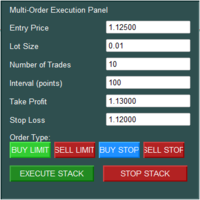
The Multi-Order Execution is an Expert Advisor for MetaTrader 5, designed to simplify the placement of multiple pending orders through a convenient on-chart control panel. The EA supports four pending order types: Buy Limit, Sell Limit, Buy Stop, and Sell Stop. Traders can configure the entry price, lot size, number of orders, price interval, take-profit (TP), and stop-loss (SL) directly from the chart. The EA automatically calculates each order's entry price based on the selected order type and
TradeInfo MT5
Manuraj Dhanda
4.44 (16)
TradeInfo is a utility indicator which displays the most important information of the current account and position. Displayed information: Information about the current account (Balance, Equity, Free Margin). Current spread, current drawdown (DD), planned profit, expected losses, etc. Number of open position(s), volume (LOT), profit. Today’s and yesterday’s range. Remaining time to the next candle. Last day profit information. MagicNumber filter. Comment filter. Indicator parameters: ShowPro
FREE
Free. Set your risk, click Buy or Sell, done. TrueRisk Trade Panel works out the lot size for you. Type how much of your account you want to risk (for example 1%), set the stop loss in points or drag it on the chart, and the BUY and SELL buttons already show the right lot. No lot calculator, no guessing, no trade that risks ten times more than you meant. MT4 version (free) Just downloaded it? Message me after you download it and I will help you set it up, step by step, free. NEW (free): a pictur
FREE
Clearstop Trade Manager
Adrien Silvio Felipe Dimino
셋업을 찾으셨군요. 이제 지루한 단계, 랏 크기 계산입니다. 스탑까지의 거리, 틱 가치, 계좌 통화, 옆에 띄워 둔 계산기... 그리고 입력하는 동안에도 가격은 계속 움직입니다. 그래서 "대충 맞게" 반올림하게 되죠. 바로 그 "대충 맞게"가 계획한 1 % 리스크를 감수하기로 한 것보다 큰 손실로 바꿔 놓습니다. 상황을 더 나쁘게 만드는 브로커도 있습니다. 한 데모 서버에서 금의 틱 가치가 1.0이 아니라 0.1로 되어 있는 것을 발견했습니다. "1 %" 랏이 실제로는 10 % 랏이었던 것입니다. 이 숫자를 그대로 믿는 계산기는 아무것도 알려주지 않습니다. 스탑에 걸렸을 때야 알게 됩니다. Clearstop Trade Manager는 이 과정을 통째로 없애 줍니다. 빨간 선을 손절가가 있어야 할 위치에 놓으세요. 스탑에 걸렸을 때 정확히 설정한 리스크만큼만 잃도록 랏이 계산되고, 패널에는 위험 금액과 기대 수익 금액이 표시되며, 주문은 클릭 한 번으로 나갑니다. 그 후에는 차트에
# MrFractal Trade Planner **Trade manually in the MT5 Visual Strategy Tester — then use the same panel on your trading chart.** MrFractal Trade Planner lets you plan an entry, calculate lot size from account balance and Stop Loss distance, and manage partial exits from one panel. You decide when to enter. The EA handles the calculations and the exit rules you set. ## Practice on historical charts Use the visual tester to practise entries, pending orders, partial Take Profits and stop manage
FREE
TradePulseMonitor for MetaTrader 4 & 5 OVERVIEW TradePulseMonitor is a real-time, on-chart dashboard that shows everything you need to know about your position on the current symbol: profit, risk, exposure, margin, swaps and historical performance . All data is consolidated in a compact panel in the lower-right corner of the chart, so you no longer need to keep switching to the Terminal window. All position, profit and risk figures refer to the symbol of the chart the indicator is attached to. P
FREE
Click Trading
Jawad Tauheed
5 (3)
One Click Trading – Auto TP SL Developer TraderLinkz Version 1.00 Category Utility What it does Adds missing TP and SL to your manual trades and pending orders Sets them once per ticket Lets you move TP and SL afterward Works on hedging and netting accounts Scans on every tick and reacts on trade events Why you want it You place faster entries You get consistent risk and exit targets You reduce fat finger errors You keep full manual control Quick start Attach the EA to any chart Keep TP and SL e
FREE
Limiter Drawdown EA – Automatic Account Protection for MetaTrader 5 Description Limiter Drawdown EA is a lightweight risk management tool for MetaTrader 5. It monitors your account drawdown in real time and will automatically close all open trades once the threshold you define is reached. This provides a reliable safeguard for any trading strategy. Main Functions Monitors equity versus balance continuously Closes all positions when your chosen drawdown percentage is reached Optionally removes
FREE
Daily Risk Guard
Nikola Bogdanovic
Daily Risk Guard is a risk manager for MetaTrader 5 that keeps you inside your own daily rules. It watches every trade on your account, whether you open it by hand or another EA does, and automatically enforces your loss and profit limits, no-trading hours and trade rules. It does not trade for you: it protects you from overtrading, revenge trading and giving back a good day. Features Daily loss, profit and trade-count limits with an automatic day lock. Time blocks: several no-trading intervals
ZenTrade Manager MT5
Ian Paolo Lumba Castro
ZenTrade Manager MT5 Stop Computing. Start Trading. Are you tired of missing perfect entries because you were busy calculating pip distances, lot sizes, or monetary risk? Do you overthink your Stop Loss and Take Profit levels, only to watch the market reverse while you're adjusting lines? ZenTrade Manager MT5 removes the mental load of order management, allowing you to focus 100% on what matters: Reading the Market. You handle the high-level analysis and decide when to enter; ZenTrade handles t
INFINITY STAT PANEL — account statistics for MetaTrader 5 The INFINITY STAT PANEL shows the trading results directly on the chart. Analyze profits and losses based on Expert Advisor comments, transaction wizards and trading instruments, track commissions and swaps, and compare results for a selected period. The panel is suitable for any type of account, including when using multiple Expert Advisors on the same account. Additional information about the broker, account type, and the broker’s
FREE
본 제품은 재량 트레이더가 이미 정한 청산 규칙을 실행하기 쉽도록 돕는 자동 청산 지원 EA입니다. 지정 시각, 캔들 확정, MA 크로스 또는 MA 접근을 기준으로 청산 조건을 설정할 수 있으며, TIME, CANDLE, MA CROSS를 개별 또는 동시에 사용할 수 있습니다. 아울러 현재 차트에 1H, 4H, 일봉, 주봉, 월봉 MA를 표시할 수 있습니다. 본 제품은 매매 판단이나 진입을 자동화하는 제품이 아닙니다. 트레이더가 이미 정한 청산 규칙을, 조건 설정부터 감시, 실행까지 지원합니다. 할 수 있는 것 지정 시각 자동 청산(지표 발표 전, 취침 전 등) 지정 타임프레임의 양봉, 음봉 확정 시 자동 청산 지정 MA 크로스 또는 지정 거리까지 가격이 접근했을 때 자동 청산 TIME, CANDLE, MA CROSS를 개별로 설정하여 동시에 감시 가능 어느 조건이든 청산이 아닌 알림 전용 설정도 가능 현재 차트에 1H, 4H, 일봉, 주봉, 월봉 MA를 표시(가격 접근 시에만 표시
Core function Intelligent transaction management one-click opening and closing operation, which supports user-defined lots to set multiple closing modes: all closing, closing by direction and closing by profit and loss status. Professional risk control, real-time risk monitoring and spread control to avoid high-cost trading environment. Visual control panel has an intuitive graphical interface, and all functions can be operated with one button to display position information, profit and loss sta
FREE
Every manual order one click away, on one animated panel. Trade Pad puts buy, sell, the lot and four ways to manage open positions on a single panel. Every button answers the mouse with light and movement, and every action is confirmed in plain words. Free, and part of the Eudora Instruments series. The buttons BUY / SELL : a market order at the lot shown, with the live ask and bid on the buttons and the spread between them. Lot : minus and plus move the lot by one step of the symbol. Under it,
FREE
Smart Risk Manager
Abderrahmane Benali
5 (1)
Smart Risk Manager – Master Your Trades with Precision and Confidence Take complete control of your manual trading with Smart Risk Manager , a professional all-in-one trade and risk management Expert Advisor for MetaTrader 5 . Designed for traders who value speed, precision, and capital protection, it simplifies every step of trade execution while ensuring your risk remains under control. Whether you trade Forex, Gold, Indices, or Cryptocurrencies , Smart Risk Manager helps you execute trades w
Free multi-pair trend scanner / dashboard for MT5 — 12 major Forex pairs, M15 to D1. The scan and ranking work out of the box, no API key needed. The optional AI breakdown uses your own Anthropic API key. MarketEnvNavi — AI Market Scanner for Discretionary Traders What this tool does MarketEnvNavi scans 12 major currency pairs in real time, ranks them by how well conditions are aligned, and lets you ask Claude AI for a plain-English breakdown of the top pairs — including specific price levels,
Drawdown Tracker MT5
AL MOOSAWI ABDULLAH JAFFER BAQER
KNOW YOUR REAL DRAWDOWN. TODAY, THIS SESSION AND FOR THE WHOLE LIFE OF THE ACCOUNT. Your broker shows equity. It does not show how deep the account has ever fallen, how much room you have left today or how far you are from your best balance. Drawdown Tracker keeps those numbers on one calm card and saves them, so they are still there after a restart. Try it free first: load it in the MetaTrader 5 Strategy Tester in visual mode and watch every card update tick by tick before you put it on a live
AccountTrackerPro
Artem Khakalo
3 (2)
AccountTracker PRO는 MetaTrader 5용 전문 계좌 추적 및 거래 통계 인디케이터입니다. 일별 손익, 드로다운, 시간대별 통계, 요일별 통계, 캘린더 기록을 차트 위의 하나의 분석 패널에서 확인할 수 있습니다. MT5 account tracker, MetaTrader 5 trading statistics indicator, drawdown monitor, daily profit tracker, trading analytics dashboard를 찾고 있다면 AccountTracker PRO가 그 목적에 맞습니다. balance, equity, floating P/L, current drawdown, max drawdown, peak balance, 거래 수, 오픈 포지션 수, Profit Factor, Win Rate, 일별 기록을 실시간으로 표시합니다. 특히 중요한 점은 입금과 출금을 정확히 처리하는 로직입니다. 자금 이동은 거래 P/L에서 제외되며, ba
Trade management panel for MetaTrader 5. It lets you place orders and manage open positions from a panel on the chart, without opening separate order windows. It works on any symbol and timeframe, on hedging and netting accounts. Layout and display The panel has two layouts. Single shows all controls in one view. Tabs splits the controls into separate tabs for a smaller footprint. You can hide the panel to see the chart behind it and restore it when needed. The panel scales with the screen res
FREE
Account Protection System is a risk management utility for MetaTrader 5 that watches your entire account and steps in before a bad day turns into a blown account. It does not open any trades and does not interfere with your strategy. Attach it to one chart, set your limits, and it guards your account in the background, whether you trade manually or with other Expert Advisors. What it does Daily Loss Limit Set your maximum daily loss as a percentage or a fixed amount. Realized and floating profit
FREE
FX Info Spread MT5
Pedro Fernandez
3 (1)
Minimalist and fully customizable info panel. It works on any chart and timeframe, with 2 - 4 digits brokers and with 3 - 5 digits ones. It can show: Current Spread in pips (1 decimal digit if you are on a 3 - 5 digits broker) ATR (Average True Range) in pips Current Server Time Current GMT Time Important Account Info: Current Leverage and Stop-out Level (%) Time left for the current bar. Very useful on 4 h charts All info labels have a tooltip with the same data Available customizations : Ena
FREE
Indicator Removal Script for MetaTrader 5 (Version 1.4) The Delete  All Indicators Script is a powerful and user-friendly tool designed for MetaTrader 5 (MT5) to instantly remove all indicators from the main chart, sub-windows, or both, with a single click. Developed by Louis MattFX , this script (Version 1.4) simplifies chart management, saving traders time and effort when resetting their workspace for fresh analysis or new trading strategies. Key Features Flexible Removal Options : Choose to c
FREE
PropBlaster Position Sizer calculates the right lot size for every trade. Plan the trade on the chart, drag the stop loss line, and the panel shows lot, risk and R:R before you send the order. It only sends the orders you click. 100 % native MQL5 - no DLLs, no web requests. Quick start 1. Drag the EA onto the chart of the symbol you trade and allow Algo Trading. 2. In the inputs, set your risk per trade (% of balance, % of equity, a fixed amount or % of the daily loss room left today) and your c
FREE
Manage all trades
Timo Mario Hoffmann
Manage All Trades for MT5 Manage All Trades is a free MT5 utility that gives you fast and convenient control over open positions directly from the chart. Close all trades, BUY trades, SELL trades, profitable trades, losing trades, or positions on the current symbol with one click. Built for traders who want speed, simplicity, and better trade management in live market conditions. Manage All Trades is a lightweight and practical trade management utility for MetaTrader 5 that helps you close open
FREE
Bundle Risk Manager Pro EA "Risk Manager Pro EA is an all-in-one trading utility that combines advanced risk management tools, ensuring full control over your trading account while protecting your capital and complying with trading regulations. By bundling Limit Positions , Concurrent Risk Capital , and the newly added Limit Profit , this EA is the ultimate solution for disciplined trading and achieving evaluation goals. Key Features: 1. Limit Positions : Enforces a maximum number of open posi
FREE
VM Trade Panel – VM Trade Manager 라이트 버전   VM Trade Panel은 수동 트레이더를 위한 차트 위 트레이딩 패널 VM의 무료 라이트 버전입니다. 대신 매매해 주지 않습니다. 모든 거래를 더 빠르고 올바른 크기로 하게 해 주며, 계좌 정보를 도구상자가 아닌 차트 위에 보여 줍니다.   랏 또는 SL과 TP를 pips로 입력하면, 클릭하기 전에 리스크와 수익을 USD와 계좌 대비 %로 보여 줍니다. 스프레드도 포함됩니다. 그다음 클릭 한 번으로 BUY 또는 SELL. 매수 전체, 매도 전체, 모든 포지션, 또는 수익 중인 거래만 각각 클릭 한 번으로 청산하며, 도구상자에서 수익 거래를 찾아 스크롤할 필요가 없습니다.   함께 포함된 기능: - 잔고의 7%로 고정된 계좌 하드 스톱이 있는 Capital at Risk 창. 직접 활성화하기 전까지는 꺼져 있습니다. - Zones와 Entry가 손절, 익절, 진입가를 차트에 표시합니다. - 실시간 증거금
FREE
This Is Something Useful
Sa No Tsuyoshi Kokorozashi
Description This is a utility tool for MT5, and it displays some useful information on charts for discretionary trading. Some of the information obtained by using indicators that are standardly installed by MT5 or by manual calculation is displayed on the chart from the beginning. Benefits of the This Is Something Useful MT5 The minimum necessary information that needs to be confirmed in discretionary trading can be displayed on the chart at any time. By using this tool, you can quickly access
FREE
ATC Alert Manager를 사용하면 차트에서 직접 가격 알람을 설정하고 하나의 작은 패널에서 관리할 수 있습니다. 각 알람은 차트의 선으로 표시되며 새 가격으로 드래그할 수 있습니다. 알람은 가격이 레벨을 횡단하는 순간에 한 번 발생하며, 팝업 알림, 소리 및 휴대폰으로의 선택적 푸시 알림이 함께 제공됩니다. 이미 레벨을 지난 가격은 트리거하지 않으므로 매 틱마다 반복 알림을 받지 않습니다. 이 도구는 포지션 도구, 거래 관리 및 성과 분석과 함께 All In One Trade Management Panel MT5 의 일부이기도 합니다.  데모 계정용 무료 체험판 – 라이브 차트에서 사용해 보세요, 시간 제한 없음. 주요 기능: 한 번의 클릭으로 알람을 추가합니다. 가격 필드는 현재 가격에서 시작하며 방향을 선택합니다: Above 또는 Below. 모든 알람에 메모를 추가합니다. 예: "런던 고점". 메모는 알림 메시지에 포함됩니다. 각 알람은 차트 오른쪽에 가격
FREE
이 제품의 구매자들이 또한 구매함
Trade Assistant MT5
Evgeniy Kravchenko
4.43 (216)
거래당 위험 계산, 라인을 사용한 손쉬운 신규 주문, 부분 청산 기능을 통한 주문 관리, 7가지 유형의 트레일링 스탑 및 기타 유용한 기능을 제공합니다. 추가 자료 및 지침 설치 지침   -   애플리케이션 지침   라인 기능       - 차트에 개시선, 손절매, 차익실현을 표시합니다. 이 기능을 사용하면 새로운 주문을 쉽게 하고 개봉 전에 추가 특성을 볼 수 있습니다. 위기 관리       -       위험 계산 기능은 설정된 위험과 손절매 주문의 크기를 고려하여 새 주문의 볼륨을 계산합니다. 이를 통해 손절매 크기를 설정하고 동시에 설정된 위험을 존중할 수 있습니다. 로트 계산 버튼 - 위험 계산을 활성화/비활성화합니다. 필요한 위험 값은 위험 필드에 0에서 100 사이의 백분율 또는 예금 통화로 설정됩니다. 설정 탭에서 위험 계산 옵션을 선택합니다. $ 통화, % 잔액, % 지분, % 자유 마진, % 사용자 정의, % AB 이전 일, % AB 이전 주, % AB 이전
Trade Manager EA에 오신 것을 환영합니다. 이 도구는 거래를 보다 직관적이고 정확하며 효율적으로 만들기 위해 설계된 궁극적인 리스크 관리 도구 입니다. 단순한 주문 실행 도구가 아닌, 원활한 거래 계획, 포지션 관리 및 리스크 제어를 위한 종합 솔루션입니다. 초보자부터 고급 트레이더, 빠른 실행이 필요한 스캘퍼에 이르기까지 Trade Manager EA는 외환, 지수, 상품, 암호화폐 등 다양한 시장에서 유연성을 제공합니다. Trade Manager EA를 사용하면 복잡한 계산은 이제 과거의 일이 됩니다. 시장을 분석하고 진입, 손절 및 익절 수준을 차트의 수평선으로 표시한 후 리스크를 설정하면, Trade Manager가 이상적인 포지션 크기를 즉시 계산하고 SL 및 TP 값을 실시간으로 표시합니다. 모든 거래가 간편하게 관리됩니다. 주요 기능: 포지션 크기 계산기 : 정의된 리스크에 따라 거래 크기를 즉시 결정합니다. 간단한 거래 계획 : 진입, 손절, 익절을 위한
Telegram to MT5 Multi-Channel Copier   는 Telegram 및 Discord 채널의 트레이딩 시그널을 MetaTrader 5로 자동 복사합니다. 봇도, 브라우저 확장도, 수동 복사도 필요 없습니다. Telegram이나 Discord에 시그널이 도착하면 EA가 몇 초 안에 터미널에서 주문을 실행합니다. 그리고 채널을 복사하기 전에, 내장 백테스터가 그 채널이 내 계좌에서 어떤 결과를 냈을지 보여줍니다. 제품은 두 가지 구성 요소로 이루어집니다: Telegram 채널을 수신하는 Windows 애플리케이션과, MT5 터미널에서 시그널을 실행하는 본 EA입니다. MT4 버전도 제공됩니다   여기 . 구매 전에 사용해 보세요:   애플리케이션은 무료로 다운로드할 수 있습니다. 본인의 채널을 연결하고 각 시그널이 어떻게 읽히는지 확인하세요. Backtest 탭과 실제 거래에는 구매하거나 임대한 EA가 필요합니다. 이 페이지의 무료 데모는 전략 테스터에서만 실행되며
Local Trade Copier EA MT5
Juvenille Emperor Limited
4.94 (150)
Local Trade Copier EA MT5는 동일한 Windows 컴퓨터 또는 Windows VPS에서 여러 MetaTrader 5 계정 간에 거래를 복사하고 관리할 수 있는 빠르고 유연한 거래 복사기입니다. 로컬 거래 동기화 기능과 함께 Receiver 측에서 로트 크기, 리스크 관리, 거래 필터링, 심볼 매핑, 거래 관리 및 계정 보호를 독립적으로 설정할 수 있습니다. Transmitter와 Receiver 터미널을 약 1분 안에 설정하고, 동일한 브로커 또는 서로 다른 브로커의 계정 간에 수동 거래 또는 EA 거래를 복사할 수 있습니다. 적절한 조건에서는 로컬 MetaTrader 터미널 간의 거래 정보가 0.5초 이내 에 동기화될 수 있습니다. 실제 체결 속도는 브로커 지연 시간, 네트워크 상태, 컴퓨터/VPS 성능 및 터미널 부하에 따라 달라집니다. 구매 전에 무료 데모를 사용해 보세요 MT5 데모 계정에서 Local Trade Copier EA MT5의 모든 기능을
Farmed Hedge Yield Farming | All Markets (Manual - Hybrid - Semi/Automated EA) VERIFIED TRADING RESULTS - Farmed Hedge Yield Axi Copy:  https://www.mql5.com/en/signals/2356376 - Farmed Hedge Yield Exn Copy:   https://www.mql5.com/en/signals/2356404 - Farmed Hedge Yield V Copy:  https://www.mql5.com/en/signals/2357156 IMPORTANT NOTICE: FarmedHedge is a MANUAL-FOCUSED TRADING UTILITY ,not a fully automated EA. Results shown on this Signal include manual trades and overall strategic management.
TradePanel MT5
Alfiya Fazylova
4.89 (176)
Trade Panel은 다기능 거래 도우미입니다. 이 애플리케이션에는 50개 이상의 수동 거래 기능이 포함되어 있으며 대부분의 거래 작업을 자동화할 수 있습니다. 앱 사용 설명서: https://www.mql5.com/en/blogs/post/756482 데모 계정용 앱 체험판: https://www.mql5.com/en/blogs/post/750865 앱 설치 방법: https://www.mql5.com/en/blogs/post/756239 시각 모드에서 앱 테스트 방법: https://www.mql5.com/en/blogs/post/770277 VPS MetaTrader에 앱 설치 방법: https://www.mql5.com/en/blogs/post/770190 거래. 한 번의 클릭으로 거래를 수행할 수 있습니다: 리스크 자동 계산과 함께 예약 주문 및 포지션 열기. 한 번의 클릭으로 여러 주문 및 포지션 열기. 주문 그리드 열기. 예약 주문 및 포지션을 그룹별로 닫기. 포지션
EA Overfitter
Stephen J Martret
5 (5)
That backtest looks great. But will it still be making money tomorrow, next week, next month? EA Overfitter re-runs your EA on 100 price histories it has never seen. One score tells you if the edge is real. A backtest tells you what an EA did on one price history — the one that happened to occur. What you cannot tell from it is how much of that result was the strategy and how much was the particular path. EA Overfitter answers that. It builds up to 100 synthetic price histories your EA has n
내 거래 규칙에 맞춰 Telegram 신호 복사 Telegram to MT5 Signal Trader 는 공개 및 비공개 Telegram 채널과 그룹의 텍스트 기반 거래 신호를 MetaTrader 5로 자동 복사합니다. 하나의 데스크톱 앱에서 여러 신호 제공자와 MT5 계좌를 관리하고, 제공자마다 위험 관리 및 거래 설정을 개별적으로 지정 할 수 있습니다. 신호 복사에는 Telegram 봇이나 API 설정이 필요하지 않습니다. 전화번호 또는 QR 코드로 본인의 Telegram 계정에 로그인한 후, 이미 가입한 채널이나 그룹을 선택하면 됩니다. 봇을 만들거나 Telegram API 토큰, API ID 또는 API 해시를 입력할 필요가 없습니다. 포지션 크기를 선택하고, 여러 익절 목표에 청산 물량을 배분하며, 손익분기점 이동과 트레일링 스톱을 자동화하세요. 제공자의 신호를 따르면서도 실제 거래 방식은 직접 설정할 수 있습니다. 이 제품은 MT5 Expert Advisor와 필수 Win
Exp COPYLOT CLIENT for MT5
Vladislav Andruschenko
3.97 (35)
MetaTrader 5용 전문 트레이드 복사기 MetaTrader 용 빠르고 전문적이며 신뢰할 수 있는 트레이드 복사기 입니다. COPYLOT 은 MT4와 MT5 터미널 간의 Forex 거래 복사를 지원하며, Hedge 및 Netting 계좌를 모두 지원합니다. COPYLOT MT5 버전 지원 구성: - MT5 Hedge → MT5 Hedge - MT5 Hedge → MT5 Netting - MT5 Netting → MT5 Hedge - MT5 Netting → MT5 Netting - MT4 → MT5 Hedge - MT4 → MT5 Netting MT4 버전 전체 설명 + DEMO + PDF 구매 방법 설치 방법 로그 파일 확인 방법 테스트 및 최적화 방법 Expforex의 모든 제품 MT4 터미널로도 거래를 복사할 수 있습니다(MT4 → MT4, MT5 → MT4): COPYLOT CLIENT for MT4 COPYLOT은 2개, 3개, 심지어 10개의 터미널과 동시에 작동할
AI Agent Supervisor is NOT an Expert Advisor. AI Agent Supervisor   is a   multi-agent AI risk & portfolio supervisor   that watches every EA on your account and intervenes in real time.  WANT AN AI PORTFOLIO MANAGER WATCHING YOUR FLEET 24/7?   Run your fleet on the same brokers I do:   IC MARKETS , IC TRADING   .  Unlike the centralized stock market, Forex has no single, unified price feed.  Every broker sources liquidity from different providers, creating unique data streams. The Supervisor r
================================================================================ POC BREAKOUT - V20.72. Full Professional Grade Toolkit ================================================================================ POC Breakout is a full MetaTrader 5 trading dashboard for discretionary traders who want breakout signals, Point of Control (POC) context, volume profiles, order flow, market structure, news, alerts, and advanced trade planning in one professional workspace. Attached directly to you
News Trade EA MT5
Konstantin Kulikov
4.55 (11)
제가 몇 년 동안 사용하고 있는 유용한 로봇을 소개드립니다. 반자동뿐만 아니라 자동 모드로도 사용할 수 있습니다. >>> Chat <<< 본 프로그램에는 경제 캘린더의 뉴스별로 유연한 거래 설정이 포함되어 있습니다. 전략 테스터에서 확인할 수 없습니다. 진짜 작업뿐입니다. 최신 설정 아카이브 다운로드: https://www.mql5.com/en/blogs/post/747929 신호 모니터링: https://www.mql5.com/en/signals/author/test-standart 이 전문가를 위해 고유 설정 세트를 만들 때 블로그의 모든 매개변수에 대한 설명을 참조하십시오: https://www.mql5.com/en/blogs/post/748545 . 기본 설정 설명 작업은 한 차트에서 GBP(GBPUSD, EURGBP, GBPJPY, GBPCAD, GBPAUD, GBPCHF)와 쌍으로 이루어집니다. GBP는 가장 변동성이 큰 통화로서 거래 수행 시 거래를 성공적으로
The product will copy all telegram signal to MT5 ( which you are member) , also it can work as remote copier.  Easy to set up, copy order instant, can work with almost signal formats, image signal,  s upport to translate other language to English Work with all type of channel or group, even channel have "Restrict Saving Content", work with  multi channel, multi MT5 Work as remote copier: with signal have ticket number, it will copy exactly via ticket number. Support to backtest signal. How to s
EA Auditor
Stephen J Martret
5 (7)
EA Auditor is an independent analysis tool for traders evaluating Expert Advisors and trading signals on MetaTrader 5. It audits backtest reports, reviews posted developer signals, and cross-verifies the two against each other to help traders assess strategies before committing capital. The MQL5 market offers a wide range of Expert Advisors from many developers, with varying approaches, quality, and transparency. EA Auditor provides a consistent, data-driven framework for reviewing them, answer
Astro Trade MT5
Indra Maulana
5 (8)
25% discount on the release of the tool: only for the next 3 buyers Send a message to receive a demo version. AstroTrade Trading Assistant AstroTrade is a comprehensive multi-functional trading utility developed for the MetaTrader 5 platform. It integrates essential tools for trade execution, risk management, and technical monitoring into a single unified interface. The application is designed to assist traders in managing their daily operations through a visual and structured environment. Vi
Power Candles Strategy Scanner: 스스로 최적화하는 멀티 심볼 셋업 파인더 작은 움직임마다 울리는 스캐너는 결국 무시하게 됩니다. 분주한 캔들 마감 한 번에 알림이 연달아 쏟아지고, 정작 실제로 거래하는 단 하나의 셋업은 소음에 묻혀 버립니다. Power Candles Strategy Scanner 는 스스로 최적화하는 Power Candles 엔진을 Market Watch의 모든 심볼에서 실행하고, 당신이 직접 정한 필터를 통과한 것만 알려줍니다. 기준은 마지막 확정 캔들의 강도, 셋업의 손익비, 실시간 스프레드, 그리고 당신이 거래하는 자산군입니다. 심볼이 리스트에 들어오면 스캐너가 당신을 부릅니다. 필터로 걸러낸 것은 모두 조용히 남아 있고, 같은 캔들 마감에서 나온 모든 신호는 하나의 메시지로 도착합니다. 구매 전에 패널과 모든 필터를 확인하세요. 스크린샷, 전체 기능 투어, Power Candles와 함께 쓰는 워크플로: stein.investment
Timeless Charts
Samuel Manoel De Souza
5 (9)
Timeless Charts is an all-in-one trading utility for professional traders. It combines custom chart types such as Seconds Charts and Renko with advanced order flow analysis using Footprints , Clusters , Volume Profiles , VWAP studies, and anchored analysis tools for deeper market insight. Trading and position management are handled directly from the chart through an integrated trade management panel , while Market Replay and Virtual Accounts provide environments for practicing trading skills and
Zentral Trading Manager
Ray Zeanrik Parreno Fredeluces
5 (4)
Zentral Manager Your Command Center for Precision Trading — Now Stronger than Ever Take control of your trades like never before. Zentral Trading Manager is your all-in-one manual trading panel for MetaTrader 5 — built for scalpers, day traders, and serious strategy execution. Fully compatible with both Mac and Windows laptops. High-DPI safe. No more layout issues. Key Features (Latest 2025 Update): • One-Click Close – Instantly close Buy/Sell, winning/losing trades, or even half positions with
KT Equity Protector MT5
KEENBASE SOFTWARE SOLUTIONS
3.6 (5)
An equity protection EA for MetaTrader that enforces your loss limits and profit target for you: when your account reaches a rule you set, it closes your trades on every symbol, before one bad day turns into a lost account. It suits prop firm challenges and personal accounts alike. Attach it to one chart, answer a few questions in the on-chart setup wizard, and it watches your whole account in the background while you trade by hand or with other EAs. What it protects Daily loss limit: a percenta
Custom Alerts: 여러 시장을 동시에 모니터링하고 중요한 기회를 놓치지 마세요 개요 Custom Alerts 는 여러 종목에 걸쳐 잠재적 트레이딩 기회를 한눈에 파악하고자 하는 트레이더를 위한 동적인 솔루션입니다. FX Power, FX Volume, FX Dynamic, FX Levels, IX Power와 같은 Stein Investments의 주요 도구들과 통합되어, 여러 차트를 오가거나 기회를 놓치는 일 없이 중요한 시장 변화를 자동으로 알림으로 제공합니다. 이제 브로커가 제공하는 모든 자산군을 지원하며, 기호를 입력할 필요 없이 자산 유형만 선택하면 설정이 완료됩니다. 1. Custom Alerts가 트레이더에게 매우 유용한 이유 올인원 시장 모니터링 • Custom Alerts 는 외환, 금속, 암호화폐, 지수, 주식(브로커가 지원하는 경우)까지 다양한 자산군의 신호를 수집하고 통합합니다. • 여러 차트를 전환할 필요 없이 하나의 창에서 명확한 알림을 받아보
클릭하기 전에 리스크를 파악하고, 이후에는 거래를 관리하세요. 선을 드래그하고 BUY 또는 SELL을 클릭하면 랏 크기가 자동으로 계산됩니다. 그런 다음 손익분기, 부분 청산, 다중 목표 등으로 거래를 관리하세요. Mercurial Position Sizing PRO는 수동 트레이더를 위한 MT5 도구입니다. 잔고, 리스크 비율, 손절 거리를 기준으로 적절한 랏 크기를 계산하고, SL과 TP가 이미 설정된 상태로 주문을 실행합니다. 무료 버전의 모든 기능에 더해, 더 많은 통제를 원하는 트레이더를 위한 추가 도구가 포함되어 있습니다. 트레이더들이 가장 좋아하는 점 차트에는 선 두 개뿐. 클릭 한 번으로 거래. 복잡한 패널도, 핍 가치 수동 계산도 필요 없습니다. 사용 방법 1. EA를 차트에 적용하고 Algo Trading이 켜져 있는지 확인하세요. 2. 리스크 %를 설정하세요(예: 1%). 3. New Position을 클릭해 EA를 활성화하세요. 필요 없을 때는 대기 상태로
Telegram 채널의 시그널을 몇 초 만에 MetaTrader 4 와 MetaTrader 5 로 복사합니다. TradingMind Signal Bridge 는 여러분이 선택한 채널과 그룹을 읽고, 빠른 내장 규칙으로 각 시그널을 인식하며, 스크린샷으로 올라온 시그널을 포함해 형식이 정돈되지 않은 메시지는 AI 모델에 넘긴 뒤, 주문을 터미널의 전문가 어드바이저(EA)로 전달합니다. 뉴스 필터, 프롭 펌 계좌 보호, 원격 제어용 Telegram 봇 덕분에 무엇을 거래할지에 대한 결정은 언제나 여러분에게 있습니다. 이 제품이 하는 일 TradingView 의 알림과 모든 Telegram 채널·그룹의 시그널 Telegram 계정 수에도 시그널 소스 수에도 제한 없음 규칙이 해석하지 못한 메시지는 AI 가 읽으며, 스크린샷도 포함됩니다 Telegram 봇에 명령 하나로 휴대폰에서 모든 거래를 중지 처음이신가요? 스크린샷이 포함된 전체 설정 안내는 제 블로그에 있습니다: MT4 와 MT5
Seconds Chart MT5
Boris Sedov
4.61 (18)
Seconds Chart - MetaTrader 5에서 초 단위 차트를 생성하는 독특한 도구입니다. Seconds Chart 를 사용하면 초 단위로 설정된 타임프레임으로 차트를 작성할 수 있어, 표준 분 또는 시간 단위 차트에서는 불가능한 유연성과 정밀한 분석이 가능합니다. 예를 들어, S15 타임프레임은 15초 동안의 캔들로 구성된 차트를 의미합니다. 사용자 정의 심볼을 지원하는 모든 인디케이터와 전문가 어드바이저를 사용할 수 있습니다. 이를 사용하는 것은 표준 차트에서 거래하는 것만큼 편리합니다. 표준 도구와 달리, Seconds Chart 는 초고속 타임프레임에서도 높은 정확도와 지연 없이 작업할 수 있도록 지원합니다. 무료 데모: Seconds Chart v2.29 Demo.ex5 무료 데모를 다운로드하고 직접 확인하십시오: 완전한 기능 - 모든 기능 사용 가능 24시간 테스트 - 정확성과 편리성을 평가하기에 충분한 시간 데모 계정만 - 대부분의 브로커에서 쉽게 개설 가능
Prop Guardian Risk Manager MT5 – Drawdown, Risk & Hedge Protection for Prop Firm and Managed Accounts Prop Guardian Risk Manager is a professional risk-control utility for MetaTrader 5, designed for prop firm traders, money managers and anyone who wants strict account-level risk protection. It does not generate trading signals, strategy entries or trading decisions. Instead, it runs in the background, monitors your account risk and can automatically block new exposure, close managed positions or
A clearer plan before your next trade You have a trading idea. Can you explain the risk, the evidence that supports it and the reasons to wait? APEX AI Advisor puts a structured second opinion beside your chart, without taking the decision away from you. Prepare with an AI market brief, check the trade you actually want to take, and review your exposure through your own trading rules. This is an AI-assisted trading workspace, not an autonomous signal robot or a promise of better returns. Every n
Trade Dashboard MT5
Fatemeh Ameri
4.94 (135)
Trade Dashboard simplifies how you open, manage, and control your trades, with built-in lot size calculation. It allows you to execute trades, manage risk, and control positions directly on the chart, with tools such as partial close, breakeven, and trailing stop. Designed to reduce manual work and help you stay focused on your trading decisions. A demo version is available for testing. Detailed explanations of features are provided within the MQL5 platform. Installation instructions are include
다음 업데이트 — 버전 2.52 곧 출시! [신규] 시장 분석 및 트레이딩 워크플로를 향상시키기 위해 설계된 4가지 주요 신규 기능을 기대해 주세요. 트레이딩 요구 사항을 충족하도록 설계된 4가지 새로운 기능으로 시장 분석을 한 단계 더 발전시킵니다. 다음 기능을 소개합니다: 1. TRADE OVERVIEW DASHBOARD 2. CONFLUENCE AT ZONE 3. STRONG & WEAK HIGH/LOW 4. OTE 1. TRADE OVERVIEW DASHBOARD 시장 전체 상황을 더 쉽게 파악할 수 있도록 도와주는 대시보드입니다. 트레이딩 의사결정을 지원하는 가이드를 제공하며, 하나의 화면에서 시장을 분석하고 체계적으로 트레이딩을 계획할 수 있도록 도와줍니다. 멀티 타임프레임 시장 개요 (Multi-Timeframe Market Overview) 시장 방향과 가격 구조를 더욱 명확하게 파악 시장 상황을 빠르게 확인 체계적인 시장 분석 및 진입 계획을 위한 가이드 2. CO
REVDEN AI Desk: REVDEN의 시장 컨텍스트 위에서, 당신만의 AI와 나누는 하나의 대화로 트레이딩을 운영하세요 하나의 대화로 트레이딩을 운영한다고 상상해 보세요. REVDEN AI Desk 는 이를 MetaTrader 5로 가져옵니다. 당신만의 AI에게 시장을 어떻게 읽는지 물으면, AI는 당신이 거래하는 종목에 대한 REVDEN의 전체 컨텍스트, 즉 각 종목의 상태와 리스크 현황, 예정된 발표를 바탕으로 답합니다. AI의 제안에는 진입, 스톱, 타겟, 리스크가 담겨 있으며, 맞는 제안을 당신이 승인합니다. 규칙도 같은 방식으로 바뀝니다. 무엇을 바꿀지 적으면 AI가 새 룰북의 초안을 작성하고, 받아들일지 버릴지는 당신이 정합니다. 대화를 둘러싸고 시장 전체가 하나의 화면에 펼쳐집니다. 데스크와 설정 가이드를 확인하세요. 모든 화면, 모든 설정, 그리고 당신만의 AI와 함께하는 첫 단계: stein.investments/products/revden-ai-desk 당신의
MT5 to Telegram MultiChannel Sender   는 MetaTrader 5의 거래를 Telegram으로 자동 전송합니다. 하나 또는 여러 채널, 그룹, 개인 채팅으로 보낼 수 있습니다. 모든 진입, SL/TP 변경, 부분 청산, 청산, 대기 주문이 몇 초 안에 게시되며, 차트의 패널로 같은 계좌에서 전체 채널과 제한 채널을 함께 운영할 수 있습니다. 코딩도, 입력값 설정도 필요 없습니다. 반대 방향, 즉 Telegram의 거래를 MT5로 복사하고 싶다면   Telegram to MT5 MultiChannel Copier 를 확인하세요. 설정 가이드:   https://www.mql5.com/ko/blogs/post/779514 현재 가격은 앞으로 인상될 예정입니다. 작동 방식 @BotFather로 무료 Telegram 봇을 만들고 채널의 관리자로 추가합니다. 계좌의 차트 하나에 EA를 적용합니다. 차트 패널의 3단계를 따라 합니다: 봇 토큰 붙여넣기, 연결 확인,
Zentriq Trade Manager
Mark Frederick Siebert
Experience trading without friction. Zentriq Trade Manager is a modern, high-performance trade management utility engineered with a high-DPI canvas interface, anticipatory workflow design, and an integrated Macroeconomic News Filter. Designed for discretionary traders, scalpers, and prop firm traders who demand speed, precision, zero-clutter ergonomics, and automated news event protection. User Manual Get the most out of Zentriq Trade Manager with the complete user manual: Complete User Manual:
제작자의 제품 더 보기
RatioFang은 차트에서 하모닉 패턴을 자동으로 찾아 PRZ(잠재 반전 구간)와 진입·손절·익절 가이드를 그려 줍니다. 표시 전용 인디케이터로, 주문을 내거나 수정·청산하지 않습니다. 감지하는 패턴 Gartley, Bat, Alt Bat, Butterfly, Crab, Deep Crab, ABCD, Cypher, Shark, 5-0, Three Drives 등 11가지(상승·하락 모두). 각 패턴은 널리 알려진 피보나치 비율과 대조하며, 허용 오차를 조정할 수 있습니다. 차트에 표시되는 내용 X-A-B-C-D 각 구간과 구간별 비율 PRZ 구간, 중심선, 무효화 선 진입·손절 및 3단계 익절 가이드 선과 각 목표의 손익비 오른쪽 위에 패턴 이름(상승/하락) 왼쪽 위 정보 패널: 패턴, 비율 정확도, PRZ 범위, 현재가와 PRZ까지의 거리, 리스크(pips), 랏 크기 가이드 비율 정확도 패널에 이상적인 비율과의 차이를 Ideal/Good/Fair/Edge of tolerance
RatioFang Harmonic Order Panel은 MetaTrader 5용 수동 지정가 주문 패널입니다. 차트에서 진입선과 손절선을 설정하고 리스크를 %로 입력한 뒤 BUY 또는 SELL을 누르면 패널이 랏 크기를 계산해 지정가 주문을 보냅니다. 자동으로 거래하지 않습니다. RatioFang 하모닉 패턴 지표가 내장되어 있습니다. 버튼 하나로 가장 최근에 감지된 패턴의 진입·손절 참고선 위치에 주문선을 놓을 수 있습니다. 할 수 있는 일 LO 버튼으로 BUY / SELL 지정가선(진입과 손절)을 그리고 원하는 위치로 드래그 랏은 손절 거리와 패널에 입력한 리스크 %로 계산(0.5 같은 소수 입력 가능) 익절: 손익비 또는 RatioFang의 익절 참고선 1~3 사용 RF 버튼: RatioFang의 진입/손절 참고선에서 주문선을 그림(선만 그리며 주문은 보내지 않음) X 버튼: 주문선을 지우고 이 패널의 주문과 포지션만 청산/취소(매직 넘버와 코멘트로 구분) 손절이 잘못된 쪽에
RatioFangClassic은 차트에서 대표적인 하모닉 패턴 5종을 자동으로 감지하고 PRZ(잠재 반전 구간)와 진입·손절·익절 참고선을 그려 줍니다. 표시 전용 지표이며 주문을 내거나 수정·청산하지 않습니다. 감지하는 패턴 Butterfly, Gartley, Bat, Crab, ABCD(상승·하락 모두). 각 패턴은 일반적으로 공개된 피보나치 비율에 따라 판정하며 허용 오차를 조정할 수 있습니다. 패턴별로 켜고 끌 수 있습니다. 차트에 표시되는 내용 X-A-B-C-D 각 구간과 구간별 비율 PRZ 구간과 무효화 선 진입·손절 및 3단계 익절 참고선과 각 목표의 손익비 오른쪽 위의 패턴 이름(상승 / 하락) 정보 패널이 없어 차트가 깔끔합니다 알림 가격이 PRZ에 들어오면 팝업, 푸시 알림, 이메일로 알릴 수 있습니다(선택). 표시 언어 차트 라벨과 알림은 영어, 일본어, 중국어 간체, 중국어 번체, 스페인어를 지원합니다(한국어 라벨은 지원하지 않으며, 이 설명문만 한국어로 제공됩
RoundScalp
SHINYA WATANABE
RoundScalp 는 1분봉 스캘핑 차트용 표시 전용 보조 지표이며 주문은 전혀 내지 않습니다. 단기선/장기선 (흐름의 방향을 한눈에) 전환선 (움직임이 바뀔 수 있는 위치의 참고) 50핍마다의 라운드 넘버 돌파·눌림 화살표 (확정된 봉에서만 표시) 환경 라벨 (M15와 H1 기준 OK / 주의 / NG, 움직임의 크기) 국기가 있는 심볼·시간대 패널, 스프레드, 봉 남은 시간 사용법: 아무 심볼의 M1 차트에 붙이면 됩니다. 기본 설정 그대로 사용할 수 있고, 패널 크기·색상·각 표시는 입력값에서 바꿀 수 있습니다. 유의: 화살표와 라벨은 과거 가격으로 계산한 참고 자료이며 매매 신호나 수익 보장이 아닙니다. 거래에는 손실 위험이 있으니 먼저 데모 계좌에서 테스트하세요. 입력값: 계산할 최대 봉 수, 피벗(좌우 봉 수), 라운드 넘버 간격(핍), 장기선 필터(매수 화살표는 종가가 장기선 위일 때만), 일본 시간 8:00-24:00에만 신호 표시, 눌림 화살표 표시, 전환선 후보
RoundScalp Trader 는 1분 스캘핑용 리스크 고정형 수동 주문 패널입니다. 자동매매는 하지 않으며, BUY 또는 SELL을 클릭할 때만 주문합니다. RoundScalp 차트 표시(전환선, 라운드 넘버, 화살표, 환경 라벨)도 내장되어 있습니다. 차트에 SL 라인을 놓으면 계좌 잔고 대비 리스크 %로 랏 크기가 자동 계산됩니다 SL 라인이 없거나 너무 가까울 때, 여유 증거금이 부족할 때, 리스크 %가 한도를 넘을 때, 스프레드가 너무 넓을 때는 주문을 거부합니다 체결 후 SL을 확인해 없으면 다시 설정하고, 그래도 설정되지 않으면 즉시 청산합니다 매수/매도/전체 청산 버튼, 선택형 트레일링 스톱, 스프레드 제한 사용법: M1 차트에 EA를 붙이고 알고리즘 트레이딩을 켭니다. 파란 SL 버튼(매수) 또는 빨간 SL 버튼(매도)을 눌러 선을 손절 가격으로 옮기고 BUY 또는 SELL을 누릅니다. 입력값: 1회 리스크(계좌 %), 고정 기준 금액 사용 여부와 금액, 매직 넘버
RatioFang Pro 는 하모닉 패턴을 감지하고, 가격이 D에 닿는 순간이 아니라 봉 종가로 반전이 확인된 후 에 진입할 수 있도록 돕습니다. 각 패턴의 정확도를 보여 주고, 무효화된 패턴을 자동으로 표시하며, 하나의 스캐너 목록에서 28개 주요 통화쌍을 감시합니다. 표시 전용 인디케이터이므로 주문을 내거나 수정하거나 청산하는 일은 절대 없습니다. 전략 테스터에서 무료로 사용해 보기 이 페이지에서 무료 데모를 내려받은 뒤, MetaTrader 5에서 전략 테스터(Ctrl+R)를 엽니다. RatioFang Pro를 선택하고, 심볼은 EURUSD(또는 아무 주요 통화쌍), 타임프레임은 H4 , 기간은 최근 6개월로 설정합니다. 모델링은 "1분 OHLC"로 충분합니다. 비주얼 모드 를 켜고 시작을 누릅니다. 봉이 마감될 때마다 PRZ, D 확인 화살표, 정보 패널을 확인하세요. 속도를 낮추면 패턴이 D에서 확인까지 진행되는 과정을 따라갈 수 있습니다. 테스터에서는 차트 표시만 작동하며
RatioFang Pro EA 는 하모닉 트레이더를 위한 주문 패널로, 하나의 차트에서 찾고, 확인하고, 주문까지 할 수 있습니다. RatioFang Pro의 감지 기능이 모두 내장되어 있어 별도의 인디케이터가 필요하지 않습니다. 패턴이 D confirmed(D 확인) 상태가 되면 버튼 하나로 진입선과 손절선을 그리고, 한 번 더 클릭하면 리스크를 기준으로 계산한 랏으로 지정가 또는 시장가 주문을 냅니다. 자동매매 시스템이 아닙니다 . 주문은 사용자가 버튼을 눌렀을 때만 전송됩니다. 전략 테스터에서 무료로 사용해 보기 이 페이지에서 무료 데모를 내려받아 MetaTrader 5의 전략 테스터(Ctrl+R)를 열고 RatioFang Pro EA를 선택합니다. 심볼 EURUSD(또는 아무 주요 통화쌍), 타임프레임 H4 , 최근 6개월, 모델링 "1분 OHLC", 비주얼 모드 를 켜고 시작을 누릅니다. RatioFang Pro와 같은 감지(PRZ, D 확인 화살표, 가이드, 정보 패널)와
RoundSniper 는 차트에서 Round Bottom 과 Round Top (라운딩 바텀 / 라운딩 탑) 패턴을 찾아, 종가로 넥라인을 돌파한 봉을 표시합니다. 신호마다 SL과 TP 가이드 라인을 그려 주므로 패턴의 형태, 무효화 가격, 손익비를 한눈에 확인할 수 있습니다. 표시 전용 인디케이터입니다: 주문은 절대 하지 않습니다 . 모든 매매 판단은 사용자가 직접 합니다. 전략 테스터에서 무료로 체험하기 무료 데모를 다운로드한 뒤 EURUSD(또는 원하는 종목), H1, 최근 6개월, "1 minute OHLC", 비주얼 모드를 선택하세요. 원호, 넥라인, 신호 화살표, SL / TP 라인이 봉마다 차례로 나타나는 모습을 확인하세요. 차트에 표시되는 내용 매수(RB) / 매도(RT) 신호 : 넥라인을 넘어 마감한 봉에 원호, 넥라인과 함께 표시됩니다. 마감된 봉만 판정하며, 확정된 신호는 다시 그려지지 않습니다. SL 가이드 라인 : 라운드의 극점(매수는 저점, 매도는 고점) 바
필터:
리뷰 없음
리뷰 답변