ClearDeck MT4

ClearDeck — see everything on your chart and remove only what you choose

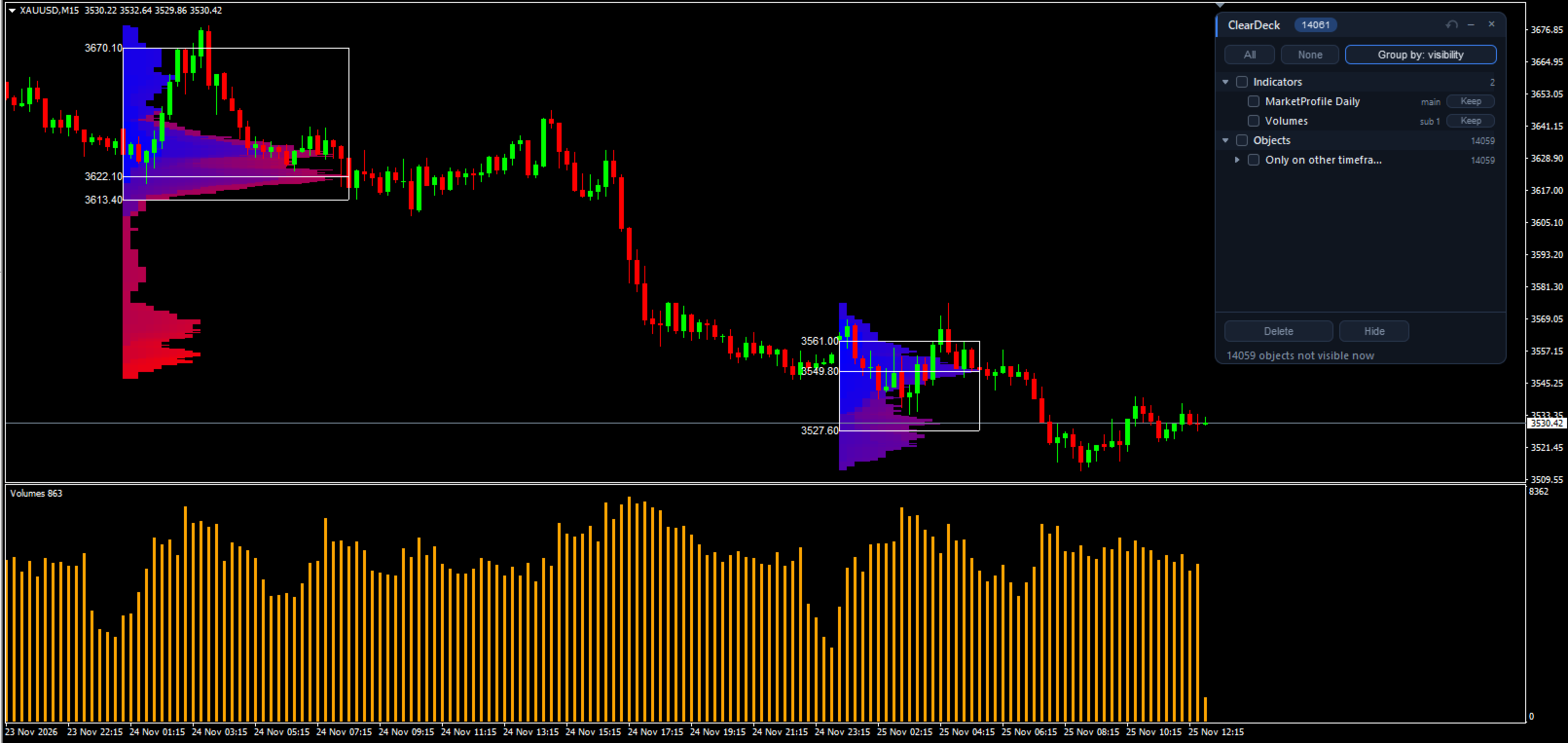
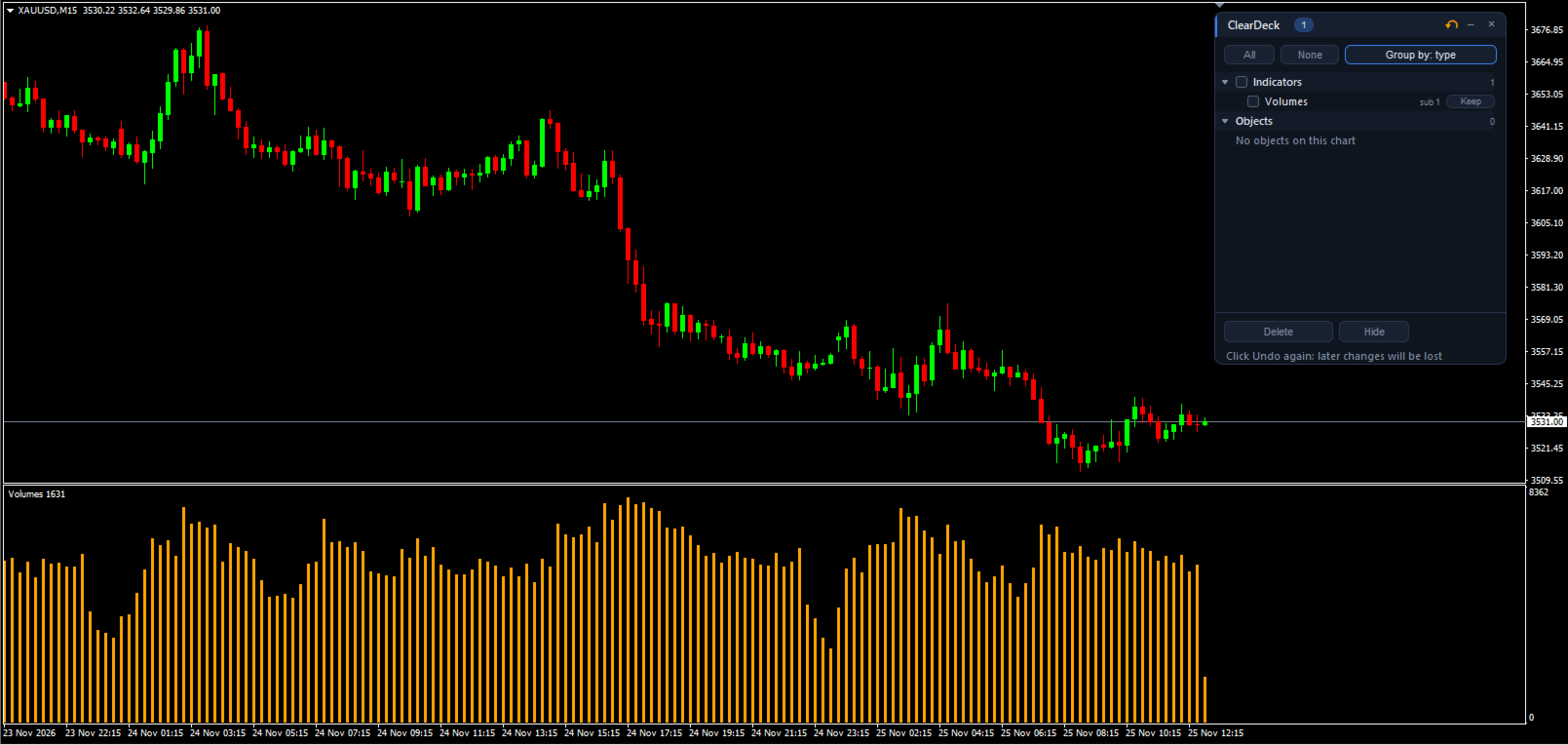
After a few days of trading a chart fills up with old lines, arrows from scripts, labels from indicators you no longer use and objects drawn on other timeframes that you cannot even see. The standard object list shows them one by one, with no way to tell where each one came from. ClearDeck lists everything in one panel, grouped so you can review it, and removes, hides or protects what you decide in a couple of clicks.

What it shows
• Every indicator on the chart, in the main window and in each subwindow.
• Every object, grouped by type (trend lines, horizontal lines, arrows, texts, shapes, Fibonacci, channels, panels and buttons), by source (your manual drawings, trade history marks and one group per program) or by visibility (visible now, off-screen, only on other timeframes, hidden).
• Tags on each object: "off-screen", "other TF" or "hidden".
• The chart comment, when it has visible text, and the Expert Advisor running on the chart (for information only).

What you can do
• Tick a row, a group, a section or everything, and remove it with Delete and a confirmation click.
• Hide objects without deleting them and bring every hidden object back with one button.
• Protect an indicator, a group or a single object with Keep. Protected items stay greyed out and cannot be ticked, now and on every chart.
• Click an object's name and the chart scrolls to it and makes it blink, even if it was drawn months ago.
• Undo the last delete: ClearDeck saves a copy of the chart before each delete and restores the chart from it.

Designed to be safe
• It only acts on the chart where it is loaded.
• It never removes Expert Advisors or scripts, and it never opens, modifies or closes trades.
• Delete always asks for a second click, and undo is disabled while an Expert Advisor is on the chart, so the EA is never reloaded without your permission.

Panel
• Drag it by its title bar, minimize it or close it. Closing removes ClearDeck and leaves nothing behind.
• The list updates by itself when something changes on the chart, and you scroll it by dragging its scroll bar (MetaTrader 4 does not send the mouse wheel to programs).
• Light and dark theme (automatic, following the chart background) and English or Spanish interface.

Inputs
• Language: English or Spanish.
• Panel theme: automatic, dark or light.
• Visible rows in the list: 6 to 30.

ClearDeck does not open, close or modify trades. It is a chart utility and works on any symbol and timeframe.

Installation: ClearDeck is an indicator, even though it is listed as a utility. After downloading it, you will find it in the MetaTrader 4 Navigator under Indicators → Market. Drag it onto the chart you want to use it on. It does not take the place of the Expert Advisor running on that chart.

Also available for MetaTrader 5.
추천 제품
Free automatic fibonacci
Tonny Obare
4.69 (51)
Free automatic Fibonacci is an indicator that automatically plots a Fibonacci retracement based on the number of bars you select on the BarsToScan setting in the indicator. The Fibonacci is automatically updated in real time as new highest and lowest values appears amongst the selected bars. You can select which level values to be displayed in the indicator settings. You can also select the color of the levels thus enabling the trader to be able to attach the indicator several times with differe
FREE
DrawDock — your drawing tools in a slim panel under the chart Drawing in MetaTrader means opening the Insert menu, finding the tool, drawing it and then opening its properties to change the colour, every single time. DrawDock puts the tools you use in a panel docked under the chart, each one with its own colour and style, so you drag it onto the chart or click and draw. What it includes • Every object in the MT4 Insert menu: lines, channels, Gann, Fibonacci, shapes, arrows and marks, text and
FREE
Automated Timeframe cycling with Symbols centered.  Force every timeframe onto one clock window, so the story you see on Daily is the same story you are slicing on H4, H1, and M1.  Traders usually flip timeframes and lose the span. A Daily chart shows a few weeks, then M15 shows a few hours, and the eye treats them as different markets. This indicator locks the window to N bars of the highest enabled timeframe — default 10 Daily — and maps every lower timeframe to that same stretch. You stay ins
FREE
Position Selective Close MT4
Francisco Manuel Vicente Berardo
The Position Selective Close is a multi-symbol multi-timeframe script used to close simultaneously various positions.  General Description   The Position Selective Close   possesses   three operation modes (Intersection,   Union   and All) that control the way   as   four position features (symbol, magic number,   type   and profit) are used. The modes, available through the Selection Mode input parameter, relate to the features, available through the “Select by Feature” and “Feature” input pa
FREE
Update:ver1.53 (2023/08/16) ・概要と必要環境 手動発注もしくは他ツール等からの発注に対し、指値発注予約の複製を生成します。こちらは「発注操作の簡易化」に特化したものになります。発注判断となる分析は、資料を漁る、経験則を導く、他の分析ツールやEAを併用する等、利用者ご自身で頑張ってください。なお、ver1.28より、「決済後、自動で再発注する」機能が実装されました。(有償版でのみ有効化できます) ・導入と導入後の操作 導入そのものは簡単です。「自動売買可能なEA」として、適当なチャートにて動作させるだけです。(チャートの対象相場は問いません。このEAは、チャートを見ていません)。あとは、「このEAでのローカルコピー以外の発注」があれば、それに応じて「損失が出た場合に備えての追加取引の予約」という形で、指値発注が自動生成されます。 導入操作上の注意として、「本EAを、複数のチャートで動作」はできません。EAがチャート自体を見ておらず、注文状況だけを見ているため、複数のチャートで動かす意味もありません。また、ターミナルとEAの設定として「自動売買」を許可しない
FREE
Trendline indicator
David Muriithi
2 (1)
Are you tired of drawing trendlines every time you're analyzing charts? Or perhaps you would like more consistency in your technical analysis. Then this is for you. This indicator will draw trend lines automatically when dropped on a chart. How it works Works similar to standard deviation channel found on mt4 and mt5. It has 2 parameters: 1. Starting Bar 2. Number of bars for calculation The   starting bar   is the bar which drawing of the trend lines will begin, while the   number of bars for c


FREE
Mr Beast Analize
Luis Mariano Vazquez Marcos
5 (2)
Descripción del Asesor Experto "Mr. Beast Analyze" Nombre del Robot: Mr. Beast Analyze Descripción General: El Asesor Experto (EA) Mr. Beast Analyze está diseñado para proporcionar una visión completa y detallada del mercado a través de la visualización de información clave en la pantalla de MetaTrader 4 (MT4). Aunque el EA no realiza operaciones automáticamente, ofrece una amplia gama de datos útiles y gráficos que pueden ayudar a los operadores a tomar decisiones informadas. El EA se enfoca en
FREE
The Saz_Timer indicator belongs to the Saz_Forex suite of professional indicators designed by Traders, for Traders. This indicator will show minutes and seconds of real time on the chart window. The indicator uses the OnTimer() event so it can update even while no ticks received on the chart. The text is shown toward the bottom right of the chart, encircled red in the screenshot. Inputs: Text Colour, allows selection of the colour for the text.
FREE
Automatic fibonacci with alerts is an indicator that automatically plots a fibonacci retracement based on the number of bars you select on the BarsToScan setting in the indicator. The fibonacci is automatically updated in real time as new highest and lowest values appear amongst the selected bars. You can select which level values to be displayed in the indicator settings. You can also select the color of the levels thus enabling the trader to be able to attach the indicator several times with d
FREE
Market Profile 3
Hussien Abdeltwab Hussien Ryad
3 (2)
Market Profile 3 MetaTrader 4 indicator  — is a classic Market Profile implementation that can show the price density over time, outlining the most important price levels, value area, and control value of a given trading session. This indicator can be attached to timeframes between M1 and D1 and will show the Market Profile for daily, weekly, monthly, or even intraday sessions. Lower timeframes offer higher precision. Higher timeframes are recommended for better visibility. It is also possible t
FREE
Profitstat is a free indicator that scans your history and displays it on the chart. The free version shows the number of trades and profit made on the current and previous day. The data is updated instantly as soon as a trade closes. Simply attach it to any chart and it gives the account data irrespective of the chart currency nor timeframe.
FREE
MQL5 블로그: https://www.mql5.com/en/blogs/post/770814 MT4 버전: https://www.mql5.com/en/market/product/107986 랠리 베이스 랠리(RBR), 드롭 베이스 랠리(DBR), 드롭 베이스 드롭(DBD), 랠리 베이스 드롭(RBD), 적정가치 갭(FVG) / 불균형, 히든 베이스 "수요 및 공급 어시스턴트"(EA) 전문가 어드바이저를 소개합니다. 이 최첨단 전문가 어드바이저는 트레이더에게 수요 및 공급 역학에 대한 실시간 인사이트를 제공하여 정보에 입각한 의사 결정을 내리고 거래 잠재력을 극대화할 수 있도록 세심하게 설계되었습니다. 주요 기능: 자동 영역 식별: 전문가 어드바이저는 고급 알고리즘을 사용하여 가격 차트에 주요 공급 및 수요 영역을 자동으로 감지하고 표시합니다. 이러한 영역에는 #rallybaserally, #rallybasedrop, #dropbaserally, #dropbasedrop 등이 포
FREE
High Low Open Close MT4
Alexandre Borela
4.82 (22)
이 프로젝트를 좋아한다면 5 스타 리뷰를 남겨주세요. 이 지표는 열리고, 높은, 낮은 및 마감 가격을 지정합니다. 기간과 그것은 특정한 시간대를 위해 조정될 수 있습니다. 이들은 많은 기관 및 전문가에 의해 보는 중요한 수준입니다 상인은 당신이 더 많은 것일 수있는 장소를 알고 도움이 될 수 있습니다 이름 * 사용 가능한 기간: 이전 날. 이전 주. 지난 달. 이전 분기. 이전 연도. 또는: 현재 날. 현재 주. 현재 달. 현재 분기. 현재 년.
FREE
Buffer Finder Tool
Afsal Meerankutty
4.75 (4)
CyberZingFx Buffer Finder Tool Developed for Finding Buffers of Indicator to use in Universal Indicator EA . This is Not an Indicator or EA CyberZingFx Buffer Finder Tool is utility tool designed specifically for MetaTrader 4 (MT4) users. It is a standalone application that helps you easily find the buffers of any MT4 indicator, allowing you to use them in your Universal Indicator EA. With the Buffer Finder Tool, you no longer have to search through the data window to find the buffers you need.
FREE
Account Info EA It is a tool that presents on the graph all the positions of the account, and specific information concerning the positions, but also the account. It enables the user to have an image of his account at a glance. Use like any expert advisor. You can't attach it in the same chart with other expert advisor. It does not have the ability to open or manage positions. You can attach it on any chart and any timeframe.
FREE
Period Change Button
Rainer Albrecht
3 (1)
Fastest way to change the period. Suitable for traders who use many charts and timeframes. Size, shape and color can be customized. Inputs Parameters Corner — Choose corner placement Standart is "Right lower chart corner" Color — Background color of the button ColorText — Text color of the button ColorOn — Background color of the button for the current period ColorOnText — Text color of the button for the current period Font — Arial, Verdana... FontSize — Size of the font in pixels DistanceX —
FREE
Labels
Abraham Correa
Prints  ALL current chart's symbol and timeframe as customizable labels, ensuring precise anchoring and automatic repositioning during window resizes, timeframe switches, or other chart events. It supports layered display options (background, forefront, or combined color modes) for enhanced visibility without obstructing price data. The accompanying script facilitates global application by attaching or updating the indicator across all open charts in a single execution, promoting efficiency in m
FREE
Trailinator MT4
Christian Opperskalski
TRAILINATOR  is a unique Solution to use different Trailing-Stop Variants and change your settings via Remotecontrol. You configure your Trailing-Stop for a specified Symbol only once. This setting will be used for all your Positions of the same Symbol. Currently we support these different Trailing-Stops: Standard : works like you use in Metatrader Terminal, starts trailing if your profit is greater than trailing stop Start after points : trailing stop will start after your defined points in p
FREE
EA Scalping Expert
Gerard Valldosera Gomez
3 (1)
This is a fully automated scalping Expert Advisor that can be run successfully using EURUSD currency pair at H1 timeframe. This EA can't run in the same account. If you want an Expert Advisor that trades daily this is not because it requires patience to wait for a few days or weeks on the right opportunity for it to trade. It takes advantage of the volatility of the price movement.
FREE
Auto Fibonacci Re
Teerathad Booranawisedkul
Overview Auto Fibonacci EA is a professional trading tool designed to automatically detect swing points and draw Fibonacci retracement levels on your charts. This indicator helps traders identify potential support and resistance zones based on the golden ratio principles. Key Features Automatic Swing Detection Intelligent algorithm identifies swing high and swing low points automatically Customizable swing detection sensitivity (SwingBars parameter) Works on all timeframes: M1, M5, M15, M30, H1
FREE
FxTT News Feed FxTT News Feed는 ChartDeck PRO를 위한 무료 동반 Expert Advisor입니다. 매매 로직이 없으며 주문을 내지 않고, 포지션을 관리하지 않고, 시세를 읽지 않습니다. MetaTrader 4 지표는 네트워크 요청을 할 수 없으므로, 타이머에 따라 경제 캘린더 데이터를 가져와 로컬 파일에 기록합니다. 터미널의 아무 차트에나 한 번 적용하십시오. 인스턴스 하나가 해당 터미널의 모든 ChartDeck PRO 차트에 서비스를 제공합니다. 이 프로그램은 ChartDeck PRO의 일간 뉴스 행을 위한 전제 조건이며, 범용 도구가 아닙니다. ChartDeck PRO가 설치되어 있지 않으면 할 일이 없습니다. 이 프로그램이 하는 일 기본적으로 15분마다 타이머에 따라 FxTT 경제 캘린더 피드를 요청합니다 결과를 ChartDeck PRO의 일간 뉴스 행이 읽는 로컬 파일에 기록합니다 요청이 실패하면 이전 데이터를 유지하고 실패 사유를 보고하므로
FREE
This MQL4 indicator creates a customizable grid of horizontal lines on your trading chart. Here's what it does: **Main Functions:** - Draws equally spaced horizontal lines across the visible price range - Supports two line types: horizontal lines or trend lines with forward projection - Automatically adjusts to price scale changes **Key Features:** 1. **Customizable Spacing**: Set grid distance in pips (20 pips by default) 2. **Flexible Starting Point**: Auto-calculates starting price or lets
FREE
Larger Price Time Crosshair Data
John Louis Fernando Diamante
5 (6)
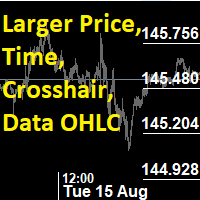
This utility indicator provides accessibility and readability, by displaying a larger price scale, time scale, crosshair, and symbol name/tf/ohlc information. All features are sizeable and can be styled separately, and are optional to show. All Features optional to use font, size and color options Price Scale option to hide the default MT4 price scale option to show horizontal lines at price levels prices drawn can be at round numbers (ie automatic rounding to multiples of 5/10/20/25 points),
FREE
Indicator Test Report MT4
Narayanan Mohanan Mohanan Krishnan
MetaTrader 4용 Indicator Test Report — 지표가 실제로 어떻게 작동하는지 보여주는 MT4 다시 그리기 검사기 및 지표 테스터 컴파일된 표시기 내부는 볼 수 없습니다. Indicator Test Report는 구매, 작성 또는 MetaTrader에 내장된 모든 지표를 로드하고 설명이 할 수 없는 질문에 답합니다. 다시 그리는지, 얼마나 많은 기록이 필요한지, 실제로 무엇을 게시합니까? 행동을 보고합니다. 등급을 매기지 않습니다. Strategy Tester에 지표를 로드하고 해당 동작의 12가지 측면(공개하는 버퍼 수, 값이 의미를 갖기 전에 필요한 기록 양, 닫힌 막대의 값이 나중에 변경되는지 여부, 읽는 데 드는 비용)에 대한 일반 언어 보고서를 받으세요. 지표가 좋은지 여부에 대한 점수, 합격 표시, 평결은 없습니다. 단지 관찰된 것과 증명된 것과 증명되지 않은 것만 있을 뿐입니다. 답변 내용 1. 버퍼. 지표가 실제로 게시하는 번호가 매겨진 데이터 시
FREE
PZ Penta O MT4
PZ TRADING SLU
2.33 (3)
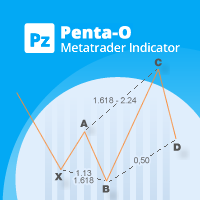
The Penta-O is a 6-point retracement harmonacci pattern which usually precedes big market movements. Penta-O patterns can expand and repaint quite a bit. To make things easier this indicator implements a twist: it waits for a donchian breakout in the right direction before signaling the trade. The end result is an otherwise repainting indicator with a very reliable trading signal. The donchian breakout period is entered as an input. [ Installation Guide | Update Guide | Troubleshooting | FAQ | A
FREE
Real-time spread tracking and monitoring software Displays spread values in form of histograms on current timeframe of chart Convenient for analyzing spread changes, as well as for comparing trading conditions of different brokers By placing on desired chart, the spread changes at different trading times are displayed Additionally Fully customizable Works on any instrument Works with any broker
FREE
Follow The Line
Oliver Gideon Amofa Appiah
3.94 (16)
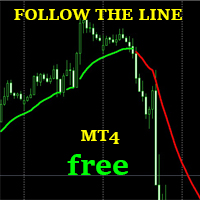
FOLLOW THE LINE GET THE FULL VERSION HERE: https://www.mql5.com/en/market/product/36024 This indicator obeys the popular maxim that: "THE TREND IS YOUR FRIEND" It paints a GREEN line for BUY and also paints a RED line for SELL.  It gives alarms and alerts of all kinds. IT DOES NOT REPAINT and can be used for all currency pairs and timeframes. Yes, as easy and simple as that. Even a newbie can use it to make great and reliable trades. NB: For best results, get my other premium indicators for more
FREE
OvertradeShield – 재량거래에서 오버트레이딩 방지를 위한 유틸리티 EA 재량거래 중에 ‘한 번만 더’라는 마음에 무분별하게 거래를 진행해 후회한 적이 있나요? OvertradeShield 는 실현 손익을 기반으로 자동으로 진입을 제한하고 경고하여, 거래 규칙과 멘탈 관리를 돕는 유틸리티형 EA입니다. 일일 수익과 손실을 체계적으로 관리하고 오버트레이딩을 방지하고자 하는 분들에게 최적화된 도구입니다. 진입은 재량대로 자유롭게 할 수 있어 기존 거래 스타일을 변경하지 않고도 도입 가능합니다. 주요 기능 실현 손익 실시간 모니터링: 청산된 포지션의 누적 손익을 차트에 지속적으로 표시 사용자 지정 가능한 손익 임계값: 이익 상한과 손실 하한을 자유롭게 설정 가능하며, 양방향 관리 지원 집계 기간 선택 기능: 일간, 주간, 월간 중 원하는 기간을 선택해 운용 스타일에 맞게 조정 가능 강력한 경고 기능: 손익이 설정값에 도달하면 차트 중앙에 마젠타색 큰 사각형과 ‘STOP’ 문구
FREE
Aroon Classic
Etsushi Ishizuka
Aroon Classic 지표 개요 Aroon Classic 지표는 차트에서 추세의 발생과 지속성을 정량적으로 파악할 수 있는 기술적 도구입니다. “Aroon Up”과 “Aroon Down” 두 개의 라인을 사용해 추세 강도와 전환 시점을 0~100 범위로 표시합니다. Aroon Up 값이 높을수록 강한 상승 추세를, Aroon Down 값이 높을수록 강한 하락 추세를 의미합니다. 주요 특징 추세의 시작과 전환을 시각적으로 구분 계산 기간(기본값: 14)을 사용자 지정 가능 라인 색상, 두께, 스타일을 유연하게 설정 지표 매개변수 매개변수 설명 기본값 Period Aroon 계산에 사용되는 바 수 14 Aroon Up Color Aroon Up 라인 색상 DodgerBlue Aroon Down Color Aroon Down 라인 색상 Tomato Line Width 라인 두께(픽셀) 2 계산 방법 Aroon Up은 지정 기간 내 최고점 이후 경과한 바 수를 다음 공식으로 계산합니다:
FREE
SpreadMonitor Indicator for MetaTrader 4 that visualizes the spread level and displays a compact interactive panel on the chart with the current value, statistics, and live history. Helps to see the real cost of entering the market at any given moment. ATTENTION! MY INDICATORS DO NOT REPAINT. I DESIGN THE CODE SO THAT HISTORY AND REAL-TIME FULLY MATCH. YOU GET AN HONEST BACKTEST AND STABLE SIGNALS IN REAL TRADING, NOT A "BEAUTIFUL" CHART IN THE TESTER. Indicator functionality Candle coloring by
FREE
이 제품의 구매자들이 또한 구매함
Trade Manager EA에 오신 것을 환영합니다. 이 도구는 거래를 보다 직관적이고 정확하며 효율적으로 만들기 위해 설계된 궁극적인 리스크 관리 도구 입니다. 단순한 주문 실행 도구가 아닌, 원활한 거래 계획, 포지션 관리 및 리스크 제어를 위한 종합 솔루션입니다. 초보자부터 고급 트레이더, 빠른 실행이 필요한 스캘퍼에 이르기까지 Trade Manager EA는 외환, 지수, 상품, 암호화폐 등 다양한 시장에서 유연성을 제공합니다. Trade Manager EA를 사용하면 복잡한 계산은 이제 과거의 일이 됩니다. 시장을 분석하고 진입, 손절 및 익절 수준을 차트의 수평선으로 표시한 후 리스크를 설정하면, Trade Manager가 이상적인 포지션 크기를 즉시 계산하고 SL 및 TP 값을 실시간으로 표시합니다. 모든 거래가 간편하게 관리됩니다. 주요 기능: 포지션 크기 계산기 : 정의된 리스크에 따라 거래 크기를 즉시 결정합니다. 간단한 거래 계획 : 진입, 손절, 익절을 위한
Exp COPYLOT CLIENT for MT4
Vladislav Andruschenko
4.69 (65)
MetaTrader 4용 전문 트레이드 복사기 MetaTrader 4 용 빠르고 안정적이며 전문적인 트레이드 복사기입니다. COPYLOT 은 MetaTrader 4 와 MetaTrader 5 터미널 간에 Forex 거래를 복사할 수 있으며, 다양한 계좌 유형과 운용 방식에 맞춰 유연한 동기화 환경을 제공합니다. COPYLOT MT4 버전 지원 방식: MetaTrader 4 → MetaTrader 4 MetaTrader 5 Hedge → MetaTrader 4 MetaTrader 5 Netting → MetaTrader 4   MT5 버전 상세 설명 + DEMO + PDF 구매 방법 설치 방법 로그 파일 확인 방법 테스트 및 최적화 방법 Expforex의 모든 제품 MetaTrader 5 버전 을 사용하면 MetaTrader 5 → MetaTrader 5 및 MetaTrader 4 → MetaTrader 5 복사도 지원됩니다: COPYLOT CLIENT for MT5 COPYLOT 은
Local Trade Copier EA MT4
Juvenille Emperor Limited
4.96 (111)
Local Trade Copier EA MT4는 동일한 Windows 컴퓨터 또는 Windows VPS에서 여러 MetaTrader 4 계정 간에 거래를 복사하고 관리할 수 있는 빠르고 유연한 거래 복사기입니다. 로컬 거래 동기화 기능과 함께 Receiver 측에서 로트 크기, 리스크 관리, 거래 필터링, 심볼 매핑, 거래 관리 및 계정 보호를 독립적으로 설정할 수 있습니다. Transmitter와 Receiver 터미널을 약 1분 안에 설정하고, 동일한 브로커 또는 서로 다른 브로커의 계정 간에 수동 거래 또는 EA 거래를 복사할 수 있습니다. 적절한 조건에서는 로컬 MetaTrader 터미널 간의 거래 정보가 0.5초 이내 에 동기화될 수 있습니다. 실제 체결 속도는 브로커 지연 시간, 네트워크 상태, 컴퓨터/VPS 성능 및 터미널 부하에 따라 달라집니다. 구매 전에 무료 데모를 사용해 보세요 MT4 데모 계정에서 Local Trade Copier EA MT4의 모든 기능을
Trade Assistant MT4
Evgeniy Kravchenko
4.43 (197)
거래당 위험 계산, 라인을 사용한 손쉬운 신규 주문, 부분 청산 기능을 통한 주문 관리, 7가지 유형의 트레일링 스탑 및 기타 유용한 기능을 제공합니다. 추가 자료 및 지침 설치 지침 - 애플리케이션 지침   라인 기능       - 차트에 개시선, 손절매, 차익실현을 표시합니다. 이 기능을 사용하면 새로운 주문을 쉽게 하고 개봉 전에 추가 특성을 볼 수 있습니다. 위기 관리       -       위험 계산 기능은 설정된 위험과 손절매 주문의 크기를 고려하여 새 주문의 볼륨을 계산합니다. 이를 통해 손절매 크기를 설정하고 동시에 설정된 위험을 존중할 수 있습니다. 로트 계산 버튼 - 위험 계산을 활성화/비활성화합니다. 필요한 위험 값은 위험 필드에 0에서 100 사이의 백분율 또는 예금 통화로 설정됩니다. 설정 탭에서 위험 계산 옵션을 선택합니다. $ 통화, % 잔액, % 지분, % 자유 마진, % 사용자 정의, % AB 이전 일, % AB 이전 주, % AB 이전 월.
Trade Dashboard MT4
Fatemeh Ameri
4.96 (55)
Trade Dashboard simplifies how you open, manage, and control your trades, with built-in lot size calculation. It allows you to execute trades, manage risk, and control positions directly on the chart, with tools such as partial close, breakeven, and trailing stop. Designed to reduce manual work and help you stay focused on your trading decisions. A demo version is available for testing. Detailed explanations of features are provided within the MQL5 platform. Installation instructions are include
Ultimate No Nonsense FX Backtester - You can Run Forward Test Simulation with this tool! Do Not Download the Demo Here, Please Read Below! Step by Step Manual Guide PDF for this backtester PDF List of Commands(Shortcuts) for this backtester Ultimate NNFX Backtester is a powerful utility tool that significantly reduces the length of backtesting process for NNFX followers.  As well as for Forex traders that operates their entries and exits at the close of a candle and manage the risk using ATR.
The product will copy all telegram signal to MT4   ( which you are member  ) , also it can work as remote copier.  Easy to set up, copy order instant, can work with almost signal formats, image signal, s upport to translate other language to English Work with all type of channel or group, even channel have "Restrict Saving Content", work with  multi channel, multi MT5 Work as remote copier: with signal have ticket number, it will copy exactly via ticket number. Support to backtest signal. How to
Black Week: 구매 가격 69.99 USD. 이 혜택은 11월 27일(금요일)에 종료됩니다. Telegram to MT4 Multi-Channel Copier   는 Telegram 및 Discord 채널의 트레이딩 시그널을 MetaTrader 4로 자동 복사합니다. 봇도, 브라우저 확장도, 수동 복사도 필요 없습니다. Telegram이나 Discord에 시그널이 도착하면 EA가 몇 초 안에 터미널에서 주문을 실행합니다. 그리고 채널을 복사하기 전에, 내장 백테스터가 그 채널이 내 계좌에서 어떤 결과를 냈을지 보여줍니다. 제품은 두 가지 구성 요소로 이루어집니다: Telegram 채널을 수신하는 Windows 애플리케이션과, MT4 터미널에서 시그널을 실행하는 본 EA입니다. MT5 버전도 제공됩니다   여기 . 구매 전에 사용해 보세요:   애플리케이션은 무료로 다운로드할 수 있습니다. 본인의 채널을 연결하고 각 시그널이 어떻게 읽히는지 확인하세요. Backtest 탭과 실
DoIt Trade Manager - Risk Panel and EA Position Manager for MT4 Finding an entry is only half the job. Many execution mistakes happen in position sizing, partial exits, breakeven, trailing and account protection. DoIt Trade Manager puts the complete workflow on the chart. Plan the risk before entry, execute the order and apply consistent management rules to your manual trades and selected positions opened by other EAs. Full setup guide + how the free version works and where PRO starts :  https:/
Trade Indicator Assistant is a powerful MT4 utility designed to turn indicators into automated trading systems. Its main feature is the ability to automatically detect an indicator’s   BUY and SELL signal buffers , without requiring you to know the buffer numbers, search through indicator settings, or modify the indicator source code. Bonus Indicator: After purchasing Trade Indicator Assistant, contact me to receive Trade Signal Pro completely free as a bonus indicator. [Download Demo Version]
Practice Simulator는 백테스팅, 트레이딩 연습 및 실거래를 지원하는 올인원 트레이딩 시뮬레이터입니다. 트레이딩을 처음 시작하는 초보자부터 거래 데이터를 분석하는 숙련된 트레이더까지 다양한 수준의 사용자를 지원합니다. Forex 트레이딩, 시장 분석 또는 전략 최적화에 활용할 수 있습니다. 시장 휴일에도 언제든지 모의 트레이딩을 할 수 있으며, 간단하면서도 다양한 기능을 갖춘 인터페이스를 통해 리스크 관리와 트레이딩을 지원합니다. 자세한 내용은 설치 및 사용자 가이드 를 참조하십시오. 주요 기능 모의 트레이딩 – 시장 휴일에도 언제든지 트레이딩할 수 있습니다. 여러 차트를 동기화하여 MTF를 지원합니다. 백테스팅 – 과거 데이터를 사용하여 전략을 테스트하고 과거 거래를 재현할 수 있습니다. 실거래 – 동일한 인터페이스를 사용하여 실거래로 원활하게 전환할 수 있습니다. 사용하기 쉬운 인터페이스 – 원클릭 진입, 드래그 앤 드롭 방식의 TP/SL 설정, 일괄 청산을 지원합니
News Filter EA: Advanced Algo Trading Assistant News Filter EA is an advanced algo trading assistant designed to enhance your trading experience. By using the   News Filter EA , you can integrate a Forex economic news filter into your existing expert advisor, even if you do not have access to its source code. In addition to the news filter, you can also specify   trading days   and   hours   for your expert. The News Filter EA also includes   risk management   and   equity protection   features
Equity Protect Pro: 안심 거래를 위한 종합 계좌 보호 전문가 계좌 보호, 자산 보호, 포트폴리오 보호, 다중 전략 보호, 수익 보호, 수익 확보, 거래 보안, 위험 관리 프로그램, 자동 위험 관리, 자동 청산, 조건부 청산, 예약 청산, 동적 청산, 추적 손절매, 원클릭 종료, 원클릭 청산, 원클릭 복원 등의 기능을 찾고 있다면 Equity Protect Pro가 바로 필요한 프로그램입니다. 설정이 간편하고 사전 설정된 조건이 충족되면 모든 차트를 닫을 수 있으며 신호 구독 취소도 지원합니다(이는 모든 거래 프로그램도 중지됨을 의미합니다). 이 시점에서 새로운 주문이 생성되지 않으며 최종적으로 모든 주문이 종료되어 예상치 못한 손실을 효과적으로 방지하고 안심하고 거래할 수 있습니다. Equity Protect Pro (Technical Manual) Equity Protect Pro Demo Version for yo u to test   Equity Protect
Trailing Stop and Breakeven Manager - Trail Architect MT4 Auto Trailing Stop and Breakeven Manager for MT4. Protect profit with automatic break even, then trail your stop loss using Classic, Step, ATR or Candle trailing - all from one professional panel. Every trader knows the pain: a winning trade turns into a loss because the stop loss was never moved. Watching the chart all day just to move your stop to break even and trail the stop loss by hand is exhausting - and one missed move can wipe o
TradePanel MT4
Alfiya Fazylova
4.84 (95)
Trade Panel은 다기능 거래 도우미입니다. 이 애플리케이션에는 50개 이상의 수동 거래 기능이 포함되어 있으며 대부분의 거래 작업을 자동화할 수 있습니다. 앱 사용 설명서 : https://www.mql5.com/en/blogs/post/756482 데모 계정용 앱 체험판: https://www.mql5.com/en/blogs/post/750865 앱 설치 방법: https://www.mql5.com/en/blogs/post/756239 시각 모드에서 앱 테스트 방법: https://www.mql5.com/en/blogs/post/770277 VPS MetaTrader에 앱 설치 방법: https://www.mql5.com/en/blogs/post/770190 거래. 한 번의 클릭으로 거래를 수행할 수 있습니다: 리스크 자동 계산과 함께 예약 주문 및 포지션 열기. 한 번의 클릭으로 여러 주문 및 포지션 열기. 주문 그리드 열기. 예약 주문 및 포지션을 그룹별로 닫기. 포지션
Grid Manual MT4
Alfiya Fazylova
4.71 (17)
"Grid Manual"은 주문 그리드 작업을 위한 거래 패널입니다. 이 유틸리티는 보편적이며 유연한 설정과 직관적인 인터페이스를 제공합니다. 그것은 손실을 평균화하는 방향뿐만 아니라 이익을 증가시키는 방향으로 주문 그리드와 함께 작동합니다. 거래자는 주문 그리드를 만들고 유지할 필요가 없으며 유틸리티에서 수행합니다. 거래자가 주문을 시작하는 것으로 충분하며 "Grid Manual"는 자동으로 그를 위한 주문 그리드를 생성하고 거래가 마감될 때까지 그와 동행할 것입니다. 전체 설명 및 데모 버전 여기 . 유틸리티의 주요 기능: 모바일 터미널을 포함하여 어떤 방식으로든 열린 주문과 함께 작동합니다. "제한" 및 "중지"의 두 가지 유형의 그리드와 함께 작동합니다. 고정 및 동적(ATR 표시기 기반)의 두 가지 유형의 그리드 간격 계산과 함께 작동합니다. 오픈 오더 그리드의 설정을 변경할 수 있습니다. 차트에서 각 주문 그리드의 손익분기점 수준을 표시합니다. 각 주문 그리드에 대한 이익
CloseIfProfitorLoss with Trailing
Vladislav Andruschenko
4.88 (32)
이익 추적 기능으로 총 이익/손실에 도달하면 MetaTrader 4에서 포지션을 청산합니다. 가상 정지 (별도 주문) 을 활성화할 수 있습니다. BUY 및 SELL 포지션을 별도로 계산하고 마감합니다 (BUY SELL 별도). 모든 심볼 또는 현재 심볼 만 닫고 계산합니다 (모든 심볼). 이익을 위해 후행 추적 을 활성화합니다 (후행 이익). 예금 통화, 포인트, 잔액의 %에 대한 총 손익을 마감합니다. 이 애플리케이션은 다른 EA와 함께 또는 수동 거래와 함께 모든 계정에서 사용하도록 설계되었습니다. MT5 버전 전체 설명 + DEMO + PDF 구입 방법 설치하는 방법 로그 파일을 얻는 방법 테스트 및 최적화 방법 Expforex의 모든 제품 일부 쌍 또는 모든 쌍의 총 거래 잔액이 설정에서 지정된 값보다 크거나 같으면 모든 포지션이 닫히고 주문이 삭제됩니다. 이 버전은 지정된 이익 수준에서 포지션을 마감할 수 있을 뿐만 아니라 더 나은 결과를 위해 이익을 추적할 수도 있습니다
지원이 필요하신가요? 설정 방법이 궁금하신가요? 질문이 있으신가요? 여기에 고객님의 언어로 문의하세요, 빠른 답변: https://www.mql5.com/en/market/product/139089/comments 작동 체험판 다운로드 Copy Cat More (카피캣) MT4 트레이드 카피어 (Trade Copier) 는 단순한 로컬 트레이드 카피어가 아닙니다. 오늘날의 트레이딩 과제를 위해 설계된 완전한 리스크 관리 및 실행 프레임워크 (risk management and execution framework) 입니다. 프롭 펌 (prop firm) 챌린지부터 개인 포트폴리오 관리까지, 견고한 실행, 자본 보호, 유연한 설정, 고급 트레이드 처리의 조합으로 모든 상황에 적응합니다. 이 카피어는   마스터 (Master, 송신측) 와 슬레이브 (Slave, 수신측)   두 모드 모두에서 작동하며, 시장가 주문과 대기 주문, 트레이드 수정, 부분 청산, 상호 청산 (Close B
Trade copier MT4
Alfiya Fazylova
4.62 (37)
Trade Copier는 거래 계정 간의 거래를 복사하고 동기화하도록 설계된 전문 유틸리티입니다. 복사는 공급자의 계정/단말기에서 동일한 컴퓨터 또는 vps에 설치된 수신자의 계정/단말기로 발생합니다. 구매하기 전에 데모 계정에서 데모 버전을 테스트할 수 있습니다. 데모 버전 여기 . 전체 지침 여기 . 주요 기능 및 이점: 복사기는 "МТ4> МТ4", "МТ4> МТ5", "МТ5> МТ4" 복사를 지원합니다. 복사기는 데모 계정 > 실 계정, 실 계정 > 데모 계정, 데모 계정 > 데모 계정 및 실제 계정 > 실 계정 복사를 지원합니다. 복사기는 읽기 전용 암호가 적용된 투자자 계정에서 복사를 지원합니다. 하나의 공급자 터미널은 여러 수신 터미널로 트랜잭션을 보낼 수 있고 하나의 수신 터미널은 여러 공급자 터미널에서 트랜잭션을 수신할 수 있습니다. 복사기는 귀하 또는 귀하의 고문이 거래하는 동일한 터미널에서 작동할 수 있습니다. 높은 복사 속도(0.5초 미만). 복사기에는 간편
RS Trade Copier - 진짜 그래픽 인터페이스를 갖춘 초고속 로컬 트레이드 카피어입니다. 계좌번호를 일일이 입력하지 마세요. 200개가 넘는 복잡한 입력 파라미터 목록은 이제 끝입니다. 여러 MT4와 MT5 터미널 간 거래 작업을 복사하기 위한 안정적이고 유연한 도구입니다. 이 도구는 경험 많은 트레이더, 신호 서비스, 개인 투자자 모두에게 적합합니다. 하나 또는 여러 시그널 소스(Provider)에서 하나 또는 여러 리시버(Client)로 트레이딩을 동기화 하여 높은 정밀도와 최소 지연 시간을 제공합니다. 간단한 자동 설정부터 고급 수동 구성까지 지원합니다. 수동 또는 다른 EA로 열린 주문에 간섭하지 않습니다. 모든 작업이 MT4 내부에서 로컬로 처리 되며 외부 서버 의존성 없이 실행됩니다. RS Trade Copier와 다른 솔루션 비교 RS Trade Copier 다른 솔루션 설정 시각적 단계별 마법사. 설정에 약 1분 소요. 200개 이상의 불분명한 입력 매개변수.
Telegram to MT4 Coppy
Sergey Batudayev
4.09 (11)
Telegram에서 MT4로:   최고의 신호 복사 솔루션 최첨단 유틸리티인   Telegram to MT4를   사용하여 거래를 간소화하세요. DLL 없이도 Telegram 채널과 채팅에서 MetaTrader 4 플랫폼으로 거래 신호를 직접 복사할 수 있습니다. 이 강력한 솔루션은 탁월한 정밀도와 맞춤 설정 옵션을 통해 원활한 신호 실행을 보장하여 시간을 절약하고 효율성을 높여줍니다. [ Instructions and DEMO ] 주요 특징 직접 Telegram API 통합 전화번호와 보안 코드를 통해 인증하세요. 사용자 친화적인 EXE 브리지를 사용하여 채팅 ID를 손쉽게 가져오고 관리하세요. 여러 채널/채팅을 추가, 삭제, 새로 고침하여 동시에 신호를 복사합니다. 고급 필터를 사용한 신호 파싱 사용자 정의 예외 단어(예: "보고서", "요약")가 포함된 원치 않는 신호를 건너뜁니다. 유연한 SL 및 TP 형식을 지원합니다: 가격, 핍 또는 포인트. 신호가 가격 대신 지점을 지정
Trading History MT4
Siarhei Vashchylka
5 (9)
Trading History - A program for trading and money management on the history of quotes in stratagy tester. It can work with pending and immediate orders, and is equipped with trailing stop, breakeven and take profit functions. Very good for training and testing different strategies. Manual (Be sure to read before purchasing) Advantages 1. Allows you to test any trading strategy in the shortest possible time 2. An excellent simulator for trading training. You can gain months of trading experience
Exit Manager
Victor Christiaanse
5 (2)
Close every trade at the right moment, automatically. Most traders spend their energy on the entry and then close too early, too late, or on a feeling. Exit Manager takes the exit off your hands. Open a trade the way you always do, by hand or with any Expert Advisor, and Exit Manager watches it and closes it, fully or partly, when the indicator signal you chose appears. You can see it working on the chart. A clean panel on your chart shows, for every open trade, which rule will close it next, ho
Forex Sentiment Trader PRO EA
Salvador Martinez Ramos
5 (2)
I have created this  MT4 Tool EA to test if it is more profitable to trade in favor of the mass sentiment of traders or it is better to go against it. Remember to authorize Myfxbook url in WebRequest options in MT4 .  Features: Market Sentiment update every 30 minutes SL TP BreakEven Trail SL Daily Target Profit Max Daily DrawDown (Useful for prop firm) Max Spread Filter Time Filter Custom Trade Comments Protection in case a pair is not read correctly from the web (Prevents improper closing or o
CBOE 옵션 데이터의 실시간 GEX 레벨. ES, NQ, RTY, Gold. 2분마다 업데이트. Full description: GammaOrderBook — 올인원 EA. 라이브 GEX 데이터를 다운로드하여 차트에 직접 표시. 별도 인디케이터 불필요. 표시 내용 • GEX Bars — 콜/풋 감마 레벨을 수평 막대로, ETF/Index 소스별 색상 구분 • Zero Gamma Line — 헤지 방향이 바뀌는 핵심 레벨 • Panorama V4 — 멀티 타임프레임 감마 포지셔닝 • 지지/저항 — 옵션 미결제약정 기반 주요 레벨 • Bias Panel — BULL/BEAR/NEUTRAL 신호, OI 포지셔닝 • Distance Display — Zero Gamma로부터의 실시간 거리 • 공지 시스템 — 중요 업데이트를 차트에 직접 표시 지원 종목 • ES / SP500 • NQ / Nasdaq • RTY / Russell • GC / Gold 데이터 업데이트 • 2분마
Drawdown Minimizer for MetaTrader 4 - your EAs pay in, old losers get paid off. This utility runs next to your other Expert Advisors and never opens a trade. It keeps a savings book of the net realized profit of your whole account and uses it to close the oldest losing positions of the EAs you choose - slice by slice, oldest first. WHY IT EXISTS Made by traders, for traders. One of our grid EAs got stuck in drawdown for months. The old positions did not come back, and they paid swap every single
TradeMirror 은 MT4/MT5 플랫폼을 위해 특별히 설계된 현지화된 주문 복사 도구로, 실시간 거래 작업을 동기화합니다. 튜토리얼 더 많은 튜토리얼을 보려면 Trademirror 튜토리얼 링크를 클릭하세요. 제품 장점 금융 소프트웨어의 보안성, 안정성 및 개인정보 보호에 대한 높은 표준 요구사항을 기반으로, 우리는 세 가지 핵심 차원에서 심층 최적화를 수행했습니다: 직관적이고 간결한 그래픽 인터페이스로 누구나 쉽게 조작 가능 강화된 개인정보 보호 메커니즘으로 금융 환경의 민감한 데이터 격리 요구 충족 밀리초 단위의 주문 동기화로 신호 분배의 정확성과 지연 없음 보장 MT4/MT5 양 플랫폼과 완전히 호환되어 다양한 거래 환경에 원활하게 적용 지능형 시스템 모니터링과 이메일 알림을 결합하여 거래 안정성을 실시간으로 보장 핵심 기능 특성 제품은 다음과 같은 전문적인 복사 기능을 탑재하고 있습니다: 다중 계정 병렬 연결 이메일 실시간 푸시 맞춤형 로트 크기 조정 신호 필터링 메커
Trade Autopilot은 PC나 휴대폰에서 직접 연 거래를 관리합니다. 손절매가 없으면 추가하고, 본전으로 옮기고, 거래의 일부를 청산하고, 나머지는 트레일링합니다. 모든 것이 초기 리스크인 R과 ATR로 측정되므로 같은 설정이 금, 지수, 외환에서 작동합니다. 출시 가격: 30 USD, 정가 60 USD에서 50% 할인. 진입 시점은 당신이 결정합니다. 그 이후의 거래는 Trade Autopilot이 맡습니다. 거래를 열지 않으며 신호도 주지 않습니다. 하나의 차트에 올려두면 계좌의 모든 심볼의 거래를 관리합니다. 모든 거래에 적용되는 네 단계 Stop loss : 손절매 없이 거래를 열면 진입가에서 2 ATR 떨어진 곳에 손절매를 설정합니다. 이 거리가 1R이 됩니다. Breakeven : +1R에서 손절매가 진입가에 스프레드와 작은 여유분을 더한 가격으로 이동합니다. Partial : +1.5R에서 거래의 50%를 청산하고 수익을 확보합니다. Trailing : 부분 청산
ATTENTION: The Indicator cannot be backtested, as it is generated exclusively from live intraday calculations based on options flow. GEX Level Converter – Gamma Exposure Mapping for CFD Charts NASDAQ-100 edition — for US100 · NDX · NAS100 · USTECH and every Nasdaq-100 CFD equivalent Instantly see professional options-market levels directly on your MetaTrader Nasdaq-100 CFD chart. The GEX Level Converter translates the daily Gamma Exposure (GEX) zones of the NDX options market into precise pri
RiskManager
Roman Zhitnik
5 (4)
Risk Manager MT4   is an account protection Expert Advisor for traders who want strict risk control inside MetaTrader 4. The utility monitors your account equity, daily and weekly results, drawdown, open positions, trade count, consecutive losses, and trading hours. When a configured limit is reached, it can automatically close positions, cancel pending orders, stop other EAs, send notifications, or close the terminal. Instead of relying on discipline during a stressful trading session, you defi
제작자의 제품 더 보기
Risk Ledge Core
Tamara Garcia Infantes
Risk Ledge Core turns support and resistance zones into a trade plan: where to enter, where to place the stop loss (SL), where the take profit (TP) goes and how many lots match your risk. It is a planning tool. It does not give buy or sell signals and it does not open, modify or close trades. Support and resistance zones - Calculated on the timeframe you choose with the TF button (M5 to D1), from confirmed swing highs and lows. - Zone width adapts to volatility (Average True Range, ATR). - Ea
FREE
ClearDeck
Tamara Garcia Infantes
ClearDeck — see everything on your chart and remove only what you choose After a few days of trading a chart fills up with old lines, arrows from scripts, labels from indicators you no longer use and objects drawn on other timeframes that you cannot even see. The standard object list shows them one by one, with no way to tell where each one came from. ClearDeck lists everything in one panel, grouped so you can review it, and removes, hides or protects what you decide in a couple of clicks. Wha
FREE
ATR Barometer
Tamara Garcia Infantes
ATR Barometer — how volatile is the market right now? ATR Barometer shows the volatility of the chart symbol in a small panel and draws an ATR trailing stop on the chart. It answers the questions you ask before sizing a stop or a target: how large is the average bar, is volatility higher or lower than usual, how much of the daily range has the market already used, and where would an ATR-based stop be now. The panel • ATR in price and in points. • ATR as a % of price, to compare volatility bet
FREE
DrawDock Drawing Panel
Tamara Garcia Infantes
DrawDock — your drawing tools in a slim panel under the chart Drawing in MetaTrader means opening the Insert menu, finding the tool, drawing it and then opening its properties to change the colour, every single time. DrawDock puts the tools you use in a panel docked under the chart, each one with its own colour and style, so you drag it onto the chart or click and draw. What it includes • Every object in the MT5 Insert menu: lines, channels, Gann, Fibonacci, Elliott waves, shapes, arrows and
FREE
Risk Ledge Core MT4
Tamara Garcia Infantes
Risk Ledge Core turns support and resistance zones into a trade plan: where to enter, where to place the stop loss (SL), where the take profit (TP) goes and how many lots match your risk. It is a planning tool. It does not give buy or sell signals and it does not open, modify or close trades. Support and resistance zones - Calculated on the timeframe you choose with the TF button (M5 to D1), from confirmed swing highs and lows. - Zone width adapts to volatility (Average True Range, ATR). - Ea
FREE
DrawDock — your drawing tools in a slim panel under the chart Drawing in MetaTrader means opening the Insert menu, finding the tool, drawing it and then opening its properties to change the colour, every single time. DrawDock puts the tools you use in a panel docked under the chart, each one with its own colour and style, so you drag it onto the chart or click and draw. What it includes • Every object in the MT4 Insert menu: lines, channels, Gann, Fibonacci, shapes, arrows and marks, text and
FREE
Greif Dax H1 MT4
Tamara Garcia Infantes
Greif is a fully automated Expert Advisor for the DAX index (GER40 / DE40) on the H1 timeframe. It was built with a systematic, quantitative process and is part of the Jasopex family of market-specific systems, each one inspired by a bird of prey. Greif enters the market with pending stop orders, sends every trade with a Stop Loss and a Take Profit, risks a fixed amount of money per trade and closes all positions before the weekend. No grid, no martingale, no averaging down. IMPORTANT: Greif was
Risk Ledge MT4
Tamara Garcia Infantes
Risk Ledge — support and resistance zones turned into a complete trade plan Before placing a trade you need the zone, the entry, the stop loss (SL), the take profit (TP), the lot size for your risk, and a look at the higher timeframes and your other symbols. Doing that by hand on every chart takes time and leads to sizing mistakes. Risk Ledge draws the zones and turns them into a plan with lot size and reward-to-risk ratio (R:R), and shows the market context and your account risk in panels unde
Greif Dax H1
Tamara Garcia Infantes
Greif is a fully automated Expert Advisor for the DAX index (GER40 / DE40) on the H1 timeframe. It was built with a systematic, quantitative process and is part of the Jasopex family of market-specific systems, each one inspired by a bird of prey. Greif enters the market with pending stop orders, sends every trade with a Stop Loss and a Take Profit, risks a fixed amount of money per trade and closes all positions before the weekend. No grid, no martingale, no averaging down. IMPORTANT: Greif was
Berkut Gold H1
Tamara Garcia Infantes
Berkut is a fully automated Expert Advisor for Gold (XAUUSD) on the H1 timeframe. It was built with a systematic, quantitative process and is part of the Jasopex family of market-specific systems, each one inspired by a bird of prey. Berkut enters the market with pending stop orders, sends every trade with a Stop Loss and a Take Profit, protects open profits with a trailing stop, risks a percentage of the balance per trade and closes all positions before the weekend. No grid, no martingale, no a
Risk Ledge
Tamara Garcia Infantes
Risk Ledge — support and resistance zones turned into a complete trade plan Before placing a trade you need the zone, the entry, the stop loss (SL), the take profit (TP), the lot size for your risk, and a look at the higher timeframes and your other symbols. Doing that by hand on every chart takes time and leads to sizing mistakes. Risk Ledge draws the zones and turns them into a plan with lot size and reward-to-risk ratio (R:R), and shows the market context and your account risk in panels unde
History Relay — the full MetaTrader 5 history, ready for MetaTrader 4 backtests MetaTrader 4 only downloads the history your broker keeps on its MT4 server, and for many symbols that is just a few months. Without complete M1 data, the MT4 Strategy Tester cannot run long backtests: it reports "n/a" modelling quality and thousands of mismatched chart errors. History Relay takes the history that MetaTrader 5 already has and writes it in the formats MetaTrader 4 reads. What it creates • MT4 histo
FREE
필터:
리뷰 없음
리뷰 답변