TrendRange Compass MT5
- 지표
- 버전: 1.20
- 활성화: 10

TrendRange Compass – Trend State and Daily Range
Is this market really trending, or just moving around?
How much of today's move is already done?
TrendRange Compass answers both questions on one clean panel, on any symbol and timeframe.
🔥 Launch price $39. It rises to $59 after the first 10 sales.
▶ TREND STATE IN FOUR CLEAR STAGES
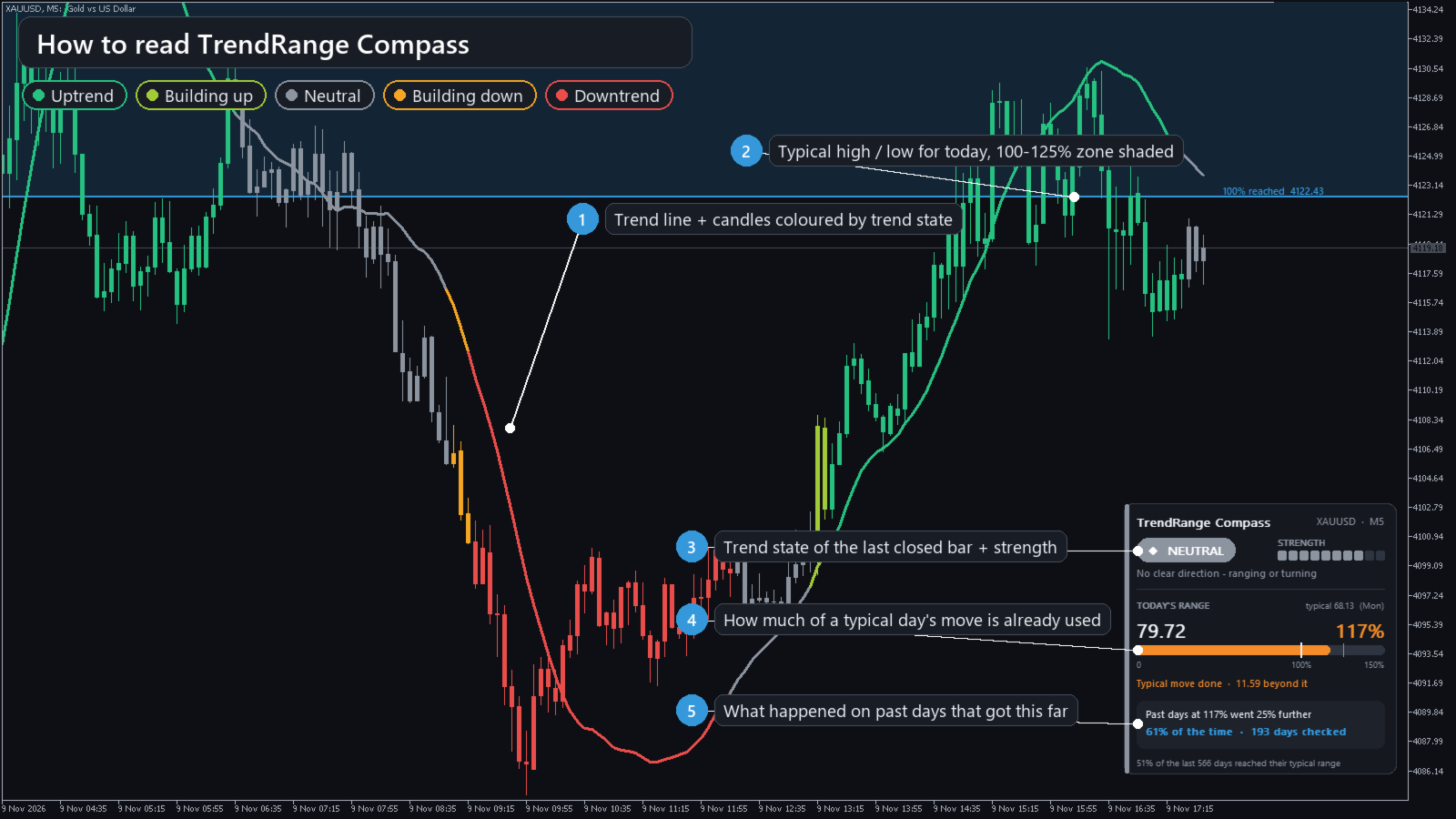
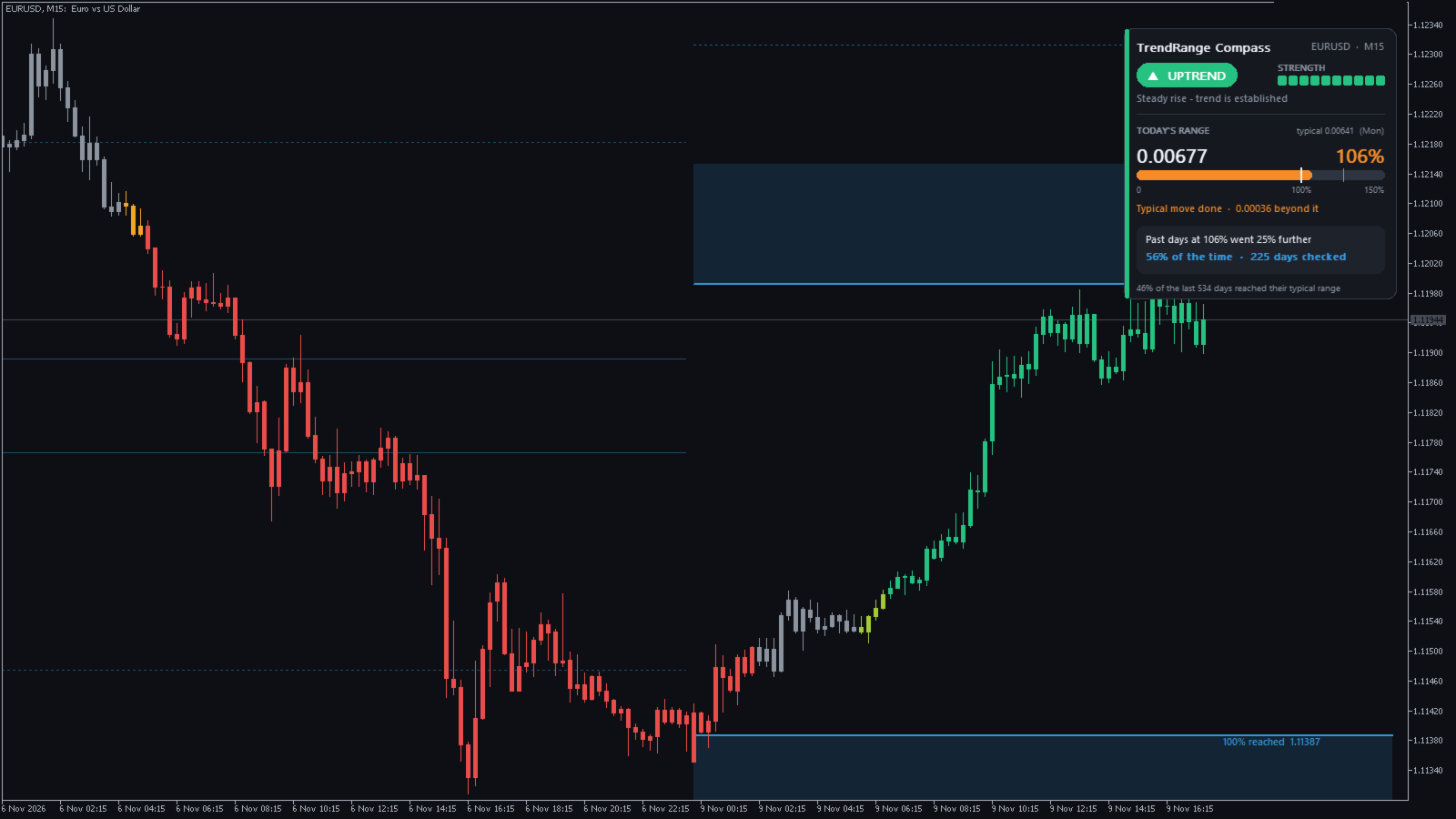
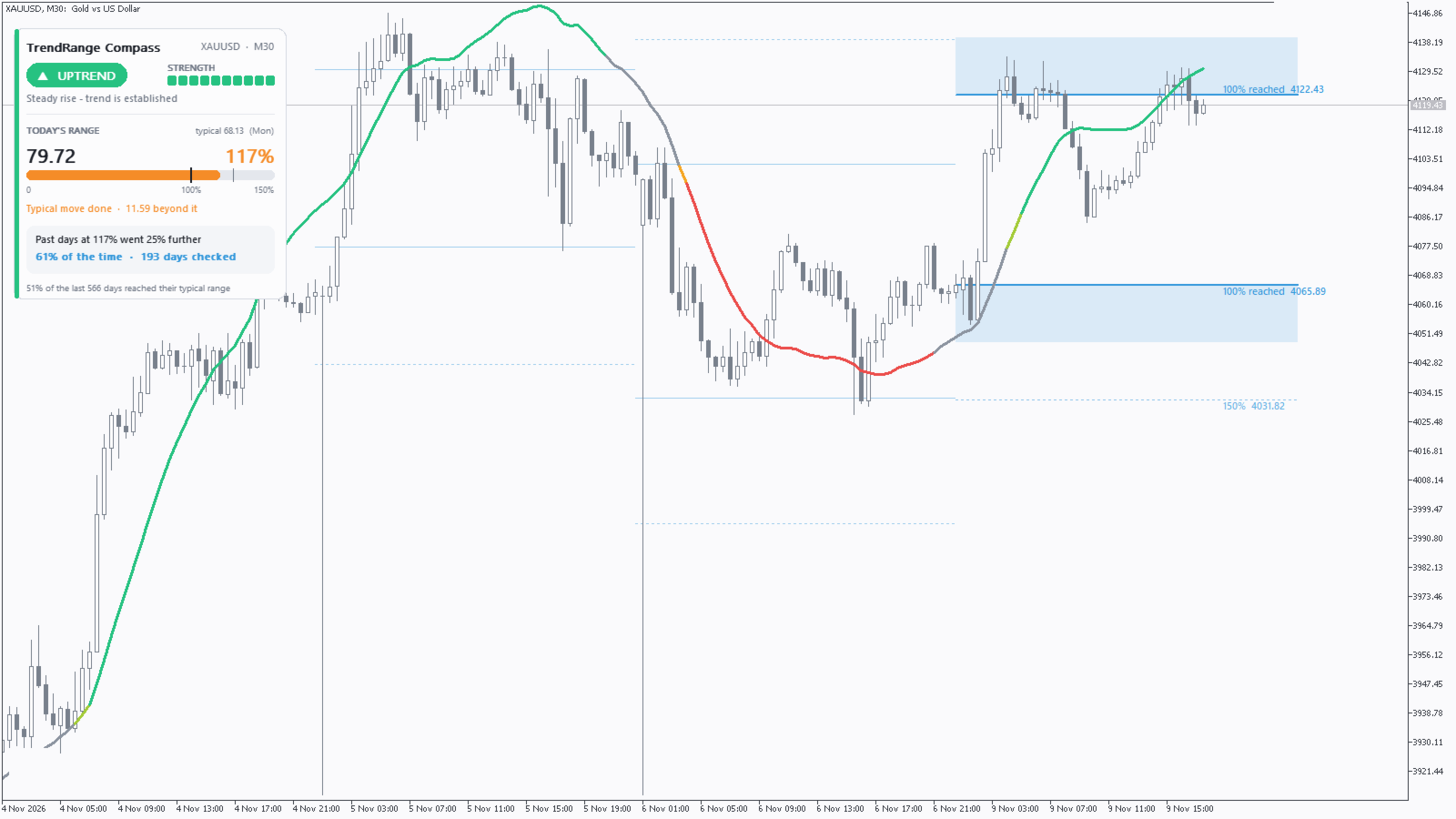
✔ UPTREND / DOWNTREND: price is moving steadily in one direction.
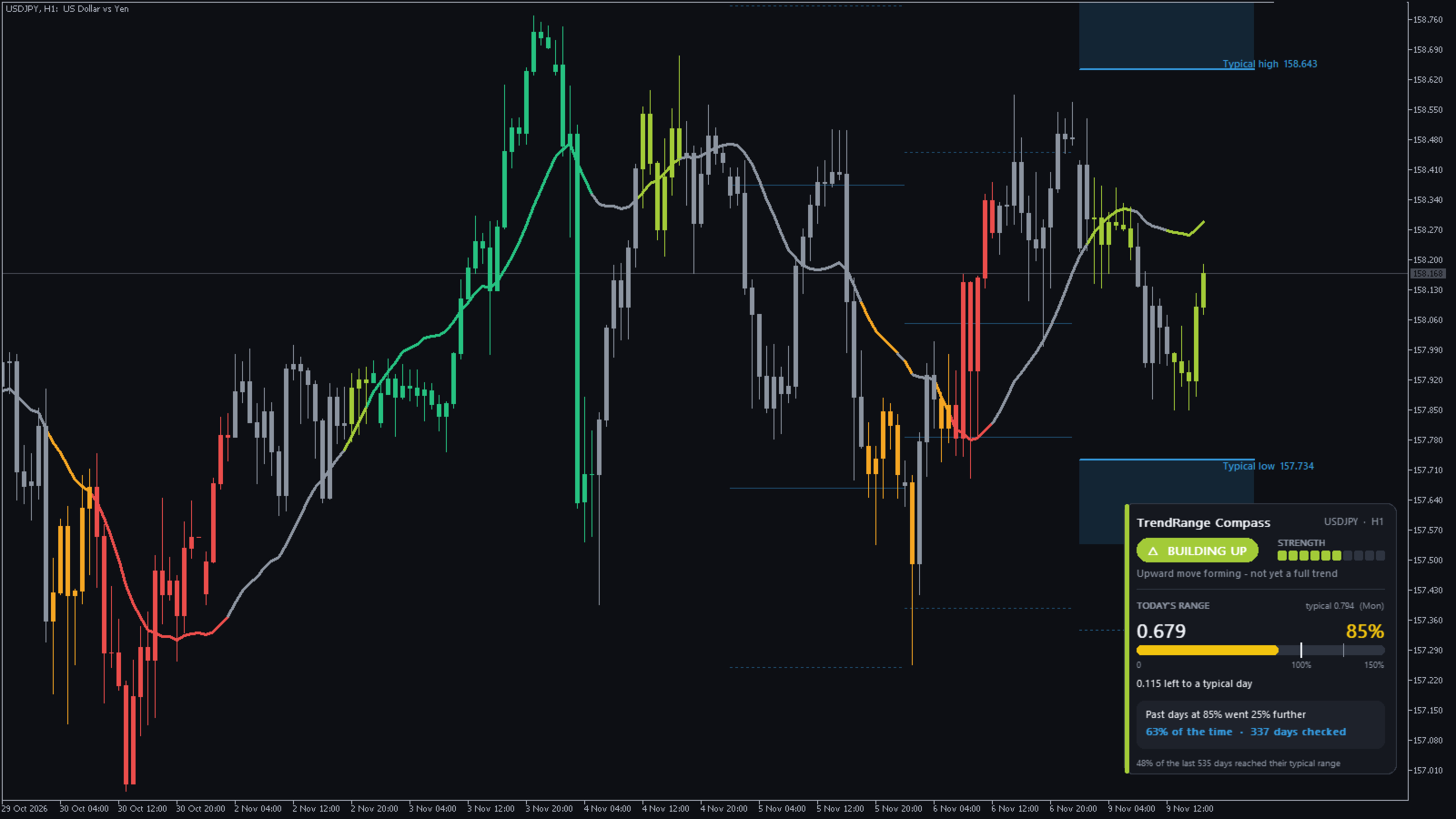
✔ BUILDING UP / BUILDING DOWN: a move is forming but is not yet a full trend. It's an early warning that most trend tools miss, because they only switch between up and down.
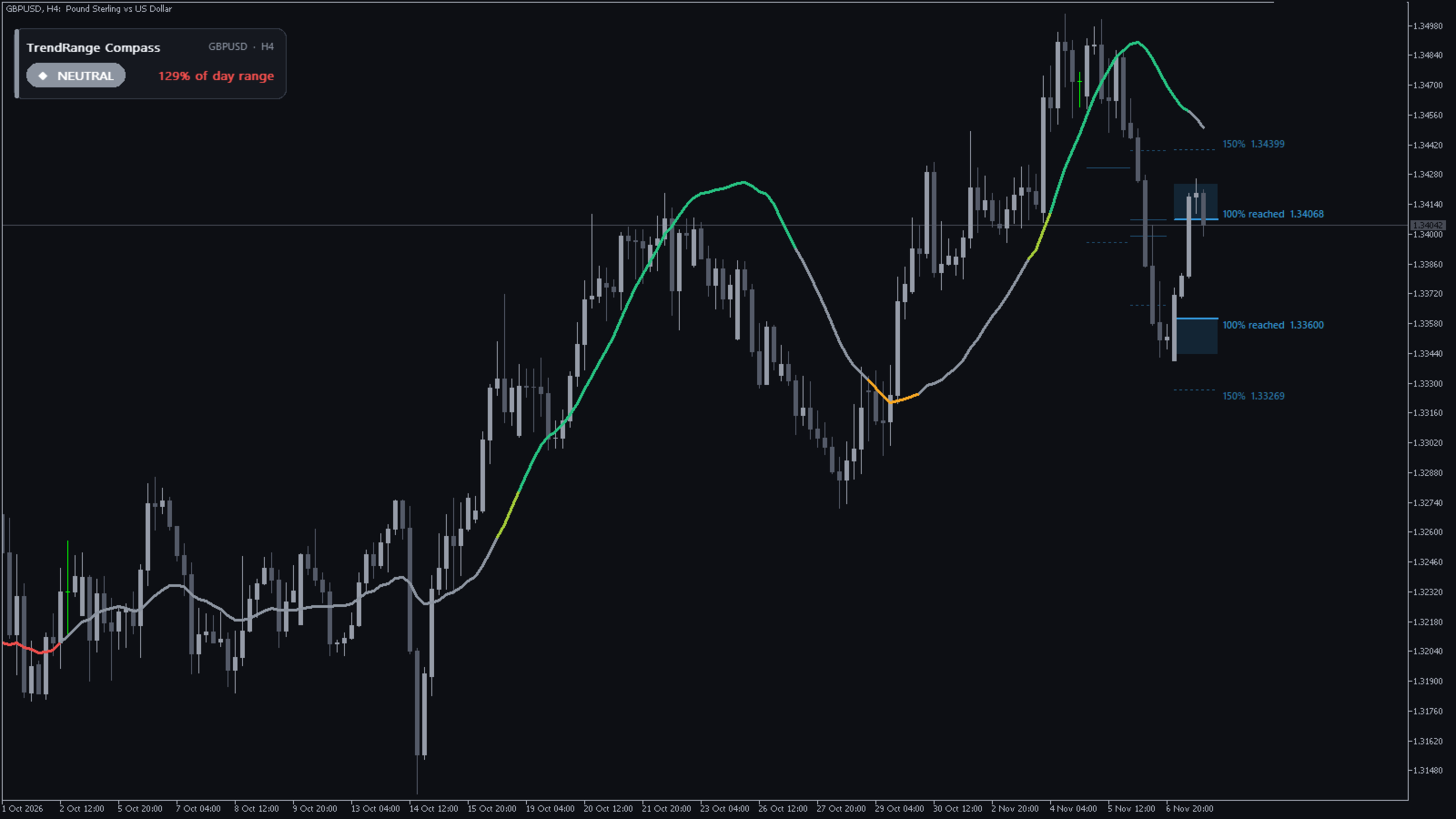
✔ NEUTRAL: no clear direction. The market is ranging or turning.
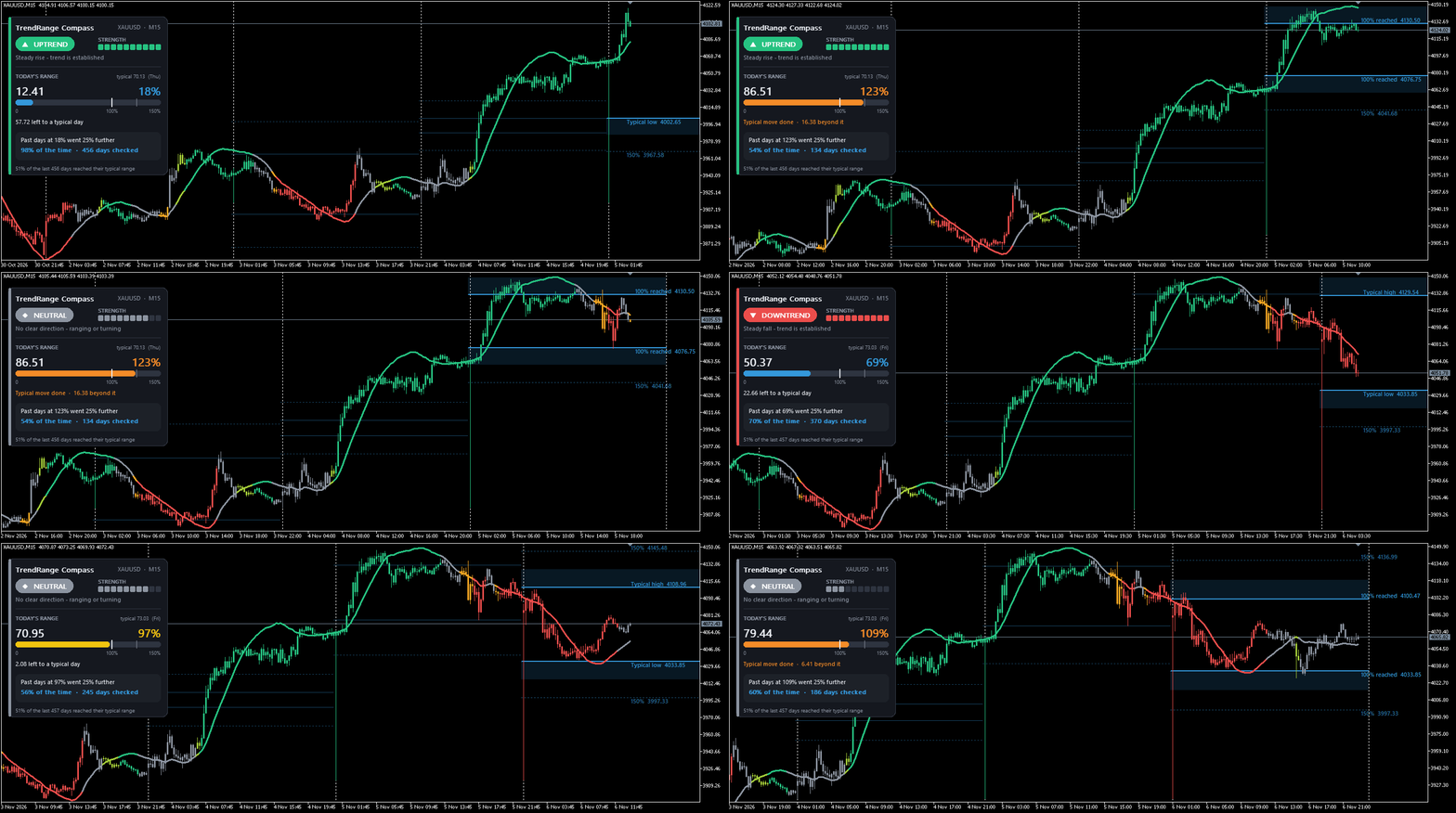
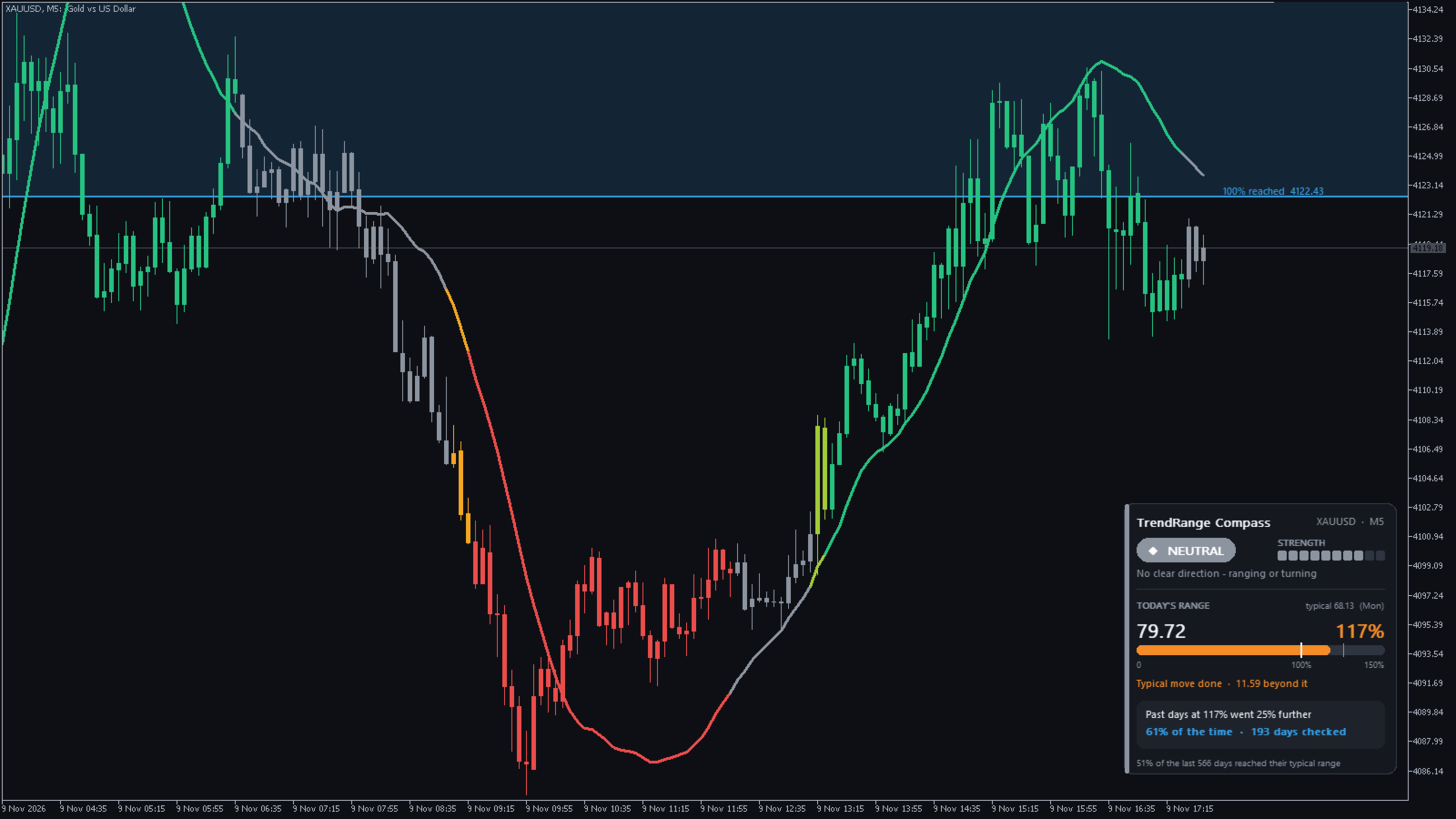
You see the state three ways: a coloured trend line, a badge in the panel with a 10-step strength meter, and (optionally) the candles themselves coloured by trend state.
▶ TODAY'S EXPECTED RANGE
✔ The Typical High and Typical Low for today are drawn on the chart, with the zone beyond them shaded.
✔ A progress bar shows how much of a typical day's move is already used (40%, 85%, 117%…). It changes colour as the day stretches.
✔ The typical range adapts to recent days and to the day of the week, because Mondays and Fridays don't move like Wednesdays.
✔ A built-in spike filter ignores the false price spikes some brokers print at the daily open, so one bad tick can't distort your levels.
▶ REAL ODDS FROM YOUR OWN CHART
The panel shows what actually happened on past days that got as far as today has. For example:
"Past days at 117% went 25% further – 61% of the time – 193 days checked."
Many traders assume the day is over once it reaches its average range. On most markets, big days often keep going. TrendRange Compass gives you the real numbers for the symbol you trade, so you decide with facts, not guesses.
▶ BUILT TO LOOK AND FEEL GOOD
✔ A modern card-style panel with a dark or light theme, picked automatically from your chart colours.
✔ Click the panel to collapse it into a slim strip. Click again to expand it.
✔ Place the panel in any corner, and change every colour.
✔ Level labels sit in the empty space to the right of price, so they never cover your candles.
▶ ALERTS
✔ When the trend state changes (checked on bar close).
✔ When the day reaches 100% of its typical range.
Popup and/or push notification. All alerts are off by default.
▶ PRACTICAL DETAILS
✔ No repainting. Closed bars never change. Only the bar that is still forming updates live.
✔ Works on any symbol and timeframe: forex, gold, silver, indices, crypto and more.
✔ Light on your terminal, even on M1 with years of history.
✔ Settings outside a safe range are corrected automatically, so no setting can break the indicator.
✔ For EA developers: trend state (buffer 7: +2 up, +1 building up, 0 neutral, −1 building down, −2 down) and trend strength (buffer 8) are readable through iCustom.
▶ HOW TO USE IT
1. Attach it to any chart. The default settings work out of the box.
2. Read the badge: trade with the trend in Uptrend/Downtrend, watch for Building phases, and be careful in Neutral.
3. Check the range bar: early in the day there is usually room left. Past 100%, look at the odds in the panel before chasing a move.
▶ PLEASE NOTE
TrendRange Compass is an analysis tool, not a signal service or a trading system. It shows the current trend state and how today compares with typical days, so you can plan your own trades. Past statistics describe history and do not guarantee future results. Try the free demo in the Strategy Tester on your own markets first.
Questions or ideas? Message me. I read every message.