Daily Range Pace
- 지표
-
Ayivi Svenn Auguste Emmanuel O Mivedor
 I build MT5 trading robots that behave the same live as in the tester.
• Expert Advisors & indicators in MQL5, built from your rules, a TradingView script, or a manual strategy
• Prop-firm safe EAs: daily and overall drawdown guards, equity protection, trade limits - 버전: 1.0
Most range indicators tell you how far price has moved. Daily Range Pace tells you whether that is a lot or a little for this time of day.
What the panel shows
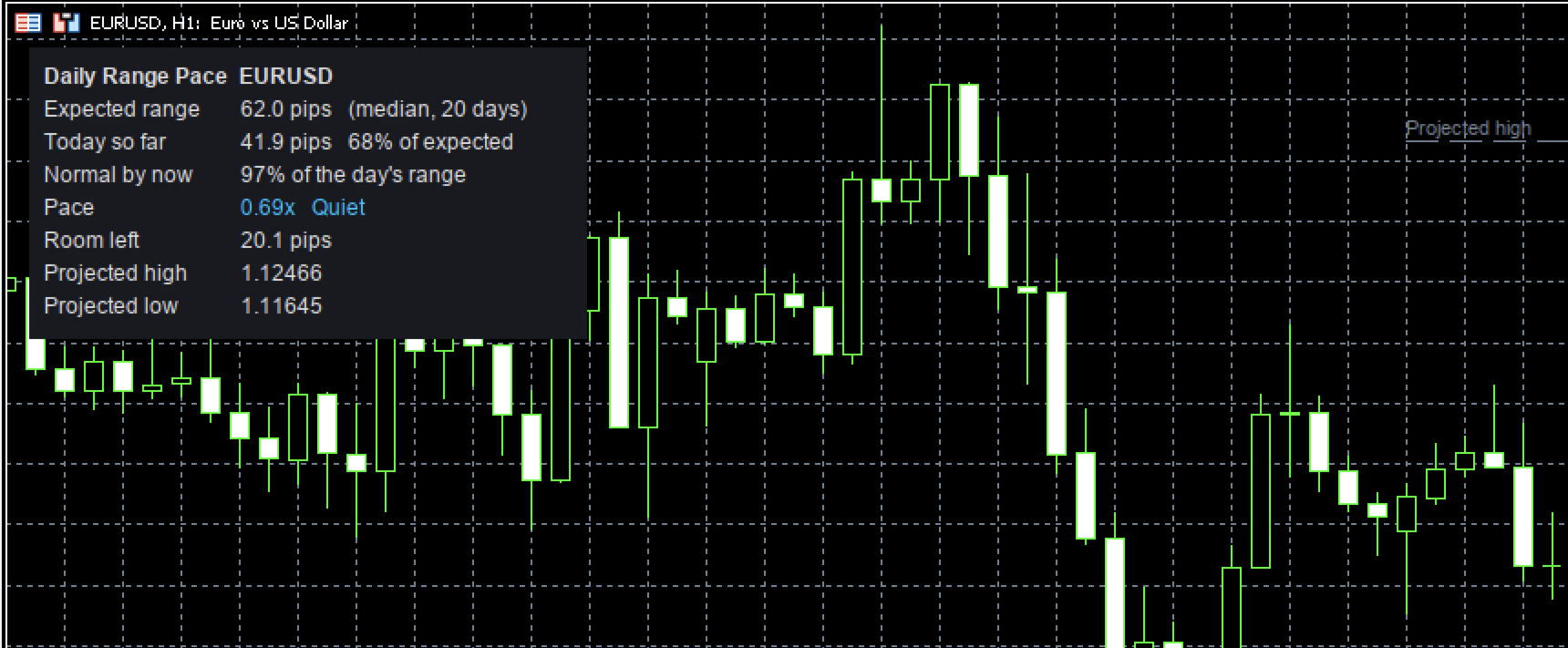
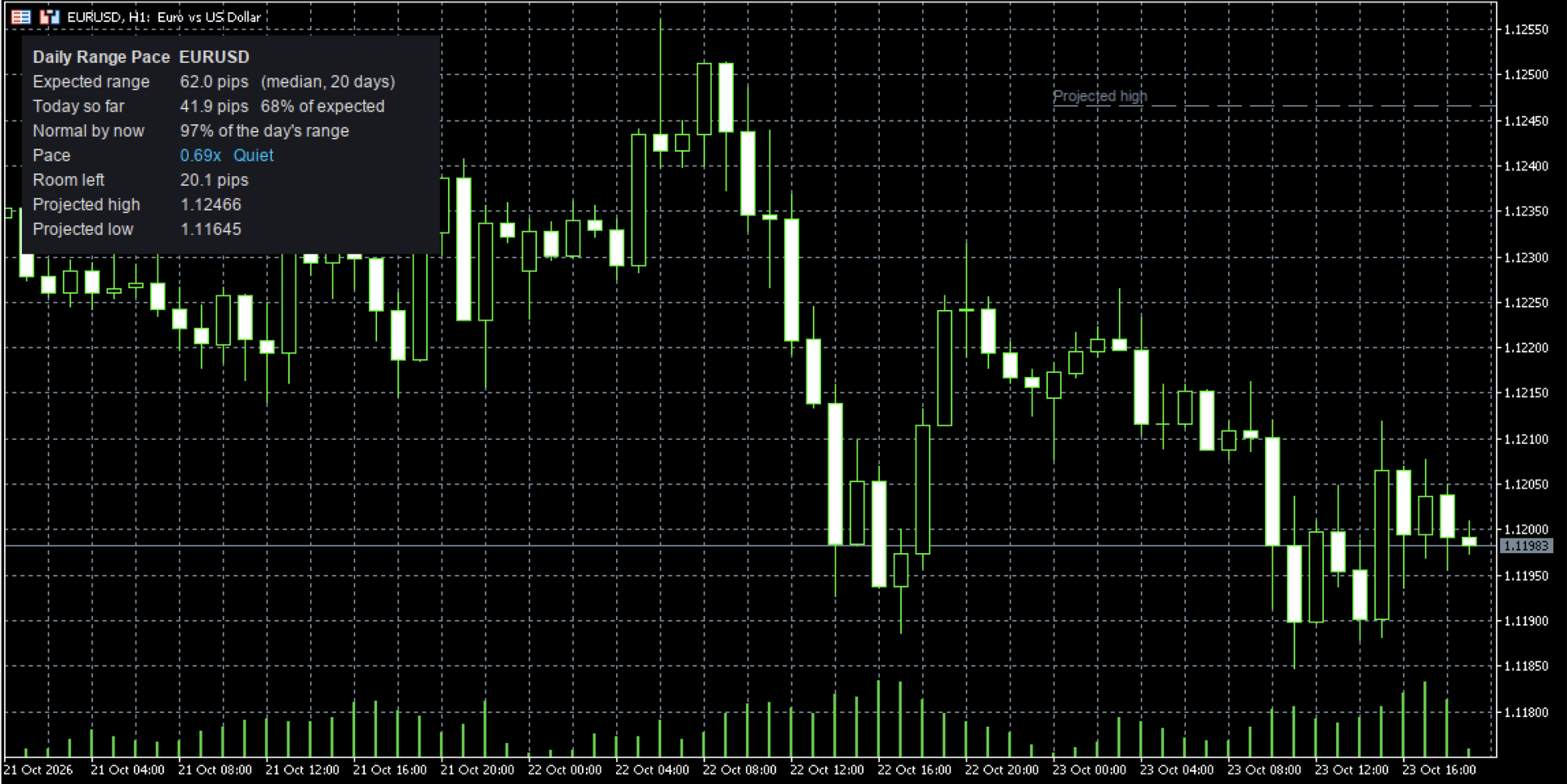
- Expected range: the typical daily high-low of the last 20 days. It uses the median, so one news spike doesn't distort it.
- Today so far: today's high-low, and the share of the expected range it has used.
- Normal by now: how much of a normal day's range is usually done by this hour.
- Pace: today compared with a normal day at this same hour. 1.00x = normal.
- Room left: expected range minus today's range.
- Projected high / low, drawn on the chart: today's low + expected range, and today's high − expected range.
Pace, explained with one example
It's 10:00 on EURUSD. The expected range is 60 pips and today has moved 30 pips, so 50% of the range is used.
On a normal day, only 25% of the range is done by 10:00.
Pace = 50% ÷ 25% = 2.0x: today is moving twice as fast as usual, so the panel shows "Running hot".
Now take the same 30 pips at 18:00, when a normal day has done 90% of its range. Pace = 50% ÷ 90% = 0.56x, "Quiet". Same distance, opposite story.
Range used vs. pace
- Range used answers: how big is today already?
- Pace answers: is today ahead of or behind a normal day's schedule?
A day can be 40% used and still running hot (early in the session), or 90% used and quiet (late in the session). Once range used passes 100%, today is already bigger than a typical day, and the panel says "Range used up".
How it works
- 1. Takes the last N completed days (default 20) and their high-low ranges. Short sessions, such as holidays and Sunday opens, are skipped.
- 2. For each of those days, measures how much of that day's final range had been reached by the end of every 15-minute slot. Averaging the days gives the normal intraday schedule.
- 3. Compares today with that schedule every few seconds.
Pace stays hidden until a normal day would have done at least 15% of its range, because very early readings are mostly noise. Distances are in pips for forex symbols and in price units for everything else.
Weekly mode
Set Range period to Weekly to apply the same logic to the week: expected weekly range, how much of it is done, and whether this week is ahead of or behind a normal week at this point. You can run a daily and a weekly copy on the same chart.
Ways to use it
- Check your targets and stops against what the market usually does in a day.
- Think twice before chasing a move when the day's range is already used up.
- Spot unusual days early. A hot pace in the morning can mean news or a trend day.
- Skip range setups on days that are running hot, or favour them on quiet days.
It does not give buy or sell signals. It measures context so your own decisions are better informed.
Inputs
Range period (Daily / Weekly) · Lookback · Expected range method (Median / Average) · Intraday profile resolution (default M15) · Hot and Quiet pace thresholds · Show projected lines · Panel corner, offsets, font size and colours.
Want more?
The Daily Range Pace Dashboard shows the same readings for your whole watchlist in one table, sorted by pace.
Need alerts when pace turns hot, session ranges (London / New York), or an EA that uses pace as a filter? Send me a message on MQL5; custom versions are available.