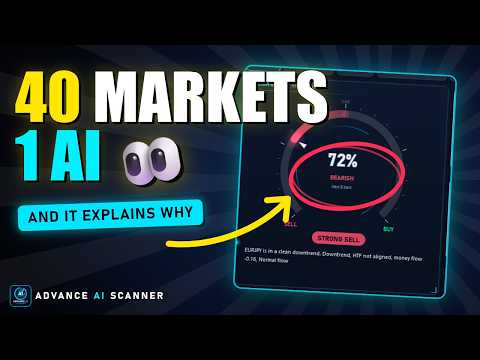
Advance AI Scanner is a multi-symbol analysis indicator for MetaTrader 5. It scans Forex pairs, metals, energy, stock indices and cryptocurrencies at the same time and rates each instrument with its own self-training model. It explains in plain English what moved each market and why, and it estimates how far upcoming economic news usually moves each symbol, measured on your broker's own price history.
$99 instead of $499. 10 copies left at this price. One time purchase life-time access
All results are shown on one animated panel on the chart. The text is large enough to read on a laptop screen. Click any symbol, news event or panel to open a full-chart window with the details.
How the analysis works
Each instrument has its own model. It is a logistic regression on 14 market features: trend slope, distance from the 200-period moving average, trend efficiency, momentum, RSI, MACD, volume thrust, money flow, position in the recent range, volatility squeeze, higher-timeframe trend, mean reversion, candle wicks and market structure.
- The model is retrained on every closed bar using the history of that instrument (1500 bars by default).
- It is also tested on recent bars that it did not train on. This accuracy is shown on screen. When it is low, the probability is moved toward 50 percent.
- A pattern search finds the 30 most similar past situations of the same symbol and shows what happened after them.
- Calculations use closed bars. Values of past bars are not changed later.
The results are statistical estimates. An accuracy of about 50 to 58 percent on unseen data is normal for financial markets, so use the score together with the trend, volume and news information.
What the indicator shows
Scanner page: every instrument with price, daily change, model probability for the next bars, a score from 0 to 100, trend state, breakout state and a one-line reason. You can filter by asset class and sort by score, movement or volume.
Top Picks page: the three highest-scoring instruments, a colour map of the whole market and a risk-on or risk-off reading.
Symbol window with five pages:
- Verdict: confidence gauge, model accuracy, pattern statistics, relative volume, daily range used, market structure and trend on four timeframes.
- Why It Moved: a written explanation of recent price action, including news releases, currency flows, breakouts, stop runs, session opens and volume.
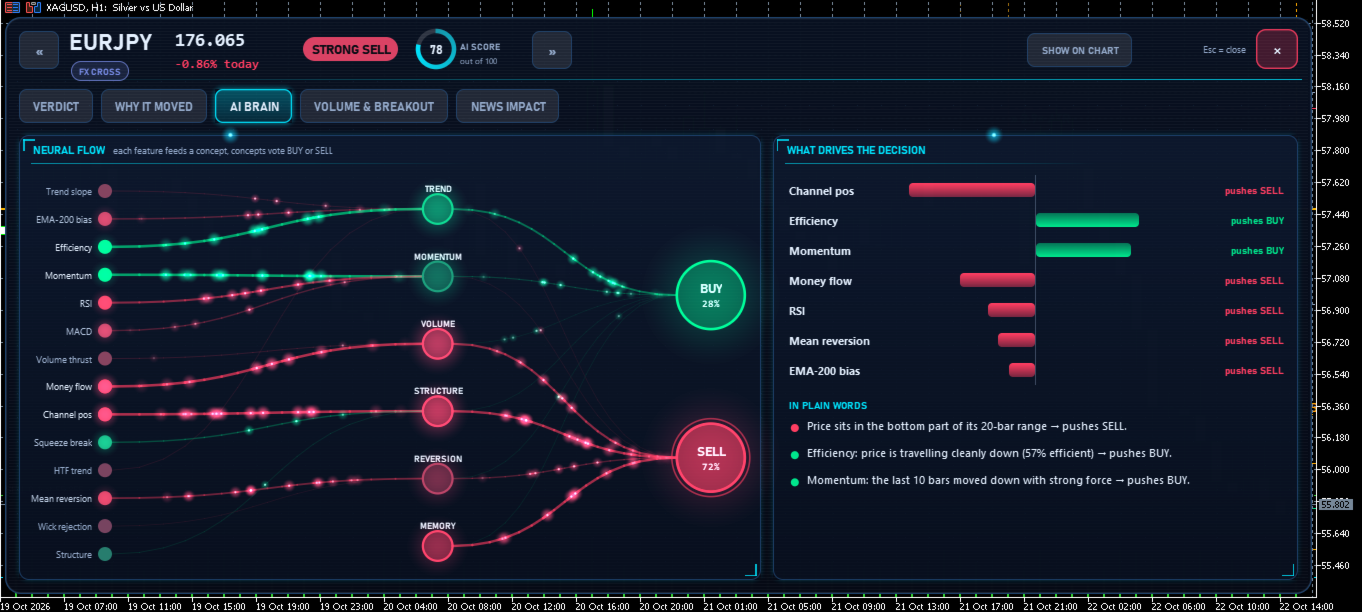
- AI Brain: which inputs push the model toward buy or sell, shown as a flow diagram and a bar chart with a short explanation.
- Volume and Breakout: estimated buying and selling pressure, relative volume, cumulative delta, and the current consolidation box with its trigger levels.
- News Impact: upcoming releases for the symbol with the usual move after each one.
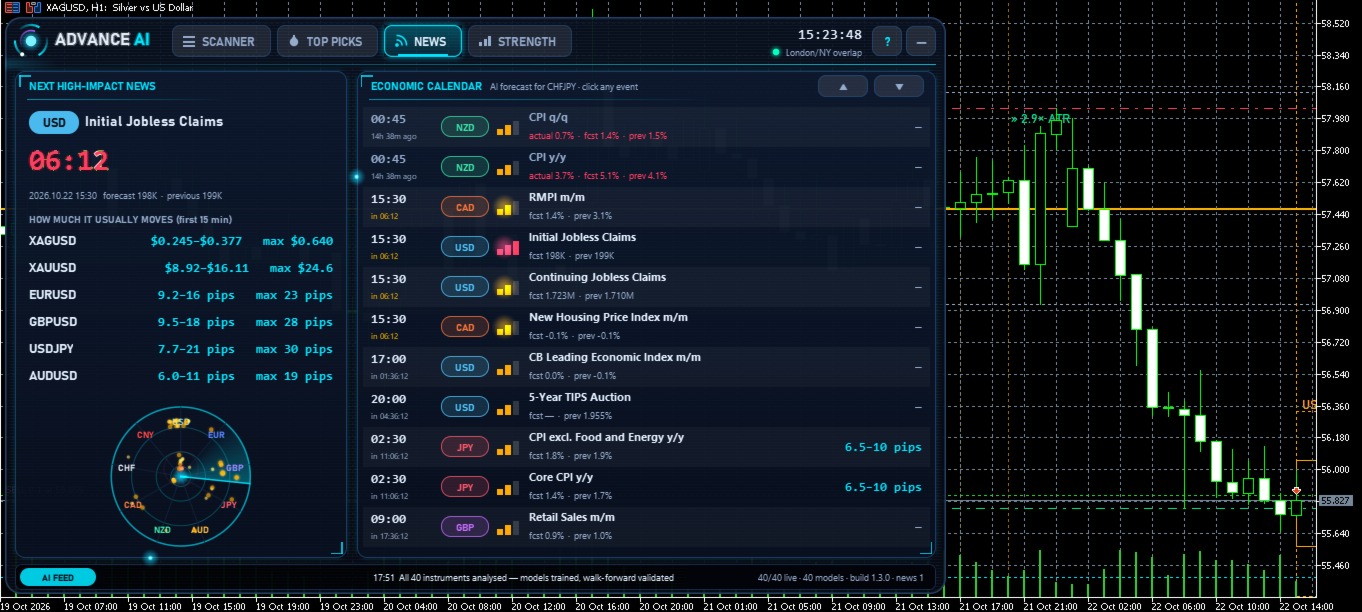
News page: the next high-impact release with a countdown, and the economic calendar. Each event window shows the typical 15-minute and 1-hour range after past releases for each linked symbol. It also shows the larger moves seen in the past, and how price reacted when the result was better or worse than the forecast.
Currency Strength and Sessions: strength of the eight major currencies, a strength history chart, pair suggestions checked against the model, a 24-hour session clock and the most active hours of each symbol.
Chart drawings, each of which can be switched off: consolidation boxes and breakout levels, swing highs and lows, previous day high and low, markers with explanations on large candles, expected-move zones before news, and a volume profile.
Alerts: popup, sound and push notifications for high scores, confirmed breakouts and upcoming high-impact news.
How news impact is measured
The indicator reads the MetaTrader 5 economic calendar. For past releases of each event, it measures the price reaction on your broker's data in the first 15 minutes and the first hour. Each reaction is divided by the average daily range at that time, so older releases are scaled to today's volatility. The result is shown in pips, or in price units for instruments such as gold.
Strategy Tester
The indicator works in the Strategy Tester in visual mode, with the same pages, windows and chart drawings. The models only use bars that existed at the simulated time, and the actual value of a news release stays hidden until its release time.
The economic calendar is not available in the tester, so a calendar starting in June 2020 is built into the indicator. When the indicator runs on a live chart, it also saves an updated copy of the calendar for later tests.
The tester does not pass mouse clicks to programs. In the tester, the panel shows its pages automatically, and the zoom buttons of the tester window move to the next or previous view.
Getting started
- Attach the indicator to any chart. The 1-hour timeframe is recommended.
- Wait about one minute while the terminal downloads the history of all instruments.
- Click a symbol to open its details.
Input parameters
Instruments: automatic discovery, Market Watch symbols or a custom list; asset classes to include; maximum number of instruments (40 by default).
Models: signal timeframe, higher timeframe, training length, forecast horizon, training passes, number of similar patterns, and the probability needed for a buy or sell reading.
Breakouts and volume: minimum and maximum box length, maximum box height and the high relative volume level.
Currency strength: timeframe and number of bars.
News: source (MetaTrader 5 calendar, a CSV calendar file or both), minimum importance, look-ahead window, history depth, and the number of past releases and symbols measured.
Panel: colour theme, start page, text size, panel width and side, opacity and animation speed.
Chart drawings: each drawing type can be switched on or off.
Alerts: popup, push, sound, minimum score, breakouts, and minutes before high-impact news.
Strategy Tester: broker time offset, number of instruments and automatic page tour.
Notes
- This is an analysis tool. It does not open, modify or close trades.
- Forex volume in MetaTrader is tick volume. Buying and selling pressure is estimated from candle shape.
- On the first start, the terminal downloads history for every instrument. This can take a minute, or longer in the Strategy Tester.

 라이브 트레이딩과 알고리즘 전략 개발 분야에서 15년 이상의 실전 경험을 바탕으로, 저희는 MetaTrader 4 및 MetaTrader 5을 위한 가장 진보적이고 안정적이며 성능 중심적인 전문가 자문(EA) 제공에 전념하고 있습니다. 저희 여정은 시장 행동을 이해하고자 하는 깊은 열정에서 시작되었으며, 알고리즘 트레이딩 분야에서 수년간의 혁신으로 진화했습니다. 출시되는 모든 제품은 기술적 정밀성, 스마트한 리스크 관리 및 시장이 실제로 어떻게 움직이는가에 대한 현실적 이해를 기반으로 구축됩니다.