Dhan Nse Bse Mcx API Bridge for MT5

MetaTrader 5용 DhanHQ v2 API 브리지

MetaTrader 5를 DhanHQ 거래 계좌에 연결하여 MQL5에서 직접 주문, 포지션, 자금 및 포트폴리오를 관리하세요. 이 라이브러리는 공식 DhanHQ v2 REST API(NSE, BSE, MCX)를 래핑(wrap)하여 Dhan 플랫폼 기반의 EA(Expert Advisor), 스크립트 및 자동화 전략을 구축할 수 있도록 지원합니다.

주요 기능
- 전체 주문 수명 주기 관리: 주문 제출, 수정, 취소, 분할(slice), 주문장(order book), ID별 주문 조회, 상관관계 ID(correlation ID)별 주문 조회, 체결 내역(trade book) 및 주문별 체결 내역 조회.
- 주문 보조 기능: 시장가(Market), 지정가(Limit), 스탑로스(Stop-Loss), 스탑로스 시장가(Stop-Loss-Market) 주문.
- 슈퍼 주문(Super Orders/Bracket): 주문 제출, 레그(leg) 수정/취소, 목록 조회.
- 포트폴리오: 보유 종목(holdings), 포지션, 포지션 전환, 전체 포지션 청산.
- 자금: 자금 한도 및 증거금 계산기.
- 트레이더 제어: 킬 스위치(kill switch).
- 인증: 액세스 토큰 헤더 및 Dhan 클라이언트 ID 사용.
- 고정 IP 화이트리스트 설정(IP 설정/수정/조회): 설정(config) 내 간단한 활성화/비활성화 스위치 제공 (SEBI/거래소 규정에 따른 주문 제출 필수 요건).
- JSON 응답 처리 보조 기능: orderId 및 orderStatus 확인용.
- 모든 요청/응답에 대한 디버그 로깅.


설정 방법
1. web.dhan.co(내 프로필 -> Access DhanHQ APIs)에서 24시간 유효한 액세스 토큰을 생성하고 클라이언트 ID를 복사합니다.
2. MetaTrader 5에서 도구(Tools) -> 옵션(Options) -> Expert Advisors로 이동하여 "Allow WebRequest for listed URL(나열된 URL에 대한 WebRequest 허용)"을 활성화하고 다음 URL을 추가합니다:
https://api.dhan.co
3. 스크립트 입력(inputs) 항목에 토큰, 클라이언트 ID, 그리고 (필요한 경우) 고정 IP를 입력합니다.
4. 주문 제출, 수정 및 취소를 위해서는 고정 IP 화이트리스트 등록이 필수입니다. 설정(config)에서 활성화하거나 web.dhan.co에서 미리 설정하십시오. 참고 자료
- API 문서: https://docs.dhanhq.co/api/v2/
- 인증: https://docs.dhanhq.co/api/v2/guides/authentication
- 트레이딩 API: https://docs.dhanhq.co/api/v2/trading-apis
- 고정 IP 설정: https://docs.dhanhq.co/api/v2/authentication/set-ip

주의: 트레이딩에는 재정적 위험이 따릅니다. 먼저 중요하지 않은 계정(테스트용 계정)에서 테스트해 보시기 바랍니다.
API 자격 증명 정보는 코드 내에 저장되지 않으며, 프로그램 실행 시 입력하는 방식입니다.


트레이딩 기능 테스트용 샘플 스크립트 - https://www.mql5.com/en/blogs/post/776274

제품 구매 후 지원 및 무료 설치/설정이 필요하시면 작성자에게 DM(쪽지)을 보내주세요.
추천 제품
Auto trading so strong mt5 trading script so rich and running amazing auto trading trades with so high quality performance and results Look that is the best trading script that will help you to make good results like in screenshots i built that strategy depend on Envelopes indicator to make that script trading in that area excellent scalping trades and gain maximum good results per trade so i built that strategy manually then I make it auto trading  so to start use that script add to scripts aft
Important: This product is a Library for developers . It is suitable only for users who can write/modify MQL5 code and integrate a compiled library into their own EA/Script. It is not a “drag & run” notifier. Telegram SDK helps you send Telegram messages and photos from MetaTrader 5 in a simple and reliable way. Use it when you want Telegram notifications inside your own automation tools. If you need the MetaTrader 4 version, it is available separately in the Market:   Telegram SDK M T4 . Main f
정적 텍스트 디스플레이 는 MetaTrader 5용 경량화되고 사용자 친화적인 전문가 어드바이저(EA)로, 트레이더들에게 영감을 주고 교육하기 위해 차트에 직접 동기를 부여하는 거래 팁을 표시합니다. 세련된 중앙 정렬 검은색 배경과 고정폭 폰트의 흰색 텍스트로, 이 EA는 간결하고 실행 가능한 조언을 주기적으로 교체되는 조각으로 제공하여 규율 있는 거래에 집중하게 합니다. 초보자와 숙련된 트레이더 모두에게 이상적이며, 리스크 관리, 인내, 전략 개발과 같은 핵심 원칙을 장려합니다. 주요 기능: 동적 팁 표시 : 사용자 정의 거래 팁을 50~60자 단위로 읽기 쉽게 나누어 몇 초마다 순환(지속 시간 사용자 지정 가능). 전문적인 디자인 : 차트 상단 중앙에 검은색 배경으로 팁을 표시하여 가독성과 균일한 패딩을 보장. 반응형 위치 조정 : 차트 크기 조정 또는 전환 시 텍스트와 배경 정렬을 자동으로 조정. 사용자 지정 가능 설정 : 폰트 크기, 텍스트 색상, 배경 색상, 표시 지속 시간
FREE
Nexus Quant Matrix
Syarief Azman Bin Rosli
Nexus Quant Matrix MT5 Nexus Quant Matrix 는 MetaTrader 5 플랫폼을 위해 네이티브로 설계된 기관 투자자급 퀀트 연산 및 실시간 스트리밍 통계 분석 라이브러리입니다. 퀀트 시스템 개발자, 헤지펀드 아키텍트, 알고리즘 트레이더를 위해 제작되었으며, 외부 DLL, 파이썬 또는 C++ 의존성 없이 순수 MQL5 런타임 환경에서 초고속 수치 연산을 직접 수행합니다. 본 라이브러리는 엄격한 O(1) 시간 복잡도를 준수하며, 사전 할당된 링 버퍼를 활용하여 메모리 재할당에 따른 오버헤드를 원천 차단합니다. 적응형 1차원 칼만 필터(Kalman Filter), 롤링 피어슨 상관계수(Pearson Correlation), OLS 선형 회귀, 팻 테일(Fat-tail) 보정 코니시-피셔 VaR(Value-at-Risk), 조건부 VaR(CVaR / Expected Shortfall), 증거금 사전 검증 기능이 통합된 켈리 기준(Kelly Criterion)
Cryptocurrency analysis has never been easier with Crypto Charts for MetaTrader 5. Now, trading on BitMEX has never been easier with BitMEX Trading API for MetaTrader 5. BitMEX Trading API library was built to be as easy to use as possible. Just include the library into your Expert Advisor or Script, call the corresponding methods and start trading! Features Trade on BitMEX and BitMEX Testnet. Build and automate your strategies. Concern more with the trading strategy logic and less with the co
Binance Library
Hadil Mutaqin SE
5 (1)
The library is used to develop automatic trading on Binance Spot Market from MT5 platform. Support all order types: Limit, Market, StopLimit and StopMarket Support Testnet mode Automatically display the chart on the screen Usage: 1. Open MQL5 demo account 2. Download Header   file and EA sample   https://drive.google.com/uc?export=download&id=1kjUX7Hyy02EiwTLgVi8qdaCNvNzazjln Copy Binance.mqh to folder \MQL5\Include Copy  BinanceEA-Sample.mq5 to folder \MQL5\Experts 3. Allow WebRequest from MT5
TradeGate
Alex Amuyunzu Raymond
TradeGate – Product Description / Brand Story “The gatekeeper for your trading success.” Overview: TradeGate is a professional MT5 validation and environment guard library designed for serious traders and EA developers who demand safety, reliability, and market-ready performance . In today’s fast-moving markets, even a small misconfiguration can cause EAs to fail initialization, skip trades, or be rejected by MQL5 Market. TradeGate acts as a smart gatekeeper , ensuring your EA only operates un
Introducing "TG Risk Service Manager" — your comprehensive toolkit for swift and precise risk management and lot size calculations in the dynamic world of trading. Designed to streamline development processes and enhance trading strategies, this indispensable library equips developers with essential tools for optimizing risk assessment and trade profitability. Metatrader4 Version |  All Products  |  Contact   Key Features: Efficient Lot Size Calculation : Harness the power of precise lot size c
NATS (Niguru Automatic Trailing Stop) will help you achieve more profits, by setting the trailing stop automatically. Pair this NATS application with EA, or can also be used as a complement to manual trading. A trailing stop is a powerful tool in trading that combines risk management and profit optimization.  A trailing stop is a type of market order that sets a stop-loss at a percentage below the market price of an asset, rather than a fixed number. It dynamically adjusts as the asset’s pric
FREE
SimpleLotCalculator
Itumeleng Mohlouwa Kgotso Tladi
SimpleLotCalculator: Professional Multi-Symbol Risk Manager Library Stop guessing your lot sizes and start trading with institutional precision. SimpleLotLogic is a high-performance MQL5 developer library designed to solve the number one problem for algorithmic and manual traders: Risk Management. Instead of writing complex math for every new EA, simply plug in this library to calculate the perfect lot size based on your account equity and stop-loss distance. Why Choose SimpleLotLogic? Precis
This simple logging library is designed to provide clear and contextual log output with minimal hassle. It exposes five  methods: LogError Message (message) LogWarn Message (message) LogInfo Message (message) LogDebug Message (message) LogTrace Message (message) Each method prints the provided message to the console only if the severity level meets or exceeds the current threshold set by a global variable logLevel. This means you control the verbosity of your application's logs by adjusting logL
FREE
메타트레이더 5 (MT5)용 UZFX - 지정가 주문만 삭제 스크립트는 거래 계좌에서 모든 지정가 주문(매수 제한, 매도 제한, 매수 중지, 매도 중지)을 자동으로 제거하는 간단하면서도 효과적인 도구입니다. 이 스크립트는 활성 시장가 포지션에 영향을 주지 않고 대기 주문을 즉시 청산하려는 트레이더에게 이상적입니다. 다른 모든 MT4/MT5 보조지표 및 EA 확인 >> 여기 기능: 모든 지정가 주문(매수 제한, 매도 제한, 매수 중지, 매도 중지)을 삭제합니다. 오픈 마켓 포지션에는 영향을 미치지 않습니다. 전문가 탭을 통해 실시간 체결 피드백을 제공합니다. 트레이더가 수동 개입 없이 지정가 주문 전략을 빠르게 재설정할 수 있도록 도와줍니다. 사용 방법: 스크립트를 MT5 차트에 첨부합니다. 스크립트가 모든 지정가 주문을 자동으로 스캔하고 삭제합니다. 참고: 이 스크립트는 활성 거래를 청산하지 않으며 지정가 주문만 제거합니다. 스크립트를 실행하기 전에 모든 대기 주문을 제거할 것
FREE
MT4/5通用交易库(  一份代码通用4和5 ) #import "K Trade Lib5.ex5"    //简单开单    long OrderOpen( int type, double volume, int magic, string symbol= "" , string comment= "" , double opprice= 0 , double sl= 0 , double tp= 0 , int expiration= 0 , bool slsetmode= false , bool tpsetmode= false );    //复杂开单    void SetMagic( int magic, int magic_plus= 0 ); void SetLotsAddMode(int mode=0,double lotsadd=0);    long OrderOpenAdvance( int mode, int type, double volume, int step, int magic, string symbol= "" , string comm
FREE
The following library is proposed as a means of being able to use the OpenAI API directly on the metatrader, in the simplest way possible. For more on the library's capabilities, read the following article: https://www.mql5.com/en/blogs/post/756098 The files needed to use the library can be found here: Manual IMPORTANT: To use the EA you must add the following URL to allow you to access the OpenAI API as shown in the attached images In order to use the library, you must include the following Hea
사용하기 쉬운 라이브러리로, 개발자들이 MQL5 EA를 위한 주요 거래 통계에 간단하게 접근할 수 있습니다. 라이브러리에서 사용할 수 있는 메서드: 계좌 데이터 & 이익: GetAccountBalance() : 현재 계좌 잔액을 반환합니다. GetProfit() : 모든 거래의 순이익을 반환합니다. GetDeposit() : 총 입금액을 반환합니다. GetWithdrawal() : 총 출금액을 반환합니다. 거래 분석: GetProfitTrades() : 수익성 있는 거래의 개수를 반환합니다. GetLossTrades() : 손실 거래의 개수를 반환합니다. GetTotalTrades() : 실행된 총 거래 수를 반환합니다. GetShortTrades() : 숏 거래의 개수를 반환합니다. GetLongTrades() : 롱 거래의 개수를 반환합니다. GetWinLossRatio() : 승리 거래와 패배 거래의 비율을 반환합니다. GetAverageProfitTrade() : 수익성 있는
TeleSignal
Vincent Jean Robert Trolard
TeleSignal EA is an intelligent Expert Advisor designed to automatically send Telegram notifications whenever a position is opened, closed, or modified in MetaTrader 5 . It allows you to monitor your trades in real time , wherever you are — no need to keep your trading platform open. Through its direct integration with the Telegram API, you’ll receive clear and instant messages showing: Trade opened (symbol, lot size, order type, entry price) Trade closed (exit price, profit/loss, trade du
UZFX - 차트에서 모든 드로잉 및 개체 즉시 삭제는 활성 차트에서 모든 드로잉 개체를 즉시 제거하도록 설계된 간단하면서도 강력한 MetaTrader 5(MT5) 스크립트입니다. 이 스크립트는 기술 분석 도면, 추세선, 피보나치 도구, 텍스트 레이블 및 기타 개체를 일일이 수동으로 삭제하지 않고 차트를 빠르게 지워야 하는 트레이더에게 유용합니다. 특징: 활성 차트에서 모든 개체와 도면을 삭제합니다. 한 번의 실행으로 즉시 작동합니다. 삭제 성공 및 실패에 대한 확인 메시지를 표시합니다. 트레이더가 더 나은 분석을 위해 깨끗하고 깔끔한 차트를 유지할 수 있도록 도와줍니다. 사용 방법: 모든 개체를 제거하려는 차트에 스크립트를 첨부합니다. 스크립트가 모든 개체를 자동으로 반복하여 삭제합니다. 전문가 탭에 메시지가 나타나면 개체가 성공적으로 제거되었음을 확인할 수 있습니다. 참고: 이 스크립트는 차트에서 실행 중인 미체결 주문, 인디케이터 또는 전문가 자문에는 영향을 주지 않으
FREE
Lib5 EAPadPRO for MT5
Vladislav Andruschenko
4.5 (6)
EAPADPRO Library for MetaTrader 5 는 Expert Advisor에 현대적인 정보 패널을 추가하기 위한 무료 전문 인터페이스 라이브러리입니다. 이 라이브러리는 MetaTrader 5 차트에서 자신의 거래 프로그램을 더 깔끔하고, 정보성이 높고, 전문적으로 보여주고 싶은 MQL5 개발자를 위해 설계되었습니다. MetaTrader 5용 Expert Advisors는 복잡한 로직, 다양한 설정, Magic number 필터, 주문 실행 규칙 및 내부 전략 값을 포함하는 경우가 많습니다. EAPADPRO는 이러한 정보를 구조화된 패널로 정리하여 사용자가 프로그램의 현재 상태를 더 빠르고 명확하게 이해할 수 있도록 도와줍니다. EAPADPRO for MT5는 무료 라이브러리입니다. Expert Advisor의 인터페이스, 정보 출력, 시각적 품질을 개선하는 데 사용할 수 있습니다. 전체 단계별 통합 가이드: LIB - EAPADPRO 단계별 설치 안내 EAPADPRO
FREE
Here   is   the   English translation   of   your   description   for   the EA   (Expert   Advisor): --- This   is a   time -based   automatic trading   EA . It allows   you   to   set the   exact   time   for trading , down   to   the   second , and   specify the   maximum number   of   orders . You   can choose   to   place   either   buy   or   sell   orders . It   is possible to   set take   profit and   stop   loss   points . Additionally , you can   specify   how   long after   placing  
LSTM Library
Thalles Nascimento De Carvalho
LSTM Library - MetaTrader 5용 고급 신경망 알고리즘 트레이딩을 위한 전문 신경망 라이브러리 LSTM Library는 MQL5 트레이딩 전략에 순환 신경망의 힘을 가져다줍니다. 이 전문적인 구현에는 일반적으로 특수 기계 학습 프레임워크에서만 볼 수 있는 고급 기능을 갖춘 LSTM, BiLSTM 및 GRU 네트워크가 포함되어 있습니다. "트레이딩을 위한 기계 학습의 성공 비결은 적절한 데이터 처리에 있습니다. 쓰레기를 넣으면 쓰레기가 나옵니다 – 예측의 품질은 절대 훈련 데이터의 품질을 넘을 수 없습니다." — 마르코스 로페즈 데 프라도 박사, Advances in Financial Machine Learning 주요 기능 LSTM, BiLSTM 및 GRU의 완전한 구현 더 나은 일반화를 위한 재귀 드롭아웃 다양한 최적화 알고리즘(Adam, AdamW, RAdam) 고급 정규화 기술 포괄적인 지표 평가 시스템 훈련 진행 시각화 클래스 가중치를 통한 불균형 데이터 지
Simple program i created, to help close all your orders instantly when you are busy scalping the market or if you want to avoid news days but still have a lot of orders and pending orders open and can't close them in time.. with this script all you're problems will be solved. Simple drag and drop and the script automatically does it's thing, quick and easy  also a very good tool to use when scalping Update!!!!!! this now only closes the positions on the chart you have open with a fail safe
FREE
Hello everyone! I am a professional MQL programmer , Making EAs, Indicators and Trading Tools for my clients all over the world. I build 3-7 programs every week but I seldomly sell any ready-made Robots. Because I am fastidious and good strategy is so few...  this EA is the only one so far I think its good enough to be published here.  As we all know, the Ichimoku indicator has become world popular for decades, but still, only few people knows the right way of using it, and if we check the clo
메타트레이더 5(MT5)용 UZFX - 모든 미체결 매수 및 매도 주문 즉시 청산 스크립트는 한 번의 실행으로 모든 활성 시장가 포지션을 즉시 청산할 수 있는 강력한 도구입니다. 이 스크립트는 변동성이 높거나 뉴스 이벤트 또는 전략 조정 시 트레이더가 신속하게 시장에서 빠져나올 수 있도록 도와주는 긴급 거래 관리에 이상적입니다. 특징: 모든 종목의 모든 오픈 매수 및 매도 포지션을 청산합니다. 정확한 체결을 위해 최신 매수/매도 호가를 사용합니다. 트레이더가 최소한의 수작업으로 즉시 시장에서 빠져나올 수 있도록 도와줍니다. 사용 방법: MT5 차트에 스크립트를 첨부합니다. 스크립트가 모든 오픈 매수 및 매도 포지션을 스캔하고 청산합니다. 청산된 각 주문에 대해 전문가 탭에 확인 메시지가 표시됩니다. 참고: 이 스크립트는 대기 중인 주문을 삭제하지 않으며 활성 시장가 포지션만 청산합니다. 첨부된 차트뿐만 아니라 모든 트레이딩 심볼에서 작동합니다. 스크립트는 즉시 실행되므로 스크립
FREE
Universal MarketInfo Service Library for MT4 & MT5 Bring simplicity and power to your trading projects with the Universal MarketInfo Service — a professional library that exposes a unified API for both MetaTrader 4 and MetaTrader 5. No more rewriting code for each platform. With this library, you can: Access symbol data, OHLC prices, spreads, and volatility with a single call. Query account balance, free margin, stop levels, and lot constraints. Work with currency precision, pip values, and n
FREE
BlitzGeist Telegram Notifier – Stay Connected to Your Trades Anywhere! BlitzGeist Telegram Notifier is a powerful tool that instantly connects your MetaTrader 5 account with Telegram . No matter where you are – you will always receive real-time notifications about your trading activity directly on your phone, PC, or any device with Telegram installed. Perfect for traders who want professional trade reporting, transparency, and risk management monitoring . ️ Key Features Easy Configuratio
Binance Library MetaTrader 5 connects your Expert Advisors, indicators, and scripts to Binance.com and Binance.US directly from MetaTrader 5. It is a developer library for building custom Binance integrations inside MT5, not a standalone trading robot or copier. The library helps you add Binance instruments to Market Watch, read symbol specifications, load current and historical market data, check wallet balances, manage orders, and track open positions. It supports Spot, USD-M futures, and COI
Sniper Utility Rimani sempre aggiornato sui tuoi trade, ovunque tu sia. Sniper Utility invia notifiche immediate ogni volta che uno dei tuoi ordini raggiunge il Take Profit o lo Stop Loss . Perfetta per trader attivi che desiderano monitorare le proprie operazioni senza dover controllare costantemente il terminale. ️ Funzionalità principali Notifica istantanea alla chiusura dell’ordine (TP o SL) Compatibile con notifiche push su dispositivi mobili Supporto per ordini manuali, EA e p
메타트레이더 5 (MT5)용 UZFX - 손익분기점 즉시 설정 스크립트는 모든 오픈 포지션의 손절가를 진입 가격으로 빠르게 이동시켜 위험 없이 거래할 수 있는 강력한 도구입니다. 이 스크립트는 특히 활성 거래를 효율적으로 관리하는 데 유용하며 포지션이 유리하게 움직이면 잠재적 손실로부터 트레이더를 보호합니다. (프로필 방문 및 다른 모든 MT4/MT5 상품 확인) (리뷰 작성 잊지 마세요) 특징: 모든 오픈 포지션의 손절가를 손익분기점(진입가)으로 자동 설정합니다. 수익을 확보하고 잠재적 손실을 최소화하여 리스크 관리를 강화합니다. 사용 방법: 스크립트를 차트에 첨부하면 모든 오픈 포지션이 자동으로 조정됩니다. 포지션의 손절이 이미 손익분기점에 도달한 경우 건너뜁니다. 참고: 이 스크립트는 기존 거래만 수정하며 새 주문은 하지 않습니다. 심볼에 관계없이 모든 오픈 포지션에 적용됩니다. 브로커가 정확한 진입 가격으로 손절가 수정을 허용하는지 확인하세요.

FREE
GW News Filter
Jose Martinez Hernandez
GW News Filter Filter trading around high-impact news. Avoid entries/exits during risky time windows using MetaTrader’s Calendar API or your own CSV files. Works in live, demo and Strategy Tester · Source: API or CSV · Per-currency files · Entry/Exit flags · Diagnostics (0–4) Features Works in real accounts, demo, and Strategy Tester Choose between: 0 = Auto (API for live/demo, CSV for Strategy Tester) 1 = API (MetaTrader’s built-in calendar) 2 = CSV (per-currency files, e.g. EUR.csv, USD.csv,
FREE
Overview AlgoNLP.mqh   is a standalone MQL5 library that converts   human-written trading instructions   into   structured trade intents   that your Expert Advisor (EA) or indicator can understand. Do leave a review if you like :D Also check out my new Indicator : ALGOCHAMP v3 Plus Example input: Buy gold at 2370 with TP 0.3% and SL 1% Output intent: Side: BUY | Type: LIMIT | Symbol: XAUUSD | Entry: 2370 | TP: 0.3% | SL: 1% | Lot: 0.00 This enables you to build   chat-controlled   or   Telegr
FREE
이 제품의 구매자들이 또한 구매함
The library is dedicated to help manage your trades, calculate lot, trailing, partial close and other functions. Lot Calculation Mode 0: Fixed Lot. Mode 1: Martingale Lot (1,3,5,8,13) you can use it in different way calculate when loss=1 ,when profit=0. Mode 2: Multiplier Lot (1,2,4,8,16) you can use it in different way calculate when loss=1 ,when profit=0. Mode 3: Plus Lot (1,2,3,4,5) you can use it in different way calculate when loss=1 ,when profit=0. Mode 4: SL/Risk Lot calculate based on s
Goliath Mt5
Nicolokondwani Biscaldi
Goliath MT5 - scalper fully automated Expert Advisor for medium-volatile forex markets P roperties: The Library trades 10 currency pairs (USDCHF, EURCHF, EURGBP, AUDUSD, USDCAD, GBPUSD, EURUSD, NZDUSD, CADCHF, EURAUD, EURCAD, AUDJPY) The Library does not use martingale The Library sets a fixed stop loss and take profit for all orders The Library only trades a user input volume The Library can be installed on any currency pair and any timeframe Recommendations: Before using on a real account, t
The library is used to develop automatic trading on Binance Futures Market from MT5 platform. Support Binance Futures USD-M and COIN-M Support Testnet mode Support all order types: Limit, Market, StopLimit, StopMarket, StopLoss and TakeProfit Automatically display the chart on the screen Usage: 1. Open MQL5 demo account 2. Download Header file and EA sample https://drive.google.com/uc?export=download&id=17fWrZFeMZoSvH9-2iv4WDJhcyxG2eW17 Copy BinanceFutures.mqh to folder \MQL5\Include Copy  Bina
EA Toolkit
Esteban Thevenon
EA Toolkit   is a library that allows any developer to quickly and easily program Advisor experts. It includes many functions and enumerations such as trailing stop, lot, stop loss management, market trading authorisations, price table updates, trading conditions and many more. Installation + Documentation : You will find all the information to install this library and the documentation of its functions on this GitHub : https://github.com/Venon282/Expert-Advisor-Toolkit WARNING : The installat
Applying these methods, I managed to arrive at a nuanced conclusion that is crucial to understanding the importance of unique strategies in contemporary trading. Although the neural network advisor showed impressive efficiency in the initial stages, it proved to be highly unstable in the long run. Various factors such as market fluctuations, trend changes, external events, etc. cause its operation to be chaotic and eventually lead to instability. With these experiences, I accepted the challenge
Kaseki
Ben Mati Mulatya
The Hybrid Metaheuristic Algorithm (HMA) is a cutting-edge optimization approach that combines the strengths of genetic algorithms with the best features of population-based algorithms. Its high-speed computation ensures unparalleled accuracy and efficient search capabilities, significantly reducing the total time required for optimization while identifying optimal solutions in fewer iterations. HMA outperforms all known population optimization algorithms in both speed and accuracy. Use Cases AO
* * * * * * * 주로 XAUUSD를 거래하고 테스트할 때 XAUUSD로 조정하는 것을 권장하며 다른 거래 대상은 수익 효과를 보장할 수 없습니다 * * * * * * * * * * * * 테스트가 필요한 경우 메모 (본 후 가장 먼저 회신) 를 남겨 주십시오. 작업 성과를 보호하기 위해 특정한 매개 변수를 입력해야 합니다. 시스템의 기본 매개 변수는 캡처하여 철회하는 효과를 실현할 수 없습니다! 테스트가 필요한 경우 메모 (본 후 가장 먼저 회신) 를 남겨 주십시오. 작업 성과를 보호하기 위해 특정한 매개 변수를 입력해야 합니다. 시스템의 기본 매개 변수는 캡처하여 철회하는 효과를 실현할 수 없습니다! 테스트가 필요한 경우 메모 (본 후 가장 먼저 회신) 를 남겨 주십시오. 작업 성과를 보호하기 위해 특정한 매개 변수를 입력해야 합니다. 시스템의 기본 매개 변수는 캡처하여 철회하는 효과를 실현할 수 없습니다! *******************************
Shawrie
Kevin Kipkoech
This Pine Script implements a Gaussian Channel + Stochastic RSI Strategy for TradingView . It calculates a Gaussian Weighted Moving Average (GWMA) and its standard deviation to form an upper and lower channel. A Stochastic RSI is also computed to determine momentum. A long position is entered when the price closes above the upper Gaussian band and the Stoch RSI K-line crosses above D-line . The position is exited when the price falls back below the upper band. The script includes commission, cap
Bookeepr
Marvellous Peace Kiragu
Bookeepr is an advanced MQL5 trading bookkeeping software that automates trade logging, tracks real-time P&L, and integrates a ledger-style financial system for deposits, withdrawals, and expenses. It supports multi-currency assets , generates detailed performance reports , and provides risk management tools to help traders optimize their strategies. With secure cloud storage, exportable reports, and seamless MetaTrader 5 integration , Bookeepr ensures accurate, transparent, and hassle-free fina
A free indicator for those who purchase the full version This indicator is created by this Ai, with your desired settings Artificial Intelligence at your service Have a complete artificial intelligence and use it in your codes This artificial intelligence is trained to tell you on each candle whether the market is moving up or down. In general, artificial intelligence can be used in all markets, all timeframes and all symbols However, due to the increasing complexity and decreasing accuracy of
快速关仓,无需任何操作。 当前版本的一键关仓主要针对的是来不及手动关仓的情况,目前是不分交易标的类别,是对所有的持仓进行关仓。 未来可能升级的方向: 1、分类别、分标的关仓。 适用场景:开了多个标的的仓位,并且波动不一,快速频繁的波动影响了整体的判断。 2、增加只关闭盈利仓位、只关闭亏损仓位。 适用场景:持仓较多,趋势发生变化。 个人建议:一般建议选择一键全部关仓,因为如果行情与持仓方向一致,只关闭盈利仓位无形就是扩大了亏损。如果行情方向与持仓方向相反,只关闭亏损仓位,当前已盈利的后面又会变为亏损,盈利无法变现。 3、按照仓位顺序由大到小关仓、按照仓位顺序由小到大关仓。 适用 场景:行情发生波动,对于未来行情判断把握不确定的,可根据自己需求选择仓位关仓顺序,由大到小关仓的话,可以避免亏损的进一步扩大。 4、减小仓位量,保持绝对的安全距离。 适用 场景:对未来趋势相对确定,不想错过当前行情,但是认为当前持仓体量又有点大,想降低仓位。
[Gold Intelligent Trading EA | Risk Control is Steady, Profit Breakthrough] The intelligent trading EA, which is customized for the fluctuation characteristics of gold, takes the hard-core trading system as the core, and each order is derived from the accurate judgment of market trends and supporting pressures by quantitative models, so as to eliminate subjective interference and make trading decisions more objective and efficient. Equipped with multi-dimensional risk control system, dynamic s
Questo Expert Advisor (EA) è stato progettato per offrire un'esperienza di trading automatizzata di alto livello, adatta sia ai trader principianti che a quelli esperti. Utilizzando algoritmi avanzati e tecniche di analisi del mercato, l'EA è in grado di identificare opportunità di trading redditizie con precisione e velocità. L'EA è configurabile per operare su vari strumenti finanziari, tra cui forex, indici e materie prime, garantendo una flessibilità senza pari. Le caratteristiche princip
Automatic Replenishment Trading Within a Defined Range The EA operates only within the predefined price range . When an order is closed, filled, or cancelled (reducing the total number of orders), the EA will automatically place new orders to maintain the continuous operation of the trading strategy. This EA is designed for ranging / sideways market conditions . You can control the total number of orders using Max Orders . Example: Max Orders: 8 Active trades: 2 Pending Buy Limit orders: 6 In t
Automatic Replenishment Trading Within a Defined Range The EA operates   only within the predefined price range . When an order is   closed, filled, or cancelled   (reducing the total number of orders), the EA will   automatically place new orders   to maintain the continuous operation of the trading strategy. This EA is   designed for ranging / sideways market conditions . You can control the total number of orders using   Max Orders . Example: Max Orders:   8 Active trades:   2 Pending Sell L
A complete PostgreSQL client implemented in pure MQL5 over native MetaTrader 5 TCP sockets. The library implements the PostgreSQL client with MD5 and SCRAM-SHA-256 authentication, SSL/TLS, the Simple Query Protocol, and explicit transactions. No DLLs, no external dependencies, no third-party services. Features Direct TCP connection to any PostgreSQL-compatible database MD5 and SCRAM-SHA-256 authentication, auto-detected SSL/TLS via PostgreSQL's SSLRequest flow Full transaction support Typed res
Edkt
Pitiphum Noikhieo
ตัวชี้วัดการกลับตัวของราคาแบบมืออาชีพสำหรับ MetaTrader 5 PA Reversal Sniper เป็นตัวชี้วัดแบบกำหนดเองสำหรับ MT5 ที่ออกแบบมาโดยเฉพาะสำหรับ XAUUSD ในกรอบเวลา M5 โดยเน้นที่การเคลื่อนไหวของราคา โครงสร้างการกลับตัว การกวาดสภาพคล่อง การแตกหักของโครงสร้างตลาด สภาวะโมเมนตัม และการยืนยันความผันผวน ตัวชี้วัดนี้ให้สัญญาณซื้อและขายที่ชัดเจน พร้อมด้วยจุดเข้าซื้อ จุดหยุดขาดทุน และจุดทำกำไรหลายระดับ คุณสมบัติหลัก XAUUSD M5 ปรับแต่งแล้ว การตรวจจับการกลับตัวของราคา การตรวจจับแท่งเทียน Pin Bar ขาขึ้นและขาลง การตร
MT5 to Delta Exchange API Bridge EA Connector allows your expert advisor with mq5 file to integrate and communicate with Delta Exchange using API Keys You can place order, check balance and other order managements using Delta Exchange API - Place Limit, SL Limit and Take Profit Limit Orders - Place Market, SL-Market, TP-Market orders - Cancel Order - Query Orders - Change Leverage, margin - Get Position info and many more, details available at demo script Script Documentation 
EX5 시그널 카피어 라이브러리 — MetaTrader용 전문가급 거래 이벤트 엔진 복잡한 거래 추적 로직을 작성할 필요 없이, 모든 Expert Advisor를 강력한 거래 카피어, 시그널 프로세서 또는 자동화 엔진으로 전환하세요. EX5 시그널 카피어 라이브러리는 MetaTrader 5의 모든 거래 활동을 포착하여 다음과 같은 용도로 활용할 수 있는 구조화된 시그널로 변환하는 고성능 이벤트 기반 시스템입니다. 거래 카피어 (MT5 → MT5 / MT5 → 외부 플랫폼) 리스크 관리 엔진 분석 대시보드 맞춤 실행 브리지 (Binance, API 등) 이 라이브러리를 선택해야 하는 이유 실시간 거래 감지 구조화된 신호 대기열 이벤트 분류(개시, 청산, 수정, 부분 청산) 내장 복사 엔진(선택 사항) 사용자 정의 로직을 통한 완벽한 제어 주요 기능 실시간 거래 포착 OnTradeTransaction을 사용하여 모든 거래를 즉시 감지합니다. 백업


Native Websocket
Racheal Samson
5 (6)
An   easy to use, fast,  asynchronous   WebSocket library  for MQL5. It supports: ws://   and   wss://  (Secure "TLS" WebSocket) text   and   binary   data It handles: fragmented message  automatically (large data transfer) ping-pong   frames  automatically (keep-alive handshake) Benefits: No DLL required. No OpenSSL installation required. Up to 128 Web Socket Connections from a single program. Various Log Levels for error tracing Can be synchronized to MQL5 Virtual Hosting . Completely native t
MetaTrader 5용 ModernUI 라이브러리 ModernUI는 MetaTrader 5 차트 위에서 동작하는 사용자 인터페이스 라이브러리입니다. MQL5 개발자가 MT5 차트 환경 안에서 더 깔끔한 EA 패널, 대시보드, 설정 창, 폼, 테이블, 다이얼로그, 드로어, 컴팩트한 트레이딩 스타일 인터페이스를 만들 수 있도록 도와줍니다. 흩어진 차트 객체보다 더 전문적인 인터페이스 레이어를 원하면서도, 자신의 EA, 인디케이터 또는 유틸리티 로직은 계속 완전히 직접 제어하고 싶은 개발자를 위해 만들어졌습니다. Modern UI - 사용자 가이드   | EA 예제 데모 무엇을 만들 수 있나요? ModernUI는 한 가지 유형의 패널에만 제한되지 않습니다. MetaTrader 5 차트 위에 배치할 거의 모든 도구를 만들 수 있는 재사용 가능한 인터페이스 레이어를 제공합니다. 간단한 설정 화면, 컴팩트한 트레이딩 패널, 전체 대시보드, 데이터 뷰, 컨트롤 패널, 계정 도구, 워크플로
WalkForwardOptimizer MT5
Stanislav Korotky
3.78 (9)
WalkForwardOptimizer library allows you to perform rolling and cluster walk-forward optimization of expert advisers (EA) in MetaTrader 5. To use the library include its header file WalkForwardOptimizer.mqh into your EA source code, add call provided functions as appropriate. Once the library is embedded into EA, you may start optimization according to the procedure described in the User guide . When it's finished, intermediate results are saved into a CSV file and some special global variables.
This library will allow you to send your trades using your MT5 EA bot and its very easy to integrate on any EA which you can do yourself with the script code which is mentioned in documentation. This product allows trading operations via API For MEXC chart : Renting   Crypto Charting  for OHLC data or   Crypto Ticks with Order Book Depth  is optional - Supports MEXC API calls - Place Limit, SL Limit and Take Profit Limit Orders - Place Market, SL-Market, TP-Market orders - Modify Limit order - C
The library is dedicated to help manage your trades, calculate lot, trailing, partial close and other functions. Lot Calculation Mode 0: Fixed Lot. Mode 1: Martingale Lot (1,3,5,8,13) you can use it in different way calculate when loss=1 ,when profit=0. Mode 2: Multiplier Lot (1,2,4,8,16) you can use it in different way calculate when loss=1 ,when profit=0. Mode 3: Plus Lot (1,2,3,4,5) you can use it in different way calculate when loss=1 ,when profit=0. Mode 4: SL/Risk Lot calculate based on s
Friends, join us! Ask questions and connect with like-minded traders: MetaCOT Public Group MetaCOT Information Channel: news, CFTC reports, and signals: MetaCOT Channel Here’s to successful trading and new profitable signals for us all! Attention! Recently, certain countries have been blocking access to the cftc.gov website. As a result, users in these countries are giving the product low ratings. MetaCOT has always adhered to the highest quality standards and is in no way associated with th
This is a simplified and effective version of the library for walk forward analysis of trading experts. It collects data about the expert's trade during the optimization process in the MetaTrader tester and stores them in intermediate files in the "MQL5\Files" directory. Then it uses these files to automatically build a cluster walk forward report and rolling walk forward reports that refine it (all of them in one HTML file). Using the WalkForwardBuilder MT5 auxiliary script allows building othe
Order Book, known also as Market Book, market depth, Level 2, - is a dynamically updated table with current volumes of orders to buy and to sell specific financial instument at price levels near Bid and Ask. MetaTrader 5 provides the means for receiving market book from your broker, but in real time only, without access to its history. The library OrderBook History Library reads market book state in the past from archive files, created by OrderBook Recorder . The library can be embedded into you
Teclado trader, é uma BIBLIOTECA que você pode chamar no OnChartEvent para abrir posição de compra/venda/zerar, os botões padrões são: V = venda C = compra Z = zerar posições a mercado S = zerar posições opostas e depois a mercado X = zerar posições opostas Além da função de teclado, é possível mostrar os estados do ExpertAdvisor usando o MagicId, com informação de: lucro mensal, semanal, diario, e posição aberta, para isto use o OnTick, ou qualquer outro evento (OnTimer / OnTrade / OnBookEven
Goliath Mt5
Nicolokondwani Biscaldi
Goliath MT5 - scalper fully automated Expert Advisor for medium-volatile forex markets P roperties: The Library trades 10 currency pairs (USDCHF, EURCHF, EURGBP, AUDUSD, USDCAD, GBPUSD, EURUSD, NZDUSD, CADCHF, EURAUD, EURCAD, AUDJPY) The Library does not use martingale The Library sets a fixed stop loss and take profit for all orders The Library only trades a user input volume The Library can be installed on any currency pair and any timeframe Recommendations: Before using on a real account, t
Gold plucking machine   Gold plucking machine is an Expert Advisor designed specifically for trading gold. The operation is based on opening orders using the Fast and Slow lines indicator, thus the EA works according to the "Trend Follow" strategy, which means following the trend. Use grid strategy to place orders without stop loss operation, so please make sure the account has sufficient funds. magic number      -  is a special number that the EA assigns to its orders. Lot Multiplier        - 
제작자의 제품 더 보기
MT5 to Delta Exchange API Bridge EA Connector allows your expert advisor with mq5 file to integrate and communicate with Delta Exchange using API Keys You can place order, check balance and other order managements using Delta Exchange API - Place Limit, SL Limit and Take Profit Limit Orders - Place Market, SL-Market, TP-Market orders - Cancel Order - Query Orders - Change Leverage, margin - Get Position info and many more, details available at demo script Script Documentation 
EX5 시그널 카피어 라이브러리 — MetaTrader용 전문가급 거래 이벤트 엔진 복잡한 거래 추적 로직을 작성할 필요 없이, 모든 Expert Advisor를 강력한 거래 카피어, 시그널 프로세서 또는 자동화 엔진으로 전환하세요. EX5 시그널 카피어 라이브러리는 MetaTrader 5의 모든 거래 활동을 포착하여 다음과 같은 용도로 활용할 수 있는 구조화된 시그널로 변환하는 고성능 이벤트 기반 시스템입니다. 거래 카피어 (MT5 → MT5 / MT5 → 외부 플랫폼) 리스크 관리 엔진 분석 대시보드 맞춤 실행 브리지 (Binance, API 등) 이 라이브러리를 선택해야 하는 이유 실시간 거래 감지 구조화된 신호 대기열 이벤트 분류(개시, 청산, 수정, 부분 청산) 내장 복사 엔진(선택 사항) 사용자 정의 로직을 통한 완벽한 제어 주요 기능 실시간 거래 포착 OnTradeTransaction을 사용하여 모든 거래를 즉시 감지합니다. 백업
Crypto Charting
Rajesh Kumar Nait
5 (5)
Crypto Charting for MT5 – MetaTrader 5용 암호화폐 차트 통합 도구 개요 Crypto Charting for MT5는 WebSocket을 통해 실시간 OHLC 차트 데이터를 제공합니다. 여러 거래소를 지원하며 MT5에서 자동으로 데이터가 동기화됩니다. 기능 WebSocket을 통한 실시간 차트 자동 역사 데이터 업데이트 네트워크 중단 시 예약된 동기화 모든 MT5 타임프레임 지원 OHLCV 데이터 지원 전략 테스터 지원 자동 재연결 기능 지원 거래소 Binance, Bybit, OKX, KuCoin, MEXC,  Bitget, XT.com, Delta Exchnage 추가 정보 Crypto Ticks 라는 별도 제품에서 틱 데이터와 오더북 정보를 제공합니다. 참고 사항 DLL 미사용, VPS 환경에 적합합니다. Strategy Tester에서는 WebRequest 기능이 작동하지 않습니다. 데모가 필요하신 경우 MQL5의 개인 메시지를 통해 문의하십
이 표시기는 거래자의 요구 사항에 따라 차트를 더 깔끔하게 만들기 위해 활성화/비활성화할 수 있는 최대 6개 레벨을 표시합니다. 이 6단계는 높음과 낮음의 2세트로 구성되어 있습니다. 각 세트에 대해 다른 시간대를 선택할 수 있습니다. 가격이 일일, 주간 또는 월간 고가에 도달할 때 일반적으로 5분과 같은 더 작은 시간 프레임에서 거부를 나타내는 것으로 간주되므로 이전 고가 반전 전략을 기반으로 합니다. 특징 : - 단일 차트에서 최대 6개의 시간대 고저를 추적합니다. - 이 수준, 메일, 푸시 또는 터미널 알림에 대한 알림을 설정합니다. 가격이 이러한 수준에 도달하면 즉시 알림을 받게 됩니다. - 선 스타일, 너비, 색상 등을 포함한 레벨 스타일 사용자 정의 - Shift : 2일차 또는 3일차의 High Low를 추적하거나 조사하고 싶으십니까? 두 번째 막대의 높음 낮음에 대해 2로, 세 번째 막대의 높음 낮음에 대해 3으로 이동을 설정할 수 있습니다.
Double Top and Double Bottom
Rajesh Kumar Nait
5 (3)
This indicator finds Double Top and Double bottom Example : What is Double Top When price establishes a new high and then falls, then reverse to the same candle area of High then its considered a valid double top and vice versa for double bottom. 1. It plots and high and low on visible chart if ChartChange is set to true else it searches on new bar opening 2. If there is double top and double bottom found in visible chart window then it plots a line 3. It has options to customize text color, tex
FREE
Malaysian SNR MT4
Rajesh Kumar Nait
Malaysian SNR은 말레이시아 트레이더들이 사용하는 지지선 및 저항선 시스템으로, 스캘퍼와 데이 트레이더가 빠르게 레벨을 찾을 수 있는 방법입니다. 이 인디케이터의 기능: 지지/저항 표시 및 숨기기 패널 윅 리젝션 필터를 통해 검증된 SNR만 표시 레벨 가격 표시/숨기기 차트의 보이는 영역에서만 작동하며, 창 크기를 조절하여 실시간 분석 가능 차트 이동 시 자동으로 업데이트 Malaysian SNR은 말레이시아 트레이더들이 사용하는 지지선 및 저항선 시스템으로, 스캘퍼와 데이 트레이더가 빠르게 레벨을 찾을 수 있는 방법입니다. 이 인디케이터의 기능: 지지/저항 표시 및 숨기기 패널 윅 리젝션 필터를 통해 검증된 SNR만 표시 레벨 가격 표시/숨기기 차트의 보이는 영역에서만 작동하며, 창 크기를 조절하여 실시간 분석 가능 차트 이동 시 자동으로 업데이트
Real Spinning Top Candlestick
Rajesh Kumar Nait
5 (4)
실제 팽이 표시기 해머나 도지나 널 캔들스틱과 다른 팽이의 진정한 의미인 균형잡힌 몸체와 심지 높이 비율로 차트에서 정확한 팽이를 감지합니다. 이 지표는 차트에서 발견된 팽이의 수에 날개 아이콘을 표시합니다. 설정에는 다음이 포함됩니다. Number of Bars : 막대 수에 대한 검색 조정 아이콘 색상 : 아이콘 색상 변경 아이콘 코드 : 아이콘에 대한 wingdings 코드 변경 실제 팽이 표시기 해머나 도지나 널 캔들스틱과 다른 팽이의 진정한 의미인 균형잡힌 몸체와 심지 높이 비율로 차트에서 정확한 팽이를 감지합니다. 이 지표는 차트에서 발견된 팽이의 수에 날개 아이콘을 표시합니다. 설정에는 다음이 포함됩니다. Number of Bars : 막대 수에 대한 검색 조정 아이콘 색상 : 아이콘 색상 변경 아이콘 코드 : 아이콘에 대한 wingdings 코드 변경
FREE
Fibonacci Font Label
Rajesh Kumar Nait
이 표시기를 사용하면 큰 글꼴 크기로 피보나치 레벨 레이블을 표시할 수 있습니다. . 최대 25개의 피보나치 레벨을 지원합니다. - 피보나치를 그리자마자 선택한 색상과 글꼴로 큰 글꼴 크기의 입력 매개변수로 추가한 레벨이 표시됩니다. 맞춤형 옵션: 1. Fibo 텍스트 글꼴 2. Fibo 텍스트 크기 3. Fibo 텍스트 색상 3. 각 레벨에 설명 추가 4. 앵커 및 각도와 같은 기타 옵션 이 표시기를 사용하면 큰 글꼴 크기로 피보나치 레벨 레이블을 표시할 수 있습니다. . 최대 20개의 피보나치 레벨을 지원합니다. - 피보나치를 그리자마자 선택한 색상과 글꼴로 큰 글꼴 크기의 입력 매개변수로 추가한 레벨이 표시됩니다. 맞춤형 옵션: 1. Fibo 텍스트 글꼴 2. Fibo 텍스트 크기 3. Fibo 텍스트 색상 3. 각 레벨에 설명 추가 4. 앵커 및 각도와 같은 기타 옵션
FREE
This library will allow you to send your trades using your MT5 EA bot and its very easy to integrate on any EA which you can do yourself with the script code which is mentioned in documentation. This product allows trading operations via API For MEXC chart : Renting   Crypto Charting  for OHLC data or   Crypto Ticks with Order Book Depth  is optional - Supports MEXC API calls - Place Limit, SL Limit and Take Profit Limit Orders - Place Market, SL-Market, TP-Market orders - Modify Limit order - C
다중 기호 차트의 아무 곳이나 더블 클릭하여 가격 알림을 설정하고 터미널 알림 또는 푸시 알림에서 알림을 받습니다. 1. 차트에 EA 유틸리티 추가 2. <- 왼쪽 또는 -> 오른쪽 화살표 키로 차트 탐색 3. 차트의 아무 곳이나 두 번 클릭하면 선이 추가됩니다. 이 선을 드래그하여 원하는 가격을 설정하면 짜잔, 알림이 설정됩니다! 가격이 라인에 도달하면 유틸리티 설정에 따라 터미널 또는 푸시 알림으로 알려줍니다. 이 경고는 터미널을 다시 시작해도 계속 작동합니다. 4. 여러 종목을 계속 탐색하고 알림을 받고자 하는 많은 차트에 라인을 계속 추가합니다. 5. 새로 시작하려는 경우 D를 눌러 설정한 모든 알림을 삭제합니다. 6. 수평선을 삭제하면 경고가 비활성화됩니다. -- 다중 기호 차트의 아무 곳이나 더블 클릭하여 가격 알림을 설정하고 터미널 알림 또는 푸시 알림에서 알림을 받습니다. 1. 차트에 EA 유틸리티 추가 2. <- 왼쪽 또는 -> 오른쪽 화살표 키로 차트
이 표시기는 거래자의 요구 사항에 따라 차트를 더 깔끔하게 만들기 위해 활성화/비활성화할 수 있는 최대 6개 레벨을 표시합니다. 이 6단계는 높음과 낮음의 2세트로 구성되어 있습니다. 각 세트에 대해 다른 시간대를 선택할 수 있습니다. 가격이 일일, 주간 또는 월간 고가에 도달할 때 일반적으로 5분과 같은 더 작은 시간 프레임에서 거부를 나타내는 것으로 간주되므로 이전 고가 반전 전략을 기반으로 합니다. 특징 : - 단일 차트에서 최대 6개의 시간대 고저를 추적합니다. - 이 수준, 메일, 푸시 또는 터미널 알림에 대한 알림을 설정합니다. 가격이 이러한 수준에 도달하면 즉시 알림을 받게 됩니다. - 선 스타일, 너비, 색상 등을 포함한 레벨 스타일 사용자 정의 - Shift : 2일차 또는 3일차의 High Low를 추적하거나 조사하고 싶으십니까? 두 번째 막대의 높음 낮음에 대해 2로, 세 번째 막대의 높음 낮음에 대해 3으로 이동을 설정할 수 있습니다.
Cobra Pivot Points는 DEMO를 다운로드하여 직접 백테스트할 수 있는 가장 최적화된 피벗 포인트를 표시하는 지표입니다. 1. 두 가지 최고의 피벗 모드 선택: Cobra Pivots 또는 Camrilla Pivots 2. D1에 국한되지 않고 원하는 시간대를 사용할 수 있습니다. 3. Shift 매개변수를 사용하면 전일 고저 종가 값으로 플레이할 수 있습니다. 1 = 이전 막대, 2 = 이전 막대 앞의 막대 등. 이 매개변수는 피벗에 대한 연구 및 개발에 도움이 됩니다. 4. 레벨 터치 시 경고, 이메일 또는 푸시 알림을 한 번 누릅니다. 레벨을 터치하면 피벗 레벨이 완화된 것으로 간주되어 다시 경고하지 않습니다. 알림을 다시 받으려면 기간을 변경하여 알림을 재설정해야 합니다. 5. 선 색상, 선 스타일, 선 너비, 텍스트 색상 및 글꼴을 완전히 사용자 정의합니다. Cobra Pivots는 LZone(스캘핑을 위해 매우 가까운 레벨), NZone(시장이 통
다중 통화 이전 캔들 또는 이전 막대 스캐너를 사용하면 지표 설정에서 선택한 사용자 정의 기간으로 다중 기호 차트를 스캔할 수 있습니다. 제품 기준 : https://www.mql5.com/en/market/product/110229 전날 고가, 전주 고가, 전월 고저 또는 사용자 정의 기간에 대한 다중 기호를 스캔하는 데 사용할 수 있습니다. 이전 4시간 차트 고저 노이즈를 필터링하고 가격이 고점 또는 저점에 도달할 때 방향 알림을 제공합니다. 전략은 간단합니다. 전날, 주 또는 월 최고가에 도달하면 5분과 같은 더 짧은 시간 내에 가격이 거부되는 것으로 보입니다. 다양한 경고 유형을 선택하는 옵션이 있습니다. 밀리초 단위로 스캔할 빈도를 선택하고 설정할 수 있습니다. 1000은 시장 시계의 모든 기호를 매초마다 검색한다는 의미입니다. 제품 특징 1. 터미널 알림 2. 이메일 알림 3. 푸시 알림
피벗 포인트 다중 기호 스캐너는 Floor, Woodie, Camarilla, Demark 또는 Fibonacci 피벗 포인트에 대해 마켓워치에서 사용할 수 있는 모든 기호를 스캔합니다. 원하는 기간을 선택하여 피벗 포인트를 계산하고 가격이 이러한 지지 및 저항 수준에 도달하면 알림을 받을 수 있습니다. 시각적 피벗 포인트의 경우 이 제품에 관심이 있을 수 있습니다: https://www.mql5.com/en/market/product/110231 다양한 경고 유형을 선택하는 옵션이 있습니다. 밀리초 단위로 스캔할 빈도를 선택하고 설정할 수 있습니다. 1000은 시장 시계의 모든 기호를 매초마다 검색한다는 의미입니다. 제품 특징 1. 터미널 알림 2. 이메일 알림 3. 푸시 알림
이 라이브러리를 사용하면 EA를 사용하여 거래를 관리할 수 있으며 설명에 언급된 스크립트 코드와 전체 프로세스를 보여주는 비디오의 데모 예제를 사용하여 모든 EA에 통합하기가 매우 쉽습니다. 이 제품은 API를 통해 거래 작업을 허용하며 차트를 포함하지 않습니다. 사용자는 암호화폐 차트를 제공하고 바이낸스에 주문을 보내는 브로커의 차트를 사용할 수 있습니다. - 단방향 및 헤지 모드 지원 - Place Limit, SL Limit, Take Profit Limit 주문 - 플레이스 마켓, SL-마켓, TP-마켓 주문 - 지정가 주문 수정 - 주문 취소 - 쿼리 주문 - 레버리지, 마진 변경 - 위치 정보 얻기 그리고 더... 스크립트 문서 Binance에 주문을 보내는 MQL5에서 간단한 EA를 코딩하는 초보자를 위한 1시간 프로그래밍 튜토리얼 https://www.youtube.com/watch?v=d_r4j2V77mY
이 라이브러리는 사용 중인 모든 EA를 통해 거래를 관리할 수 있으며, 어떤 EA에도 매우 쉽게 통합할 수 있습니다. 설명에 언급된 스크립트 코드를 사용하여 직접 통합할 수 있고, 전체 과정을 보여주는 데모 영상도 제공됩니다. 이 제품은 API를 통해 Bybit 거래소에서 거래 작업을 수행할 수 있도록 합니다. 이 도구에는 차트 기능이 포함되어 있지 않으므로 , BTCUSDT 및 기타 암호화폐에 대해서는 거래소에서 제공하는 다른 심볼을 사용할 수 있습니다. 지정가 및 시장가 주문 실행 지정가 주문 수정 주문 ID 기반 단일 주문 취소 또는 전체 주문 취소 주문 조회 레버리지 변경 포지션 정보 조회 기타 다양한 기능 제공… 스크립트 문서 이 라이브러리는 사용 중인 모든 EA를 통해 거래를 관리할 수 있으며, 어떤 EA에도 매우 쉽게 통합할 수 있습니다. 설명에 언급된 스크립트 코드를 사용하여 직접 통합할 수 있고, 전체 과정을 보여주는 데모 영상도 제공됩니다. 이 제품은 API를 통해
Trade Assistant Pro (MT4) 수동 트레이더를 위한 단일 차트 제어 패널입니다. 사용자가 설정한 리스크(위험) 수준에 맞춰 포지션 규모를 산정하고, 차트상에서 시장가 및 예약 주문을 실행하며, 손익분기점(BEP) 설정, 부분 청산, 4가지 유형의 트레일링 스탑 기능을 통해 포지션을 관리합니다. Trade Assistant Pro는 신호 생성기가 아닌 '유틸리티' 도구입니다. 시장 방향을 예측하거나 임의로 거래를 시작하지 않으며, 모든 진입은 패널, 차트 라인, 또는 선택 가능한 단축키를 통해 사용자가 직접 실행합니다. 용도 수동 트레이딩은 주로 세 가지 단계에서 문제가 발생합니다. 포지션 규모를 어림짐작으로 결정하고, 촉박한 시간 내에 주문 창에 수치를 입력하며, 청산(종료)을 수동으로 관리해야 한다는 점입니다. 이 패널은 키보드 입력이 필요한 이 세 가지 단계를 차트상에서 직접 수행할 수 있도록 변경해 줍니다. 1. 리스크 설정(통화 금액 또는 비율 기준).
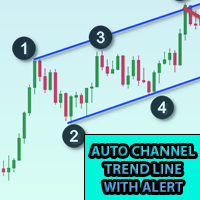
이 표시기를 차트에 추가하고 ZigZag의 ExtDepth 설정을 설정합니다. 가격이 추세선 상단, 하단 또는 중간 채널에 닿으면 즉시 알림을 제공합니다. 특징 : -상단, 하단 또는 중간 라인에 대한 알림 활성화/비활성화 - 몇 초 만에 경고 후 일시 중지 추가 - 차트의 버튼으로 트렌드 채널 일시 중지 또는 일시 중지 해제 - 입력 필드에 포인트를 추가하여 조기 경고를 추가합니다. 예를 들어 ETH 가격이 2900.25이고 여기에서 숫자 25는 "포인트"입니다. 따라서 입력 필드에 포인트로 25를 추가하고 트렌드 채널의 하단 라인 값이 2900.25인 경우 2900.50에서 조기 경보를 받을 것입니다(설정에서 25포인트 추가) - 방향성 터치 활성화/비활성화, 자세한 정보는 스크린샷 참조, 가격 터치는 하단에서 저항을, 상단에서 지원하면 방향 터치가 고려됩니다. 이 기능은 여러 경고로 인한 노이즈를 방지하기 위해 추가되었습니다. 1분~5분 차트에서 거래하는 경우 확장 깊
대칭 삼각형, 비대칭 삼각형 또는 직각 삼각형과 같은 삼각형 패턴, 상승 쐐기 또는 하강 쐐기와 같은 쐐기 패턴, 확장 패턴 및 추세 채널에 대한 패턴 탐색기 이 지표는 과거의 패턴과 현재의 패턴을 탐색하며, 수동으로 추세선이나 삼각형을 그려 시간을 절약하고 차트에 가장 좋은 패턴을 그리는 자동 분석에 사용하려는 사람들에게 가장 적합한 지표입니다. 특징 : - 최적의 패턴을 조정하고 찾기 위해 즉시 ZigZag 확장 깊이를 변경하는 패널 - 패턴을 지그재그의 이전 막대로 다시 이동하여 과거에 발생한 일을 탐색하고 추세선이 존중되는지 여부를 탐색하고 가격 동작을 이해할 수 있습니다. 이 지표를 사용하여 이전의 과거 패턴을 탐색하고 분석하고 학습하여 마스터 전략을 도출합니다. - 전환 버튼에서 추세 채널 또는 추세선에서 쐐기 또는 삼각형 모드로 즉시 전환 - 패턴이 변경되지 않도록 일시 중지하고 경고에 대한 가격 터치를 계속 확인합니다. - 레벨 터치에 대한 다양한 유형
Kraken Crypto Exchange 선물 내역 업데이트 패널 특징 : 1. 설정을 기반으로 심볼을 생성하고 심볼에 대한 Kraken API에서 사용할 수 있는 업데이트 내역을 완전히 업데이트합니다. 이 패널은 시가 고가 저 종가 데이터로 Kraken 선물 기호의 내역을 업데이트하고 내역 업데이트가 완료되면 메시지도 인쇄합니다. 이것은 라이브 데이터가 아닙니다.   3. 도구 > 옵션 > URL 탭에서 웹 요청 허용에 언급된 대로 Kraken API URL을 추가하고 웹 요청 허용 확인란을 선택해야 합니다. - API URL : futures.kraken.com 4. 더 적은 메모리와 CPU를 사용합니다. 5. 터미널 재시작 시 누락된 데이터 자동 업데이트! 터미널을 열 때마다 최신 데이터가 준비되어 있습니다! 6. DLL 호출이 이루어지지 않음
5 EMA Scalping Strategy Multi Symbol Scanner This EA utility will scan all symbols which are selected in marketwatch and alert when such condition is formed in chart when Candle low is above EMA 5 for Sell alert and Candle high is lower from EMA5 so you can be ready before selling or buying for scalping purpose on 5min chart For more details watch attached video Logic : When a candle closes above 5 EMA in 5 mins chart, Wait for its low to break and Sell when low is broken by wick, Your SL shou
Multi Symbol ZigZag Breakout Scanner는 마켓워치에서 선택한 모든 기호를 스캔합니다. 가격이 해당 수준에 도달하려고 할 때 이중 상단, 이중 하단 또는 모든 피보나치 확장 수준을 쉽게 찾는 데 도움이 됩니다. Timeframe 및 Zigzag의 여러 Extdepths(최대 3개)를 선택할 수 있습니다. 권장 ZigZag는 21,34 및 55로 모든 유형의 지그재그 및 필터 노이즈를 포함합니다. 터미널 경고 또는 푸시 알림 또는 둘 다를 수신하도록 설정할 수 있습니다. Multi Symbol ZigZag Breakout Scanner는 마켓워치에서 선택한 모든 기호를 스캔합니다. 가격이 해당 수준에 도달하려고 할 때 이중 상단, 이중 하단 또는 모든 피보나치 확장 수준을 쉽게 찾는 데 도움이 됩니다. Timeframe 및 Zigzag의 여러 Extdepths(최대 3개)를 선택할 수 있습니다. 권장 ZigZag는 21,34 및 55로 모든 유형의
Break of Structure
Rajesh Kumar Nait
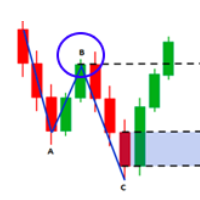
시장 구조는 더 높은 기간의 돌파가 트레이더에게 추세를 정리하는 데 도움이 될 수 있는 구조입니다. 1. 이 표시기는 지그재그를 마지막 2개의 구조(지그재그의 이전 최고점 및 최저점)에만 끌어당기고 구조가 파손된 경우에만 새로운 지그재그 막대가 형성됩니다. 2. 구조의 파손시 터미널 및 푸시 알림을 제공합니다. 3. [ 및 ] 키에서 지그재그의 확장 깊이를 증가 및 감소시켜 스윙을 조정합니다. 4. Line AB BC 및 CD의 색상 변경 5. 많은 차트에 추가하고 여러 기호에 대한 경고 받기 Break of Structure Multi ExtDepth Breakout Multi Symbol Scanner를 찾고 있다면 이 제품을 사용할 수 있습니다. Multi Symbol Multi ExtDepth ZigZag Breakout Scanner
Fibo Musang FMBCR CB1 Breakout-Scanner MT5 Fibo Musang CB1 oder Candle Break 1 ist eine Strategie, die sehr gut mit Gold XAUUSD und anderen Forex-Symbolen funktioniert. Dieser Scanner hilft Ihnen dabei, Währungen mit mehreren Symbolen sehr schnell zu scannen und Benachrichtigungen über den Ausbruch von FMCBR CB1 zu erhalten Bitte sehen Sie sich das Video für weitere Details an, da es vollständig nach den Vorlieben des Händlers anpassbar ist: 1. Sie können den Zeitrahmen und den Balkenverlauf
다중 기호 차트의 아무 곳이나 더블 클릭하여 가격 알림을 설정하고 터미널 알림 또는 푸시 알림에서 알림을 받습니다. 1. 차트에 EA 유틸리티 추가 2. <- 왼쪽 또는 -> 오른쪽 화살표 키로 차트 탐색 3. 차트의 아무 곳이나 두 번 클릭하면 선이 추가됩니다. 이 선을 드래그하여 원하는 가격을 설정하면 짜잔, 알림이 설정됩니다! 가격이 라인에 도달하면 유틸리티 설정에 따라 터미널 또는 푸시 알림으로 알려줍니다. 이 경고는 터미널을 다시 시작해도 계속 작동합니다. 4. 여러 종목을 계속 탐색하고 알림을 받고자 하는 많은 차트에 라인을 계속 추가합니다. 5. 새로 시작하려는 경우 D를 눌러 설정한 모든 알림을 삭제합니다. 6. 수평선을 삭제하면 경고가 비활성화됩니다. -- 다중 기호 차트의 아무 곳이나 더블 클릭하여 가격 알림을 설정하고 터미널 알림 또는 푸시 알림에서 알림을 받습니다. 1. 차트에 EA 유틸리티 추가 2. <- 왼쪽 또는 -> 오른쪽 화살표 키로 차트
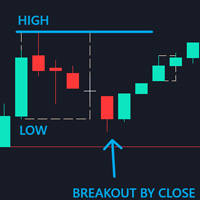
Control Candle is the candlestick which holds multiple inside bars and are in control until its high low range is broken by close of any candlestick. When control candle is broken, price may act on these control candle as support and resistance. This indicator create rectangles on chart which will help you find control candles fast. Control candle indicator box is customizable by color, style, width and other options in indicator settings.
Cobra Levels
Rajesh Kumar Nait
코브라 레벨 이는 외환, 암호화폐, 상품, Nifty 및 Banknifty를 포함한 범용 시장에서 작동하는 두 가지 주파수 모드를 갖춘 6가지 레벨 세트입니다. 금융상품에 대한 최고의 연구를 거쳐 출판되었습니다. 상위 레벨은 U1~U5, 하위 레벨은 D1~D5라고 합니다. 시장은 정상 상태에서 U3 또는 D3까지 내부 채널을 구동하거나 변동성 상태에서 외부 채널 U4~U5 또는 D4~D5를 구동할 수 있습니다. 가격이 U3 U4 U5 또는 D3 D4 D5에 도달하면 반전 가능성이 매우 높으며 거래자는 진입을 확인하기 위해 캔들이 닫힐 때까지 기다려야 하며 유효한 위험 관리를 통해 거래할 수 있습니다. 이 지표는 지표 설정의 사용자 정의 옵션을 통해 레벨을 이동할 수 있는 기능을 제공합니다. 사용자는 + 또는 - 포인트를 추가하여 레벨을 맞춤 설정할 수 있습니다. 1. 그들은 M1, M3, M5, M15, H1 및 H4 기간에만 작업하고 있습니다. 2. 장중, 스윙 및 위치
Higher Time Frame Bars
Rajesh Kumar Nait
5 (1)
이 지표는 동일한 차트에서 추적하려는 다른 기간 캔들스틱을 효율적으로 추적합니다. 1. 동일한 차트에 막대를 로드하려면 더 높은 기간을 선택하세요. 2. 촛대의 색상과 스타일을 사용자 정의하세요 3. 캔들스틱을 그릴 막대 수를 선택하세요. 4. 심지 및 몸체와 함께 더 높은 기간의 전체 양초를 추적합니다. 5. 차트 전환을 원하지 않는 사람들을 위해 쉽고 편리합니다. 이 지표는 동일한 차트에서 추적하려는 다른 기간 캔들스틱을 효율적으로 추적합니다. 1. 동일한 차트에 막대를 로드하려면 더 높은 기간을 선택하세요. 2. 촛대의 색상과 스타일을 사용자 정의하세요 3. 캔들스틱을 그릴 막대 수를 선택하세요. 4. 심지 및 몸체와 함께 더 높은 기간의 전체 양초를 추적합니다. 5. 차트 전환을 원하지 않는 사람들을 위해 쉽고 편리합니다.
MT5용 바이낸스 거래 도구 1. 이 제품은 웹소켓 실시간 차트, 과거 차트, 그리고 MT5 터미널 재시작 시 자동 업데이트 기능을 제공하여 수동 개입 없이 원활하게 작동하여 바이낸스 거래를 원활하게 진행할 수 있도록 지원합니다. 현물 및 선물 거래, 실시간 차트 및 과거 데이터 제공 차트 기능: 1. 웹소켓(WSS)을 통한 실시간 OHLC 차트 2. API를 통한 과거 데이터 업데이트 3. MT5를 열 때마다 차트에 과거 데이터 자동 업데이트 4. M1부터 MN1까지 모든 시간대 지원 5. 사용 가능한 데이터: 시가 고점, 저점, 종가, 실제 거래량 및 틱 거래량 6. 전략 테스터를 사용하여 암호화폐 데이터를 기반으로 모든 전략을 EA(Expert Advisor)로 백테스트할 수 있습니다. 차트 및 과거 데이터 지침: 1. MT5 옵션에 URL을 추가합니다. 2. 모든 차트에 유틸리티를 로드하고 모드를 라이브로 선택한 후, 거래소(예: 바이낸스 현물)를 선택하고, 최초
Cobra Pivot Points는 DEMO를 다운로드하여 직접 백테스트할 수 있는 가장 최적화된 피벗 포인트를 표시하는 지표입니다. 1. 두 가지 최고의 피벗 모드 선택: Cobra Pivots 또는 Camrilla Pivots 2. D1에 국한되지 않고 원하는 시간대를 사용할 수 있습니다. 3. Shift 매개변수를 사용하면 전일 고저 종가 값으로 플레이할 수 있습니다. 1 = 이전 막대, 2 = 이전 막대 앞의 막대 등. 이 매개변수는 피벗에 대한 연구 및 개발에 도움이 됩니다. 4. 레벨 터치 시 경고, 이메일 또는 푸시 알림을 한 번 누릅니다. 레벨을 터치하면 피벗 레벨이 완화된 것으로 간주되어 다시 경고하지 않습니다. 알림을 다시 받으려면 기간을 변경하여 알림을 재설정해야 합니다. 5. 선 색상, 선 스타일, 선 너비, 텍스트 색상 및 글꼴을 완전히 사용자 정의합니다. Cobra Pivots는 LZone(스캘핑을 위해 매우 가까운 레벨), NZone(시장이 통
필터:
리뷰 없음
리뷰 답변