Dhan Nse Bse Mcx API Bridge for MT5

  • ライブラリ
  • Rajesh Kumar Nait
    Rajesh Kumar Nait
    こんにちは、私は情報技術のB.Techを持つMQL開発者のRajeshです。プログラミング経験が12年以上あり、ウェブ開発に特化した元PHP開発者から、フルタイムのMQL5プログラマーおよび暗号通貨トレーダーに転身しました。
    現在の役割では、デイトレーダーとして毎日$SOLを取引し、私のセラーページで先端プログラムを販売しています。これらのプログラムには、WebSocketとAPIを介してすべての人気取引所からチャートをロードするネイティブWebSocket暗号通貨取引所接続ユーティリティが含まれています。VPSでシームレスに動作し、外部DLLは必要ありません。
  • バージョン: 1.0
  • アクティベーション: 8
MetaTrader 5用 DhanHQ v2 APIブリッジ

MetaTrader 5をDhanHQ取引口座に接続し、MQL5から直接、注文、ポジション、資金、ポートフォリオを管理できます。このライブラリは公式のDhanHQ v2 REST API(NSE、BSE、MCX対応)をラップしており、Dhan上で独自のEA、スクリプト、自動売買戦略を構築可能です。

機能
- 注文の完全なライフサイクル管理:発注、変更、キャンセル、分割注文(スライス)、注文一覧(Order Book)、ID指定による注文取得、相関ID指定による注文取得、約定一覧(Trade Book)、注文ごとの約定取得。
- 注文補助機能:成行(Market)、指値(Limit)、ストップロス(Stop-Loss)、ストップロス・マーケット(Stop-Loss-Market)。
- スーパーオーダー(ブラケット注文):発注、レッグ(構成注文)の変更・キャンセル、一覧表示。
- ポートフォリオ:保有資産、ポジション、ポジション変換、全ポジション決済。
- 資金:資金限度額および証拠金計算機。
- トレーダー制御:キルスイッチ(緊急停止機能)。
- アクセストークン・ヘッダーとDhanクライアントIDによる認証。
- 固定IPホワイトリスト登録(IPの設定・変更・取得):設定ファイルでの有効/無効切り替えが可能(SEBI/取引所の規則により発注時に必須)。
- JSONレスポンスからorderIdやorderStatusを読み取るためのヘルパー機能。
- すべてのリクエスト/レスポンスのデバッグログ出力。


セットアップ手順
1. web.dhan.co(My Profile -> Access DhanHQ APIs)から、24時間有効なアクセストークンを生成し、クライアントIDをコピーします。
2. MetaTrader 5で「ツール」->「オプション」->「エキスパートアドバイザ」を開き、「許可されたURLのWebRequestを許可する」を有効にして、以下を追加します:
https://api.dhan.co
3. スクリプトの入力パラメータに、トークン、クライアントID、および(必要な場合)固定IPを入力します。
4. 注文の発注、変更、キャンセルには固定IPのホワイトリスト登録が必須です。設定ファイルで有効にするか、web.dhan.coで事前に設定を行ってください。参考資料
- APIドキュメント: https://docs.dhanhq.co/api/v2/
- 認証: https://docs.dhanhq.co/api/v2/guides/authentication
- 取引API: https://docs.dhanhq.co/api/v2/trading-apis
- 固定IPの設定: https://docs.dhanhq.co/api/v2/authentication/set-ip

注意: 取引には金銭的なリスクが伴います。まずは重要な資金を扱わない口座でテストを行ってください。
API認証情報はコード内に保存されず、実行時に指定する仕組みになっています。


取引操作テスト用サンプルスクリプト - https://www.mql5.com/en/blogs/post/776274

サポートや無料のインストール・設定をご希望の場合は、本製品をご購入後、作者までDM(ダイレクトメッセージ)をお送りください。
おすすめのプロダクト
Auto trading so strong mt5 trading script so rich and running amazing auto trading trades with so high quality performance and results Look that is the best trading script that will help you to make good results like in screenshots i built that strategy depend on Envelopes indicator to make that script trading in that area excellent scalping trades and gain maximum good results per trade so i built that strategy manually then I make it auto trading  so to start use that script add to scripts aft
Important: This product is a Library for developers . It is suitable only for users who can write/modify MQL5 code and integrate a compiled library into their own EA/Script. It is not a “drag & run” notifier. Telegram SDK helps you send Telegram messages and photos from MetaTrader 5 in a simple and reliable way. Use it when you want Telegram notifications inside your own automation tools. If you need the MetaTrader 4 version, it is available separately in the Market:   Telegram SDK M T4 . Main f
静的テキスト表示 は、MetaTrader 5用の軽量で使いやすいエキスパートアドバイザー(EA)で、トレーダーにインスピレーションを与え、教育するために、チャート上に直接モチベーションを高めるトレードのヒントを表示します。洗練された中央配置の黒い背景と等幅フォントの白いテキストで、このEAは簡潔で実際的なアドバイスをローテーションするチャンクで提供し、規律あるトレードに集中させます。初心者から経験豊富なトレーダーまで最適で、リスク管理、忍耐、戦略開発といった主要な原則を推進します。 主な機能: 動的ヒント表示 :ユーザーが定義したトレードのヒントを50~60文字の読みやすいチャンクに分割し、数秒ごとにローテーション(期間はカスタマイズ可能)。 プロフェッショナルなデザイン :チャートの中央上部に黒い背景でヒントを表示し、読みやすさと均等なパディングを保証。 レスポンシブな位置調整 :チャートのサイズ変更や切り替え時にテキストと背景の配置を自動調整。 カスタマイズ可能な設定 :フォントサイズ、テキストの色、背景の色、表示期間をお好みに合わせて調整可能。 オン/オフ切り替え :EAを削除
FREE
Nexus Quant Matrix
Syarief Azman Bin Rosli
Nexus Quant Matrix MT5 Nexus Quant Matrix   は、MetaTrader 5 向けにネイティブ設計された機関投資家水準の定量的計算・ストリーミング統計解析ライブラリです。クオンツ開発者、クオンツヘッジファンド、システマティックトレーダー向けに開発され、外部の DLL、Python、C++ 連携を一切使用せず、MQL5 の高速ランタイム環境内で直接高度な数値計算を実行します。 本ライブラリは O(1) の計算量を実現し、事前確保されたリングバッファ構造を採用することで動的メモリ再確保による遅延を完全に排除しています。適応型 1D カルマンフィルタ、ローリング・ピアソン相関係数、最小二乗法線形回帰 (OLS)、ファットテール分布に対応したコーニッシュ・フィッシャー VaR(バリュー・アット・リスク)、期待ショートフォール (CVaR)、および証拠金安全チェック付きケリー基準ロット計算エンジンを網羅しています。 主要アーキテクチャ ストリーミング統計モーメントエンジン (CStreamingStats)   ローリングウィンドウでの移動平均、分散、標準
Cryptocurrency analysis has never been easier with Crypto Charts for MetaTrader 5. Now, trading on BitMEX has never been easier with BitMEX Trading API for MetaTrader 5. BitMEX Trading API library was built to be as easy to use as possible. Just include the library into your Expert Advisor or Script, call the corresponding methods and start trading! Features Trade on BitMEX and BitMEX Testnet. Build and automate your strategies. Concern more with the trading strategy logic and less with the co
Binance Library
Hadil Mutaqin SE
5 (1)
The library is used to develop automatic trading on Binance Spot Market from MT5 platform. Support all order types: Limit, Market, StopLimit and StopMarket Support Testnet mode Automatically display the chart on the screen Usage: 1. Open MQL5 demo account 2. Download Header   file and EA sample   https://drive.google.com/uc?export=download&id=1kjUX7Hyy02EiwTLgVi8qdaCNvNzazjln Copy Binance.mqh to folder \MQL5\Include Copy  BinanceEA-Sample.mq5 to folder \MQL5\Experts 3. Allow WebRequest from MT5
TradeGate
Alex Amuyunzu Raymond
TradeGate – Product Description / Brand Story “The gatekeeper for your trading success.” Overview: TradeGate is a professional MT5 validation and environment guard library designed for serious traders and EA developers who demand safety, reliability, and market-ready performance . In today’s fast-moving markets, even a small misconfiguration can cause EAs to fail initialization, skip trades, or be rejected by MQL5 Market. TradeGate acts as a smart gatekeeper , ensuring your EA only operates un
Introducing "TG Risk Service Manager" — your comprehensive toolkit for swift and precise risk management and lot size calculations in the dynamic world of trading. Designed to streamline development processes and enhance trading strategies, this indispensable library equips developers with essential tools for optimizing risk assessment and trade profitability. Metatrader4 Version |  All Products  |  Contact   Key Features: Efficient Lot Size Calculation : Harness the power of precise lot size c
NATS (Niguru Automatic Trailing Stop) will help you achieve more profits, by setting the trailing stop automatically. Pair this NATS application with EA, or can also be used as a complement to manual trading. A trailing stop is a powerful tool in trading that combines risk management and profit optimization.  A trailing stop is a type of market order that sets a stop-loss at a percentage below the market price of an asset, rather than a fixed number. It dynamically adjusts as the asset’s pric
FREE
SimpleLotCalculator
Itumeleng Mohlouwa Kgotso Tladi
SimpleLotCalculator: Professional Multi-Symbol Risk Manager Library Stop guessing your lot sizes and start trading with institutional precision. SimpleLotLogic is a high-performance MQL5 developer library designed to solve the number one problem for algorithmic and manual traders: Risk Management. Instead of writing complex math for every new EA, simply plug in this library to calculate the perfect lot size based on your account equity and stop-loss distance. Why Choose SimpleLotLogic? Precis
This simple logging library is designed to provide clear and contextual log output with minimal hassle. It exposes five  methods: LogError Message (message) LogWarn Message (message) LogInfo Message (message) LogDebug Message (message) LogTrace Message (message) Each method prints the provided message to the console only if the severity level meets or exceeds the current threshold set by a global variable logLevel. This means you control the verbosity of your application's logs by adjusting logL
FREE
MetaTrader 5 (MT5)用のUZFX - Delete Only Pending Ordersスクリプトは、取引口座からすべての未決注文(買い指値、売り指値、買い逆指値、売り逆指値)を自動的に削除するシンプルで効果的なツールです。このスクリプトは、有効な市場ポジションに影響を与えることなく、保留中の注文を即座に消去したいトレーダーに最適です。 私の他のMT4/MT5インジケーターとEAをチェックする >> こちら 特徴: すべての未決注文(買い指値、売り指値、買い逆指値、売り逆指値)を削除します。 未決済のマーケットポジションには影響しません。 Expertsタブを介してリアルタイムの執行フィードバックを提供します。 トレーダーが手動で操作することなく、未決注文のストラテジーを素早くリセットできます。 使用方法 MT5チャートにスクリプトを添付します。 スクリプトはすべての未決注文をスキャンし、自動的に削除します。 注: このスクリプトは有効な取引を決済するのではなく、未決注文を削除するだけです。 スクリプトを実行する前に、すべての未決注文を削除することを確認してくだ
FREE
MT4/5通用交易库(  一份代码通用4和5 ) #import "K Trade Lib5.ex5"    //简单开单    long OrderOpen( int type, double volume, int magic, string symbol= "" , string comment= "" , double opprice= 0 , double sl= 0 , double tp= 0 , int expiration= 0 , bool slsetmode= false , bool tpsetmode= false );    //复杂开单    void SetMagic( int magic, int magic_plus= 0 ); void SetLotsAddMode(int mode=0,double lotsadd=0);    long OrderOpenAdvance( int mode, int type, double volume, int step, int magic, string symbol= "" , string comm
FREE
このライブラリは、できるだけ簡単にMetaTrader上で直接OpenAIのAPIを使用するための手段として提供されます。 ライブラリの機能についてさらに詳しく知るには、次の記事をお読みください: https://www.mql5.com/en/blogs/post/756098 The files needed to use the library can be found here: Manual 重要:EAを使用するには、OpenAI APIへのアクセスを許可するために、次のURLを追加する必要があります  添付画像に示されているように ライブラリを使用するには、次のリンクで見つけることができる次のヘッダーを含める必要があります:  https://www.mql5.com/en/blogs/post/756108 #import "StormWaveOpenAI.ex5" COpenAI *iOpenAI(string); CMessages *iMessages(void); CTools *iTools(void); #import これが、ライブラリを簡単に使用するため
MQL5 EA向けに、開発者が主要な取引統計情報へ簡単にアクセスできるライブラリです。 ライブラリで利用可能なメソッド: アカウントデータと利益: GetAccountBalance() : 現在の口座残高を返します。 GetProfit() : 全取引の純利益を返します。 GetDeposit() : 入金の総額を返します。 GetWithdrawal() : 出金の総額を返します。 取引分析: GetProfitTrades() : 利益の出た取引数を返します。 GetLossTrades() : 損失の出た取引数を返します。 GetTotalTrades() : 実行された全取引数を返します。 GetShortTrades() : ショートポジションの取引数を返します。 GetLongTrades() : ロングポジションの取引数を返します。 GetWinLossRatio() : 勝ち取引と負け取引の比率を返します。 GetAverageProfitTrade() : 利益の出た取引1回あたりの平均利益を返します。 GetAverageLossTrade() : 損失の出た取引
TeleSignal
Vincent Jean Robert Trolard
TeleSignal EA is an intelligent Expert Advisor designed to automatically send Telegram notifications whenever a position is opened, closed, or modified in MetaTrader 5 . It allows you to monitor your trades in real time , wherever you are — no need to keep your trading platform open. Through its direct integration with the Telegram API, you’ll receive clear and instant messages showing: Trade opened (symbol, lot size, order type, entry price) Trade closed (exit price, profit/loss, trade du
UZFX - Delete All Drawing and Objects on Chart Instantly は、アクティブなチャートからすべての描画オブジェクトを即座に削除するように設計された、シンプルかつ強力な MetaTrader 5 (MT5) スクリプトです。このスクリプトは、テクニカル分析の描画、トレンドライン、フィボナッチツール、テキストラベル、その他のオブジェクトを手動で1つずつ削除することなく、素早くチャートから消去する必要があるトレーダーに便利です。 特徴 アクティブチャート上の全てのオブジェクトと描画を削除。 一度の実行で即座に動作。 削除の成功と失敗の確認メッセージを表示。 トレーダーがより良い分析のために、クリーンで乱雑でないチャートを維持するのに役立ちます。 使用方法 すべてのオブジェクトを削除したいチャートにスクリプトをアタッチします。 スクリプトは自動的にすべてのオブジェクトをループして削除します。 オブジェクトの削除が完了すると、Expertsタブにメッセージが表示されます。 注:このスクリプトは、チャート上で実行されている未決済注文、イ
FREE
Lib5 EAPadPRO for MT5
Vladislav Andruschenko
4.5 (6)
EAPADPRO Library for MetaTrader 5 は、Expert Advisor に現代的な情報パネルを追加するための無料のプロフェッショナルなインターフェースライブラリです。 このライブラリは、MetaTrader 5 のチャート上で自分の取引プログラムに、よりクリーンで、情報量が多く、プロフェッショナルな視覚表現を与えたい MQL5 開発者向けに作られています。 MetaTrader 5 の Expert Advisors は、複雑なロジック、多数の設定、Magic number フィルター、注文執行ルール、内部の戦略値を持つことがよくあります。EAPADPRO はこれらの情報を構造化されたパネルに整理し、ユーザーがプログラムの現在状態をより速く、より明確に理解できるようにします。 EAPADPRO for MT5 は無料ライブラリです。 Expert Advisor のインターフェース、情報出力、視覚的な品質を向上させるために使用できます。 完全なステップ別統合ガイド: LIB - EAPADPRO ステップ別手順 EAPADPRO パネルの詳しい説明: EA
FREE
Here   is   the   English translation   of   your   description   for   the EA   (Expert   Advisor): --- This   is a   time -based   automatic trading   EA . It allows   you   to   set the   exact   time   for trading , down   to   the   second , and   specify the   maximum number   of   orders . You   can choose   to   place   either   buy   or   sell   orders . It   is possible to   set take   profit and   stop   loss   points . Additionally , you can   specify   how   long after   placing  
LSTM Library
Thalles Nascimento De Carvalho
LSTM Library - MetaTrader 5用高度神経ネットワーク アルゴリズム取引のためのプロフェッショナル神経ネットワークライブラリ LSTM Libraryは、MQL5の取引戦略にリカレントニューラルネットワークのパワーをもたらします。このプロフェッショナルレベルの実装には、通常は専門的な機械学習フレームワークでしか見られない高度な機能を備えたLSTM、BiLSTM、GRUネットワークが含まれています。 "トレーディングにおける機械学習の成功の秘訣は、適切なデータ処理にあります。 Garbage In, Garbage Out –予測の品質はトレーニングデータの品質を超えることはありません。" — マルコス・ロペス・デ・プラド博士, Advances in Financial Machine Learning 主な機能 LSTM、BiLSTM、GRUの完全実装 より良い一般化のためのリカレントドロップアウト 複数の最適化アルゴリズム(Adam、AdamW、RAdam) 高度な正規化テクニック 包括的な評価指標システム トレーニング進捗の可視化 クラス重みによる不均衡デー
Simple program i created, to help close all your orders instantly when you are busy scalping the market or if you want to avoid news days but still have a lot of orders and pending orders open and can't close them in time.. with this script all you're problems will be solved. Simple drag and drop and the script automatically does it's thing, quick and easy  also a very good tool to use when scalping Update!!!!!! this now only closes the positions on the chart you have open with a fail safe
FREE
Hello everyone! I am a professional MQL programmer , Making EAs, Indicators and Trading Tools for my clients all over the world. I build 3-7 programs every week but I seldomly sell any ready-made Robots. Because I am fastidious and good strategy is so few...  this EA is the only one so far I think its good enough to be published here.  As we all know, the Ichimoku indicator has become world popular for decades, but still, only few people knows the right way of using it, and if we check the clo
MetaTrader 5 (MT5)用のUZFX - Close All Open Buy & Sell Orders Instantlyスクリプトは、トレーダーが1回の約定ですべてのアクティブなマーケットポジションを即座にクローズできる強力なツールです。このスクリプトは、緊急の取引管理に最適で、トレーダーがボラティリティが高い時、ニュースイベント、または戦略の調整中に素早く市場から撤退するのに役立ちます。 特徴 全シンボルの未決済の買いポジションと売りポジションをすべて決済します。 正確な約定のために最新の買値/売値を使用します。 トレーダーが最小限の手作業でマーケットから即座に撤退できるようサポートします。 使用方法 MT5チャートにスクリプトをアタッチします。 スクリプトは、すべての買いポジションと売りポジションをスキャンして決済します。 各決済注文の確認メッセージがExpertsタブに表示されます。 注意: このスクリプトは未決注文を削除しません。 添付チャートだけでなく、すべての取引シンボルで機能します。 スクリプトは即座に実行されるため、スクリプトを実行する前にすべて
FREE
Universal MarketInfo Service Library for MT4 & MT5 Bring simplicity and power to your trading projects with the Universal MarketInfo Service — a professional library that exposes a unified API for both MetaTrader 4 and MetaTrader 5. No more rewriting code for each platform. With this library, you can: Access symbol data, OHLC prices, spreads, and volatility with a single call. Query account balance, free margin, stop levels, and lot constraints. Work with currency precision, pip values, and n
FREE
BlitzGeist Telegram Notifier – Stay Connected to Your Trades Anywhere! BlitzGeist Telegram Notifier is a powerful tool that instantly connects your MetaTrader 5 account with Telegram . No matter where you are – you will always receive real-time notifications about your trading activity directly on your phone, PC, or any device with Telegram installed. Perfect for traders who want professional trade reporting, transparency, and risk management monitoring . ️ Key Features Easy Configuratio
Binance Library MetaTrader 5 connects your Expert Advisors, indicators, and scripts to Binance.com and Binance.US directly from MetaTrader 5. It is a developer library for building custom Binance integrations inside MT5, not a standalone trading robot or copier. The library helps you add Binance instruments to Market Watch, read symbol specifications, load current and historical market data, check wallet balances, manage orders, and track open positions. It supports Spot, USD-M futures, and COI
Sniper Utility Rimani sempre aggiornato sui tuoi trade, ovunque tu sia. Sniper Utility invia notifiche immediate ogni volta che uno dei tuoi ordini raggiunge il Take Profit o lo Stop Loss . Perfetta per trader attivi che desiderano monitorare le proprie operazioni senza dover controllare costantemente il terminale. ️ Funzionalità principali Notifica istantanea alla chiusura dell’ordine (TP o SL) Compatibile con notifiche push su dispositivi mobili Supporto per ordini manuali, EA e p
MetaTrader 5 (MT5)用のUZFX - Set Stop Loss to Breakeven Instantlyスクリプトは、トレーダーがすべてのオープンポジションのストップロスをエントリー価格に素早く移動させ、リスクのない取引を確保できる強力なツールです。このスクリプトは、アクティブな取引を効率的に管理するために特に有用で、ポジションが有利に動くと、トレーダーは潜在的な損失から保護されます。 (Visit Profile & Checkout All Other MT4/MT5 Products) (Please Don't Forget to Give Review) Features: すべてのオープンポジションのストップロスを自動的にブレイクイーブン(エントリー価格)に設定します。 利益を確保し、潜在的な損失を最小限に抑えることで、リスク管理を強化します。 使用方法 スクリプトをチャートに貼り付けると、全てのオープンポジションが自動的に調整されます。 ポジションのストップロスがすでにブレイクイーブンにある場合、そのポジションはスキップされます。 注: この
FREE
GW News Filter
Jose Martinez Hernandez
GW News Filter Filter trading around high-impact news. Avoid entries/exits during risky time windows using MetaTrader’s Calendar API or your own CSV files. Works in live, demo and Strategy Tester · Source: API or CSV · Per-currency files · Entry/Exit flags · Diagnostics (0–4) Features Works in real accounts, demo, and Strategy Tester Choose between: 0 = Auto (API for live/demo, CSV for Strategy Tester) 1 = API (MetaTrader’s built-in calendar) 2 = CSV (per-currency files, e.g. EUR.csv, USD.csv,
FREE
Overview AlgoNLP.mqh   is a standalone MQL5 library that converts   human-written trading instructions   into   structured trade intents   that your Expert Advisor (EA) or indicator can understand. Do leave a review if you like :D Also check out my new Indicator : ALGOCHAMP v3 Plus Example input: Buy gold at 2370 with TP 0.3% and SL 1% Output intent: Side: BUY | Type: LIMIT | Symbol: XAUUSD | Entry: 2370 | TP: 0.3% | SL: 1% | Lot: 0.00 This enables you to build   chat-controlled   or   Telegr
FREE
このプロダクトを購入した人は以下も購入しています
The library is dedicated to help manage your trades, calculate lot, trailing, partial close and other functions. Lot Calculation Mode 0: Fixed Lot. Mode 1: Martingale Lot (1,3,5,8,13) you can use it in different way calculate when loss=1 ,when profit=0. Mode 2: Multiplier Lot (1,2,4,8,16) you can use it in different way calculate when loss=1 ,when profit=0. Mode 3: Plus Lot (1,2,3,4,5) you can use it in different way calculate when loss=1 ,when profit=0. Mode 4: SL/Risk Lot calculate based on s
Goliath Mt5
Nicolokondwani Biscaldi
Goliath MT5 - scalper fully automated Expert Advisor for medium-volatile forex markets P roperties: The Library trades 10 currency pairs (USDCHF, EURCHF, EURGBP, AUDUSD, USDCAD, GBPUSD, EURUSD, NZDUSD, CADCHF, EURAUD, EURCAD, AUDJPY) The Library does not use martingale The Library sets a fixed stop loss and take profit for all orders The Library only trades a user input volume The Library can be installed on any currency pair and any timeframe Recommendations: Before using on a real account, t
The library is used to develop automatic trading on Binance Futures Market from MT5 platform. Support Binance Futures USD-M and COIN-M Support Testnet mode Support all order types: Limit, Market, StopLimit, StopMarket, StopLoss and TakeProfit Automatically display the chart on the screen Usage: 1. Open MQL5 demo account 2. Download Header file and EA sample https://drive.google.com/uc?export=download&id=17fWrZFeMZoSvH9-2iv4WDJhcyxG2eW17 Copy BinanceFutures.mqh to folder \MQL5\Include Copy  Bina
EA Toolkit
Esteban Thevenon
EA Toolkit   is a library that allows any developer to quickly and easily program Advisor experts. It includes many functions and enumerations such as trailing stop, lot, stop loss management, market trading authorisations, price table updates, trading conditions and many more. Installation + Documentation : You will find all the information to install this library and the documentation of its functions on this GitHub : https://github.com/Venon282/Expert-Advisor-Toolkit WARNING : The installat
金融とトレーディング戦略の領域を深く掘り下げ、私は一連の実験を実施し、強化学習に基づくアプローチと強化学習を使用しないアプローチを調査することにしました。 これらの手法を適用して、私は現代のトレーディングにおけるユニークな戦略の重要性を理解する上で極めて重要な微妙な結論を導き出すことができました。 ニューラル ネットワーク アドバイザーは、初期段階では目覚ましい効率性を示したにもかかわらず、長期的には非常に不安定であることが判明しました。 市場のボラティリティ、トレンドの変化、外部事象などのさまざまな要因により、企業の運営に混乱が生じ、最終的には不安定化につながりました。 この経験を武器に、私は課題を受け入れ、独自のアプローチを開発し始めました。 私の焦点は、集められた最良のインジケーターを異なるパラメーター設定で利用するアドバイザーを作成することに集中していました。 このアドバイザーは、私の独自の戦略に基づいており、さまざまなパラメーター設定を持つ 14 の指標を同時に採用し、何時間ものデータ分析と綿密なテストから生まれました。
Kaseki
Ben Mati Mulatya
The Hybrid Metaheuristic Algorithm (HMA) is a cutting-edge optimization approach that combines the strengths of genetic algorithms with the best features of population-based algorithms. Its high-speed computation ensures unparalleled accuracy and efficient search capabilities, significantly reducing the total time required for optimization while identifying optimal solutions in fewer iterations. HMA outperforms all known population optimization algorithms in both speed and accuracy. Use Cases AO
********主な取引であるXAUSDは、テストの際、XAUSDに調整することを提案し、他の取引標的は利益効果を保証できない******** テストが必要な場合はメッセージを残してください(見たらすぐに返信します)、仕事の成果を保護するためには、特定のパラメータを入力する必要があります、システムのデフォルトのパラメータはスクリーンショットを元に戻す効果を実現できません! テストが必要な場合はメッセージを残してください(見たらすぐに返信します)、仕事の成果を保護するためには、特定のパラメータを入力する必要があります、システムのデフォルトのパラメータはスクリーンショットを元に戻す効果を実現できません! テストが必要な場合はメッセージを残してください(見たらすぐに返信します)、仕事の成果を保護するためには、特定のパラメータを入力する必要があります、システムのデフォルトのパラメータはスクリーンショットを元に戻す効果を実現できません! ***************************************************************************
Shawrie
Kevin Kipkoech
This Pine Script implements a Gaussian Channel + Stochastic RSI Strategy for TradingView . It calculates a Gaussian Weighted Moving Average (GWMA) and its standard deviation to form an upper and lower channel. A Stochastic RSI is also computed to determine momentum. A long position is entered when the price closes above the upper Gaussian band and the Stoch RSI K-line crosses above D-line . The position is exited when the price falls back below the upper band. The script includes commission, cap
Bookeepr
Marvellous Peace Kiragu
Bookeepr is an advanced MQL5 trading bookkeeping software that automates trade logging, tracks real-time P&L, and integrates a ledger-style financial system for deposits, withdrawals, and expenses. It supports multi-currency assets , generates detailed performance reports , and provides risk management tools to help traders optimize their strategies. With secure cloud storage, exportable reports, and seamless MetaTrader 5 integration , Bookeepr ensures accurate, transparent, and hassle-free fina
A free indicator for those who purchase the full version This indicator is created by this Ai, with your desired settings Artificial Intelligence at your service Have a complete artificial intelligence and use it in your codes This artificial intelligence is trained to tell you on each candle whether the market is moving up or down. In general, artificial intelligence can be used in all markets, all timeframes and all symbols However, due to the increasing complexity and decreasing accuracy of
快速关仓,无需任何操作。 当前版本的一键关仓主要针对的是来不及手动关仓的情况,目前是不分交易标的类别,是对所有的持仓进行关仓。 未来可能升级的方向: 1、分类别、分标的关仓。 适用场景:开了多个标的的仓位,并且波动不一,快速频繁的波动影响了整体的判断。 2、增加只关闭盈利仓位、只关闭亏损仓位。 适用场景:持仓较多,趋势发生变化。 个人建议:一般建议选择一键全部关仓,因为如果行情与持仓方向一致,只关闭盈利仓位无形就是扩大了亏损。如果行情方向与持仓方向相反,只关闭亏损仓位,当前已盈利的后面又会变为亏损,盈利无法变现。 3、按照仓位顺序由大到小关仓、按照仓位顺序由小到大关仓。 适用 场景:行情发生波动,对于未来行情判断把握不确定的,可根据自己需求选择仓位关仓顺序,由大到小关仓的话,可以避免亏损的进一步扩大。 4、减小仓位量,保持绝对的安全距离。 适用 场景:对未来趋势相对确定,不想错过当前行情,但是认为当前持仓体量又有点大,想降低仓位。
[Gold Intelligent Trading EA | Risk Control is Steady, Profit Breakthrough] The intelligent trading EA, which is customized for the fluctuation characteristics of gold, takes the hard-core trading system as the core, and each order is derived from the accurate judgment of market trends and supporting pressures by quantitative models, so as to eliminate subjective interference and make trading decisions more objective and efficient. Equipped with multi-dimensional risk control system, dynamic s
Questo Expert Advisor (EA) è stato progettato per offrire un'esperienza di trading automatizzata di alto livello, adatta sia ai trader principianti che a quelli esperti. Utilizzando algoritmi avanzati e tecniche di analisi del mercato, l'EA è in grado di identificare opportunità di trading redditizie con precisione e velocità. L'EA è configurabile per operare su vari strumenti finanziari, tra cui forex, indici e materie prime, garantendo una flessibilità senza pari. Le caratteristiche princip
Automatic Replenishment Trading Within a Defined Range The EA operates only within the predefined price range . When an order is closed, filled, or cancelled (reducing the total number of orders), the EA will automatically place new orders to maintain the continuous operation of the trading strategy. This EA is designed for ranging / sideways market conditions . You can control the total number of orders using Max Orders . Example: Max Orders: 8 Active trades: 2 Pending Buy Limit orders: 6 In t
Automatic Replenishment Trading Within a Defined Range The EA operates   only within the predefined price range . When an order is   closed, filled, or cancelled   (reducing the total number of orders), the EA will   automatically place new orders   to maintain the continuous operation of the trading strategy. This EA is   designed for ranging / sideways market conditions . You can control the total number of orders using   Max Orders . Example: Max Orders:   8 Active trades:   2 Pending Sell L
A complete PostgreSQL client implemented in pure MQL5 over native MetaTrader 5 TCP sockets. The library implements the PostgreSQL client with MD5 and SCRAM-SHA-256 authentication, SSL/TLS, the Simple Query Protocol, and explicit transactions. No DLLs, no external dependencies, no third-party services. Features Direct TCP connection to any PostgreSQL-compatible database MD5 and SCRAM-SHA-256 authentication, auto-detected SSL/TLS via PostgreSQL's SSLRequest flow Full transaction support Typed res
Edkt
Pitiphum Noikhieo
ตัวชี้วัดการกลับตัวของราคาแบบมืออาชีพสำหรับ MetaTrader 5 PA Reversal Sniper เป็นตัวชี้วัดแบบกำหนดเองสำหรับ MT5 ที่ออกแบบมาโดยเฉพาะสำหรับ XAUUSD ในกรอบเวลา M5 โดยเน้นที่การเคลื่อนไหวของราคา โครงสร้างการกลับตัว การกวาดสภาพคล่อง การแตกหักของโครงสร้างตลาด สภาวะโมเมนตัม และการยืนยันความผันผวน ตัวชี้วัดนี้ให้สัญญาณซื้อและขายที่ชัดเจน พร้อมด้วยจุดเข้าซื้อ จุดหยุดขาดทุน และจุดทำกำไรหลายระดับ คุณสมบัติหลัก XAUUSD M5 ปรับแต่งแล้ว การตรวจจับการกลับตัวของราคา การตรวจจับแท่งเทียน Pin Bar ขาขึ้นและขาลง การตร
AsyncPro: MQL5向けのJavaScriptスタイルPromiseとノンブロッキングタイマー "After purchase, I will send you the complete source code  with MCP Server . Please leave your email address in the comments." 概要 Sleep() の実行、外部API呼び出し、または取引確認の待機中に、エキスパートアドバイザー(EA)が完全にフリーズすることにうんざりしていませんか? AsyncProは、JavaScriptの非同期イベントループの力をMQL5に直接もたらします。メインスレッドをブロックすることなく、時間のかかるタスクをバックグラウンドで実行できます。 主な機能 真のノンブロッキング実行: Sleep() を Timer::setTimeout() に置き換えます。 メソッドチェーン: .then() 、 .ccatch() 、 .finally() ブロックを使用します。 高度な静的メソッド: Promise::all() 、 Promis
MT5 to Delta Exchange API Bridge EA Connector allows your expert advisor with mq5 file to integrate and communicate with Delta Exchange using API Keys You can place order, check balance and other order managements using Delta Exchange API - Place Limit, SL Limit and Take Profit Limit Orders - Place Market, SL-Market, TP-Market orders - Cancel Order - Query Orders - Change Leverage, margin - Get Position info and many more, details available at demo script Script Documentation 
EX5シグナルコピアライブラリ — MT向けプロフェッショナルトレードイベントエンジン 複雑なトレード追跡ロジックを記述することなく、あらゆるエキスパートアドバイザーを強力なトレードコピア、シグナルプロセッサ、または自動化エンジンに変えることができます。 EX5シグナルコピアライブラリは、MetaTrader 5のあらゆる取引アクティビティをキャプチャし、以下の構築に使用できる構造化シグナルに変換する、高性能なイベント駆動型システムです。 トレードコピア(MT5 → MT5 / MT5 → 外部) リスク管理エンジン 分析ダッシュボード カスタム執行ブリッジ(Binance、APIなど) このライブラリを使用する理由 リアルタイム取引検出 構造化シグナルキュー イベント分類(オープン、クローズ、変更、部分クローズ) 内蔵コピーエンジン(オプション) カスタムロジックによる完全な制御 主な機能 リアルタイム取引キャプチャ OnTradeTransaction を使用してすべての取引を即座に検出 バックアップポーリングシステムによりシグナルの見逃
Native Websocket
Racheal Samson
5 (6)
An   easy to use, fast,  asynchronous   WebSocket library  for MQL5. It supports: ws://   and   wss://  (Secure "TLS" WebSocket) text   and   binary   data It handles: fragmented message  automatically (large data transfer) ping-pong   frames  automatically (keep-alive handshake) Benefits: No DLL required. No OpenSSL installation required. Up to 128 Web Socket Connections from a single program. Various Log Levels for error tracing Can be synchronized to MQL5 Virtual Hosting . Completely native t
MetaTrader 5 向け ModernUI ライブラリ ModernUI は、MetaTrader 5 のチャート上で動作するユーザーインターフェースライブラリです。MQL5 開発者が、MT5 のチャート環境内で、より整理された EA パネル、ダッシュボード、設定ウィンドウ、フォーム、テーブル、ダイアログ、ドロワー、コンパクトなトレード風インターフェースを構築できるようにします。 散らばったチャートオブジェクトではなく、よりプロフェッショナルなインターフェース層を使いたい開発者向けに作られています。同時に、自分の EA、インジケーター、ユーティリティのロジックは完全に自分で管理できます。 Modern UI - ユーザーガイド   | EA サンプルデモ 作成できるもの ModernUI は、特定の種類のパネルだけに限定されません。MetaTrader 5 のチャート上に配置するほぼあらゆるツールに対して、再利用可能なインターフェース層を提供します。 シンプルな設定画面、コンパクトなトレードパネル、本格的なダッシュボード、データビュー、コントロールパネル、口座関連ツール、ワー
WalkForwardOptimizer MT5
Stanislav Korotky
3.78 (9)
WalkForwardOptimizer library allows you to perform rolling and cluster walk-forward optimization of expert advisers (EA) in MetaTrader 5. To use the library include its header file WalkForwardOptimizer.mqh into your EA source code, add call provided functions as appropriate. Once the library is embedded into EA, you may start optimization according to the procedure described in the User guide . When it's finished, intermediate results are saved into a CSV file and some special global variables.
This library will allow you to send your trades using your MT5 EA bot and its very easy to integrate on any EA which you can do yourself with the script code which is mentioned in documentation. This product allows trading operations via API For MEXC chart : Renting   Crypto Charting  for OHLC data or   Crypto Ticks with Order Book Depth  is optional - Supports MEXC API calls - Place Limit, SL Limit and Take Profit Limit Orders - Place Market, SL-Market, TP-Market orders - Modify Limit order - C
The library is dedicated to help manage your trades, calculate lot, trailing, partial close and other functions. Lot Calculation Mode 0: Fixed Lot. Mode 1: Martingale Lot (1,3,5,8,13) you can use it in different way calculate when loss=1 ,when profit=0. Mode 2: Multiplier Lot (1,2,4,8,16) you can use it in different way calculate when loss=1 ,when profit=0. Mode 3: Plus Lot (1,2,3,4,5) you can use it in different way calculate when loss=1 ,when profit=0. Mode 4: SL/Risk Lot calculate based on s
Friends, join us! Ask questions and connect with like-minded traders: MetaCOT Public Group MetaCOT Information Channel: news, CFTC reports, and signals: MetaCOT Channel Here’s to successful trading and new profitable signals for us all! Attention! Recently, certain countries have been blocking access to the cftc.gov website. As a result, users in these countries are giving the product low ratings. MetaCOT has always adhered to the highest quality standards and is in no way associated with th
This is a simplified and effective version of the library for walk forward analysis of trading experts. It collects data about the expert's trade during the optimization process in the MetaTrader tester and stores them in intermediate files in the "MQL5\Files" directory. Then it uses these files to automatically build a cluster walk forward report and rolling walk forward reports that refine it (all of them in one HTML file). Using the WalkForwardBuilder MT5 auxiliary script allows building othe
Order Book, known also as Market Book, market depth, Level 2, - is a dynamically updated table with current volumes of orders to buy and to sell specific financial instument at price levels near Bid and Ask. MetaTrader 5 provides the means for receiving market book from your broker, but in real time only, without access to its history. The library OrderBook History Library reads market book state in the past from archive files, created by OrderBook Recorder . The library can be embedded into you
Teclado trader, é uma BIBLIOTECA que você pode chamar no OnChartEvent para abrir posição de compra/venda/zerar, os botões padrões são: V = venda C = compra Z = zerar posições a mercado S = zerar posições opostas e depois a mercado X = zerar posições opostas Além da função de teclado, é possível mostrar os estados do ExpertAdvisor usando o MagicId, com informação de: lucro mensal, semanal, diario, e posição aberta, para isto use o OnTick, ou qualquer outro evento (OnTimer / OnTrade / OnBookEven
Goliath Mt5
Nicolokondwani Biscaldi
Goliath MT5 - scalper fully automated Expert Advisor for medium-volatile forex markets P roperties: The Library trades 10 currency pairs (USDCHF, EURCHF, EURGBP, AUDUSD, USDCAD, GBPUSD, EURUSD, NZDUSD, CADCHF, EURAUD, EURCAD, AUDJPY) The Library does not use martingale The Library sets a fixed stop loss and take profit for all orders The Library only trades a user input volume The Library can be installed on any currency pair and any timeframe Recommendations: Before using on a real account, t
作者のその他のプロダクト
MT5 to Delta Exchange API Bridge EA Connector allows your expert advisor with mq5 file to integrate and communicate with Delta Exchange using API Keys You can place order, check balance and other order managements using Delta Exchange API - Place Limit, SL Limit and Take Profit Limit Orders - Place Market, SL-Market, TP-Market orders - Cancel Order - Query Orders - Change Leverage, margin - Get Position info and many more, details available at demo script Script Documentation 
EX5シグナルコピアライブラリ — MT向けプロフェッショナルトレードイベントエンジン 複雑なトレード追跡ロジックを記述することなく、あらゆるエキスパートアドバイザーを強力なトレードコピア、シグナルプロセッサ、または自動化エンジンに変えることができます。 EX5シグナルコピアライブラリは、MetaTrader 5のあらゆる取引アクティビティをキャプチャし、以下の構築に使用できる構造化シグナルに変換する、高性能なイベント駆動型システムです。 トレードコピア(MT5 → MT5 / MT5 → 外部) リスク管理エンジン 分析ダッシュボード カスタム執行ブリッジ(Binance、APIなど) このライブラリを使用する理由 リアルタイム取引検出 構造化シグナルキュー イベント分類(オープン、クローズ、変更、部分クローズ) 内蔵コピーエンジン(オプション) カスタムロジックによる完全な制御 主な機能 リアルタイム取引キャプチャ OnTradeTransaction を使用してすべての取引を即座に検出 バックアップポーリングシステムによりシグナルの見逃
Crypto Charting for MT5 – MetaTrader 5 向け暗号資産チャートツール 概要 Crypto Charting for MT5 は、WebSocket を介して暗号資産の OHLC チャートデータをリアルタイムで提供します。複数の取引所に対応し、MT5 上で履歴データの自動更新が可能です。 機能 WebSocket によるリアルタイムデータ 自動履歴データ更新 接続障害時のスケジュール更新 全ての MT5 時間足に対応 OHLCV データ構成 ストラテジーテスターに対応 自動再接続機能付き 対応取引所 Binance、Bybit、OKX、KuCoin、MEXC、Bitget、XT.com, Delta Exchnage 補足情報 ティックデータおよび板情報には、別製品の Crypto Ticks をご覧ください。 注意事項 DLL を使用していません。VPS に適しています。 Strategy Tester では WebRequest 機能は動作しません。 デモをご希望の場合は、MQL5 のプライベートメッセージでご連絡ください。 Full Doc


このインジケーターは、トレーダーの要件に従ってチャートをよりクリーンにするために有効/無効にできる最大6つのレベルをプロットします これらの6つのレベルは2つのセットにあります:高と低 セットごとに、異なる時間枠を選択できます 価格が日次、週次、または月次の高値に達すると、通常5分などの短い時間枠で価格が拒否されると考えられるため、これは以前の高値と安値の反転の戦略に基づいています。 特徴 : -単一のチャートで最大6つの時間枠の高値と安値を追跡します -これらのレベルにアラートを設定します。メール、プッシュ、またはターミナルアラート。価格がこれらのレベルに達すると、即座にアラートが送信されます。 -線のスタイル、幅、色など、レベルのスタイルをカスタマイズします -シフト:2日目または3日目の高低を追跡または調査したいですか?シフトは、2番目のバーの高低の場合は2に、3番目のバーの高低の場合は3に設定できます。
This indicator finds Double Top and Double bottom Example : What is Double Top When price establishes a new high and then falls, then reverse to the same candle area of High then its considered a valid double top and vice versa for double bottom. 1. It plots and high and low on visible chart if ChartChange is set to true else it searches on new bar opening 2. If there is double top and double bottom found in visible chart window then it plots a line 3. It has options to customize text color, tex
FREE
Malaysian SNRは、マレーシアのトレーダーによって使用されているサポートおよびレジスタンスのシステムであり、スキャルパーやデイトレーダーが素早くレベルを見つけるための方法です。 このインジケーターの機能: サポート・レジスタンスの表示/非表示パネル ヒゲリジェクション(Wick Rejection)フィルターにより、検証されたSNRのみ表示 レベルの価格表示/非表示 チャートの表示範囲内でのみ動作し、ウィンドウサイズを調整してリアルタイム分析が可能 チャートの移動に応じて自動更新 Malaysian SNRは、マレーシアのトレーダーによって使用されているサポートおよびレジスタンスのシステムであり、スキャルパーやデイトレーダーが素早くレベルを見つけるための方法です。 このインジケーターの機能: サポート・レジスタンスの表示/非表示パネル ヒゲリジェクション(Wick Rejection)フィルターにより、検証されたSNRのみ表示 レベルの価格表示/非表示 チャートの表示範囲内でのみ動作し、ウィンドウサイズを調整してリアルタイム分析が可能 チャートの移動に応じて自動更新
Real Spinning Top Indicator It detects accurate spinning top on chart with balanced body and wick height ratio which is the true meaning of spinning top which differs it from Hammers and Doji or Null Candlestick. This indicator plots an wingdings icon at number of spinning tops found on the chart. Settings include Number of Bars : To adjust search on number of bars Color of Icon :change color of icon Icon code : change code of wingdings for icon
FREE
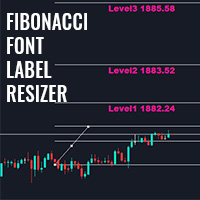
このインジケーターを使用すると、フィボナッチレベルのラベルを大きなフォントサイズで表示できます。 。 最大 25 のフィボナッチレベルをサポートします - フィボナッチを描画するとすぐに、入力パラメータとして追加したレベルが、選択した色とフォントの大きなフォント サイズで表示されます。 カスタマイズ可能なオプション: 1.フィボテキストフォント 2.フィボテキストサイズ 3.フィボテキストの色 3. 各レベルに説明を追加します 4. アンカーや度数などのその他のオプション このインジケーターを使用すると、フィボナッチレベルのラベルを大きなフォントサイズで表示できます。 。 最大 20 のフィボナッチレベルをサポートします - フィボナッチを描画するとすぐに、入力パラメータとして追加したレベルが、選択した色とフォントの大きなフォント サイズで表示されます。 カスタマイズ可能なオプション: 1.フィボテキストフォント 2.フィボテキストサイズ 3.フィボテキストの色 3. 各レベルに説明を追加します 4. アンカーや度数などのその他のオプション
FREE
This library will allow you to send your trades using your MT5 EA bot and its very easy to integrate on any EA which you can do yourself with the script code which is mentioned in documentation. This product allows trading operations via API For MEXC chart : Renting   Crypto Charting  for OHLC data or   Crypto Ticks with Order Book Depth  is optional - Supports MEXC API calls - Place Limit, SL Limit and Take Profit Limit Orders - Place Market, SL-Market, TP-Market orders - Modify Limit order - C
チャートの任意の場所でマルチシンボルをダブルクリックして、価格アラートを設定し、ターミナルアラートまたはプッシュ通知から通知を受け取ります 1. EA ユーティリティをチャートに追加する 2. <- 左または -> 右矢印キーでチャートをブラウズ 3. チャートの任意の場所をダブルクリックすると、線が追加されます。この線をドラッグして希望の価格を設定すると、アラートが設定されます! 価格がラインに到達すると、ユーティリティの設定に従って端末またはプッシュ通知で通知されます。 ターミナルを再起動しても、このアラートは機能し続けます。 4. マルチシンボルを閲覧し続け、アラートで通知したい多くのチャートに線を追加し続けます. 5. 最初からやり直したい場合は、D を押して、設定したすべてのアラートを削除します。 6. 水平線を削除すると、アラートが無効になります。
このインジケーターは、トレーダーの要件に従ってチャートをよりクリーンにするために有効/無効にできる最大6つのレベルをプロットします これらの6つのレベルは2つのセットにあります:高と低 セットごとに、異なる時間枠を選択できます 価格が日次、週次、または月次の高値に達すると、通常5分などの短い時間枠で価格が拒否されると考えられるため、これは以前の高値と安値の反転の戦略に基づいています。 特徴 : -単一のチャートで最大6つの時間枠の高値と安値を追跡します -これらのレベルにアラートを設定します。メール、プッシュ、またはターミナルアラート。価格がこれらのレベルに達すると、即座にアラートが送信されます。 -線のスタイル、幅、色など、レベルのスタイルをカスタマイズします -シフト:2日目または3日目の高低を追跡または調査したいですか?シフトは、2番目のバーの高低の場合は2に、3番目のバーの高低の場合は3に設定できます。
Cobra Pivot Points は、最適化されたピボット ポイントをプロットするためのインジケーターであり、デモをダウンロードすることで自分でバックテストできます。 1. 2 つの最適なピボット モードを選択します: Cobra ピボットまたは Camrilla ピボット 2. D1 に限定されず、任意の時間枠を使用できます。 3. Shiftパラメータを使用して、前日の高値安値終値を操作できます。 1 = 前のバー、2 = 前のバーなど。これらのパラメーターは、ピボットの研究開発に役立ちます。 4. レベルがタッチされると、アラート、電子メール、またはプッシュ通知が送信されます。 レベルに達すると、ピボット レベルは緩和されたとみなされ、再度警告されなくなります。 再度アラートが必要な場合は、時間枠を変更してアラートをリセットする必要があります。 5. 線の色、線のスタイル、線の幅、文字の色、フォントを完全にカスタマイズします。 コブラピボットは、LZone (スキャルピングに非常に近いレベル)、NZone (市場が統合しているとき)、HZone (ポジション取引
マルチ通貨の前のキャンドルまたは前のバースキャナーは、インジケーター設定から選択したカスタム時間枠でマルチシンボルチャートをスキャンするのに役立ちます。 製品に基づく: https://www.mql5.com/en/market/product/110229 前日の高値安値、前週の高値安値、前月の高値安値、または任意のカスタム時間枠の複数のシンボルをスキャンするために使用できます。 過去4時間チャートの高値安値 ノイズをフィルターし、価格が高値ラインまたは安値ラインに接触したときに方向性のある警告を発します。 戦略はシンプルで、前日、週または月の高値安値に触れると、価格が5分などの短い時間枠で拒否されると見なされます。 さまざまなアラートの種類を選択するオプションがあります スキャン頻度をミリ秒単位で選択および設定できます 1000 は、相場監視のすべてのシンボルを毎秒スキャンすることを意味します 製品の特徴 1. ターミナルアラート 2.電子メールアラート 3. プッシュ通知
ピボット ポイント マルチ シンボル スキャナーは、フロア、ウッディ、カマリラ、デマーク、またはフィボナッチ ピボット ポイントのマーケットウォッチで利用可能なすべてのシンボルをスキャンします。 任意の時間枠を選択してピボットポイントを計算し、価格がこれらのレベルのサポートとレジスタンスに達したときにアラートを受け取ることができます。 視覚的なピボット ポイントについて この製品に興味があるかもしれません: https://www.mql5.com/en/market/product/110231 さまざまなアラートの種類を選択するオプションがあります スキャン頻度をミリ秒単位で選択および設定できます 1000 は、相場監視のすべてのシンボルを毎秒スキャンすることを意味します 製品の特徴 1. ターミナルアラート 2.電子メールアラート 3. プッシュ通知
このライブラリを使用すると、任意の EA を使用して取引を管理でき、説明に記載されているスクリプト コードを使用して任意の EA に簡単に統合でき、完全なプロセスを示すビデオのデモ例も利用できます。 本製品はAPI経由で取引操作が可能であり、チャートは含まれておりません。 ユーザーは、暗号チャートを提供するブローカーのチャートを使用し、Binance に注文を送信できます。 - 一方向モードとヘッジモードをサポート - 指値注文、SL 指値注文、利食い指値注文の発行 - マーケット、SLマーケット、TPマーケットの注文を行う - 指値注文の変更 - 注文をキャンセルする - 注文のクエリ - レバレッジ、マージンの変更 - 位置情報の取得 もっと... スクリプトのドキュメント Binance に注文を送信する MQL5 で簡単な EA をコーディングする初心者向けの 1 時間のプログラミング チュートリアル https://www.youtube.com/watch?v=d_r4j2V77mY
このライブラリを使用すると、任意の EA(エキスパートアドバイザー)を使って取引を管理でき、どの EA にも簡単に統合できます。説明に記載されているスクリプトコードを使用してご自身で統合でき、全工程を示したデモ動画も用意されています。 本製品は API を通じて Bybit 取引所での取引操作を可能にします。 このツールには チャート機能は含まれていない ため、BTCUSDT やその他の暗号資産については、取引所が提供する他のシンボルをご利用ください。 指値注文および成行注文の発注 指値注文の修正 注文 ID による単一注文のキャンセル、または全注文のキャンセル 注文の照会 レバレッジの変更 ポジション情報の取得 など多数の機能があります… スクリプトドキュメント

Trade Assistant Pro (MT4) 裁量トレーダー向けの、単一チャート上で操作可能なコントロールパネルです。設定したリスク量に基づいてポジションサイズを自動計算し、チャート上から成行注文や予約注文(指値・逆指値)を発注します。さらに、ブレークイーブン(損益分岐点へのストップ移動)、部分決済、4種類のトレイリングストップ機能を用いてポジションを管理します。 Trade Assistant Proはシグナル生成ツールではなく、あくまで「ユーティリティ(補助ツール)」です。相場の方向性を予測したり、自動的に取引を開始したりすることはありません。すべてのエントリーは、パネル、チャート上のライン、またはオプションのホットキー操作を通じて、ユーザー自身によって行われます。 主な用途 裁量取引において問題となりがちな3つのプロセス(ポジションサイズの概算、時間的制約下での注文入力、手動での決済管理)を、キーボード操作からチャート上での操作へと移行させます。 1. リスク量を一度設定します(通貨額または口座残高・有効証拠金等に対するパーセンテージ)。 2. エントリー、ストップロス
このインジケーターをチャートに追加し、ZigZagのExtDepth設定を設定します 価格がトレンドラインのアッパー、ロワー、またはミドルチャネルに触れると即座にアラートを出します 特徴 : -上、下、または中線のアラートを有効/無効にします -アラートの後に一時停止を数秒で追加 -チャート上のボタンでトレンドチャネルを一時停止または一時停止解除 -入力フィールドにポイントを追加して早期アラートを追加します。たとえば、ETH価格は2900.25で、ここでは25桁が「ポイント」です。したがって、入力フィールドに25をポイントで追加し、トレンドチャネルの下線の値が2900.25の場合、次のようになります。 2900.50に早期アラートを受け取ります(設定から25ポイントを追加) -方向性タッチを有効/無効にします。詳細についてはスクリーンショットを参照してください。価格が下からの抵抗と上からのサポートに触れる場合、方向性タッチが考慮されます。この機能は、複数のアラートからのノイズを回避するために追加されます 1分から5分のチャートで下取りする場合、Extdepthへの推奨設定は5
対称三角形、非対称三角形、直角三角形などの三角形パターン、立ち上がりウェッジや立ち下がりウェッジなどのウェッジパターン、拡張パターン、トレンドチャネルのパターンエクスプローラー このインジケーターは、現在のパターンだけでなく過去のパターンも調査します。トレンドラインまたは三角形を手動で描画して時間を節約しようとし、チャートに最適なパターンをプロットする自動分析にこれを使用したい場合に最適なインジケーターです。 特徴 : -最適なパターンを調整して見つけるためにZigZagextdepthを即座に変更するためのパネル -パターンをジグザグの前のバーに戻し、過去に何が起こったかを調査します。トレンドラインが尊重されているかどうかを調査し、価格アクションを理解します。 以前の履歴パターンを調査し、このインジケーターを使用してそれらを分析および学習することにより、マスター戦略を考え出します。 -[切り替え]ボタンから、トレンドチャネルまたはトレンドラインからウェッジモードまたはトライアングルモードに即座に切り替えます -パターンが変更されないようにパターンをフリーズするのを一時
KrakenCryptoExchange先物履歴更新パネル 特徴 : 1.シンボルのKrakenAPIから利用可能な設定および更新履歴に基づいてシンボルを完全に作成します。 このパネルは、Open High LowCloseデータを使用してKrakenFuturesシンボルの履歴を更新します。また、履歴の更新が完了するとメッセージを出力します。 これはライブデータではないことに注意してください。   3.[ツール]>[オプション]>[URL]タブからのWebリクエストを許可するで説明したようにKrakenAPIURLを追加し、[Webリクエストを許可する]チェックボックスをオンにする必要があります -API URL:futures.kraken.com 4.より少ないメモリとCPUを消費します 5.ターミナルの再起動時に欠落データを自動更新します! ターミナルを開くたびに、最新のデータが準備できます! 6.DLL呼び出しは行われません

5 EMA Scalping Strategy Multi Symbol Scanner This EA utility will scan all symbols which are selected in marketwatch and alert when such condition is formed in chart when Candle low is above EMA 5 for Sell alert and Candle high is lower from EMA5 so you can be ready before selling or buying for scalping purpose on 5min chart For more details watch attached video Logic : When a candle closes above 5 EMA in 5 mins chart, Wait for its low to break and Sell when low is broken by wick, Your SL shou
Multi Symbol ZigZag Breakout Scanner は、マーケットウォッチで選択されたすべてのシンボルをスキャンします。 価格がこれらのレベルに到達しようとしているときに、ダブル トップ、ダブル ボトム、または任意のフィボナッチ エクステンション レベルを簡単に見つけるのに役立ちます。 Timeframe と、Zigzag の複数の Extdepths (最大 3 つ) を選択できます。 推奨される ZigZag は 21、34、および 55 で、すべてのタイプの Zigzag とフィルター ノイズをカバーします。 端末アラートまたはプッシュ通知のいずれか、または両方を受信するように設定できます Multi Symbol ZigZag Breakout Scanner は、マーケットウォッチで選択されたすべてのシンボルをスキャンします。 価格がこれらのレベルに到達しようとしているときに、ダブル トップ、ダブル ボトム、または任意のフィボナッチ エクステンション レベルを簡単に見つけるのに役立ちます。 Timeframe と、Zigzag の複数の Ex

市場構造は、より高い時間枠でのブレイクアウトがトレーダーにトレンドをクリアするのに役立つ可能性があるものです. 1. このインディケータは最後の 2 つの構造 (ZigZag の前の高値と安値) のみに ZigZag を描画し、ZigZag の新しいバーは構造のブレークが発生したときにのみ形成されます。 2. 構造体の破壊時にターミナルとプッシュ通知を提供 3. [ と ] キーから ZigZag の Extdepth を増減して、スイングを調整します。 4. Line AB BC と CD の色を変える 5.多くのチャートに追加し、複数のシンボルでアラートを取得します Break of Structure Multi ExtDepth Breakout Multi Symbol Scanner を探している場合は、この製品を使用できます。 Multi Symbol Multi ExtDepth ZigZag Breakout Scanner
Fibo Musang FMBCR CB1 ブレイクアウト スキャナー MT5 Fibo Musang CB1 または Candle Break 1 は、Gold XAUUSD およびその他の外国為替シンボルで非常にうまく機能する戦略です。 このスキャナーは、マルチシンボル通貨を非常に高速にスキャンし、FMCBR CB1 ブレイクアウトに関するアラートを取得するのに役立ちます トレーダーの好みに合わせて完全にカスタマイズできるので、詳細についてはビデオをご覧ください。 1. 時間枠とバーの履歴を選択できます 2. お好みの ZigZag 設定を変更できます: ExtDepth、ExtDeviation、ExtBackStep 3.ターミナルアラートまたはプッシュ通知を取得する 4. 1.618 2.618 または 4.236 のようなフィボナッチ エクステンションを追跡するオプション、または 1.00 で CB1 ブレイクアウトを追跡するオプション
チャートの任意の場所でマルチシンボルをダブルクリックして、価格アラートを設定し、ターミナルアラートまたはプッシュ通知から通知を受け取ります 1. EA ユーティリティをチャートに追加する 2. <- 左または -> 右矢印キーでチャートをブラウズ 3. チャートの任意の場所をダブルクリックすると、線が追加されます。この線をドラッグして希望の価格を設定すると、アラートが設定されます! 価格がラインに到達すると、ユーティリティの設定に従って端末またはプッシュ通知で通知されます。 ターミナルを再起動しても、このアラートは機能し続けます。 4. マルチシンボルを閲覧し続け、アラートで通知したい多くのチャートに線を追加し続けます. 5. 最初からやり直したい場合は、D を押して、設定したすべてのアラートを削除します。 6. 水平線を削除すると、アラートが無効になります。
Control Candle is the candlestick which holds multiple inside bars and are in control until its high low range is broken by close of any candlestick. When control candle is broken, price may act on these control candle as support and resistance. This indicator create rectangles on chart which will help you find control candles fast. Control candle indicator box is customizable by color, style, width and other options in indicator settings.
コブラレベル これらは、外国為替、暗号通貨、コモディティ、ニフティ、バンクニフティを含むユニバーサル市場で機能する 2 つの周波数モードを備えた 6 セットのレベルです。 これらは金融商品に関する最良の調査を経て出版されています。 上位レベルを U1 ~ U5 と呼び、下位レベルを D1 ~ D5 と呼びます。 市場は、通常の状態では U3 または D3 までの内部チャネル、または不安定な状態では外部チャネル U4 から U5 または D4 から D5 のいずれかでドライブする可能性があります。 価格が U3 U4 U5 または D3 D4 D5 に達すると、反転の可能性が非常に高くなります。トレーダーはローソク足の終値を待ってエントリーを確認し、有効なリスク管理を行って取引する必要があります。 このインジケーターでは、インジケーター設定のカスタマイズオプションによってレベルをシフトできます。 ユーザーは + または - ポイントを追加してレベルをカスタマイズできます 1. タイムフレーム: M1、M3、M5、M15、H1、H4 のみで作業しています。 2. 日中、スイング、
このインジケーターは、同じチャート上で追跡したい他の時間枠のローソク足を効率的に追跡します。 1. 同じチャートにバーをロードするには、より高い時間枠を選択します 2.ローソク足の色とスタイルをカスタマイズする 3. ローソク足を描画するバーの数を選択します 4. 芯と本体とともにより高いタイムフレームの完全なキャンドルを追跡する 5. チャートを切り替えたくない人にとっては簡単で便利です。 このインジケーターは、同じチャート上で追跡したい他の時間枠のローソク足を効率的に追跡します。 1. 同じチャートにバーをロードするには、より高い時間枠を選択します 2.ローソク足の色とスタイルをカスタマイズする 3. ローソク足を描画するバーの数を選択します 4. 芯と本体とともにより高いタイムフレームの完全なキャンドルを追跡する 5. チャートを切り替えたくない人にとっては簡単で便利です。
MT5用Binance取引ツール 1. 本製品には、Websocketからのライブチャート、ヒストリカルチャート、そしてMT5ターミナルの再起動時に自動更新される機能が搭載されています。これにより、手動操作なしでスムーズにBinance取引を行うことができます。 スポットと先物で取引、ライブチャート、ヒストリカルデータが利用可能です。 チャート機能: 1. Websocket (wss) 経由のライブOHLCチャート 2. APIからの履歴更新 3. MT5を開くたびにチャートの履歴を自動更新 4. M1からMN1まで、すべての時間枠に対応 5. 利用可能なデータ:始値、高値、安値、終値、実出来高、ティック出来高 6. ストラテジーテスターを使用して、暗号資産データでエキスパートアドバイザーのあらゆる戦略をバックテストできます。 チャートと履歴に関する手順: 1. MT5オプションにURLを追加します。 2. 任意のチャートでユーティリティを起動し、モードをLIVEに設定し、取引所(例:Binance Spot)を選択します。初回実行時のみ「シンボルの作成」を「有効」にして、
Cobra Pivot Points は、最適化されたピボット ポイントをプロットするためのインジケーターであり、デモをダウンロードすることで自分でバックテストできます。 1. 2 つの最適なピボット モードを選択します: Cobra ピボットまたは Camrilla ピボット 2. D1 に限定されず、任意の時間枠を使用できます。 3. Shiftパラメータを使用して、前日の高値安値終値を操作できます。 1 = 前のバー、2 = 前のバーなど。これらのパラメーターは、ピボットの研究開発に役立ちます。 4. レベルがタッチされると、アラート、電子メール、またはプッシュ通知が送信されます。 レベルに達すると、ピボット レベルは緩和されたとみなされ、再度警告されなくなります。 再度アラートが必要な場合は、時間枠を変更してアラートをリセットする必要があります。 5. 線の色、線のスタイル、線の幅、文字の色、フォントを完全にカスタマイズします。 コブラピボットは、LZone (スキャルピングに非常に近いレベル)、NZone (市場が統合しているとき)、HZone (ポジション取引
フィルタ:
レビューなし
レビューに返信