Sniper Liquidity Indicator
- 지표
- 버전: 1.11
- 업데이트됨: 20 9월 2026

Sniper Liquidity System
Sniper Liquidity System maps where liquidity rests, tracks when price takes it, and confirms the shift in market structure that often follows. Once a setup forms, it draws a complete trade plan on your chart: entry, stop loss, take profit and Risk:Reward.
No DLLs. No external software. No repainting after a bar closes. Just attach it to a chart.
Features
Complete signals with a fixed Risk:Reward tool
- Entry at the fair value gap's full fill or the order block at 50%, as a limit order (confirmation entry), or at market on the shift (risk entry).
- Stop loss just beyond the strong high or low that grabbed liquidity.
- Take profit at the opposite liquidity pool (weak high or weak low), or a fixed RR of your choice.
- A Risk:Reward tool fixed to entry, SL and TP, showing pips, R multiple, confluence score and live status: pending, active, TP hit or SL hit.
- Signals clear themselves after 24 hours, so your chart stays clean.
Liquidity mapping
- Major liquidity: previous day, week, month and year highs and lows (PDH/PDL, PWH/PWL, PMH/PML, PYH/PYL).
- Medium liquidity: Asia high and low, London high and low, and equal highs and lows (EQH/EQL).
- Minor liquidity: internal swing highs and lows.
- Every level is marked the moment it's taken.
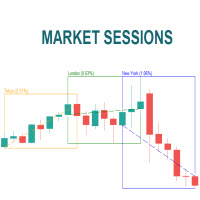
Daily cycle and sessions (New York time)
- Daily open (D.O) with premium / discount reading.
- Asia range box, Frankfurt, London and New York opens.
- Killzone detection for London and New York.
Algo market structure
- BMS, +MS / -MS market structure shifts.
- Strong / Very Strong highs and lows, meaning the extremes that grabbed liquidity and broke structure.
- Fair value gaps, order blocks (algo candles) and high volume imbalances, removed automatically once filled.
TDI confirmation
- Traders Dynamic Index (RSI 50, band 50, fast 1, slow 9).
- High volume breakout (middle band cross) and divergence added to the confluence score.
Confluence score (0-100) Each setup is scored on the type of liquidity taken, displacement, FVG, HVI, killzone timing, premium/discount, TDI, divergence, inducement, higher-timeframe bias and the New York open trap. Set your own minimum score to filter out lower-confluence setups.
AI Trade Advisor (built in, no extensions) A rule-based trade manager that watches every open signal and tells you when to act:
- Move SL to break-even: when structure breaks in your favour or at +1R.
- Trail the stop: behind each new protected swing once you're in profit.
- Exit early: when its exit-risk score rises because of an opposing structure shift, a TDI cross back, opposite displacement, stalling, an opposing FVG/OB ahead, fading momentum or Friday distribution.
- Suggestions are drawn on the chart as an orange line and sent as alerts.
- The panel tracks and compares net result with the AI advisor enabled versus disabled.
Organised dashboard A compact panel with four sections:
- Market context: session and killzone, HTF bias, market structure, premium/discount, TDI momentum.
- Performance: success rate with a progress bar, net R, profit factor, closed trades.
- Active signal and AI advisor: the open or pending trade, floating R, exit risk and the current advice.
- Signal review: << Prev / Live / Next >> buttons scroll the chart back to any past signal and replay its Risk:Reward tool with the result, entry point and exit marker.
Plus Snap (saves a PNG of your chart), Theme and a collapse button.
Modern chart themes Switch your whole chart with one click:
- Modern Dark
- Midnight Blue
- Modern Light
- Off (your own colours, restored automatically when the indicator is removed)
Alerts Popup, push notification and sound for new signals, fills, TP/SL hits and AI suggestions.
Built for EAs too Buy/sell arrows plus Entry, SL, TP and Score buffers can be read with iCustom for automated trading. A history CSV is saved to MQL5\Files.
Works on
All symbols: Forex, Gold, indices, crypto. All timeframes. Designed for M1-M15 entries with an H1-H4 bias.
Key inputs
Server time minus New York time (default: 7) — Aligns sessions to NY time (set this for your broker)
Higher timeframe (default: H4) — Bias filter
Entry type (default: Limit at FVG / OB) — Or market on the shift
Take profit mode (default: Opposite liquidity) — Or fixed RR
Minimum RR (default: 2.0) — Skip setups with low reward
Minimum score (default: 55) — Raise it for fewer, higher-confluence signals
Killzone only (default: Off) — Only signal in London / NY killzones
Signal lifetime (default: 24 h) — Removes the tool from the chart
AI advisor (default: On) — Break-even, trailing and early-exit suggestions
Theme (default: Modern Dark) — Chart theme
Installation
- Copy Sniper_Liquidity_System.ex5 to MQL5\Indicators (File > Open Data Folder).
- Restart MT5 or refresh the Navigator.
- Drag Sniper_Liquidity_System onto a chart.
- Set Server time minus New York time for your broker.
Risk disclaimer
Trading foreign exchange, CFDs and other leveraged products carries a high level of risk and may not be suitable for all investors. Sniper Liquidity System is an analysis tool. It does not guarantee profits, and past signal results shown in the panel do not predict future performance. The AI advisor is a rule-based decision engine, not financial advice. Always test on a demo account first and use proper risk management.