Peak Pips MT4
- 지표
-
Sindhu Bairavim
 저는 14년 이상의 경력을 가진 테크니컬 아키텍트로서, 신뢰할 수 있는 고품질 소프트웨어 솔루션을 구축해 왔습니다. 저는 MQL5 인디케이터 및 Expert Advisor(EA)를 개발할 때에도 동일한 정밀함, 구조, 그리고 문제 해결 능력을 적용하고 있습니다. 저의 목표는 트레이더들이 시장을 더 명확하게 읽고, 추측을 줄이며, 자신감을 가지고 더 나은 정보에 기반한 결정을 내릴 수 있도록 돕는 실용적인 트레이딩 도구를 만드는 것입니다.
 - 버전: 1.2
- 업데이트됨: 15 7월 2026
- 활성화: 20
Peak Pips MT4
Peak Pips MT4 is a powerful trend-analysis indicator designed to help traders identify fresh BUY and SELL opportunities for scalping, intraday and swing trading, all from one chart.
Backed by 23 years of testing with Dukascopy 100% tick data, the indicator combines a protected signal algorithm, confirmed zero-repainting signals, live peak-pips tracking and a built-in multi-timeframe scanner in one trader-friendly workspace.
Instead of switching constantly between charts, traders can monitor directional conditions, review signal performance and track favorable price movement more efficiently.
More Than an Arrow Indicator
Peak Pips MT4 is designed to filter noisy market movement and highlight stronger trend conditions rather than filling the chart with random arrows.
Its private signal engine focuses on producing qualified signals while keeping the core strategy logic fixed and protected.
Use it with your preferred:
- Symbols
- Trading sessions
- Timeframes
- Alert settings
- Scalping, intraday or swing-trading approach
The indicator does not force one trading style.
Qualified BUY and SELL Signals
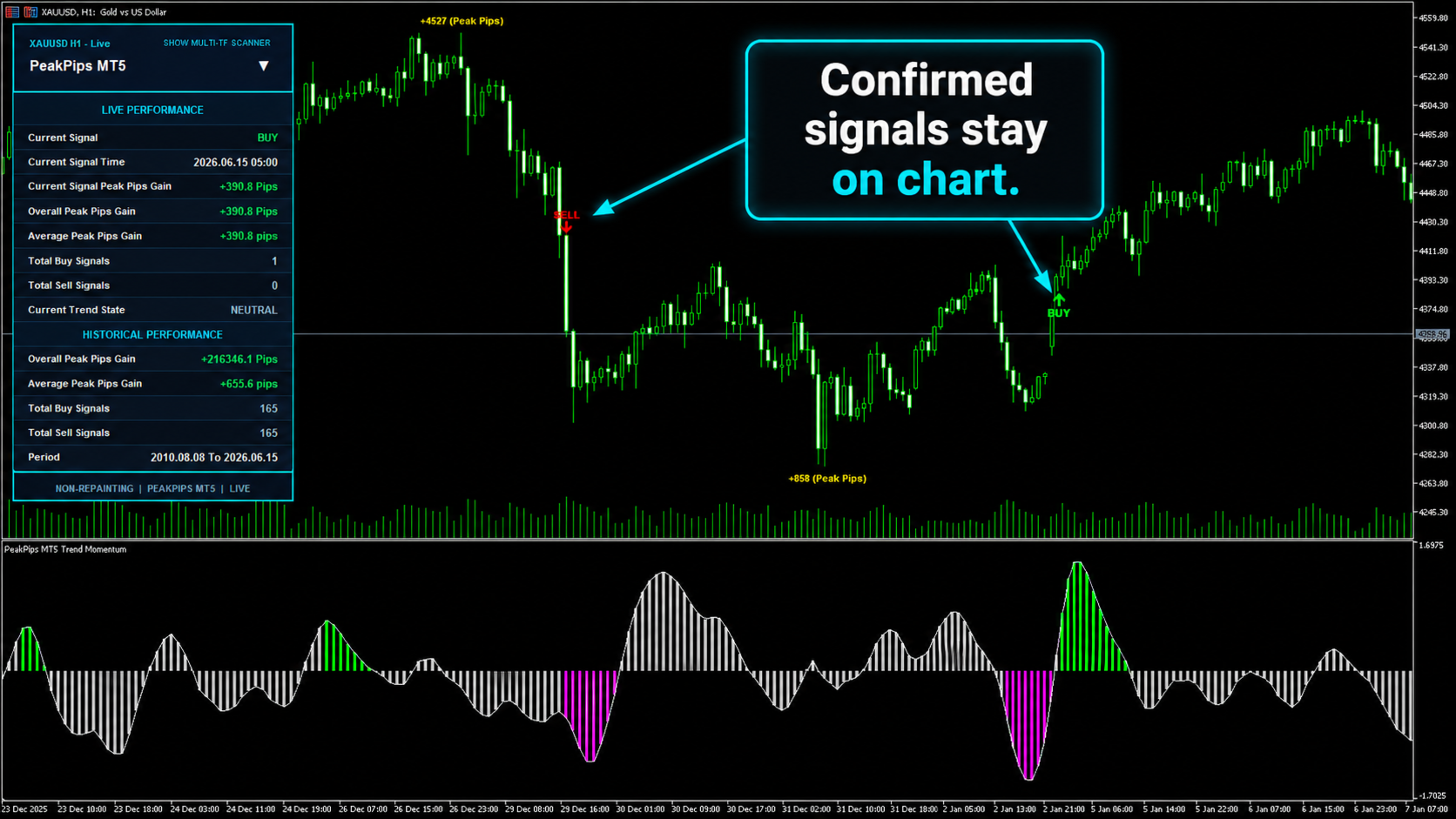
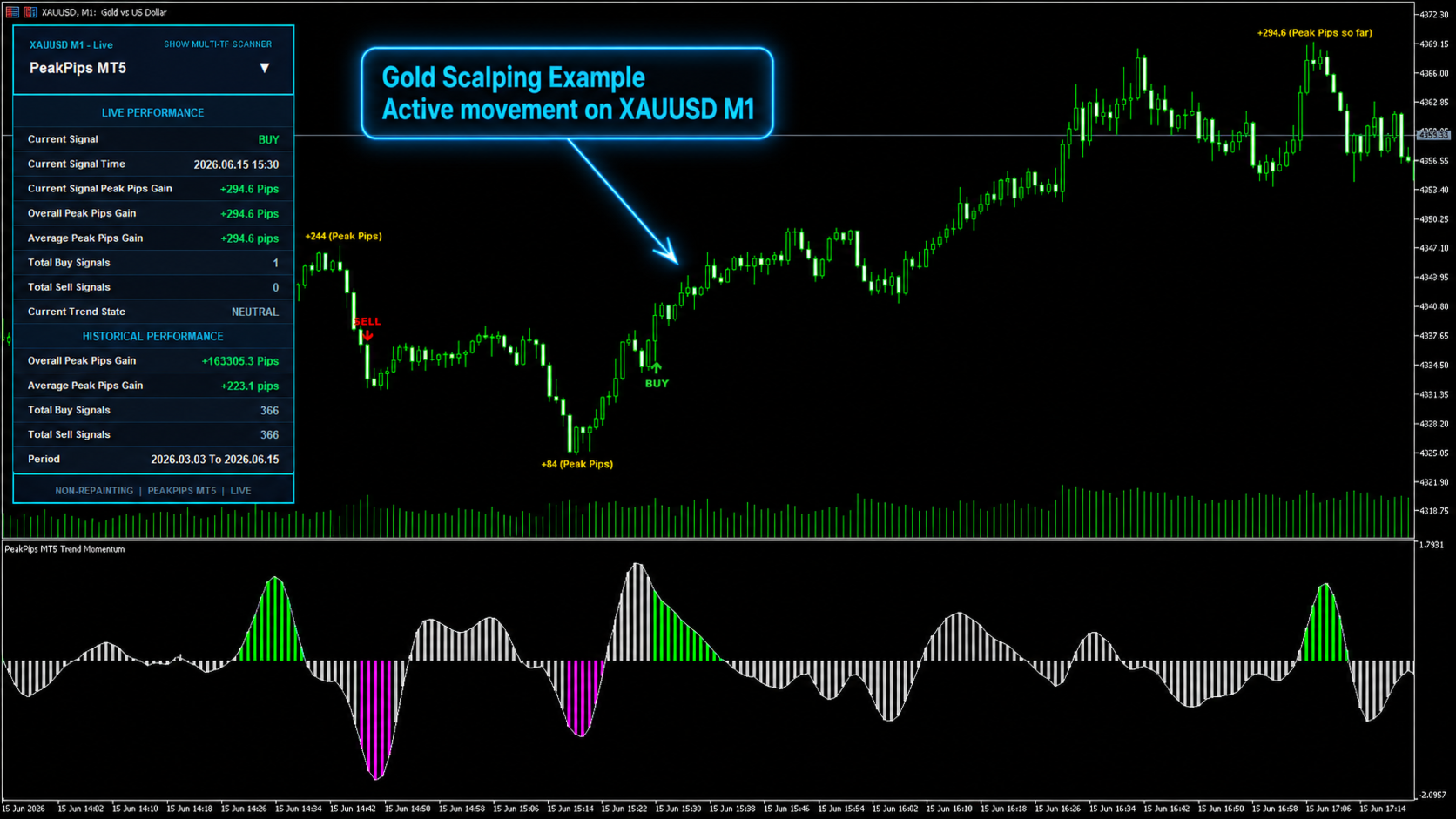
Peak Pips MT4 displays clear BUY and SELL signals when its internal conditions are confirmed.
The zero-repainting design helps traders review chart signals with greater consistency, while the visual labels and alerts make new opportunities easier to notice.
Signals can be used as part of your own trading plan, confirmation process and risk-management rules.
Live Peak-Pips Tracking
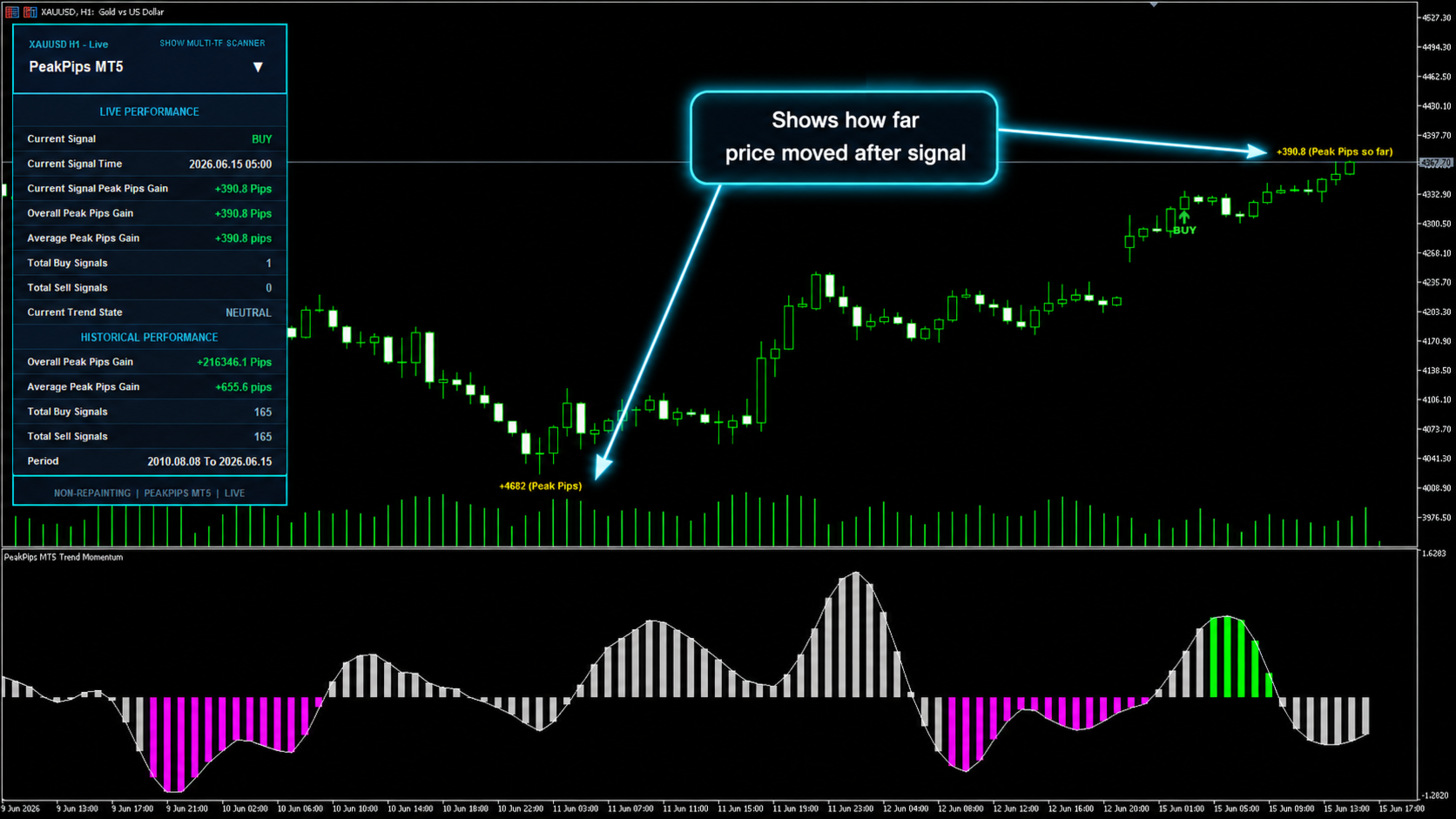
One of the indicator's main strengths is its Peak Pips Tracker, which measures how far price moves in favor of each signal.
It helps you evaluate:
- Current signal movement
- Maximum favorable movement
- Live peak-pips gain
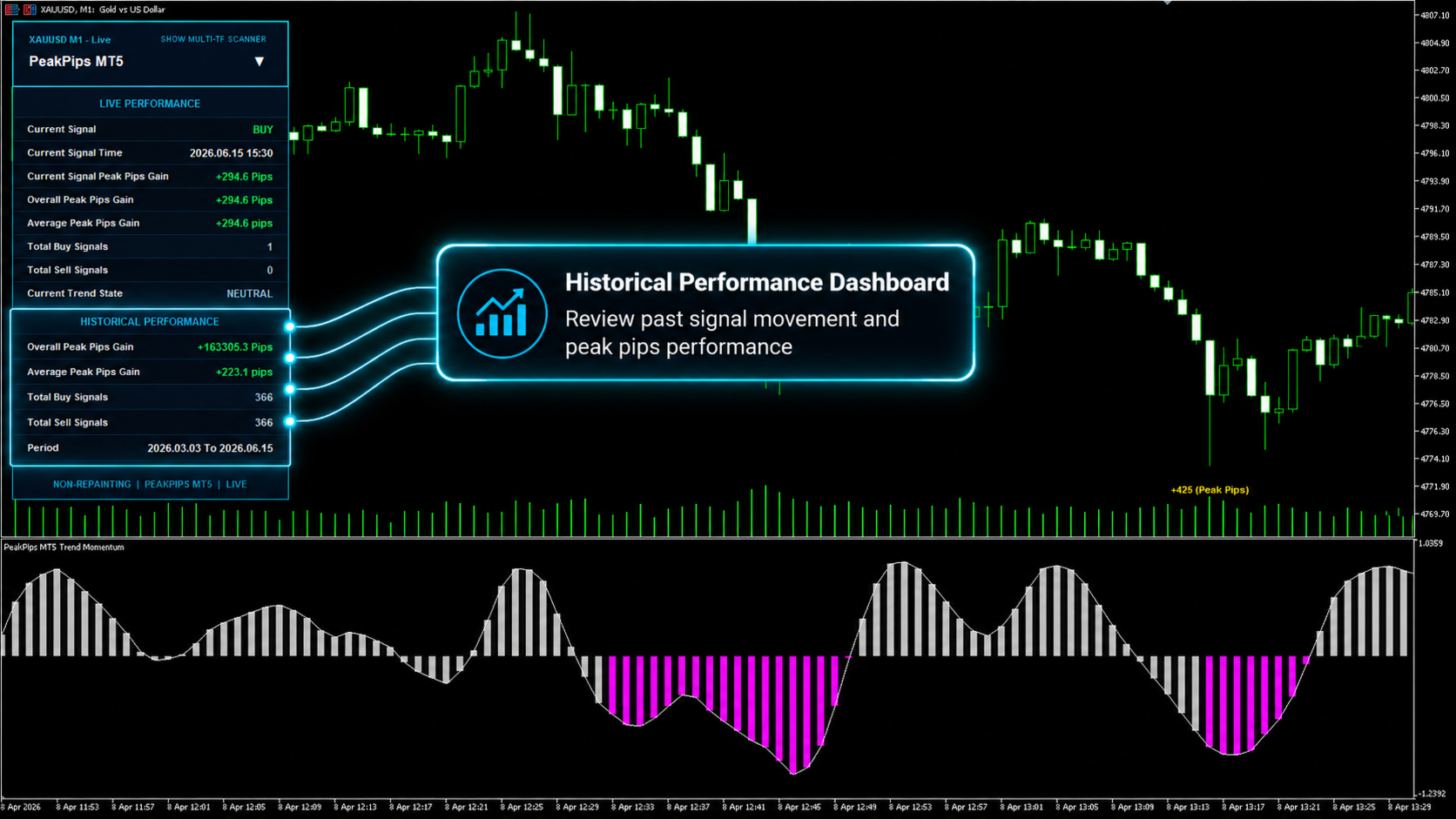
- Historical signal performance
- Average peak-pips gain
- Overall movement captured by previous signals
This provides a clearer view of signal behavior than a basic entry arrow alone.
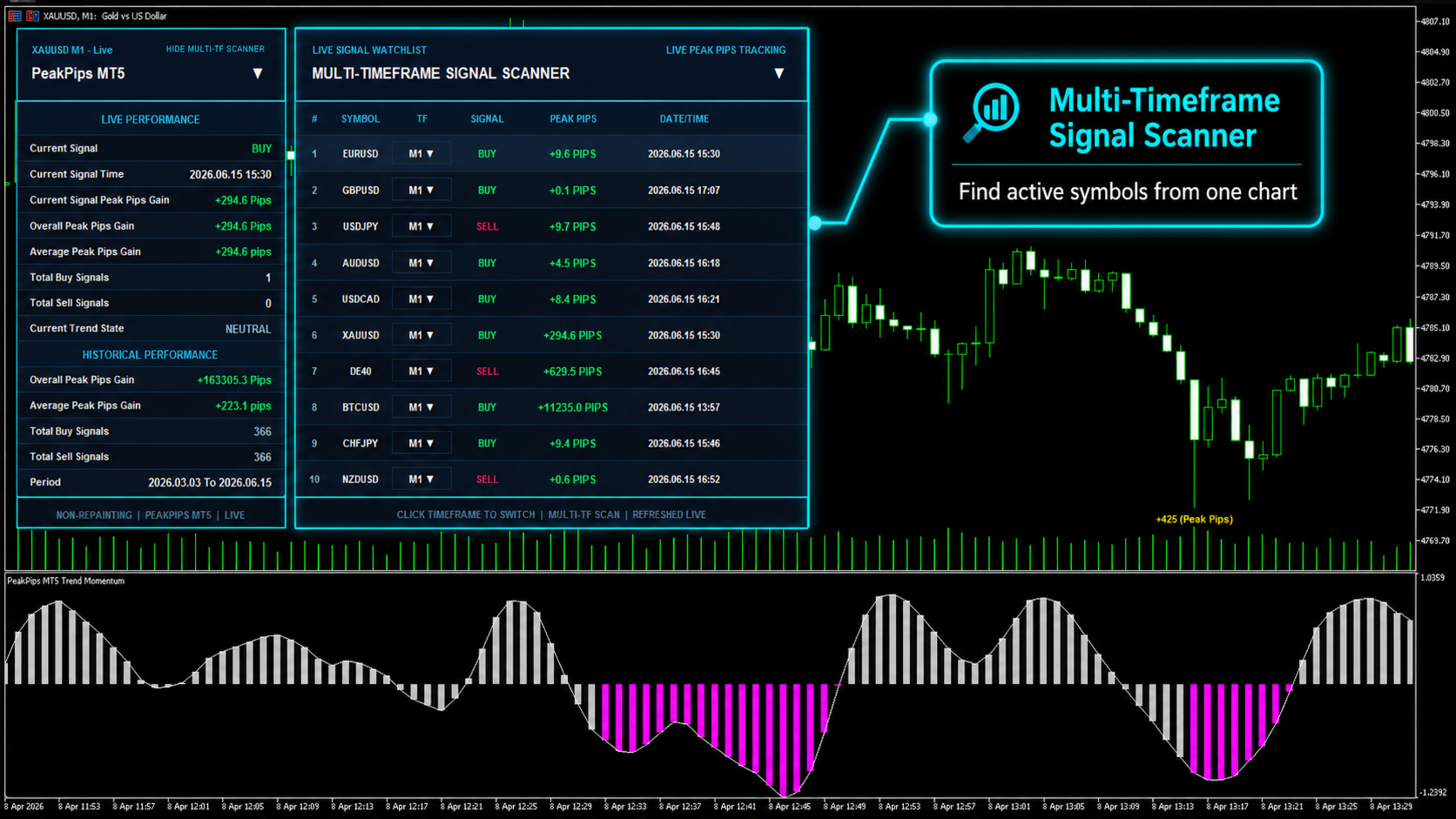
Multi-Timeframe Signal Scanner
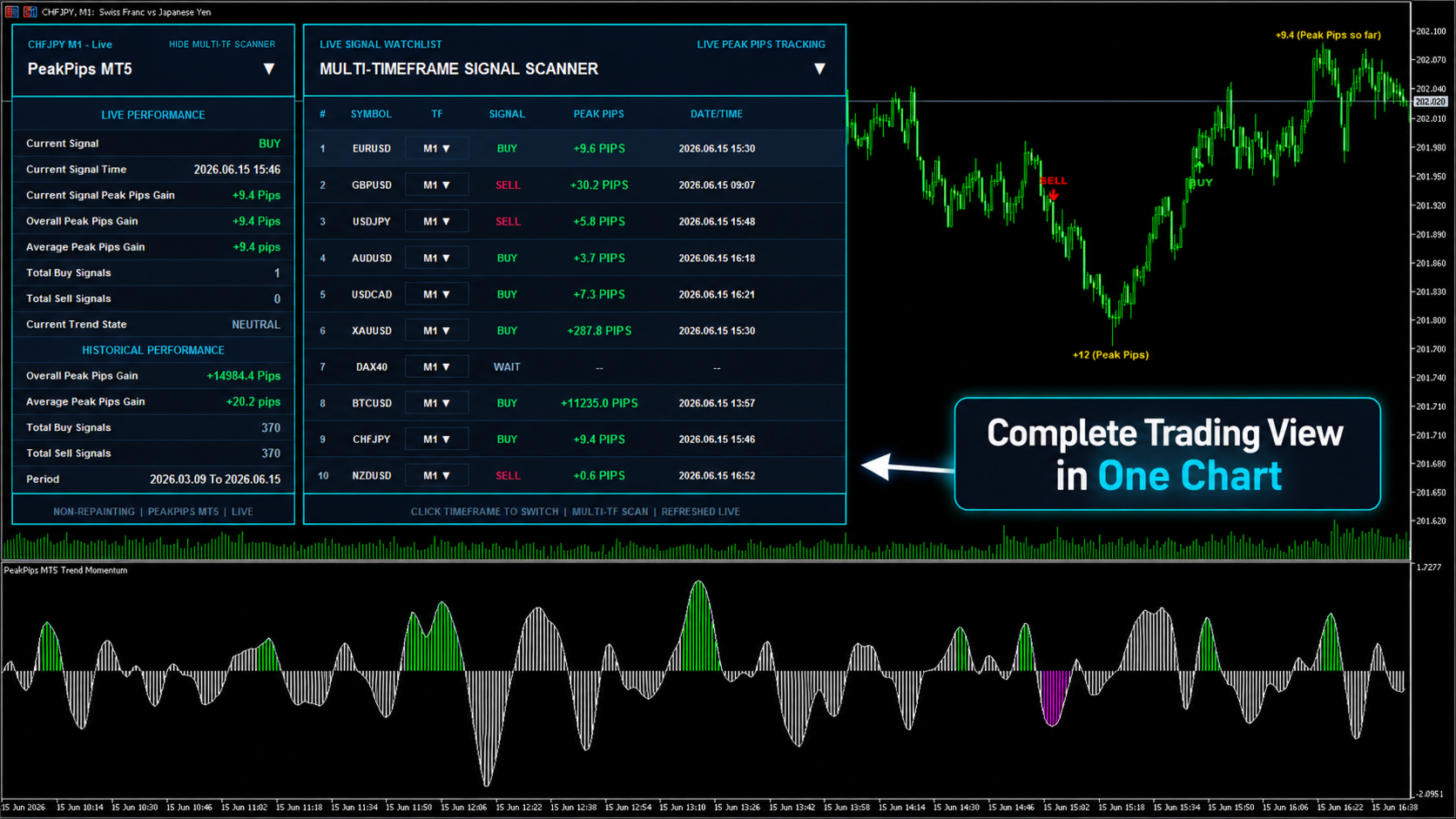
Monitor multiple selected symbols and timeframes from one chart.
The scanner displays:
- BUY, SELL or WAIT status
- Symbol and timeframe
- Signal time
- Live peak-pips movement
- Current directional condition
This can reduce unnecessary chart switching and help traders review several markets more efficiently.
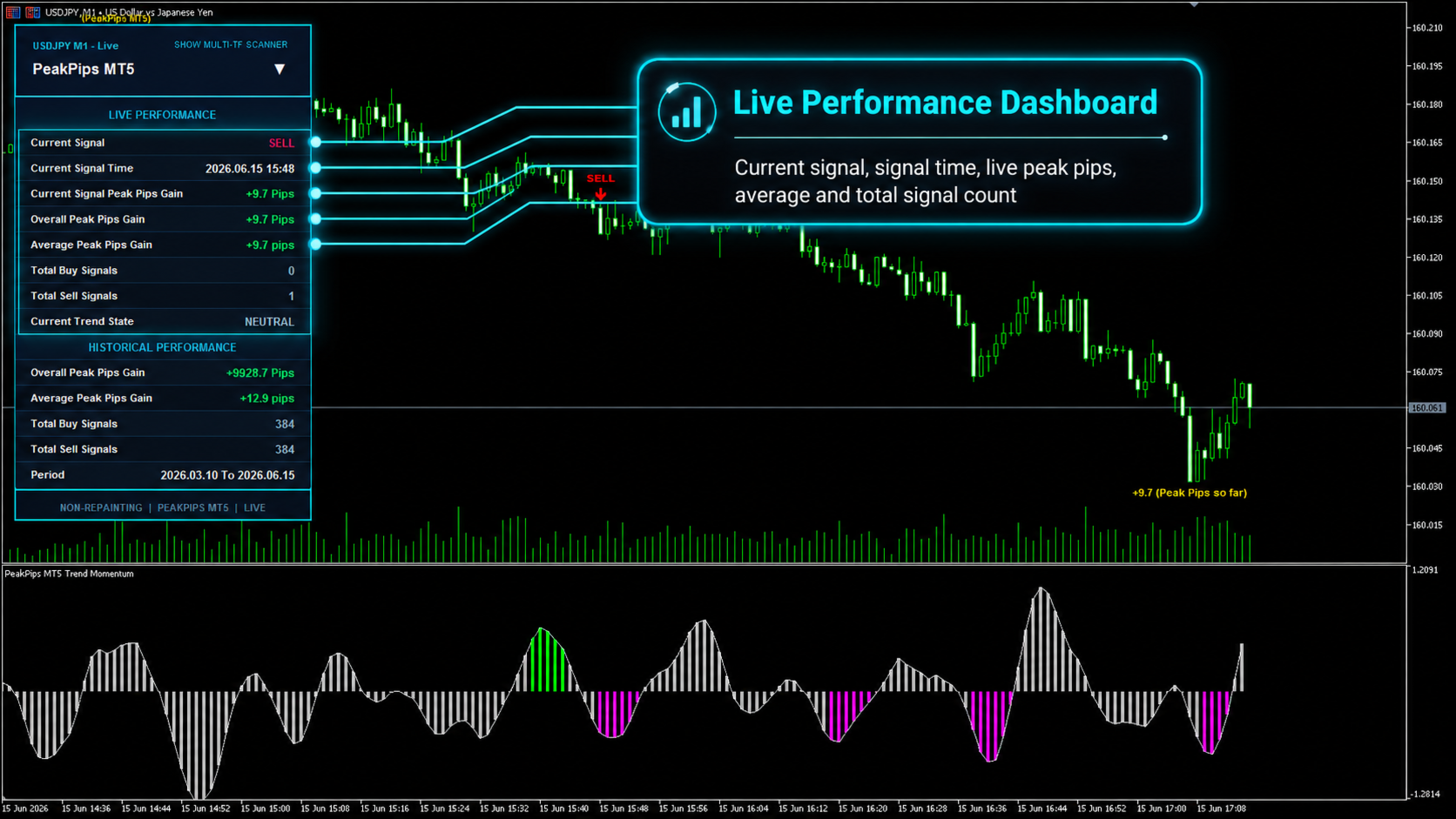
Three Integrated Performance Panels
- Live Performance Dashboard: Displays the current chart signal, signal time, live peak-pips gain, overall peak-pips gain, average gain and total BUY and SELL signals.
- Historical Performance Dashboard: Shows historical peak-pips performance, average movement, total BUY and SELL signals and the selected analysis period.
- Multi-Timeframe Scanner: Tracks selected markets and presents their current signal status, timeframe, signal time and peak-pips progress in one organized panel.
Markets and Timeframes
Peak Pips MT4 can be used across broker-supported instruments, including:
- Forex pairs
- Gold and other metals
- Indices
- Cryptocurrencies
- CFDs and additional MT4 symbols
Suitable trading styles include:
- Scalping: M1, M5 and M15
- Intraday trading: M15, M30 and H1
- Swing trading: H1, H4 and D1
- Trend following: M15 through D1 and higher
- Short-term analysis: M5, M15, M30 and H1
The indicator supports M1, M5, M15, M30, H1, H4, D1 and higher timeframes.
Fast Chart Alerts
For the fastest chart-based alerts:
- Open the required symbol chart.
- Attach Peak Pips MT4.
- Set Enable Multi-TF Scanner Alerts to false.
- Set Chart Signal Alerts > Popup Alert to true.
Alert behavior can also be customized through popup, push, email and sound notification settings.
Flexible Settings
- PeakPips Visuals: Adjust chart colors, fonts, labels and visual elements.
- Premium Panels: Customize panel size, position and appearance.
- Multi-Timeframe Scanner: Choose symbols, timeframes and scanning speed.
- Strategy Tester: Use dedicated settings for smoother and lighter backtesting.
- Scanner Alerts: Enable popup, push or email notifications for scanner updates.
- Chart Signal Alerts: Configure popup, push and sound alerts for the active chart.
- Protected Engine Settings: The core signal logic remains fixed and hidden to protect the indicator's internal system.
Best Suited For Traders Who Want
- Clear BUY and SELL signals
- Confirmed zero-repainting behavior
- Less manual chart switching
- Multi-symbol and multi-timeframe monitoring
- Live peak-pips tracking
- Historical performance information
- Customizable alerts and dashboards
- A clean, organized MT4 trading workspace
Try the Free Demo
Use the free demo to test Peak Pips MT4 on your own symbols and timeframes. Review the signals, scanner, dashboards and peak-pips tracking before making your decision.
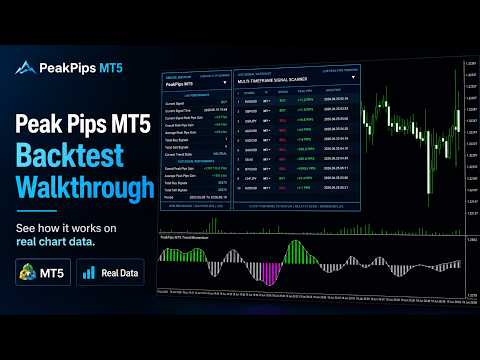
Screenshots and the demonstration video also show how the indicator presents live signals and performance information in real trading conditions.
MT5 Version
Looking for MetaTrader 5? The MetaTrader 5 version of this indicator is available to download from here.
Stay Updated
Join the MQL5 Channel for product updates and discounts:
Support
Questions about installation, settings or usage? Contact the seller directly:
Important Note
Peak Pips MT4 is a technical-analysis indicator. It does not place trades automatically and does not guarantee profits. Signals should be combined with personal analysis, suitable risk management and responsible trading decisions.