TPS Manual Pro
- 유틸리티
- 버전: 1.61
- 활성화: 20

Overview of "TPS Manual Pro"
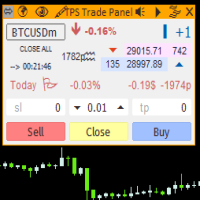
TPS Manual Pro is an advanced MQL5 Expert Advisor (EA) designed for the MetaTrader 5 (MT5) platform. It serves as a comprehensive "trading cockpit" that combines manual trade execution with automated risk management and institutional-grade market analysis tools.
Unlike a fully automated bot that makes trading decisions on its own, this EA is designed to assist you—the trader—by automating the repetitive, high-stress tasks of order management, risk calculation, and structural market visualization.
All Dashboard Panel Mouse Click To Shift anywhere on Chart and Those Panel minimize and maximize function included.
Key Features & Modules
1. Operational Core (Part 1)
This module provides a one-click interface for rapid order execution, essential for fast-moving markets:
-
Instant Execution: Dedicated buttons for Market Buys and Sells, allowing you to enter trades with pre-defined or manual settings instantly.
-
Emergency Purge: An "Emergency Total Full Purge" button that acts as a kill-switch, instantly closing all open positions and deleting all pending orders associated with the EA.
-
Pending Order Management: Dedicated controls to place and manage BuyStop and SellStop orders with precision.
2. Global Configuration (Part 2)
This section provides granular control over your trade parameters:
-
Dynamic Lot Sizing: Choose between a fixed manual lot size or an automated risk-based lot calculation (based on your account balance and risk percentage).
-
Integrated SL/TP: Automatically attach Stop Loss (SL) and Take Profit (TP) to every trade, protecting your capital according to your risk-reward ratio.
-
Daily Drawdown/Profit Limits: Safeguard your account by setting daily loss or profit thresholds. Once these limits are hit, the EA locks itself to prevent "over-trading" or "revenge trading."
3. Logic Matrix Switches (Part 3)
A centralized control panel to enable or disable specific features of the EA:
-
Trade Session Filters: Restrict trading to specific market sessions (London, New York, Tokyo, Sydney) to match your strategy's optimal volatility windows.
-
Trailing Stop & Break Even: Automated tools to lock in profits or move stop losses to the entry price once a trade reaches a specific profit target.
-
Partial Closing: Automatically close a percentage of your position once a specific target is reached to secure "partial" gains while letting the remainder run.
4. Smart Money Concepts (SMC) Visualization
The EA includes an integrated SMC algorithm that visually helps you identify institutional footprints on your chart:
-
Order Blocks (OB): Highlights zones where institutional accumulation or distribution may be occurring.
-
Fair Value Gaps (FVG): Detects price imbalances where the market moved too quickly, leaving "gaps" that price often revisits later.
5. Advanced HUD & Theming
-
Real-time Telemetry: The "Advanced Account HUD Audit" dashboard displays your live Balance, Equity, Margin, Spread, and even calculates the "Points to Breach" until your daily loss limit is hit.
-
35 Dynamic Themes: The EA features 35 unique visual styles. These themes automatically sync the dashboard, panel borders, and text colors to ensure maximum visibility against any chart background (Dark or Light).