Artemis Vision Assist

Artemis Vision Assist MT4

Artemis Vision Assist MT4 is an accessibility utility for MetaTrader 4, designed for traders who find the platform's default interface difficult to read. MT4's small text, dense labels, and compact controls can create real problems for traders with visual impairment, reduced eyesight, or chronic eye strain. This utility adds a large, high-contrast dashboard directly onto the chart, bringing key trading information into a format that is genuinely easier to see and interact with.

What it displays

The dashboard shows current Bid, Ask, and Spread values in large text, alongside floating P/L, open trade count, account balance, and equity — all without needing to navigate MT4's smaller native windows. Stop-loss and take-profit distances are displayed in pips for each open position, making trade management easier to follow at a glance.

Controls and display options

All primary actions are accessible through large buttons designed to be easy to locate and press. Available controls include Buy, Sell, Close All, Move SL to Break Even, Read Out, Grid Toggle, Contrast Mode, and Simple View. Font size can be adjusted at any time using the A+ and A- buttons. Simple View reduces the panel to fewer elements for traders who prefer a less cluttered display, and Contrast Mode allows the panel theme to be switched to suit individual visibility preferences. The MT4 chart grid is off by default and can be toggled cleanly from the panel.

Safety design

Trading buttons are locked by default to help prevent accidental order placement. All trading decisions remain the responsibility of the user. The Read Out button produces a clear text summary of current account and chart status, useful for quickly checking position without scanning multiple areas of the screen.

Recommended use

Attach Artemis Vision Assist MT4 to any chart and use it as a persistent large-format control panel alongside your normal trading. Adjust font size, contrast, grid visibility, and view mode to build a workspace that suits your eyesight and trading style. The utility works on any symbol and any timeframe.

Important

Artemis Vision Assist MT4 is an accessibility and display utility. It is not a trading strategy, signal service, or automated system. It does not predict market direction and does not guarantee trading results.


추천 제품
TickChart Indicator plots the tick line on the main window of MetaTrader. In the Lite version, the number of ticks is limited to 20 and the alert function described below is omitted.  The "tick-line" shows the most detailed, fastest and real-time activities of the market, which are usually hidden in bars or candles longer than 1 minute. Usually, several new tick-line segments appear while a bar of M1 time frame is completed. After the release of an important economic indicator, the number of tic
FREE
Shadow Flare MT4
Kestutis Balciunas
Shadow Flare 인디케이터는 MetaTrader 4용 비리페인트형 추세 & 유동성 도구 입니다. 설정 가능한 이동평균 베이스라인(HMA, EMA, SMA 또는 RMA)을 계산하고, 그 주변에 평균진폭범위(ATR) 기반 밴드를 씌워 가격이 상단 또는 하단 밴드를 종가 기준으로 돌파할 때에만 방향이 전환되는 “점착형(Sticky)” 추세 상태를 생성합니다. 동일한 추세 엔진은 피벗 고점·저점을 감지하여 그 주위에 색상 박스를 그린 뒤, 가격이 종가 기준으로 해당 박스를 돌파하는 순간 자동으로 존을 소거(미티게이션)하는 공급/수요 존 모듈도 구동합니다. 매수·매도 신호는 추세 상태가 전환되는 시점에 발생하며, 선택적인 거래량 및 RSI 필터를 통해 약한 신호나 모멘텀에 역행하는 진입을 차단할 수 있습니다. 내장 대시보드는 실시간으로 Trend Bias(추세 바이어스), Momentum(RSI 기반), Volume(거래량)을 보여 줍니다. 팝업, 사운드, 모바일 푸시, 이메일로 구성
FREE
Trading Information
Cuong Le Van
4.5 (10)
This an utility indicator which displays the most important information of the current account and position (*). Displayed information: Information about the current account (Balance, Equity, Free Margin). Current spread, current drawdown (DD), planned profit, expected losses, etc. Number of open position(s), volume (LOT), profit. Today’s and yesterday’s range. Remaining time to the next candle. Last day profit information (with integrated IceFX ProfitInfo indicator). Risk-based LOT of informati
FREE
The Crossing
Anton Iudakov
5 (2)
+ 2 bonus strategies! Alerts! I recommend watching my advisor -   Night Zen EA The indicator combines the most popular moving average strategies: Simple moving average crossover. Moving average crossover relative to the position of the slower moving average. 2 bonus strategies : The crossing of the fast moving average with the calculation of the opening prices of the slow moving average with the calculation of the closing prices taking into account the slower moving average. (The settings for th
FREE
Imagic01
Aleksandr Morozov
The indicator represents 4 moving averages, shifted back. Created, like any moving average indicators, in order to see the approximate balance of volatility and the number of bulls and bears. The difference from other Moving Averages is that an attempt is made here to bring the moving averages of different periods to a common denominator, respectively, to bring the number of traders trading on different timeframes to a common denominator. The indicator is distributed as is. MnojitelMA1, Mnojit
FREE
CryptoTrend
Paulo Martins Barbosa
4 (2)
<h3>CryptoTrend</h3> <p> <b>CryptoTrend</b> is the free edition of a rule-based cryptocurrency Expert Advisor created for traders who want to test the product philosophy and core execution style before using the full version. </p> <h3>Overview</h3> <p> This EA is designed around the idea of participating in relevant crypto price trends through structured rules and controlled execution. It avoids dangerous recovery methods and focuses on practical automated trading. </p> <p> There is no marti
FREE
SR indicator
Alexander Chertnik
5 (3)
SR is a support and resistance indicator, it shows major highs and lows by different colors. The color of a level is changing if the last high or low are touching it. After the closing of a bar above or below level, it will delete it. extern inputs: loop for candles / colors / drawing time *This indicator signal is not perfect and have to be used with other market analysis and confirmations.
FREE
Absolute Bands
Aleksey Ivanov
4.67 (3)
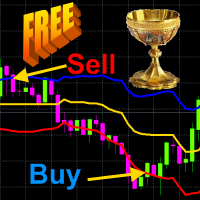
Principles of construction of the indicator.               The Absolute Bands (AB) indicator is reminiscent of the Bollinger Bands indicator with its appearance and functions, but only more effective for trading due to the significantly smaller number of false signals issued to them. This effectiveness of the Absolute Bands indicator is due to its robust nature.               In the Bollinger Bands indicator, on both sides of the moving average - Ma, there are lines spaced from Ma by the standa
FREE
SC MTF Macd for MT4 with alert
Krisztian Kenedi
3.6 (5)
이중 라인 신호, 단일 레벨 시스템, 다중 타임프레임 지원, 사용자 정의 시각 신호 및 고도로 구성 가능한 알림 시스템을 갖춘 고급 MACD(이동 평균 수렴 발산). 프리랜서 프로그래밍 서비스, 업데이트 및 기타 TrueTL 제품은 제 MQL5 프로필 에서 확인하실 수 있습니다. 피드백과 리뷰를 진심으로 환영합니다! MACD란 무엇인가요? MACD(Moving Average Convergence Divergence)는 자산 가격의 두 지수 이동 평균 간의 관계를 보여주는 추세 추종 모멘텀 지표입니다. 두 개의 라인으로 구성됩니다: MACD 라인(빠른 EMA와 느린 EMA의 차이)과 신호 라인(MACD 라인의 EMA). 트레이더들은 MACD를 사용하여 추세 방향, 모멘텀 변화, 잠재적 진입/퇴출 지점을 식별합니다. MACD 라인과 신호 라인 간의 교차 및 제로 레벨 통과는 가장 널리 사용되는 거래 신호 중 하나입니다. 기능: 단일 레벨 시스템(제로 라인)을 갖춘 이중 라인 MAC
FREE
SAAD TrendTracker
Adnan Iqbal
4.03 (34)
SAAD TrendTracker is a fully automated EA. It is based on mathematical algorithms Trend Tracker indicator and SAADScalper. The EA scalps pips by its strong Entry strategy based on SAADScalper. Trades that are not successful to scalp are handled in a different way of uniquely designed algorithm based on Trend Tracker indicator. EA is designed for M1, M5, M15 and M30. It consults daily chart for successful trading accuracy. It consults H1 to handle unsuccessful trades using Trend Tracker Indicator
FREE
제품 설명 CM Ultimate MA MTF V2는 MetaTrader 4에 최적화된 이중 이동 평균 기술 지표입니다. 단일 차트에 두 개의 독립적인 이동 평균(단기 및 장기)을 표시하며, 시장 모멘텀 변화를 즉시 추적할 수 있도록 적응형 3색 추세 시각화 기능을 제공합니다. 고성능 다중 시간 프레임(MTF) 기술을 활용하여, 이 지표는 지연 없이 깨끗하고 노이즈가 제거된 추세 방향을 제공합니다. 주요 기술적 장점 엄격한 4 버퍼 구조: 데이터 플롯용 2개, 색상 인덱싱용 2개, 총 4개의 내부 지표 버퍼로 구성되어 MetaTrader 4의 레이아웃 구조를 완벽하게 준수합니다. 이중 이동 평균 통합: 두 개의 주요 추세선을 사용하여 시장 노이즈를 걸러내고 차트를 간소화합니다. Ultimate MA 1 (단기): 플롯 폭 4 (실선) – 즉각적인 가격 변동에 대한 높은 민감도를 제공하며, 정확한 시장 진입 시점을 포착하도록 설계되었습니다. Ultimate MA 2 (장기):
FREE
Peak Trough Analysis is the great tool to detect peaks and troughs in your chart. Peak Trough Analysis tool can use three different peaks and troughs detection algorithm. The three algorithm include the orignal Fractals Indicator by Bill Williams, the Modified Fractals indicator and ZigZag indicator. You can use this peak and trough analysis tool to detect the price pattern made up from Equilibrium Fractal-Wave process. For further usage, there are good guide line on how to use this peak trough
FREE
RaysFX Supertrend Line
Davide Rappa
5 (2)
RaysFX Supertrend + Alert RaysFX Supertrend è un indicatore di tendenza superiore progettato per i trader che desiderano avere un vantaggio nel mercato. Questo indicatore utilizza una combinazione di CCI (Commodity Channel Index) e ATR (Average True Range) per identificare le tendenze del mercato e fornire segnali di trading accurati. Caratteristiche principali Indicatori CCI e ATR: Utilizza due degli indicatori più popolari e affidabili per identificare le tendenze del mercato e generare segnal
FREE
The   SMC Market Structure   indicator tracks key price action shifts using Smart Money Concepts (SMC), helping traders identify institutional behavior and overall trend direction. Pro version MT5 version It automatically detects and displays: Break of Structure (BOS)   – Signals continuation of trend Change of Character (CHOCH)   – Indicates potential reversal Swing Highs and Lows   – Used to define market structure and directional bias Each structural event is clearly marked on the chart, allo
FREE
The Telegram EA can be used in conjunction with Abiroid Dashboard products. Detailed blog post with screenshots explained: https://www.mql5.com/en/blogs/post/758932 1. Abiroid Dashboards Setting: Within the Dashboard you have to set “File Alerts” to true. No need to give it a custom file name. It will use default file name and File will be created inside MQL4/Files folder. They will use “Prefix” setting as prefix by default. Unless you specify a Custom File Name. Then use this EA, and it will
FREE
CloseAllProfit
Mr Sorachai Pitakjarukul
5 (1)
ขอบคุณ แรงบันดาลใจ จากโค้ชแพม ที่ทำให้เริ่มทำ  Close all ตัวนี้  Close all and update profit Version 3.03 Full version Give you free  For MT5 Click  https://www.mql5.com/en/market/product/95989 V3.03 Fix TPSL calculate USDxxx and xxxUSD or XXX/XXX and add Decimal Digi, 0 is default Program function Tab 1 Close order function and show break port 1.Can show and hidden all button 2.Update sell and buy total lots easy to manage order 3.Close all order and update all profit 4.Close all sell a
FREE
Master the market rhythm with the Advanced Market Sessions indicator. Timing is everything in trading. Knowing exactly when major financial centers open and close is the key to understanding market volatility, liquidity, and directional bias. This indicator gives you crystal-clear visibility into the three major trading sessions: Asia, London, and New York. By automatically mapping the exact High and Low of each session in real-time, this tool empowers you to trade with true institutional contex
FREE
Second Timeframe - 전문적인 멀티 타임프레임 분석 도구 추가 자료 및 사용 안내 전체 매뉴얼   -   MT4 버전   -   MT5 버전 하나의 차트에서 큰 그림과 진입 시점을 동시에 확인하세요. Second Timeframe은 Meta Extender 패키지에서 추출한 MetaTrader용 멀티 타임프레임 분석 도구입니다. 상위 타임프레임을 활성 차트에 직접 오버레이하여 창을 전환하지 않고도 큰 추세를 추적하면서 정밀한 진입 타이밍을 동시에 잡을 수 있습니다. 제공 기능:   창을 전환하지 않고 상위 타임프레임 데이터를 활성 차트에 직접 오버레이하여 확인할 수 있습니다. 이 독립형 위젯은 기본 차트와 동시에 두 번째 타임프레임을 표시하여 한눈에 완전한 시장 상황을 파악할 수 있게 해줍니다. 주요 이점: 상위 타임프레임에서 추세를 분석하고 하위 타임프레임에서 진입을 조율하여 추세에 역행하는 거래를 방지 기본 타임프레임 표시를 켜거나 꺼서 상위 타임프레임 구조에만
FREE
The   Pivot Point indicator   automatically calculates and displays the pivot point line and support and resistance levels. Pivot can be calculated according to the Classic, Floor, Fibonacci, Woodie, Camarilla or DeMark formula. It is also possible to select the period for calculating the indicator. A trader can choose from daily, weekly, monthly, or user-defined periods. Types of pivots Classic Floor Fibonacci Woodie Camarilla DeMark Main features The indicator shows the current and historic
FREE
Darvas Flow
Komang Putra Riswanjaya
5 (1)
Darvas Flow Indicator is a revolutionary trading indicator that combines the classic Darvas Box method with modern market flow analysis. Developed for serious traders, Darvas Flow offers a powerful and intuitive tool for identifying trading opportunities. Key Features Darvas Box Method Implementation : Darvas Flow automatically identifies Darvas boxes, allowing you to see crucial support and resistance levels. This helps in pinpointing optimal entry and exit points in your trades. Dynamic Flow
FREE
Time Box Indicator MT4
Young Ho Seo
4.71 (7)
Introduction To Time Box Indicator Time Box Indicator is a must have indicator for any trader. It will display daily, weekly and Monthly box according to your preferences. Yet, you can extend any important price levels in your chart automatically. You can use them as the significant support and resistance levels. It is very simple but effective tool for your trading. Graphic Setting Use White Chart Line Style for Current Open price Daily Setting Update Timeframe for daily box Number of days to
FREE
Safety
Sergey Ermolov
5 (2)
나는 모두가"안전"과 같은 돈 관리 규칙을 알고 있다고 생각합니다. 인식하지 못하는 사람들을 위해,금고는 거래에 대한 이익이 정지의 크기를 같게 한 후 위치의 절반을 마감한다고 가정합니다. 따라서,가격이 반전하고 정지를 잡는다 할지라도,이전에 위치의 일부를 닫을 때 정확히 같은 양의 이익을 받았기 때문에 돈을 잃지 않을 것입니다. 안전 전문가 고문은 단 하나의 설정,즉 폐쇄 로트 만 있습니다. 위치 0 에 남겨두면 고문은 거래의 정확히 절반을 닫을 것입니다. 전문가 어드바이저를 설치 한 후,이익의 일부가 전문가 어드바이저에 의해 고정 될 위치에 빨간색 점선이 차트에 나타납니다. 당신이 고문이 다른 수준에서 트랜잭션의 일부를 닫으려면 안전하게 다른 장소로이 라인을 이동할 수 있습니다. 동일한 통화 쌍에 여러 개의 거래가 열려 있는 경우 마우스 커서로 시장을 차트로 끌어다 놓고 안전한 거래로 마감하려는 주문 시작 수준 근처에 시장을 놓아야 합니다. 전문가 고문은 주문 티켓을 고려
FREE
-- 간단하지만 효과적입니다. 역전 지표 - 무엇인가요? 슈퍼트렌드(SuperTrend) 논리와 지수 곡선 기술을 결합한 추세 추종 오버레이 지표입니다. 추세 방향을 감지하고 차트에 동적 채널을 그리며, 추세가 반전될 때 실시간 알림을 보냅니다. 어떻게 작동하나요? 지표는 ATR과 슈퍼트렌드 계수를 사용해 지수형 기준선을 계산합니다. 가격이 이 기준선 위나 아래로 마감되면 추세 반전이 확인됩니다. 녹색 화살표는 매수 추세 시작을, 빨간색 화살표는 매도 추세 시작을 표시합니다. 주요 기능: ATR 기반 동적 채널을 적용한 지수 추세 기준선 녹색/적색으로 구분된 추세선 및 채워진 채널 추세 반전 시 매수/매도 화살표 신호 내장 알림: 팝업, 푸시 알림, 이메일, 소리 중복 알림 방지 (바당 하나의 알림) 완전 커스터마이징 가능: 색상, 선 두께, 화살표 크기, 채널 폭 지연 없는 깔끔한 차트 오버레이 입력값: 지수 추세율, 슈퍼트렌드 계수, ATR 기간, 채널 폭 토글 기능
FREE
QuantumAlert Stoch Navigator is a free indicator available for MT4/MT5 platforms, its work is to provide "alerts" when the market is inside "overbought and oversold" regions in the form of "buy or sell" signals. This indicator comes with many customization options mentioned in the parameter section below, user can customise these parameters as needful. Join our   MQL5 group , where we share important news and updates. You are also welcome to join our private channel as well, contact me for the p
FREE
The   Heikin Ashi indicator   is our version of the Heikin Ashi chart. Unlike competitor products, this indicator offers extensive options for calculating Heikin Ashi candles. In addition, it can be displayed as a classic or smoothed version. The indicator can calculate Heikin Ashi with moving average by four methods: SMA  - Simple Moving Average SMMA  - Smoothed Moving Average EMA  - Exponential Moving Average LWMA  - Linear Weighted Moving Average Main features The indicator shows Heikin As
FREE
SilvMAT
MARC ALBRECHT SCHMID
4.44 (9)
SilvMAT EA – XAGUSD를 위한 정밀 거래, 완전 무료 주의:   이는 새로 개발된 EA입니다—현재 인상적인 결과에도 불구하고 장기 성능이 아직 평가 중이므로 주의하세요! 최적화 대상:   XAGUSD M15 권장 설정:   0.0001 로트 센트 계정 €200+ 또는 표준 계정 €20,000+ (레버리지 1:2000) 를 사용해 안전한 거래. 왜 SilvMAT를 선택하나요? SilvMAT 로 엘리트 거래에 들어가세요, Marc Albrecht Trading 의 혁명적인 Expert Advisor입니다. 10년 이상의 MT4 프로그래밍 경험으로 구축된 SilvMAT는 M1 타임프레임에서 XAGUSD (은) 거래를 위해 특별히 제작되었습니다. 가장 좋은 점?   100% 무료 —숨겨진 비용 없음, 제한 없음. 내 목표는 판매로 이익을 내는 것이 아니라 당신 같은 트레이더를 작동하는 도구로 강화하는 것입니다. 내 추천 설정을 사용하면 이 미션을 지원하여 고품질 EA를 커뮤니
FREE
Ava Ffx Signal
Nirundorn Promphao
The principle of this indicator is very simple: detecting the candlestick pattern in H1 timeframe, then monitoring the return point of graph by using the pullback of High-Low of H1 Candlestick and finally predicting BUY and SELL signal with arrows, alerts and notifications. The parameters are fixed and automatically calculated on each time frame. Example: If you install indicator on XAUUSD, timeframe H1: the indicator will detect the reversal, pullback, price action on this timeframe (for exam
FREE
AutoClusterEdge
Hoang Loc Tran
AutoClusterEdge – Nguồn điện có cấu trúc. Phục hồi chiến lược. AutoClusterEdge là một hệ thống tự động dịch hoàn toàn được thiết kế cho các giao dịch dựa trên hệ thống mạng. Hệ thống tích hợp Chỉ số sức mạnh tương đối (RSI), Đường trung bình động (MA) và Phạm vi biến động thực trung bình (ATR) để khởi tạo và quản lý các cụm giao dịch, điều chỉnh mô-đun thế một cách hoạt động bằng cách sử dụng chuỗi Fibonacci và thực hiện lệnh thoát chiến lược có điều kiện. Hệ thống này đặc biệt phù hợp với nhữn
FREE
Max Spread Monitor
CHU HAI HA Chu Hai
Description: This Free Indicator will allow you to monitor the Max/Min spread in a bar/candle. By running it 24h/24h will allow you to recognize which period of time having maximum spread, based on that you will understand the market more, and could develop/improve to have better trading strategy. Parameters: limit: <specify the limit of spread, above which the indicator will mark the price, at which high spread occurs> Note: Beside the price marked due to high spread above, the indicator al
FREE
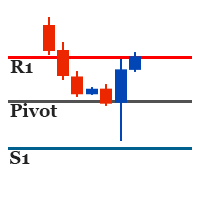
Pivot SR
Wartono
4.67 (3)
It identifies the pivot, support, and resistance price levels of the selected timeframe and then draws lines onto the chart. FEATURES: Option to specify the Timeframe Period in the PivotSR calculation. Option to display the PivotSR of the last candle, of every candle, or of the current candle. Options for displaying labels, line thickness, and line color. PivotSR can be interpreted as reversal levels or past price reactions that can be used as the basis for current price analysis. Some traders b
FREE
이 제품의 구매자들이 또한 구매함
Trade Manager EA에 오신 것을 환영합니다. 이 도구는 거래를 보다 직관적이고 정확하며 효율적으로 만들기 위해 설계된 궁극적인 리스크 관리 도구 입니다. 단순한 주문 실행 도구가 아닌, 원활한 거래 계획, 포지션 관리 및 리스크 제어를 위한 종합 솔루션입니다. 초보자부터 고급 트레이더, 빠른 실행이 필요한 스캘퍼에 이르기까지 Trade Manager EA는 외환, 지수, 상품, 암호화폐 등 다양한 시장에서 유연성을 제공합니다. Trade Manager EA를 사용하면 복잡한 계산은 이제 과거의 일이 됩니다. 시장을 분석하고 진입, 손절 및 익절 수준을 차트의 수평선으로 표시한 후 리스크를 설정하면, Trade Manager가 이상적인 포지션 크기를 즉시 계산하고 SL 및 TP 값을 실시간으로 표시합니다. 모든 거래가 간편하게 관리됩니다. 주요 기능: 포지션 크기 계산기 : 정의된 리스크에 따라 거래 크기를 즉시 결정합니다. 간단한 거래 계획 : 진입, 손절, 익절을 위한
Local Trade Copier EA MT4
Juvenille Emperor Limited
4.96 (110)
Local Trade Copier EA MT4 를 사용하여 매우 빠른 거래 복사 경험을 해보세요. 1분 안에 간편하게 설정할 수 있으며, 이 거래 복사기를 사용하면 Windows 컴퓨터 또는 Windows VPS에서 여러 개의 MetaTrader 터미널 간에 거래를 0.5초 미만의 초고속 복사 속도로 복사할 수 있습니다. 초보자든 전문가든 Local Trade Copier EA MT4 는 다양한 옵션을 제공하여 사용자의 특정 요구에 맞게 맞춤 설정할 수 있습니다. 이는 수익 잠재력을 높이려는 모든 사람을 위한 최고의 솔루션입니다. 지금 사용해보시고 이것이 왜 시장에서 가장 빠르고 쉬운 무역용 복사기인지 알아보세요! 팁: 여기 에서 데모 계정에서 Local Trade Copier EA MT4 데모 버전을 다운로드하여 사용해 볼 수 있습니다. 다운로드한 무료 데모 파일을 MT4 >> File >> Open Data Folder >> MQL4 >> Experts 폴더에 붙여넣고 터미널
Trade Assistant MT4
Evgeniy Kravchenko
4.43 (197)
거래당 위험 계산, 라인을 사용한 손쉬운 신규 주문, 부분 청산 기능을 통한 주문 관리, 7가지 유형의 트레일링 스탑 및 기타 유용한 기능을 제공합니다. 추가 자료 및 지침 설치 지침 - 애플리케이션 지침 - 데모 계정용 애플리케이션 평가판 라인 기능       - 차트에 개시선, 손절매, 차익실현을 표시합니다. 이 기능을 사용하면 새로운 주문을 쉽게 하고 개봉 전에 추가 특성을 볼 수 있습니다. 위기 관리       -       위험 계산 기능은 설정된 위험과 손절매 주문의 크기를 고려하여 새 주문의 볼륨을 계산합니다. 이를 통해 손절매 크기를 설정하고 동시에 설정된 위험을 존중할 수 있습니다. 로트 계산 버튼 - 위험 계산을 활성화/비활성화합니다. 필요한 위험 값은 위험 필드에 0에서 100 사이의 백분율 또는 예금 통화로 설정됩니다. 설정 탭에서 위험 계산 옵션을 선택합니다. $ 통화, % 잔액, % 지분, % 자유 마진, % 사용자 정의, % AB 이전 일, % AB
Exp COPYLOT CLIENT for MT4
Vladislav Andruschenko
4.69 (65)
MetaTrader 4용 전문 트레이드 복사기 MetaTrader 4 용 빠르고 안정적이며 전문적인 트레이드 복사기입니다. COPYLOT 은 MetaTrader 4 와 MetaTrader 5 터미널 간에 Forex 거래를 복사할 수 있으며, 다양한 계좌 유형과 운용 방식에 맞춰 유연한 동기화 환경을 제공합니다. COPYLOT MT4 버전 지원 방식: MetaTrader 4 → MetaTrader 4 MetaTrader 5 Hedge → MetaTrader 4 MetaTrader 5 Netting → MetaTrader 4   MT5 버전 상세 설명 + DEMO + PDF 구매 방법 설치 방법 로그 파일 확인 방법 테스트 및 최적화 방법 Expforex의 모든 제품 MetaTrader 5 버전 을 사용하면 MetaTrader 5 → MetaTrader 5 및 MetaTrader 4 → MetaTrader 5 복사도 지원됩니다: COPYLOT CLIENT for MT5 COPYLOT 은
RS Trade Copier - 진짜 그래픽 인터페이스를 갖춘 초고속 로컬 트레이드 카피어입니다. 계좌번호를 일일이 입력하지 마세요. 200개가 넘는 복잡한 입력 파라미터 목록은 이제 끝입니다. 여러 MT4와 MT5 터미널 간 거래 작업을 복사하기 위한 안정적이고 유연한 도구입니다. 이 도구는 경험 많은 트레이더, 신호 서비스, 개인 투자자 모두에게 적합합니다. 하나 또는 여러 시그널 소스(Provider)에서 하나 또는 여러 리시버(Client)로 트레이딩을 동기화 하여 높은 정밀도와 최소 지연 시간을 제공합니다. 간단한 자동 설정부터 고급 수동 구성까지 지원합니다. 수동 또는 다른 EA로 열린 주문에 간섭하지 않습니다. 모든 작업이 MT4 내부에서 로컬로 처리 되며 외부 서버 의존성 없이 실행됩니다. RS Trade Copier와 다른 솔루션 비교 RS Trade Copier 다른 솔루션 설정 시각적 단계별 마법사. 설정에 약 1분 소요. 200개 이상의 불분명한 입력 매개변수.
일별 및 주별 마감 거래 내역, 현재 진행 중인 거래, 외환 노출을 한 차트에서 즉시 확인하세요! 히트맵을 사용하여 수익성 있는 거래와 거래 포트폴리오 내에서 현재 하락이 있는 위치를 파악하세요. 빠른 마감 버튼 빠른 마감 버튼을 사용하여 단일 심볼에 대한 모든 거래를 마감하거나, 개별 거래를 전체적으로 마감하거나, 버튼을 클릭하여 일부 수익 또는 손실을 실현하세요. 더 이상 목록에서 거래를 찾아 거래의 일부를 마감하는 방법을 알아낼 필요가 없습니다. 대시보드는 외환 쌍을 거래하는 동안 각 통화 심볼에 대한 현재 노출도 표시하므로 주요 뉴스 이벤트에 앞서 과도하게 노출될 수 있는 영역을 파악하는 데 도움이 됩니다. 버튼을 사용하여 뉴스가 나오기 전에 노출을 즉시 빠르게 줄이거나, 이미 뉴스가 발생하여 수익을 창출한 경우 클릭 한 번으로 빠르게 수익을 확보할 수 있습니다! 진행 중인 거래 히트맵 거래 히트맵은 달러 비용 평균화를 사용하여 거래의 확장 및 축소를 수행하는 포지션 거
TradePanel MT4
Alfiya Fazylova
4.84 (95)
Trade Panel은 다기능 거래 도우미입니다. 이 애플리케이션에는 50개 이상의 수동 거래 기능이 포함되어 있으며 대부분의 거래 작업을 자동화할 수 있습니다. 구매하기 전에 데모 계정에서 데모 버전을 테스트할 수 있습니다. 데모 계정용 애플리케이션 체험판 다운로드: https://www.mql5.com/en/blogs/post/750865 . 전체 지침 여기 . 거래. 한 번의 클릭으로 거래를 수행할 수 있습니다: 리스크 자동 계산과 함께 예약 주문 및 포지션 열기. 한 번의 클릭으로 여러 주문 및 포지션 열기. 주문 그리드 열기. 예약 주문 및 포지션을 그룹별로 닫기. 포지션 방향 전환 (Buy 닫기 > Sell 열기, Sell 닫기 > Buy 열기). 포지션 잠금 (부족한 포지션을 열어 Buy와 Sell 포지션의 수량을 동일하게 만들기). 모든 포지션 한 번의 클릭으로 부분적으로 닫기. 모든 포지션의 테이크 프로핏과 스톱로스를 같은 가격 수준에 설정. 모든 포지션의 스톱로스를
작동 체험판 다운로드 Copy Cat More (카피캣) MT4 트레이드 카피어 (Trade Copier) 는 단순한 로컬 트레이드 카피어가 아닙니다. 오늘날의 트레이딩 과제를 위해 설계된 완전한 리스크 관리 및 실행 프레임워크 (risk management and execution framework) 입니다. 프롭 펌 (prop firm) 챌린지부터 개인 포트폴리오 관리까지, 견고한 실행, 자본 보호, 유연한 설정, 고급 트레이드 처리의 조합으로 모든 상황에 적응합니다. 이 카피어는   마스터 (Master, 송신측) 와 슬레이브 (Slave, 수신측)   두 모드 모두에서 작동하며, 시장가 주문과 대기 주문, 트레이드 수정, 부분 청산, 상호 청산 (Close By) 작업을 실시간으로 동기화합니다. 데모 및 실거래 계좌, 트레이딩 또는 인베스터 로그인 모두와 호환되며, EA·터미널·VPS가 재시작되더라도 영구 트레이드 메모리 (Persistent Trade Memory) 시
Close by percentage MT4
Konstantin Kulikov
5 (1)
Hello friends. I wrote this utility specifically for use in my profile with a large number of Expert Advisors and sets ("Joint_profiles_from_grid_sets" https://www.mql5.com/en/blogs/post/747929 ). Now, in order to limit losses on the account, there is no need to change the "Close_positions_at_percentage_of_loss" parameter on each chart. Just open one additional chart, attach this utility and set the desired percentage for closing all trades on the account. The utility has the following function
Drawdown Protector MT4
Konstantinos Kalaitzidis
5 (2)
하락 보호 장치는 원하는 최대 일일 하락폭을 관리하는 데 사용됩니다. 이는 거래자, 특히 소품 회사 거래자에게 매우 귀중한 도구이므로 하락 한도에 주의해야 합니다.    이는 자산 손실 관리 목적으로 사용하기 쉬운 효과적인 EA입니다. 이는 새로운 거래를 차단하고 기존 거래를 종료하는 방식으로 작동하며, 유동 자산(잔액 아님)이 귀하가 설정한 일일 손실 한도를 초과하는 경우. 또한 단일 거래에 대해 최대 손실 한도를 설정할 수 있습니다. 이 한도를 초과하면 다음 날까지 거래가 차단됩니다. 사용자는 3개의 매개변수 값을 삽입합니다. $ 단위의 일일 손실 한도:   명목 통화 단위의 최대 손실률(예제 목적으로 "$"를 사용함)   계정 잔액   에 대해 명목 가치로 허용되는 최대 감소액입니다   . 초과하는 경우 EA는 다음 날까지 거래를 차단합니다. $로 표시된 거래당 손실 한도:    명목 통화로 표시된 최대 손실(단지 예시 목적으로 "$"를 사용했습니다). 이는   단일 거래
Telegram to MT4 Coppy
Sergey Batudayev
4 (10)
Telegram에서 MT4로:   최고의 신호 복사 솔루션 최첨단 유틸리티인   Telegram to MT4를   사용하여 거래를 간소화하세요. DLL 없이도 Telegram 채널과 채팅에서 MetaTrader 4 플랫폼으로 거래 신호를 직접 복사할 수 있습니다. 이 강력한 솔루션은 탁월한 정밀도와 맞춤 설정 옵션을 통해 원활한 신호 실행을 보장하여 시간을 절약하고 효율성을 높여줍니다. [ Instructions and DEMO ] 주요 특징 직접 Telegram API 통합 전화번호와 보안 코드를 통해 인증하세요. 사용자 친화적인 EXE 브리지를 사용하여 채팅 ID를 손쉽게 가져오고 관리하세요. 여러 채널/채팅을 추가, 삭제, 새로 고침하여 동시에 신호를 복사합니다. 고급 필터를 사용한 신호 파싱 사용자 정의 예외 단어(예: "보고서", "요약")가 포함된 원치 않는 신호를 건너뜁니다. 유연한 SL 및 TP 형식을 지원합니다: 가격, 핍 또는 포인트. 신호가 가격 대신 지점을 지정
X2 Copy MT4
Liubov' Shkandrii
빠르게. 정확하게. 혁신적으로. 기술 기반. 혁신적인 X2 Copy MT4로 즉각적인 거래 복사를 경험해 보세요. 단 10초의 간단한 설정만으로 단일 컴퓨터 또는 Windows VPS에서 MetaTrader 터미널 간의 거래를 전례 없는 속도로 동기화하는 강력한 도구를 얻을 수 있습니다. 여러 계정을 관리하든, 신호를 따라 거래하든, 전략을 확장하든, X2 Copy MT4는 비교할 수 없는 정밀도와 제어력으로 작업 흐름에 적응합니다. 가장 기술 중심적인 거래 복사 솔루션으로 더 빠르고 안정적으로 작업하세요. 무료 평가판을 사용해 보고 시스템에서 속도를 확인해 보십시오. *중요: MT5 터미널 작업에는 별도의 X2 Copy MT5 버전이 필요합니다 X2 Copy MT4/5 설정 및 기능 설명 | X2 Copy 체험판 설치 방법 주요 기능 고속 복사 — 0.1초 이내 거래 전송 모든 복사 유형에 대한 범용 지원: MT4>MT4, MT4>MT5, MT5>MT4, MT5>MT5 직관적인 인
VirtualTradePad mt4 Extra
Vladislav Andruschenko
4.85 (61)
한 번의 클릭으로 거래할 수 있는 거래 패널.   위치 및 주문 작업!   차트 또는 키보드에서 거래. 거래 패널을 사용하면 차트에서 클릭 한 번으로 거래하고 표준 MetaTrader 컨트롤보다 30배 빠르게 거래 작업을 수행할 수 있습니다. 거래자의 삶을 더 쉽게 만들고 거래자가 훨씬 빠르고 편리하게 거래 활동을 수행할 수 있도록 도와주는 매개변수 및 기능의 자동 계산. 차트의 무역 거래에 대한 그래픽 팁 및 전체 정보. 새로운 프리미엄 버전 출시:   VirtualTradePad PRO SE 로 트레이딩 워크플로를 업그레이드하세요.   MetaTrader 5   및   MetaTrader 4 를 위한 차세대 전문 트레이딩 패널입니다. MT5 버전 전체 설명   +DEMO +PDF 구입 방법 설치하는 방법     로그 파일을 얻는 방법     테스트 및 최적화 방법     Expforex의 모든 제품 열기 및 닫기, 반전 및 잠금, 부분 닫기/오토로트. 가상/실제 손절매/이익
MT4 to Telegram Signal Provider 는 사용하기 쉽고 완전히 사용자 정의가 가능한 도구로, 텔레그램으로 신호를 보내어 계정을 신호 제공자로 변환할 수 있습니다. 메시지 형식은 완전히 사용자 정의가 가능합니다! 그러나 간단한 사용을 위해 미리 정의된 템플릿을 선택하고 메시지의 특정 부분을 활성화하거나 비활성화할 수도 있습니다. [ 데모 ]  [ 매뉴얼 ] [ MT5 버전 ] [ 디스코드 버전 ] [ 텔레그램 채널 ]  New: [ Telegram To MT5 ] 설정 단계별 사용자 가이드 가 제공됩니다. 텔레그램 API에 대한 지식이 필요 없으며, 개발자가 필요한 모든 것을 제공합니다. 주요 기능 구독자에게 보낸 주문 세부 정보를 사용자 정의할 수 있는 기능 예를 들어 브론즈, 실버, 골드와 같은 계층 구독 모델을 만들 수 있습니다. 골드 구독은 모든 신호 등을 받게 됩니다. ID, 심볼 또는 코멘트별 주문 필터링 주문이 실행된 차트의 스크린샷을 포함 보낸
Trendline PRO MT4 Trendline PRO MT4는 사용자가 만든 추세선과 차트 레벨을 기반으로 거래를 실행하고 주문을 관리하거나 알림을 보내는 MetaTrader 4용 반자동 Expert Advisor입니다. 이 Expert Advisor는 거래 신호를 생성하지 않으며 내장 거래 전략을 포함하지 않습니다. 모든 진입, 청산, 리스크 설정, 관리 규칙은 사용자가 차트에서 정의합니다. 이 제품은 자체 분석에서 추세선, 돌파 레벨, 지지와 저항, 채널 또는 계획된 가격 구역을 이미 사용하는 트레이더를 위해 설계되었습니다. 기존 Trendline EA MT4와 비교해 PRO 버전은 시각적 차트 패널, 인터랙티브 TP 및 SL 구역, OCO 진입 쌍, 라인별 로트 크기, 자동 breakeven, trailing stop, 차트 저장 유지, 개선된 MT4 주문 기반 거래 관리를 추가합니다. 추가 자료 사용자 가이드 및 문서 기능 개요 시각적 거래 계획 차트 패널에서 진입, 돌파
Candlestick Pattern Scanner is a multi-timeframe and multi-symbol dashboard and alert system that checks all timeframes and currency pairs for different candlestick patterns that are formed in them. Scanner is integrated with support and resistance zones so you can check the candlestick patterns in the most important areas of the chart to find breakout and reversal patterns in the price chart. Download demo version   (works on M30,D1,W1 timeframes and 20 symbols of Market Watch window) Read the
The product will copy all telegram signal to MT4   ( which you are member  ) , also it can work as remote copier.  Easy to set up, copy order instant, can work with almost signal formats, image signal, s upport to translate other language to English Work with all type of channel or group, even channel have "Restrict Saving Content", work with  multi channel, multi MT5 Work as remote copier: with signal have ticket number, it will copy exactly via ticket number. Support to backtest signal. How to
Firstly , the script estimates how many Mx bars of the chart (on which this script is applied) the future trend will most likely continue and what is its quality. Secondly (and most importantly), the script is an auxiliary tool for the extremely mathematically advanced and extremely effective ScientificTrade indicator in trading. The script calculates the optimal averaging period, which is also equal to Mx, of the ScientificTrade indicator, which gives the maximum profit according to the strate
Drawdown Manager MT4는 MetaTrader 4를 사용하는 트레이더에게 필수적인 유틸리티로, 거래 자본을 보호하고 손실을 관리하여 투자 안전을 보장하도록 설계되었습니다. 개인 트레이더와 프로프라이어터리 트레이딩 회사 모두에게 이상적인 이 도구는 거래 전략의 무결성과 자본 보안을 유지하기 위한 강력한 솔루션을 제공합니다. 실시간 알림 및 사용자 정의 가능한 위험 매개변수와 같은 고급 기능을 갖춘 Drawdown Manager MT4는 거래 활동을 효과적으로 모니터링하고 제어할 수 있도록 보장합니다. 손실 거래를 종료하거나 즉각적인 알림을 받기를 원하든, 이 유틸리티는 거래 성과를 향상하고 잠재적 손실을 최소화하도록 맞춤화되었습니다. MQL 제품 설치 가이드 | MT4/MT5에서 구매한 MQL 제품 업데이트 | 일반 문제 해결 가이드 | 지표 설정 / 가이드 주요 기능 팝업 알림: 신호 이벤트에서 MetaTrader 알림 팝업을 발생시켜 거래 설정을 놓치지 않도록 합니다.
Trade copier MT4
Alfiya Fazylova
4.58 (33)
Trade Copier는 거래 계정 간의 거래를 복사하고 동기화하도록 설계된 전문 유틸리티입니다. 복사는 공급자의 계정/단말기에서 동일한 컴퓨터 또는 vps에 설치된 수신자의 계정/단말기로 발생합니다. 프로모션 - 이미 "Trade copier MT5"를 구매하셨다면, "Trade copier MT4"를 무료로 받으실 수 있습니다 (MT4 → MT5 및 MT4 ← MT5 복사용). 조건에 대한 자세한 정보를 원하시면, 개인 메시지를 통해 저희에게 문의해 주시기 바랍니다! 구매하기 전에 데모 계정에서 데모 버전을 테스트할 수 있습니다. 데모 버전 여기 . 전체 지침 여기 . 주요 기능 및 이점: 복사기는 "МТ4> МТ4", "МТ4> МТ5", "МТ5> МТ4" 복사를 지원합니다. 복사기는 데모 계정 > 실 계정, 실 계정 > 데모 계정, 데모 계정 > 데모 계정 및 실제 계정 > 실 계정 복사를 지원합니다. 복사기는 읽기 전용 암호가 적용된 투자자 계정에서 복사를 지원합니다. 하
Shepherd Safety EA
AW Trading Software Limited
4.92 (13)
The work of the utility is directed at opening new market orders, maintaining them, transferring the unprofitable orders into profit using an internal loss handling algorithm, trend filtering and various types of trailing stop and take profit. Suitable for any instruments and timeframes. The algorithm works separately for buys and sells, which allows simultaneously working in both directions as well. For the event when the additional orders opened by the utility do not become profitable, a StopO
PZ Trade Pad Pro MT4
PZ TRADING SLU
3.67 (3)
Effortlessly calculate lot sizes and manage trades to save time and avoid costly errors The Trade Pad Pro EA is a tool for the Metatrader Platform that aims to help traders manage their trades more efficiently and effectively. It has a user-friendly visual interface that allows users to easily place and manage an unlimited number of trades, helping to avoid human errors and enhance their trading activity. [ Installation Guide | Update Guide | Troubleshooting | FAQ | All Products ] One of the k
News Filter EA: Advanced Algo Trading Assistant News Filter EA is an advanced algo trading assistant designed to enhance your trading experience. By using the   News Filter EA , you can integrate a Forex economic news filter into your existing expert advisor, even if you do not have access to its source code. In addition to the news filter, you can also specify   trading days   and   hours   for your expert. The News Filter EA also includes   risk management   and   equity protection   features
TrailingStop 4
Andrej Nikitin
4.83 (6)
The Expert Advisor modifies the Stop Loss order position opened for the instrument of the current chart based on indicator values. Uses indicators Parabolic SAR ,  NRTR (Nick Rypock Trailing Reverse) ,  Moving Average  or linear regression channel. Switchable modes: Trailing stop only when in profit; Trailing stop only following the price; On every teak or on formed bars; Trailing for each order separately or for a total position. Has an option of "hidden stop", also you can exclude individual
In the current version this filter will only work with my   night scalpers and the EA Profitection Filter  or with other EAs that utilize the global variables set by this EA.  An MT5 version is availalble   here .  Many scalpers these days have a "normal" news filter, which filters calendar news such as interest rate decisions or CPI releases.  However, this breaking news filter is able to filter non-standard breaking news. It will check every minute for news and if it finds a news event, it w
DLT Display Local Time
Theresia Yovitha Herwanda
DLT (Display Local Time) is an INDICATOR which displays local time using GMT timezone that can be easily switched. Support non standard timezones eg. -3:30, +4:45 Useful when you trade in your local market hours, or to evaluate candles in different time zone. This is for MT4 version. For   MT5   version click here:  https://www.mql5.com/en/market/product/71656 There is very useful info for candle: Range, Upperwick, Body, Lowerwick. You can get this when custom crosshair is enabled. Sessions will
Trade Manager MT4 DaneTrades
Levi Dane Benjamin
4.09 (11)
거래 관리자는 위험을 자동으로 계산하는 동시에 거래를 빠르게 시작하고 종료하는 데 도움을 줍니다. 과잉 거래, 복수 거래 및 감정 거래를 방지하는 데 도움이 되는 기능이 포함되어 있습니다. 거래를 자동으로 관리할 수 있으며 계정 성과 지표를 그래프로 시각화할 수 있습니다. 이러한 기능은 이 패널을 모든 수동 거래자에게 이상적으로 만들고 MetaTrader 4 플랫폼을 향상시키는 데 도움이 됩니다. 다중 언어 지원. MT5 버전  |  사용자 가이드 + 데모 트레이드 매니저는 전략 테스터에서 작동하지 않습니다. 데모를 보려면 사용자 가이드로 이동하세요. 위기 관리 % 또는 $를 기준으로 위험 자동 조정 고정 로트 크기 또는 거래량과 핍을 기반으로 한 자동 로트 크기 계산을 사용하는 옵션 RR, Pips 또는 Price를 사용한 손익분기점 손실 설정 추적 중지 손실 설정 목표 달성 시 모든 거래를 자동으로 마감하는 최대 일일 손실률(%)입니다. 과도한 손실로부터 계정을 보호하고 과도한
Trade Dashboard MT4
Fatemeh Ameri
4.96 (54)
Trade Dashboard simplifies how you open, manage, and control your trades, with built-in lot size calculation. It allows you to execute trades, manage risk, and control positions directly on the chart, with tools such as partial close, breakeven, and trailing stop. Designed to reduce manual work and help you stay focused on your trading decisions. A demo version is available for testing. Detailed explanations of features are provided within the MQL5 platform. Installation instructions are include
Coppy Master MT4
Sergey Batudayev
4 (3)
카피 마스터 MT4       MetaTrader 4 및 MetaTrader 5 터미널용 트레이딩 복사 도구입니다. 양방향 복사를 지원합니다. MT4에서 MT5로, MT5에서 MT4로, 그리고 동일 유형의 계정 간 MT4에서 MT4로. 올바르게 작동하려면 모든 터미널이 동일한 PC나 VPS에서 실행되어야 합니다. [ Instruction  and Demo ]  MetaTrader 4에 복사하려면 별도 버전이 필요합니다.       카피마스터 MT5       — 필수입니다. 주요 특징: 복사 모드 마스터 및 리시버 역할을 모두 지원합니다. 거래 송수신을 위한 유연한 설정이 가능합니다. 주문 관리 시장가 및 보류 주문을 복사합니다. 동기화 및 부분 마감, 매매 반전, 손절매/실현가 수정을 지원합니다. 심볼 처리 접두사와 접미사를 지원합니다. 특정 기호를 제외하거나 포함하고, 자산에 사용자 지정 이름을 지정할 수 있습니다. 위험 관리 및 한도 일일 거래 한도, 최대 손실 한도,
Exp4 Duplicator
Vladislav Andruschenko
4.5 (22)
Duplicator for MetaTrader 4 — 하나의 터미널 안에서 동작하는 전문 거래 및 주문 복제 시스템 이미 열려 있는 거래를 자동으로 복제하고, 로트를 확장하며, 자체적인 수량 규칙을 적용하고, 복제 포지션을 정교한 로직으로 관리하고 싶은 트레이더를 위한 강력한 Expert Advisor입니다. 수동 매매, 자동매매 시스템, 그리고 이미 존재하는 포지션을 더 유연하게 관리하려는 사용자에게 매우 실용적인 도구입니다. Duplicator는 자체 매매 전략으로 새로운 거래를 열지 않습니다. 이 제품의 역할은 MetaTrader 4 안에 이미 존재하는 포지션과 주문을 감시하고, 사용자가 지정한 규칙에 따라 정확한 복제본을 만드는 것입니다. 복제 개수, 로트 크기, Stop Loss, Take Profit, 필터, 추가 관리 조건까지 세밀하게 설정할 수 있습니다. 서로 다른 터미널 사이에서 거래를 복사하는 도구가 아니라, 같은 터미널 내부에서 스마트하게 거래와 주문을 복제하고
제작자의 제품 더 보기
Artemis Autochart AI MT5 Artemis Autochart AI MT5는 MetaTrader 5용 프리미엄 다중 심볼 패턴 스캐너이자 시장 구조 대시보드입니다. 트레이더가 하나의 깔끔한 인터페이스에서 여러 심볼과 시간대를 모니터링하고, 기술적 셋업을 식별하며, 주요 레벨을 검토하고, 스캐너가 현재 감지한 가장 관련성 높은 기회에 집중할 수 있도록 설계되었습니다. 이 도구는 자동으로 거래하지 않습니다. 차트 패턴 정보를 단순하고 시각적이며 실용적인 방식으로 정리하기 위해 만들어진 기술적 분석 및 의사결정 지원 어시스턴트입니다. 제품의 중심에는 빠른 스캔과 쉬운 의사결정을 위해 설계된 깔끔한 다크 인터페이스인 Artemis Graphite 대시보드가 있습니다. 모든 차트를 수동으로 확인하도록 강요하는 대신, Artemis Autochart는 선택한 시장 목록을 스캔하고 감지된 셋업의 순위를 매기며 Best Pattern Now 보기에서 현재 가장 강력한 기회를 강조합니
Artemis One EA MT5
Nathan James Gilks
Artemis ONE EA — APEX 기반 MT5 멀티 심볼 트레이딩 엔진 Artemis ONE EA는 적응형 전략 선택, 구조화된 거래 진입, ATR 기반 거래 관리, 구성 가능한 계좌 보호 기능을 중심으로 설계된 MetaTrader 4용 완전 자동 Expert Advisor입니다. 이 EA는 주요 외환쌍, 금속, 일부 비암호화폐 CFD 시장을 위해 설계되었으며, 기본 설정은 XAUUSD H1을 기준으로 균형 있게 구성되어 있습니다. 암호화폐 시장은 주말 거래, 극단적인 스프레드 변동, 자동 실행에 영향을 줄 수 있는 갭 발생 특성 때문에 권장되지 않습니다. Artemis ONE EA는 Major, Minor, Exotic 외환쌍뿐 아니라 US30, NAS와 같은 지수에도 사용할 수 있습니다. Artemis ONE의 핵심에는 Artemis APEX Engine 이 있습니다. 이는 시장 조건을 분석한 뒤 가장 적합한 내부 전략을 선택하거나, 조건이 적합하지 않을 경우 거래를 차단하
Artemis Gold HFT Throttle
Nathan James Gilks
5 (2)
Artemis Gold HFT Throttle EA Artemis Gold HFT Throttle EA는 시스템에 전문적인 체결 제어 기능이 내장된 단기 자동매매를 원하는 XAUUSD 트레이더를 위해 개발된 MetaTrader 4용 골드 중심 Expert Advisor입니다. 많은 고속 매매 로봇은 오직 속도에만 집중합니다. 그러나 실제 브로커 환경에서는 통제되지 않은 속도가 문제가 될 수 있습니다. 과도한 주문 요청, 지나친 주문 수정, 유동성이 얇은 시간대의 급격한 활동, 또는 넓은 스프레드 상황에서의 거래는 불리한 체결, 주문 거절, 브로커 제한 또는 불안정한 결과로 이어질 수 있습니다. Artemis는 다른 원칙을 기반으로 설계되었습니다. 통제된 속도는 통제되지 않은 속도보다 더 지속 가능합니다. 이 EA는 Gold / XAUUSD 차트용으로 설계되었습니다. 일반적인 브로커 골드 심볼 변형을 지원하며, 선택적 심볼 필터를 사용하여 승인된 골드 심볼로만 거래를 제한할 수 있습니
FREE
Artemis Gold HFT Throttle EA MT5 기다림은 끝났습니다 — Artemis Gold HFT Throttle EA가 이제 MetaTrader 5에서 제공됩니다. Artemis Gold HFT Throttle EA MT5는 통제된 실행, 지능형 가드 보호, 명확한 대시보드 가시성을 원하는 XAUUSD 트레이더를 위해 설계된 골드 중심 Expert Advisor입니다. 대부분의 빠른 트레이딩 로봇은 속도에만 집중합니다. 하지만 실제 브로커 환경에서는 통제되지 않은 속도가 문제가 될 수 있습니다. 골드 스프레드는 빠르게 확대될 수 있고, 유동성은 급변할 수 있으며, 주문 수정은 거부될 수 있고, 공격적인 거래 요청 동작은 불안정한 결과를 만들 수 있습니다. Artemis는 다른 원칙을 기반으로 설계되었습니다. 통제된 속도는 통제되지 않은 속도보다 더 지속 가능합니다. 이 MT5 버전은 검증된 MT4 v1.4 Artemis Gold HFT Throttle EA를 기반으로
FREE
Artemis HFT Throttle EA MT5 기다림은 드디어 끝났습니다 — 가장 인기 있는 Artemis EA 중 하나가 이제 MetaTrader 5에서 제공됩니다. Artemis HFT Throttle EA MT5는 인기 있는 MT4 버전의 구조화된 단기 FX 자동화를 MT5 플랫폼으로 가져오며, 동일한 핵심 트레이딩 철학을 유지합니다: 제어된 실행, 절제된 거래 빈도, 그리고 명확한 대시보드 가시성입니다. Artemis HFT Throttle EA는 구조화된 실행 제어를 갖춘 MetaTrader 5용 단기 FX 자동화 Expert Advisor입니다. 차트 심볼 기반 거래 로직과 Artemis Throttle Guard를 결합합니다. Artemis Throttle Guard는 요청 빈도를 관리하고, 거래 급증을 제한하며, 브로커 오류를 처리하고, 더 절제된 자동매매를 지원하도록 설계된 실행 제어 계층입니다. 기본적으로 EA는 부착된 차트의 심볼을 거래합니다. 특정 페어로 거
FREE
Artemis ORB Breakout for MT5 Artemis ORB Breakout for MT5 는 Asia, London, New York 시장 세션 주변의 가격 움직임을 더 명확하게 분석하고 싶은 인트라데이 트레이더를 위한 세션 기반 Opening Range Breakout 지표입니다. 이 지표는 오프닝 레인지를 자동으로 생성하고, 주요 ORB 레벨을 표시하며, 레인지가 완성된 이후의 가격 움직임을 모니터링합니다. 현재 시장 상태는 깔끔한 Artemis 스타일 대시보드에 표시됩니다. 다음과 같은 질문을 빠르게 확인할 수 있도록 설계되었습니다. 현재 레인지는 분석에 적합한가? 가격이 레인지를 돌파하고 있는가? 움직임이 너무 늦었거나, 불안정하거나, 너무 넓거나, 꼬리가 많거나, 현재 ORB 분석에 적합하지 않은가? Opening Range Breakout analysis Artemis ORB Breakout은 차트에 주요 ORB 구조를 자동으로 표시합니다. 오프닝 레인지 고
Artemis Trend Pro Indicator MT5
Nathan James Gilks
5 (2)
Artemis Trend Pro MT5 Artemis Trend Pro MT5는 MetaTrader 5용 프리미엄 멀티마켓 추세 지표로, 다양한 심볼과 시간대에서 추세 방향, 신호 품질, 시장 상황, 거래 맥락을 더 깔끔하고 구조적으로 파악하고자 하는 트레이더를 위해 설계되었습니다. Artemis 의사결정 지원 프레임워크를 기반으로 제작된 Trend Pro는 단순한 화살표 지표가 아닙니다. 적응형 추세 분석, 되돌림 감지, 신호 품질 점수화, 추세 강도, 시장 상태 필터링, 종가 기준 확인, ATR 기반 거래 레벨, Trade Protection, 그리고 깔끔한 전문가용 대시보드를 하나의 유연한 지표에 결합하여 현대적인 재량 트레이딩을 지원합니다. Artemis는 단순히 화살표에만 의존하는 대신, 특정 셋업이 강한지, 약한지, 차단되었는지, 오래되었는지, 보호 중인지 또는 무효화되었는지를 판단하는 데 도움을 줍니다. Scalp, Intraday, Swing 모드와 자동 시간대 적응
FREE
Artemis One EA MT4
Nathan James Gilks
Artemis ONE EA — APEX 기반 MT4용 멀티 심볼 트레이딩 엔진 Artemis ONE EA는 MetaTrader 4용 완전 자동 Expert Advisor로, 적응형 전략 선택, 구조화된 거래 진입, ATR 기반 거래 관리, 그리고 설정 가능한 계좌 보호 기능을 중심으로 설계되었습니다. 이 EA는 주요 외환 통화쌍, 금속, 그리고 일부 비암호화폐 CFD 시장을 위해 설계되었으며, 기본 균형 설정은 XAUUSD H1을 기준으로 준비되어 있습니다. 암호화폐 시장은 주말 거래, 극단적인 스프레드 변동, 자동 실행에 영향을 줄 수 있는 갭 발생 특성 때문에 권장되지 않습니다. Artemis ONE EA는 Major, Minor, Exotic 통화쌍뿐만 아니라 US30 및 NAS 같은 지수에도 사용할 수 있습니다. Artemis ONE의 핵심에는 Artemis APEX Engine이 있습니다. 이는 시장 조건을 분석한 뒤 가장 적합한 내부 전략을 선택하거나, 조건이 적합하지 않
Artemis Trend Pro MT4
Nathan James Gilks
Artemis Trend Pro MT4 Artemis Trend Pro MT4는 MetaTrader 4용 프리미엄 멀티마켓 추세 지표로, 다양한 심볼과 시간대에서 추세 방향, 신호 품질, 시장 상태 및 거래 맥락을 더 깔끔하고 체계적으로 파악하고자 하는 트레이더를 위해 설계되었습니다. Artemis 의사결정 지원 프레임워크를 기반으로 제작된 Trend Pro는 단순한 화살표 지표가 아닙니다. 적응형 추세 분석, 풀백 감지, 신호 품질 평가, 추세 강도, 시장 상태 필터링, 종가 기준 신호 확인, ATR 기반 거래 레벨, Trade Protection, 그리고 깔끔한 전문 대시보드를 하나의 유연한 지표로 결합하여 현대적인 재량 트레이딩을 지원합니다. 모든 통화쌍. 모든 시간대. 적응형 추세 로직. Artemis Trend Pro는 Forex 통화쌍, 금속, 지수 및 crypto 심볼에서 사용할 수 있도록 설계되었으며, 낮은 시간대의 스캘핑부터 인트라데이 및 스윙 트레이딩까지 지원합니다
FREE
Artemis NAS100 ORB Edge EA Artemis NAS100 ORB Edge EA는 런던 및 뉴욕 오프닝 레인지 브레이크아웃을 중심으로 구축된 NAS100 / US100 / USTEC 전용 Expert Advisor입니다. 기본적으로 이 EA는 15분 오프닝 레인지와 OCO Straddle 모델을 사용합니다. 오프닝 레인지가 형성되면 EA는 양방향 브레이크아웃을 모두 준비합니다. 한쪽이 트리거되면 반대쪽은 자동으로 취소됩니다. 이를 통해 EA는 움직임이 시작되기 전에 예측하는 것이 아니라, 시장의 확인된 방향에 반응할 수 있습니다. 기본 릴리스 설정은 M5의 NAS100에 맞게 설계되었습니다. Strategy 주요 전략은 NAS100 NY ORB OCO Straddle입니다. EA는 뉴욕 오프닝 레인지를 표시하고, 고점과 저점 주변에 브레이크아웃 로직을 배치한 다음, 활성 거래를 브레이크이븐, 부분 청산, 임펄스 트레일링으로 관리합니다. OCO 모델은 간단합니다. 레
FREE
Artemis Bitcoin Blaster MT4 Indicator First 10 copies are FREE!  Artemis Bitcoin Blaster MT4 Indicator is a crypto-focused trend and momentum indicator with easy-to-use dashboard designed for Bitcoin and major crypto symbols on MetaTrader 4. It combines closed-candle BUY/SELL signals, "Blast" Energy scoring, trend filtering, volatility checks, spread control, visual trade-plan levels, TP/SL hit tracking, and a clean on-chart dashboard. The indicator is designed as a decision-support tool. It d
FREE
Artemis Prop Guard Pro Artemis Prop Guard Pro is a professional risk-control utility for MT4, built for manual traders who want a disciplined, rule-based trading environment. It does not generate signals, predict market direction, or automate strategy logic. Its sole purpose is protecting account equity from avoidable rule breaks, over-risking, emotional trading, and unmanaged exposure. Why account discipline matters Most traders do not lose accounts in a single trade. They lose them through a c
FREE
Artemis Crypto Blaster Scanner MT4 Artemis Crypto Blaster Scanner MT4 is a multi-symbol, multi-timeframe scanning indicator for MetaTrader 4, built for crypto traders who want a faster way to identify and filter potential setups across multiple charts from a single dashboard. It does not open, close, or manage trades. It is a market analysis tool that keeps full trading decisions with the trader. The problem it solves Crypto markets move across many symbols and timeframes simultaneously. Manuall
Artemis Gold M1 Scalper Artemis Gold M1 Scalper 는 XAUUSD 트레이더를 위해 특별히 제작된 프리미엄 MT4 인디케이터입니다. M1 시간대에서 골드 스캘핑을 보다 깔끔하고 구조적으로 접근하고 싶은 트레이더를 위해 설계되었습니다. 이것은 일반적인 화살표 표시 인디케이터가 아닙니다. Artemis는 동적 지지와 저항, 추세 확인, 모멘텀 필터링, ATR 기반 거래 레벨, 신호 품질 점수, 시장 상태 분석, 세션 강도, 활성 거래 보호, 그리고 깔끔한 대시보드를 하나의 집중된 스캘핑 프레임워크로 결합했습니다. 이 모든 것은 골드의 빠른 움직임에 맞춰 설계되었습니다. Gold M1에 다른 접근 방식이 필요한 이유 골드는 일반적인 외환 통화쌍보다 더 빠르고 강하게 움직입니다. M1 시간대에서는 이러한 변동성이 쉽게 노이즈가 많은 신호, 늦은 진입, 낮은 품질의 셋업으로 이어질 수 있습니다. 많은 스캘핑 인디케이터는 차트에 화살표를 과도하게 표시하거나,
Artemis FX HFT Throttle EA Artemis FX HFT Throttle EA는 전문적인 실행 규율이 내장된 단기 FX 자동화를 원하는 트레이더를 위한 MetaTrader 4 Expert Advisor입니다. Artemis는 브로커에게 무제한 주문을 보내는 대신, 차트 심볼 기반 FX 트레이딩 로직과 Artemis Throttle Guard를 결합합니다. Artemis Throttle Guard는 요청 빈도를 관리하고, 거래 요청 폭주를 제한하며, 브로커 오류를 처리하고, 무분별한 실행 행동을 줄이도록 설계된 전용 실행 제어 계층입니다. 기본적으로 이 EA는 하나의 통화쌍에만 제한되지 않습니다. 원하는 FX 차트에 적용하면 Artemis가 해당 심볼을 거래합니다. 특정 통화쌍으로만 활동을 제한하고 싶은 트레이더를 위해 선택적 심볼 화이트리스트도 제공됩니다. V1.1의 새로운 기능 버전 1.1은 Artemis FX HFT Throttle EA에 사용성, 안전성 및
Artemis Supertrend Pro Artemis Supertrend Pro는 기본 추세선이나 단순한 매수/매도 화살표 표시기보다 더 많은 시장 정보를 제공하도록 설계된 Supertrend 기반 분석 대시보드입니다. 이 지표는 Supertrend 방향, 신호 점수, 시장 상태 분석, 다중 시간대 확인, 스프레드 및 세션 인식, 차단된 신호 로직, 알림, 리스크 참고 레벨을 결합합니다. 사용자가 차트에서 Supertrend 조건을 더 명확하고 체계적으로 해석할 수 있도록 돕는 것을 목적으로 합니다. 표준 Supertrend 이상의 기능 Artemis Supertrend Pro는 현재 Supertrend 상태가 상승세인지 하락세인지, 신호 점수가 높은지 낮은지, 선택한 상위 시간대가 현재 방향과 일치하는지, 그리고 활성화된 필터가 해당 설정을 허용하거나 차단하는지를 표시합니다. 이는 Supertrend 신호를 어떻게 해석할지 결정하기 전에 추가적인 시장 맥락을 확인하고자 하는 사
Artemis ORB Breakout Artemis ORB Breakout은 주요 시장 세션을 중심으로 Opening Range Breakout 분석을 사용하는 트레이더를 위해 개발된 MetaTrader 4 지표입니다. 이 지표는 시가 범위의 고점, 저점, 중간값, 범위 박스를 자동으로 표시합니다. 범위 형성이 완료되면 가격 움직임을 모니터링하고 현재 ORB 상태, 범위 품질, 세션 상태, 거래 조건을 깔끔한 Artemis 스타일 대시보드에 표시합니다. 이 지표는 Custom, London, New York, Asia, London + New York 프로필을 지원합니다. London + New York 결합 프로필은 거래일 동안 두 주요 세션을 수동으로 설정 변경하지 않고 추적하려는 트레이더에게 유용합니다. Artemis ORB Breakout은 상승 및 하락 돌파, 실패한 돌파 움직임, 트랩 또는 반전 조건, 늦은 돌파 경고, 거래 회피 구간 조건을 식별할 수 있습니다. 또한 시
Artemis TradeDeck Trade Panel for MT4 Artemis TradeDeck   is a professional manual trading panel for MetaTrader 4, built for traders who want fast execution, clear risk control, structured trade management, and account protection from one clean on-chart TradeDeck is not a trading strategy and does not predict market direction. You decide when and where to trade. TradeDeck helps you place, manage, protect, and review your trades with more structure. A cleaner way to manage manual trading Most tra
Artemis US30 Opening Bell EA 구조화된 전략, 보호 기능, 완전한 가시성으로 US30 뉴욕 장 개장을 거래하세요. Artemis US30 Opening Bell EA는 US30/Dow Jones 개장 세션을 위해 설계된 전문 Expert Advisor입니다. 이 EA는 거래일 중 가장 활발하고 감정적인 시간대 중 하나인 뉴욕 개장 범위를 중심으로 구축되었습니다. 이 EA의 목표는 단순합니다. 개장 종소리 시점에 규율을 부여하는 것입니다. 빠른 캔들, 넓은 스프레드, 가짜 돌파 또는 뉴스 충격에 수동으로 반응하는 대신, Artemis는 정의된 세션 프로세스를 따릅니다. 개장을 기다리고, 범위를 형성하며, 돌파를 모니터링하고, 보호 규칙을 적용하며, 전문적인 온차트 대시보드를 통해 거래를 관리합니다. 이것은 일반적인 멀티 심볼 그리드 로봇이 아닙니다. 명확한 워크플로우와 프리미엄 컨트롤 패널을 갖춘 US30 개장 세션 전문 시스템입니다. 트레이더에게 이 EA가
MT5용 Artemis Gold M1 Scalper MT5용 Artemis Gold M1 Scalper 는 XAUUSD 트레이더를 위해 제작된 프리미엄 MetaTrader 5 인디케이터입니다. M1 시간대에서 골드 스캘핑을 보다 깔끔하고 구조적으로 접근하고 싶은 트레이더를 위해 설계되었습니다. 이것은 일반적인 화살표 인디케이터가 아닙니다. Artemis는 동적 지지와 저항, 추세 확인, 모멘텀 필터링, ATR 기반 거래 레벨, 신호 품질 점수, 시장 상태 분석, 세션 강도, 활성 거래 보호, 신호 설명 도구, 그리고 깔끔한 대시보드를 하나의 집중된 스캘핑 프레임워크로 결합했습니다. 이 모든 것은 골드의 빠른 움직임에 맞춰 설계되었습니다. Gold M1에 다른 접근 방식이 필요한 이유 골드는 일반적인 외환 통화쌍보다 더 빠르고 강하게 움직입니다. M1 시간대에서는 이러한 변동성이 쉽게 노이즈가 많은 신호, 늦은 진입, 낮은 품질의 setup으로 이어질 수 있습니다. 많은 스캘핑 인디케
Artemis ORB Scanner MT5 Artemis ORB Scanner MT5는 MetaTrader 5용 다중 심볼 Opening Range Breakout 대시보드 인디케이터입니다. 이 도구는 하나의 차트에서 선택한 상품들의 ORB 조건을 모니터링할 수 있도록 도와줍니다. 스캐너는 세션 기반 opening range를 추적하고, 현재 ORB 상태를 표시하며, 돌파 방향, 범위 품질, 스프레드 상태, 알림, 선택 가능한 차트 오버레이 등의 정보를 대시보드에 제공합니다. 이 인디케이터는 활성 거래 세션 중 시장 정보를 정리하는 데 도움을 주기 위해 설계되었습니다. 거래를 실행하거나 거래 결정을 내리지 않습니다. Artemis ORB Scanner MT5를 사용하는 이유 여러 심볼이 동시에 움직일 때 ORB 트레이딩은 복잡해질 수 있습니다. Artemis ORB Scanner MT5는 이러한 정보를 하나의 대시보드에 정리하여, 어떤 상품이 범위를 형성 중인지, 돌파를 기다리는지,
MT5용 Artemis TradeDeck Artemis TradeDeck은 MetaTrader 5용 전문 수동 트레이딩 패널입니다. 빠른 체결, 명확한 리스크 관리, 체계적인 거래 관리, 계좌 보호를 하나의 깔끔한 차트 위 패널에서 원하는 트레이더를 위해 제작되었습니다. TradeDeck은 트레이딩 전략이 아니며 시장 방향을 예측하지 않습니다. 언제, 어디서 거래할지는 사용자가 직접 결정합니다. TradeDeck은 거래를 더 체계적으로 진입, 관리, 보호, 검토할 수 있도록 도와줍니다. 수동 트레이딩을 더 깔끔하게 관리하는 방법 대부분의 트레이딩 패널은 단순한 Buy, Sell, Close 버튼에 집중합니다. TradeDeck은 완전한 체결 및 관리 작업 공간으로 설계되었습니다. 수동 주문 입력, 리스크 미리보기, 시각적 거래 계획, OCO 주문, 그리드 도구, 보호 규칙, 알림, 보고서, 프로필 저장 기능을 컴팩트한 Artemis Graphite UI 안에 결합합니다. 목표는 트레
필터:
리뷰 없음
리뷰 답변