HedgeStar
- Experts
-
Ahmet Gokcen Sirma
 🚀 Professional Algo-Trading Systems | MQL5 Developer
Hi, I’m Ahmet Gökçen SIRMA.
I design Expert Advisors for MetaTrader 5 with a focus on disciplined execution, intelligent automation, and robust risk control.
✅ Harmonic Trading Systems
✅ Breakout & Momentum Strategies - 버전: 2.14
- 업데이트됨: 12 8월 2026
- 활성화: 10
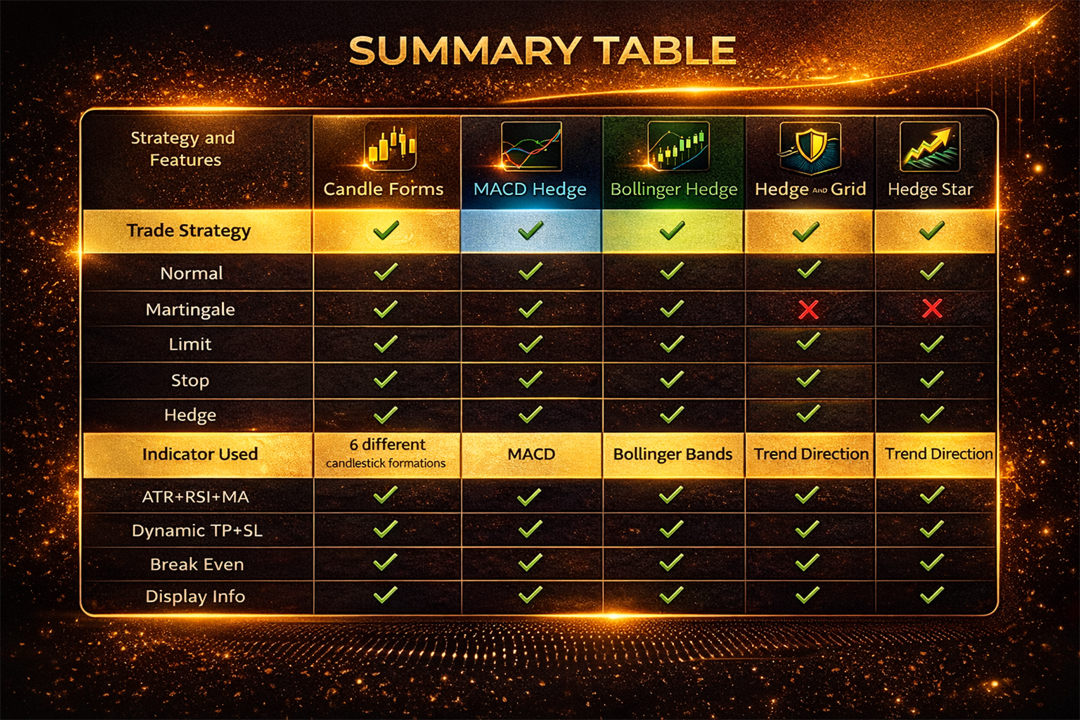
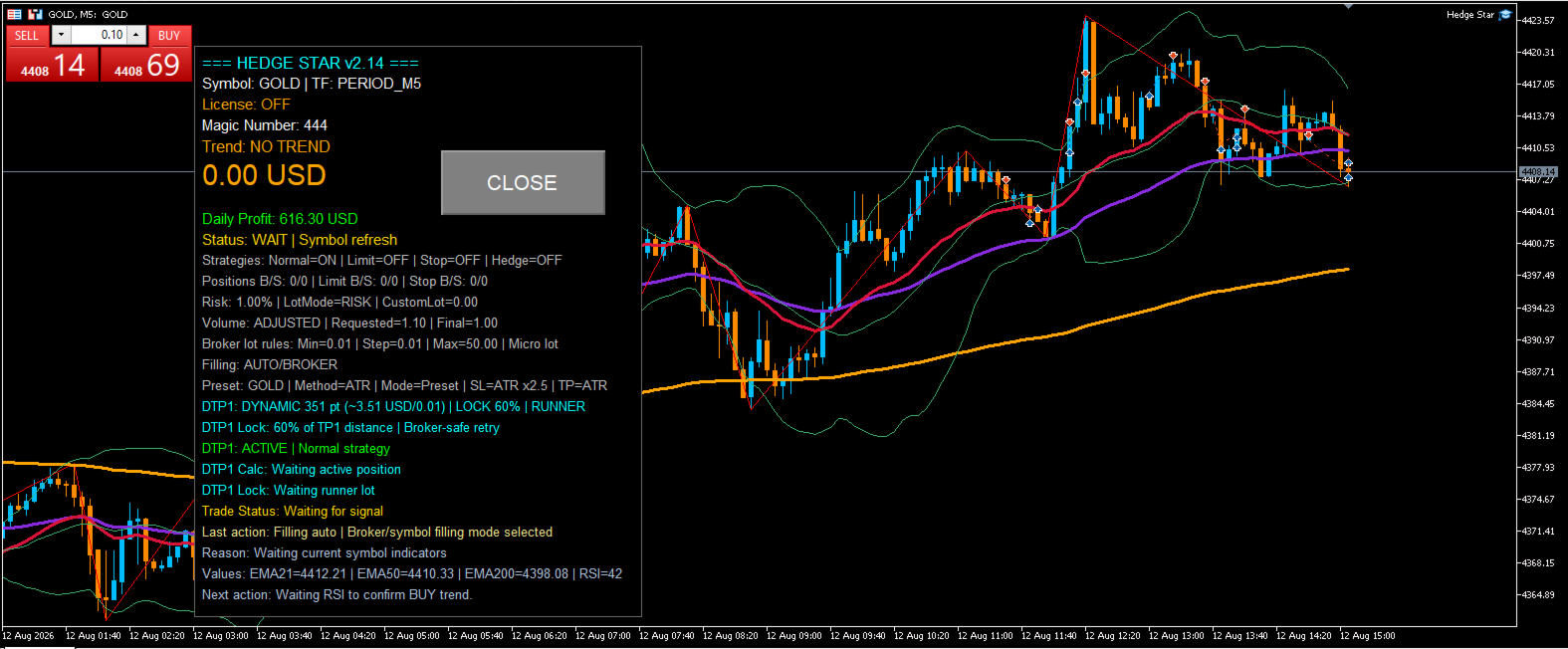
Hedge Star EA is an automated Expert Advisor developed for MetaTrader 5. It combines multiple pending-order trading techniques into a single solution, allowing traders to select the strategy that best matches current market conditions. The EA integrates risk management, basket profit control and symbol presets while maintaining a simple and user-friendly workflow.
Main Features• Normal, Limit, Stop and Hedge trading modes
• Buy Limit, Sell Limit, Buy Stop and Sell Stop support
• Automatic lot calculation based on risk settings
• Basket Take Profit management
• Integrated information panel
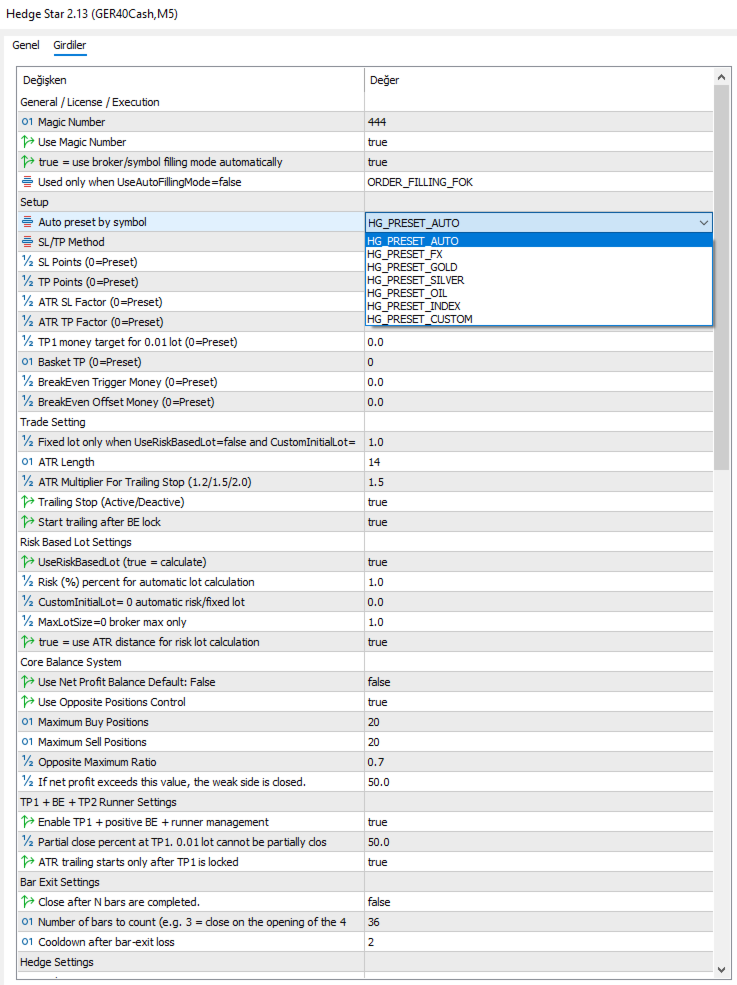
• Symbol preset support
• Automatic pending-order management
1. Copy Hedge Star EA into the MetaTrader 5 Experts folder.
2. Restart MetaTrader 5 or refresh the Navigator.
3. Attach the EA to the desired chart.
4. Enable Algo Trading.
5. Select the preferred trading strategy.
6. Use the default preset values for your first tests.
7. Monitor the Information Panel while the EA is running.
Normal Strategy executes market orders immediately after a valid trading signal.
Limit Strategy uses pending limit orders to enter after market pullbacks.
Stop Strategy places pending stop orders to capture breakout opportunities.
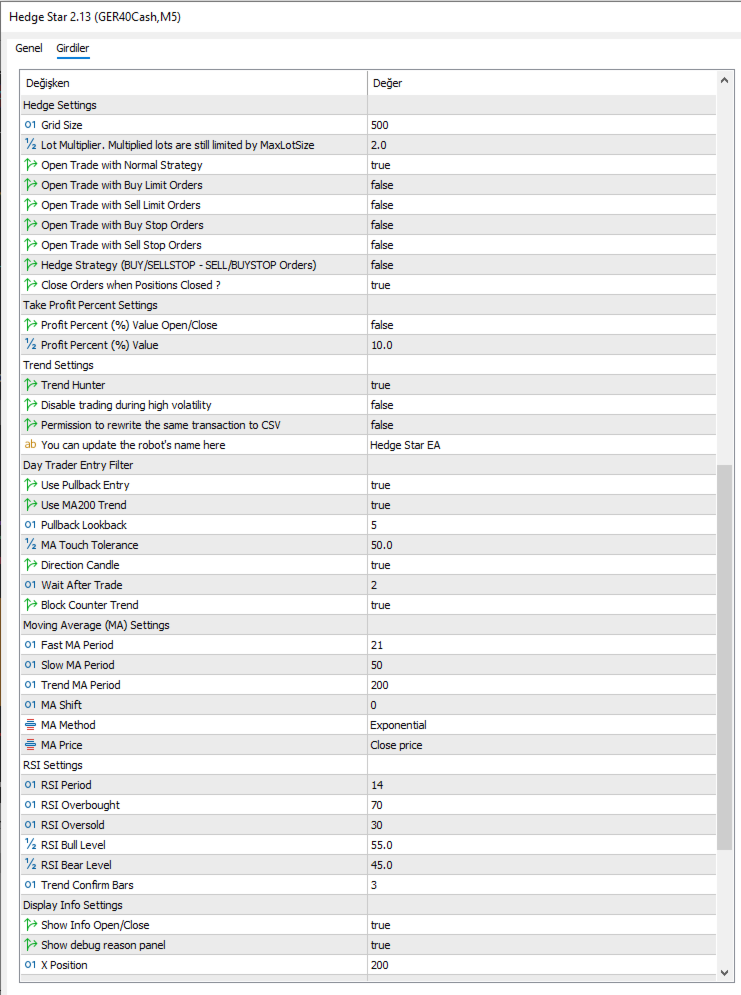
Hedge Strategy places opposite pending orders to provide flexible trade management during uncertain market conditions.
The integrated panel displays the selected strategy, trading status, current symbol, active positions, basket profit, risk information and license status. It allows users to monitor the EA without opening additional windows.
Recommended Workflow• Start with the default preset.
• Test the EA on a demo account.
• Choose the strategy that best matches current market conditions.
• Move to a live account only after becoming familiar with the EA.
• Review performance periodically and adjust risk conservatively if necessary.
Candle Forms EA is an automated trading tool and should be used only after the user fully understands its settings and operation. Trading financial markets involves significant risk, and no Expert Advisor can guarantee profits or eliminate the possibility of losses.
By using this software, the user accepts full responsibility for all trading decisions, account settings and trading results. The developer provides this product as a technical trading tool and is not responsible for any financial losses resulting from its use.