Session Times
- 유틸리티
- 버전: 4.0
- 업데이트됨: 10 10월 2025

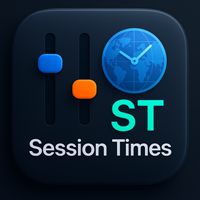
Session Timers (MT4)
Session Timers adds a clean ribbon at the bottom of the chart showing the time until open and time until close for major FX sessions. While a session is open, a progress bar fills in real time. This is a charting utility; it does not provide trading signals and does not guarantee any profit.
Sessions covered
- Sydney
- Tokyo
- Frankfurt
- London
- New York
Main functions
- Countdown to the next session open/close for each market.
- Live progress bar while a session is active.
- Works on all timeframes (M1 to MN).
- Lightweight; updates every tick without blocking.
How to use
- Attach the indicator to any MT4 chart.
- Select time mode: Broker Time or UTC (or set a manual offset if required).
- Enable or disable specific sessions as needed.
- Adjust ribbon height, colors, font size, and opacity to fit your chart.
Inputs (core)
- Display_Timezone_Mode – 0 = Server, 1 = UTC, 2 = Manual offset.
- Local_Manual_Offset_Hours – manual UTC offset (e.g., +3.5).
- Auto_DST – auto daylight saving adjustment (true/false).
- Panel_Title / Show_Title – panel caption and visibility.
- Stick_To_Bottom / Panel_Offset_From_Bottom / Panel_Margin_X – placement near the bottom ribbon.
- Bar_Height / Bar_Max_Width – progress bar sizing.
- Name_Text_Height / Timer_Text_Height – text sizes.
- Panel_Background / Panel_Border / Text_Color / Timer_Text_Color – key colors.
Inputs (advanced, optional)
- Block_Inner_Pad_Y, Block_Inner_Pad_X, Separator_Width, Separator_Gap, Font_Scale.
- Separator_Color, Bar_BG_Color, Bar_BG_Alpha.
- Col_Green, Col_Yellow, Col_Orange, Col_Red – progress gradient.
- Extra_Display_Nudge_Hours – small timing nudge if needed.
- Timer_Refresh_Sec – refresh cadence (for compatibility).
- Show_Brand_Text, Brand_Text, Brand_Text_Size, Brand_Text_Color, Brand_Offset_Y (use plain text; avoid external links in the description).
- Show_Panel_Shadow, Shadow_Offset_X, Shadow_Offset_Y, Shadow_Alpha.
Notes
- No DLLs required; no external libraries.
- Countdowns are computed from the selected time mode (server time, UTC, or manual offset).
- Updates on every tick for real-time progress.
- This is a visualization tool. It does not open, manage, or close trades.
Limitations
- Accuracy depends on server time, tick arrival, DST changes, and holiday schedules.
- Adjust offsets if your broker’s schedule differs from standard session hours.
Support
If you find this tool helpful, your honest review or rating is appreciated. It motivates further development and helps prioritize useful features for future updates.
Updates
Updates may be published to maintain the stated functionality. Users can install updates at their discretion.