Precision Entry Master
- 지표
- Andri Maulana
- 버전: 2.0
- 업데이트됨: 4 11월 2025
Precision Entry Master: Your Key to Confident Trading
Tired of second-guessing your trades? The Precision Entry Master indicator is designed to help you find high-quality entry points with confidence. It combines two powerful market analyses to give you a clear signal, filtering out noise and false signals so you can focus on the best opportunities.
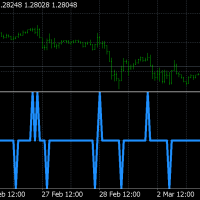
Our unique system works by finding the perfect moment when market momentum is changing and the overall trend is in your favor. When these two conditions align, the indicator gives you a clear and simple arrow signal directly on your chart.
Key Advantages & Features
-
Dual-Signal Confirmation: We use a powerful combination of two market concepts to confirm every trade signal. This dual-check system helps you avoid low-quality setups and enter the market with greater confidence.
-
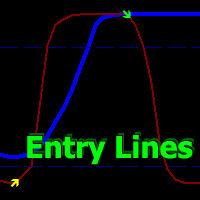
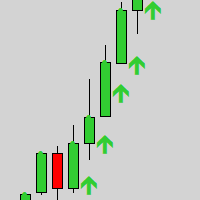
Clear Visual Signals: The indicator places easy-to-read arrow signals directly on your chart, so you can see your entry points at a glance without needing to interpret complex data.
-
Never Miss a Trade: Get notified instantly with pop-up alerts or mobile notifications whenever a new signal appears. You don't have to be glued to your screen to catch the best opportunities.
-
Fully Customizable: Tailor the indicator to your trading style by adjusting the sensitivity and signal settings.
-
Empower Your Decision-Making: use additional indicators for maximum results, such as:
Fibonacci Auto Trend Detection https://www.mql5.com/en/market/product/146143
Last High and Low https://www.mql5.com/en/market/product/133711
Multi Timeframe Support Resistance https://www.mql5.com/en/market/product/133662
Scalp Master Pro https://www.mql5.com/en/market/product/134211
By combining these powerful tools, you can enhance your analysis and make more confident trading decisions.
Adjustable Parameters
Here are the simple inputs you can change to customize your experience:
-
WPR Period: Sets the lookback period for the momentum component.
-
Overbought Level: Defines the upper boundary for overbought conditions.
-
Oversold Level: Defines the lower boundary for oversold conditions.
-
EMA Period: Sets the period for the trend-filtering component.
-
Enable Alerts: Toggles desktop alerts on or off.
-
Enable Notifications: Toggles mobile notifications on or off.
-
Alert Cooldown (seconds): Prevents too many alerts in a short period.
Ready to find your trading edge? Download the Precision Entry Master today and start trading with precision and confidence!