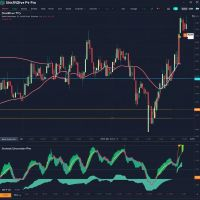
Quantum Stochastic PRO
- 지표
- 버전: 2.1
- 활성화: 5

Stochastic Oscillator Indicator with Dual Calculation and Signal Visualization
Short Description
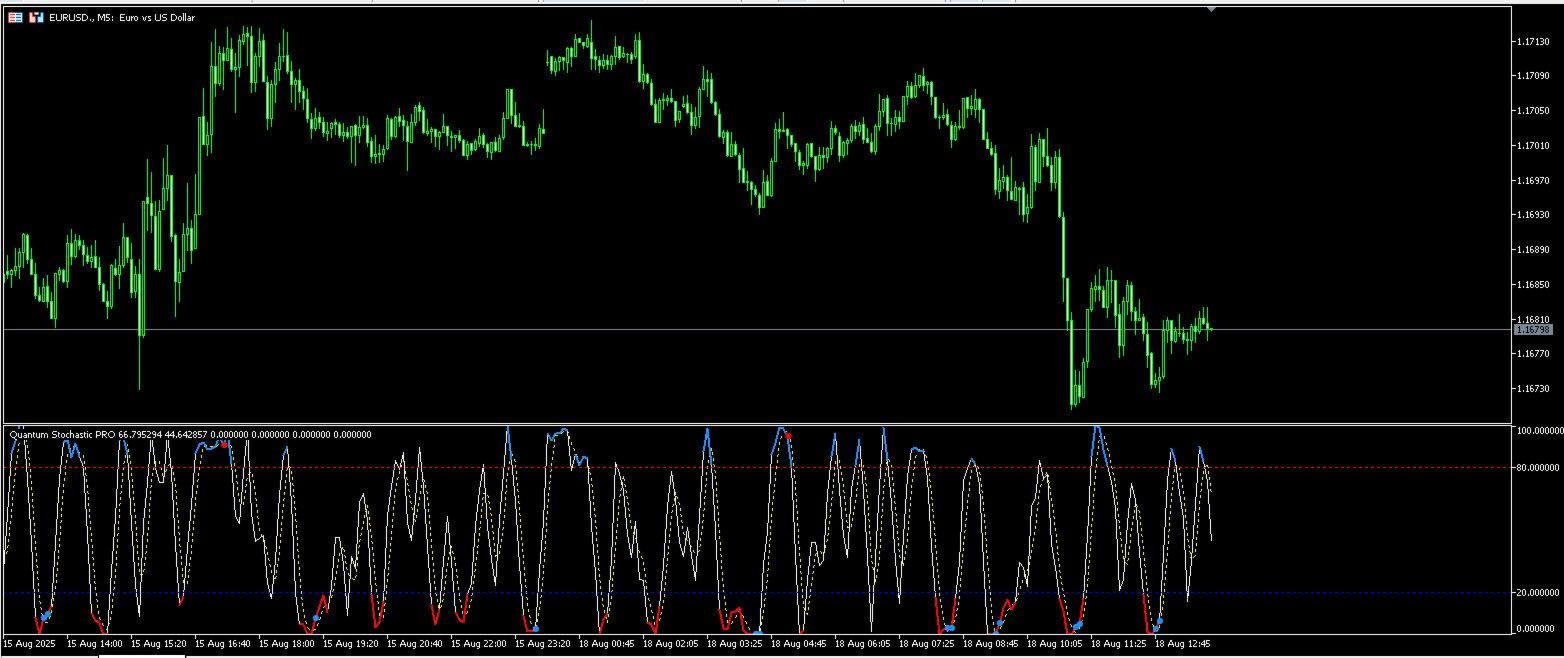
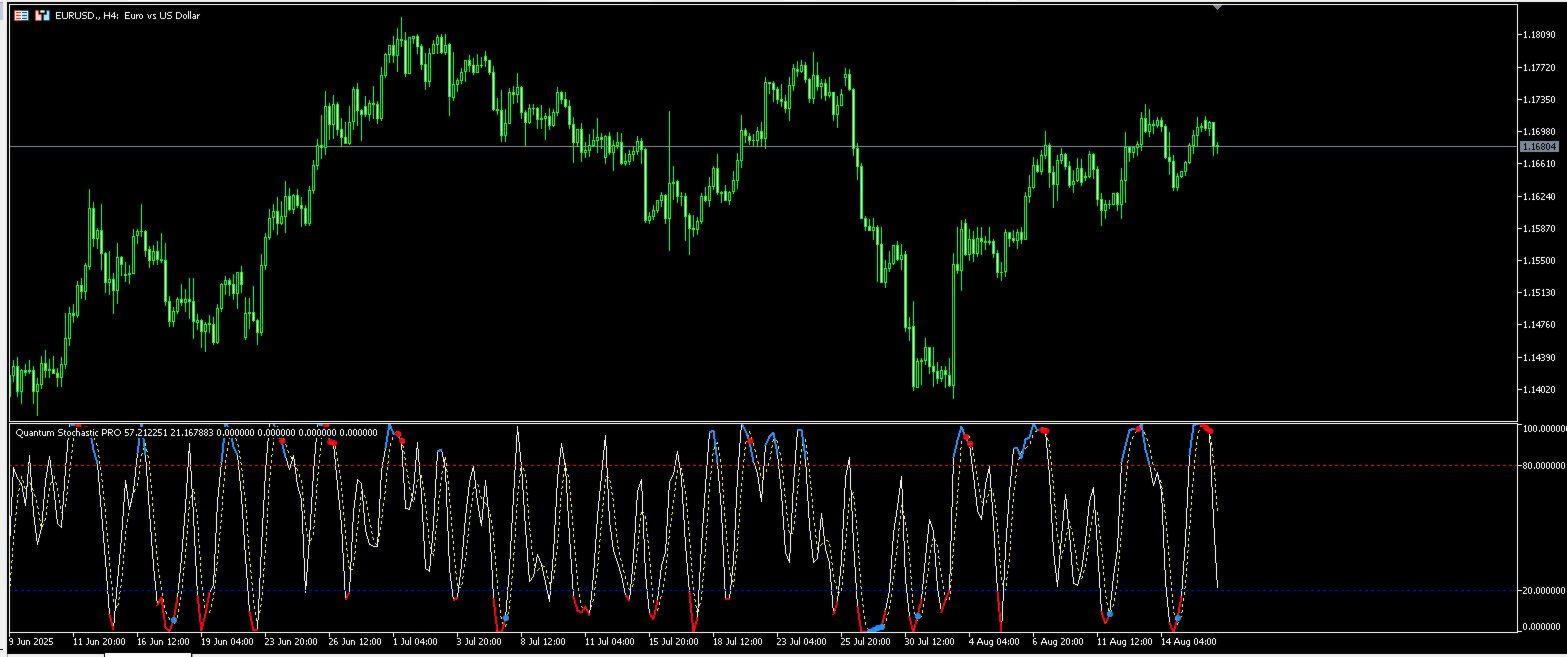
Quantum Stochastic is a stochastic-based technical analysis indicator featuring dual stochastic calculations, configurable overbought/oversold zones, and crossover signal visualization for MetaTrader 5.
Overview
Quantum Stochastic is an oscillator indicator designed to analyze momentum conditions using stochastic calculations and crossover-based signal detection.
The indicator combines:
- Dual stochastic calculations
- Configurable signal levels
- Overbought/oversold visualization
- Directional crossover markers
- Multi-timeframe compatibility
It is intended for traders using momentum-based technical analysis workflows.
Main Features
Dual Stochastic Calculation
The indicator uses two stochastic calculation layers to visualize momentum structure and crossover conditions.
Functions:
- Momentum observation
- Oscillator crossover analysis
- Directional movement monitoring
Calculation behavior can be adjusted through the indicator settings.
Buy and Sell Signal Visualization
The indicator displays directional markers when stochastic crossover conditions occur.
Signal Types:
- Bullish crossover markers
- Bearish crossover markers
Signal generation depends on:
- %K and %D crossover conditions
- Configured overbought/oversold levels
Visualization settings can be customized independently.
Overbought and Oversold Zones
Configurable threshold levels allow traders to define momentum zones according to their preferred workflows.
Functions:
- Overbought zone visualization
- Oversold zone visualization
- Adjustable threshold configuration
Default levels can be modified through the input settings.
Custom Visualization Settings
The indicator supports:
- Configurable colors
- Arrow style customization
- Oscillator line styling
- Adjustable display parameters
This allows adaptation to different chart layouts and trading environments.
Multi-Timeframe Compatibility
The indicator supports operation across:
- Lower timeframes
- Intraday charts
- Higher timeframe analysis
It may be used as part of multi-timeframe technical analysis workflows.
Input Parameters
Stochastic Settings
- KPeriod
- DPeriod
- Slowing
- MA Method
- Price Field
Zone Settings
- Overbought level
- Oversold level
Signal Settings
- Crossover conditions
- Arrow colors
- Signal display configuration
These settings allow the indicator to be adapted to different market conditions and trading styles.
Usage Applications
The indicator may be used for:
- Momentum analysis
- Oscillator crossover observation
- Trend confirmation workflows
- Multi-timeframe analysis
- Technical chart analysis
It can also be combined with:
- Price action analysis
- Trend filters
- Support and resistance analysis
- Other oscillator systems
Example Analysis Workflows
Momentum Reversal Observation
- Bullish crossover conditions may occur near lower oscillator zones
- Bearish crossover conditions may occur near upper oscillator zones
Trend Confirmation Workflow
- Higher timeframe directional structure may be monitored together with lower timeframe crossover conditions
Exit Observation
- Opposite crossover conditions may be used as part of broader trade management workflows
Compatibility
Platform:
- MetaTrader 5
Supported Markets:
- Forex
- Indices
- Commodities
- Cryptocurrency
Supported Timeframes:
- M1 to MN1
The indicator is designed for lightweight chart operation.
Operational Notes
General Recommendations:
- Test settings according to instrument volatility
- Use additional confirmation methods where appropriate
- Adjust oscillator levels depending on timeframe selection
Market conditions and volatility may affect signal frequency and indicator behavior.
The indicator is intended as a technical analysis tool and does not provide guaranteed market prediction.
Conclusion
Quantum Stochastic is a stochastic-based oscillator indicator combining:
- Dual stochastic calculations
- Crossover signal visualization
- Configurable momentum zones
- Multi-timeframe compatibility
- Custom display settings
The indicator is designed for traders using oscillator-based and momentum-based technical analysis workflows.
Suggested Tags
Stochastic Indicator, Oscillator, MT5 Indicator, Momentum Analysis, Technical Analysis, Forex Indicator, Trend Analysis, Swing Trading, MetaTrader 5, Multi Timeframe