 MetaTrader 5
 Experts
 지표
지표
 라이브러리
라이브러리
 유틸리티
유틸리티
 위젯
위젯
 규칙
규칙
MetaTrader 5용 Expert Advisor 및 지표 - 110
 트레이딩 로봇과 지표를 사용하여 외환 거래를 더 수익성 있게 만들 수 있습니다. 트레이딩용 로봇을 사용하면 개점 및 폐점 거래를 자동화할 수 있으며, 지표는 시장 행동을 보다 정확하게 예측할 수 있습니다.
이 페이지에는 MetaTrader 5 응용 프로그램의 카탈로그가 나와 있습니다.
트레이딩 로봇과 지표를 사용하여 외환 거래를 더 수익성 있게 만들 수 있습니다. 트레이딩용 로봇을 사용하면 개점 및 폐점 거래를 자동화할 수 있으며, 지표는 시장 행동을 보다 정확하게 예측할 수 있습니다.
이 페이지에는 MetaTrader 5 응용 프로그램의 카탈로그가 나와 있습니다. 
Polar Bear MACD Divergence – MetaTrader 5 전문가 자문 (EA)
거래 전략: MACD 클래식 & 히든 다이버전스 | 추천 통화쌍: EURUSD | 시간 프레임: 1H 주요 특징
스마트 다이버전스 감지 – 클래식 & 히든 다이버전스를 식별하여 고확률 반전 신호 제공.
유연한 리스크 관리 – 조정 가능한 스톱로스 (30핍) & 테이크프로핏 (30핍).
마틴게일(옵션) – 로트 배수 (2.0x)로 손실 복구 (신중히 사용).
EURUSD 1H에 최적화 – 추세 및 조정 시장에서 뛰어난 성능.
손쉬운 백테스트 – MT5 전략 테스터 완벽 호환. 추천 설정
계좌 규모: $1000 이상 (안전한 리스크 관리를 위해). 통화쌍: EURUSD (최고 성능), 다른 주요 통화쌍에서도 사용 가능. 시간 프레임: 1H (신호 정확도와 빈도의 이상적인 균형). 사용 전 반드시 백테스트! – 실거래 전에 MT5 테스터에서 성능 확인
FREE

Absolutely — MTForge NarTown .
Below is a fully optimized version . MTForge NarTown EA — Trend‑Following Automation for MetaTrader 5 MTForge NarTown is a fully automated trend‑following Expert Advisor built on a smoothed Heiken‑Ashi + Triple Moving Average (TMA) crossover engine.
The system focuses on clean directional moves , strict risk control , and a multi‑stage ratchet trailing stop that tightens protection as trades progress. The EA ships with EURUSD M30 tuned defaults, but the logic i
FREE
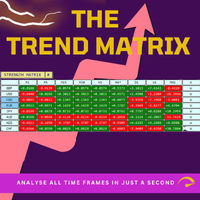
Trend Teller는 모든 주요 통화쌍과 모든 시간대(M1부터 MN1까지)의 시장 트렌드를 한눈에 파악할 수 있는 강력하고 직관적인 대시보드 도구입니다.
트레이더가 직접 만든 이 도구는 시장 트렌드 분석에서 추측을 제거하고, 더 큰 흐름에 맞춰 거래할 수 있도록 도와줍니다. 대부분의 초보 트레이더는 시장 방향을 파악하는 데 어려움을 겪으며, 심지어 숙련된 전문가들조차도 방향을 잘못 판단할 때가 있습니다. 그래서 Trend Teller는 초보자부터 전문가까지 모든 트레이더에게 이상적인 도구입니다. 주요 기능: 다중 시간대 분석
모든 주요 통화쌍의 강도와 방향을 즉시 스캔합니다. 스캘핑이든 스윙 트레이딩이든, Trend Teller는 모두를 지원합니다. 사용자 맞춤형 표시
데이터가 너무 많다고 느껴진다면? 걱정 마세요. 숫자만 표시하거나 색상 신호만 표시하거나, 원한다면 특정 시간대를 숨길 수도 있습니다. 내장 알림 기능
하루 종일 화면을 바라볼 필요 없습니다! 강한 추세나 거래 아
FREE

The Multi Strategy Ranges Indicator MT5 is a powerful tool designed to detect and visualize price consolidation zones in the market. This indicator identifies ranges and draws them on the chart, providing clear signals for efficient trading. Key Features Our indicator incorporates three essential strategies for trading within consolidation ranges: Range Breakout Strategy: A classic range breakout strategy. When the price breaks the upper or lower boundary of the range, a buy or sell signal i
FREE

Dynamic Chart Symbol Watermark Dynamic Chart Symbol Watermark 는 MetaTrader 5 차트에 중요한 정보를 깔끔하게 표시하는 가벼운 인디케이터입니다. 현재 차트의 종목과 시간 프레임을 자동으로 감지하며, 차트가 변경되면 모든 정보가 자동으로 업데이트됩니다. 주요 기능 종목 및 시간 프레임 자동 감지 대형 동적 워터마크 실시간 스프레드 표시 pips 또는 points 자동 표시 현재 캔들 카운트다운 타이머 현재 종목의 변동 손익 표시 밝은/어두운 배경 자동 대비 투명한 정보 표시 굵은 글꼴과 아웃라인 DISPLAY ON/OFF 버튼 Forex, 금속, 지수, CFD 지원 브로커 종목 접두사 및 접미사 지원 동적 종목 및 시간 프레임 종목이나 시간 프레임을 변경하면 표시 정보가 자동으로 변경됩니다. 실시간 스프레드 현재 Bid 및 Ask 가격을 이용하여 스프레드를 실시간으로 계산합니다. 타이머 TIMER는 현재 캔들이 종료될 때까지 남
FREE

Every session is drawn on the clock your broker is really using, and the strip says which one it is: Server GMT+3, US DST on, EU DST on. The offset is measured from the price history of your own symbol, week by week, not typed into a box.
Stancel Tempo draws one strip across the top of the chart and answers one question: where you are in the trading day, and what comes next. It gives no signals, makes no predictions and suggests no entries.
What the strip shows - The whole day as one bar: Tok
FREE

Triple Threat is the latest offering from Algotrading_za It uses Bollinger Bands and RSI to determine entry positions with MACD as confirmation of trend. It also has a time filter to define trading times. This EA is highly configurable and can be optimized to be used on most currencies.
The money management section is also highly configurable and does not make use of any risky strategies like martingale etc..
FREE

Infinity Predictor MA
Infinity Predictor MA is a next‑generation forecasting indicator that transforms the traditional Moving Average into a powerful predictive tool. Unlike standard MAs that only smooth past data, this indicator projects the moving average line up to 40 bars into the future, giving traders a unique perspective on potential market direction.
The engine behind Infinity Predictor MA combines multiple advanced regression models to capture both smooth trends and sudden market shi
FREE

Actively developed: new features and improvements are added regularly. Found an issue or have a suggestion? Leave a comment and it will be fixed quickly.
Plan every trade like on TradingView: drag a Risk:Reward box on your MetaTrader 5 chart and see your exact lot size, risk and target instantly. Free. PLAN
- Click BUY or SELL, then click the chart - or double-click for a box at market price.
- Drag the stop loss, take profit, entry and box width directly on the chart.
- Lot size is calculat
FREE

Introduction to Fractal Moving Average Fractal Moving Average indicator was designed as part of Fractal Pattern Scanner. Inside Fractal Pattern Scanner, Fractal Moving Average Indicator was implemented as multiple of chart objects. With over thousands of chart object, we find that it was not the best and efficient ways to operate the indicator. It was computationally too heavy for the indicator. Hence, we decide to implement the indicator version of Fractal Moving Average indicator to benefit ou
FREE

Squeeze Momentum Force is an advanced technical analysis indicator designed for MetaTrader 5. It combines volatility squeeze detection with momentum analysis to identify high-probability trading opportunities. Based on John Carter's original concept, this enhanced version incorporates: Multi-Timeframe (MTF) analysis. Divergence detection. Volume weighting. Modern user interface for quick market interpretation. The indicator identifies periods of low volatility (squeeze) that typically precede si
FREE

Grid Scalp Master Indicator Grid Scalp Master Indicator is a powerful, visual-centric market momentum and grid simulation system engineered specifically for MetaTrader 5. It translates complex mathematical breakout and asymmetrical grid logic into a clean, actionable visual framework directly on your chart layout. Designed for traders who want the precision of a grid execution model without giving up manual control, this indicator tracks high-probability breakout zones, maps dynamic grid layers,
FREE

Im Sorry Ai Signal v1.26 – Precision Gold Scalping for MT5 Elevate your trading with Im Sorry Ai Signal , the latest technical indicator from the WinWiFi Robot Series . Specifically engineered for Gold (XAUUSD) scalpers on the MetaTrader 5 platform, this tool simplifies complex market movements into clear, actionable visual signals. Designed with a focus on Price Action within the M5 (5-Minute) timeframe , this indicator helps traders identify high-probability entry points in the fast-paced gol
FREE

Gold Killer Mhw is an Intraday Multi-Timeframe EA designed for Gold/XAUUSD on MetaTrader 5, using a single-entry style without duplicate entries for the same setup, direction and risk classification, with no Martingale or Grid. The strategy has been developed and tested across five years of historical Gold market data and features 16 chart pattern setups with automated entry, Stop Loss, Break Even, exit management, risk protection and high-impact USD news protection.
EA INFORMATION
Platform:

Market Maverick IV is an intelligent trading tool designed for both new and experienced traders. It automates trading with a user-friendly interface, employing a sophisticated strategy that combines Bollinger Bands, RSI, and ADX. The EA offers customizable parameters, multi-timeframe analysis, and adaptive timing. It also emphasizes risk management with dynamic position sizing, equity safeguards, and daily loss limits. Market Maverick IV aims to simplify trading, provide educational insights, a
FREE

Position Size Companion – Interactive Risk & Lot Calculator for MT5
Position Size Companion is a professional, chart-based position sizing tool designed for traders who demand precision, speed, and visual clarity when managing risk. It is fully suitable for both Forex markets and synthetic instruments such as Volatility indices (e.g., V75), and similar symbols.
With this tool, traders can bid farewell to constantly using external or built-in GUIs that require manual input of entry and stop-l
FREE

Opening Range Detection – Detects the opening range based on a configurable time period
Breakout Signals – Displays signals on breakouts of the OR levels
Targets – Calculates and shows target levels based on a percentage of the OR width
Daily Bias – Considers the daily trend for signal filtering
Moving Average – Optionally displays moving averages Important Adjustments for MQL5 :
Visualization : Line plots for ORH, ORL, and ORM (Opening Range High/Low/Middle) Graphical objects for targets, signa
FREE

이 무료 EA는 5분(M5) 차트 전용으로 설계되었습니다. 또한 거래 통화는 일본 엔(JPY) 기준 전용입니다. USD나 EUR 기준으로 백테스트나 실제 운용은 불가능하도록 설정되어 있습니다. 거래 로트 역시 0.01로 고정되어 있습니다. 어디까지나 백테스트용 EA라는 시험용 제품으로 봐 주시기 바랍니다. 실제로 포워드 테스트에서도 사용하고 있으므로, 라이브 신호 다운로드가 계속된다면 공개할 계획입니다.
TYO EA LAB의 개발 철학
TYO EA LAB에서는 프로프 펌의 운용 사고방식을 도입한 퀀트 EA 개발을 진행하고 있습니다. 중시하는 것은 단일 EA의 일시적인 성과가 아니라, 여러 전략을 조합했을 때의 안정성, 분산성, 그리고 실제 운용에서의 재현성입니다.
개발에는 장기 검증 데이터에 더해 AI를 활용한 데이터 마이닝을 활용하고 있습니다. 시장 데이터를 다각적으로 분석하여, 시간대별 및 월
FREE

GDXM Multi Symbol Comparisson Window The Multi Symbol Correlation Oscillator GDXM is a precision tool engineered for institutional traders and Smart Money Concepts (SMC) practitioners. This version operates in a separate window, transforming the price action of up to 5 assets into a normalized 0–100% efficiency scale. It is the perfect solution for identifying high-probability divergences without cluttering your main price chart. There is a version for the main chart . By isolating asset moveme
FREE

Moving Average Sentiment "Transform Raw Market Data into Clear Sentiment Vision" Moving Average Sentiment is a next-generation adaptive trend sentiment indicator that visualizes the true bias of the market — bullish, bearish, or neutral — in real time. It combines Moving Average dynamics with ATR-based volatility zones , creating a fluid, self-adjusting sentiment curve that reacts instantly to price structure and volatility shifts. This tool goes beyond a simple MA — it reads the behavior of th
FREE

MG_BB_Swing – Swing Trading System for XAUUSD, exclusively on the M15 timeframe. For the forex market (AUDCAD,AUDCHF,AUDUSD,AUDSGD,CADCHF,EURGBP,EURNZD,EURUSD,GBPAUD,GBPCAD,GBPCHF,GBPUSD,NZDUSD,USDCAD,USDCHF), download this Forex.set file. System Highlights 1. Bollinger Bands Reversal Detects price expansions and contractions to accurately identify overbought/oversold zones. Ideal for markets with significant swings. 2. Professional Swing Detection (Built-in)
FREE

NEXA Bb Volatility Trap1 Expert Advisor for MetaTrader 5 1. 개요 NEXA Bb Volatility Trap은
볼린저 밴드 폭(Bollinger Band Width)의 수축과 확장을 기반으로 시장의 변동성 변화를 감지하여 자동으로 거래를 수행하는 Expert Advisor입니다. 본 제품은 변동성이 낮은 구간 이후 발생하는 가격 확장 움직임을 감지하는 것을 목표로 하며,
모든 거래 판단은 완전히 종료된 캔들 데이터 를 기준으로 수행됩니다. 본 Expert Advisor는 자동 매매 도구이며, 모든 거래에는 손실의 가능성이 존재합니다. 2. 작동 원리 본 Expert Advisor는 두 개의 시간 프레임을 사용합니다. 2.1 변동성 압축 감지 상위 시간 프레임에서 볼린저 밴드 폭의 통계적 Z-Score를 계산합니다. 변동성이 평균보다 낮은 상태가 감지되면 거래 준비 상태로 전환됩니다. 2.2 진입 트리거 압축 상태 이후 하위 시간 프레임에
FREE

CONTACT US TO RECEIVE SETUP FILE Optimal SexxT Trader Setup: For a conservative account you should activate strategy 6. For an average account you must activate strategy 1, 2 OR 3. For an account with more risks, you should activate strategies 1, 2, 3 and 6. Sexxt Trader - Overview
The Sexxt Trader is designed for traders seeking to optimize their Forex market operations, offering flexibility and customization to meet each user's specific needs. For example, it allows activating specific
FREE
Abacus Scalper demo Works on demo account only Uses advanced standard deviation filteralgorithm to determine trade positions.
INPUT SETTINGS LotSize: Default is minimum trade volume. StopLoss: Specified in pips. Default is 100pips. TakeProfit: Specified in pips. Default is 200pips. Note: 1 pips = 10 pip points on greater than 0.000001 tick size.
Good account management. Minimum capital is 500. Recommended minimum capital is 1500
FREE

XAU Vol Compress Expand M15 Expert Advisor for MetaTrader 5 — Gold / XAUUSD focus
Version: 1.00 What it is XAU Vol Compress Expand M15 is an Expert Advisor for gold on the M15 chart. Volatility compression-to-expansion break participation on M15 gold. Built for structured automated participation — not grid , not martingale . Evaluate on your broker and risk profile before any live use. This product is a technical system . Exact thresholds and entry equations remain internal product design and a
FREE
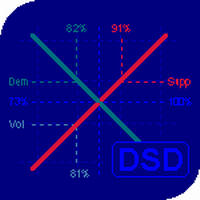
The balance of supply and demand is a simple and effective market analysis method. The supply and demand diagram can show you in advance, even before the trend reversal, where the supply ends and the demand is already emerging, where the demand ends and the supply is emerging, while substantially increasing the probability of making a deal in the right direction and with a high profit factor.
Indicator signals The indicator uses the price/volume values to generate signals: ED – excess demand. E

Prop Firm Titan EA: Automated Gold Prop Firm Trader Prop Firm Titan EA is a Gold Expert Advisor, developed exclusively for Prop Firms , trading Gold (XAUUSD) on the 5-minute timeframe (M5) . It executes a comprehensive process, including technical analysis, trend alignment protocols, sophisticated entry filters, and an intelligent profit optimization system to maximize trade quality . It does not use neural learning or AI — instead, it prioritizes risk management and sustainable account growt
FREE

Gold Sniper Cloud EA (Cloud Trend Strategy) Gold Sniper Cloud EA is an automated trading robot based on the Cloud indicator.
It trades only when strong trend conditions are confirmed, helping traders avoid false signals and over-trading. The EA is specially optimized for Gold (XAUUSD) but can also be used on other trending symbols. Main Advantages Fully automated trading
Uses multi-confirmation Cloud strategy
Smart risk and money management
Automatic Stop Loss and Take Profit
Optio
FREE

Tillson's T3 moving average was introduced to the world of technical analysis in the article ''A Better Moving Average'', published in the American magazine Technical Analysis of Stock Commodities. Developed by Tim Tillson, analysts and traders of futures markets soon became fascinated with this technique that smoothes the price series while decreasing the lag (lag) typical of trend-following systems.
FREE
멀티 타임프레임 지원, 사용자 정의 시각적 신호 및 구성 가능한 알림 시스템을 갖춘 볼륨(Volume) 지표.
프리랜서 프로그래밍 서비스, 업데이트 및 기타 TrueTL 제품은 제 MQL5 프로필 에서 확인하실 수 있습니다.
피드백과 리뷰는 매우 감사하게 받겠습니다!
볼륨이란 무엇인가요? 볼륨은 기술적 분석에서 가장 기본적인 지표 중 하나입니다. 특정 바 또는 기간 동안 거래된 계약, 주식 또는 로트의 총 수를 나타냅니다. MetaTrader에서는 기본적으로 틱 볼륨이 사용됩니다 — 각 바 내의 가격 틱 수를 계산하며, 대부분의 시장에서 실제 거래량과 밀접하게 상관됩니다. 볼륨은 가격 방향을 나타내지 않습니다 — 시장 활동과 참여도를 측정합니다. 볼륨 증가는 가격 움직임의 강도를 확인하며, 낮은 볼륨은 약하거나 지속 불가능한 추세를 나타낼 수 있습니다. 트레이더들은 볼륨을 사용하여 돌파를 검증하고(높은 볼륨의 돌파가 더 신뢰할 수 있음), 추세 소진을 식별하고(가격과 볼륨 간의
FREE

UsdJpy RangeBot Pro – Expert Advisor for Breakout Trading
UsdJpy RangeBot Pro is a breakout-based Expert Advisor developed for the USDJPY pair. It identifies trading opportunities during the early hours of the London session by analyzing a defined range and executing pending orders above or below it. The EA applies fixed logic, clear visual elements, and built-in risk controls.
This tool is designed for disciplined breakout trading without the use of breakeven, martingale, or grid systems.
FREE

Panel Indicator For MT5 Panel Indicator For MT5는 MetaTrader 5를 위해 설계된 시각적 인디케이터로, 스프레드와 시장 세션에 관한 모든 핵심 정보를 하나의 간결한 패널에 통합합니다. 차트 위에 직접 표시되어 추가 창을 열거나 외부 소스를 참조할 필요 없이 실시간으로 업데이트되는 정보를 트레이더에게 즉각적으로 제공합니다. 실시간 스프레드 모니터링 패널은 차트에 로드된 종목의 현재 스프레드 값을 지속적으로 표시합니다. 순간 값과 함께 인디케이터는 활성 세션 동안 누적된 평균 스프레드와 동일한 시간대에 기록된 최대값을 자동으로 계산합니다. 세션이 바뀌는 즉시 카운터가 초기화되고 계산이 새로 시작되어, 항상 현재 운영 상황에 관련된 통계를 보장합니다. 스프레드 값은 색상으로 구분됩니다. 녹색은 계산된 평균 대비 정상 범위 내의 스프레드를 나타내고, 노란색은 약간 높은 스프레드를 알리며, 빨간색은 비정상적이거나 범위를 벗어난 스프레드를 강조합니다.
FREE

MT5 거래의 오픈, 종료, 부분 종료 및 수정에 대한 실시간 알림을 discord로 자동 전송합니다. 이 유틸리티는 다음 16개 언어를 지원합니다: English, French, German, Indian (Hindi), Indonesian, Italian, Kazakh, Korean, Dutch, Polish, Portuguese, Russian, Spanish, Turkish, Ukrainian 및 Vietnamese. 이 제품은 터미널을 지속적으로 확인하지 않고 Discord 알림을 받고자 하는 트레이더를 위해 설계되었습니다. Expert Advisor 사용자가 자신의 활동을 추적하거나, 여러 종목을 거래하는 트레이더 및 VPS 사용자에게 적합합니다. 포지션의 전체 및 부분 종료가 정확하게 감지되며 (예: 0.10 / 0.30 랏), 중복 메시지 방지 기능이 구현되어 있습니다. 알림은 거래 계정의 모든 종목에 대해 전송할 수 있으며, 또는 유틸리티가 적용된 차트의 종목에 대
FREE

QuantFusion BTC Pro is a professional-grade, multi-dimensional trading indicator optimized for Bitcoin/USD markets. By integrating advanced technical analysis, smart money concepts, and intelligent signal filtering, the indicator is designed to deliver high-probability trading signals. Its Multi-Category Alignment System requires confirmation from independent technical categories to validate entries and minimize false signals. Advanced Signal Generation System Dual-Level Quality: Generates stan

Trendline EA MT5 Trendline EA MT5는 사용자가 그린 추세선을 기반으로 거래 실행 또는 알림을 수행하도록 설계된 MetaTrader 5용 반자동 전문가 어드바이저(EA)입니다. MetaTrader 5는 추세선을 통해 직접 거래를 실행하거나 관리하는 기본 기능을 제공하지 않습니다. 본 전문가 어드바이저는 사용자가 정의한 추세선을 모니터링하고, 가격이 해당 추세선과 상호작용할 때 사전에 정의된 동작을 실행함으로써 플랫폼의 표준 동작을 확장합니다. 본 전문가 어드바이저는 어떠한 거래 전략도 정의하거나 적용하지 않습니다. 모든 거래 로직과 의사결정은 전적으로 사용자의 통제 하에 있습니다. 추가 자료 사용자 가이드 및 문서 MT4 버전 기능 개요 추세선 기반 거래 실행 가격이 추세선을 터치, 돌파 또는 되돌림할 때 매수 또는 매도 실행 각 추세선별로 스톱로스, 테이크프로핏 및 거래 수량 설정 가능 캔들 종가 또는 가격과 추세선 간의 거리에 따라 동작 트리거 모니터링 및
The Daily Highs and Lows Indicator is a versatile tool that combines support and resistance levels with real-time market dynamics. By incorporating previous daily highs and lows, it provides valuable insights into market psychology and identifies potential areas of price reversals or breakouts. With its ability to adapt to changing market conditions and customizable options, traders can stay ahead of trends and make informed decisions. This indicator is suitable for various trading styles and ti
FREE

Gold Neural Network Scalper Pro EA (MT5) - SET FILE FOR XAUUSD is attached in Comment for Live Trading/Back testing-Must Use it Harness the power of Artificial Intelligence and Quantum Machine Learning for precision Gold trading.
This advanced Expert Advisor is engineered to scalp XAUUSD (Gold) with cutting-edge AI algorithms that dynamically adapt to changing market conditions. The system utilizes machine learning–based pattern recognition, volatility analysis, and quantum-optimized logic to id

Fair Value Gap Volume Profile Pro This indicator detects price imbalances (Fair Value Gaps) on the chart and displays the volume distribution inside each gap using data from a lower timeframe. It is designed for traders who use institutional price action concepts and want to understand where volume was concentrated during the formation of each gap. What is a Fair Value Gap A Fair Value Gap (FVG) is a three-candle price imbalance where a candle moves so strongly that it leaves a range untouched
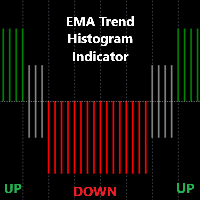
Detailed Description: The EMA Trend Histogram Indicator is a powerful tool for traders seeking clear trend identification based on the widely-used Exponential Moving Averages (EMAs).This indicator provides an easy-to-interpret histogram and helps you simplify trend identification by using the 50 EMA and 200 EMA on two crucial timeframes: H1 and H4. By observing the relationship between short-term and long-term EMAs on multiple timeframes, this indicator provides a quick and clear view of mark
FREE

Titan Gold Visual Hunter V3.0 See the market the way institutions do. "No more guesswork. No more lagging indicators. Just pure, visual precision." Designed exclusively for the explosive volatility of XAUUSD (Gold) , Titan Gold Visual Hunter V3.0 is not just another pattern scanner. It's a complete visual trading system that filters noise and delivers high-probability setups. Why Choose Titan Gold V3.0? Built for Gold – Engineered specifically for XAUUSD's unique behavior Zero-La
FREE

MetaTrader 5용 Master Waves 설명 Master Waves는 가격 움직임에 따라 거래량을 파동 형태로 구성하는 MetaTrader 5용 기술적 분석 지표입니다. 이 지표는 각 캔들의 방향을 분석하고 가격 움직임이 같은 방향으로 유지되는 동안 거래량을 누적합니다. 방향이 변경되면 새로운 파동이 시작됩니다. 파동은 별도의 지표 창에 히스토그램으로 표시됩니다. 상승 방향과 하락 방향의 파동은 서로 다른 색상으로 표시되어 시각적으로 쉽게 구분할 수 있습니다. 파동 분석 현재 파동의 거래량은 이전 파동의 평균 거래량과 비교됩니다. 이 비교를 통해 분석된 가격 기록에서 각 움직임의 상대적인 강도를 확인할 수 있습니다. 지표는 사용 가능한 Tick Volume을 사용합니다. 필요한 경우 상품에서 제공되는 Volume을 대신 사용합니다. Score 및 State Master Waves는 현재 파동 거래량과 이전 파동 평균값의 관계를 기준으로 마이너스 100에서 플러스 100 사이
FREE
This is the demo version of "All Harmonics 26" indicator . "All Harmonics 26" searches for 26 types of harmonic patterns and outputs them in a convenient way. You can check out the documentation here . This demo version has the following limitations: The indicator searches only for one type of harmonic patterns out of 26:- Gartley. The indicator outputs new patterns with a lag of 10 bars.
FREE

실시간 가격 및 총 수익 표시 지표 라이브 트레이딩 및 화면 공유에 완벽 데이 트레이더, 스캘퍼 및 라이브 스트림 트레이딩 세션을 위해 특별히 설계됨 이 전문 지표는 차트에서 직접 실시간 가격 표시와 포괄적인 수익 추적을 제공합니다 - 고빈도 거래 및 라이브 트레이딩 방송에 필수적입니다. 주요 기능 실시간 가격 표시 매초 라이브 매수 가격 업데이트 모든 심볼 유형에 대한 전문적 형식화 귀금속을 위한 특별 골드/XAU 형식화 화면 공유에 완벽한 대형 명확한 표시 데이 트레이딩 결정을 위한 즉시 가격 업데이트 포괄적 수익 추적 트레이딩 히스토리로부터의 계좌 총 수익 거래 종료 시 실시간 수익 업데이트 사용자 정의 추가 수익 금액 수수료 및 스왑 포함 플러스/마이너스 지표가 있는 전문적 수익 형식화 성능 최적화 스마트 캐싱 시스템 - 최소 CPU 사용 1초 업데이트 간격 - 번개처럼 빠름 효율적인 타이머 기반 업데이트 실시간 거래 모니터링 전문적 오류 처리 고급 사용자 정의 조정 가능한
FREE
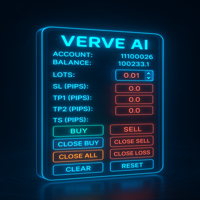
FXTrade Panel – 스마트하고 빠른 MT5 거래 관리자
FXTrade Panel은 원클릭 거래 실행 및 관리를 통해 거래 효율성을 높이도록 설계된 MetaTrader 5용 고급이면서도 사용하기 쉬운 거래 도구입니다.
주요 기능: • 계좌 개요: 계좌 번호, 레버리지, 잔고 및 현재 스프레드를 표시합니다. • 로트 크기 제어: 직관적인 +/− 버튼으로 로트 크기를 조절할 수 있습니다. • 리스크 관리: 핍 단위로 Stop Loss(SL), Take Profit(TP1, TP2) 및 Trailing Stop(TS)을 설정합니다. • 원클릭 거래: BUY 및 SELL 주문을 즉시 실행합니다.
포지션 관리: • Close Buy — 모든 활성 매수 포지션을 닫습니다. • Close Sell — 모든 활성 매도 포지션을 닫습니다. • Close All — 모든 포지션을 청산합니다. • Close Profit — 이익이 발생한 거래만 닫습니다. •
FREE

Daily & Composite Volume Profile This is a professional-grade market profile tool designed for MetaTrader 5. It utilizes a Dual-Profile System to visualize supply, demand, and liquidity concentrations. Key Features Left Side: Daily Session Profiles Automatically identifies the start and end of every trading day. Generates a unique Volume Profile for each individual day. Allows you to see how value migrated from yesterday to today (e.g., Is today's volume higher or lower than yesterday?).

PG Lot Calculator tells you the exact lot size for every trade, so you always risk the amount you planned. No spreadsheets, no guessing. It works on Forex, gold, silver, indices, crypto and stocks. Part of the PG tools for prop firm traders. For full challenge protection, see PropGuardian . HOW IT WORKS Choose how you risk: % of Balance, % of Equity or a fixed amount of money. Set your Stop Loss in pips (or drag the SL line on the chart). Read your lot size. Click BUY or SELL if you want to tr
FREE

M5GoldenX >>>>>>>>>>>>>>>>>>>>> Minimum Leverage to use this EA is 1:500 <<<<<<<<<<<<<<<<<<<<< Best Performance: XAUUSD (Gold) – 5-Minute Timeframe
Consistent Scalping & Swing Opportunities – Captures short-term gold movements.
Tested with Strong Risk-Reward Ratio – Designed to maximize gains while minimizing losses. Key Features: Fu Risk Management – Smart stop-loss and trailing features. Ideal For: Gold Traders – Specifically tuned for XAUUSD.
5-Min Scalpers & Day T

Daily P/L Risk Management is a MetaTrader 5 utility that watches your account's daily profit and loss and acts automatically when a limit is hit. It tracks both realized and unrealized P/L and can close positions, disable trading or alert you. It is a practical safety net for prop-firm challenges and disciplined day trading. Features Daily loss and profit limits, set by money amount or percent of balance/equity. Combined P/L tracking: counts both closed-trade (realized) and open-position (unreal
FREE
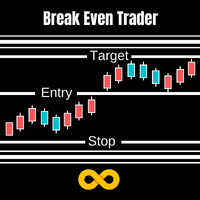
With Break Even Trader placed onto your chart, it will automatically place the stop loss and take profit levels when you open a buy or sell order. And when you are in profit by the amount defined in user settings, it will automatically move your stop loss to that break even level, thereby protecting your trade from a loss. Features :
Simple to trade with you just enter your trade it will place the stop loss and take profit as input in user inputs. Sends you an alert when your trade is in profit
FREE

1
Session opens — bias is determined At each new M15 bar during London hours the EA checks whether price is above or below the 20-EMA to set bullish or bearish bias for that bar. 2 Session high/low is tracked The EA maintains a rolling 20-bar lookback of session highs and lows, updating the liquidity levels automatically every bar. 3 Liquidity sweep is confirmed When a candle's wick pierces the session level by the sweep buffer and closes back inside, the sweep flag is raised — signalling insti
FREE

AI Power Gauge: Now, under the AI bar, there's clear text like "BUY POWER 85.5%." This makes it easier to see how confident the AI is before executing.
Static News Box: The "SYSTEM STABLE" text no longer scurries around. It stays in the center of the green box so you can immediately see the robot's security status.
Account Monitoring: Balance and Floating Profit are set in the largest font (Size 11 & 12) for clear readability, even from a distance.
Optimal Threshold: The robot is now set
FREE
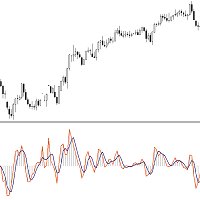
This Indicator is based on Mr. Dan Valcu ideas.
Bodies of candles(open-close) are the main component used to indicate and assess trend direction, strength, and reversals.
The indicator measures difference between Heikin Ashi close and open.
Measuring the height of candle bodies leads to extreme values that point to trend slowdowns. Thus quantifies Heikin Ashi to get earlier signals.
I used this indicator on Heiken Ashi charts but, it's possible to choose to calculate Body size based on Heik
FREE

https://www.youtube.com/watch?v=0T8Mge39Xsk&t=9s
Youtube Sell only EA here.
These EAs trade macd divergence only if there is a parabolic sar change at the same time.
Buy bullish macd divergence & parabolic sar crosses below price Macd settings Threshhold is how far above / below zero divergence must occur. Timeframe used Parabolic sar settings
Only one trade in that direction can be opened at once. Trades on open bar Alerts , mt5 and mobile Stop loss and target points Stop loss is set to a
FREE

AlphaPro EA – Technical Overview 1. Introduction
AlphaPro EA is an Expert Advisor for MetaTrader 4 and MetaTrader 5.
It applies multiple algorithmic strategies with risk control features and supports various trade management modes.
The system is designed for use on different timeframes and multiple currency pairs. 2. Core Features Algorithmic Execution – Uses multi-layered entry/exit logic combining scalping, breakout, and trend-based methods. Risk Management – Supports balance-based lot sizing
FREE

The script tries to determine the overall direction of the market, using smoothed Heiken Ashi candles. The coloring system (using bright and dark colors) is an attempt to detect strong market and weak market conditions. There's also an oscillator within the script
These are the features: Alert condition Features: You can now set alerts in the alert dialog for events like trend switch, trend strengthening and weakening; all for both Bullish and Bearish trend.
I also added the code for custom a
FREE

FX Live — Stats Export
Works only with https://fxlive.trading
Monitor all your MetaTrader accounts from a single dashboard, in real time, across every broker. FX Live Stats Export is an utility, not a trading robot. It never opens, modifies or closes a position. It reads your account and sends the data to your private FX Live dashboard, so you can follow every account you own from one place — on your computer or your phone — without switching between MetaTrader terminals.
WHAT IT DOES Attac
FREE

제품 개요 차트 위의 모든 포지션에 대해 익절(TP) 및 손절(SL)을 일괄 설정할 수 있는 툴입니다. 개별 포지션을 수동으로 설정하는 번거로움을 없애고 신속한 리스크 관리를 지원합니다.
더욱 실전적인 일괄 관리와 자동 청산을 위해 "One Click Pro SL TP Batch Auto Close"를 사용해 보세요. https://www.mql5.com/ko/market/product/186278
조작 순서 1. 수치 입력: "ALL POSITIONS TP/SL" 영역 내에 있는 각 에디트 박스에 원하는 가격을 입력합니다. 2. 실행: "SET" 버튼을 클릭하면 모든 포지션에 일괄 적용됩니다. * 한쪽만 설정하려면 다른 한쪽은 빈칸으로 두고 실행하십시오. * 브로커의 스탑 레벨 제한 등으로 인해 실패한 티켓은 알람으로 알림이 전송됩니다.
버튼 기능 SET: 입력한 TP/SL 값을 모든 포지션에 일괄 적용합니다. [ < ]: 현재 시장 가격(Bid/Ask)을 에디
FREE

Why This Works on ETH / Crypto Adapts to volatility : When ETH is $1500, 0.5% separation = $7.50. When ETH is $4000, same 0.5% = $20. No manual adjusting. Filters chop : ETH loves fakeouts. Requiring separation + N closes kills 80% of them. Self-learning : The AutoScan prints in Experts tab: AvgHighSep=XX pts . You know exactly what the market demands right now. Donchian option : ETH trends hard when it breaks 20-bar highs/lows. Use it as confluence. How To Trade It Entry : Arrow appears =
FREE

LR Pivots Combo Statistics That Show You Where the Market Stands! Key Features (updated V2.1) 1. Auto-Plotting Linear Regression Channel Trend Direction — Uses slope (normalized by ATR) to identify whether the market is in an uptrend, downtrend, or ranging sideways. Trend Quality (R-Squared) — Tells you if the trend is statistically consistent (Stable) or just noise (Volatile). Useful for filtering out unreliable setups. Standard Deviation Bands — Shows how far price has deviated from the regre
FREE

Never Miss a Candle Close Again!
By default, MetaTrader 5 does not show the remaining time for a candle to close. For scalpers, day traders, and price-action traders, knowing exactly when a candle finishes is crucial for accurate entries and exits.
This lightweight, highly optimized Custom Indicator solves that problem by placing a sleek, real-time countdown timer directly on your chart.
Key Features:
* ️ Real-Time Precision: Displays the exact time remaining (Hours:Minutes:Seconds)
FREE

CasperIT Manual Trade Manager MT5 FREE
CasperIT Manual Trade Manager is a free trading utility for MetaTrader 5. It helps manual traders open positions, control risk, and protect profitable trades from a compact chart panel.
The utility does not generate automatic entry signals or promise profits. You remain in control of every trade.
Main Features
- One-click **BUY** and **SELL** buttons - Automatic risk-based lot calculation - ATR-based Stop Loss and Take Profit - Break-even protection aft
FREE

Multi-Timeframe Overbought and Oversold Confluence Dashboard
TAGLINE
Five oscillators. One clear market-extreme dashboard.
PRODUCT OVERVIEW
OscillatorFusion Navigator MT5 is a professional multi-timeframe oscillator dashboard created to identify overbought, oversold, neutral, and extreme market zones. It combines five popular oscillators and measures how many of them agree at the same time.
The indicator analyzes:
- Relative Strength Index - Stochastic Oscillator - Williams Percent Range
FREE

FTrades is an advanced trading tool designed to maximize efficiency in intraday trading. This [EA] gets BuyStop and SellStop entry signals in a certain range. This EA uses trailing stop that you can configure to your liking and you can indicate the timeframe where you want to make the trades. You can also trade with lots or percentages. The best performing pairs are EURUSD, USDJPY and XAUUSD. I recommend using it from M15 or higher. This version Ftrades lite only allows you buy or sells.
FREE

Great multi currency mt5 trading bot with high quality strategy supporting trading in any pair any time frame high winrates low drawdown also easy to use it is so rich of many advantages that will make you relax and trade well you can use with any balance any equity using smart Ai strategy and have many options in tp and sl and trading timing and also you can control DD and tp and sl you can hide them and so many advantages
FREE

https://youtu.be/KHhg88fXWTk?si=ZoVtpc-wpfTVImSL
5-Minute Trading Strategy | Quick & Effective for Beginners Welcome to our trading channel- the deepak trading In this video, we'll be exploring a simple 5-minute trading strategy that can help you capture quick market movements and make profitable trades. Whether you're a beginner or an experienced trader, this strategy is designed to give you clear entry and exit points using technical indicators like EMA, RSI, and Stochastic Oscillator.
FREE

AlsoSell Cockpit은 분석, 수량 계산, 실행, 관리, 복기까지 트레이딩의 모든 과정을 차트 위 하나의 세련된 패널에 담았습니다. 차트를 벗어날 필요가 없습니다.
주문 및 실행 - 원클릭 시장가 BUY / SELL, 리스크 기준 자동 랏 계산. - 차트 플래너: 진입, 손절, 익절 라인을 차트에서 직접 드래그하세요. 랏은 손절 거리와 리스크 %로 실시간 계산되며, 손익비와 도달 시 정확한 손익($)이 드래그 중에 실시간으로 표시됩니다. - 스마트 실행: EXECUTE가 진입 위치에 따라 시장가 또는 대기 주문(지정가 / 역지정가)을 자동으로 선택합니다. - 가격 검증(SL/TP 방향 + 브로커 최소 손절 거리)으로 잘못된 주문을 전송 전에 차단합니다. - 리버스: 순포지션을 청산하고 반대 방향으로 원클릭 전환. - 유연한 랏 관리: 리스크 % 자동 또는 패널의 수동 랏 스테퍼. - 모든 주문에 매직 넘버와 코멘트를 부여해 깔끔하게 추적합니다.
포지션 관리 - 원클릭 청
FREE

Big bull scalper Short Description Master market structure with the precision of the popular Big bull scalper This tool automatically identifies key pivot highs and lows, plotting unique "angling" trend lines that dynamically define market context. It visually confirms Breaks of Structure (BOS) and Changes of Character (CHoCH), removing all guesswork from your analysis.
Key Features: Automatic Pivot Detection Instantly spots significant swing highs and lows. Dynamic Angling Lines Visual
FREE

Trend Market Catcher MT5 is a powerful tool developed to assist traders in identifying and capturing profitable market movements. This expert advisor leverages advanced algorithms and sophisticated indicators to analyze price patterns, detect trends, and generate precise trading signals. With Trend Market Catcher, you can say goodbye to guesswork and emotional decision-making. It employs a systematic approach, meticulously scanning the market to identify favorable trading opportunities. By focus
FREE

차트에 두 개의 가중 이동평균선(WMA)을 표시하고 저모멘텀 및 횡보 구간을 자동으로 감지하는 전문 트레이딩 지표입니다. WMA1은 시가 기준으로 계산되며 약간의 오프셋이 적용되어 추세 방향을 나타냅니다.
WMA2는 종가 기준으로 계산되어 모멘텀을 확인합니다. 두 WMA 사이의 간격이 좁아지면 캔들이 자동으로 회색으로 표시되어 시장이 횡보 또는 조정 구간에 있음을 알려줍니다. 이를 통해 신뢰도 낮은 구간에서의 진입을 줄일 수 있습니다. 외환, 지수, 원자재 등 모든 종목과 모든 타임프레임에서 사용 가능합니다. SuperSmooth WMA Trading System Pro 업그레이드 Pro 버전은 진입 및 청산 신호, 롱/숏 캔들 색상 표시, 상위 타임프레임 EMA 추세 필터, MACD 모멘텀 확인, SMA 방향 필터, 실시간 알림, 타임프레임 필터 기능을 제공합니다. 모든 필터 조건이 일치할 때만 신호를 생성하여 오신호를 크게 줄입니다. 이 지표가 유용하다고 생각하신다면 리뷰를
FREE

Topdown Trend Dashboard puts real top-down market analysis right on your chart, so you stop flipping between timeframes to figure out the bigger picture. It watches six timeframes at once — 4H, 1H, 30M, 15M, 5M and 1M — and shows you a live, color-coded trend call for each one in a compact panel. The trend calls come from five EMAs (25, 50, 100, 200 and 800), so you get a read on short-, medium- and long-term momentum that's quick to check but grounded in something real — no repainting, no laggy
FREE
MetaTrader 마켓은 과거 데이터를 이용한 테스트 및 최적화를 위해 무료 데모 거래 로봇을 다운로드할 수 있는 유일한 스토어입니다.
어플리케이션의 개요와 다른 고객의 리뷰를 읽어보시고 터미널에 바로 다운로드하신 다음 구매 전 트레이딩 로봇을 테스트해보시기 바랍니다. 오직 MetaTrader 마켓에서만 무료로 애플리케이션을 테스트할 수 있습니다.
