 MetaTrader 5
 Experts
 지표
지표
 라이브러리
라이브러리
 유틸리티
유틸리티
 위젯
위젯
 규칙
규칙
MetaTrader 4용 새 Expert Advisor 및 지표 - 110
 트레이딩 로봇은 자동으로 시장거래를 수행하는 반면 지표는 가격을 더 잘 분석하고 가격 행동을 예측할 수 있게 해줍니다.
이러한 어플리케이션을 사용하면 MetaTrader 4에서 더 많은 기회를 포착하는 동시에 보다 정보에 입각한 방식으로 거래를 수행할 수 있습니다.
트레이딩 로봇은 자동으로 시장거래를 수행하는 반면 지표는 가격을 더 잘 분석하고 가격 행동을 예측할 수 있게 해줍니다.
이러한 어플리케이션을 사용하면 MetaTrader 4에서 더 많은 기회를 포착하는 동시에 보다 정보에 입각한 방식으로 거래를 수행할 수 있습니다. 
PRODUCT DESCRIPTION ;
An assistant that allows you to easily open your transactions.
It closes all the transactions you have opened when it reaches the specified profit point.
It also ensures that all transactions in your hedge positions are closed at the specified profit target.
With this application, you can easily try your strategy on the test device.
It allows you to follow the profit and loss status of all transactions on your platform on the screen.
PRODUCT PARAMETERS ;
LotSize : 0

MT4 has no bulk operations,such as :“Close All Positions”、“Close Profitable Positions”、“Close Losing Positions”。so, i wrote this EA. Add steps: 1、you need to put it in the EA folder (Path Like this:C:\Users\admin\AppData\Roaming\MetaQuotes\Terminal\xxxxxxx\MQL4\Experts), 2、and then Refresh the Expert Advisors Menu on MT4,it will show “OneKeyClose” 3、select it and attach it to a Chart. then you have 3 bulk opeartions buttons on current Chart。
WayAlarmPoint is an indicator for the MetaTrader 4 platform, which provides various ways to notify about price movement in any direction. Its simple functionality allows you to select the desired sound for a given direction and set an individual distance in points for each side of the price movement. In addition, the indicator will accurately indicate the time when the goal is reached.
This indicator is ideal for those who want to go about their business without losing control of the market sit

WayAlarmPrice is an indicator for the MetaTrader 4\platform. It offers a variety of ways to notify you of price movements in any direction.
This easy-to-use indicator allows you to select the appropriate sound for each direction and set an individual distance to a specific price for each side of the road. In addition, it accurately determines the time to reach the goal.
To get started with the indicator, simply place it in the indicators folder of your MetaTrader 4 terminal, then move it to the

The 24-hour forex (FX) market offers a considerable advantage for many institutional and individual traders because it guarantees liquidity and the opportunity to trade at any conceivable time. Currencies can be traded anytime but an individual trader can only monitor a position for so long, however. Most traders can't watch the market 24/7 so they're bound to miss opportunities or worse. A jump in volatility can lead to a movement against an established position when the trader isn't around. A
FREE

江恩理论 江恩理论是金融市场分析中的一种重要工具,它基于市场周期性和自然法则的假设,通过特定的技术分析工具来预测市场走势。江恩理论的主要内容包括: 市场周期 :江恩认为市场存在周期性波动,这些周期可以通过特定的时间周期和价格周期来识别。 价格和时间 :江恩理论强调价格和时间之间的相互作用,认为两者是市场分析的关键要素。 江恩角度线 :这是江恩理论中的一种重要技术分析工具,用于识别市场的支撑和阻力水平。 江恩轮中轮 :又称“江恩圆形图”,是江恩发明的另一种重要技术分析工具,用于预测市场的未来走势。 量化分析 :T3指标可能通过特定的数学模型或算法来量化市场的行为或特征。 趋势识别 :T3指标可能用于识别市场的趋势方向,包括上升趋势、下降趋势或横向整理。 交易信号 :基于T3指标的分析,投资者可能能够获得买入或卖出的交易信号。

Description: This code implements a trading strategy using multiple RSI (Relative Strength Index) indicators from different timeframes. The user can enable or disable the use of RSI values for specific timeframes by setting boolean variables (RSI_M5, RSI_M15, RSI_M30, RSI_H1, RSI_H4) to true or false. RSI_M5 = true RSI_M15 = true RSI_M30 = false RSI_H1 = false RSI_H4 = false In this case, the strategy will only trigger buy/sell signals based on the conditions for M5 and M15, ignoring the other

Pivot Point Indicator for MetaTrader 4 (MT4) Overview The Pivot Point Indicator calculates daily, weekly, and monthly pivot points and plots key support and resistance levels on your charts. This indicator helps traders identify potential reversal points and key areas of interest for price action, making it a valuable tool for both short-term and long-term trading strategies. Key Features Daily, Weekly, and Monthly Pivot Points : Easily switch between daily, weekly, and monthly pivot points by a

EnhancedGridAI - Advanced Automated Trading System
Comprehensive User Guide & Technical Reference Disclaimer:T rading foreign exchange on margin carries a high level of risk and may not be suitable for all investors. The high degree of leverage can work against you as well as for you. Before deciding to trade foreign exchange, you should carefully consider your investment objectives, level of experience, and risk appetite. The possibility exists that you could sustain a loss of some or all of_

Soprano EA – Precision Trading Without the Hype Soprano EA is a sophisticated Expert Advisor meticulously crafted over 10 years of development . It leverages unique, technical algorithmic rules to deliver consistent performance across both backtests and live trading. Unlike many EAs relying on AI-based optimizations—which often yields impressive backtests but fails in real-world conditions—Soprano EA is built to excel in live markets and based on quantifiable no non-sense technical indicators.

Bernie BOT – Expert Advisor para XAUUSD con gestión clara. Descripción del producto: Bernie BOT es un Expert Advisor diseñado para operar en XAUUSD (Oro) , recomendado en marco temporal M15 . El EA abre una operación a la vez basándose en rupturas de rango, con Stop Loss y Take Profit configurables . No utiliza martingala ni grid . Incluye un monitor de ganancias en tiempo real , que muestra las operaciones abiertas y cerradas directamente en el gráfico, facilitando el seguimiento de la operativ

The BufferPro Automator EA is a versatile and powerful trading tool designed to automate your trades based on custom signal indicators using buffer inputs. It offers flexibility through several advanced features such as trailing stops, break-even levels, and customizable closing options. With the ability to fine-tune trade execution and risk management, this EA ensures that you maintain control over your strategy while benefiting from automated precision. Feel free to use your own custom indicat

Introducing Triple Hedge Guard , a powerful and adaptive trading algorithm designed to safeguard your investments with advanced risk management strategies. This algorithm is built to operate based on weekly chart trends, dynamically adjusting to market conditions while minimizing potential losses through a unique triple hedge feature. Key Features: Triple Hedge Protection : In times of market volatility, the algorithm triggers up to three hedge positions to strategically counterbalance losses,

Introducing the FxEddSpeedTMA EA
Unlock the full potential of the forex market with the cutting-edge EA . Designed to capitalize on the dynamic movements of the EUR/USD currency pair, this expert advisor combines the power of five meticulously chosen indicators to deliver consistent and optimized trading outcomes.
Key Features:
EUR/USD Focus: The EA is effectively tailored for the EUR/USD currency pair, ensuring a highly specialized approach. By concentrating on this major pair, the EA capi

Introducing Cyclops EA: The ultimate forex trader! This fully automated advisor leverages advanced algorithms and market-prediction modelling to deliver reliable trading signals that generates profitable results consistently!
Cyclops EA focuses on multi-currency trading, allowing you to capitalize on the volatility of various currencies. The advisor's advanced technology is highly effective in identifying lucrative trading opportunities, analyzing market trends, and executing trades with precis

강력한 전문가 고문 (EA)을 소개합니다. 이 EA는 M5 타임프레임에서 금 거래를 위해 최적화되어 있습니다. 경험이 많은 트레이더이든 초보자이든 이 EA는 거래를 단순화하고 수익 잠재력을 극대화하도록 설계되었습니다.
### 주요 특징: - **금 거래 최적화**: 이 EA는 M5 타임프레임에서 금 거래를 위해 세밀하게 조정되어 있어 높은 확률의 거래를 정확하게 포착할 수 있습니다. 우리 개발 팀은 이 전략을 완벽하게 하기 위해 수많은 시간을 들였으며, 곧 다른 통화 쌍에 대한 최적화도 제공될 예정입니다!
- **하이브리드 거래 전략**: 이 EA는 스캘핑과 일중 거래의 독특한 조합을 사용합니다. 시장의 움직임을 최대한 활용하여 이익을 극대화하는 종료 전략을 사용합니다.
- **VPS 사용 권장**: 최상의 결과를 얻으려면 이 EA를 VPS 서버에서 실행할 것을 권장합니다. 이렇게 하면 로컬 장치가 꺼져 있어도 거래가 중단되지 않고 계속 진행됩니다.
- **자본 요구 사항*

Simple ATR Stop Loss : 당신의 시장 변동성 나침반 으로, 거래의 험난한 바다를 항해하고 , 더 똑똑한 손절매 를 설정하며 당신을 거래의 닌자처럼 보이게 만듭니다 (망토는 포함되지 않음). 모든 거래 애호가와 시장 전문가 여러분, 주목해주세요! Simple ATR Stop Loss 지표를 소개합니다 – 거친 거래 세계의 새로운 친구죠. 두 조각 퍼즐보다 간단하지만 , 카페인 과다 섭취한 황소가 도자기 가게에 들어간 것보다 강력합니다. ATR 거래 치트 시트 (또는 시장 파도를 타고 넘어지지 않는 방법) ️: ATR: 당신의 시장 무드 해독기 ️️ ATR을 당신 시장의 트위터 피드라고 생각하세요. 높은 값? 트윗 폭풍 모드입니다. 낮은 값? 무음 모드죠. 이 정보를 사용해 뛰어들지 아니면 해안에서 지켜볼지 결정하세요. ️ 올바른 사이징과 조준 ATR을 당신의 거래 재단사이자 표적 연습 코치로 삼
FREE

Chart Buddy는 거래 차트에 재미를 더하기 위해 설계된 엔터테인먼트 도구입니다. 캐릭터가 차트 오른쪽을 따라 움직이며, 가격 움직임을 응원하는 듯한 인상을 주어 거래 경험에 독특하고 즐거운 요소를 추가합니다. 거래에 직접적인 영향을 미치지는 않지만, 애니메이션은 가벼운 휴식을 제공하며 개인적인 지원자가 있는 것처럼 느끼게 합니다. 주요 기능: 가격 움직임 지원 : 캐릭터는 가격 방향(상승, 하락 또는 포지션에 따라) 응답하여 움직이며, 마치 시장을 응원하는 것처럼 보입니다. 캐릭터 선택 : 세 가지 캐릭터(다람쥐, 스모 선수, 소녀) 중에서 선택하거나 사용자 지정 이미지를 업로드하여 경험을 개인화할 수 있습니다. 커스터마이징 가능한 애니메이션 : 캐릭터의 이동 속도와 타이밍을 설정하여 사용자 취향에 맞게 조정할 수 있습니다. 시각적 엔터테인먼트 : 애니메이션 캐릭터는 거래 환경에 생동감 있고 인터랙티브한 요소를 추가합니다. illust STAMPO 소개 이 도구는 무료 이미지
FREE
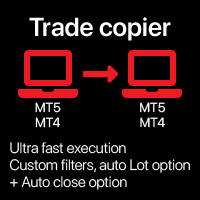
자동 트레이드 복사기 로컬 터미널 간 다양한 옵션을 통해 유틸리티를 사용자의 필요에 맞게 사용자 지정할 수 있으며, 설정 과정은 초보자도 쉽게 이해할 수 있습니다. 다기능 유틸리티 : 66개 이상의 기능 포함 | 질문이 있으면 저에게 연락하세요 이 버전은 단지 MT4 용 . MT5 간에도 복사하려면, MT5 버전 을 구매해야 합니다 사용 가능한 2 모드 : 터미널에서 트레이드 보내기; 다른 터미널에서 트레이드 수신 및 복사; 또한 원래 터미널에서 닫혔을 경우 복사된 트레이드를 자동으로 닫기 옵션이 있습니다. 사용 가능한 필터 ( 트레이드 보내기 및 수신 시 사용) , 각각 선택적으로 켜기/ 끄기 가능: 심볼 : 모든 심볼에서 트레이드 복사 유틸리티가 실행 중인 동일한 심볼에서만 복사 매직 넘버 (EA 사용 시 편리함): 모든 매직 넘버 지정된 번호 피하기 지정된 매직
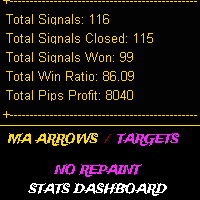
MASTER MA는 이동 평균 교차 기반 지표로, 서로 다른 기간 십자가를 가진 3개의 이동 평균을 사용하여 신호를 생성하고, 전략은 매우 간단하지만, 지표에는 승률/총 이익과 같은 유용한 인스턴트 백 테스트 결과를 보여주는 통계 대시보드가 있습니다. 등등, 이 지표에는 TP 및 SL 입력이 포인트로 표시되므로 TP와 SL을 TP의 경우 녹색 점, SL의 경우 빨간색 x 형태로 차트에 표시할 수 있으며, 지표는 해당 값을 사용하여 승/패 비율을 계산합니다.
이 표시기는 새 막대가 열릴 때 엄격하게 신호를 보냅니다. 신호는 다시 칠해지거나 지연되지 않습니다.
권장 사항 : m5 이상 사용... 일일 목표를 세우세요... 더 나은 결과를 얻기 위해 지표 기간을 가지고 놀아보십시오.
매개 변수:
3개의 이동평균, 기간 및 유형
경고
TP/SL 값은 각 신호와 함께 차트에 인쇄하고 다음을 기준으로 승패를 계산합니다.
Dashboard colors and Position 입력
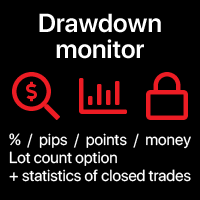
추적 현재의 드로우다운 과 히스토리 를 종료된 거래 에 대해 선택된 기간 동안 다양한 옵션으로 필요에 따라 인디케이터를 사용자 정의할 수 있습니다 다기능 유틸리티 : 66개 이상의 기능을 포함 | 질문이 있으면 연락주세요 | MT5 버전 2 가지 값 을 표시할 수 있습니다 : 현재 드로우다운 ( 또는 수익 ) 오픈 거래 의; 모든 종료된 거래 의 결과 선택된 기간 동안 ( 통계 ) ; 사용 가능한 필터 , 각 필터는 선택적으로 켜거나 끌 수 있습니다: 심볼 : 모든 심볼에 대한 거래 동일한 심볼(인디케이터가 실행 중인 곳)에서의 거래만 매직 넘버 ( EA를 사용할 때 편리함 ): 모든 매직 넘버 지정된 번호 제외 지정된 매직 넘버만 설정 : 계산 방법 값의 : 계좌 통화; 핍 (pips); 포인트 (points); 다음 값 중 하나에 대한 백분율 로 : % / 계좌 잔고 ; % / 사용 가능한 마진 ; % / 자본 ; % / 사용자 지정 금액; 시간 간격 ( 히스토리 계산이 활성화
차트에 직접 메모를 작성하고 트레이딩 시 관찰 내용을 활용 심볼 간 리마인더 동기화 옵션을 통해 현재 시장 상태에 관한 중요한 정보를 기억할 수 있습니다 따라서 , 이 도구는 트레이딩 중 이전에 확인한 중요한 정보를 놓치는 상황을 방지합니다 . 다기능 유틸리티 : 66+ 기능, 이 도구 포함 | 질문이 있으면 연락주세요 | MT5 버전 설정: 메모 동기화 방법 : 동일한 심볼 간 동기화; 각 차트에 고유한 메모; 모든 곳에 동일한 메모 ; 선택적으로 , 메모를 생성한 타임프레임 과 연결 할 수 있습니다 ; 시각화 설정 : 텍스트 위치; 폰트: 색상, 스타일, 크기; 메모를 편집하려면 , 오른쪽 하단 코너에 있는 [ e] 버튼을 클릭하세요 : 입력 필드가 표시됩니다 . 프로그램 파일은 " Indicators " 디렉
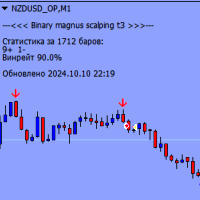
Binary Magnus Scalping T3는 모든 시간대와 모든 통화 쌍에서 작동하는 바이너리 옵션 표시기입니다. 클러스터 분석을 사용하여 진입점을 식별하고 현재 캔들이 닫히기 전에 빨간색 또는 파란색 차트에 팝업 창 및 버퍼 화살표 형태로 경고를 발행합니다.
표시기의 주요 특징:
모든 기간(M1, M5, M15, M30, H1, H4, D1)에서 작동합니다. 모든 통화 쌍을 지원합니다 만료 기간은 1~3개 캔들(기본 1개 캔들) 진입점을 식별하기 위해 클러스터 분석을 수행합니다. 현재 캔들이 닫히기 전 차트에 빨간색 또는 파란색으로 표시된 버퍼 화살표와 팝업창 형태로 알림을 발행합니다. 중요한 정보:
표시기가 올바르게 작동하려면 터미널 폴더에 "MQL5" 폴더를 다운로드하여 설치해야 합니다. https://disk.yandex.ru/d/DPyo0ntaevi_2A 링크에서 폴더를 다운로드할 수 있습니다. 각 자산에 대한 통화쌍과 만료일을 선택하려면 전략 테스터를 사용하는

ATR Pyramid ️: Your ticket to stacking profits higher than a Jenga tower on steroids , turning market volatility into a trend-surfing ️, position-adding party where only the first trade risks a wipeout , while you safeguard the rest by sliding your stop loss up like an elevator , creating a comfort zone that's the only real path to multiplying your forex account faster than a rabbit on espresso !!! Attention all you profit-stackers and trend-surfers! ️ This ATR Pyra
FREE

Alpha Trend sign has been a very popular trading tool in our company for a long time. It can verify our trading system and clearly indicate trading signals, and the signals will not drift.
Main functions:
Based on the market display of active areas, indicators can be used to intuitively determine whether the current market trend belongs to a trend market or a volatile market.
And enter the market according to the indicator arrows, with green arrows indicating buy and red arrows indicating se

The Famous Gann Angles Our team has been trading the markets and actively applying Gann methods for over 20 years. We developed all our tools ourselves and have been using them for a very long time. Recently, we decided to start sharing some of them with the community. When it came to choosing our first release, everyone instantly agreed: it had to be Gann Angles. This was expected, as these angles have long held a reputation as a precise and reliable tool. We have worked hard to make the Gann F

One Good Trade is a simple and effective Forex trading bot that implements the "time determines price" strategy. Its main feature is just one trade per day, executed at the optimal time and in the direction of the current trend. This straightforward approach allows you to take full advantage of favorable market conditions while minimizing risks. Additionally, the bot adjusts to market volatility, ensuring that stop-loss and take-profit levels are set appropriately for current market conditions.
Introducing the AI Neural Nexus EA
A state-of-the-art Expert Advisor tailored for trading Gold (XAUUSD) and GBPUSD. This advanced system leverages the power of artificial intelligence and neural networks to identify profitable trading opportunities with a focus on safety and consistency. Unlike traditional high-risk methods, AI Neural Nexus prioritizes low-risk strategies that adapt to market fluctuations in real time, ensuring a smart trading experience. Important Information
Contact us immedia

The indicator is designed to display key price ranges on the graph and analysis of market dynamics within the established limits. It uses the parameter Period = 1200 , which means the calculation of data based on 1200 candles or bars to form and display the range. This period is suitable for long -term trends and allows you to identify important levels of support and resistance.
The Alert = True function activates a sound or visual notice when reached the price of the boundaries of the range o

The MultiOrder Manager is a powerful tool for traders looking to manage multiple positions effectively. It offers the ability to open several orders at once, automatically set dynamic take-profit (TP) and stop-loss (SL) levels, and move the stop-loss to break-even once the price reaches the second TP target. This expert advisor (EA) is ideal for both beginners and advanced traders, as it simplifies order management while ensuring optimized risk control. Key features: Place multiple buy or sell o

Scalper Inside Volume Pro is a professional trading system that combines multiple indicators to calculate an overall composite signal. It is based on an algorithm focused on volume, the Money Flow Index, and the Smart Money concept. The indicator takes into account structural Swing points where price reversals occur. Scalper Inside Volume Pro provides all the necessary tools for successful scalping. This comprehensive trading system is suitable for traders in the Forex market as well as for use

Expert Golden Ai
Combined with artificial intelligence
Control the AI with a variety of simple settings
Without using dangerous strategies (all trades have a profit limit and a loss limit)
Can be used in Gold (XAUUSD) currency pair and 3 important time frames
An expert who has been trained by artificial intelligence for years to correctly recognize trends(with the latest methods of the world)
With world-class settings, can be used in different accounts and different brokers and the lowest capita

MTF (Multi-Timeframe) Countdown Timer indicator, designed for MetaTrader 4 (MT4). The indicator displays the remaining time for new candles across multiple timeframes, along with other essential trading information such as server time, local time, and the spread of custom currency pairs. Features: Multi-Timeframe Countdown : Displays the time remaining for the next candle in up to six configurable timeframes, such as M5, H1, or D1. Customizable Appearance : Background, border, and text colors ca
FREE

By :ForextraderEanow Green Mower 10.0
This EA is Famous Grid Strategy that open grid of trades with the same size (not martingale) and make PROFIT even when the Forex price moves in the WRONG Direction

About:
Looks for price making a trend flip pattern. Importance of this pattern is that after it happens, price tends to range a bit and then breakout right after.
Features:
Looks for trend flip pattern Num of bars creating pattern Extend lines to right to wait for breakout Bull/Bear Strength for candles making the pattern Filter using Halftrend/NRTR
How it Works:
Use this technique for scalping. After a pattern happens, you will see a red/green rectangle. Red means a Bearish pattern and green
Introduction : AI Swing EA is a fully automated trader with Fixed SL and high win rate. It will be 200$, it is now just 49$. No Martingale, No Grid Contact me to send you instruction and add you in group. The next generation OpenAI model quickly gained significant attention with its broad range of capabilities and versatility, We used its expertise in assisting prediction prices in formulating and applying improved trading strategies. Our AI core is capable of extracting data insights from

L'indicatore QuantumBlocks è uno strumento avanzato progettato per i trader che desiderano identificare con precisione zone di accumulazione o distribuzione nel mercato, comunemente note come "Order Blocks". Questi livelli rappresentano aree chiave dove istituzioni finanziarie o trader di grande volume piazzano i loro ordini, influenzando pesantemente il movimento dei prezzi. Funzionalità principali: Identificazione automatica dei blocchi di ordini rialzisti e ribassisti : L'indicatore scansion

This indicator is based on the strategy shared by TheMas7er on his youtube channel.
The IDR/DR range will help you identify the high and low of the day once a candle closes above or below the the DR levels.
The IDR/DR range is determined 1 hour after session open, 09:30 am est.
I have incorporated the fibonacci tool to help you mark the retracement for a good entry in the premium or discount zone.
Important
This indicator is designed for the indices and M5 timeframe, but you are welcome to

Gold Balance is an automatic trading robot to trade XAUUSD . The algorithm includes a filter of behavioral factors, it analyzes the depth of market, and makes a decision about entering the trade based on the analyzer's filter data. Thus, the Expert Advisor finds optimal points to enter the market, filtering out false entries not supported by stable market behavioral patterns. This allows the Expert Advisor to achieve a large number of profitable trades. The algorithm does not use dangerou

The indicator is based on the calculation of liquidity on the market and thus shows where the market can most likely turn.. It shows the places of liquidity where the price will reach sooner or later... The indicator can be set to several types of liquidity and therefore can display several levels on the graph.. It is a unique tool that can help you very well in your trading The indicator is suitable for currency pairs with the most liquidity (Forex,Crypto...)

The Grid Wave Trader operates on a grid trading strategy. Users need to define their parameters based on their risk tolerance or optimize them as necessary. Please note that I do not provide pre-configured files , so you should have a solid understanding of risk management before committing to a purchase. To see how the EA performs, analyze the trades after testing it. You can modify the inputs or optimize them to fit your strategy, including: Adjust Grid Size: Set the spacing between grid leve

SwiftTradeAiBot_V01-1 - Powerful & Efficient Forex Trading Solution SwiftTradeAiBot_V01-1 is an advanced and versatile Expert Advisor (EA) designed to optimize your trading in the forex market. Tailored for the EURUSD pair, this EA leverages advanced algorithms to maximize profitability, manage risk, and minimize losses with ease. Suitable for both beginner and experienced traders, SwiftTradeAiBot automates the entire trading process, allowing you to focus on strategy rather than execution. Key

Product Description: AI Paruay - Grid Trading Expert Advisor (EA) AI Paruay is a powerful and flexible Expert Advisor designed for traders who are looking to utilize grid trading strategies in both trending and ranging markets. Its intuitive settings and features allow traders to control their positions effectively, whether for buying or selling. Key Features and Advantages: Automated Grid Trading : Automatically manages buy and sell positions with grid strategies for efficient market entry and

Unveil Market Secrets with Sneaky Busters on MetaTrader 4! Delve deeper into the intricate world of trading with the Sneaky Busters indicator, specifically crafted to spotlight the sophisticated maneuvers of smart money and uncover hidden market trends. Comprehensive Features: 1. Smart Money Accumulation & Distribution Detection: Accurate Analysis: Identify key zones where smart money collects and disperses assets. These insights help you understand market sentiment and potential turning points.

RSI M15, M30, H1-Based Expert Advisor The RSI M15, M30, H1-Based Expert Advisor (EA) is a sophisticated automated trading system designed to execute trades based on the Relative Strength Index (RSI) across multiple timeframes: 15-minute (M15), 30-minute (M30), and 1-hour (H1). This multi-timeframe approach allows the EA to provide a more comprehensive view of market conditions, leading to more informed and accurate trading decisions. Multi-Timeframe RSI Analysis: The EA monitors the RSI on thre

Gmail to MT4 is a tool that automates the process of transferring trading signals from your Gmail inbox directly to your MetaTrader 5 trading platform. It's a bridge that connects these two platforms, allowing you to receive and execute trades based on information sent via email. No DLL, no .exe, and no external software
Can receive TradingView signals Would you like more features? We'd be glad to implement them based on your needs How to set up: Create an app password at https://myaccount.goo
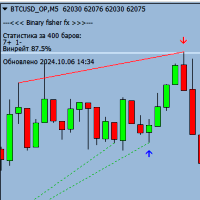
Binary Fisher FX는 모든 시간대와 모든 통화 쌍에서 작동하는 강력한 바이너리 옵션 표시기입니다. 이 지표는 추세 움직임을 식별하고 현재 캔들 마감 전 화살표 형태로 진입점을 표시하도록 설계되었습니다.
표시기의 주요 특징:
모든 기간(M1, M5, M15, M30, H1, H4, D1)에서 작동합니다. 모든 통화 쌍을 지원합니다 만료 기간은 1~3개 캔들(기본 1개 캔들) 현재 캔들이 닫히기 전 화살표 형태로 진입점을 나타냅니다. 추세에 따라 작동하므로 강력하게 움직이는 시장을 식별할 수 있습니다. 중요한 정보:
표시기가 올바르게 작동하려면 터미널 폴더에 "MQL5" 폴더를 다운로드하여 설치해야 합니다. 다음 링크에서 표시기가 있는 폴더를 다운로드할 수 있습니다: https://disk.yandex.ru/d/DPyo0ntaevi_2A Binary Fisher FX 지표 사용의 이점:
추세 움직임을 정확하게 식별하여 수익성 있는 거래 가능성을 높입니다. 모든 시간대
FREE

DCA CYCLEMAX 소개 개요
DCA CYCLEMAX 는 시장에서 한쪽 방향으로 강한 추세를 보이는 자산에 최적화된 강력한 그리드 반자동매매 프로그램(EA)입니다. 특히, 금(GOLD) , 나스닥100(NS100) , 암호화폐 와 같은 변동성이 크고 한방향으로 꾸준히 추세를 가지는 자산에서 효과적으로 활용할수 있으며, DCA 전략을 활용하여 손실 위험을 관리해가며 시간을두고 자산관리를 할수있습니다. 이 EA는 진입간 구간을 전략적으로 설계하여 추세가 이어지는 동안 그리드 방식으로 다수의 포지션을 열고, 수동버튼진입과 수동익절또한 중간과정에 포함시켜 설정된 목표에 도달하면 자동으로 청산하는 기능을 제공합니다. 그러므로 횡보시엔 DCA CycleMax EA와 반대움직임으로 SHORT 방향 옵션으로 차트를 추가적용하여 효과적인 활용을 할수있습니다. 단, 숏진입 방향으로는 롱진입방향 진입량의 1/3 이하로 셋팅하는걸 권유합니다. 장기적인 우상향에도 큰 타격이 없는 아주 작은

AI TRADING SYSTEM for MT4 - 당신의 궁극적인 AI 구동 이익 기계! AI TRADING SYSTEM 으로 거래의 미래를 해방하십시오. 이것은 최첨단 전문가 어드바이저(EA)로, 강력한 AI 구동 전략을 사용하여 모든 통화 쌍의 이익을 극대화합니다. 다양성을 위해 설계되었지만, EUR/USD, GBP/USD, USD/JPY와 같은 주요 쌍 에서 뛰어난 성능 을 발휘하여 시장에서 앞서 나갈 수 있습니다. AI TRADING SYSTEM 에는 두 가지 별개의 거래 모드 가 있어 거래 스타일과 수익 목표에 맞게 조정할 수 있습니다. BACIS 모드 - 최소한의 위험으로 꾸준하고 안정적인 이익을 위해 균형 잡힌 접근 방식을 찾는 거래자에게 완벽합니다. TURBO 모드 - 공격적인 고수익 전략으로 이익을 높이고 싶은 사람들에게 이상적이며, 시장 모멘텀을 포착하는 데 적합합니다. 주요 기능: 사용자 정의 설정 : 수익 실현(TP), 손절(SL), 로트 크기 및 마틴게일 옵션
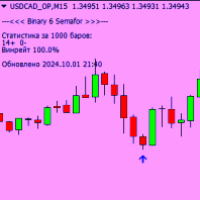
Binary 6 Semafor는 MetaTrader 4용 범용 바이너리 옵션 표시기입니다.
-모든 시간대 및 통화 쌍에서 작동합니다.
- 진입점의 정확한 검출
-현재 캔들이 닫히기 전에 차트에 신호가 나타납니다.
-만료 1초
- 진입을 위한 버퍼 화살표
- 현재 자산에 대한 통계 표시
테스트 결과:
이 지표는 인상적인 수익률로 테스트를 통과했으며 다양한 시장 상황에서 그 효과를 입증했습니다. 이익을 극대화하고 위험을 최소화하려는 거래자에게 이상적입니다.
주의, 표시기가 올바르게 작동하려면 터미널 폴더에 "MQL5" 폴더를 배치해야 합니다. 아래 링크에서 다운로드할 수 있습니다: https://disk.yandex.ru/d/DPyo0ntaevi_2A
메모:
이 지표는 수익을 보장하지 않으며 적절한 위험 관리와 함께 사용해야 합니다. 실제 계정에서 사용하기 전에 데모 계정에서 지표를 테스트하는 것이 좋습니다.
MetaTrader 4용 Binary Super FX는 바이너리 옵션 거래를 위한 강력한 오실레이터입니다. 모든 기간과 통화쌍에 사용할 수 있습니다.
Binary Super FX 표시기는 1개의 캔들 만료 시 캔들을 마감하기 전에 버퍼 화살표 형태로 정확한 진입 신호를 제공합니다. 이를 통해 거래자는 거래 개시에 대해 빠르고 정확한 결정을 내릴 수 있습니다.
지표를 구매하기 전에 데모 계정에서 테스트하여 지표의 효율성과 신호의 정확성을 확인하는 것이 좋습니다. 이는 지표의 성능을 평가하고 바이너리 옵션 거래에서의 사용에 대해 정보에 입각한 결정을 내리는 데 도움이 될 것입니다.
Binary Super FX 표시기의 주요 장점:
신호의 정확성: 이 지표는 시장 동향 및 패턴 분석을 기반으로 거래 진입에 대한 매우 정확한 신호를 제공합니다. 시각적 표시: 신호는 버퍼 화살표로 표시되므로 거래자가 신호를 빠르고 쉽게 식별할 수 있습니다. 유연성: 이 지표는 모든 시간대와 통화쌍에
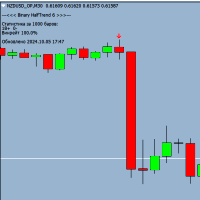
Binary HalfTrend 6 is a powerful trend indicator designed for binary options trading, providing accurate buy and sell signals. The expiration time is only 1 candle, you can trade on any timeframe. The Binary HalfTrend 6 indicator analyzes market trends and generates reliable signals in the form of arrows on the chart for profitable trades. Before using it in live trading, I recommend testing it on a demo account to choose the most profitable currency pairs for work.
Attention, for the indicato

ChatGPT Turbo를 통한 AI 기반 기술 Infinity EA는 GBPUSD 및 XAUUSD를 위해 설계된 고급 거래 전문가 자문가입니다. 안전성, 일관된 수익률 및 무한한 수익성에 중점을 둡니다. 마팅게일 또는 그리드 거래와 같은 고위험 전략에 의존하는 다른 많은 EA와 달리 Infinity EA는 최신 ChatGPT 버전에서 제공하는 기계 학습, 데이터 분석 AI 기반 기술에 내장된 신경망을 기반으로 하는 규율 있고 수익성 있는 스캘핑 전략을 사용하여 전반적인 거래 경험을 탁월하게 만듭니다. 6,000명 이상의 멤버로 구성된 MQL5 커뮤니티에 가입하여 다른 트레이더와 소통하세요. 최신 제품 업데이트, 팁, 독점 콘텐츠로 최신 정보를 받아보세요. MT5 버전 Infinity EA 설정 방법 특징
Infinity EA는 AI 기반 스캘핑 전략을 활용합니다. EA는 실시간 데이터 분석을 위해 ChatGPT-4 Turbo와 통합되어 있습니다. Infinity EA는 머
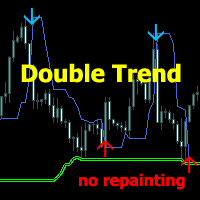
Trading System Double Trend - 여러 지표로 구성된 독립적인 트레이딩 시스템입니다. 전반적인 추세의 방향을 파악하고 가격 변동 방향에 대한 신호를 제공합니다.
스캘핑, 일중 또는 주간 거래에 사용할 수 있습니다.
특징
모든 시간대 및 거래 상품(외환, 암호화폐, 금속, 주식, 지수)에서 작동합니다. 차트를 로드하지 않고도 정보를 시각적으로 간편하게 확인할 수 있습니다. 지표가 다시 그려지거나 신호를 완성하지 않습니다. 캔들이 마감될 때만 작동합니다. 다양한 유형의 신호 알림이 제공됩니다. 시각적으로 이해하기 쉽고, 차트에 연결하고 신호의 간단한 권장 사항을 따르기만 하면 됩니다.
시스템의 각 추세에 대한 입력 매개변수가 구성됩니다.
General trend - 전반적인 추세를 파악합니다. Signal trend - 진입 및 청산 신호를 제공합니다. Play sound / Display pop-up message / Send push notificati

The latest development of a trading robot for the Meta Trader 4 terminal from a team of traders and programmers with more than ten years of successful experience. We do not tell any fairy tales in the form of artificial intelligence. Standard and custom indicators from the MT4 terminal supplies are used. By default, you should have them in the Meta Trader 4 terminal of the current version. There are no restrictions on trading instruments and trading periods. Use the time and instruments that you

NASDAQ 스마트 인디케이터와 함께 NASDAQ 100 시장에서 고급 거래 기회를 발견하세요 NASDAQ 스마트 인디케이터는 NASDAQ 100 시장에서 거래를 위한 강력하고 효과적인 도구 중 하나입니다. 이 인디케이터는 1분 및 5분 타임프레임을 위해 특별히 설계되었으며, 높은 정밀도와 전문성을 갖추고 작동합니다. 쉽게 활성화하여 그 이점을 누릴 수 있습니다. 주요 특징 : 1분 및 5분 타임프레임에서 최적의 성능 : 이 인디케이터는 최상의 결과를 제공하기 위해 이 두 타임프레임에 맞춰 설계되었습니다. 다른 타임프레임에서도 작동할 수 있지만, 특히 이 두 타임프레임에서 가장 효과적입니다. NASDAQ 100 전략과의 호환성 : 이 인디케이터는 NASDAQ 100 전략의 중요한 구성 요소로, 적합한 거래 기회를 이해하는 데 도움을 줍니다. 이 인디케이터는 공개 전에 1년간 사용 및 백테스트를 거쳤으며 만족스러운 성과를 보였지만, 사용자는 적용 전에 백테스트를 통해 기능을 숙지하는

한 번에 모든 거래를 종료 , 모바일 MT4 앱 에서 직접 관리하세요 . 이 유틸리티 는 9 가지 다양한 거래 카테고리를 종료할 수 있습니다. 작업을 활성화하려면 미리 정해진 가격에 보류 주문을 배치하기만 하면 됩니다 (모바일 MT4 앱을 통해 원격으로 수행 가능).
그 후 유틸리티는 주문을 감지하고 모든 필요한 거래를 종료합니다. 이렇게 하면 거래 그룹을 빠르게 관리할 수 있습니다. 다기능 유틸리티 : 66개 이상의 기능 포함 | 질문이 있으면 저에게 연락하세요 | MT5 버전 사용 가능한 거래 카테고리 : 모든 거래 (활성 및 보류); 활성 포지션; 보류 주문; 수익; 손실; 리미트 보류 주문 (Buy Limit / Sell Limit); 스톱 보류 주문 (Buy Stop / Sell Stop); 매수 거래 (활성 매수 및 보류 매도); 매도 거

CCI Divergence Multicurrency Scanner MT4는 트레이더가 여러 통화 쌍과 시간대에서 CCI (상품 채널 지수) 다이버전스 신호를 식별하는 데 도움을 주기 위해 설계된 고급 지표입니다. 이 강력한 도구는 잠재적인 시장 반전을 실시간으로 통찰하여 진입 및 퇴출 포인트를 최적화하려는 forex 트레이더에게 이상적입니다. 이 스캐너를 활용함으로써 트레이더는 분석 프로세스를 간소화하고 각 차트를 개별적으로 모니터링할 필요 없이 정보에 기반한 결정을 내릴 수 있습니다. 이는 거래 기회를 효과적으로 강조하여 시장 움직임에 앞서 나가고 거래 전략을 향상시킬 수 있도록 합니다. MQL 제품 설치 가이드 | 구매한 MQL 제품 업데이트 MT4/MT5 | 일반 문제 해결 가이드 | 지표 설정 / 가이드 주요 기능 버퍼 통합: 신호 기반 거래를 효과적으로 활용할 수 있도록 지표 값을 접근 가능한 버퍼로 노출합니다. 시각적 화살표 신호: 신호 캔들에서 차트에 직접 BUY/SEL

Support Resistance Whisperer 는 트레이더가 시장에서 중요한 지지선과 저항선을 식별하는 데 도움이 되도록 설계된 강력한 도구입니다. 이 지표는 가격 움직임을 사용하여 차트에 빨간색 저항선과 녹색 지지선을 동적으로 그려 잠재적인 시장 반전이나 돌파가 발생할 수 있는 주요 가격 구역을 명확하고 시각적으로 표현합니다. 프랙탈에 의존하는 기존 방법과 달리 이 지표는 사용자 지정 가능한 룩백 기간 동안 최고가와 최저가를 기반으로 지지선과 저항선을 계산하여 지연을 피합니다. 주요 특징: Lookback Period: LookbackPeriod 매개변수를 사용하여 특정 수의 캔들에 대한 가격 데이터를 분석하도록 지표를 사용자 정의합니다. 이를 통해 트레이더는 지지 및 저항 수준의 민감도를 미세 조정할 수 있습니다. 과거 데이터 분석: 이 지표는 최대 500개의 과거 막대를 스캔하여( 역사 매개변수를 통해 조정 가능) 시장 가격 변동에 대한 포괄적인 분석

Fxcycle 추세 인디케이터 - 일관된 수익을 위한 정밀 트레이딩
버전: 1.00 저작권: Fxcycle
Fxcycle 추세 지표는 트레이더가 시장 방향을 쉽게 파악할 수 있도록 설계된 강력한 추세 추종 도구입니다. 모든 경험 수준의 트레이더를 위해 만들어진 이 지표는 고급 추세 분석을 기반으로 정확한 매수 및 매도 신호를 제공하므로 외환 시장에서 수익을 극대화하려는 모든 사람에게 완벽한 도구입니다.
주요 특징 정확한 추세 감지: 고급 이동평균 알고리즘을 기반으로 Fxcycle은 강세 및 약세 추세를 높은 정밀도로 식별합니다. 사용자 지정 알림 및 알림: 매수 또는 매도 신호가 감지되면 즉시 데스크톱 알림을 받고 모바일로 직접 푸시 알림을 받을 수 있습니다. 멀티 타임프레임 지원: 트레이딩 스타일과 전략에 맞게 다양한 차트주기(M15, H1, H4 등)에 걸쳐 작동하도록 설계되었습니다. 시각적 신호: 인디케이터는 차트에 매수 및 매도 신호에 대한 명확한 화살표를 표시하여 보
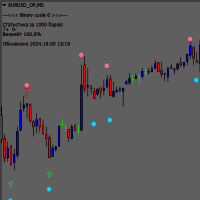
Binary Cucle 6 지표는 MetaTrader 4 플랫폼에서 바이너리 옵션 거래를 위한 강력한 오실레이터입니다. 이는 M5 이상의 기간에서 작동하도록 설계되었으며 모든 통화 쌍에서도 사용할 수 있습니다.
Binary Cucle 6 표시기는 현재 캔들이 마감되기 전에 차트에 나타나는 파란색 및 빨간색 화살표 형태로 거래 진입을 위한 정확한 신호를 제공합니다. 이를 통해 거래자는 거래 개시에 대해 빠르고 정확한 결정을 내릴 수 있습니다.
원과 두꺼운 화살표 형태의 신호는 정확하지 않고 다시 그려질 수 있으므로 고려해서는 안 된다는 점에 유의하는 것이 중요합니다. 스크린샷에서 원으로 표시된 화살표에만 주된 주의를 기울여야 합니다. 이는 거래 시작을 위한 신뢰할 수 있고 정확한 신호입니다.
Binary Cucle 6 표시기의 주요 장점:
신호의 정확성: 이 지표는 시장 동향 및 패턴 분석을 기반으로 거래 진입을 위한 정확한 신호를 제공합니다. 시각적 표시: 신호는 파란색과

### **FxCycle 웨이브 시그널 인디케이터**
지수이동평균(EMA)**과 결합된 **파동 패턴** 접근법을 사용하여 강력하고 정확한 거래 기회를 식별하고자 하는 트레이더에게 완벽한 솔루션입니다. 이 지표는 **상위** 및 **하위 파동선** 주변의 가격 움직임을 기반으로 명확한 **구매** 및 **판매** 신호를 제공하고 차트에 직접 매력적인 시각적 표시를 표시하도록 설계되었습니다.
#### **주요 특징:**
1. **정확한 매수 및 매도 신호 감지:** 2. - 이 지표는 **EMA** 계산을 사용하여 **상위 파동선**과 **하위 파동선**을 형성합니다. 가격이 파동선을 돌파하면 **매수** 또는 **매도** 신호가 감지되어 차트에 선명한 화살표로 바로 표시됩니다. - 매수 신호는 가격 아래에 **파란색 화살표**로 표시되고, 매도 신호는 가격 위에 **빨간색 화살표**로 표시됩니다.
2. **매력적인 시각적 신호 표시: ** 2. - 신호 상태

EA "FENIX CTA"는 빠른 거래 실행과 효과적인 리스크 관리를 제공하는 고도로 구성 가능한 자동 스캘핑 전략을 찾는 트레이더에게 이상적입니다.
EA "FENIX CTA"는 US30과 NAS100 지수에 대한 거래에만 권장되며, 준비된 세트와 함께 제공되며 92% 이상의 높은 성공률을 자랑합니다. 이는 이러한 시장에서 높은 정확도를 추구하는 트레이더에게 효과적인 솔루션이 됩니다.
"FENIX CTA"는 짧은 시간 동안의 작은 가격 변동을 활용하여 고빈도 전략을 기반으로 외환 시장에서 거래하도록 설계되었습니다. 이 EA는 빠른 진입 및 종료를 통해 수익을 극대화하고 손실을 제한하기 위해 기술 지표와 리스크 관리를 결합합니다. 다음은 이 EA의 원칙과 장점입니다:
### EA "FENIX CTA" 스캘핑의 원칙:
1. **기술 지표**: - **RSI(상대 강도 지수)**: EA는 RSI를 사용하여 과매수(시장이 하락할 가능성이 있을 때) 및 과매도(시장이 상승할 가
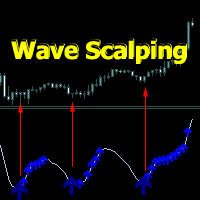
Wave Scalping indicator is a short-term trading strategy based on a wave system. It includes a wave line, entry points and position tracking.
Signal arrows appear when a candle closes. It works without repainting.
It consists of a wave line along which signal arrows are built, and arrows - confirmation of directions after the signal arrows.
Signal arrows are built taking into account the direction of the trend direction. When confirming signal arrows, there are several types of alerts.
To confi

Introducing GoldenWaveTrader: The Ultimate Tool for Gold Short-Term Trading! Unlock the limitless potential of GoldenWaveTrader, an expert advisor exclusively designed for trading XAUUSD (gold) and tailored for traders seeking fast profits in the short term. Supported by 7 years of comprehensive data analysis, this EA delivers a decisive edge in the gold market with an impressive 99.9% accuracy. The excellence of GoldenWaveTrader lies in its deep optimization for short-term trading on a 1-hour t

Advanced Reversal Hunter Pro (ARH) is a powerful, innovative volatility-based momentum indicator designed to accurately identify key trend reversals. Developed using a special algorithm that provides a clear construction of the average volatility range, without redrawing its values and does not change them. The indicator adapts to any market volatility and dynamically adjusts the width of the band range, depending on current market conditions. Indicator advantages: Advanced Reversal Hunter Pro
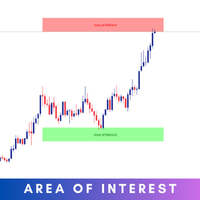
The Area of Interest (AOI) Indicator is a powerful tool designed to help traders identify key market zones where price reactions are highly probable. This indicator specifically highlights two critical zones: Seller AOI (Area of Interest) : This zone represents areas where sellers are likely to enter the market, often acting as resistance. When the price approaches or touches this zone, it signals that a potential sell-off could occur. Buyer A OI (Area of Interest) : The BOI zone identifies re
FREE

Imerico Scalping EA is a robot developed for traders who want to maximize their gains with fast and efficient trades, taking advantage of small price movements. Using a powerful combination of moving averages (SMA) and the Relative Strength Index (RSI), this EA accurately identifies trends and automatically executes buy and sell trades. Key Features: Daily Profit Target: The robot constantly monitors daily profits and closes trades when the target of 10% of the initial balance is reached, ensuri

Introducing Order Blocks Breaker , a brand-new way to identify and leverage order blocks in your trading strategy. After developing multiple order block tools with unique concepts, I’m proud to present this tool that takes things to the next level. Unlike previous tools, Order Blocks Breaker not only identifies order blocks but also highlights Breaker Order Blocks —key areas where the price is likely to retest after a breakout. MT5 - https://www.mql5.com/en/market/product/124102/ This tool inco

We present to your attention an innovative advisor "Blocking EA US30". This advisor is not a martingale. Our new advisor is developed on the basis of hedging instead of stop orders, it blocks a negative order and exits blocking using a smart algorithm. The advisor has a deposit protection trading system. The trading advisor "Blocking MEANS 30" was developed by a team of programmers over several months for trading on the US30 index on a minute timeframe. The advisor was optimized by the broker FP
MetaTrader 마켓은 거래로봇과 기술지표를 판매하기에 최적의 장소입니다.
오직 어플리케이션만 개발하면 됩니다. 수백만 명의 MetaTrader 사용자에게 제품을 제공하기 위해 마켓에 제품을 게시하는 방법에 대해 설명해 드리겠습니다.
