 MetaTrader 5
 Experts
 지표
 스크립트
 라이브러리
 보관함
거래 로봇을 무료로 다운로드 하는 법을 시청해보세요
당사를 Facebook에서 찾아주십시오!
당사 팬 페이지에 가입하십시오
스크립트가 마음에 드시나요? MetaTrader 5 터미널에서 시도해보십시오

EzoO Trade Manager - break-even and trailing stop for open positions (manual or any EA) - MetaTrader 5용 expert
Vinay Saini

MQL5 / MQL4 developer specialising in XAUUSD (Gold) and forex Expert Advisors.
What I build:
- Expert Advisors: grid, hedge, breakout, session and Fibonacci-based strategies
- Custom indicators with alerts, arrows and dashboards
- TradingView Pine Script to MQL5 / MQL4 conversion
- 조회수:
- 194
- 평가:
- 게시됨:
- 업데이트됨:
-
 이 코드를 기반으로 한 로봇이나 지표가 필요하신가요? 프리랜스로 주문하세요
프리랜스로 이동


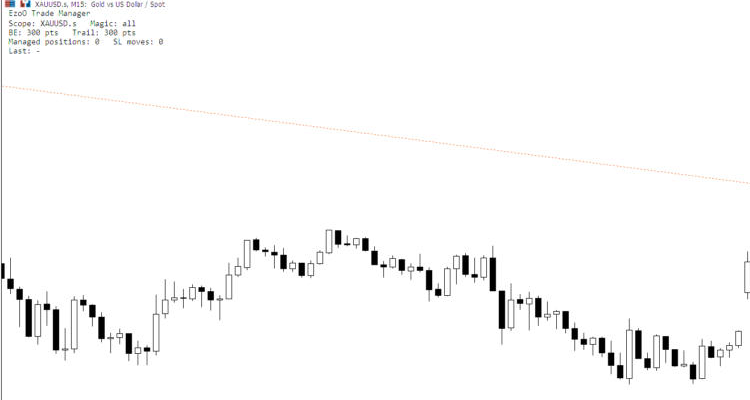
EzoO Trade Manager is a small utility Expert Advisor that manages the stop loss of positions that are already open, whether you opened them by hand or another Expert Advisor opened them. It never opens a position and never closes one by itself: it only moves the stop loss, and only in your favour. Take profit is never changed.
Break-even: when a position reaches the profit you set (in points), the stop loss moves to the entry price plus a small locked profit, so the trade can no longer turn into a loss (except gaps/slippage).
Trailing stop: after a second profit level the stop loss follows the price at a fixed distance in points or at a multiple of ATR on the timeframe you choose. A minimum step prevents a modification on every tick, and the stop is never moved backwards.
Safety: the broker's stop level and freeze level are checked before every modification, so the EA does not spam rejected requests. A small panel on the chart shows the settings, the number of managed positions, the number of SL moves and the last action.
Inputs:
- Symbols to manage: only this chart's symbol, or all symbols.
- Magic number: -1 = all positions, 0 = manual trades only, or one EA's magic number.
- Break-even trigger and lock (points, 0 = off).
- Trailing mode (points or ATR), trailing start, distance, ATR timeframe/period/multiple, minimum step.
- Show panel, panel colour.
Attach it to any chart. With 'all symbols' one chart is enough to manage the whole account. Points are the symbol's points (for gold with 2 digits, 100 points = 1.00).
 EzoO Session Boxes - Asian, London and New York high-low boxes with auto GMT offset
Draws Asian, London and New York session boxes (high/low and range in points) for the last N days. Session hours are set in GMT; the broker's GMT offset is detected automatically.
EzoO Smart Fibo - two-click Fibonacci with candle snap and coloured levels
Two-click Fibonacci tool: press F or the FIBO button, click the swing start and end. Points snap to the candle high/low, every level has its own colour and price label.
Indicator Doctor: Find Out Why Your MT5 Indicator Shows Nothing on the Chart
finds out why an indicator shows nothing on the chart. It reads the buffers of every other indicator on the chart and gives each one a verdict: not calculated, all values empty, values only in the newest bars, all values zero, no values in the visible bars, or values outside the visible scale. A panel lists the problems first, gives one line of advice and prints a report line that can be pasted into a comment.
Why Your Indicator Gives Different Values on Another Broker
Checks the bar history of the chart for six defects that make an indicator give different values on another broker: missing bars, impossible values, filler bars, repeated bars, bars without ticks and price spikes. Every defective bar is marked in the indicator window, and a panel gives a health score for the symbol and timeframe, the largest holes, the defect counts and one line that can be pasted into a comment to compare brokers.