 MetaTrader 5
 Experts
 지표
 스크립트
 라이브러리
 보관함
당사 팬 페이지에 가입하십시오

Trailing Stop Breakeven Manager - MetaTrader 5용 expert

9년 동안, 대부분 XAUUSD 차트 앞에서 보낸 뒤, 제가 실제 매매에서 쓰는 도구들을 공개하기로 했습니다. 팔기 위해 만든 것은 하나도 없습니다. 모두 제게 필요해서 만들었습니다. 더 명확한 차트 해석, 모든 거래를 위한 계획, 정직한 통계, 통제된 리스크, 그리고 휴대폰으로 오는 알림입니다.
- 조회수:
- 241
- 평가:
- 게시됨:
-
 이 코드를 기반으로 한 로봇이나 지표가 필요하신가요? 프리랜스로 주문하세요
프리랜스로 이동

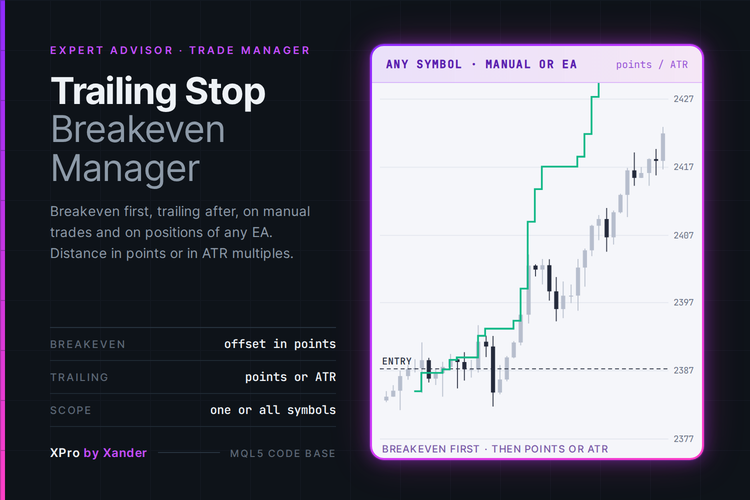
A stop manager for MetaTrader 5 that moves your stop loss to breakeven first and then trails it behind price, on manual trades and on positions opened by any other EA.
When a position reaches the breakeven start in points, the stop goes to the entry price plus a small offset, so a winning trade can no longer turn into a loss. After that the trailing stop follows price at a fixed distance in points or at a multiple of ATR, and it only moves when the improvement is at least the step you set, so it does not flood the server with modifications. You can let the trailing start only after breakeven is done, or run both on their own levels.
It does not open trades. It works on the positions already in the account, filtered by magic number (0 takes all of them, manual trades included), by direction and by the chart symbol or the whole account. If a position has no stop loss at all, it can add one at the distance you choose.
Settings
Strategy
- Trailing distance mode (Fixed distance in points): or ATR multiple.
- Trailing starts at this profit (300 points).
- Trailing distance from price (200 points).
- Minimum stop improvement to modify (50 points).
- ATR period (14) and ATR multiple for the distance (2.0), used in ATR mode. The ATR is read on the chart timeframe and one handle is created per symbol and reused.
Close / Exit
- Move the stop to breakeven first (true).
- Breakeven starts at this profit (150 points) and Breakeven offset (20 points above the entry for buys, below for sells).
- Start trailing only after breakeven is done (true).
Risk protection
- Add a stop loss when the position has none (0 = off): distance in points from the entry.
Filters
- Positions to manage (All symbols): or Chart symbol only.
- Magic number (0 = all positions, manual trades included).
- Manage buy positions and Manage sell positions (true).
Expert settings
- Show status on chart (true) and Print every change to the Experts log (true).
What it needs
- MetaTrader 5 with Algo Trading enabled. It works on hedging and netting accounts.
- Distances are in points, so check the digits of your symbol. On a gold quote with 2 decimals 200 points are 2.00 in price, with 3 decimals they are 0.20.
- Every new stop is checked against the broker stops level (SYMBOL_TRADE_STOPS_LEVEL) before it is sent. If the stop would be too close to price, it waits for the next tick.
- It checks positions on every tick and once per second with a timer, so it keeps working on symbols that are not on the chart.
Make it yours
Run it on its own chart with magic 0 to protect the trades you open from the phone, or set the magic of another EA so it only touches that robot. Test the points mode against the ATR mode in the Strategy Tester on XAUUSD, EURUSD, GBPUSD, US30, NAS100 and BTCUSD: a fixed distance that fits gold on M15 is usually too wide for EURUSD. For partial closes at several targets, pair it with my Partial Close Multi TP Manager.
About this code
Open source. Use it as it is, adapt it, build your own version on top of it.
New versions and new tools are announced first on my MQL5 channel: https://www.mql5.com/en/channels/xander
Questions, suggestions and your own backtests are welcome in the Xander Lab group: https://www.mql5.com/en/messages/02eec85e4364dd01
More tools on my profile: https://www.mql5.com/en/users/09151993a
Provided as is, use at your own risk.
Related
Changelog
- v1.0 - 2026-10-25 - Initial release
 EA Auditor. What an Expert Advisor really does, from its deal history
Script that reads the deal history of your account and writes a plain note on how an Expert Advisor really trades: entries, stops and trailing, lot changes, martingale, averaging, trades at once, hours and holding time, plus what to watch out for. It never trades and says nothing about profit
 Key Levels with Touch Counter - previous day/week/month highs and lows plus round numbers, with touch and sweep counts
Draws the previous day, previous week and previous month high and low, plus automatic round-number levels around the current price. Every level carries a label with how many times price touched it and how many times a bar swept it (pierced the level and closed back on the original side). Counts use closed bars only, so they do not repaint. Optional alerts (popup, push, email, sound) for sweeps and new touches. Touch tolerance is a fraction of ATR or a fixed number of points. The 6 previous-period levels and their touch counts are exposed in 12 indicator buffers for use from an Expert Advisor with iCustom(). Works on any timeframe up to H4. Read-only: it never opens, modifies or closes a trade. No DLLs, no web requests.
Risk Lot Panel - position size by risk and stop distance
On-chart panel that calculates the lot size for a given risk (% of balance, % of equity or fixed money) and stop-loss distance, using the broker's tick size and tick value. Works on forex, metals, indices and crypto.
Spread ATR Monitor - current, average and max spread vs ATR
Shows the current spread next to its recent average and maximum and compares it with ATR, so you can see at a glance when trading costs are too high relative to the symbol's normal movement.