 MetaTrader 5
 Experts
 지표
지표
 스크립트
스크립트
 라이브러리
라이브러리
 보관함
보관함
당사 팬 페이지에 가입하십시오

FxCraft Example EA – Range Breakout with pending orders - MetaTrader 5용 expert

- 조회수:
- 128
- 평가:
- 게시됨:
-
 이 코드를 기반으로 한 로봇이나 지표가 필요하신가요? 프리랜스로 주문하세요
프리랜스로 이동
이 코드를 기반으로 한 로봇이나 지표가 필요하신가요? 프리랜스로 주문하세요
프리랜스로 이동

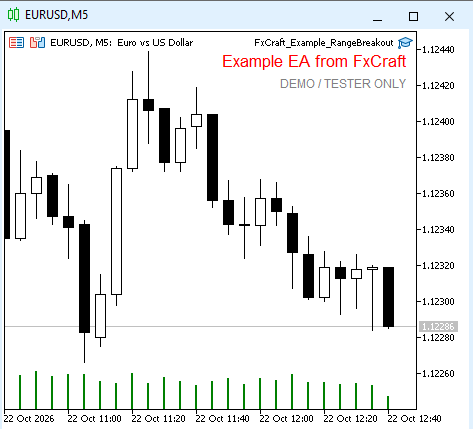
An educational example of a breakout Expert Advisor that works with pending orders. It shows how to build a daily price range from M1 bars, place a pair of stop orders, delete the other order after a fill and restore its state after a terminal restart.
Strategy
- After the range ends (e.g. 00:00–07:00 server time) the EA calculates its High and Low from M1 bars and places one set of orders per day:
- BuyStop = High + Shift + spread; SL = Low − ShiftSL; TP = entry + RR × (entry − SL),
- SellStop = Low − Shift; SL = High + ShiftSL + spread; TP = entry − RR × (SL − entry).
- When one order is filled, the other is deleted. Unfilled orders are deleted at the cancel time; an open position can optionally be closed at a set time.
- If the price is already beyond a breakout level (gap), that side is skipped. Ranges narrower than the minimum or wider than the maximum width are skipped for the day.
- After a restart the EA checks today's orders in the history, so it does not place a second set on the same day.
What the code demonstrates
- pending orders ( CTrade::BuyStop / SellStop ) with SL/TP adjusted to the broker's minimum distance,
- building a range from M1 bars with a check that the data is available,
- order history ( HistorySelect ) used to restore the EA's state,
- free margin and lot checks, spread filter, order retries.
Inputs
- Range start / Range end (HH:MM, server time) – 00:00 / 07:00
- Delete pending orders at (HH:MM) – 20:00
- Close open position at CloseTime – on; Close time – 22:00
- Min / Max range width – in points, 0 = no limit
- Entry shift from High/Low – 20 points; Stop Loss shift beyond the range – 20 points
- TP RR – 1.0 (1:1); Lot (fixed) – 0.10
- Magic number – 5030; Max slippage – 10 points
- Trading days – Monday to Friday (each can be switched off)
- Max spread – 30 points (0 = off)
Important This is an educational example, not a trading system. It works only on demo accounts and in the Strategy Tester – on a live account it shows a message and stops. Provided "as is", without any warranty. Not investment advice. Trading Forex and CFDs involves a high risk of losing capital. License: FxCraft Example EA License (see the source header).
FxCraft Example EA – Bollinger Bands mean reversion
Educational Expert Advisor: Bollinger Bands return to the mean with an optional RSI filter and trading hours. Clean, commented MQL5 code with margin, volume and stop level checks. Demo and Strategy Tester only.
FxCraft Example EA – MA Cross
Educational Expert Advisor: moving average crossover with clean, commented MQL5 code – margin, volume, stop level and spread checks, order retries. Demo accounts and Strategy Tester only.
Spread Monitor
Spread Monitor is an MQL5 Expert Advisor that draws a colour-coded panel on the chart. The panel shows the current spread of the attached symbol in points, along with the average, minimum, and maximum over a rolling history. It also counts how many stored samples exceeded a warning level, and turns the status row red when the current spread is above that level. The utility does not place orders. Inputs control the warning level, the history size, the refresh interval, and the panel position. Panel objects are removed when the EA is detached.
 Line Master – Fast and Slow Trend Lines with Trend Change Signals
Line Master is a trend-following indicator for MetaTrader 5 that displays fast and slow dynamic price lines to help traders identify market direction and potential trend changes. Blue represents a bullish trend, while red represents a bearish trend. Visual markers highlight changes in the indicator's trend state. The indicator includes adjustable Fast Length and Slow Length parameters, allowing traders to customize its sensitivity. It can be used on forex, gold (XAUUSD), indices, and other MT5-supported markets. For better results, combine its signals with price action, support and resistance levels, and proper risk management. Signals are not guaranteed and should be confirmed before entering a trade.