 MetaTrader 5
 Experts
 지표
지표
 스크립트
스크립트
 라이브러리
라이브러리
 보관함
보관함
당사 팬 페이지에 가입하십시오

Telegram Trade Notifier - opens, closes, pending orders and daily summary - MetaTrader 5용 expert

I build and fix trading tools for MetaTrader 4 and MetaTrader 5:
• Expert Advisors (EAs) built from your strategy rules
• Custom indicators, alerts and on-chart panels
- 조회수:
- 101
- 평가:
- 게시됨:
-
 이 코드를 기반으로 한 로봇이나 지표가 필요하신가요? 프리랜스로 주문하세요
프리랜스로 이동
이 코드를 기반으로 한 로봇이나 지표가 필요하신가요? 프리랜스로 주문하세요
프리랜스로 이동

Telegram Trade Notifier keeps you informed about your account when you are away from the terminal. Attach it to one chart and it sends a Telegram message for every trade event. The EA never opens, changes or closes trades on your account.
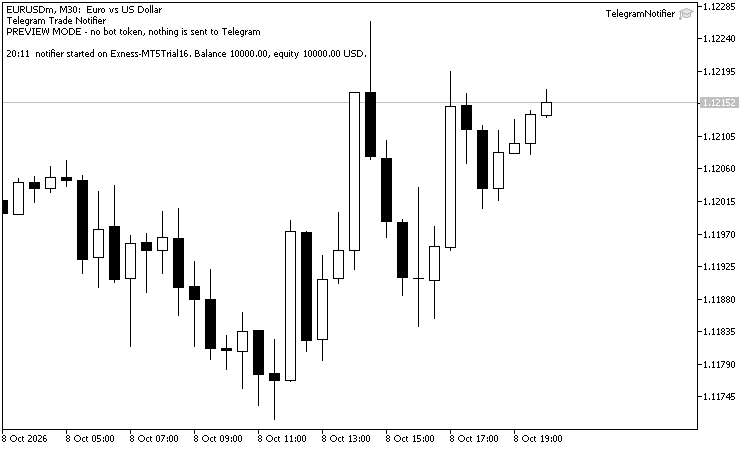
Preview mode on a EURUSD M30 chart (demo account): without a bot token the messages are shown on the chart
Messages
- Position opened: side, lots, symbol, price, stop loss and take profit, and where it came from: an EA (with its magic number), a manual order, the mobile app or the web terminal.
- Position closed: price, result in the account currency, and the reason: stop loss, take profit or stop out.
- Pending order placed, cancelled or expired.
- Stop loss / take profit changed (optional, off by default, because trailing stops would send many messages).
- Daily summary at the server hour you choose: closed trades, won and lost, closed result, open positions, floating result, balance and equity.
Messages are put in a queue and sent from the timer, so trade events are never slowed down by the network. A message that fails is sent again (up to 5 attempts); errors that a retry cannot fix, such as a wrong token or chat ID, are printed in the Experts journal.
Preview mode: leave the bot token empty to try the EA first. The messages are then shown on the chart and in the Experts journal, and nothing is sent to Telegram. The chart also shows the status (messages sent, waiting, last error) and the last messages.
Setup
- In Telegram, create a bot with @BotFather and copy its token.
- Send a message to your bot (or add it to your group or channel) and find the chat ID, for example with @userinfobot.
- In MetaTrader 5 open Tools > Options > Expert Advisors, tick "Allow WebRequest for listed URL" and add https://api.telegram.org
- Attach the EA to one chart (any symbol, any timeframe) and enter the token and the chat ID.
Inputs
| Input | Default | Meaning |
| Bot token | token from @BotFather, empty = preview mode | |
| Chat ID | user, group or channel | |
| Title of the messages | empty | empty = "Account <number>" |
| When the EA starts / Position opened / Position closed | true | |
| Pending order placed / cancelled | true | |
| Stop loss / take profit changed | false | |
| Daily summary / Summary at server hour | true / 23 | hour 0-23 |
| Only this magic number | -1 | -1 = all trades |
| Only this symbol | empty | empty = all symbols |
| Show the status and the last messages on the chart | true | |
| Number of messages shown on the chart | 6 |
Notes
- Keep the bot token private and do not share .set files that contain it.
- In the Strategy Tester web requests are not allowed, so the messages are printed in the journal instead of being sent. Only there, the EA opens and closes one small test trade a day (minimum lot, closed after 4 hours), so you can see the messages.
Equity Guard - daily loss, max drawdown and profit target lock
Closes all trades and keeps the account flat when the daily loss limit, the maximum drawdown or a daily profit target is reached. Prop-firm style rules, an on-chart panel, and a state that survives terminal restarts.
Smart Money Concept Expert Advisor - Market Strucutre, FVG, Pullback
This Expert Advisor trades fair value gaps in the direction of market structure, the way Smart Money Concepts describes it. It is the third step of a series that has been built one piece at a time: In previous shared codes, the SMC Pullback Indicator decided which highs and lows matter, the SMC Market Structure indicator turned those swings into a trend with BoS, CHoCH, IDM and liquidity sweeps, and this EA trades the result.
 Basket Break-Even Lines - buy, sell and net break-even with target price
Several buys and sells open on one symbol? The indicator draws where all buys, all sells and the whole basket break even, and the price for a profit target. Planned entries can be added to see the break-even before you trade.
 Multi-TF Data Grabber Lite — Free Clean CSV Export (M1/M15/H1 + Indicators)
Free script exporting clean, deterministic OHLC + tick volume + 4 indicators (MA, RSI, MACD, ATR) for M1/M15/H1 to CSV. Closed bars only, zero lookahead — ideal for analysis and ML datasets.