 MetaTrader 5
 Experts
 지표
지표
 스크립트
스크립트
 라이브러리
라이브러리
 보관함
보관함
거래 로봇을 무료로 다운로드 하는 법을 시청해보세요
당사를 Telegram에서 찾아주십시오!
당사 팬 페이지에 가입하십시오
당사 팬 페이지에 가입하십시오
스크립트가 마음에 드시나요? MetaTrader 5 터미널에서 시도해보십시오

Quantora Session Clock MT5 - Professional Forex Trading Session Monitor - MetaTrader 5용 지표

- 조회수:
- 903
- 게시됨:
- 업데이트됨:
-
 이 코드를 기반으로 한 로봇이나 지표가 필요하신가요? 프리랜스로 주문하세요
프리랜스로 이동
이 코드를 기반으로 한 로봇이나 지표가 필요하신가요? 프리랜스로 주문하세요
프리랜스로 이동

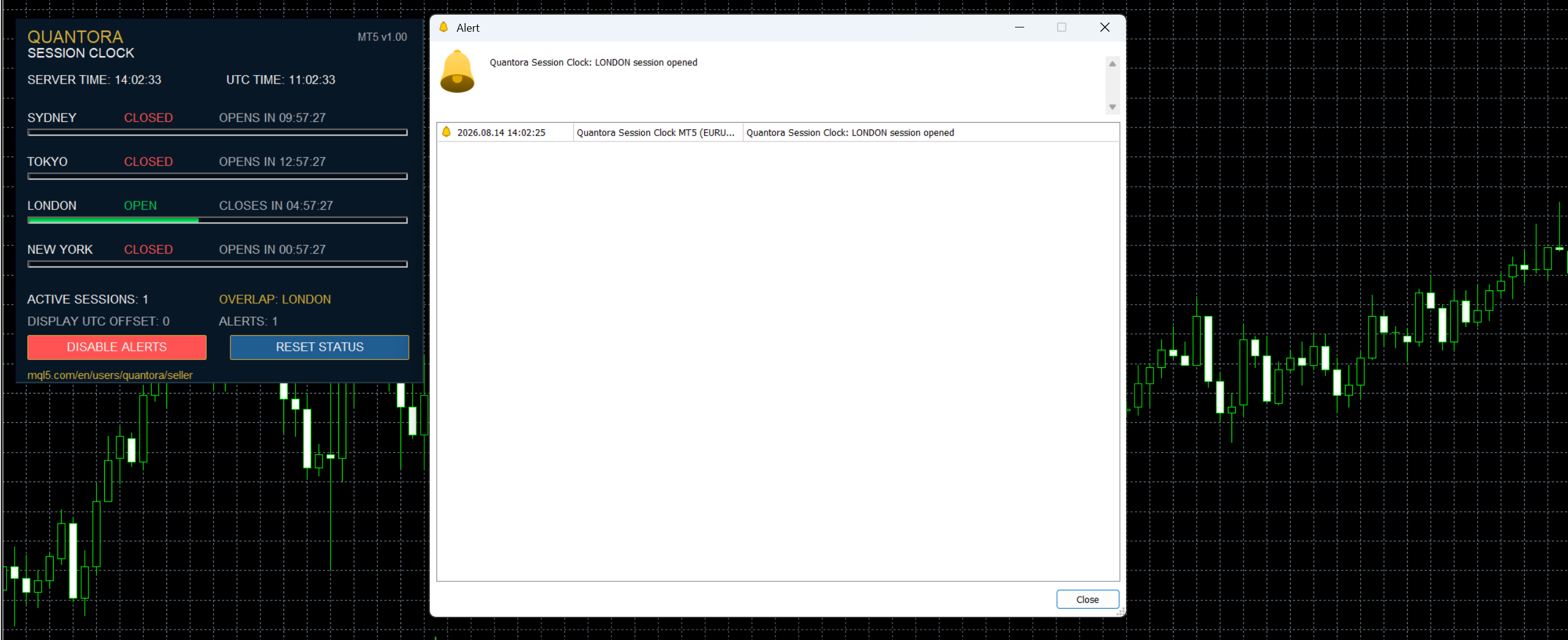
Quantora Session Clock MT5 is an indicator that tracks major trading sessions directly on the chart. It does not open or manage trades and is intended for informational use.
The tool displays the current status of Sydney, Tokyo, London, and New York sessions, along with the remaining time until each session opens or closes. It also shows active sessions, overlaps, and basic timing information using a clear dashboard.
You can adjust session hours, UTC offset, and enable alerts for session openings and closings. Popup, sound, and push notifications are supported.
Suitable for traders who want a simple way to monitor global market sessions and improve timing decisions.
MT5 Trade Report
Displays a complete trading statistics table directly on the chart — Net Profit, Profit Factor, Drawdown, Win Rate and more — calculated from your full account history. Purely informational, free for everyone.
Session high-low indicator
Locks in the high and low of any user-defined session — Asian, London, New York, or a fully custom window — and draws it on the chart as a live-updating box or line pair. No repainting, no discretion — the range is measured directly from the bars, not estimated.
Quantora ADR Calculator MT5 - Professional Average Daily Range Indicator
Professional open-source ADR Calculator for MetaTrader 5. Calculates Average Daily Range, current day range, ADR usage percentage, remaining range and projected ADR High/Low levels with a modern Quantora dashboard.
Quantora Pip Value Calculator MT5 - Professional Pip and Point Value Calculator
Professional open-source Pip Value Calculator for MetaTrader 5. Calculates broker-specific pip and point values using real symbol specifications, lot size, tick size, tick value and account currency.