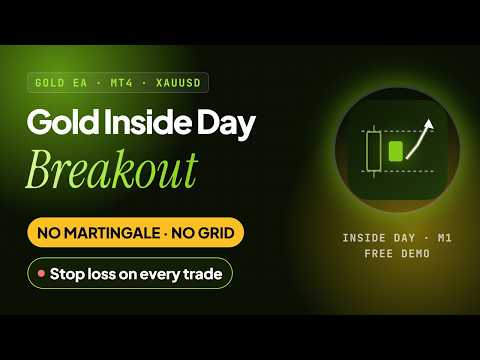
Gold Inside Day Breakout
- エキスパート
- バージョン: 1.0
- アクティベーション: 5

Gold Inside Day Breakout is a rule-based Expert Advisor for XAUUSD. It waits for an inside day - a day whose whole range stays within the range of the day before - and trades the first breakout of that range on the following day. At most one trade per day, a stop loss on every order and a trailing stop once the trade has moved in its favour. Expect few trades, frequent small losses and occasional larger winners. Historical test results are shown below with their settings and costs; they are not forecasts.
Who it is for
- Traders who prefer a few rule-based trades per month and can accept quiet periods of several weeks
- Traders comfortable with a low win rate offset by larger winners, and with trades held for one or more days
At a glance
- Symbol and chart: XAUUSD, M1 chart
- New trades: only on the day after an inside day, before 20:00 UTC, long or short, at most one per day
- Style: daily-range breakout with a trailing stop: frequent small losses, occasional larger trend winners
- Protection: stop loss on every order; trailing stop after the trade gains one stop distance; no fixed take profit
- Day definition: UTC calendar days, Monday to Friday, built from M1 bars - the result does not depend on the broker's server time zone
- Backtest averages: about 3 trades per month; median holding time about 12.5 hours
- Money management: fixed lot (default 0.01) or risk % per trade
- Gold price filter: optional: new trades only while gold is above a price you set (off by default)
- Status panel: the chart shows the mode, open positions and the reason for the last skipped signal
- Not used: martingale, grid, averaging down, hedging, DLL, AI
How it works
- Daily ranges. The EA builds the high and low of the last two complete weekdays from M1 bars, using UTC days. Days with too little M1 history are skipped.
- Inside day. If yesterday's high is below the high of the day before and yesterday's low is above its low, today is a breakout day. Otherwise the EA does not open a trade today.
- Breakout entry. The first M1 candle that closes above yesterday's high opens a buy; the first that closes below yesterday's low opens a sell. Only the first breakout of the day is used, and no new trades are opened after 20:00 UTC.
- Protected order. The stop loss is a fixed percentage of the price. The stop loss is part of the order request, and the EA checks the stops against the broker's minimum stop distance before sending. If the broker rejects stops in the order request, the EA opens the trade and attaches them right after; a trade that still has no stop loss is closed by the EA. After a connection timeout the EA waits to confirm the order instead of sending it again.
- Trailing stop. After the price has moved one stop distance in the trade's favour, the stop follows the best closed M1 price at a fixed distance. There is no fixed take profit; every trade ends at its (trailing) stop.
A trade can stay open for several days. The EA reads M1 bars for timing, but it is not a scalper: it trades at most once a day and only after an inside day.
Setup
- Attach the EA to an XAUUSD M1 chart and enable AutoTrading.
- Use a low-spread account (ECN or raw spread) and a VPS. Results depend on your broker's spread, commission, slippage and swap.
- Default settings (fixed 0.01 lot) are the settings of the published test.
- Balance-based sizing: set Risk per trade, for example 0.5% or 1%. Percentage sizing targets the planned stop-loss risk at order entry. Signals are skipped when the broker's minimum lot exceeds that budget. Slippage, gaps, fees and overnight costs can cause realised losses to exceed the planned amount.
- Suggested balance: 3,000 USD or more for each 0.01 lot.
- Start on a demo account with the smallest lot.
Input parameters
- Risk per trade, % of balance - default 0. 0 uses the fixed lot. Above 0 the lot is calculated from the stop distance so that the planned stop-loss risk matches this percentage; signals are skipped when the broker's minimum lot would exceed it.
- Fixed lot size - default 0.01. Used when the risk is 0. If it is below the broker's minimum lot, the minimum lot is used.
- Max spread to open a trade - default 1.50. In price units: 1.50 means 1.50 USD on XAUUSD. 0 turns the filter off.
- Gold (XAUUSD) must be above this price - default 0. Applies to gold symbols only; 0 turns it off. Open trades continue to be managed.
- Max slippage, points - default 30.
- Detect broker GMT offset automatically - default true. Used on live and demo accounts.
- Broker GMT offset, hours - default 0. Used in the Strategy Tester or when detection is off: 0 for a GMT+0 server, 2 or 3 for GMT+2 or GMT+3.
- Magic number - default 26102401. Must be above 0. Change it if another EA on the account uses the same number.
Backtest results (MetaTrader 4 Strategy Tester, hypothetical, not live trading)
- Conditions: Gold Inside Day Breakout version 1.0, XAUUSD M1, Every tick, modelling quality 99.90%, variable spread
- Period: 2010.01.01 - 2026.10.22
- Deposit and sizing: 10,000 USD, fixed 0.01 lot
- Trades: 634 (335 long, 299 short)
- Profit factor: 1.40
- Net profit: 1,287.22 USD
- Maximal drawdown: 358.47 USD
- Average profit / loss trade: 21.38 / -7.55 USD
- Longest losing streak: 16 trades in a row
- Commission: not included in the tester result; at 7 USD per lot round turn about 44.38 USD for the 6.34 lots traded
With the same trades, profit and drawdown in USD change roughly in proportion to the lot size; margin, costs and lot rounding can change the result.
Other charts
Changing to a timeframe other than M1 activates a different, simplified chart-mode strategy: a trend-pullback rule on the chart's own bars, at any time of day, with a stop loss of 1.5 x ATR(14), a take profit of twice the stop and one position at a time; a signal is skipped when the spread is more than half of the stop distance. That strategy is not covered by the published results, and the gold price filter does not apply to it. All recommendations refer to XAUUSD M1.
Testing in the Strategy Tester
- XAUUSD, M1, model "Every tick", with complete history. Real tick data from your broker gives the most reliable result.
- Use the default settings to reproduce the published test. The free demo of this product runs in the Strategy Tester, so you can check it on your broker's price data before buying.
- Enter your server's offset in Broker GMT offset, hours; the EA cannot detect it in the tester.
- On other timeframes the tester shows the chart-mode strategy described above.
FAQ
- Why is the EA not opening trades? The status panel on the chart shows the current state and the reason for the last skipped signal, for example: it is outside the entry hours (check the broker GMT offset); the price of gold is below the minimum gold price input (off by default); the spread is above the limit; the broker's minimum lot would exceed the risk setting (risk % mode); chart history is still loading. Also check that AutoTrading is enabled.
- Fixed lot or risk %? The default fixed 0.01 lot is the setting of the published test. Risk % sizes each trade from its stop distance. Percentage sizing targets the planned stop-loss risk at order entry. Signals are skipped when the broker's minimum lot exceeds that budget. Slippage, gaps, fees and overnight costs can cause realised losses to exceed the planned amount.
- Are losing streaks normal? Yes. In the published test the longest losing streak was 16 trades in a row. Size the account so that such a streak is acceptable.
- Which GMT offset should I use? On live and demo accounts the offset is detected from the clock and logged once a day in the Experts tab. In the Strategy Tester enter your server's offset manually; for servers that switch between GMT+2 and GMT+3, tester results are approximate.
- Can I run it together with other EAs? Yes, with a different magic number for each EA. Each EA manages only its own trades; the total exposure of several EAs is not limited automatically.
- What happens on other timeframes? On a chart other than M1 the EA runs a different, simplified chart-mode rule that is not covered by the published results. Use the recommended chart.
- How do I update the EA? Update when no position is open.
- Does it use AI? No. It follows fixed, rule-based logic.
- Why does it trade so rarely? Inside days are uncommon, and only the first breakout of the following day is taken. Expect quiet periods of several weeks; the backtest averages are shown in the At a glance section.
Risk warning
Trading leveraged products such as gold CFDs carries a high level of risk and may result in the loss of your entire deposit. Backtest results are hypothetical and do not guarantee future results. Test on a demo account first and trade only with money you can afford to lose.
Support
For questions and help with the setup, send me a private message on MQL5 or write in the Comments tab of this product.