Order Guard Gold Stop Loss

Order Guard — MT4 Gold Order Assistant

In trading, the hardest battle is often not against the market, but against yourself.
You plan everything clearly before entering a trade, but once the position is open, human weaknesses take over: reluctance to set a stop loss, holding onto losing trades, and after a loss, getting emotional and wanting to go all-in to win it back... I, too, blew several accounts because of this.

After learning the hard way, I developed this self-discipline auxiliary tool based on my own real trading needs — OrderGuard. It has no human weaknesses and will firmly execute the strategy you set.

OrderGuard features 7 core functions and 3 practical auxiliary tools, suitable for both new and experienced traders.

Core Functions: Risk Control Before Entry

1. Fixed Stop Loss (No More Manual Delays)
Although MT4 has a built-in stop loss, manually dragging it is often imprecise, and after placing an order, it's easy to get lazy and skip setting it. OrderGuard automatically applies the preset stop loss the moment an order is generated — no manual dragging, precise to the pip, no delays.

2. Trailing Stop & Trailing Start (Auto-Follow)
It also appears automatically upon order placement. I have optimized the trailing stop start distance — you can set how many pips of profit trigger the trailing stop.

3. Automatic Take Profit (Goodbye Manual Risk-Reward Calculations)
Want a 1:2 or 1:3 risk-reward ratio? Just preset it (e.g., 5 pips stop loss, 10 pips take profit). The take profit is automatically placed the moment you enter, so you no longer need to think about where to drag your stop loss or take profit lines — hands-free.

4. Automatic Break-Even (An Exclusive Optimization Not Found in MT4)
When the market moves in your favor — for example, you set a 5-pip stop loss, and as soon as profit reaches your chosen trigger point (1 pip, 2 pips, etc.) — the system automatically moves your stop loss to the entry price (break-even). From then on, winning trades will never turn back into losers.

5. Max Loss per Order Protection (Black Swan Protection)
Some traders don't like setting regular stop losses but still worry about sudden wars, speeches, or news causing extreme market swings. You can set a "maximum acceptable loss range" (e.g., 50 pips). Once triggered, the system forces a close, preventing you from holding through 100 or 200 pips of adverse movement.

6. Equity Protection + Cooling-Off Period (Forced Break from Emotional Trading)
This is my favorite feature. Set an equity target (e.g., account reaches $1,000). Once hit, the system forcibly closes all positions and enters a 10-minute "cooling-off period." During these 10 minutes, any order you open will be instantly closed (note: closing incurs a small cost from spread and commission). This forces you away from the screen and breaks the cycle of impulsive trading.

7. Rapid Circuit Breaker (Prevent Profit Give-Back)
You were up 10+ pips, then suddenly a tick-level reversal wipes out your profit. The circuit breaker lets you set a volatility threshold — if the market reverses beyond that threshold in an instant, the system automatically exits and locks in your gains.

🧰 Auxiliary Features: Clear Trading Vision at a Glance

Beyond hardcore risk control, OrderGuard offers three handy auxiliary panels:

  • Dual Clock Sync: Converts MT4 server time to your local time — no more time-zone math while watching charts.

  • Daily High/Low & Range: Displays the day's high, low, and range directly on the chart — see the bullish/bearish battle zone at a glance.

  • Daily P/L Panel: How much you made or lost today, how many winning vs. losing trades — all summarized in real time in the corner of your screen.

Final Words:

Tools cannot guarantee 100% profitability, but OrderGuard ensures that when your emotions run wild or the market suddenly shifts, you won't lose money you can't afford to lose.
Leave discipline to the system, and give your mindset back to yourself.

おすすめのプロダクト
SMT Trade Plannerは、MetaTrader用のプロフェッショナルなチャート上リスク計算機・取引実行パネルです。リスク設定に基づいてロットサイズを計算し、チャート上で直接ドラッグ可能なエントリー、ストップロス、テイクプロフィットラインを表示し、設定可能なリスクルールに照らして取引を検証し、ワンクリックで取引を実行できます。   動作原理 Trade Plannerを任意のチャートにアタッチします。パネルにアカウント情報とリスク選択ボタンが表示されます。チャート上にエントリー価格(青)、ストップロス(赤)、テイクプロフィット(緑)の3本の水平線が表示されます。ラインをドラッグして取引設定を調整します。すべての計算がリアルタイムで更新されます。方向はSLの位置から自動検出されます。BUYまたはSELLをクリックして実行します。   パネルセクション アカウント:残高、証拠金維持率、余剰証拠金のリアルタイム表示。リスク設定:4つのクイック選択ボタン。取引計画:方向、エントリー価格、SLとTPのピップス距離。LINKモードでSL/TP比率を維持。ロットサイズ:リスク%に基づく最適
ピラミッド化は、成功した取引からの未実現利益を新しい取引の証拠金として使用することにより、ポジションサイズを増やす方法です。このエキスパートアドバイザーは、あなたの介入なしにあなたの取引をピラミッド化します。 [ インストールガイド | アップデートガイド | トラブルシューティング | FAQ | すべての製品 ] あなたの成功した取引を簡単にピラミッド 勝った取引を最大限に活用する 完全に構成可能なピラミッド化動作 ピラミッドは時間枠に依存しません ECN /非ECNブローカーおよび2-3-4-5桁で機能します バックテストでランダムな取引を行います 双方向取引をサポート 使用法はかなり簡単です: EAをチャートにロードします 取引量、間隔、ピラミッド化動作を選択します ストップロスを入力し、入力で利益を取ります(残高の%として) 最初の取引を手動で行う EAに残りの面倒を見てもらいましょう 入力 Expert Advisorを任意のチャートにロードすると、ブロックにグループ化された一連のオプションが入力パラメーターとして表示されます。 ピラミッド化動作 このパラメーターは、ピ
Complete Pending Orders Grid System opens any combinations of Buy Stop, Sell Stop, Buy Limit and Sell Limit pending orders and closes all existing pending orders. You just need to drop this script on the chart of a desired currency pair. Before placing all pending orders, the input window is opened allowing you to modify all input parameters: DeleteAllPendings – if true , then all pending orders (for current currency) will be deleted. BuyStop – if true , BuyStop order is opened. SellStop – if tr
LayerStop
Norhisham Mohd Rudin
LayerStop EA only performs an action open pending order BUYSTOP or SELLSTOP, thus only monitor the trailing stoploss. No specific conditions are used to open pending order. Pending order BUYSTOP or SELLSTOP will generated immediately after an Expert Advisor is attach in the chart. Suitable for News High Impact. If you already attach LayerStop EA in the chart, and want LayerStop EA performs new one an action open pending order BUYSTOP or SELLSTOP, you need to remove LayerStop EA from chart a
Fibo Color Levels
Marlon Campos da Silva
4 (4)
Fibo Color Levels is an amazing tool for Fibonacci lovers. You can customize your preferred values, styles and formats of each level and set the color levels according to their importance. Fibo Color Levels Not add object fibonacci retracement automatically . The purpose of this indicator is not it. So you need to manually add the Fibonacci Retracement in your chart, as usually already do. Use the standard tool Fibonacci Retracement in your MT4, draw the Fibo according to the swing-high and/or s
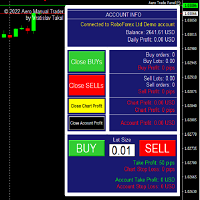
This utility is for opening and closing orders. The panel shows the number of opened Sell/Buy orders, Sell/Buy profit, chart profit and account profit. You can close Sell orders, Buy orders, chart profit and account profit in one click. You can setup magic number for orders opened by this utility. Settings Base Lot size Use automatic TP and SL in your currency  - set for calc automatic TP and SL TP and SL  - in pips or your broker currency Take Profit  - pips/currency Stop Loss  - pips/currency
The tool is suitable for traders who trade with prop firms, it tracks your daily decline so you don't lose your account and also specifies the money management set by you... The tool works as an Expert Advisior and therefore must be used in combination with a VPS in order to monitor the current status of your positions.. Prop account settings: Challenge 50k,100k,200k -Daily Drawdown - From 0:00 or From max.Equity  - depending on the type of conditions of your company -Daily Drawdown  (8000usd)
Is your trade at a loss? Does not matter ! You can use this Extra martingale tool.  In the set loss of your trade or your EA's trade , this tool will open another trade at a better price. It can also open multiple trades at different distances and with different lot sizes. Each trade will be assigned a TakeProfit. This tool has a lot of settings. You can set variable lot sizes, variable trade distances, variable TakeProfit sizes, maximum total profit or loss in money. You can also close trades
NasdaqDaily
Arqam Aslam Ranjha
5 (1)
Recommended spread 80 or lower  Nasdaq Daily is an advanced, fully automated Expert developed to trade with Nas100 index. Experts showed stable results on Nas100. No dangerous methods of money management used, no martingale, no grid or hedge.  Working symbol NAS100, USTEC, US100, Nasdaq 100 Working Timeframe: M5 Min deposit:  $ 100 For back-testing, Please download dataset and load in the EA to begin:  Download dataset for $100 initial deposit Invest only what you can afford to lose. NFA.
Dead Pool robot. Preamble Remember, past results do not guarantee future results. In short, this is the counter-trend MARTINGAIL. For those who do not know what martingale is, read the articles about this strategy. The result of any system depends on how you set it up, and what you prioritize, quick and large profits or long-term but stable profits. When the robot was created, of course, the goal was to create a super profitable system for all time, but in practice this is difficult to achieve.
Pending Levels EA is a great expert advisor that places pending buy and sell orders at important levels.  It doesn't use any indicators and only use price and levels to make profit. It always use stopploss and takeprofit. Testresults use reasonable SL/TP. It has moneymanagement It doesn't use Martingale or Grid Only a few easy settings: -Magic number: ID of order -Minimum lot allowed -Risk: 0 use fixed lot -Stopploss: Setting in points. One pip is 10 Points. So if you want 50Pip SL you set 500
Psychology
Tais Miranda Hoffmann
4.6 (5)
The most different product of the site: This tool is an auxiliary tool aimed at managing your trades and psychological discussions. As you probably know, more than 70% of the reason for the success of big traders is psychological issues. Only 30% is related to your strategy. So it is better to strengthen this big part with a tool. With a free tool, I allow you to become a better trader   This tool consists of several rules. In version 1.0, we have 7 rules. In later versions, we will add more ru
FREE
The FixatorEF expert system works with ticks, on any type of account, both netting and hedging. For the internal algorithm, the elementary unit of analysis is a tick, not a bar. Works with 5-digit quotes. Requotes are critical; you need a broker with minimal execution delays. Settings Magic - Sets the magic number. Lot - Sets the lot size for entering the market (priority is higher than that of the Risk field). Risk - Calculates a lot depending on the deposit. Spread - Limits the spread (at wh
Corsair
Anatoliy Lukanin
Limit orders are used on signals. Fully automated, which does not use grid strategies, martingale, averaging positions, waiting out a loss, etc. All positions have a fixed Take Profit and Stop Loss. Take Profit is relative, since the expert himself decides when to close or trawl Take Profit positions. Two Stop Losses are set, virtual and real., Virtual is set so that the stop is not knocked down by the dynamic spread., A real one for closing a position on the broker's server in unforeseen ci
Disas Run2
Mohammad Bagher Mayali
This expert  has capital and risk management tools. Many indicators are used in this expert for low-risk automatic trading. Refer to the guide for details. Help: Lot=Volume TP=Take Profit SL=Stop Loss Order = number of orders  Currency EURUSD & Period H1  It is strongly recommended to use the following defaults according to the inventory. - example: balance 1000 Standard or Micro Lot:Volume = 1 TP:Take Profit = 50 SL:stop loss = 1000 Order:number of orders = 1  balance 100 Standard or Micro  Lo
The indicator is the main part of Michael Huddleston's ICT (Inner Circle Trader) trading strategy. His legendary trading strategy is based on the concept of "Smart Money". To analyze the medium -term trend , the  ICT offers an analysis based on  twenty -day levels . The indicator builds levels , while showing the turning points with arrows . An important feature of the indicator is the automatic display of levels for different periods . You do not have to change the indicator settings when chang
️ EA NGEPET ONLINE: Pesugihan Modern Tanpa Lilin Merah, Cukup Pelihara VPS! Selamat datang di era baru mencari kekayaan digital! Kalau dukun zaman dulu butuh babi ngepet yang harus dijagain sambil bawa lilin dan piyama hitam, sekarang trader zaman $Gen-Z$ cukup pasang EA Ngepet Online di MetaTrader 4 dan biarkan server VPS bekerja keras bagai kuda sementara Anda rebahan santai sambil ngopi! Kenapa Harus EA "Ngepet Online"? (Fitur Unggulan) Ilmu Hitam Versi Algoritma Bukan pakai bantu
The DYJ Trend Analyser EA is based on  DYJ Trend Analyst  indicator. The most optimized, highly robust and easy to use DYJ Trend Analyser EA. DYJ Trend Analyser EA attempts to gauge bullish and bearish forces in the market by using two separate measures, one for each type of directional pressure. The  EA's BearsIndex  attempts to measure the market's appetite for lower prices. The EA's BullsIndex attempts to measure the market's appetite for higher prices. Pivot Point Extra Indicator for DYJ Tre
The Progressive Moving bot uses a strategy based on classic and reliable Moving Average. A significant advantage of MA is trading in the direction of the current trend. This can be seen on the terminal screen after breaking the Moving Average line. Moving average trading is understandable even for a beginner. One of the most common methods is crossing two or more moving averages. In one indicator, a shorter period is configured, in the other, a longer one. You have always wanted a reliable stra
Description: AdaptiveFlow Core — Market-Adaptive EA with ADX Regime Detection, EMA Trend & RSI Range Strategies (Swap-Free) PRODUCT OVERVIEW AdaptiveFlow Core is a sophisticated automated trading solution built for the MetaTrader 4 platform. It continuously analyzes market conditions using the ADX indicator and automatically switches between two proven trading strategies: TREND MODE: When ADX > 25, the market is trending. The EA uses EMA 50/200 crossovers to follow the trend directi
DMZ X Zone Robot  is the Expert Advisors trading with a combination of multiple strategy trading algorithms (Trend, Hedging, and Money Management with Martingale Zone recovery).  The Trading algorithms. 1. Follow trends with Indicators is Moving average and Envelopes. 2. Open order two ways that trading both BUY and SELL. 3. Open STOP orders for hedging with zone recovery distance. 4. Close orders and exit with a profit.  How to work? Open BUY When Moving Average is Above Envelopes Line Upper.
Contact us for any custom order,   CodeYourTrade.com . Partial Close EA is used to partially close running trades. EA has an option to filter out the trades and works only on specific trades. Following are the filters for the EA: 1.     Magic Number: Have an option to works on all orders with the given magic number 2.     Order Number: Can work specifically on the single order with the given order number 3.     Chart: Can work for all the trades of the current attached chart Example : Let’s say
Close Assistant (CA)  is a full featured utility for monitoring and closing a set of positions placed by trader or EA. It closes filtered orders in specified time or level or candle patterns or when a certain profit or loss of the total positions is reached. CA uses Zero Profit Lock function to save deposit when total profit falls to zero. Profit and loss levels can be set in fixed amount of account currency or percentage of balance or equity or margin. CA only monitors and works on filtered po
BDLionEA
Syed Rahim Uddin Ahmed
BDLionEA – The Lion of the Forex Market Version: 1.00 Author: BDRahim Creation Date: 22 August 2025 Take control of the market with BDLionEA , a powerful and adaptive trading Expert Advisor built for traders who demand consistency, precision, and growth. Inspired by the lion’s strength and strategy, this EA is designed to dominate every market condition with smart trade management and fully automated execution. Key Features Smart Candle-Based Trading Logic – Automatically detects bullish a
Short Description A professional MT4 trade management utility for managing open trades, risk, trailing stop, break-even, partial close, daily loss guard and trade history directly from the chart. Full Description Smart Trade Manager Dashboard MT4 is a professional trade management panel built for traders who want faster control, clearer account visibility and stronger risk discipline directly from the chart. It is not a signal system and it does not open trades automatically. The dashboard focus
Giant Trade Panel  comes as a whole package with functionalities that will satisfy all your needs as a manual trader. I created this utility to help you manage your trades from a single chart with just a few clicks . It has a smooth interface which is very responsive.  The utility has sub panels each with different functions: Symbols panel   - This will help you open chart of any symbol with just one click. Timeframes panel - With this you can navigate from M1 timeframe to MN1 timeframe with jus
バイナリアナライザは、バイナリコードに基づく既成の計算に基づいて、独自の指標と取引戦略を作成する絶好の機会です。 アナライザーは、小数点以下5桁の「0.00001」のすべての通貨ペアで動作しますEUR / USD、GBP / USD ITD 推奨セッションM1 カタログに含まれています。 インジケーター-「バイナリ参照」 強気と弱気の市場感情を測定する4つの指標 // ------------------------------------------------ ------------------- // インジケータ「バイナリ参照」 アルゴリズムはローソク足で式を計算し、結果を2つの配列にマージします。 式は、1つのセッション内の価格へのリンクの数を計算します。 配列には、バイナリコードが可能な限り参照する価格が含まれています 配列は、インデックス.binで/ Filesフォルダーに保存されます。 // ---配列PIPS_COL_Price [99999,6]には、次のインジケーターが含まれています--- // PIPS_COL_Price [x、0]-バイナリコードによって
FREE
Autobot Retracement Code (ARC) A robot trading that works based on retracement strategy while following the market trend.It has  made average profits up to 25% /month that is relatively a High Return of Investment.Real Account proof. Fully automation. Auto Lot sizing, Auto TakeProfit Calculation, Auto StopLoss Calculation. Currently Running on Real account , it has more than 100% growth / 5 months. NEW UPDATE RELEASED, VERSION 3.0  FEATURES on Version 3: FIFO rules Auto LotSize Auto StopLoss 
CyberVision EA is a technology I developed during my undergraduate studies. CyberVision EA is not just an advisor, it is a high-speed computing machine that can generate historical data. CyberVision EA is not just an EA, it is a high-speed computing machine that works with recurrent neural network (RNN) and generative adversarial network (GAN), and my EA also uses data quantization. Live Signal High:  https://www.mql5.com/ru/signals/2221931 Live Signal:  https://www.mql5.com/en/signals/2218278 C
Basic Pending Scalper is a basic system for easy use, you just have to place the system on your platform and load the .set files that we include in our signals. The system opens one or two pending orders, if the predefined conditions are appropriate, the orders will be canceled in case that in the predetermined time of the order is not activated, in case the orders are activated, the operations will be closed by the closing dynamic, Take Profit or Stop Loss. The system works when the volatility
このプロダクトを購入した人は以下も購入しています
Trade Manager EAへようこそ。これは、取引をより直感的、正確、そして効率的にするために設計された究極の リスク管理ツール です。これは単なるオーダー実行ツールではなく、包括的な取引計画、ポジション管理、リスク管理のためのソリューションです。初心者から上級者、迅速な実行を必要とするスキャルパーまで、Trade Manager EAはあらゆるニーズに対応し、為替、指数、商品、暗号通貨などさまざまな市場で柔軟に対応します。 Trade Manager EAを使用すると、複雑な計算が過去のものになります。市場を分析し、エントリーポイント、ストップロス、テイクプロフィットのレベルをチャート上のラインでマークし、リスクを設定するだけで、Trade Managerが最適なポジションサイズを即座に計算し、SLとTPをピップ、ポイント、口座通貨でリアルタイムに表示します。すべての取引が簡単かつ効果的に管理されます。 主な機能: ポジションサイズ計算機 :定義されたリスクに基づいて取引サイズを瞬時に決定します。 簡単な取引計画 :エントリー、ストップロス、テイクプロフィットを設定するためのド
Exp COPYLOT CLIENT for MT4
Vladislav Andruschenko
4.69 (65)
MetaTrader 4向け 高機能トレードコピーソフト MetaTrader 4 用の、高速・安定・高機能なトレードコピーソフトです。 COPYLOT は、 MetaTrader 4 と MetaTrader 5 間でFX取引をコピーでき、さまざまな口座タイプや運用スタイルに合わせて柔軟に同期できます。 COPYLOT MT4版の対応コピー方式: MetaTrader 4 → MetaTrader 4 MetaTrader 5 Hedge → MetaTrader 4 MetaTrader 5 Netting → MetaTrader 4   MT5版 詳細説明 + DEMO + PDF 購入方法 インストール方法 ログファイルの取得方法 テストと最適化の方法 Expforexの全製品 MetaTrader 5版 を使えば、 MetaTrader 5 → MetaTrader 5 および MetaTrader 4 → MetaTrader 5 のコピーにも対応します: COPYLOT CLIENT for MT5 COPYLOT は、2台、3台、さらには10台規模のターミナル環境でも
これは視覚的な取引パネルであり、取引を簡単に配置および管理し、人為的エラーを回避し、取引活動を強化するのに役立ちます。使いやすい視覚的なインターフェースと、健全なリスクおよび位置管理アプローチを組み合わせています。 [ インストールガイド | 更新ガイド | トラブルシューティング | よくある質問 | すべての製品 ] 驚くほど使いやすい チャートから簡単に取引 正確なリスク管理との取引、手間のかからない 資本の保存が最優先事項です 気をつけずに利益を上げましょう できるだけ早くリスクのない取引をお楽しみください 開かれているすべての取引の自動トレーリングストップ 最初のストップロスは、取引が行われるとすぐに配置されます EAは、取引を行った後に次のタスクを実行します。 最初のストップロス/テイクプロフィットは自動的に配置されます できるだけ早くフリーライドにロックします(オプション) ストップロスを初めて損益分岐点に移動します(オプション) 停止するまで、希望の方法を使用してストップロスを追跡します その他のクールな機能は次のとおりです。 優れたターミナルアクティビティレポート
Telegram to MT4 Multi-Channel Copier   は、 Telegram と Discord チャンネルのトレードシグナルを MetaTrader 4 へ自動コピーします。ボット不要、ブラウザ拡張不要、手動コピー不要。Telegram や Discord にシグナルが届くと、EA が数秒であなたのターミナルに注文を出します。 さらに、チャンネルをコピーする前に、内蔵バックテスターでそのチャンネルがあなたの口座でどう動いたかを確認できます。 製品は 2 つのコンポーネントで構成されます:Telegram チャンネルを監視する Windows アプリと、MT4 ターミナルでシグナルを執行する本 EA です。MT5 版もあります   こちら . セットアップガイドとアプリのダウンロード:   https://www.mql5.com/en/blogs/post/768988 Telegramのシグナルチャンネルをバックテストする方法 をご覧ください。 現在の価格は今後値上げされます。 仕組み アプリはあなた自身の Telegram アカウントで接続するため、フォロ
多機能取引ツール:ロット計算機、グリッド注文、R/R比率、トレードマネージャー、需給ゾーン、プライスアクションなど デモ版   |   ユーザーマニュアル トレードアシスタント はストラテジーテスターでは動作しません:この ユーティリティ をテストするには デモ版をこちら からダウンロードしてください。 ご質問 /改善のアイデア/バグ発見 の場合は 私に連絡 してください MT5版が必要な場合は、 こちら から入手できます 取引 プロセス を簡素化、高速化、自動化します。この ダッシュボード で標準ターミナルの機能を拡張します。 取引パネル はあらゆる取引銘柄で動作します:FX、株式、指数、暗号通貨など。 1. 新規取引の開始 :ロット/リスク/RR計算:手動取引のリスク管理 ロット計算機(リスクサイズに基づく取引量計算) リスク計算機(ロットサイズに基づくリスク額) リスクリワード比率 グリッド注文: + 動的間隔オプション、分割ロットオプション 注文アクショントリガー、+ 買いストップリミット/売りストップリミット:Mt4でも可能 仮想SL、仮想TP(非表示SL、非表示TP:ブロ
TradePanel MT4
Alfiya Fazylova
4.84 (95)
Trade Panelは多機能なトレーディングアシスタントです。アプリには手動取引用の50以上のトレーディング機能が搭載されており、ほとんどの取引作業を自動化することができます。 アプリの説明書: https://www.mql5.com/en/blogs/post/756482 デモ口座用アプリの試用版: https://www.mql5.com/en/blogs/post/750865 アプリのインストール方法: https://www.mql5.com/en/blogs/post/756239 アプリをビジュアルモードでテストする方法: https://www.mql5.com/en/blogs/post/770277 VPSのMetaTraderにアプリをインストールする方法: https://www.mql5.com/en/blogs/post/770190 取引。 ワンクリックで取引操作を行うことができます: リスクを自動計算して指値注文やポジションを開く。 複数の注文やポジションをワンクリックで開く。 注文のグリッドを開く。 保留中の注文やポジションをグループごとに閉じる
Trade Indicator Assistant is a powerful MT4 utility designed to turn indicators into automated trading systems. Its main feature is the ability to automatically detect an indicator’s   BUY and SELL signal buffers , without requiring you to know the buffer numbers, search through indicator settings, or modify the indicator source code. Bonus Indicator: After purchasing Trade Indicator Assistant, contact me to receive Trade Signal Pro completely free as a bonus indicator. [Download Demo Version]
Take a Break pauses your Expert Advisors when trading is a bad idea: before news, after a daily loss, outside your trading hours, or when a rule you wrote yourself says so. When the pause is over, your EAs simply continue. Account protection for all your EAs in one tool: news filter, drawdown and equity protection, time filter and custom rules. One EA on one chart protects the whole account, the free indicator gives every chart its own rules on top. Free demo | What is new in 26.09 | Support Ass
MT4 to Telegram Signal Provider は使いやすく、完全にカスタマイズ可能なツールで、Telegramに信号を送信し、あなたのアカウントを信号提供者に変えることができます。 メッセージのフォーマットは 完全にカスタマイズ可能です! しかし、簡単な使用のために、あらかじめ定義されたテンプレートを選択し、メッセージの特定の部分を有効または無効にすることもできます。 [ デモ ]   [ マニュアル ] [ MT5バージョン ] [ Discordバージョン ] [ Telegramチャンネル ]  New: [ Telegram To MT5 ] セットアップ ステップバイステップの ユーザーガイド が利用可能です。 Telegram APIの知識は必要ありません。開発者が必要なものをすべて提供します。 主要機能 購読者に送信される注文の詳細をカスタマイズする機能 例えばブロンズ、シルバー、ゴールドなど、階層型のサブスクリプションモデルを作成できます。ゴールドサブスクリプションでは、すべての信号が得られますなど。 ID、シンボル、またはコメントによる注文のフ
Trade Manager は、リスクを自動的に計算しながら、取引を迅速に開始および終了するのに役立ちます。 過剰取引、復讐取引、感情的な取引を防止する機能が含まれています。 取引は自動的に管理され、アカウントのパフォーマンス指標はグラフで視覚化できます。 これらの機能により、このパネルはすべてのマニュアル トレーダーにとって理想的なものとなり、MetaTrader 4 プラットフォームの強化に役立ちます。多言語サポート。 MT5バージョン  |  ユーザーガイド + デモ Trade Manager はストラテジー テスターでは機能しません。 デモについてはユーザーガイドをご覧ください。 危機管理 % または $ に基づくリスクの自動調整 固定ロットサイズを使用するか、ボリュームとピップに基づいた自動ロットサイズ計算を使用するオプション RR、Pips、または価格を使用した損益分岐点ストップロス設定 トレーリングストップロス設定 目標に達したときにすべての取引を自動的に終了するための 1 日あたりの最大損失 (%)。 過度のドローダウンからアカウントを保護し、オーバートレードを防ぎま
The product will copy all telegram signal to MT4   ( which you are member  ) , also it can work as remote copier.  Easy to set up, copy order instant, can work with almost signal formats, image signal, s upport to translate other language to English Work with all type of channel or group, even channel have "Restrict Saving Content", work with  multi channel, multi MT5 Work as remote copier: with signal have ticket number, it will copy exactly via ticket number. Support to backtest signal. How to
VirtualTradePad mt4 Extra
Vladislav Andruschenko
4.85 (61)
ワンクリックで取引できるトレーディングパネル。ポジションと注文の操作!チャートまたはキーボードから取引。 手動取引用の取引パネル。チャート(チャートウィンドウ)またはキーボードから取引できます。開閉、リバース、ロックポジションと注文を処理する МetaТrader4のメインオーダーのトレーディングコントロールパネル:売買、売却、売却、売却、売却、閉じる、削除、修正、トレーリングストップ、ストップロス、takeproft 新しいプレミアム版が利用可能です: VirtualTradePad PRO SE   で取引ワークフローを強化できます。 MetaTrader 5   と   MetaTrader 4   に対応した次世代のプロ向け取引パネルです。 MT5のバージョン 完全な説明 +DEMO +PDF 購入する方法 インストールする方法    ログファイルの取得方法    テストと最適化の方法    Expforex のすべての製品 シンボルウィンドウからの取引とキーボードからの取引! あなたはMetaTrader 4ターミナル - バーチャルコントロールパネルVirtualTr
FCK CurrencyStrength Pro
Patel Hitendrakumar Mahendrabhai
Hi Friends, " FCK Currency Strength Pro " is a auto & semi auto trading expert with direction of pair. Buy-Sell separate or multi currency in one click. The strategy of  FCK Currency Strength Pro  is a combination of custom indicator, Trendlines, Support & Resistance levels ( Price Action ) and most important secretive trading algorithm mentioned above. Download News Ex4 and csv file You need the following SDSnews.ex4 in MQL4/Libraries and the daylightsavings.csv in MQL4/Files. Only 4 of 5 copi
Trade Copier Global: The name speaks for itself. This copier allows you to copy orders between MT4 terminals even if they are not installed on the same computer. Features Copying trades between MT4 terminals around the world with a short delay. Automatically recognizes symbol prefixes. Can connect many Slaves to the same Master. Supports pending and market orders. Supports partial order close (with limitations, see below) Can send messages and notifications to the Slaves from the Master Several
Unlimited Trade Copier Pro is a tool to copy trade remotely to multiple MT4, MT5 and cTrader accounts at different computers/locations over internet. This is an ideal solution for you if you are a signal provider and want to copy your trades to other receivers globally on your own rules. One provider can copy trades to multiple receivers and one receiver can get trade from multiple providers as well. The provider can even set the subscription expiry for each receiver, so that receiver will not b
Strategy Builder offers an incredible amount of functionality. It combines a trade panel with configurable automation (covert indicators into an EA), real-time statistics (profit & draw down) plus automatic optimization of SL, TP/exit, trading hours, indicator inputs. Multiple indicators can be combined into an single alert/trade signal and can include custom indicators, even if just have ex4 file or purchased from Market. The system is easily configured via a CONFIG button and associated pop-up
Grid Manual MT4
Alfiya Fazylova
4.71 (17)
「Grid Manual」は、注文のグリッドを操作するための取引パネルです。 ユーティリティはユニバーサルで、柔軟な設定と直感的なインターフェイスを備えています。 それは、損失を平均化する方向だけでなく、利益を増やす方向でも注文のグリッドで機能します。 トレーダーは注文のグリッドを作成して維持する必要はありません。 すべてが「Grid Manual」によって行われます。 注文を開くだけで十分であり、「Grid Manual」は注文のグリッドを自動的に作成し、非常に閉じるまでそれに付随します。 完全な説明とデモバージョン ここ。 ユーティリティの主な機能と機能 ユーティリティは、モバイル端末から開かれた注文を含め、あらゆる方法で開かれた注文を処理します。 「制限」と「停止」の2種類のグリッドで機能します。 グリッド間隔の計算には、固定と動的(ATRインジケーターに基づく)の2つの方法で機能します。 オープンオーダーグリッドの設定を変更できます。 チャート上の各注文グリッドの損益分岐点を表示します。 各注文グリッドの利益率を表示します。 ワンクリックでグリッドから収益性の高い注文を閉じるこ
取引したい主要エリアを特定したら、サポートとレジスタンス、または供給と需要のゾーンを自動的に取引します。この EA を使用すると、1 回のクリックで買いゾーンと売りゾーンを描画し、価格が反転すると予想される場所に正確に配置できます。EA はそれらのゾーンを監視し、ゾーンに指定した価格アクションに基づいて自動的に取引を行います。最初の取引が行われると、EA は、ターゲット エリアとなる、配置した反対のゾーンで利益を出して終了します。その後、2 つの選択肢があります。取引を終了して新しいゾーンを描画してエントリーするか、利益を出して終了し、すぐに反対方向に取引を反転して、「常に市場に参加する」スタイルの戦略を作成します。 入力と戦略を含む完全なマニュアルはこちら: https://www.mql5.com/en/blogs/post/760256 この EA は、市場で固定またはハード ストップ ロスを使用しないポジション トレーダーまたはドル コスト平均法の取引戦略向けに設計されています。代わりに、次の利用可能なサポートまたはレジスタンス ゾーンで同じ方向に新しい取引を行うことで、
TradeMirror は、MT4/MT5プラットフォーム向けに開発されたローカル注文同期ツールで、リアルタイム取引をサポートします。 チュートリアル Trademirror チュートリアル のリンクをクリックして、さらにチュートリアルをご覧ください。 製品の特長 金融ソフトウェアにおけるセキュリティ・安定性・プライバシー保護の高基準に準拠し、以下の3つの核心領域を最適化しました: 直感的なグラフィカルインターフェースで操作が容易 金融シナリオにおける機密データ分離のための強化されたプライバシー保護 ミリ秒単位の注文同期で信号遅延ゼロを実現 MT4/MT5完全互換、多様な取引環境にシームレス対応 システム監視機能とメール通知による取引安定性管理 主要機能 本製品には以下のプロフェッショナルコピー機能を搭載: 複数アカウント並列接続 リアルタイムメール通知 ロットサイズカスタマイズ 信号フィルタリング機構 逆方向コピーモード テイクプロフィット/ストップロス再設定 無料デモ手順 購入前に以下の手順で全機能を体験可能: ページ内の「無料デモ」ボタンをクリック 「MetaTrader 4/5
Riskless Pyramid
Snapdragon Systems Ltd
5 (1)
Introduction This powerful MT4 trade mangement EA offers a way potentially to aggressively multiply trade profits in a riskfree manner. Once a trade has been entered with a defined stoploss and take profit target then the EA will add three pyramid add-on trades in order to increase the overall level of profit. The user sets the total combined profit target to be gained if everything works out. This can be specified either as a multiple of the original trade profit or as a total dollar amount. Fo
この製品は、ニュースタイム中にすべてのエキスパートアドバイザーと手動チャートをフィルタリングするため、急激な価格変動によるマニュアルトレードのセットアップの破壊や他のエキスパートアドバイザーによって入力された取引について心配する必要はありません。この製品には、ニュースのリリース前にオープンポジションとペンディングオーダーを処理できる完全な注文管理システムも付属しています。 The News Filter  を購入すると、将来のエキスパートアドバイザーのためにビルトインのニュースフィルターに頼る必要はなく、今後はすべてのエキスパートアドバイザーをここからフィルタリングできます。 ニュース選択 ニュースソースは、Forex Factoryの経済カレンダーから取得されます。 USD、EUR、GBP、JPY、AUD、CAD、CHF、NZD、CNYなど、任意の通貨数に基づいて選択できます。 Non-Farm(NFP)、FOMC、CPIなどのキーワード識別に基づいて選択することもできます。 影響レベルによってフィルタリングするニュースを選択することができ、低、中、高の影響範囲から選択できます。
Простая в управлении Торговая панель обеспечит безопасную торговлю. Вычислит объём сделки от заданного уровня Stop Loss и величины убытка. Поможет рассчитать сейф, и в ноль закрыть неверную сделку. Интуитивно понятный интерфейс делает панель удобной в управлении, освобождая внимание трейдера для принятия решения о входе в сделку. Программа сделает все расчёты за вас. Поэтому работа с помощью панели Снайпер - оптимальное решение для торговли с соблюдением Мани-менеджмента. А это главный ключ к по
Prop Guardian Risk Manager MT4 – Drawdown, Risk & Hedge Protection for Prop Firm and Managed Accounts Prop Guardian Risk Manager is a professional risk-control utility for MetaTrader 4, designed for prop firm traders, money managers and anyone who wants strict account-level risk protection. It does not generate trading signals, strategy entries or trading decisions. Instead, it runs in the background, monitors your account risk and can automatically block new exposure, close managed trades or ac
" Trader Evolution " - A utility designed for traders who use wave and technical analysis in their work. One tab of the utility is capable of money management and opening orders, and the other can help in making Elliott wave and technical analysis. Manual (Be sure to read before purchasing) | Version for MT5 Advantages 1. Trading in a few clicks. Immediate and pending orders are available in the panel 2. Money management. The program automatically selects the appropriate lot size 3. Simplifies
DrawDown Limiter MT4
Haidar Lionel Haj Ali
5 (8)
DrawDown Limiter v5.0 — Advanced Account Protection Controller DrawDown Limiter v5.0 is a client-side account protection controller designed to supervise your trading account and automatically react when configured risk, profit, news, schedule, rollover, or position limits are reached. It can monitor manual trades, automated strategies, multiple Expert Advisors, pending orders and floating positions from one dedicated chart. It can protect the complete account or be configured to supervise a spe
Risk manager Risk manager - it will simplify the tracking of drawdown and will notify you (alert) when the specified risk is reached, and close/lock orders when the critical DD risk level is reached. If the specified drawdown is exceeded, you can choose two options for actions: All orders will be closed that mean loss will be fixed on depo. The terminal also closes. Instead of fixing the loss on depo, the opposite order will be opened - orders locking will occure. Not a single order will be c
Auto Trade Copier is designed to copy trades to multiple MT4, MT5 and cTrader accounts/terminals with 100% accuracy. The provider and receiver accounts must be on the same PC/VPS. With this tool, you can copy trades to receiver accounts on the same PC/VPS. All trading actions will be copied from provider to receiver perfectly. This version can be used on MT4 accounts only. For MT5 accounts, you must use Auto Trade Copier for MT5 . Reference: - For MT4 receiver, please download Trade Receiver Fre
VirtualTradePad PRO SE MT4 — MetaTrader 4向け高度な取引パネルとチャートワークスペース VirtualTradePad PRO SE は、 MetaTrader 4 向けのプロフェッショナルな取引パネルであり、トレード管理ワークスペースです。1つのチャートベースのインターフェースから、取引の開始、管理、保護、決済、分析をより速く行えるようにします。 この製品は、単なるボタンセット以上の機能を必要とするアクティブな手動トレーダー向けに作られています。PRO SE は、ワンクリック執行、予約注文、ポジション管理、部分決済、バスケット損益ロジック、平均化レベル、ATMルール、シグナル監視、市場情報、ストラテジーテスターのワークフロー、VPS向け準備を、1つの構造化されたワークスペースに統合します。 MT5版 | 完全な説明とスクリーンショット | 購入方法 | インストール方法 | ログファイルの取得方法 | テストと最適化の方法 | Expforex のすべての製品 通常の手動取引に対する利点 多くのウィンドウではなく1つのワークスペース — 取引執
EASY Insight AIO – スマートで手間いらずな取引のオールインワンソリューション 概要 数秒で市場全体——FX、ゴールド、暗号資産、指数、さらには株式まで——を、手作業のチャート確認や複雑なセットアップ・インジケーター導入なしにスキャンできたらどうでしょうか? EASY Insight AIO はAIトレードのための究極のプラグ&プレイ型エクスポートツールです。市場全体のスナップショットを、クリーンなCSVファイルで一括出力。ChatGPT、Claude、Gemini、Perplexityなど、さまざまなAIプラットフォームで即座に解析できます。 ウィンドウの切り替えやグラフのごちゃごちゃしたオーバーレイはもう不要。自動エクスポートされる純粋で構造化されたインサイトだけで、無駄なチャート監視に悩まされず、スマートなデータ主導の判断に集中できます。 なぜEASY Insight AIOなのか? 本当のオールインワン • セットアップ不要、インジケーターのインストール不要、チャートへのオーバーレイ不要。インストールして起動し、エクスポートするだけです。 マルチアセット対
This EA Utility delivers a robust solution for managing an unlimited array of open orders, both manual and automated. It enables customizable partial profit levels utilizing metrics such as pips, ratios, ATR (Average True Range), and profit amounts for precise trade management. The utility features an advanced on-screen display, offering clear visualization of all orders and their profit levels to enhance strategic decision-making and control. To evaluate its performance and interface, the EA s
作者のその他のプロダクト
ATR Stops is an MT4 indicator that shows the size of market volatility. It helps you decide where to place your stop-loss and take-profit, so you avoid the loss from an oversized stop or the profit drawdown from an oversized target. A very practical indicator. Main features A one-line data panel that tells you the size of the volatility A stop-loss reference line that helps you quickly place your stop A take-profit reference line that helps you quickly place your target Parameters ATRPeriod - AT
FREE
TimeZone Clock is a tiny MT4 indicator that answers one question at a glance: what is the broker time converted to my local time? On the chart it looks like this: LOCAL 23:58:43 | SERV 15:58:43 | 10-02 SERV is the terminal server time, LOCAL is your own clock, and the trailing MM-DD is the server date. This little tool is useful when you want to describe trades or choose a time period to trade in terms of your local time. Features Local time, server time, server date Time accurate to the second
FREE
Bar Countdown   is an MT4 indicator that shows the size of the current candle and exactly how much time is left before it closes. It is a practical tool that many traders rely on in high-frequency trading and short-term scalping, where a few seconds or a couple of points can decide whether a trade wins or loses. By putting the three pieces of information you check most often — time, range, and spread — directly on the chart, it helps you make faster, calmer decisions. Core functions Time — Count
FREE
God Throws Dice is a very interesting trading EA. You can use a small amount of capital to try your luck. It does not open positions automatically — you must click the dice manually to place an order. However, the direction, lot size, and multiplier can all be generated randomly (within the range you set). It feels like a game item, and it is great fun. Core features: - Stop-loss points: you can set a level you are comfortable with. - Multiplier: can be random, or you can decide it yourself. - D

フィルタ:
レビューなし
レビューに返信