Recoil PRO EA
- エキスパート
- バージョン: 1.10
- アクティベーション: 10

Recoil PRO EA is a mean-reversion expert advisor for MetaTrader 5. It waits for RSI to reach an extreme, enters against the move, and manages the trade as a basket with one shared exit. It was developed on XAUUSD and runs on other symbols, because all distances scale with the symbol’s price.
How it works
- Entry: on each new bar of the signal timeframe (default M1), while no basket is open. RSI(5) closing below 15 opens a buy; closing above 95 opens a sell.
- Averaging: when price moves one step against the last position (default 0.05% of price, about $2 on gold), the EA adds a position. Each added position is 1.2 times the size of the previous one (adjustable).
- Exit: every position carries the same take-profit: the basket’s volume-weighted average price plus 0.05% (adjustable). The take-profit sits on the broker’s server, so the basket closes even if the terminal is offline.
The EA runs one basket at a time per symbol and magic number.
Risk controls
- Trade cap: at most 15 positions per basket by default (0 = no cap).
- Basket equity stop: closes the basket when its floating loss reaches 30% of balance (default).
- Order checks: no order is sent without enough free margin, outside the broker’s trading hours, or above the broker’s volume limit.
- Add-on pause (optional): requires a wider move before every Nth added position, which slows the basket in strong trends.
- Trailing exit (optional): starts a trailing stop at the take-profit level instead of closing there. Once armed, it never closes below that level.
Entry filters
While a filter is active, the EA opens no new basket and adds no positions. Exits of an open basket keep working.
- News filter (on): high-impact events for the symbol’s currencies from the MT5 economic calendar, 20 minutes before and after.
- Session blackout (on): the last hour before Friday close, the first 6 hours after Monday open, and 30 minutes around each daily rollover. Times come from the broker’s session schedule.
- Volatility circuit breaker (off): blocks entries when the spread or ATR jumps well above its recent average, to catch unscheduled news.
Distance settings
Step, take-profit, pause and trailing distances share one unit: % of price (default), price units, points, or an ATR multiple. With % of price, the same settings fit gold, forex and indices. ATR distances are measured on the bar before the basket opened and stay fixed for that basket.
Chart panel
The panel shows the basket’s direction, positions, lots, average price, take-profit, next add level, floating result with the equity-stop level, filter status, closed profit, cycle count and maximum drawdown. Chart lines mark the average price, take-profit and next add level. The EA applies a dark chart theme and restores your own colors when removed.
Recommended setup
- Symbol: XAUUSD; the defaults were developed on gold. Test other symbols in the Strategy Tester first.
- Timeframe: any chart timeframe. The signal timeframe is a separate input (default M1).
- Account: hedging. Use a different magic number on each chart.
- Lot size: start with the default 0.01 initial lot. Raise it only after testing with your balance and broker.
- Uptime: a VPS keeps the equity stop, filters and averaging running.
Testing notes
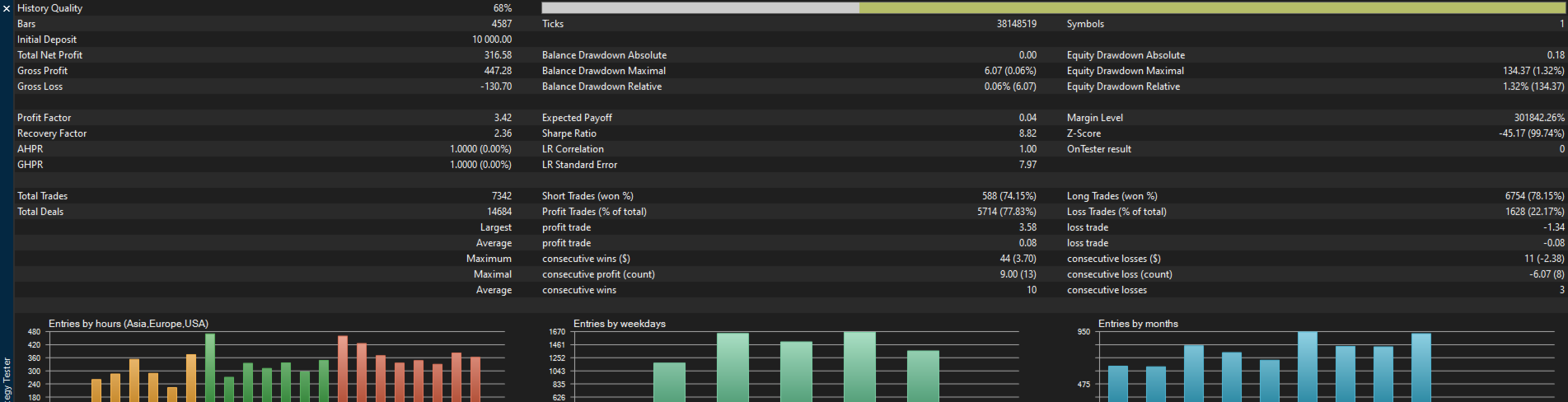
Use “Every tick based on real ticks” in the Strategy Tester, because positions are added on ticks. The Strategy Tester has no economic calendar, so backtests run without the news filter and can differ from live trading.
Risk warning
Recoil PRO EA adds to losing positions with growing lot sizes (averaging, martingale-style). A long one-way move can build a large floating loss before the basket closes. The equity stop limits each basket’s loss to its set share of balance, but a price gap or fast market can close it beyond that level. Backtest results do not guarantee future results. Test on a demo account first and trade only money you can afford to lose.