JT360 Order Panel Pro
- ユーティリティ
- バージョン: 7.9
- アクティベーション: 5

Product Overview
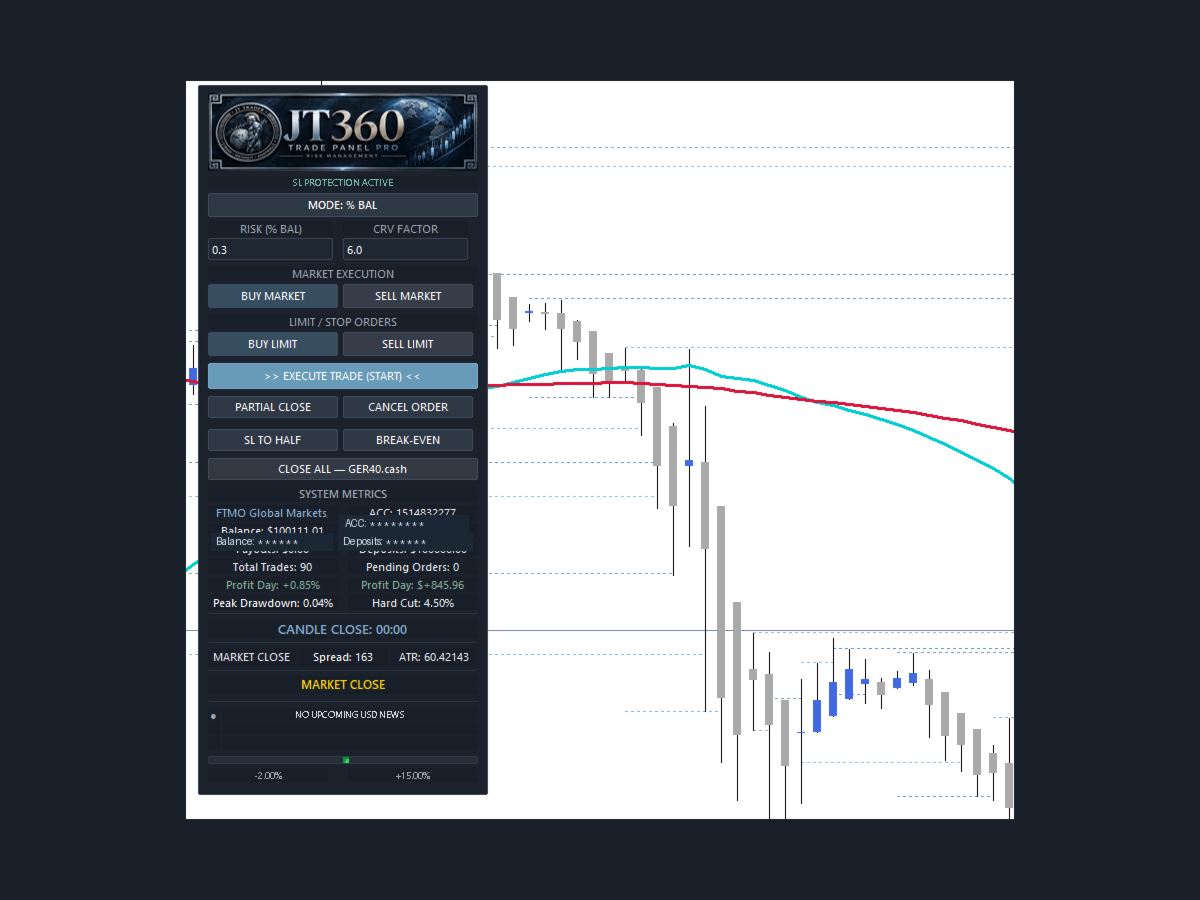
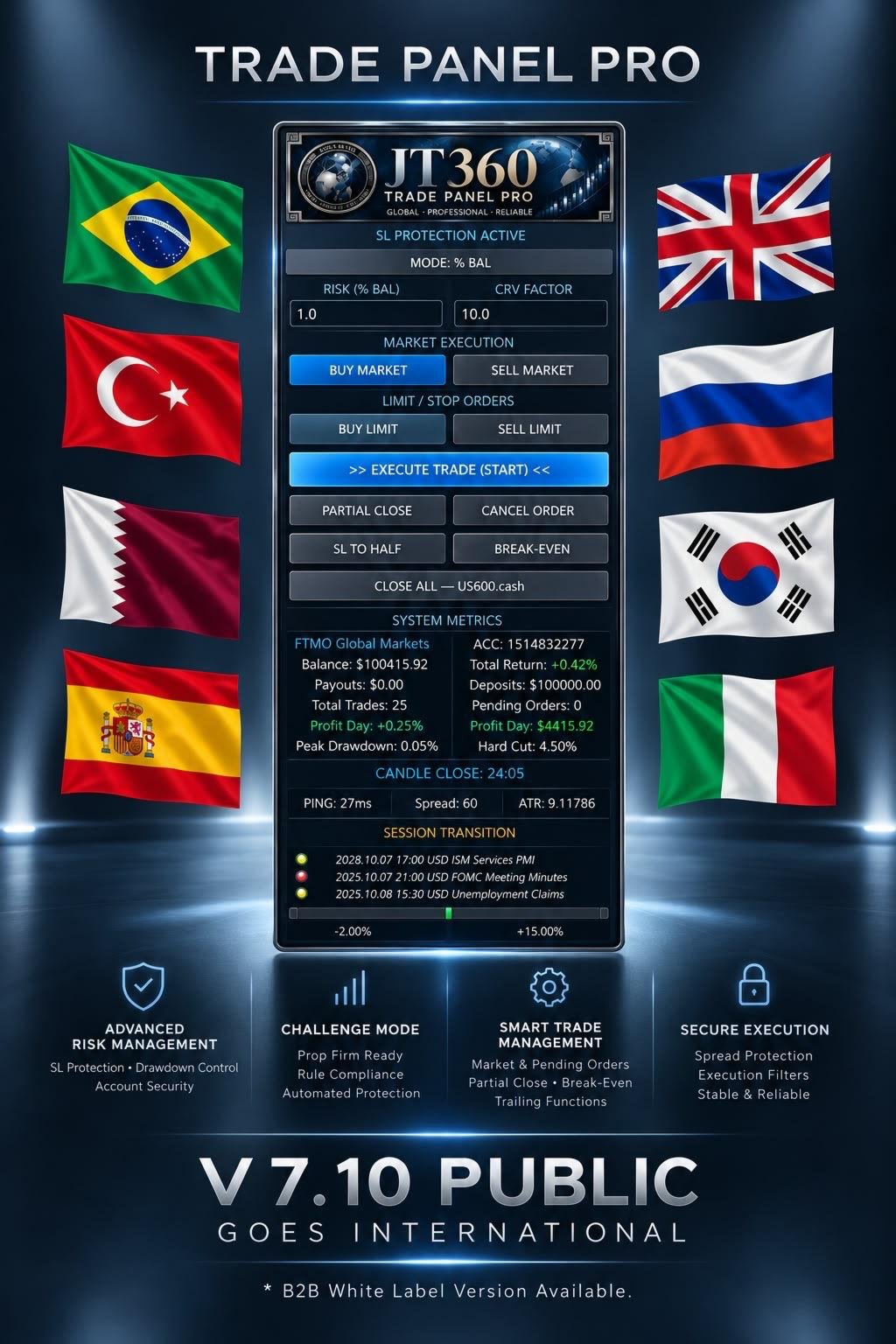
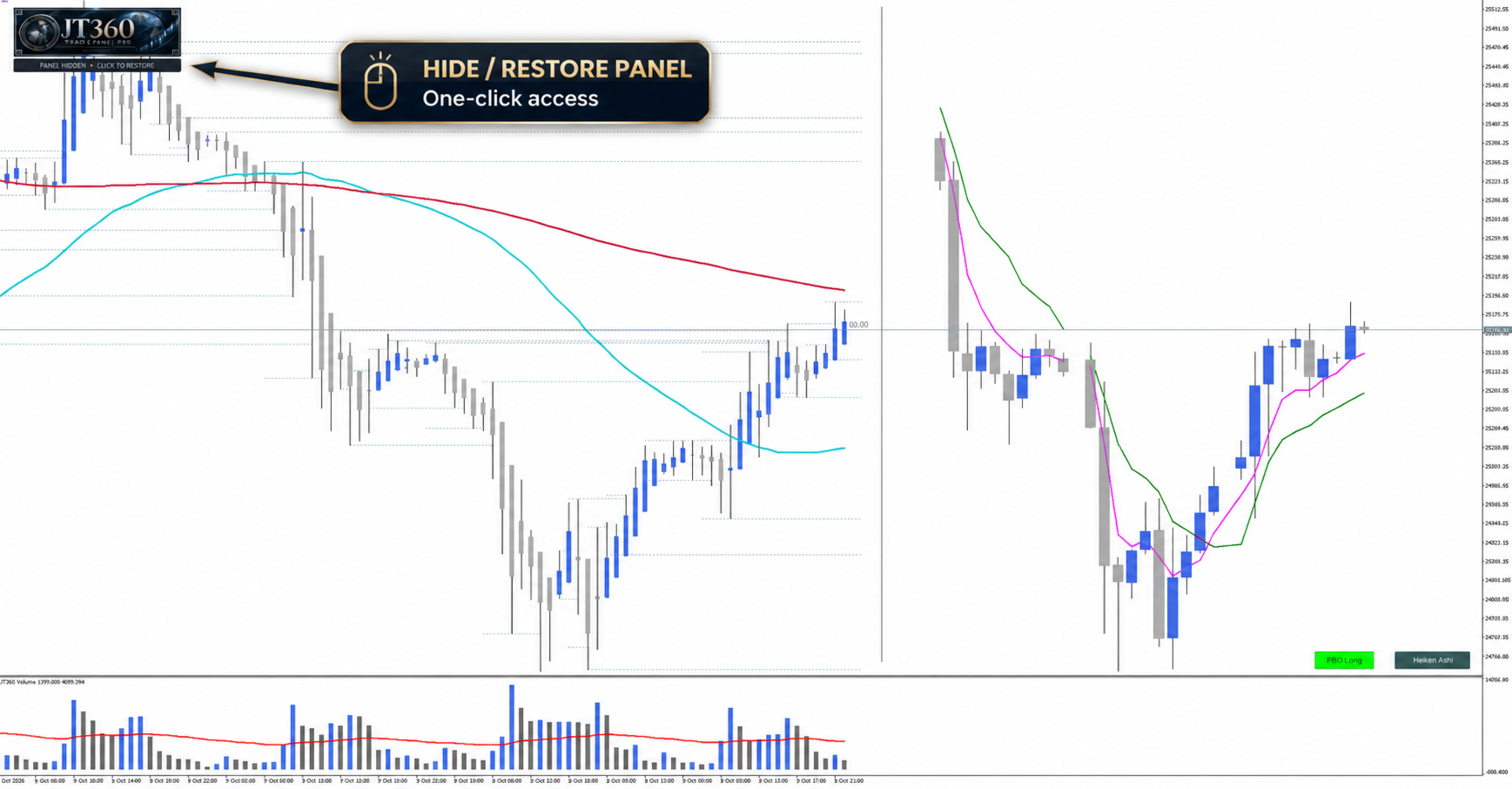
JT360 OrderPanel Pro is an interactive trading panel for MetaTrader 5 that combines trade execution, risk calculation, position management, and multiple protection mechanisms within a single interface.
The panel is designed for traders who make their own trading decisions and want to apply structured risk rules, controlled order execution, and additional safety mechanisms.
In addition to standard trading functions, the system provides a Challenge Mode, daily risk limits, Stop-Loss Protection, spread monitoring, an integrated economic calendar, and session high/low analysis.
1. Trade Execution and Position Management
The panel supports manual placement of market and pending orders. Entry, stop-loss, and take-profit levels can be prepared and adjusted visually on the chart before execution.
Features include:
-
Buy and sell market orders
-
Buy Limit and Sell Limit orders
-
Visual preparation and adjustment of entry, stop-loss, and take-profit levels
-
Calculation and display of the risk/reward ratio (R)
-
Partial position closing
-
Break-even functionality
-
Stop-loss adjustment
-
TP1 partial profit-taking and R trailing management
-
Cancellation of pending orders
-
Closing positions managed by the panel
2. Risk Calculation and Position Sizing
JT360 OrderPanel Pro calculates position size based on the selected risk model and the distance between the entry price and the stop-loss level.
The following risk modes are available:
-
Percentage-based risk relative to account balance
-
Fixed monetary risk per trade
-
Fixed lot size
-
Challenge-specific risk calculation
The calculation uses the contract specifications provided by the broker and the instrument's profit and loss calculation.
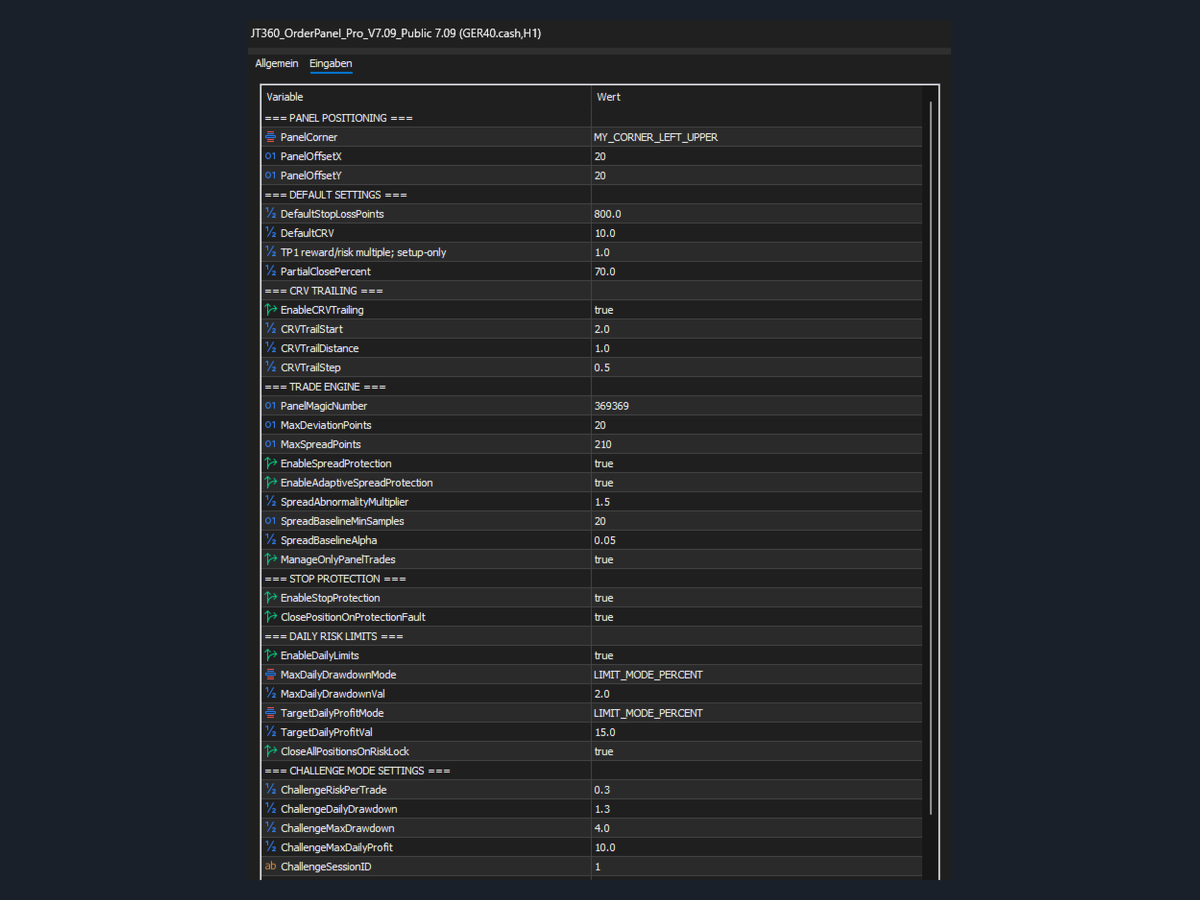
Additional settings allow users to configure default values for stop-loss, R, TP1, and partial profit-taking.
3. Challenge Mode and Daily Risk Limits
Challenge Mode provides a separate risk profile with dedicated parameters for risk per trade, daily drawdown, maximum drawdown, and daily profit targets.
Protection mechanisms include:
-
Configurable risk per trade
-
Daily drawdown limits
-
Monitoring of maximum drawdown during a challenge
-
Configurable daily profit targets
-
Automatic trading lockout when defined limits are reached
-
Persistence of the challenge state across panel restarts
The system also includes a built-in maximum drawdown safety limit of 4.5%. This safety limit cannot be changed through the standard input parameters.
In normal risk mode, the daily drawdown limit and daily profit target can be defined as a percentage or a monetary amount.
An optional account-wide emergency close can be enabled when a risk lock is triggered. This function is disabled by default.
Challenge Mode helps traders implement structured risk rules. It does not guarantee that a prop firm challenge will be passed or that all rules of a particular provider will be satisfied.
4. Stop-Loss Protection
The integrated Stop-Loss Protection monitors the stop-loss coverage of managed positions.
The system stores valid stop-loss levels and checks whether a position remains protected. If a stop-loss is removed or moved to a less protective level than the stored valid value, the panel attempts to restore the previously stored protection level.
Monitoring is performed through both event-based checks and a regular control routine.
Stop-Loss Protection can be enabled or disabled in the settings. An additional option allows the affected position to be closed automatically if a protection failure occurs.
This function cannot guarantee execution if the broker, connection, or trading platform is unavailable.
5. Spread Protection
The panel provides both fixed and adaptive spread monitoring.
Fixed Spread Protection prevents new trade executions when the configured maximum spread is exceeded.
Adaptive Spread Protection also considers previously observed spread behaviour. This allows unusually high spreads to be identified relative to the established baseline.
The protection functions and their parameters can be configured in the settings.
6. Integrated Economic Calendar and News Protection
JT360 OrderPanel Pro can retrieve economic calendar data from an external calendar service and display it on the chart.
Data source:
News integration includes:
-
Chart visualization: Economic news events can be displayed directly on the chart as vertical lines.
-
Flexible display: The display of news lines can be enabled or disabled in the settings.
-
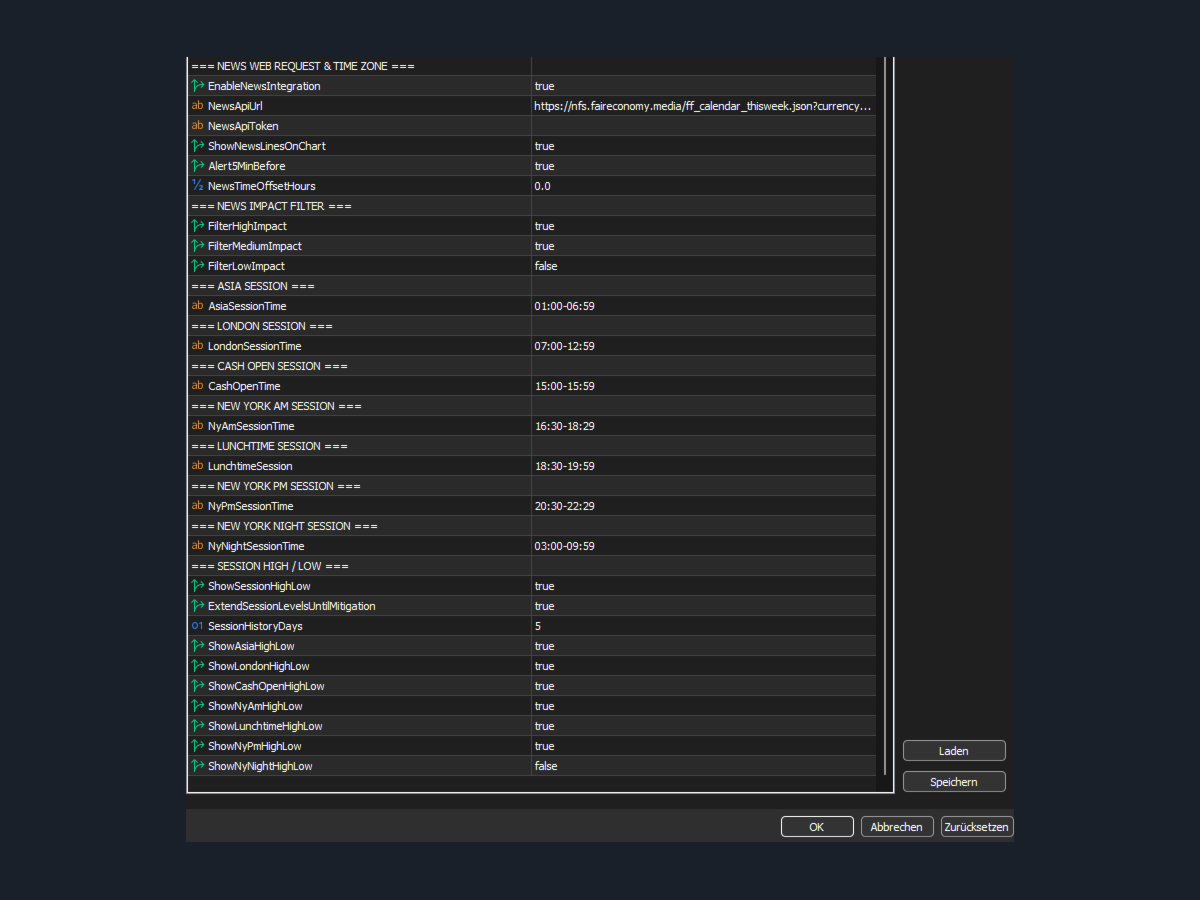
Impact filters: High-, medium-, and low-impact news events can be selected or deselected individually.
-
News labels: News information can be displayed directly on the chart.
-
Time filters: Configurable time windows before and after news events.
-
Time zone adjustment: Configurable time offset to match the broker server time.
-
Notifications: Optional notification five minutes before an event.
News categories and chart visualization can be configured independently, allowing traders to adapt the news display to their individual requirements.
Important setup note: To retrieve economic calendar data, the following address must be added to the allowed WebRequest URLs in MetaTrader 5 under Tools → Options → Expert Advisors → Allow WebRequest for listed URL:
Without this permission, the calendar request cannot work.
The availability and timeliness of calendar data depend on the external data provider.
7. Trading Sessions and Session High/Low
The panel supports the display of session highs and lows for defined trading sessions.
The time windows for the following sessions can be configured separately:
-
Asia
-
London
-
Cash Open
-
New York AM
-
Lunchtime
-
New York PM
-
New York Night
Session high and low levels can be displayed on the chart for supported sessions. Where applicable, the corresponding lines can be extended until mitigation is detected.
Users can also configure the number of historical days for which session levels are displayed. Available history depends on the price data provided by the trading platform.
8. Configuration and Operation
The panel provides configurable default values for stop-loss, R, TP1, and partial profit-taking. Panel position, spread limits, risk limits, and other protection mechanisms can also be adjusted through the input settings.
The interface is designed for manual operation directly on the chart. The main order and position management functions are accessible through the panel controls.
Important Information
JT360 OrderPanel Pro is a tool for trade execution and risk management. It is not an autonomous trading system and does not generate independent market forecasts.
The protection mechanisms are designed to reduce certain operational risks but cannot eliminate trading losses. Slippage, price gaps, insufficient liquidity, broker restrictions, connection problems, and technical failures may affect actual execution.
Results and functionality depend, among other factors, on the broker, the trading instrument, account settings, and selected parameters. Testing in a suitable demo environment is recommended before using the panel on a live account.