GOLD APEX SCALPER
Advanced XAUUSD Trading System for MetaTrader 5

Tags: XAUUSD Only | MetaTrader 5 | Scalping + Trend-Confirmed | Full Risk Management

===============================================
OVERVIEW
===============================================
Gold Apex Scalper is a professionally engineered Expert Advisor built exclusively for trading XAUUSD (Gold) on MetaTrader 5. It merges a fast, high-frequency scalping core with a multi-layer intelligent filtering system — giving you the trade frequency of a scalper with the discipline of an institutional risk manager.

Every trade passes through six independent filters before execution. No blind entries, no revenge trading, no unmanaged risk. This is a rules-based system built for traders who want consistency, not gambling.

===============================================
CORE FEATURES
===============================================

Smart Entry Engine
Fast EMA crossover core (M5) tuned specifically for Gold's price behavior — designed to catch momentum shifts early without over-trading noise.

6-Layer Filter System
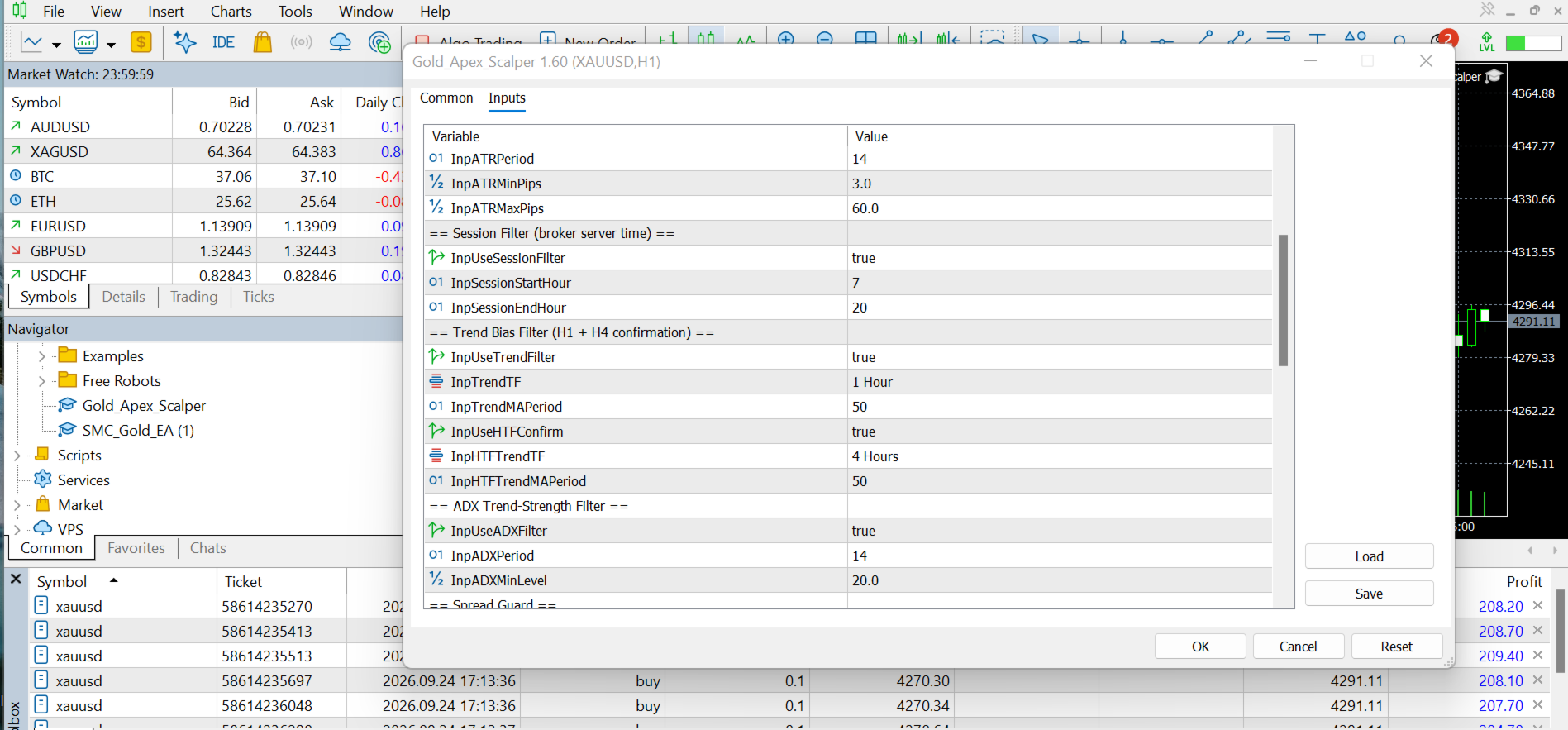
1. ATR Volatility Filter — avoids dead markets and abnormal volatility spikes
2. Session Filter — trades only during London/New York overlap, Gold's highest-liquidity window
3. H1 + H4 Trend Confirmation — both timeframes must agree before any trade fires
4. ADX Trend-Strength Filter — skips weak, choppy/ranging conditions
5. Spread Guard — blocks execution when spread widens beyond safe limits
6. Economic News Filter — auto-pauses around high-impact USD/Gold news events (NFP, FOMC, CPI, etc.)

Intelligent Risk Management
- Dynamic Risk-Based Lot Sizing — position size automatically scales with account balance and your chosen risk %
- Partial Profit Lock (TP1) — secures a portion of profit early, lets the rest run
- Breakeven Protection — stop-loss auto-shifts to entry once trade is in profit
- Trailing Stop — locks in gains as price moves further in your favor
- Time-Based Exit — auto-closes stagnant trades that overstay their welcome

Account Protection
- Daily Max-Trade Limit — prevents overtrading on any single day
- Daily Drawdown Cap — trading auto-stops once daily loss threshold is hit
- Equity Kill-Switch — if floating loss crosses a set %, all positions close instantly and the EA pauses to protect your account from a bad session

Broker Compatibility
Works with your broker's exact Gold symbol (XAUUSD, XAUUSD.m, GOLD, etc.) — simply attach it to your broker's Gold chart.

===============================================
SETUP GUIDE
===============================================

Step 1 — Attach to Chart
Open your broker's XAUUSD/Gold chart → any timeframe (internal logic runs on M5/H1/H4 regardless of chart TF) → drag EA onto chart → enable Algo Trading.

Step 2 — Enable Required Permissions
In MT5: Tools > Options > Expert Advisors → ensure "Allow Algo Trading" is enabled both globally and on the EA popup.

Step 3 — Core Settings
- Risk % per trade: 1.0% – 2.0%
- Stop Loss: 25 pips (default)
- TP1 (partial): 20 pips
- TP2 (runner): 45 pips
- Session hours: 07:00–20:00 (broker server time)

Step 4 — Filters (leave ON for best results)
ATR Filter: ON | ADX Filter: ON (min level 20) | Trend Filter (H1+H4): ON | News Filter: ON (30 min before/after high-impact events)

Step 5 — Safety Caps
Max trades/day: 40 | Max daily drawdown: 5% | Equity kill-switch: 8% floating loss → auto-pause 120 minutes

Step 6 — Backtest First
Run Strategy Tester on at least 6–12 months of M1 data before going live. Verify spread modeling matches your broker.

===============================================
REQUIREMENTS
===============================================
Symbol: XAUUSD only
Platform: MetaTrader 5
Minimum Balance: $500 (recommended $1000+)
Minimum Leverage: 1:100
Account Type: ECN / low-spread preferred
VPS: Recommended for 24/5 uptime

===============================================
RISK DISCLAIMER
===============================================
Trading involves substantial risk. Past performance and backtest results do not guarantee future results. Spread, slippage, and execution vary by broker and directly affect live performance. Always test on a demo account first and use risk settings appropriate to your account size.