Timeline Ichimoku Engine
- エキスパート
- バージョン: 3.120
- アクティベーション: 5

Timeline Ichimoku Engine
Timeline Ichimoku Engine is a fully automated Expert Advisor for MetaTrader 5. Its trading logic is based on the interaction between the Tenkan-sen and Kijun-sen components of the Ichimoku system.
The Expert Advisor detects confirmed Tenkan/Kijun crossovers and can automatically execute Long and Short trades based on these signals. Additional trend, risk and trading filters allow users to adapt the strategy to different markets, timeframes and individual trading approaches.
The default parameters provide a starting configuration and can be adjusted by the user.
Trading Logic
A Long signal is generated when Tenkan crosses Kijun from below. A Short signal is generated when Tenkan crosses Kijun from above.
By default, the Expert Advisor works with closed candles and processes signals on a new bar. This prevents unfinished candles from being used for confirmed signal detection under the standard settings.
An adjustable minimum distance between Tenkan and Kijun can be used to filter very narrow crossovers.
When an opposite signal occurs, an existing position can be closed and, depending on the selected settings, a new position can be opened in the opposite direction.
Trend Filters
Several options are available for additional signal filtering:
• ADX strength filter
• optional ADX direction filter using +DI and -DI
• adjustable minimum ADX value
• optional Ichimoku Cloud filter
• filtering based on price position or Tenkan/Kijun position relative to the Cloud
The main filters can be adjusted or disabled through the input parameters.
Position Size and Risk Management
Position size is defined using a fixed lot size.
Several Stop Loss modes are available:
• no Stop Loss
• fixed Stop Loss in points
• ATR-based Stop Loss
• Kijun-based Stop Loss with an adjustable buffer
Several Take Profit modes are also available:
• no Take Profit
• fixed Take Profit in points
• ATR-based Take Profit
• Take Profit based on an adjustable risk/reward ratio
The default configuration uses a fixed lot size of 0.01. The Stop Loss is ATR-based, while no fixed Take Profit is enabled.
Trading Filters
Timeline Ichimoku Engine includes additional controls for trade execution:
• adjustable trading hours
• optional spread filter
• maximum slippage
• Long and Short trading can be enabled separately
• trading on new bars only
• use of closed candles
• closing positions on opposite signals
• optional reversal on opposite signals
The default trading session is set from 06:00 to 22:00 broker time and can be adjusted or disabled by the user.
Optional News Filter
An integrated news filter can block trading during a defined period before and after selected economic news events.
The time windows, relevant impact levels and currencies can be configured through the input parameters.
The news filter is disabled in the default configuration and must be enabled by the user if required. Availability of economic news data depends on the calendar data available through MetaTrader 5.
Integrated Chart Monitor
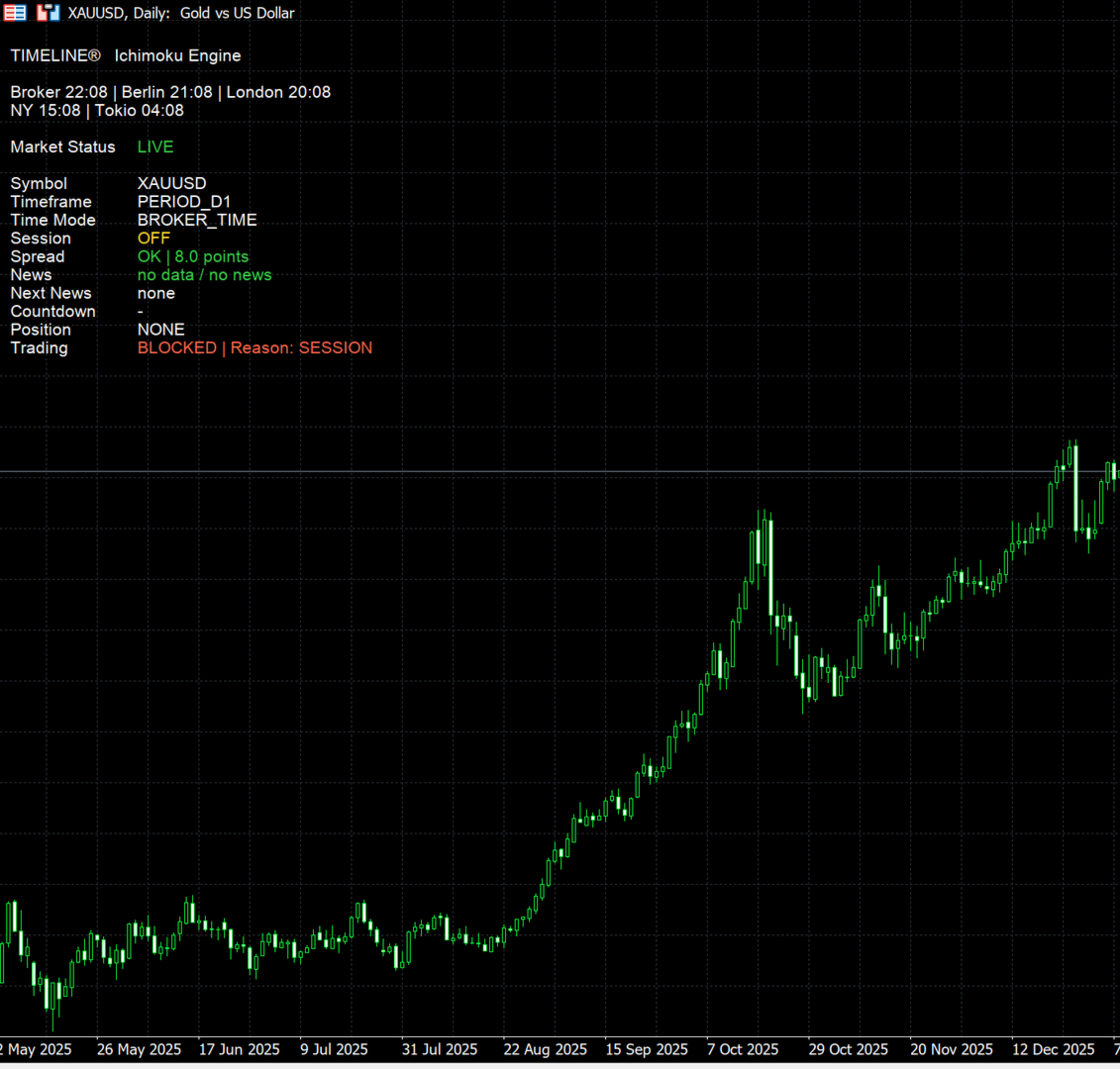
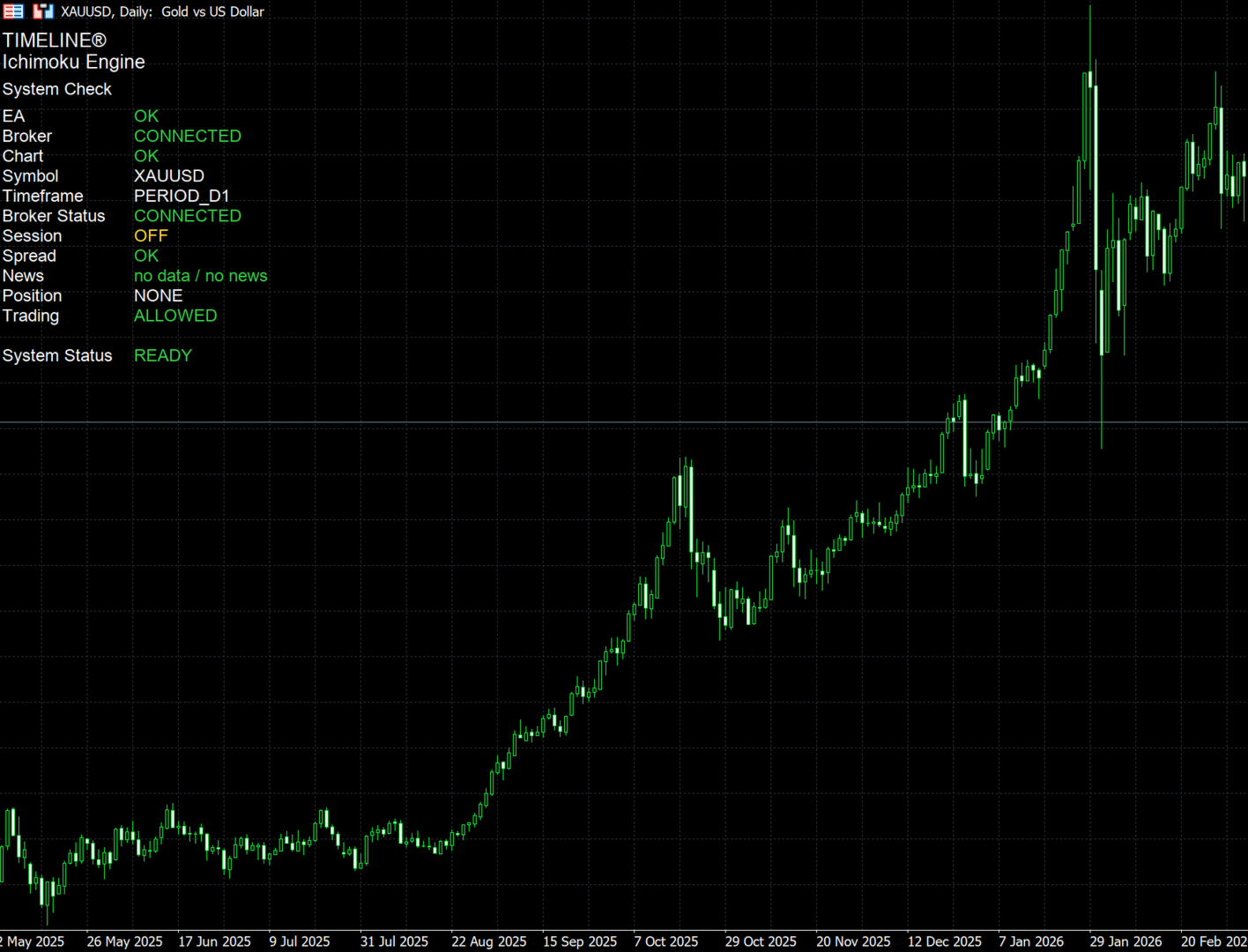
Timeline Ichimoku Engine includes an integrated on-chart monitor.
At startup, the monitor performs a system check and displays information including EA status, broker connection, chart, symbol, timeframe, trading session, spread, news status, position and trading status.
After the system check, the display switches to the operating monitor. It provides a compact overview of important information including:
• Broker time
• Berlin
• London
• New York
• Tokyo
• Market status
• Symbol and timeframe
• Trading session status
• Spread status
• News status
• Position status
• Current trading status
The monitor provides a transparent overview of the current operating state of the Expert Advisor.
Flexible Use
By default, the Expert Advisor uses the current chart timeframe. This allows the strategy to be tested and individually configured on different symbols and timeframes.
Suitable settings can vary significantly depending on the symbol, broker, spread, volatility and timeframe. Users should perform their own backtests and demo account testing before using the Expert Advisor on a live trading account.
Default Configuration
The main default settings are:
• Tenkan: 9
• Kijun: 26
• Senkou B: 52
• Minimum Tenkan/Kijun distance: 30 points
• ADX period: 14
• Minimum ADX: 20
• ADX strength filter enabled
• Cloud filter disabled
• Fixed lot size: 0.01
• ATR period: 14
• ATR Stop Loss multiplier: 2.0
• Take Profit: disabled
• Trading hours: 06:00–22:00 broker time
• News filter: disabled
These values are not recommendations for every symbol or timeframe. They represent the default starting configuration of the Expert Advisor.
Important Notice
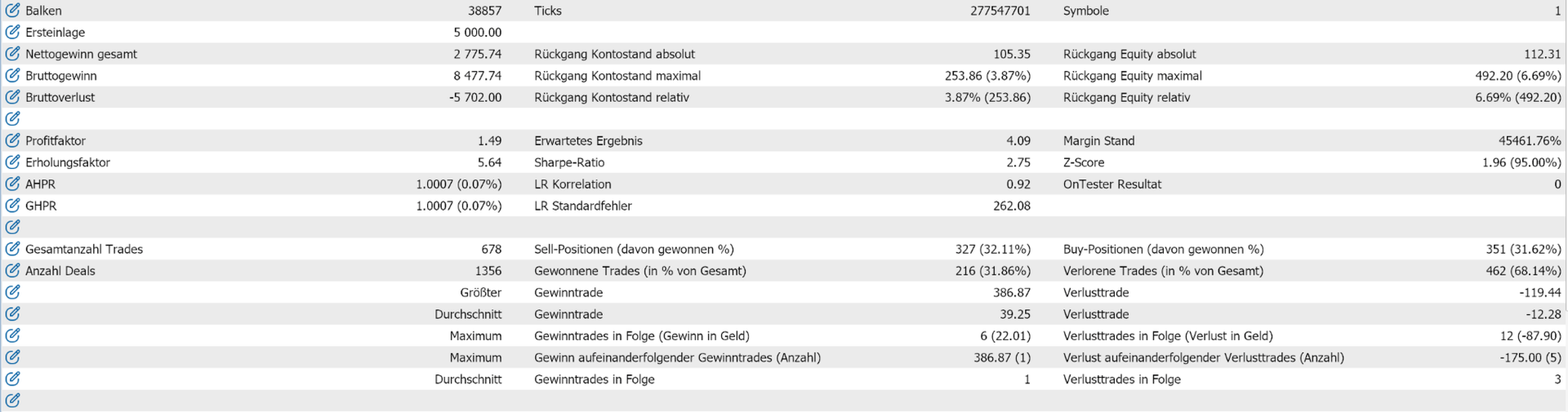
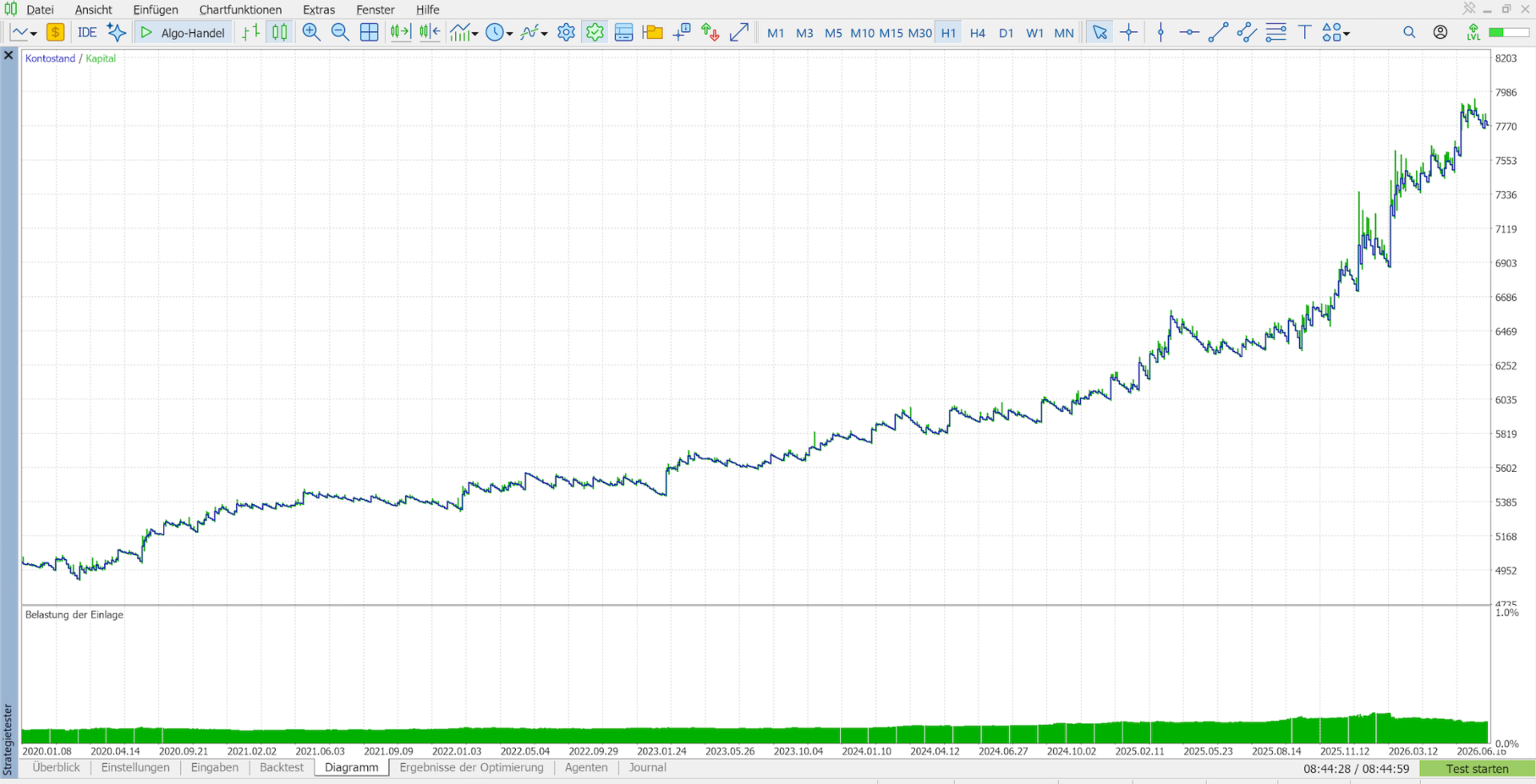
Historical backtest results and past trading performance do not guarantee future results. Automated trading involves financial risk. The user is responsible for selecting the symbol, timeframe, position size, parameters and risk settings.