X7pro
- エキスパート
-
Viktor Mitrofanov
 I turn MQL5 Expert Advisors into fully automated Preset Machines. I keep your original trading logic, split it into manageable configurations, run them through my own tester-validator, and deliver a ready-to-use system with selected working presets.
 - バージョン: 7.21
- アップデート済み: 23 7月 2026
- アクティベーション: 5
X7 PRO — Adaptive Trade Driver. Shifts when the market shifts. = XAU, CFD, FOREX =
- X7 PRO was built with a deep understanding of trading's core axiom: the market never stands still, and the search for a single "holy grail" formula is destined to fail.
- The purpose of this tool is not to guess the market, but to synchronize with it. We designed it as a flexible, adaptive environment that remains "alive" through every phase of the market cycle.
- It doesn't provide ready-made answers — it provides the building blocks. You craft your own entry logic, fine-tune volatility filters and risk parameters, and manage your exits with precision.
- This is a creative sandbox where you don't fight the market — you learn to move in tune with its rhythm.
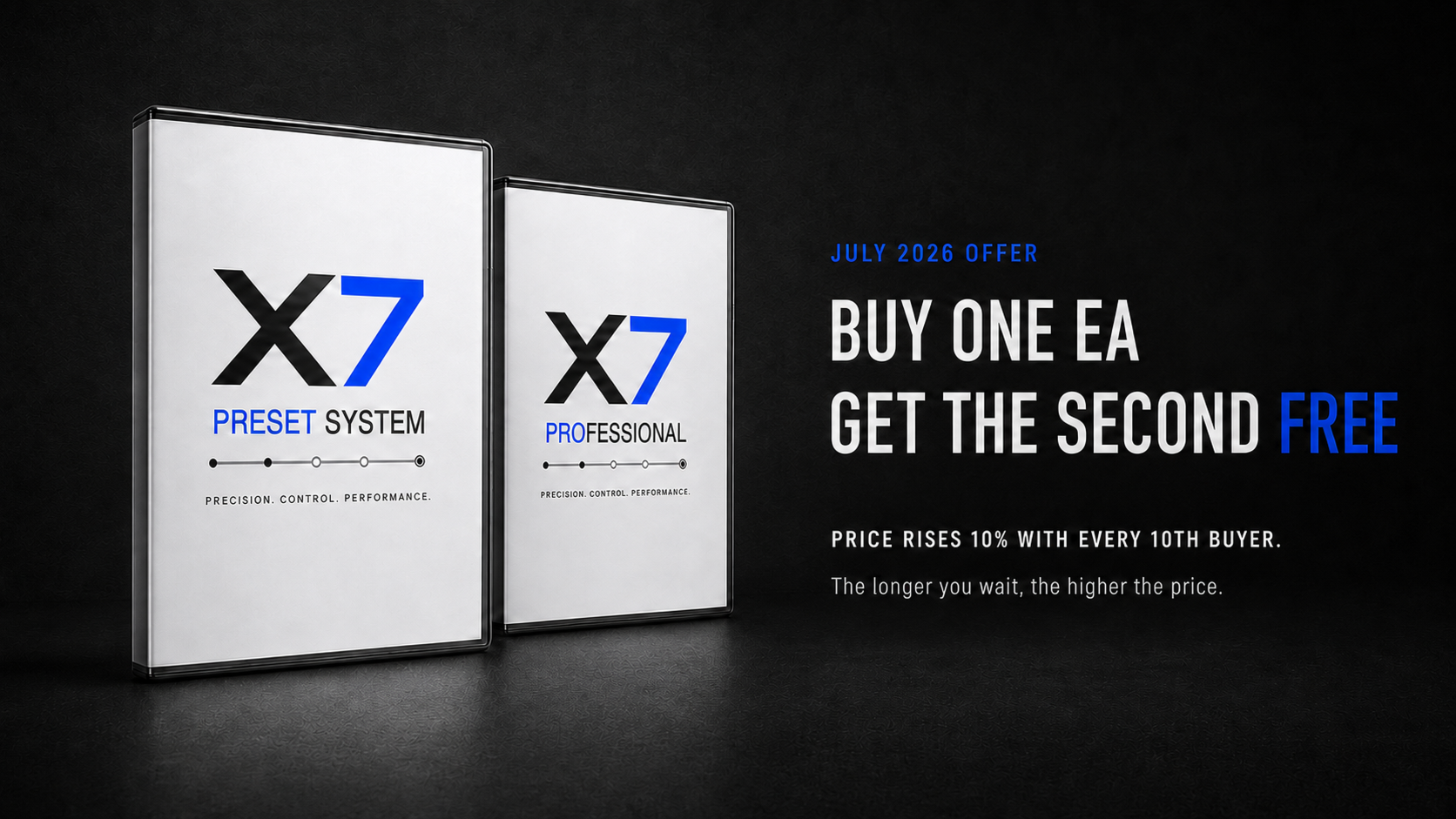
ONLY UNTIL THE END OF THE MONTH! Purchase Preset System =X7= and get X7PRO absolutely FREE!
The price of the system increases with every buyer +10$. The longer you wait, the higher the price.
X7 PRO is an Expert Advisor for MetaTrader 5 that builds trades from market levels and allows you to create your own breakout or bounce scenarios.
No need to manually write code or assemble a complex system from dozens of indicators.
You define:
- Direction: BUY, SELL, or BOTH.
- Timeframe and the number of candles to search for a level.
- Level type: High or Low.
- Signal logic: above or below the level.
- Suitable volatility mode.
- Lot size, risk, protection, and exit rules.
X7 PRO performs all other calculations automatically.
How X7 PRO Works
The advisor analyzes the highs or lows over a specified number of candles and calculates a signal level.
Depending on the chosen High/Low and +/- Points, the strategy can work:
- on a level breakout;
- on a bounce from the level;
- separately for BUY;
- separately for SELL;
- BOTH – simultaneously for BUY and SELL.
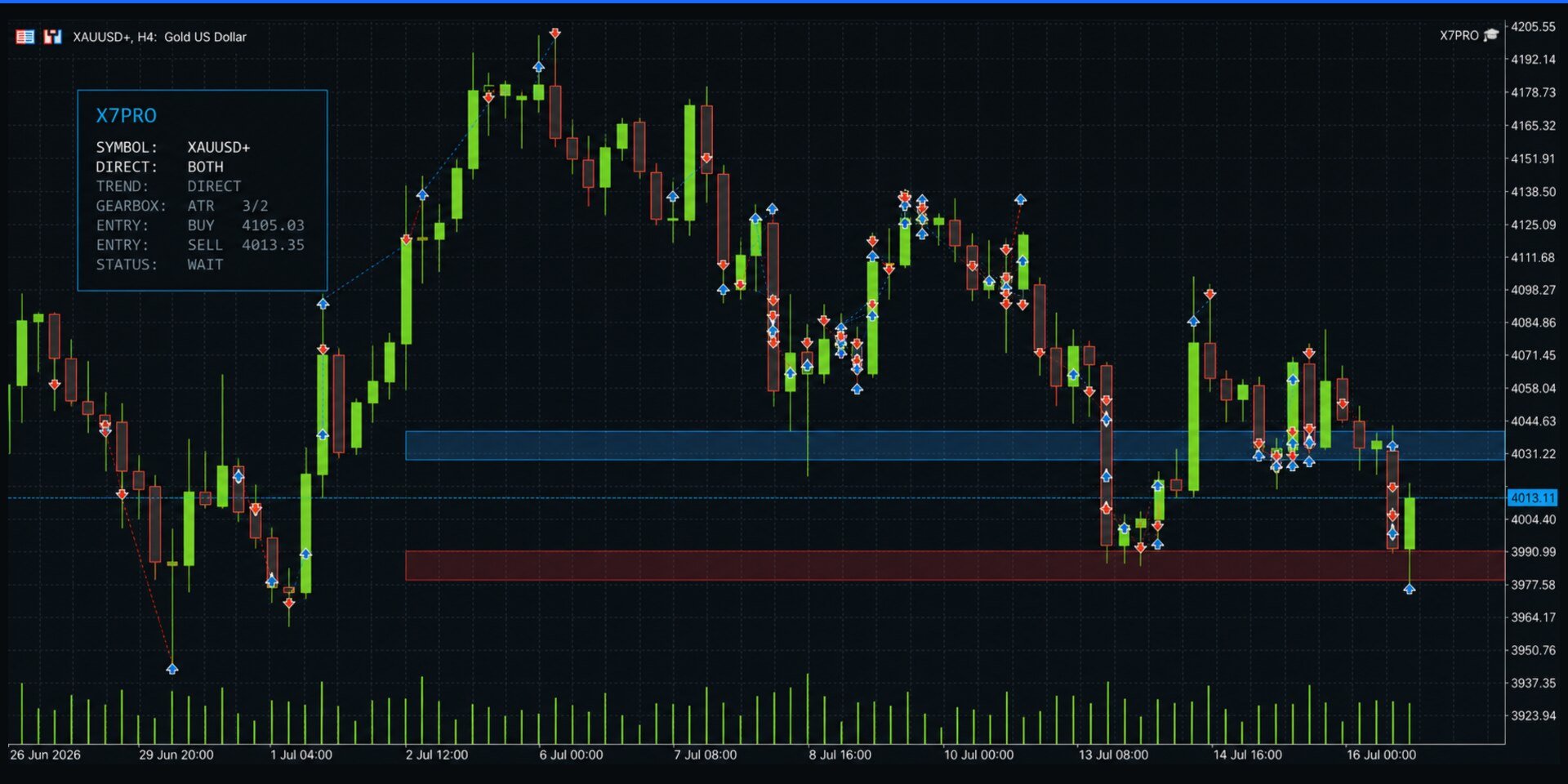
The calculated level is displayed on the chart as a Breakout Line.
This is not a regular pending order placed with the broker. The level is stored inside the advisor. When the price touches the line, X7 PRO re-checks the entry conditions and only then sends a market order.
Before entry, the following can be checked:
- whether the current volatility is suitable;
- whether the volume filter has passed;
- whether the entry is near a higher timeframe zone;
- whether the price has passed an additional timing check;
- whether the direction is allowed by the trend classifier, etc.
A Unique Tool - ATR Trade Gearbox!
The market constantly changes its speed of movement.
At one period, gold moves calmly. At another, the market accelerates, the range expands, and a strategy designed for a calm phase starts receiving more false signals.
The ATR Gearbox divides volatility into modes:
- 0 OFF — volatility restriction is disabled;
- 1 Calm — very calm market;
- 2 Low — low volatility;
- 3 Mid — medium volatility;
- 4 High — high volatility;
- 5 Extra — very high volatility;
- 6 Shock — extreme volatility.
If mode 2 Low is selected for the strategy, it will only work when the current market mode is Low. When the market shifts to Mid, High, or Shock, X7 PRO removes active Breakout lines and waits for the suitable mode to return.
This does not guarantee profit but significantly minimizes risks. The ATR Gearbox is designed to prevent applying the same strategy in completely different market phases.
Different ATR thresholds are used for different instruments. The system includes separate maps for gold, silver, oil, CFDs, and popular currency instruments.
BUY, SELL, or BOTH ?
BUY
The advisor works only for long trades.
Suitable for a standalone long scenario.
SELL
The advisor works only for short trades.
Suitable for a standalone short scenario.
BOTH
The advisor creates independent logic for BUY and SELL.
Each direction uses:
- its own level;
- its own breakout line;
- its own directional logic;
- its own position limit;
- its own market order.
This is important because BUY and SELL often behave differently. X7 PRO allows you to separate these scenarios, rather than forcing one logic to work identically in both directions.
How to Create a Strategy
Quick Start
1. Open the chart of the desired instrument.
2. Install X7 PRO.
3. Choose BUY, SELL, or BOTH.
4. Set the level, timeframe, and number of candles.
5. Choose the ATR Gearbox.
6. Set the lot size or risk management mode.
7. Check Stop Loss and Take Profit.
8. Enable Algo Trading.
With visualization enabled, the advisor can display:
- the current ATR mode;
- the trading direction;
- BUY and SELL levels;
- breakout lines;
- pending status;
- open trades;
- blocks due to spread, session, and Master Stop.
Main Strategy Settings
Trade Direction - BUY, SELL, or BOTH
Signal Time Frame - Timeframe for level search
Bars to Analyze - Number of candles to build the level
High / Low - Used maximum or minimum
+/- Points - Direction of signal calculation
Unit Mode - Fixed points or ATR
ATR Gearbox - Suitable market volatility
General principle:
- smaller timeframe and fewer candles — faster reaction;
- larger timeframe and more candles — levels appear less frequently but can be more significant;
- smaller offset — earlier, but more sensitive entry;
- larger offset — later, but more cautious entry.
X7 PRO supports two methods for calculating distances:
- FIXED points;
- ATR multipliers.
In ATR mode, distances adapt to the current market range.
Seven Methods of Direction Assessment
When Trend-Only Trading is enabled, X7 PRO can use up to seven classifier methods:
- ADX;
- Moving Average;
- Bollinger Bands;
- Parabolic SAR;
- Heiken Ashi;
- Fast Breakout;
- Slow Breakout.
Each method votes for a market rise or fall.
If the number of confirmations is insufficient, entry is blocked.
Trend-Only Trading = OFF:
- the strategy works directly from its level;
- the classifier does not block the entry direction.
Trend-Only Trading = ON:
- BUY is only allowed when a rise is confirmed;
- SELL is only allowed when a fall is confirmed;
- insufficient votes block entry.
Each of the seven methods can be configured, enabled, or disabled individually.
Entry Filters
Volume Breakout Filter
Checks the movement volume against specified parameters.
The filter can block a weak breakout if the movement lacks sufficient volume confirmation.
For some brokers, this will be tick volume, not centralized exchange volume.
Higher Timeframe Zone Filter
Can block:
- BUY before a strong resistance zone;
- SELL before a strong support zone.
This filter works separately from the visual drawing of SR maps.
Stochastic Timing Filter
Checks the entry moment and can block:
- BUY on an excessively overbought movement;
- SELL on an already deeply stretched decline.
Pause After Touch
After touching the breakout line, the advisor can delay opening a trade immediately.
It waits for confirmation within a specified number of candles. The wait can be canceled by:
- a closing price in the opposite direction;
- the expiration of the waiting limit;
- violation of other entry filter conditions.
Trade Exit
Fixed Exit
Stop Loss and Take Profit are set with fixed values.
Distances can be calculated:
- in points;
- via ATR multipliers.
Suitable for strategies tested with specific exit parameters.
Smart Exit
Smart Exit calculates levels based on market structure:
- for BUY, Stop Loss is placed below the local minimum;
- for SELL, Stop Loss is placed above the local maximum;
- Take Profit can be calculated relative to the opposite structure.
If SmartSL_Bars = 0, Fixed Stop Loss is used.
If SmartTP_Bars = 0, Fixed Take Profit is used.
Additionally available are:
- Break Even — moving Stop Loss to breakeven or a small profit;
- Trailing Stop — trailing the Stop Loss behind the price;
- Group Exit — closing a group by the total profit in points of all open positions.
Risk Management
X7 PRO supports three volume calculation modes.
Fixed Lot
Uses a fixed lot size.
Stable Balance
The lot size changes stepwise as the balance changes.
For example, the base lot can be recalculated after each specified balance step.
Risk % by Stop Loss
The lot is calculated so that the potential risk up to the Stop Loss matches the specified percentage of the account funds.
You can also limit:
- maximum BUY positions;
- maximum SELL positions;
- total number of positions;
- trading session;
- allowed spread.
The advisor does not use martingale, grid, or automatic lot increase after a loss. A new trade is not opened specifically to average an old position.
Master Stop
Master Stop is an overall account protection circuit.
The threshold can be calculated relative to:
- Balance;
- Equity.
Upon reaching the specified profit or loss level, X7 PRO can:
- close open positions;
- remove active breakout lines;
- block new entries for a set time (cooldown).
Master Stop does not search for signals. It limits trading activity after reaching specified protection conditions.
Visual Market Map
In addition to Breakout Lines, X7 PRO can display three visual levels of Support and Resistance zones:
- Map 1 Scalp — nearest short-term zones (disabled by default);
- Map 2 Intraday — intraday zones;
- Map 3 Higher TF — higher timeframe market zones.
Visual maps themselves do not open trades and do not alter the trading logic. They are intended for visual analysis.
Who X7 PRO is For
X7 PRO is suitable for:
- beginners who want to start with ready-made logic;
- experienced traders looking to create their unique strategies without programming skills.
Important
X7 PRO does not promise profitability and does not eliminate market risk.
Before trading on a real account, you must test your strategy:
- in the tester;
- on a demo account;
- with a small volume;
- considering the spread, commission, and broker conditions.
The point of X7 PRO is not to guess the market. Its task is to provide a clear system where the trader themselves sets the level logic, direction, ATR mode, risk, exit, and trade protection. It is a strategy builder with limitless potential for creativity.
Wishing you success on your trading journey! Thank you for choosing X7 PRO — we appreciate your confidence in us.