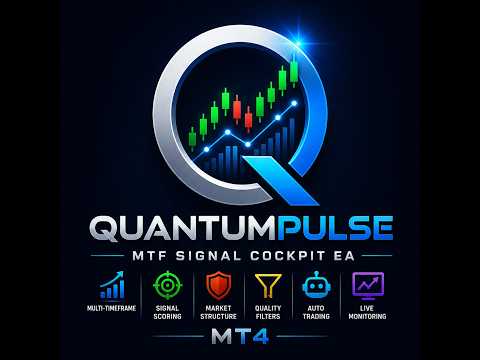
QuantumPulse Signal Cockpit EA
- エキスパート
- バージョン: 1.42
- アクティベーション: 10

🚀 QuantumPulse MTF Signal Cockpit EA for MT4
Multi-Timeframe Market Intelligence • Signal Qualification • Semi-Automated & Fully Automated Trading
QuantumPulse MTF Signal Cockpit EA is a professional MetaTrader 4 Expert Advisor designed to bring multi-timeframe market analysis, signal scoring, market structure, quality filtering, trade planning, risk management and configurable trade execution into one centralized trading cockpit.
Instead of constantly switching between charts, symbols and timeframes, QuantumPulse gives you a centralized view of the market and lets you decide exactly how much automation you want.
🟢 MANUAL TRADING
Analyze the setup yourself and decide when to execute.
🟡 SEMI-AUTOMATED TRADING
Let QuantumPulse identify and qualify setups while you retain confirmation and execution control.
🔵 FULLY AUTOMATED TRADING
Enable Auto Trade and allow qualifying setups to be executed automatically according to your selected filters, timeframe rules, confirmation settings, lot size, risk-to-reward parameters and trade-management configuration.
⭐ Why QuantumPulse?
Most trading tools simply show you a BUY or SELL signal.
QuantumPulse is designed as a complete trading cockpit.
It brings together:
- ✅ Multi-Timeframe Analysis
- ✅ Signal Scoring
- ✅ Signal Strength Classification
- ✅ Market Structure
- ✅ Trend Analysis
- ✅ Advanced Quality Filters
- ✅ Momentum & Volatility Conditions
- ✅ Entry Price
- ✅ Stop Loss
- ✅ TP1 / TP2 / TP3
- ✅ Risk-to-Reward
- ✅ Closed-Bar Control
- ✅ Manual Confirmation
- ✅ Auto Trade
- ✅ Multi-TF Trade Control
- ✅ Trailing Stop
- ✅ Live Trade Monitoring
- ✅ Individual Trade Close
- ✅ Close All
- ✅ Trade Scoring
- ✅ Trade Age
- ✅ Open Trade Timeframe
- ✅ Lot Size Control
- ✅ Custom Symbols
- ✅ Broker Suffix and Custom Auto Symbol mapping Handling
📊 Multi-Timeframe Signal Intelligence
QuantumPulse is built around Multi-Timeframe Market Analysis.
Depending on your configuration, the system can evaluate timeframes such as:
M15 • M30 • H1 • H4 • D1 • W1
Instead of simply displaying:
EURUSD BUY
QuantumPulse identifies the actual timeframe behind the opportunity:
EURUSD — M15 — BUY
EURUSD — H4 — BUY
EURUSD — D1 — BUY
This allows you to immediately understand which timeframe generated the setup.
🌐 All Timeframes Mode
The All Timeframes workflow allows qualifying opportunities from different timeframes to be displayed within the same trading universe.
For example, the cockpit can distinguish between:
- 🟢 EURUSD M15 BUY
- 🟢 EURUSD H4 BUY
- 🟢 EURUSD D1 BUY
Rather than receiving one generic EURUSD signal, you can see the timeframe-specific opportunities and decide which setup is relevant to your trading plan.
🔄 Multi-TF Trade Control
QuantumPulse includes a dedicated Multi-TF Trade ON/OFF control.
🟢 MULTI-TF ON
When enabled, qualifying opportunities from different timeframes on the same symbol can be treated as separate timeframe opportunities, subject to the other execution rules.
Example:
AUDUSD M15 BUY
and later
AUDUSD H4 BUY
can be treated as separate timeframe opportunities when the configured rules permit it.
🔴 MULTI-TF OFF
When disabled, the EA can restrict additional QuantumPulse trades on a symbol when an existing QuantumPulse position is already active.
This gives you control over whether you prefer:
One symbol = one active QuantumPulse trade
or
Multiple timeframe opportunities = multiple trades
🎯 Intelligent Signal Scoring
QuantumPulse does not simply classify every market condition as BUY or SELL.
The cockpit provides Signal Score and Signal Strength so you can distinguish between developing opportunities and stronger setups.
Signal states can include:
- 🟢 STRONG BUY
- 🟢 BUY
- 🟡 WATCH BUY
- 🔴 STRONG SELL
- 🔴 SELL
- 🟠 WATCH SELL
The score and signal state provide additional context before execution.
🏗️ Market Structure Analysis
One of the core components of QuantumPulse is its Market Structure analysis.
The cockpit can display information related to:
- ✅ Directional Structure
- ✅ Trend Structure
- ✅ Swing / Trend Context
- ✅ Price vs EMA
- ✅ ADX Context
- ✅ Bullish / Bearish Structure
- ✅ Structure Strength
- ✅ Structure Alignment
Strong structure conditions can be visually emphasized inside the cockpit.
Instead of simply seeing:
BUY
you can see the broader context:
BUY + STRONG STRUCTURE
🛡️ Advanced Quality Filters
Not every market condition should be treated equally.
QuantumPulse includes configurable quality-filter mechanisms designed to help distinguish stronger setups from lower-quality conditions.
Depending on the selected configuration, filtering can incorporate conditions related to:
- Market Structure
- Momentum
- Volume
- ATR / Volatility
- Spread
- Entry Conditions
- Signal Quality
- Trend Context
- Multi-Timeframe Conditions
🎯 The objective is simple: don't treat every signal equally.
⚙️ Master Filter
The Master Filter provides an additional layer of control over the quality of setups allowed through the trading workflow.
You can configure the system to be more selective when market conditions do not meet your preferred quality requirements.
This allows QuantumPulse to adapt to different trading styles and preferences.
🔔 Confirmation System
QuantumPulse can operate with Confirm ON or Confirm OFF.
🟢 CONFIRM ON
When a qualifying trade reaches the execution stage, QuantumPulse can present a confirmation window containing important trade information.
This can include:
- Symbol
- Timeframe
- BUY / SELL
- Signal Status
- Signal Age
- Signal Score
- MTF Status
- Market Structure
- Spread
- Lot Size
- Market Price
- Entry
- Stop Loss
- TP1 / TP2 / TP3
- Risk-to-Reward
You can then decide whether to execute the trade.
🔴 CONFIRM OFF
The confirmation step can be bypassed for qualifying automated execution according to the configured Auto Trade rules.
🕯️ Closed-Bar Trading Control
One of the important execution controls is whether QuantumPulse should wait for a completed candle.
🟢 CLOSED BAR = ON
The EA waits for the relevant candle or confirmation bar to close before the setup becomes eligible according to the configured rules.
This can help prevent trades from being triggered simply because a signal temporarily appears during a developing candle.
🔴 CLOSED BAR = OFF
The running candle can be evaluated, allowing earlier participation when the other conditions are satisfied.
This gives traders control over the balance between confirmation and earlier running-bar participation.
🆕 Fresh Signal Protection
QuantumPulse is designed to distinguish between new qualifying setups and signals that already existed before Auto Trade was activated.
When Auto Trade is armed, pre-existing and aged signal states are not intended to become a backlog of automatic trades.
The intended workflow is:
ARM AUTO TRADE
↓
WAIT FOR NEW ELIGIBLE SETUP
↓
CONFIRM / EXECUTE
Rather than:
TURN AUTO TRADE ON
↓
EXECUTE EVERYTHING ALREADY ON SCREEN
This is particularly important when running the EA continuously.
🤖 Three Levels of Automation
🟢 1. Manual Trading
You remain fully in control.
QuantumPulse provides market scanning, signal identification, signal score, structure, entry, stop loss, take-profit levels and risk-to-reward information.
You decide whether to trade.
🟡 2. Semi-Automated Trading
QuantumPulse performs much of the repetitive market monitoring while you retain final execution control.
Typical workflow:
📡 Market Scan
↓
🎯 Signal Detection
↓
🛡️ Quality Filter
↓
🏗️ Structure Check
↓
📊 Trade Setup
↓
🔔 Confirmation
↓
💹 Execution
🔵 3. Fully Automated Trading
Enable Auto Trade and allow qualifying setups to be executed automatically according to your configured rules.
Depending on your settings, this can include:
- Auto Trade
- Multi-TF Trading
- Closed-Bar Control
- Signal Strength Requirements
- Quality Filters
- Spread Conditions
- Lot Size
- Risk-to-Reward
- Stop Loss
- Take Profit
- Trailing Stop
- Existing Trade Restrictions
- Broker Symbol Handling
The objective is a rules-driven automated execution workflow.
🖥️ Automated Trading Without Constant Chart Switching
QuantumPulse is designed so that automated execution does not depend on manually opening every individual symbol chart.
The cockpit can monitor the configured trading universe while you supervise the system from the centralized dashboard.
This is especially useful when monitoring:
Multiple Symbols • Multiple Timeframes • Multiple Asset Classes
📈 Complete Trade Plan
A qualified setup can provide a structured trade plan containing:
🎯 ENTRY
The proposed execution price.
🛑 STOP LOSS
The configured risk-protection level.
🎯 TP1
First target.
🎯 TP2
Second target.
🎯 TP3
Third target.
⚖️ RISK-TO-REWARD
The configured risk-to-reward relationship.
Instead of simply receiving:
BUY
You can have a complete trade framework:
BUY → ENTRY → STOP LOSS → TP1 → TP2 → TP3 → R:R
📋 Live QuantumPulse Trades Monitor
The Live QuantumPulse Trades panel provides a centralized view of currently open QuantumPulse positions.
Each trade can display:
- 💱 Symbol
- 🟢 BUY / 🔴 SELL
- 📦 Lot Size
- ⏱️ Timeframe
- 💰 Current P/L
- 🕐 Trade Age
- 📍 Entry
- 🛑 Stop Loss
- 🎯 Take Profit
Example:
AUDCAD BUY 0.02 LOT | H4
P/L +0.18 | AGE 42m
ENTRY 0.99068 | SL 0.98817 | TP 1.00487
This makes it immediately clear which timeframe the open trade originated from.
🔴 Individual Trade Close
Each monitored QuantumPulse position can have its own CLOSE control.
This allows individual positions to be closed without affecting other monitored positions.
🛑 Close All
QuantumPulse also includes a Close All workflow for applicable monitored QuantumPulse positions.
Before bulk closing, the system can provide a confirmation showing the number of applicable trades and the corresponding total P/L.
This provides an additional safety step before executing a bulk-close operation.
📑 Live Trade Pagination
When many QuantumPulse trades are open, the Live Trades monitor can use pagination to keep the interface readable.
Instead of trying to squeeze 20 or more positions into one small panel, you can move between pages and inspect additional trades.
Designed to keep the interface:
- ✅ Clean
- ✅ Readable
- ✅ Organized
⏱️ Readable Trade Age
Trade age is displayed in an easy-to-read format.
Short-duration positions can be shown in minutes:
42m
Longer-running positions can be represented in hours and minutes:
10h 30m
This makes the live monitor easier to understand at a glance.
📦 Lot Size Control
QuantumPulse provides dedicated lot-size controls directly inside the cockpit.
The trader can adjust the working lot size according to the trading requirements and broker specifications.
This is particularly useful when working with instruments such as:
- Indices
- Metals
- Crypto
- Exotic Forex pairs
- Broker-specific CFDs
🏦 Broker Symbol & Custom Symbol Handling
Different brokers can use different symbol names, suffixes and custom naming conventions.
For example:
EURUSD
EURUSDm
EURUSD.a
EURUSDpro
QuantumPulse provides custom-symbol and broker-suffix handling so configured instruments can be resolved according to the broker's available symbol names.
This helps make the system more adaptable across different MT4 brokers.
🌍 Multi-Asset Market Support
QuantumPulse is designed as a multi-asset trading cockpit, subject to the instruments provided by your broker.
💱 FOREX
Major and cross currency pairs.
📊 INDICES
Broker-supported index instruments.
🥇 METALS
Gold, silver and other configured metals.
🛢️ COMMODITIES
Broker-supported commodity instruments.
₿ CRYPTO
Broker-supported cryptocurrency instruments.
🔄 Complete QuantumPulse Workflow
1️⃣ SCAN
QuantumPulse scans the configured market universe.
2️⃣ IDENTIFY
Potential BUY and SELL opportunities are identified.
3️⃣ SCORE
The setup receives a signal score and strength classification.
4️⃣ FILTER
Quality and market-condition filters are applied.
5️⃣ STRUCTURE
Market structure and trend context are evaluated.
6️⃣ CONFIRM
The setup reaches the configured confirmation stage.
7️⃣ EXECUTE
Manual, semi-automated or fully automated execution takes place.
8️⃣ MANAGE
Open positions are monitored and managed from the Live Trades panel.
👤 Who Is QuantumPulse For?
💱 FOREX TRADERS
For traders who want multi-timeframe analysis without manually switching through numerous charts.
📊 DAY TRADERS
For traders monitoring shorter-term M15, M30 and H1 opportunities.
📈 SWING TRADERS
For traders interested in H4 and D1 structure and trend context.
🌍 MULTI-ASSET TRADERS
For traders monitoring currencies, indices, metals, commodities and crypto instruments.
🟡 SEMI-AUTOMATED TRADERS
For traders who want the EA to perform repetitive market scanning while retaining final control.
🔵 AUTOMATED TRADERS
For traders who want rules-driven automated execution according to their configured strategy.
💡 Why Use a Trading Cockpit?
Traditional MT4 workflows often involve:
Chart → Indicator → Chart → Another Indicator → Another Timeframe → Manual Trade
QuantumPulse is designed around:
ONE COCKPIT
↓
MULTIPLE MARKETS
↓
MULTIPLE TIMEFRAMES
↓
SIGNAL
↓
STRUCTURE
↓
FILTER
↓
RISK
↓
EXECUTION
↓
MONITORING
One centralized trading workflow inside MetaTrader 4.
⭐ Key Features at a Glance
- ✅ MetaTrader 4 Expert Advisor
- ✅ Multi-Timeframe Analysis
- ✅ All-Timeframe Mode
- ✅ M15 / M30 / H1 / H4 / D1 / W1
- ✅ Signal Scoring
- ✅ BUY / SELL Classification
- ✅ Signal Strength Detection
- ✅ Market Structure
- ✅ Trend Analysis
- ✅ Momentum Filters
- ✅ Advanced Quality Filter
- ✅ Master Filter
- ✅ Closed-Bar Control
- ✅ Running-Bar Option
- ✅ Manual Trading
- ✅ Semi-Automated Trading
- ✅ Fully Automated Trading
- ✅ Auto Trade
- ✅ Confirmation ON/OFF
- ✅ Multi-TF Trade ON/OFF
- ✅ Entry
- ✅ Stop Loss
- ✅ TP1 / TP2 / TP3
- ✅ Risk-to-Reward
- ✅ Trailing Stop
- ✅ Live Trade Monitor
- ✅ Individual Trade Close
- ✅ Close All
- ✅ Trade Pagination
- ✅ Trade Timeframe Display
- ✅ Trade Age
- ✅ Lot Size Control
- ✅ Custom Symbols
- ✅ Broker Suffix Handling
- ✅ Forex
- ✅ Indices
- ✅ Metals
- ✅ Commodities
- ✅ Crypto
🔥 Why QuantumPulse?
QuantumPulse is built for traders who want more than an indicator.
It combines:
📊 Multi-Timeframe Analysis
🎯 Signal Scoring
🏗️ Market Structure
🛡️ Quality Filtering
📍 Trade Planning
⚖️ Risk Controls
🖱️ Manual Execution
🟡 Semi-Automated Execution
🤖 Fully Automated Execution
📋 Live Trade Monitoring
All inside one professional MT4 trading cockpit.
❓ Frequently Asked Questions
Q: Is QuantumPulse a manual indicator or an Expert Advisor?
A: QuantumPulse is a MetaTrader 4 Expert Advisor with a complete trading cockpit interface. It can be used for manual decision support, semi-automated execution or fully automated trading depending on the configuration.
Q: Does every symbol need its own chart open?
A: The EA is designed to analyze and manage configured symbols and timeframes without requiring the trader to manually switch between every chart.
Q: Can the same pair trade on multiple timeframes?
A: Yes, when Multi-TF Trades is enabled and the other execution rules permit it. When Multi-TF Trades is disabled, the EA can restrict additional QuantumPulse trades on a symbol when an existing QuantumPulse position is already active.
Q: Can I use Confirm ON with Auto Trade?
A: Yes. Confirm ON can require an approval step for eligible setups. Confirm OFF allows qualifying automated execution to proceed without that interactive approval according to the configured rules.
Q: What happens to an old signal when Auto Trade is turned ON?
A: The intended method is to ignore pre-existing and aged signal states and wait for a new eligible setup after Auto Trade is armed.
Q: Can it trade indices, metals and crypto?
A: The cockpit supports multiple asset categories, subject to the instruments and symbol naming conventions provided by the broker.
Q: Does QuantumPulse guarantee profits?
A: No. No Expert Advisor, indicator or trading system can guarantee profits. Market conditions, spread, slippage, broker execution, leverage and parameter choices can affect results.
Q: Should I backtest before live automation?
A: Yes. Always test and validate the EA on your broker, account and instrument conditions before enabling live automated execution.
🚀 QuantumPulse MTF Signal Cockpit EA
Analyze. Qualify. Confirm. Execute. Manage.
Your market.
Your timeframes.
Your filters.
Your risk settings.
Your level of automation.
One professional MT4 trading cockpit.
🔎 Related Topics
QuantumPulse MTF Signal Cockpit EA is designed for traders looking for a professional MetaTrader 4 trading solution that combines multi-timeframe Forex analysis, market structure, signal scoring, advanced filtering and automated trade execution.
The system can be used as a Forex signal dashboard, MT4 trading cockpit, semi-automated trading system or fully automated Expert Advisor, depending on your preferred workflow.
Related trading topics include Multi-Timeframe Trading, Forex Expert Advisors, MT4 Automated Trading, Forex Signal Analysis, Market Structure, Risk Management, Trade Management and Automated Trade Execution.
⚠️ Risk Disclaimer
Trading Forex, indices, metals, commodities and cryptocurrency-related instruments involves substantial risk and may not be suitable for every trader.
Automated trading can magnify both profits and losses.
No Expert Advisor, indicator or trading system can guarantee profits or eliminate trading risk.
Past performance, backtests, forward tests and hypothetical results do not guarantee future performance.
Always test the EA on a demo account and validate its behavior with your broker, symbols, spreads, minimum lot sizes, execution conditions and account settings before using real funds.
Use appropriate risk management and never trade more than you can afford to lose.