Nexus SMC
- インディケータ
- バージョン: 1.0
- アクティベーション: 10

NEXUS SMC – Smart Money Concepts Indicator
Overview
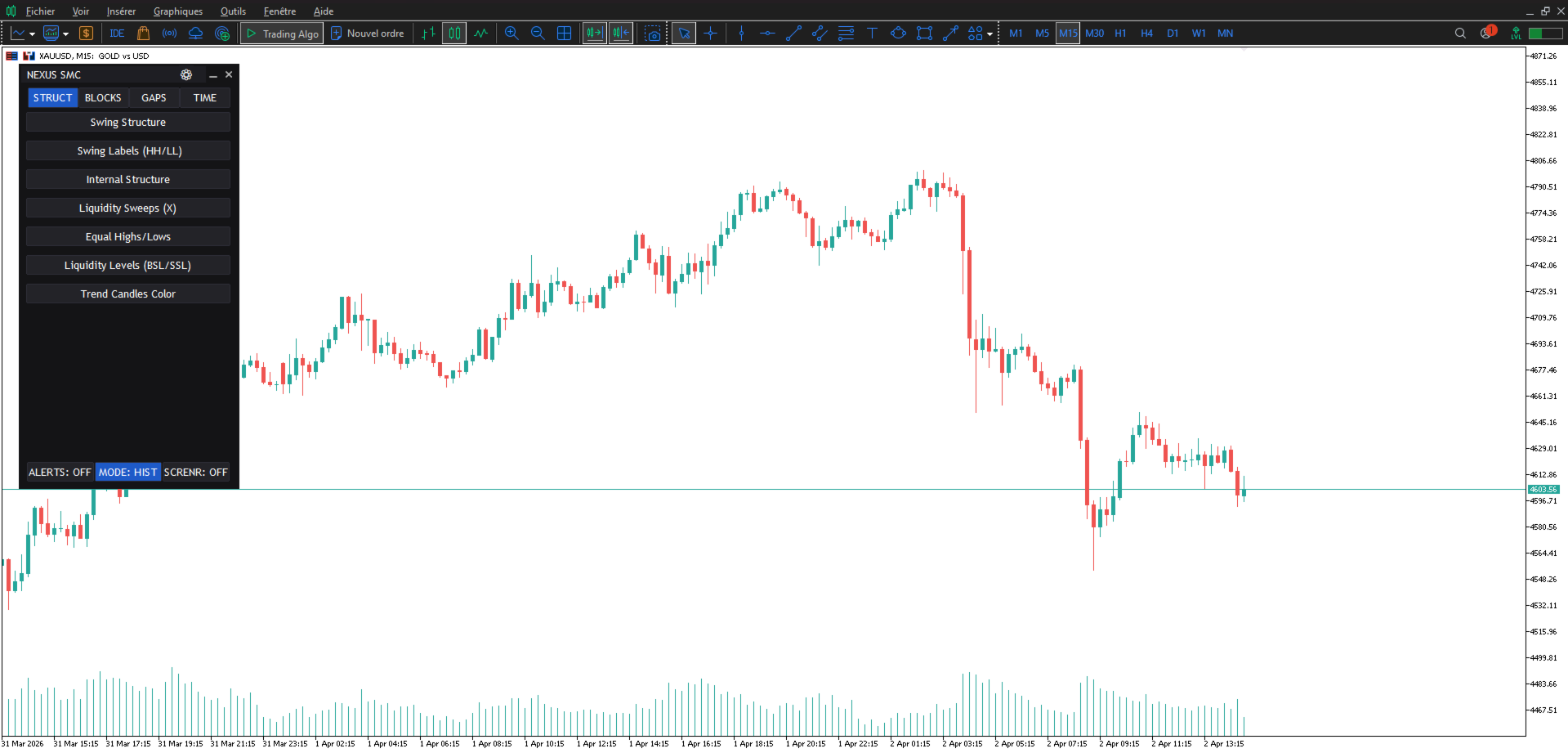
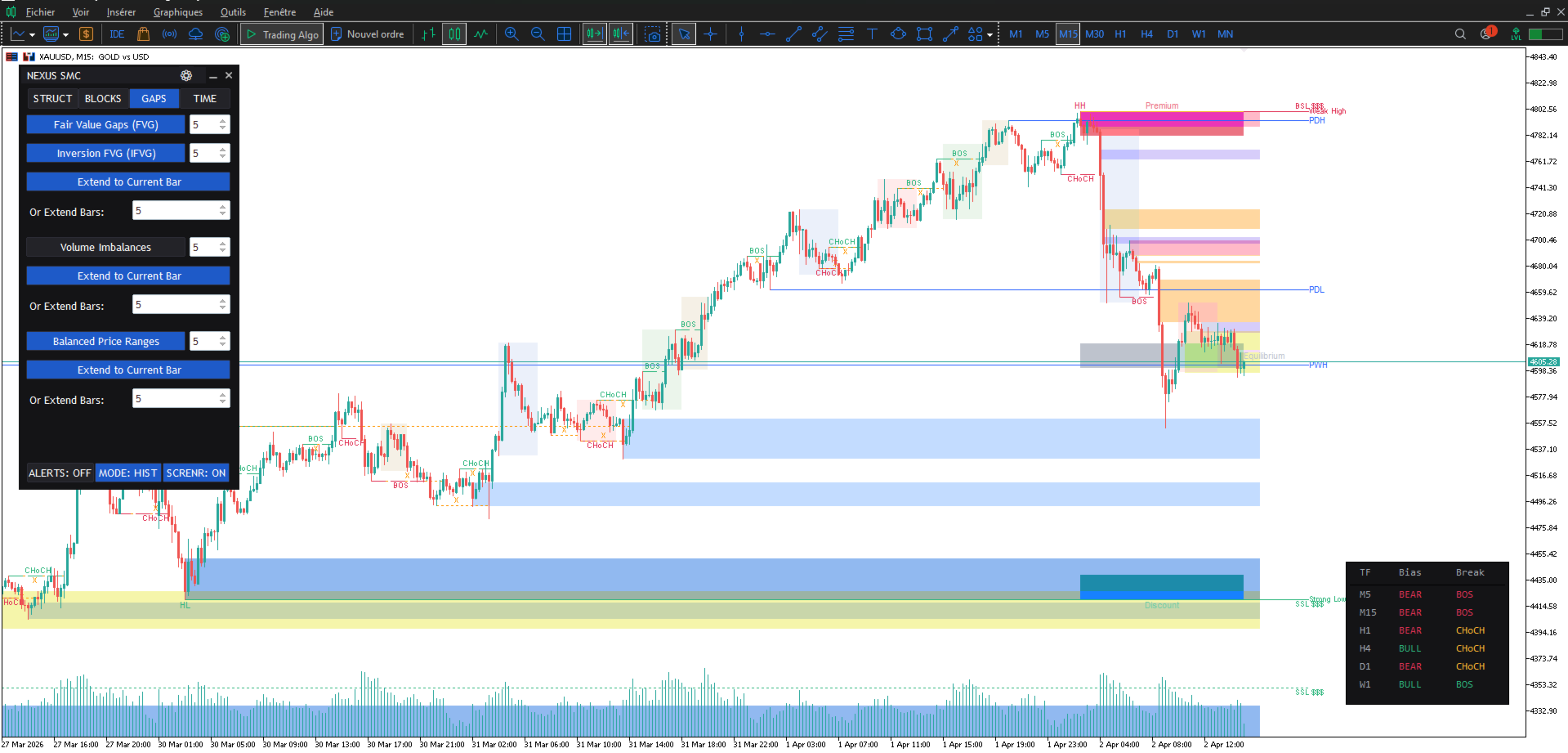
NEXUS SMC is a Smart Money Concepts (SMC) indicator for traders who follow ICT and similar methodologies. It automatically detects market structure, liquidity, order blocks and imbalances, and displays them in a clean and configurable way on any symbol and timeframe.
The indicator is built around an interactive panel and a multi‑timeframe dashboard. All calculations are non‑repainting and the code is optimized to remain responsive even when several options are enabled at the same time.
Main features
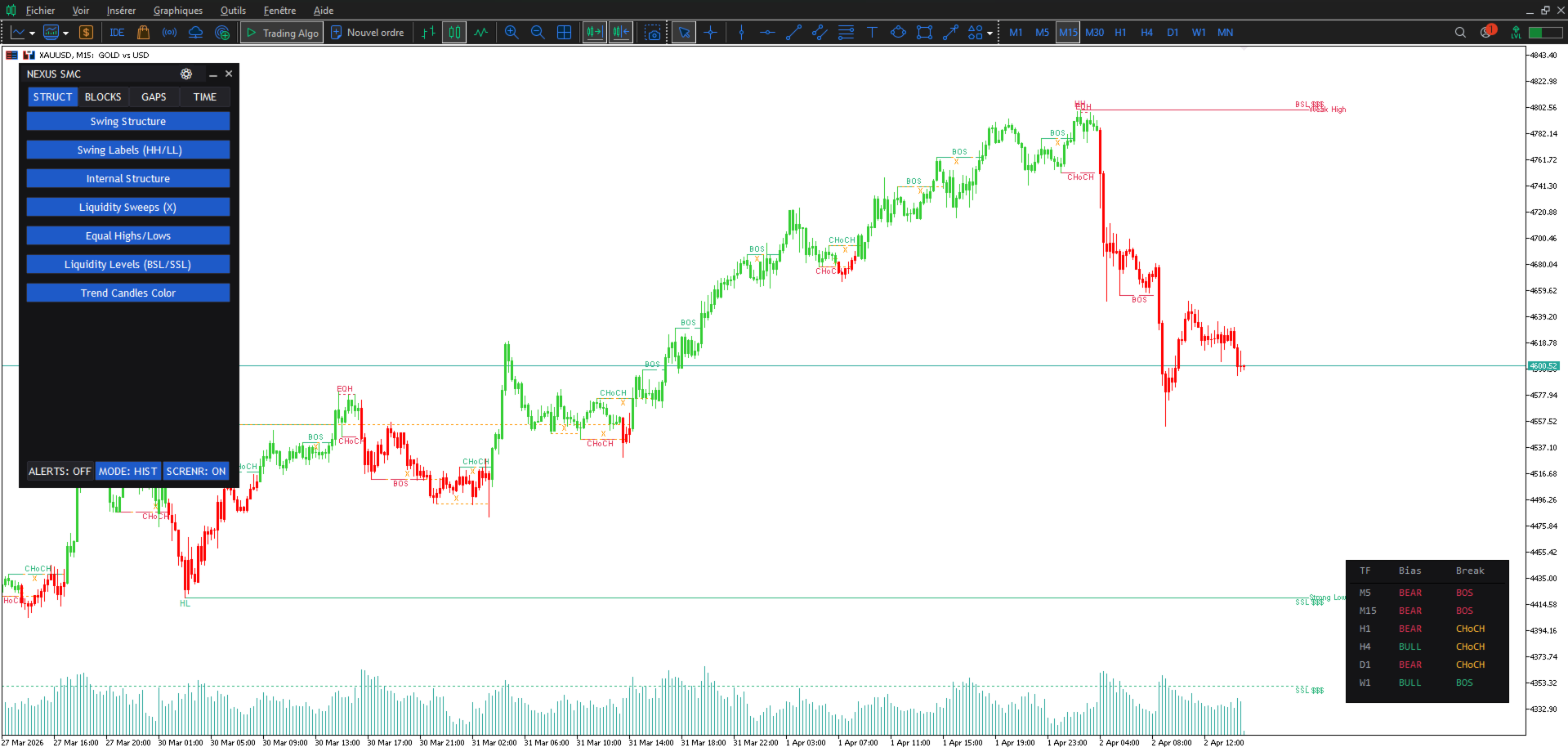
Market structure and liquidity
• Swing and internal BOS/CHoCH detection
• HH/HL/LH/LL labels for trend structure
• Liquidity sweeps and equal highs/equal lows
• Liquidity levels (BSL/SSL)
• Trend candle colouring for quick bias reading
Order blocks
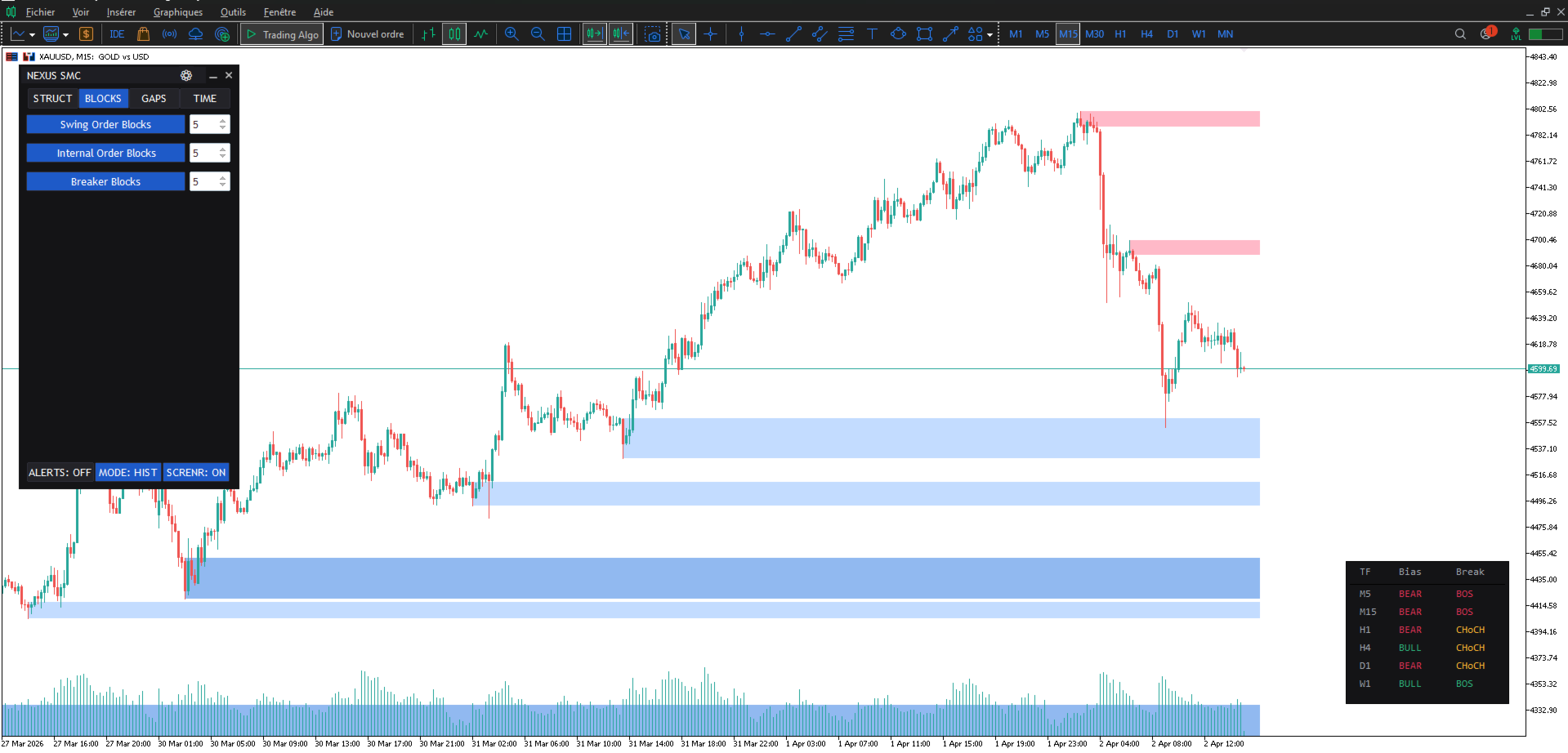
• Swing and internal order blocks
• Breaker blocks
• Configurable mitigation (Close or High/Low)
Gaps and imbalances
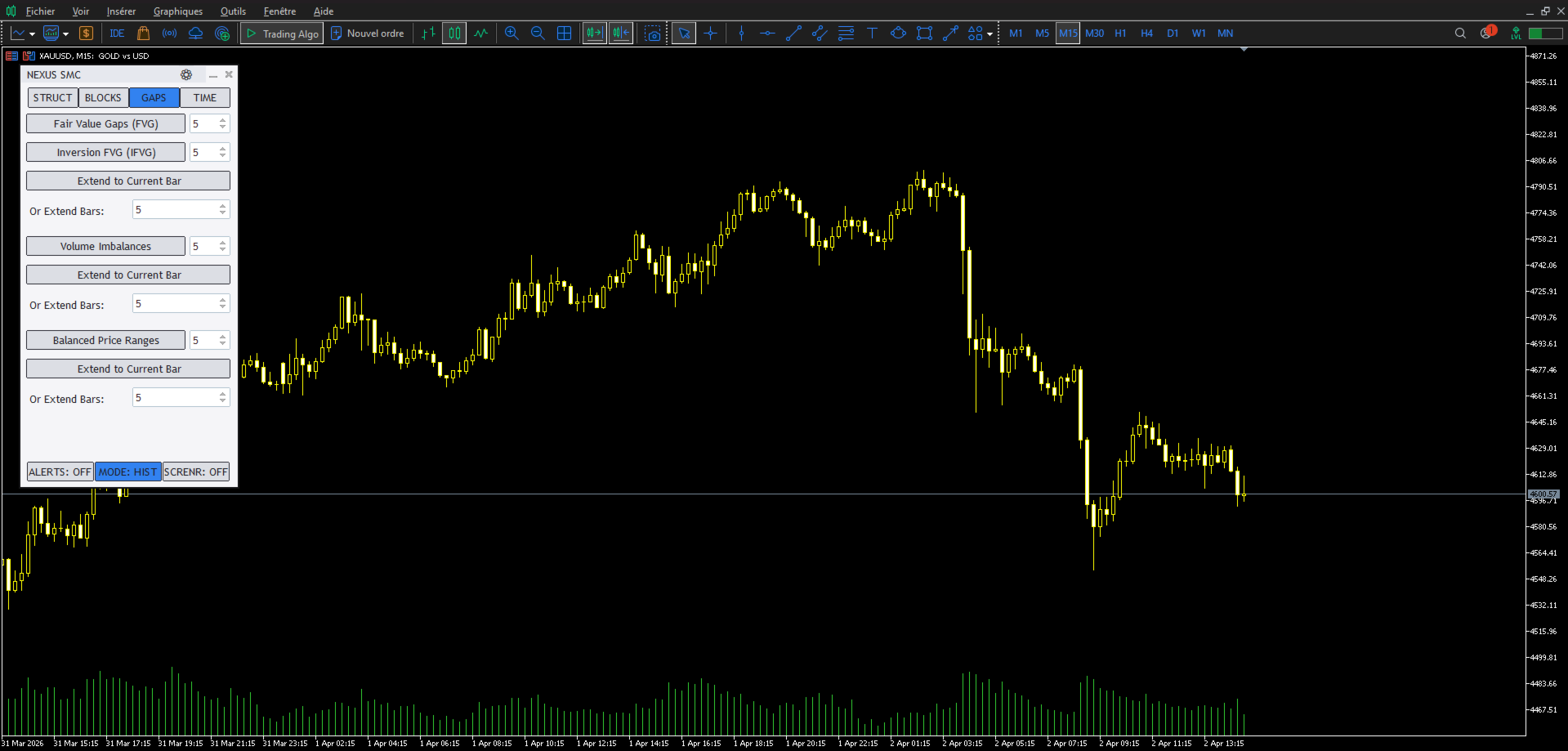
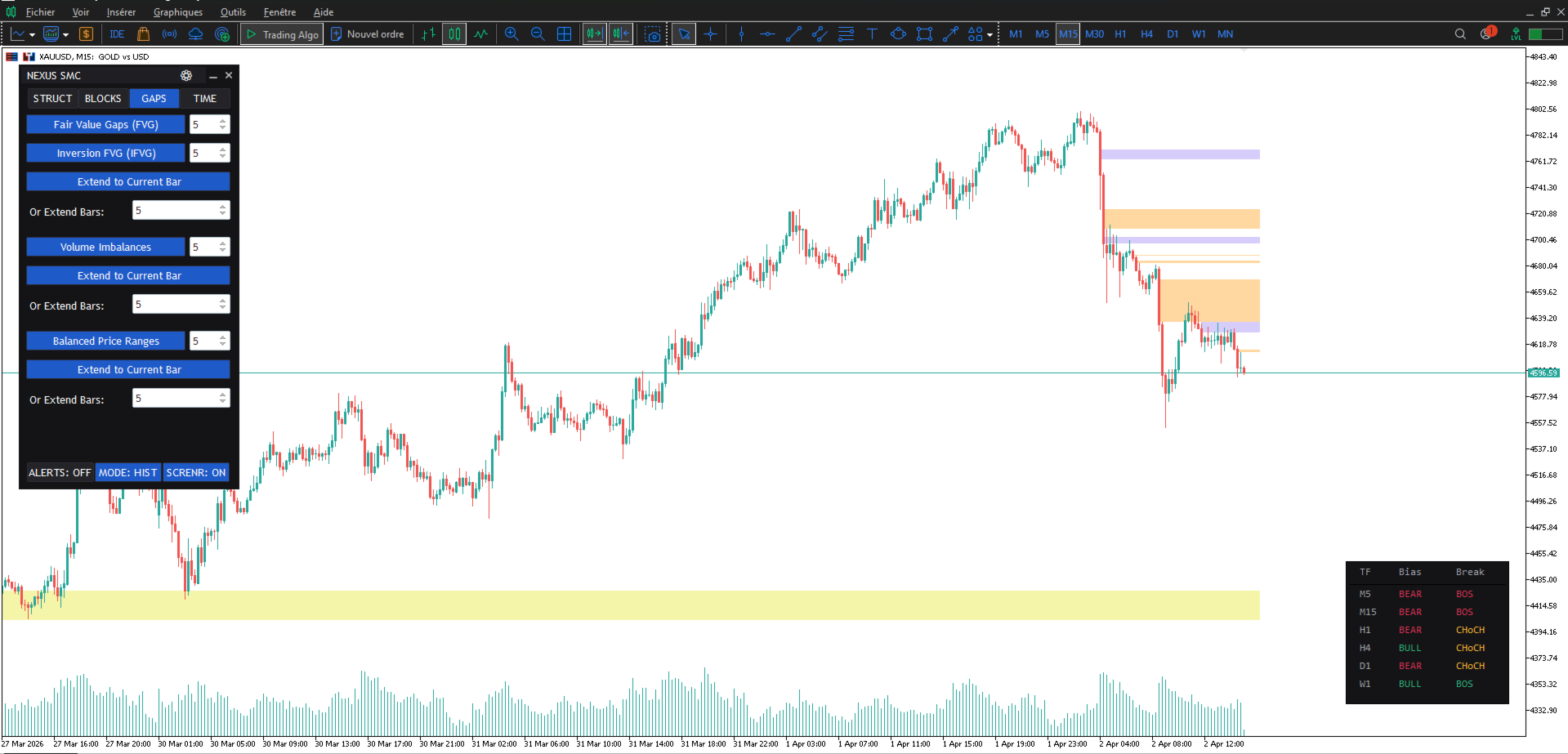
• Fair Value Gaps (FVG) with auto‑threshold
• Inversion FVG (IFVG)
• Volume imbalances
• Balanced Price Ranges (BPR)
Time and sessions tools
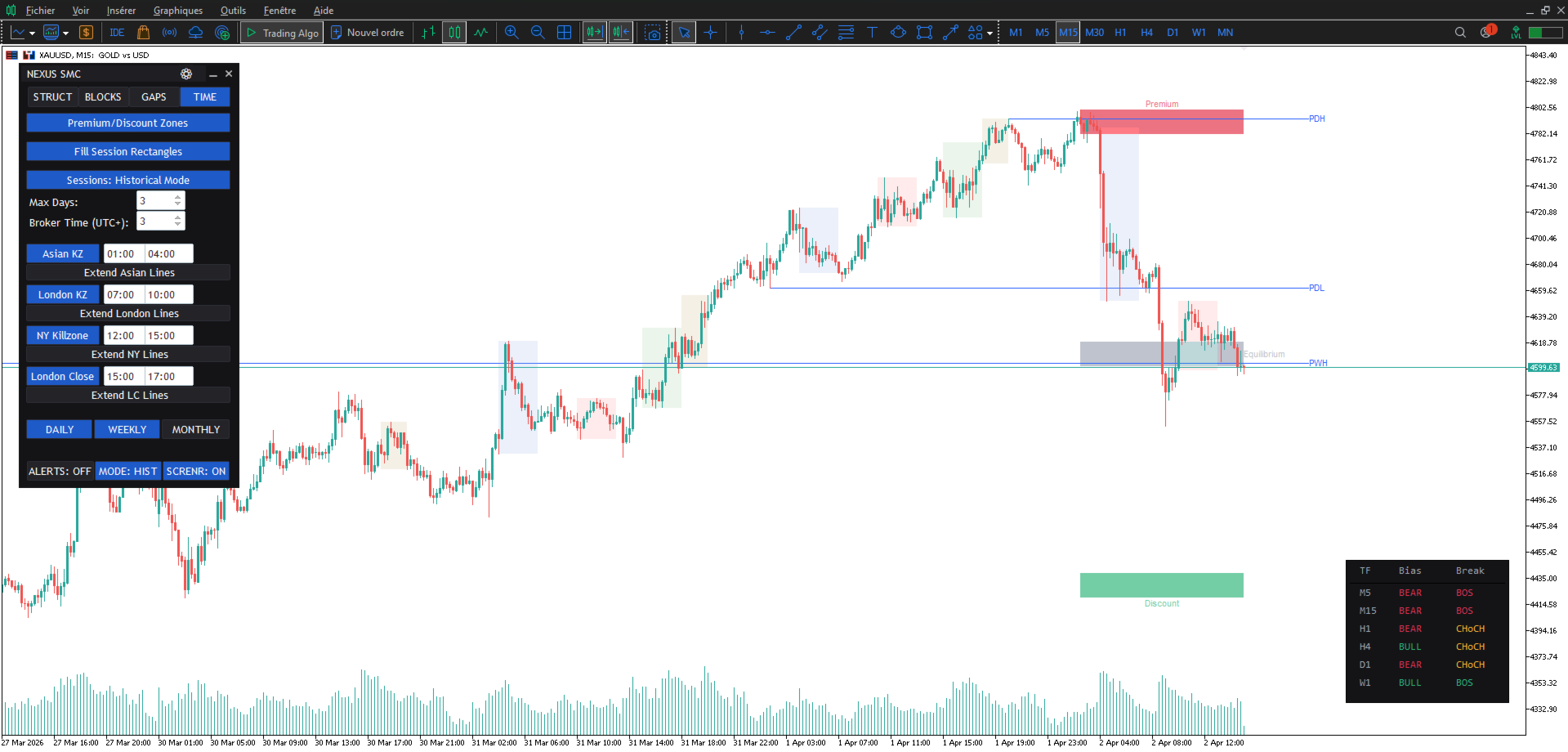
• Premium/Discount zones
• Asian, London, New York and LC killzones
• Daily, weekly and monthly levels
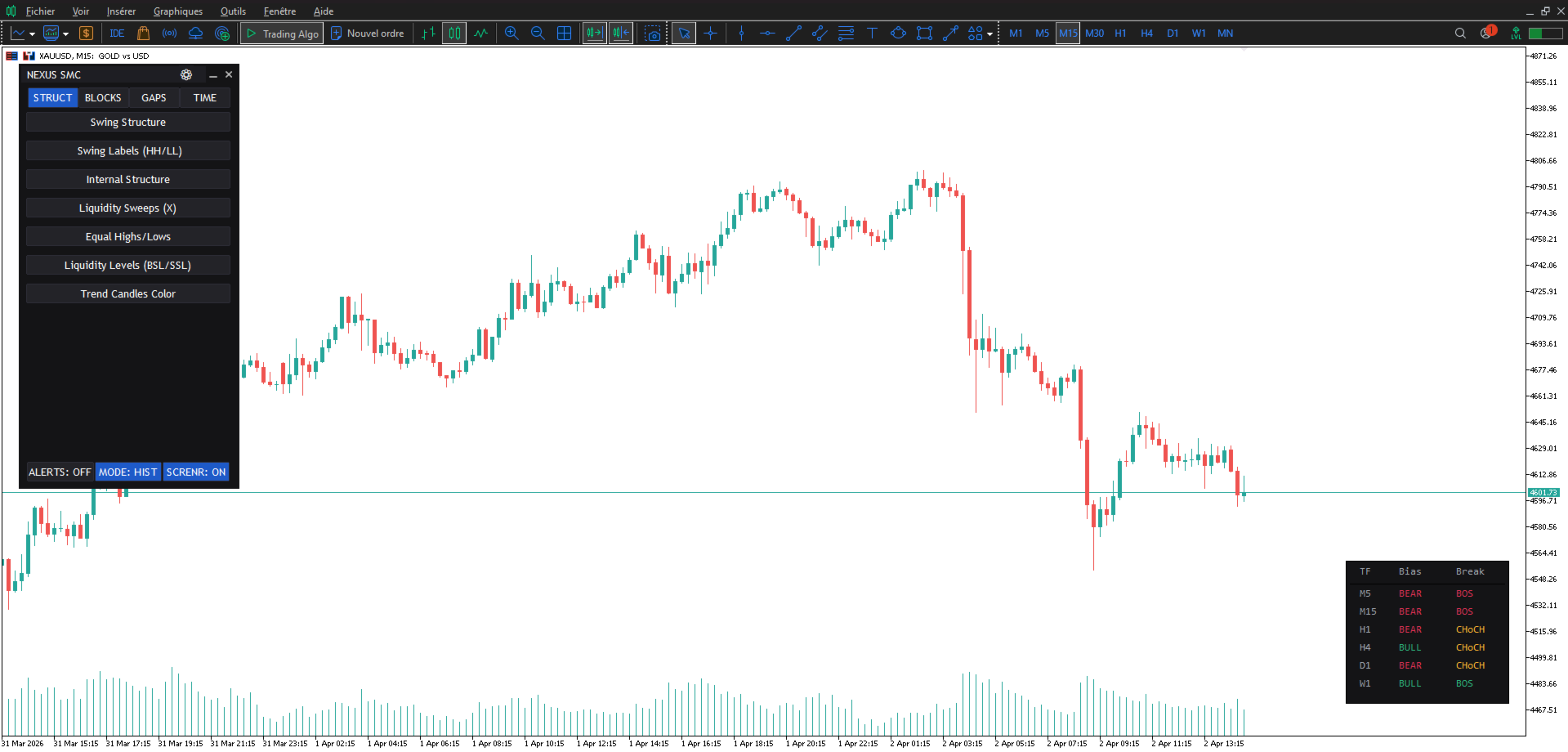
Multi‑timeframe dashboard
• Bias detection from M5 to W1
• BOS/CHoCH status per timeframe
• Draggable panel that can be placed anywhere on the chart
Interface and options
• Tabbed, ergonomic control panel
• Dark/light theme switching
• Saving and loading of settings
• Real‑time alerts
• Historical and present modes
All signals are calculated without repainting. The indicator works on any timeframe and any symbol, including Forex, indices, crypto and CFDs.
How to use
1. Attach NEXUS SMC to your chart and select the main timeframe you trade.
2. Enable the structure tools (BOS/CHoCH, HH/HL/LH/LL) to identify the current trend and key swing points.
3. Activate liquidity and order block modules to see where stops and institutional orders are likely located.
4. If you trade imbalances, enable FVG/IFVG and watch how gaps form and are later mitigated.
5. Use the multi‑timeframe dashboard to confirm the higher‑timeframe bias before taking trades on your entry timeframe.
The indicator does not open or manage trades. It is a decision‑support tool designed to help you apply Smart Money Concepts visually and consistently.
Inputs (summary)
• Structure settings: sensitivity of swing and internal structure, display of labels and colours
• Liquidity settings: equal highs/lows, liquidity sweeps, BSL/SSL display options
• Order block settings: swing/internal order blocks, breaker blocks, mitigation type, visibility filters
• Imbalance settings: FVG/IFVG display, auto‑threshold parameters, volume imbalance and BPR options
• Time tools: killzones selection, premium/discount ranges, daily/weekly/monthly levels
• Dashboard settings: timeframes used, position of the panel, display style
• General interface: theme (dark/light), alerts on/off, historical/present mode, performance options
A complete description of each input is available in the indicator’s parameters and in the comments on the product page if needed.
Recommendations
• Use the visual mode of the Strategy Tester to familiarise yourself with how NEXUS SMC detects structure, liquidity and imbalances on your preferred pairs and timeframes.
• Start with a limited set of features (for example structure + order blocks + FVG) and then enable additional modules if your platform remains responsive.
• Combine the multi‑timeframe dashboard with your own trade plan (entry triggers, risk management, session filters). The indicator does not replace trading rules.
NEXUS SMC is suitable for intraday and swing traders who apply ICT/SMC concepts and want them displayed consistently on the chart.
Version and support
This is Version 1.0 of NEXUS SMC. The indicator is actively maintained and will continue to evolve based on user feedback.
If you have questions, suggestions or would like to see additional features, you can contact me through the product discussion. I read every message and do my best to implement useful requests for future updates.
Overview
NEXUS SMC is a Smart Money Concepts (SMC) indicator for traders who follow ICT and similar methodologies. It automatically detects market structure, liquidity, order blocks and imbalances, and displays them in a clean and configurable way on any symbol and timeframe.
The indicator is built around an interactive panel and a multi‑timeframe dashboard. All calculations are non‑repainting and the code is optimized to remain responsive even when several options are enabled at the same time.
Main features
Market structure and liquidity
• Swing and internal BOS/CHoCH detection
• HH/HL/LH/LL labels for trend structure
• Liquidity sweeps and equal highs/equal lows
• Liquidity levels (BSL/SSL)
• Trend candle colouring for quick bias reading
Order blocks
• Swing and internal order blocks
• Breaker blocks
• Configurable mitigation (Close or High/Low)
Gaps and imbalances
• Fair Value Gaps (FVG) with auto‑threshold
• Inversion FVG (IFVG)
• Volume imbalances
• Balanced Price Ranges (BPR)
Time and sessions tools
• Premium/Discount zones
• Asian, London, New York and LC killzones
• Daily, weekly and monthly levels
Multi‑timeframe dashboard
• Bias detection from M5 to W1
• BOS/CHoCH status per timeframe
• Draggable panel that can be placed anywhere on the chart
Interface and options
• Tabbed, ergonomic control panel
• Dark/light theme switching
• Saving and loading of settings
• Real‑time alerts
• Historical and present modes
All signals are calculated without repainting. The indicator works on any timeframe and any symbol, including Forex, indices, crypto and CFDs.
How to use
1. Attach NEXUS SMC to your chart and select the main timeframe you trade.
2. Enable the structure tools (BOS/CHoCH, HH/HL/LH/LL) to identify the current trend and key swing points.
3. Activate liquidity and order block modules to see where stops and institutional orders are likely located.
4. If you trade imbalances, enable FVG/IFVG and watch how gaps form and are later mitigated.
5. Use the multi‑timeframe dashboard to confirm the higher‑timeframe bias before taking trades on your entry timeframe.
The indicator does not open or manage trades. It is a decision‑support tool designed to help you apply Smart Money Concepts visually and consistently.
Inputs (summary)
• Structure settings: sensitivity of swing and internal structure, display of labels and colours
• Liquidity settings: equal highs/lows, liquidity sweeps, BSL/SSL display options
• Order block settings: swing/internal order blocks, breaker blocks, mitigation type, visibility filters
• Imbalance settings: FVG/IFVG display, auto‑threshold parameters, volume imbalance and BPR options
• Time tools: killzones selection, premium/discount ranges, daily/weekly/monthly levels
• Dashboard settings: timeframes used, position of the panel, display style
• General interface: theme (dark/light), alerts on/off, historical/present mode, performance options
A complete description of each input is available in the indicator’s parameters and in the comments on the product page if needed.
Recommendations
• Use the visual mode of the Strategy Tester to familiarise yourself with how NEXUS SMC detects structure, liquidity and imbalances on your preferred pairs and timeframes.
• Start with a limited set of features (for example structure + order blocks + FVG) and then enable additional modules if your platform remains responsive.
• Combine the multi‑timeframe dashboard with your own trade plan (entry triggers, risk management, session filters). The indicator does not replace trading rules.
NEXUS SMC is suitable for intraday and swing traders who apply ICT/SMC concepts and want them displayed consistently on the chart.
Version and support
This is Version 1.0 of NEXUS SMC. The indicator is actively maintained and will continue to evolve based on user feedback.
If you have questions, suggestions or would like to see additional features, you can contact me through the product discussion. I read every message and do my best to implement useful requests for future updates.