 MetaTrader 5
 エキスパート
 インディケータ
 ライブラリ
ライブラリ
 ユーティリティ
 ウィジェット
 ルール
ルール
YouTubeにあるマーケットチュートリアルビデオをご覧ください
ロボットや指標を購入する
仮想ホスティングで
EAを実行
EAを実行
ロボットや指標を購入前にテストする
マーケットで収入を得る
販売のためにプロダクトをプレゼンテーションする方法
MetaTrader 4のためのエキスパートアドバイザーとインディケータ - 318
 自動売買ロボットは市場取引を自動的に実行しますが、インジケータを使用すると、相場をより適切に分析し、価格行動を予測できます。
これらのアプリケーションを使用すると、より多くの機会を獲得しながら、より多くの情報に基づいた方法でMetaTrader4で取引を実行できるようになります。
自動売買ロボットは市場取引を自動的に実行しますが、インジケータを使用すると、相場をより適切に分析し、価格行動を予測できます。
これらのアプリケーションを使用すると、より多くの機会を獲得しながら、より多くの情報に基づいた方法でMetaTrader4で取引を実行できるようになります。 
Hello friends, WaveKing is a piece of automated Forex trading Robot that automates trading decisions. EA was designed to open trades every day.The EA contains two strategies, one shock strategy and one trending strategy. Each order has a stop loss. No martingale , hedging or scalping .It's a unique EA that is totally based on market and price action. Default inputs apply to EURUSD(M1) . For testing deposit 5000+ USD . Monitoring of the Expert Advisor: https://www.mql5.com/zh/signals/518243 Re
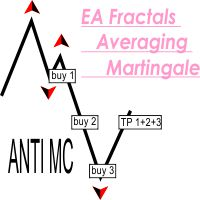
This EA successfully opposes the Fractal below then OP BUY otherwise if the new Fractal appears above then OP SELL If the wrong position will add a new transaction, and take profit at the same point This EA can run in two different directions (Buy will be counted separately from Sell orders) #Recomend Start Balance $1000 Flat movement is very good for work.
PARAMETERS Lots : Lots / volume orders Multiplier : Multiplier value of lot, You can use a small multiplier of 1.2 1.5 1.7 while Take Profi

This EA successfully opposes the Fractal below then OP BUY otherwise if the new Fractal appears above then OP SELL Flat movement is very good for work.
PARAMETERS Lots : Lots / volume orders TakeProfit : Take Profit Point if zero = No Take Profit StopLoss : Stop Loss Point if zero = No stoploss TF : Time Frame Fractals AutoStopLoss : If true , then StopLoss will be created automatically on High / Low Fractals
These EA fractals are simple EAs, it might be suitable to be tested on a currency pa

Robonacci is an intelligent robot that seems to understand the inherent nature of the market EURUSD very well. It uses Fibonacci Retracement levels extensively to determine potential support and Resistance levels. Although it uses levels for entry position, it’s main focus is to stay with the trend as long as possible. In its underlying strategy it uses “Cut the loses early and let the profit run” which is why it has a low winning rate. The robot uses four different market conditions: Ranging, T

The EA opens orders, when a fast MA crosses a slow MA:
Buy - from bottom to top, Sell - from top to bottom.
It provides for closing orders on breakeven and trailing stop.
It is also possible to open additional orders when the price moves towards the open position.
Settings: MagicNumber - order identifier; StartLot - lot size; SL - is the size of SL in points; TrailingStop - trailing stop size in points; Breakeven - breakeven; LevelBreakeven - breakeven size in points; LevelBreakevenProfit -

MoneyMaker v2
This expert advisor is based on idea that market produces very strong movement to opposite side once trend reversal is imminent. So our core trigger is bar size relative to previous bars optionally filtered by Bollinger Bands, Money Flow Index, Simple Moving Averages and Commodity Channel Index. MoneyMaker v2 also implements autolot based on free margin / Risk per single order (in %) parameter. Spread filtering is done through Minimum bar body size / pair spread multiplier (in po

PO MARTINGALE https://www.mql5.com/en/users/earobotkk/seller#products
This is an automated expert advisor that uses pending order and martingale strategy to gain profit. It is designed to make quick profit as fast as possible. INPUTS Trade Comment : user comment Magic No : unique EA Number Time Frame : default is H1 Max Spread : EA will not open new order if spread is more than maximum spread allowed. Lot : lot size. Take Profit: value in pips. Pip Step: distance between orders. Multiplier: l

Общие сведения Для начала торговли достаточно небольшого депозита. Подходит для мульти-валютной торговли. Не зависим от качества соединения и торговых условий. Мониторинг моих счетов: https://www.mql5.com/ru/signals/author/mizrael
Принцип работы Эксперт открывает ордера по встроенному индикатору. Если прибыль ордера больше значения параметра Profit в пунктах графика. Данный ордер закрывается и открывается новый в противоположном направлении объёмом Lot . Если прибыль ордера меньше значения
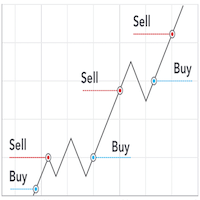
Pro Scalping is a fully automated Expert Advisor. Night scalping strategy. The ATR-based, RSI, WPR indicator and an Stochastic filter are used for entries. Real operation monitoring as well as my other products can be found here: https://www.mql5.com/en/users/hoangvudb/seller General Recommendations The minimum deposit is 100 USD, default settings reccomend for EURUSD M15 GMT +3 . Please use max spread 2 if you will not have orders change it to 3. Use a broker with good execution and with a

Экспертная система Element33 работает, на любых типах счетов. Работает как в 4-х так и с 5-значными котировками. Спрэд и реквоты не критичны, подойдет любой брокер. Экспертная система разбивает историю на 4 квартала, для оптимизации рекомендовано три года на периоде H1 или H4. Оптимизацию можно проводить по ценах открытия, результаты мало отличаются от тестирования по реальным тикам, поскольку бот работает по ценам открытия. Оптимизировать достаточно один раз в месяц! Для получения более хороших
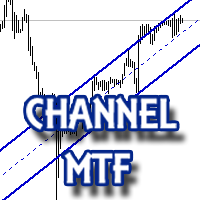
The multitime frame channel indicator in automatic mode provides a visual display of support and resistance lines.
It will be useful to all traders who use technical analysis in their work. The indicator can be used as a standalone market analysis tool, or as part of a trading strategy.
Settings
TimeFrame - timeframe to build the channel; Line color - The color of the channel lines; Mark the intersection? - Mark with a marker the price crossing the channel borders?
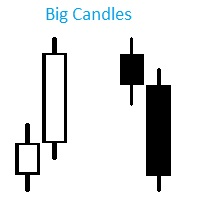
Индикатор Big Candles показывает кратное превышение размера свечи относительно среднего показателя рассчитанного за определенный период. Индикатор отмечает размер свечи на графике в пипсах и сигнализирует о появлении “большой” свечи. Описание параметров: HistoryBars - Количество баров для отображения индикатора countN - Период расчета среднего размера свечи f actor - Во сколько раз длина свечи превышает средннее значение, для отображения сигнала

Данная утилита предоставляет возможность работать с ордерами, переключатся по периодам и менять шаблон графика используя клавиши
клавиатуры. Быстрое открытие и закрытие ордеров, установка и удаление отложенных приказов пригодится как скальперам, так и
трейдерам торгующих на новостях. Смена периода или шаблона в одно нажатие клавиши, упростит анализ графиков. Также предусмотрено
закрытие части позиции. Возможность назначения любых клавиш и различные настройки ордеров, поможет собрать торговый пул

Scalping Indicator Pro is a powerful indicator that works in trend as well as non trending market conditions. This indicator is perfect for scalp trades as well as swing trades. Scalping Indicator Pro is not just an indicator, but a trading strategy itself. It doesn't requires any additional indicators for the trading setup.
Check out the indicator in action. [Video demonstration below]
Why use Scalping Indicator Pro? Great for novice traders as well as experienced traders. Low risk entries.
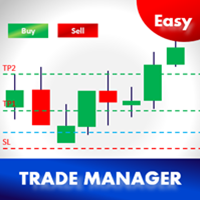
イージートレードマネージャー1.0
トレーダーとして成功するための最も重要な要素の一つである基本的な特徴。
1. TP1、TP2、TP3での本の利益
2.取引ごとに設定された金額に従ってリスクを管理します。例:100ドル(最大損失) - これはあなたの総資本の2%になります。
3. TP1、TP2、TP3で予約する金額(%)を設定します。例えば。 TP1で100ドルの50%、TP2で25%、TP3で25%
4. STOP-LOSSに基づいて自動的にLOT SIZEを選択してください。 (この機能を有効にするには、ロットサイズ=自動に設定してください)
5.最も重要なのは、TP1またはTP2で取引を自動的に損益分岐に設定することです。 (損益分岐= TP1 / TP2)
Plsはあなたが好きならEAと良いレビューを残す、改善するために私に提案を送る
上級ユーザー -
1. 2つの機能に基づいて自動的にトレイルストップロスを設定します(設定=はい/自動)。
- 手動でトレイルステップピップを設定す

This EA loads Support & Resistance Trend Lines and trade purely based on price action of breakout or Swing strategies. No effect with manual entry. It is possible to use this Expert Advisor as indicator. It also featuring both safe Hedging and Multingle methods as well with MANUAL entry by using control panel. Strategy 1: Breakout Swing Major & Swing Minor. Strategy 2: Swing Pivot High Low of the Major Trend only. Operating Procedure Use 15 Minutes time frame chart for best result. Use Mult
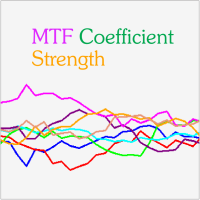
MTF Coefficient Strength is a Currency Strength Indicator based on RSI. It gives the strength of the 8 major currencies. What makes this indicator different from similar products are the following features : Choice between Classical Mode and Multi-Timeframe Mode. The MTF (Multi-Timeframe) Mode uses an averaging of the values coming from the different Timeframes. Possibility to use a Coefficient for each Timeframe separately. Possibility to draw Horizontal Lines in order to quickly compare lev
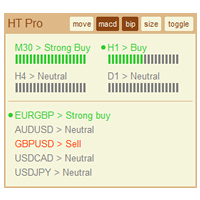
The indicator High Trend Pro monitors a big number of symbols in up to 4 timeframes simultaneously and calculates the strength of their signals. The indicator notifies you when a signal is the same in different timeframes. The indicator can do this from just one chart. Therefore, High Trend Pro is a multicurrency and multitimeframe indicator. High Trend Pro uses emproved versions of popular and highly demanded indicators for calculating its signals. High Trend Pro calculates the signal strength

HelloTrader is a completely new product view for the MetaTrader platform. Immediately after launching, the utility displays randomly one of the lines of the phrase, quotes of famous people or an aphorism in the upper left corner of the terminal. Every 5 minutes the recording changes.
The structure includes more than 1000 phrases, quotes and aphorism in Russian and English.
In the input parameters, you can choose the Russian language display of records, the default is English.
The utility star

A script that allows you to deselect all selected items on the current chart.
Very simple, but at the same time can be a very useful script, especially when a keyboard shortcut is assigned to it.
MT4 has the same functionality under the right mouse button, but using the keyboard shortcut running this script is much faster and more convenient.
The script does not have any input parameters.
Have fun using this free tool.
FREE

A script that allows you to quickly save the image of the current chart.
Accelerate the use of the script by assigning a keyboard shortcut to it. The image is saved in the location of your MT4 platform: /MQL4/Files/{current_date}. The script does not contain any parameters. The name of the chart being saved is determined automatically and consists of a symbol, the current date and the timeframe.
Attention! Files with the same names are overwritten!

The Progressive Expert System works using sharp tick movements. Works with a deposit of $ 100! The classic method of trading scalping. It is also worth noting that with the allowable spread level, the bot goes through any historical period on any currency pair. There is no point in testing at opening prices, either checkpoints or all tics. It is possible to work on accounts with a floating spread, entry into the market will occur only when the spread is lower than the level specified in the se
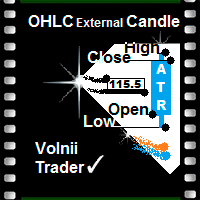
Open High Low Close Внешняя Свеча
Индикатор внешних свечей наложенных на график с выбранными вами тайм фреймом.
Наглядно отображаете уровни OHLC и пройденное значение ATR текущей свечи и свечей в истории.
OHLC — аббревиатура, дословно расшифровывается как:
O — open (цена открытия интервала (бара или японской свечи)).
H — high (максимум цены интервала).
L — low (минимум цены интервала).
C — close (цена закрытия интервала).
Данный индикатор наглядно покажет трейдеру, уровень открытия, закрыт
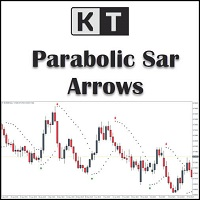
KT Psar Arrowsは、標準のパラボリックSARインジケーターを使用してチャート上に矢印をプロットします。ローソク足の高値がSARにタッチしたときに上向き矢印が表示され、安値がSARにタッチしたときに下向き矢印が表示されます。シグナルはリアルタイムで生成され、バーの確定を待つ必要はありません。
特徴
パラボリックSARインジケーターを活用した取引戦略を試したいトレーダーにとって有用なツールです。 市場の転換ポイントを見つけるために使用できます。 カスタムPSAR入力が可能です。 MT4のすべてのアラート機能に対応しています。
注意事項:パラボリックSARは遅延型かつ厳密な機械的インジケーターです。すべての取引シグナルは、明確に定義されたルールでフィルタリングする必要があります。
入力パラメーター PSARステップ値:ステップ値を入力します。 PSAR最大値:最大値を入力します。 PSARドット表示:PSARドットを表示/非表示にします。PSARドットがなくても矢印は正常に機能します。 その他の入力項目は直感的に理解できます。

Tiger Grid EA is an expert advisor using trading strategy which has been developed by using machine learning concepts. It has passed 14 years of backtest of real tick data and real variable spread (with commission) from 2004 to 2018. The entries are usually accurate and in case if the trend signal has a delay the positions will be managed by a smart grid system. This system uses a grid of orders which increases lot size. A new order is added into the grid only if the EA notice a potential reve

This is Advanced NotifyMe version with large interface.
Overview
The Expert Advisor allows you to receive notifications to the mobile phone (or tablet PC), mailbox or play the sound alert when some events occured: opening or closing position, placing or deleting pending order; changing open price, stop loss or take profit; the account balance, equity, margin level, free margin or drawdown has reached the user specified level. You can specify a notification interval, notification text template an

「 ZigZag on Trend 」インジケーターは、価格の動向を判断するのに役立つだけでなく、バーとピップの計算機能も備えています。このインジケーターは、トレンドインジケーター、価格の方向性を示すジグザグのトレンドライン、そしてトレンド方向に通過したバーの数と垂直方向のピップ数(バーの始値に基づいて計算)を計算するカウンターで構成されています。このインジケーターは再描画されません。便宜上、色付きのバーまたはラインで表示されます。すべての時間枠で使用できますが、M5以上の時間枠で最も効果的です。
「 Period 」は、価格の方向性を判断するためのバーの数を決定します。これは、一方向への平滑化されたトレンドを得るために、方向の長さを計算します。
「 Diapason 」は、トレンドの方向性の頻度を調整します。主に、異なる取引商品の最初のパラメータを調整するために使用します(EURUSDの場合は最大約10、GOLDの場合は最大約100)。
ピップカウンターは、あらゆる時間枠と取引商品での調整に役立ちます。
主なインジケーターパラメータ
「 Period 」 - トレンドの継

デイリー フィボナッチ ピボット戦略 トレーダー向けに特別に設計されたテクニカル指標である DFP Reconnoiter Ultimate の紹介です。このインジケーターには、標準的なフィボナッチ リトレースメント、毎日のピボット レベル、ローソク足パターン、ATR および ADR レベルが組み込まれており、反転領域と出口領域を特定し、タイミングの良いエントリーを実現します。 38.2%、50.0%、または 61.8% の主要なフィボナッチ リトレースメント レベルは、毎日のセントラル ピボットと組み合わせて推奨されます。 この戦略には、前の取引セッションの 5 日間を超える平均トゥルー レンジ (ATR) を監視することが含まれます。その後、価格が当日のセントラル ピボットを上回っている場合は前日の安値から高値まで、価格が当日のセントラル ピボットを下回っている場合は前日の高値から安値までフィボナッチ レベルが描画されます。焦点は、フィボナッチ リトレースメント レベルと毎日のセントラル ピボットの合流点を特定することにあります。特定された合流点へのリトレースメントが発生すると、ト

If you want to share your trading signal, but you do not want to distribute your investor password, this product is fit with you. "Just copier Pro" is designed to copy trading without any complicated settings. The copy can be done in one PC or over the internet. One EA can be set as master (provider) or slave (receiver). The receiver lot can be set to multiple providers lots. In "Globe" mode, the signal provider (master) have to give the password to signal receiver, (the password that is set in
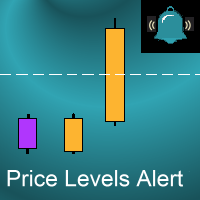
Introduction
This indicator alerts you when certain price levels are reached. The alert can be on an intrabar basis or on a closing price basis. It will also send alerts when one forms, including via e-mail or push notification to your phone . It's ideal for when you want to be notified of a price level being reached but don't want to have to sit in front of your chart all day.
Input Parameters
DoAlert: if set to true a desktop pop-up alert will appear from your MetaTrader terminal when the
Trend Scanner is a trend indicator that helps to determine the current and forecast market direction using an advanced algorithm. Thanks to flexible alert settings, the indicator will promptly warn you about a trend reversal. The indicator is intuitive and easy to use, and will be an excellent filter in your trending trading strategies. The lines of this indicator are also an excellent dynamic level for stop loss, and is used as one of the types of trailing stop in Trading Panel . To fine-tune t

This Expert Advisor analyzes the last candles and determines whether there will be a reversal or a large correction. In addition, the readings of the MACD and RSI indicators are analyzed (their parameters can be adjusted). After analyzing the indicators, when their readings confirm a trade, the transaction opens in the right direction and closes on the opposite signal, take profit or stop loss. To reduce losses and increase profits (with good trading), you can adjust the change in lot depending

The utility TradeKeeper Pro allows you to open a trade manually with a magic and a volume of your choice. It does not open its own trades, it can only open a trade by your command.
TradeKeeper Pro can trail any open trades by the iSAR (parabolic) indicator, and a simple trail. It can set the stoploss level at the open price as soon as possible. To trail any open trades for any instruments, it suffices to launch the utility in one chart. TradeKeeper Pro can close any trades or pending orders of a

Auto Fibonacci indicator that draws the Fibonacci retracement on the swing you are looking at, and redraws it the moment you zoom or scroll the chart. Zoom in on a pullback and the levels measure that pullback. Zoom out and they measure the whole trend. There are no anchor points to drag and no levels to redraw after every new high. Key features Measures the highest high and the lowest low on your screen, the current candle included. Follows zoom, scroll and window size at once, even when the ma

チャート上でトレンド方向を直接確認 KT Trend Magic はモメンタムとボラティリティを組み合わせ、価格に沿って動く色分けラインを表示します。ラインは現在のトレンド状態を連続して示し、計算された方向が変わると色も切り替わります。 緑のライン: 強気のトレンド状態を示します。 赤のライン: 弱気のトレンド状態を示します。 色の変化: チャート上の新しい方向転換を示します。 持続的な動きでは、ラインを押しや戻り、継続を確認するための動的な基準としても利用できます。各転換を現在の値動きとご自身のエントリールールに照らして判断できます。 9つの時間足でシグナルを比較 マルチタイムフレームスキャナーは、M1、M5、M15、M30、H1、H4、D1、W1、MN1 の Trend Magic 状態を Bullish または Bearish で表示します。時間足ごとに別のチャートを開かずに、現在のチャートと短期および長期の方向を比較できます。 複数の時間足が同じ方向を示しているか、現在のチャートが広いトレンド背景に逆行しているかを確認できます。チャートのラインは詳細な局所表示を、スキャナーはよ

Dark Sniper pointer indicator.
Complete absence of redrawing
The percentage of correct indicator forecasts depends on your settings; the default is period 7 (performed better)
The arrow indicates the direction of the next candle and the possible direction of the trend in the future. Suitable for small timeframes m1 and m5 It is recommended to open transactions from 1 to 2 candles. The signal appears on the current candle. Open a trade on the next one since the signal is being generat

Trump Day Indicator for Effective Profitable Binary Options Trading
complete lack of redrawing
The arrow indicates the direction of the next candle and the possible trend direction.
Percentage of correct indicator predictions from 80%.
its benefits:
signal accuracy. complete lack of redrawing. You can choose absolutely any tool. indicator will provide accurate signals.
It is recommended to open trades for 2 - 3 candles. Pros indicator: 1. forward signals. 2. high accuracy of the reports.

Polar Bear – полностью автоматизированный советник с использованием сеточного алгоритма. Стратегия советника основана на анализе действия цены. Не использует индикаторы или дополнительные фильтры. Рекомендованный период - "H1". Рекомендованная валютная пара "EURUSD". Параметры onStoploss - устанавливает стоплосс (уровень определяет автоматически); onTakeProfit - устанавливает тейкпрофит (уровень определяет автоматически); StopsOff - удаляет стопы если в сетке открыты более двух ордеров; Leve

KT Pin Bar identifies the pin bar formation which is a type of price action pattern which depicts a sign of reversal or rejection of the trend. When combined with support and resistance, BRN and other significant levels, Pin Bar pattern proved to be a very strong sign of reversal.
Basically, a pin bar is characterized by a small body relative to the bar length which is closed either in upper or lower 50% part of its length. They have very large wicks and small candle body.
A pin bar candlestic
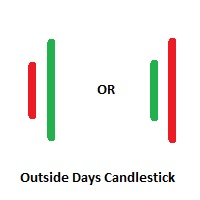
Outside Days Candlestick Bulkowski The Outside days candlestick is a well-known candle pattern composed of two candles. This indicator for showing outside days candlestick that describe by Thomas Bulkowski.
If you need for MetaTrader 5 version, please visit here: https://www.mql5.com/en/market/product/34406
Feature Highlights Show outside days candlestick. Customizable "Symbol". Customizable symbol distance from candlestick.
Input Parameters Symbol - Input symbol code from "wingdings" for out
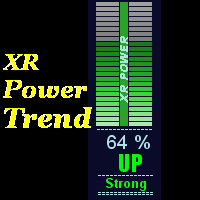
This indicator displays XR Power Trend movement.Indicator displays Moving Average period 5,Moving Average period 26,Moving Average period 52,Commodity Channel Index,MACD,Average Directional Movement Index,Bulls Power,Bears Power,Stochastic Oscillator,Relative Strength Index,Force Index,Momentum,DeMarker,average movement.Indicators period is standard period.
Features X - move the trend left and right. Y - move the trend up and down.
How to understand the status: If the Trend color is green, t

What Exactly Is A Smart Trading Tool? Smart Trading Tool was developed for fast and comfortable trading of the financial markets especially for ORDER BLOCKS TRADERS . It provides traders functionalities, such as: A Drawing Tool One-Click Trading Panel Automated Lot Sizes Calculation based on your risk appetite & Money Management ( Watch this video , how this tool can help manage your risk per trade better!) Built in PRICE LEVELS (Fibonacci, Round Numbers, Daily hi-low, etc) Shows Trading Informa

Conquer Scalper is a Trading Robot with no use of Classic martingale. Schedule scalping Options.
Operating Environment: 1、Recommended currencies: EURCAD, EURCHF, EURNZD, GBPAUD, GBPCAD, GBPNZD, NZDCAD, NZDCHF. 2、At least Balance : 100 USD. 3、TimeFrame : M5 4、Broker:Trusted Brokers 5、Spread : less than 50. 6、Server delay(Ping): less than 20ms.
Parameters: RobotComment -ea order comment MaxSpread- maximum spread, at which the EA is allowed to open and close positions; MaxSlippage-maximum sl

Super HunterScalper (Very Fast EA no Graphics)
The Super Hunter Scalper is a Trading Robot with no use of Classic martingale. Schedule scalping Options. it uses Math Algorithm to detect entries and closing trades. Please to check The version 2.0 of Hamster Pro : Hamster_PRO_MT4 Recommendations : Lot : 0.01. Balance : 100 USD. Pair : EURUSD. TimeFrame : 5Min. Spread : 30. Broker : Trusted Brokers
Inputs descriptions : iLot // Initial Lot stop_loss take_profit Start_hour End_hou

The advantage of using this EA This EA directly updates takeprofit and stop losses that are still empty in a manual order
Parameters Multiplier: Multiplier value of the previous transaction Distance: Distance hedging from the previous order Takeprofit: take profit taken from the last price + the value of this column
We recommend that you do not add more than one manual transaction in the same pair martingale hedging | manual hedging | hedging manual | hedging lot | best robot | best ea

Порядок работы
Эксперт работает на любом таймфрейме на любых валютных парах.
При возникновении необходимых условий происходит открытие ордера.
Программа позволяет задать два периода времени, в которых не будет происходить открытие первичных ордеров, указывается час начала периода отключения и час окончания периода отключения. Эту возможность удобно использовать для исключения времени выхода новостей.
Для исключения ложных срабатываний вследствие изменения цены в период выходных дней в прогр
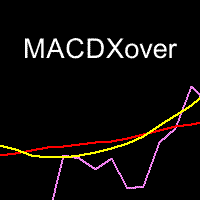
This indicator helps you to find price that may cause MACD Signal crossover on the current bar.. These crossover points are depicted in form of stars (like Parabolic SAR).
prevEMA line also helps you to decide the trend.
Get 20% OFF for rents for 1 year! How to use:
MACDSignalStars (Violet) stars displayed are the the prices that make the MACDmain = MACDsignal.
If the close price is higher than the star, then MACDmain > MACD signal. If the close price is lower than the star, then MACDmain < MA
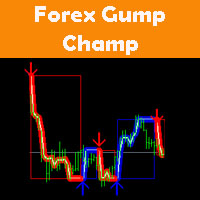
ForexGumpChamp is a professional trading system. With the help of this trading strategy, many well-known forex traders and investor managers work. We, as developers, have analyzed their trading strategy and converted it into a simple and clear indicator. ForexGumpChamp itself analyzes the market and gives the trader simple and clear signals to open and close deals. In order to make your work even easier and to eliminate the need to be constantly at your computer, we have integrated an alert syst

A simple but very useful indicator that allows you to display the current date and time on the chart. Especially useful when you save your analysis or trades.
Features: show local date and time show server date and time show remaining time to end the current timeframe interval customizable display parameters - show/hide date or time set display position set display size set display color works on every timeframe

Scalping Trender ***Specialized for scalping trading on timeframe 5m & 15m***
work best with: **USDMXN m5 **USDMXN m15 **GBPJPY m15 **EURJPY m15 **USDTRY m15 **EURTRY m15
Scalping Trender use smart algorithm detects the price circles with time . give strong signals at the right time as result of combine the price and time.
our team spent months to develop this indicator specially for Scalping..with high success rates about 89% win trades .
Advantages Easy, visual and effective Signals.

Parameters
AutoTargetMoney If the total profit on the account equals or exceeds the target that has been filled in this column, EA will close the order of all transactions AutoTarget % If the total profit on the account equals or exceeds the target in the percentage of the balance that has been filled in this column, EA will close the order of all transactions DeletePendingOrders If TRUE is when the profit transaction is reached from TargetMoney or Target Percennt column, then EA will delete Pe

This particular methodology. Please note the odd sequence in counting, as you will see, it is necessary for the inductive analysis. By starting with a top we are assured of beginning our count on a new wave. (The reverse would apply for a bearish wave.) The 2 point is a top. The 3 point is the bottom of the first decline. The 1 point is the bottom prior to point 2 (top), that 3 has surpassed. The 4 point is the top of the rally after point 3. The 5 point is the bottom after point 4 and is likely
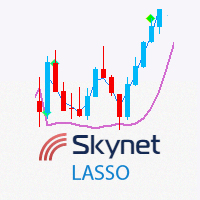
This indicator displays entry and exit points in the market. The indicator is based on Parabolic and various mathematical and statistical methods to increase profitability and reduce the number of losing trades. The indicator helps in many cases to skip false inputs, the support and resistance lines go around the price in a certain mode, reducing losses. The dashboard shows the results of the indicator so that you can adjust it more accurately and see how the parameters affect the result. The n

LeopardAdaptive is an advisor that works on the basis of candlestick analysis with simultaneous dissonance of three different embedded algorithms that determine the trend direction. The default settings of the advisor are optimal for working with four recommended trading instruments. The lot size or risk percentage can be selected by the trader. Every trade order has a stop loss and take profit. Recommended: EURUSD 15m, GBPUSD 15m, USDCAD 15m, USDJPY 15m. Settings:
Comment to order - comment t

Crossover Tactics Ultimate Expert Advisor は、 一般的な 移動平均クロスオーバー戦略 を自動化するように設計された強力なツールです。高度なフィルタリング技術を採用して信号の信頼性を高めながら、3 つの移動平均の交差に基づいて最適なエントリー ポイントを特定することに優れています。ただし、この EA を際立たせているのは、TPSL ドライバー ユーティリティ アルゴリズムとして知られる包括的な取引管理システムです。 このエキスパートアドバイザーの際立った機能の 1 つは、ストップロスとテイクプロフィットのレベルを目に見えずに管理できることです。この革新的な技術により、トレーダーは自分の取引アイデアをマーケットメーカーブローカーから隠すことができ、追加の保護層が提供されます。さらに、テイクプロフィットレベルとストップロスレベルは、$10 のテイクプロフィットレベルを指定するなど、金額を使用して設定できます。 EA には利益保護機能も含まれており、利益が増加するにつれてストップロスを迅速に調整します。たとえば、利益が 5 ピップスに達すると、ストップ

The DYJBands opens and closes positions using Bollinger Bands signals: It performs trades after a price rebound from the borderlines of the indicator. It has the option to close positions by an opposite signal, by take profit and stop loss, move a trade to breakeven upon reaching the central Bollinger band or after a certain price movement. By default, the EA is configured for trading the GBPUSD currency pair on the H1 timeframe. Also, settings for the EURUSD, USDJPY, USDCAD and XAUUSD currency

"Quick Copier" is designed to copy trading without any complicated settings. It copies master orders faster than "Just Copier". The copy can be done in one PC. Please also check this product at fxina.hostingerapp.com. One EA can be set as master (provider) or slave (receiver). The receiver lot can be set to multiple providers lots. Any type of copy is available. MT4 -> MT5 MT4 -> MT4 MT5 -> MT5 MT5 -> MT4 If you want to copy MT4 -> MT5 or MT5 -> MT4, please purchase "Quick Copier MT4" and "Quic

Master IA Power は、価格とスピードの変化に適応し、市場に注文を出すのが便利かどうかを計算する、非常に数学的に複雑なEAです。 あなたが注文を送るとき、あなたは安定したそして一貫した利益を集めるために便利なロットをテストしています。 そして彼は、市場に留まり続けることが利益にならないと計算したならば、市場をすぐに離れることを躊躇しません。 Master IA Powerは、前向きな利益を提供し、徐々に資本を拡大し、同時に私たちのアカウントを常に増やすことから逸脱することなく、継続的にBalanceとEquityのバランスを確立しようとしています。 流動性がある通貨市場で事業を行うことは非常に便利です。 GBPUSDとEURUSDで操作することをお勧めします。 Maisutā IA pawā wa, kakaku to supīdo no henka ni tekiō shi, ichiba ni chūmon o dasu no ga benri ka dō ka o keisan suru, hijō ni sūgaku-teki ni fukuzatsuna EAd
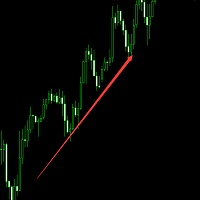
这个EA目前使用在欧元兑美元货币,1分钟---1小时图表都可以,资金大于100即可。如果资金太小会停止交易。
做单方式: 在市场确定方向以后进单,然后移动止盈来保存利润,跟随趋势做单,有固定止损和移动止损。 因为参数是适合市场的调整,请挂模拟盘测试,有什么问题可以发消息给我。谢谢。。。。。。 建议使用滑点比较低的平台运行。 参数设置说明: OpeningOrder =false;---开启做单,请修改为:true Magic=1580585857;---订单识别号 Lots=0.1;---------固定手数。 UseMoneyManagement =true;--是否启用根据资金设置手数 MaxRisk = 0.04;---下单占资金的比例 MaxLotsPerOrder = 10;--下单最大手数。

这是一个MT4自动跟单的EA,发送端下单以后接收端自动秒跟,包括手数,止盈,止损同时设置,下单手数可以根据自己的情况设置加倍也可以固定手数,适合多帐户同时交易的朋友们。 可以多个平台跟单,可以 一个主发送帐户多个跟单帐户,也可以同时跟多个主帐户。 参数说明:
DirectionSelection=Receive;为主发送端。--SendOut为接收端。发送端其它无设置 Receiving Parameters;以下是接收端设置。 SendingEndID = " ";填写发送端交易帐户的ID,全为数字。 AcceptanceMode=Multiplication;接收端下单模式,加倍模式。--Fixed为固定手数下单。 MultiplicationLots = 1; Multiplication模式下的下单倍数 FixedLots = 0.01;Fixed模式下,固定手数。 SymSuffix="";接收端交易品种名称如果有后缀,请正确填写,比如:EURUSDxxx填写xxx就可以。
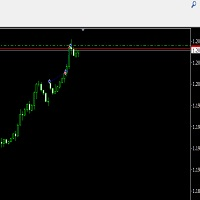
这个EA是加仓操作,但不是不停的加仓。会有止损和锁单,适合大多数货币。如果不改动参数适用于欧元兑美元1小时周期。 止EA经过实盘验证品种为欧元兑美元,参数会根据行情经常更新。请多多关注。 展示信号:
交易方式:完全趋势运行有止损和移动止损,加仓。最小资金1000美金就可以运行0.01手开始。 建议使用滑点比较低的平台运行。 参数设置说明: Lots=固定手数;这是1万美金的参数,请以1000美金设置0.01为比例。 OpenStorage =false;加仓开启- -这个请一定开启,设置为true。 AddLots=0.02;加仓数量(手数),测试参数为0.1 Maxnumber=50;最大订单数量 MaxLots=0.2;最大订单手数 Reversedoubling=3;反向锁单倍数
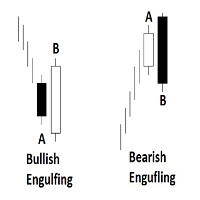
Engulfing Candlestick Bulkowski The engulfing candlestick is a well-known candle pattern composed of two candles. This indicator for showing engulfing candlestick that describe by Thomas Bulkowski.
If you need for MetaTrader 5 version, please visit here: https://www.mql5.com/en/market/product/34183
Feature Highlights Show bullish engulfing and bearish engulfing. Customizable "Up Symbol". Customizable "Down Symbol". Customizable symbol distance from candlestick. Customizable "Down Color". Custo
Автоматический советник предназначен для торговли новости Nonfarm Payrolls. Торгует советник один раз в месяц при выходе новости, новость ищет и скачивает с сайта Investing.com. Советник мультивалютный устанавливается только на один график, валютная пара любая, таимфрейм любой. В настройках советника установлены для торговли эти валютные пары (USDJPY, GBPUSD, EURUSD, USDCAD, NZDUSD, AUDUSD) список валют можно редактировать добавлять либо удалять нужные валюты для торговли. Для работы советн

MARTINGALE & HEDGING https://www.mql5.com/en/users/earobotkk/seller#products
MARTINGALE & HEDGING is a fully automated EA that uses martingale and hedging strategy. This expert is designed to make quick profit as fast as possible. INPUTS Trade Comment: user comment Magic No: unique EA Number Time Frame: default is H1 Lot: lot size. Take Profit: value in pips. Max Spread: EA will not open new order if spread is more than maximum spread allowed. Multiplier: lot multiplier. Pip Step: distance in
敏感なシグナル指標はあなたが高い確率で本当の傾向の動きの始まりを設定することを可能にしま。著者によって開発されたフィルタリングは数回の反復で実行され、通常の価格変動の正確な軌跡(より正確にはそのような変動の最も可能性の高い曲線)を明らかにしてそれを描きます。 同時に、通貨ペアの引用符のランダムな動きがフィルタリングされます。 このようなフィルタリングは、信号が常に非常にノイズが多い外国為替市場での取引に非常に効果的です。 指標の読みは視覚的で非常に単純であり、コメントを必要としません。 青い三角形は価格変動の通常の要素の上昇トレンドにあり、赤い三角形は下降トレンドにあります。したがって、赤の三角形が青に置き換えられた場合のBuyのエントリポイントと、逆にSell - のエントリポイント。 インジケーターの感度のレベルは « Select sensitivity level» の設定で調整。 インジケーターは、TakeProfitを、シグナル後の価格が到達する可能性が最も高い値と見なします。
同時に、感度レベルを上げると、信号の遅延が
Hedge EA is developed to capitalize the market regardless of the direction it is moving. It starts with user-defined lot size for example 0.1, and gradually increase to 0.2 and so on (according to multiplier and maximum level setting) if the market reverse. The EA has several modes of entry for fine-tuned timing for example Trendline Buy that activates the first position only after price crosses the line. More importantly, the EA is equipped with a recovery management system that gradually close
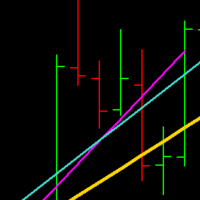
TrueRegression will calculate the linear regression of a given sequence of bars, and display the line of best fit on the chart. Regression is used to determine whether a market is currently trending, and whether sub-trends are occurring, which can hint at a potential breakout situation. The indicator will recalculate every 'n' bars (defined by the user input). When the indicator re-draws, it will keep the original lines on the chart, unmodified, so they can be referenced by a custom EA, or by th

The Sensitive Price Level indicator (SPL) draws fixed horizontal levels on charts that allow seeing sensitive target prices, helping to find more accurate entry points to open or close your trades. It is a needful instrument to take a decision in trading activity and to give a clear orientation on charts. A simple control panel allows calculating operation costs and lots. Features 1.Grid visualization price levels multiple of 10X,100X,1000X, identified by colors: - 10X : DIMGRAY dot lines. -

Weekly Pivot There are a lot of advantages when trading with support and resistance lines, and they should be a staple in every trader's arsenal. Another effective method of deriving multiple horizontal based support and resistance lines is using a formula derived from yesterday's High, Low and Close bar. The formula maps out pivot point levels consisting of the pivot, and three levels of support and resistance, and these levels can be traded much the same way as trading with the regular suppor

DawnScapl 采用全自动化交易,不使用马丁,加仓或不止损等方式。专为在低市场波动期间进行剥头皮而设计。运用多种高级算法交易,设计多道风控保驾护航。 使用货币对:具体查看参数例表提标。 工作周期时间: M15. 实盘信号: https://www.mql5.com/zh/signals/536396
一般建议 最低存款为100美元, 使用如:ICMARKETS,TICKMILL等价差小的平台.
参数 EA Comment - 订单注释 Slippage - 最大允许价格滑点 Lots - 固定下单手数 Auto_Risk - 自动下单手数 TradeOnFriday-周五交易开关 Friday_Hour-如果周五交易为True,则止时间为停止新订交易时间
MetaTraderマーケットはトレーダーのための自動売買ロボットやテクニカル指標を備えており、 ターミナルから直接利用することができます。
MQL5.community支払いシステムはMetaTraderサービス上のトランザクションのためにMQL5.comサイトに登録したすべてのユーザーに利用可能です。WebMoney、PayPal または銀行カードを使っての入金や出金が可能です。

取引の機会を逃しています。
- 無料取引アプリ
- 8千を超えるシグナルをコピー
- 金融ニュースで金融マーケットを探索