 MetaTrader 5
 エキスパート
 インディケータ
 ライブラリ
ライブラリ
 ユーティリティ
 ウィジェット
 ルール
ルール
YouTubeにあるマーケットチュートリアルビデオをご覧ください
ロボットや指標を購入する
仮想ホスティングで
EAを実行
EAを実行
ロボットや指標を購入前にテストする
マーケットで収入を得る
販売のためにプロダクトをプレゼンテーションする方法
MetaTrader 4のための新しいエキスパートアドバイザーとインディケータ - 296
 自動売買ロボットは市場取引を自動的に実行しますが、インジケータを使用すると、相場をより適切に分析し、価格行動を予測できます。
これらのアプリケーションを使用すると、より多くの機会を獲得しながら、より多くの情報に基づいた方法でMetaTrader4で取引を実行できるようになります。
自動売買ロボットは市場取引を自動的に実行しますが、インジケータを使用すると、相場をより適切に分析し、価格行動を予測できます。
これらのアプリケーションを使用すると、より多くの機会を獲得しながら、より多くの情報に基づいた方法でMetaTrader4で取引を実行できるようになります。 
This indicator is just a simple ATR indicator. It calculates the Average True Range and let you tell it to show the percentage of the ATR. You will then see the % of the ATR on the screen. I like to use it to calculate different things for my trading. If I use the really great AW Recovery System ( https://www.mql5.com/en/market/product/28868 ) there is a great strategy made by the developer, where you watch the daily ATR and set the steps calculated on part of the ATR. So if you put the Part of

В основе индикатора TDI лежат следующие индикаторы: RSI, Moving Average, Bollinger bands, но основным из них нужно выделить RSI, весь расчет индикатора завязан от его значений.
Зеленая линия (линия RSI) – сглаженные простой (по умолчанию) скользящей средней значения индикатора RSI, период сглаживания 2.
Красная линия (сигнальная линия) – сглаженные простой (по умолчанию) скользящей средней значения индикатора RSI, период сглаживания 7.
Синие линии – индикатор Bollinger bands по умолчанию пери
FREE

Индикатор внутри коробки считает количество баров и высоти коробки. фильтрация коробки происходит с помощью пробоя в пунктах или в процентах. Входные парамеиры Минмальное количество баров в нутри коробки Максимальное высота коробки Варянт величины (фылтрация коробки) величина в пунктах после пробоя коробки величина в % после пробоя коробки Максимальное количество стрелок, сигналы на покупку или на продажу.

KT Auto Support Resistance Levels:MetaTrader 4/5 用マルチタイムフレームS&R、Smart Zones、レベルダッシュボード スイング高値。ピボット。オーダーブロック。前回の高値と安値。トレーダーによって市場の引き方は少しずつ違い、その代償を払うのはチャートです。1つの画面に多くの手法を重ねすぎると、チャートは地図ではなくなります。ただのノイズになります。 KT Auto Support Resistance Levels は、その問題を解決します。月足、週足、日足、そして現在の時間足を同時にスキャンし、本当に重要なレベルをMetaTraderチャート上に自動で描画します。チャートが混み合ってきたら、ワンクリックでそれらを見やすい Smart Zones に統合できます。さらにライブパネルが、価格の上と下にある最も近いレベルを常に表示するため、チャート上を探し回る必要がありません。 疲れることなく重要レベルを引き続けてくれる、専属のチャート分析アシスタントのような存在です。
このインジケーターができること
スイング、ピボット、前期間の価
軍用犬s-軍を識別するスタート地点としてのインド処理します。 彼はすべてのペリドスのために働く。 戦略をダブルクリックすると、設定からADRレベルを開くことができます。 あなたはADR機能をオフにした場合、それはより多くの取引を見つけるでしょう。
特に、独自の戦略に加えて、それはあなたがより良い品質のフィルタを介して処理入力を渡すことができます。
あなたは、ADRレベルは、特定の毎日のボリュームを平均化し、ポイント数がこれらのレベルに近づいたときに取引を通知したいですか? 私たちは50ポイントに設定し、一般的な設定ではADRを制御しました。 オンにするには、strategy1ADR制御設定をtrueに設定する必要があります。 実験を指標に設定します。
指paritatesは、それが異なるすべての期間についてです。 そのような割引の助けは、あなたが勝つための補完的な効果をもたらすでしょう。

の分析の貯蔵ソフトウェアできるためにも連敗は避け分析において、為替します。 それは時間の無駄であり、それを何回も分析することを迷惑を掛けない。 すべてのタイムゾーンを記録し、いつでも画面にアップロードできます。 それは非常にシンプルで使いやすいです。 紫色のボタンをクリックして分析を保存するだけです。 その後、記録された分析の一部は緑色で表示されます。 緑色のボタンをクリックすると、新しいウィンドウも保存した分析に復元されます。 設定から、保存する分析の数を入力することができます。 .....................................................................
This indicator was specially developed to support the powerful day trading strategy described in the book "The Price in Time". The NTZ BOX indicator automatically creates: The Day separators The No Trading Zone divided with the Green Box, the Peach Box and the Turqoise Box Extensions of the long and short Take Profit levels The Yellow Box to display the range of the Asian session The Money Manager for a perfect Position Sizing calculated on your risk percentage Using the NTZ BOX indicator will e
live sign: https://www.mql5.com/en/signals/565389 https://www.mql5.com/en/signals/460257 This is a grid EA that combines automated and manual automation with the following features. StartHour ENdHour choice 4~6 12~14 17~19 .you can run any currency and any cfd . you need run account in above 5000$. 1. The distance of the grid is based on day pivot 2. With moving take profit by pivot and partial close method 3. The grid's add lots method is different from the Martinger model, but based on the r
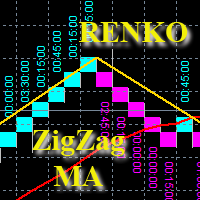
Советник отображает на графике ренко-бары (включая тени и время формирования каждого кирпича), строит по ним ZigZag, скользящую среднюю и выполняет торговые операции согласно следующей стратегии: Формируется предварительный сигнал на покупку, когда два последних минимума показывают движение вверх и последний луч обновляет предыдущий максимум, на продажу, когда два последних максимума показывают движение вниз и последний луч обновляет предыдущий минимум. Финальный сигнал определяется если имеется
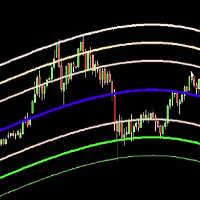
The Belkhayate center of gravity indicator is best used to confirm major turning points, and distinguish price extremes. Generally if price reaches the upper or lower levels one should expect a turn around coming soon, or at least a pull back towards the centre line if there is a strong trend. The upper and lower levels are red and green lines.
Our indicator use the same parameters as the well known trader M.Mostafa Belkhayate the inventor of the indicator, allow the use of buffers for your EA a
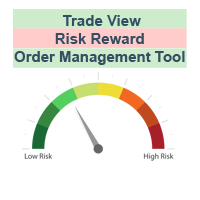
The characteristics of this exploit are that all forex transactions opened can be controlled with a single click according to the risk reward system. You can also take your stop loss level to the opening price at any time. You can change rates of buy or stop loss in two ways. You can close lots of opened trades in a single click. Everything will be calculated automatically. You can also see how many pips remain to the profit and stop loss levels. Your biggest assistant and a tool to manage your
The brand new and powerful expert advisor using the breakout strategy is presented by KING.Ai. The characteristic of Tiny Drawdown making it one of the best EA in the market . When you trade with 1 lots, the drawdown is just as low as 16%. If you trade with 0.1 lots, the drawdown is even lowered to 6% . It was the breakout strategy composed by J.Granville Rules , with a “secret formula”. The average winning rate is up high to 80% , contributed by the extraordinary breakout strategy. Breakout str

·Ultra_Shadow
Ultra_Shadow_EA is a statistical arbitrage trading system, focusing on two-currency arbitrage trading. Currently, two groups of currencies are traded in total, one is EURUSD and GBPUSD, the other is USDCAD and USDNOK. The back test results show that from 2012 to 2019, the monthly profit is positive. Attention!!! Do not try to test an Expert Advisor in Tester, this is simply impossible and meaningless, since the principle is based on multi-currency trading, that is, the robot op

Do you want to regain control over your trading risk?
This is a ready to use GRID system reduced to the essential that can be adapted to your risk attitude. ( Hedging and FIFO compliant for US traders) Download the new improved set files in the comment section!!
Too Expensive for you??? Send me a private message, I have an offer for Trading Circle Program where you can get many EAs and tools with one time fixed fee.
In a hurry to test it ? You MUST at least read the manual. Click here to down

This is a forex supporting tool for all manual traders.
You can close positions immediately at once on the MT4 Terminal by a single click. CLOSE SELL: You can close SHORT positions of the target currency pair (same as the chart you’re using this EA). CLOSE BUY: Same as above but LONG positions will be closed. CLOSE ALL: All opened positions will be closed (no matter of currency pairs). You can select the closing method from CLOSE ALL or CLOSE ONE BY ONE. You can choose the positions to be closed
FREE

Dow Jones Futures EA Scalper and Hedging Supported currency pairs: This Ea is develop for trading (US30) Dow 30 Futures Indices. Recommended timeframe: M5 The EA does not use martingale or grid. It only enters a trade with market orders and uses a stop loss for each trade! Features: Please use VPS or use computer 24/24. It use Scalping and Hedging algorithm. Default setting is good setting for Broker accept to trade 0.1 lot for US30 Indices such as Pepperstone... Minimum

PLEASE READ DESCRIPTION BEFORE BUY OR RENT EA This EA is NOT the result of an optimization of historical data. In fact it is easy to achieve a “super” equity curve (as I call it “go to the space equity curve”) with parameters optimization and overfitting on historical data: it is always possible to find a set of parameters that over-optimize the historical data. But it is the PAST data. The point is to find a strategies that will work in the future. For these reasons my strategies have good

This indicator Master XR indicator.Indicator displays trend movement. Indicator calculates automatically line. Features
FiltPer - displays indicator period. deviation - displays indicator deviation. deviation2 - displays indicator deviation. How to understand the status: If (Timeframe M1-H1) FiltPer = 100; If ( Timeframe H4-MN) FiltPer = 5-20; ////////////////////////////////////////////////////////////////////////////////////////////////////////////////////////////////////////////////////// //

This indicator Super MA Pluss indicator.Indicator displays trend movement. Indicator calculates automatically line. Features
FiltPer - displays indicator period. How to understand the status: If the arrow is green, trend is up. If the arrow is red, trend is down. /////////////////////////////////////////////////////////////////////////////////////////////////////////////////////////////////////////////////// ///////////////////////////////////////////////////////////////////////////////////////
Советник помощник!!!Сам сделки не ставит,но полностью контролирует открытые позиции по всем валютным парам. Будет отличным помощником активным трейдерам, использующих не сколько валютных пар в своей торговле.
Принцип работы-закрытие по общему профиту или общему убытку,все открытые ордера.
Профит расчитывается в валюте депозита,а
Убыток в % .
Параметры советника
Profit =10;
Loss =1 %;
Если есть предложения по работе ЕА,пишите обсудим!!!
Удачной всем торговли!!!

If you are looking for an easy use EA that helps you managing the risk and moving SL without spending your time in front of the computer, this EA is your answer. 1. First of all you will decide if you want to go with a fixed lot or a lot that adjusts your risk to a certain percent based on the difference between the opening price and SL. The best way to earn money is with good use of risk management and the power of compounding. 2. Then choose if it is a market order or pending order. 3. Then se

We are pleased to present to you, our new product, this is the next step in the development of automated trading in the Forex market. This is a revolutionary algorithm developed by our team of programmers. Here all the accumulated experience for 10 years of work in the Forex market is gathered. The adviser uses several strategies for different stages of the market (Trend, Flat, Volatile market or Very weak). The algorithm passed all testing with different brokers, at different quotes. Advisor is
Description: The indicator shows the TDI indicator in a separate window, and with the RSI component, the indicator finds possible divergences with M or W patterns. KEY LINKS: How to Install - Frequent Questions - All Products Functions: Finds Market Makers patterns. Finds extremes or exhaustion into the market. Looks for a trend continuation. Content: TDI Indicator Divergence and M or W Signals Note 1: This indicator should only be considered as a part of any trading strategy. You shoul

このスクリプトは、乱数ジェネレータを使用した貿易取引のシミュレーションに基づいています。これにより、同じ入力パラメータでもまったく異なる結果を得ることができます。スクリプトを実行すると、ダイアログボックスが開き、そこで外部変数に必要な値を設定できます。 ブロックでは、TradingOptionsは取引のシミュレーションに必要な基本パラメータを定義します。 StartBalance - トレードバランスの初期サイズを設定します。 NumberTrade - スクリプトの実行時にモデル化される取引トランザクションの数を設定します。多かれ少なかれ有意な結果を得るためには、このパラメータが30より大きいことが必要です。 ProbilityWinning - 勝ち取引の確率。パーセンテージで示され、1から99までの有効値。 Min.StopLoss - StopLossの最小値をポイントで示します。これは、取引操作をモデル化するときに使用されます。 Max.StopLoss - StopLossの最大値をポイント単位で設定します。 PositiveWin - この変数は
FREE
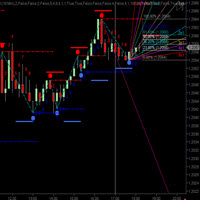
CycleTraderPro CycleWave Indicator は1の中で9の指標です。 CycleTraderProのインジケーターとパターンを使用して、サイクルなどをリアルタイムで識別します。 CycleWaveの9つの部分: サイクルバンドをプロットし、成功した各サイクルのハイまたはロー後にリアルタイムでサイクルハイ/ローを確認します。 前のバーの変更された%範囲を使用して、各バーの上下にサイクル波価ウィンドウをプロットします。 各サイクルの後、フィボナッチリトレースメントをサイクルのローとハイから自動的にプロットします。 各サイクルからのGann Fansを自動的に低と高にプロットします。 各サイクルの高低ごとにトレンドラインを自動的に上下にプロットします。 サイクル数の方向に、前のXバーの範囲を使用してPrice Target Windowsを自動的にプロットします。 各サイクルのブレークアウトラインを自動的にローとハイにプロットします。 以前の価格の正確な角度から自動的にSpeed Linesをプロットし
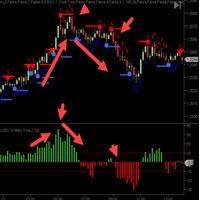
CycleTraderProクローズ強度値インジケーターは 、新しいバーのOPENからそのバーのCLOSEまでの距離を測定します。 入力 - 長さ= 10デフォルト これらの値を合計して長さ設定に戻します。 最初の小節がプラス10ティックで、その次の小節がマイナス7ティックだった場合、これは+3を登録します。 Close Strength Valueを交換するには2つの方法があります。 買い、より高い最高値、より高い最低値を得るために、最低高値と最低安値の方向、およびその逆の取引。 2.指標が色の方向で中央のゼロ点を横切ったときに取引します。赤=売り/緑=買い。 Close Strengthは過去の動きを表示するヒストグラムチャートも表示し、市場が停止または後退するまでにどれだけの距離に到達できるかを確認します。
FREE

OHLC マグネットは、水平線、長方形、価格ラベルに欠落しているマグネットポイントを追加します。 あなたはこのユーティリティが好きなら、 とコメントを評価してください。
指示:
前述のオブジェクトの1つを、ピクセルの近接範囲内の目的の始値、高値、安値、または終値にドラッグするだけで、選択した正確な価格ポイントにオブジェクトが自動的にアタッチされます。
パラメーター:
近接 (ピクセル): その特定の価格ポイントに接続するためのユーティリティの始値/高値/安値/終値をマウスカーソルがどの程度閉じるかをピクセル単位で指定します。デフォルトは10です。 価格ラベルを自動調整する: 価格ラベルを左側 (左の価格ラベルの場合) または右 (価格ラベルの場合) に自動的に調整します。既定値は有効です。
FREE

ZhiBi Fast Scalpは、優れた高速スキャルピングインデックスシステムで、トレンドに従ってシグナルが変動し、BuyシグナルとSellシグナルが頻繁に表示されます。 すべての市場の種類と期間に適しています。
上向きの矢印は買い注文を出すために現れ、下向きの矢印は売り注文を出すために現れる。
パラメータ設定の説明 [Signal_line_period]:小周期信号線の平均周期。 [Trend_line_period]:大周期トレンドラインの平均期間。 [Alert_No_Off]:ポップアップメッセージを開くか閉じる; true = on、false = off; [SendMail_No_Off]:Eメールのオンまたはオフ、true =オン、false =オフ。 [SendNotification_No_Off]:メッセージは携帯端末にオンまたはオフにプッシュされる。 true =オン、false =オフ。 より有用なインディケータURL: https://www.mql5.com/en/users/zhengqiuyang/seller
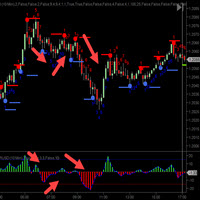
CycleTraderPro Tick Momentum は、市場が連続的な終値の方向に動くティック数を測定します。 マーケットがそのオーバーを超えてクローズをするとき、それはそれが動いたティックの数の方向に数え始めます。 次のバーが移動中で同じ方向に閉じると、ティックモーメンタムはマーケットがオープンの下でクローズするまでカウントアップを続けます。それはそれからその方向で数え始めます。 あなたはこれらの動きをゼロ点がプラスまたはマイナスである傾向を見ることができます。 各バーを下に赤、上に青でプロットします。 それから、それぞれの動きがしたティックの合計数の白い実線をプロットします。 入力: 1 - 移動平均のオンまたはオフを表示 2 - 移動平均の長さは10にデフォルト設定されています 移動平均は、目盛りの範囲を滑らかにするもう1つのプロット線です。
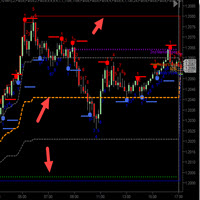
CycleTraderPro オープン/ハイ/ロー/ミディアムOHLは、その日の安値と高値を取り、これらの値をプロットします。 1.今日の最高水準(赤線) 2.その日の最低気温(ブルーライン) 3.最低から25%(灰色の線) 4.範囲の50%(オレンジ色の線) 5.最低から75%(灰色の線) 50%の範囲をはるかに超えて短く、またその下は短かいように見えます。 市場の動きに合わせてこれらのレベルを簡単に確認できます。市場が新たな安値または高値を設定した場合、すべての値は市場の日とともに自動的に移動します。 あなたはあなたの取引のスタイルに合うように入力でこれらのレベルを調整することができます。 市場に出入りするための価格レベルを提供するために、市場はこれらのレベルに、あるいはその付近に移動することがわかりました。 OHL Mediumのレベルは自動的に調整されます。この指標を他の指標と組み合わせると、見やすくなります。 そうでなければ見るのが難しいでしょう。 デモを見て、OHL Mediumインディケータを試してみてください。
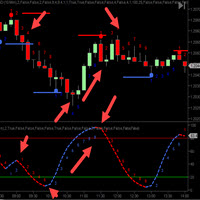
CycleTraderProパワープレイインジケーター(PPI ) - 私たちのお気に入りのインジケーターの一つです。すべてのCT指標を取り、それらを1つの指標にまとめます。 インディケータのすべての選択はあなたがインディケータのあなた自身のミックスを選んでそしてこのミックスだけをプロットすることができることを意味するオン/オフ機能があります。 選択したミックスの平均をとります。 5つの指標を選択すると、PPIはミックス値を5で割ります。 次に、各移動の方向についてサイクル数をプロットして、計画の入退室の時間を計ります。 赤が下がり、青が上がります。 トレンドやトレンドの反転を確認するのに最適です。 入力: 1.最初の選択はすべてのCT表示器のオンまたはオフです 2.矢印を表示 - インジケーターが点灯した場所に矢印が表示されます - オン/オフ 3. Offset - これはチャートポットにターン矢印をプロットするためにどれだけ離れているかを指示します。
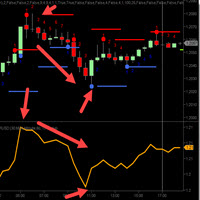
CycleTraderProオレンジライン - Bressert DDS - DoubleStoch - 私の父、Walter Bresser tはこれらのDDSを長年にわたって有名にしました。 彼らは確率論からのコードを扱い、そしてたった1行を使ってそれらをもう一度平滑化します。 インディケータの長さに応じて、より多くのトレンドについては長く、市場のスカルピングはより短く、オレンジラインは100長です。 オレンジラインを取引するには2つの方法があります。 1. 50レベルの上下で同じ方向に取引します。上が買い、下が売り、売りです。 2.クロスオーバーをトレードします。それが最初に20以下に落ちるのを待ち、それから買いのために2oの上に戻ります。または、80を超えてから80行を下回ると、売りになります。 これらの指示に従って他の指標を守り、ストップを使用することをお勧めします。 デモを試してみて、それがどのように機能するかを確認してください。 入力: 1.長さをデフォルトで100に設定

Keltner MTF (Not repaint!!!) is a channel indicator that can display price channels from different timeframes on a single chart of quotes. For example, on the H1 chart, you can see at the same time the Keltner price channel from the M15 and H4 timeframe. This tactic makes it possible to more clearly understand the tendency of price movements, to determine trading goals and points for making deals. How the Keltner MTF Indicator Works The Keltner MTF indicator can be used both - for trading in

The new version of the trading panel, which now has the ability to separately close Buy and Sell orders, display targets for all orders on the chart, as well as the ability to use the panel to trade with brokers working on the FIFO rule. Also, the new version adds option buttons for separate management of open orders.
It has a convenient visualized interface and intuitive control without a lot of additional tabs to which traders have to be distracted and switch their attention. Thanks to this,
FREE

The new version of the trading panel, which now has the ability to separately close Buy and Sell orders, display targets for all orders on the chart, as well as the ability to use the panel to trade with brokers working on the FIFO rule. Also, the new version adds option buttons for separate management of open orders.
It has a convenient visualized interface and intuitive control without a lot of additional tabs to which traders have to be distracted and switch their attention. Thanks to this,
The EA looks for the Fibonacci retracement drawn on a chart by the user and opens limit and/or stop orders (depending on where the current price is) on the 23.6, 38.2, 50.0, 61.8, 82.0, 100.0 Fibo levels with takeprofits also on the 123.0, 150.0, 161.8, 200.0, 261.9, 423.6 set Fibo levels. Additionally 6 orders are opened by market with takeprofits on the same levels. Plus money management and break even.
The elite (V3) multi-indicator suite from JoaquinTrading specifically geared towards Forex & binary options, including regulated exchanges such Nadex, Cantor Exchange, and other binary option brokers.
The Probability Tool Suite Elite will provide the given win/loss outcome probabilities of up to 10 strike levels, a specific expiration duration, based on a combination of up to 16 indicators, rules, or conditions and derivative behavior (i.e. expiry, touch, touch & retrace). Using this indicato

Curiosity 13 Break Pattern It is an advanced trading system, which allows you to presize the trade according to the preferences of the trader. Curiosity 13 Break Pattern have more than 70 customization options for your trade. Different options for different styles of trade. Curiosity 13 Break Pattern is a Break system of trade with different algorithm of trade mode. This EA using signals to place orders. Is a revolution in the customization of the trading. The algorithms developed f

Smart Grid FX – is counter-trend trade multicurrency EA for automated Forex trading. EA uses principle of Martingale. EA work algorithm: At cycle start the pair of opposite order opens with initial lots. Further grid of orders is being built with variable step and lot volume at the price movement direction. Wherein every time at the next order opening the all grid orders close level is being changed with regard to parameters of TakeProfit. The EA does not use such function as locking, trailing,

The principle of the indicator. The StatChannel ( SC ) indicator is a development of the Bollinger Bands indicator ( ВВ ). BB is a moving average, on both sides of which two lines are drawn, separated from it by standard deviations std multiplied by the corresponding coefficient. At the same time, a moving average with an averaging period (2n + 1) bars is always obtained lagging behind n bars. Sliding std is also lagging behind on n bars, also calculated by (2n + 1) points. Such

Советник имеет несколько режимов торговли. Режимы открытия позиций и отложенных ордеров. Открытие позиций через заданный шаг. После прохождения ценой заданного расстояния 1 шаг вверх — продает, 1 шаг вниз — покупает. Таким образом, появляется сеть, которую Вы закрываете руками с помощью кнопок советника или отдаете прибыль на усмотрение самого советника, нажав кнопки автоторговли.
Открытие сети отложенных ордеров Ордера открываются в зависимости от настроек. Можно задавать любые сочетания из buy
The original multi-indicator suite from JoaquinTrading specifically geared towards binary options, including regulated exchanges such Nadex, Cantor Exchange, and other binary option brokers.
The Probability Tool Suite Classic will provide the given win/loss outcome probabilities of up to 10 strike levels, a specific expiration duration, based on a particular indicator's parameters and derivative behavior (i.e. expiry, touch, touch & retrace). Using this indicator will give users an idea if a p
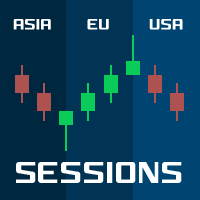
Sessions PRO is a perfect tool which divide your chart screen by 3 main market sessions: 1> asian 2> european (with division for Frankfurt and London start) 3> american
Sessions PRO is perfect especially for trading indices, where main pivot points often occurs along with new market center enters the market. With Sessions PRO you see what events happened at their exact corresponding time - European and American moves and pivot points are much more important than asian. Stop analyzing your chart
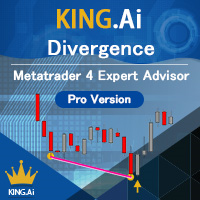
すべて英語版を参照 分岐戦略を使用している真新しいエキスパートアドバイザーはKING.Aiによって提示されます。 「KING.Ai-div」という名前のKING.Aiの分岐は、あらゆる瞬間に発生する分岐を検出するように特に設計されています。それは秘密の「発散式」を使って構成されました。平均的な勝率は並外れた発散戦略のおかげで 最高80% まで上がっています。それは通常、Fx市場の営業時間の早い時間にオープン注文を出しました。その理由は、通常FX市場の繁忙期に発表されるビッグニュースやテクニカル分析を避けるためです。これは勝ちのパフォーマンスを非常に高めます。 分岐戦略は非常に高い成功率に貢献する非常に強力な方法です。この分析からの主な利点は、それが遅れていないという事実から来ています。価格行動と同様に、発散分析は現在価値に基づいて将来の価格行動を予測する上で非常に有用なサポートです。それが、このEAが非常に有益な理由です。価格が高くなるとチャートに発散が生じますが、使用している指標は低くなります。あなたの指標と価格行動が同期していないとき、それはあなたの注意を必要とする「何か」があなた

One Click Trade Pro is a tool that allows you to open orders with just one click, choosing all the parameters, including the Magic Number! Useful if you want to quickly submit trades specifying also their Magic Number. Other than submitting new orders you can also see the list of orders (with their Magic Number) and change their Stop Loss and Take Profit. The PRO version also allows you to: Open opposite pending orders Setup and submit orders using lines, for a better visualization
How does it
FREE

FZR indicator determines fractal zigzag reversal pattern of all the time frames of the chosen symbol and shows the information in the Info label. Indicator draws the detected pattern in the chosen time frame and also you can select in the menu to draw the trend line according to FZR peaks. What it is FZR? See the first picture in the screenshots. As you can see for every peak of FZR the AO indicator must cross zero line. FZR indicator determines the trend direction.
How to use FZR for trading?
FREE

This is a fully automated Expert Advisor. This indicator is based on the SAR indicator with certain additions and filters. Automatically adjusts to any broker. The smaller the spread, the better. Does not use Martingale. Attempts to close the unprofitable deals at the expense of the profit of previous deals. In case there are other deals opened on the account, or if they are opened manually, it will automatically close them once profit is reached. Precision of quotes : Any (both 3/5-digit and 2/

indicator for binary options! open a deal only for 1 - candle The indicator is already set to trade in binary options. The indicator is ideal for trading on martingale since he very accurately combines what the next candle will be if you are trading in a martingale money management, this is the indicator that you were looking for; it is just created for you and your trading style p.s it is much better than relying on the color of the candle as some not very experienced traders do (therefore, the

This indicator is based on the previous option ( https://www.mql5.com/ru/market/product/37376 ) and includes all completions at the time of creation. Availability of additional data allows to understand more deeply the principle of work as this indicator and original. Points on extrema of bars show history of a portrayal of extrema as before. Levels of a reverse show as far as the price for formation of a new shoulder has to deviate. The Price noise parameter has a special impact (the name "devi

An Expert Advisor who is able to draw trading channels based on the highs and lows of prices and trades from the borders of these channels (when the price breaks through the boundary of the channel, or it touches and comes back). It has customizable options for trading on multiple channels and uses some indicators to improve trading (so that there are fewer trades). It also has options for improving optimization and for managing orders. It is possible to customize the trailing stop (both normal
The indicator is made on the basis of the algorithm put in the ZigZag History indicator ( https://www.mql5.com/ru/market/product/37376/ ).
In the real option there are no additional buffers and an opportunity to trace work history.
It causes the minimum involvement of random access memory, however productivity practically does not improve. Attention! The Price noise parameter - has significant effect on formation of extrema. Parameters: Depth - is depth of search of a local extremum in bars;

EA Action is a non-mechanical trading robot based on the algorithm of continuous adaptation to the current market situation. EA Action is the result of many years of research in the Forex market. The EA uses mathematical methods, probability theory methods and technical analysis to analyze the market.
EA Action is quite simple and easy to use. The EA is not overloaded with settings.
EA Action trading robot can work on any Deposit. For effective work it is enough to Deposit from $ 100, which al
A trading expert studies the volume indicator patterns and their relationship to the main price movement.
In case of detection of three or more similar patterns of price behavior, the adviser starts working. After each closed position, the adviser repeats the self-learning procedure.
Each position has a stop loss and take profit.
Each position is controlled by a trailing stop.
Not scalping, NOT a grid, NOT a martingale.
Recommended: Use on trading instruments (timeframe 5 minutes, default

--------------Welcome to use [MQL5 Signal Analyze Master]------------------
Function: Draw order tracks of MQL5 MT4 and MT5 signal on MT4 chart. [Using guide]
1.Use it as Experts. 2.Download history record from MQL5 signal(MT4 signal or MT5 signal). 3.Paste history record file below "MQL4/Files/" 4.Load [Signal Analyze Master] on the symbol chart what you want to analyze. 5.Paste the history record file name to parameter 'FileName' 6.Select SignalType match the history you download on MT4

Trend Lines Cross This indicator will alert you on any cross of a Trendline. You can draw up to two trend lines and form a channel, a pennant , a triangle or a simple trend and when the price crosses either trend line the indicator will provide you with alerts that you define plus an up or down arrow when the cross happened. How to: Draw the 1st trendline and name it tl1. Draw the 2nd trendline and name it tl2. Select which type of alerts you would like in the indicator properties and you a
FREE

This is Lite version of One of the Most Popular EAs "Asmani Pro" ! The Lite version works on M15 EURUSD with only 0.01 lot size All other inputs in this version are working exactly as per Asmani Pro. You can buy Asmani Pro here " https://www.mql5.com/en/market/product/35869 " MUST : Please go through following blogs before Back Testing or Using the EA 1) General Strategy of Asmani Pro https://www.mql5.com/en/blogs/post/725758 2) Inputs explained in detail for Asmani Pro 20.3 https://www.mq
FREE

This indicator alerts you when/before new 1 or 5 minute bar candle formed. In other words,this indicator alerts you every 1/5 minutes. This indicator is especially useful for traders who trade when new bars formed.
*This indicator don't work propery in strategy tester.Use this in live trading to check functionality.
There is more powerful Pro version .In Pro version,you can choose more timeframe and so on.
Input Parameters Alert_Or_Sound =Sound ----- Choose alert or sound or both to notify y
FREE

This indicator alerts you when/before new candle bar formed. In other words,this indicator alerts you every 1/5/30/60/240 minutes.
This indicator is especially useful for traders who trade when new bars formed.
*This indicator don't work propery in strategy tester.Use Free Version to check functionality in live trading.
Input Parameters Alert_Or_Sound =Sound ----- Choose alert or sound or both to notify you when new bar is coming.
Enable_1mBarAlert ----- Enable alert for 1 min bar
diff_1m --

Platinum FX индикатор для скальпинга. идеально подходит для торговли бинарными опционами.
работает на всех валютных парах мультитаймфреймовый.
когда появляемся красная стрелка мы покупаем когда появляемся красная мы продаем.
он должен был достичь успеха в трейдинге. Полное отсутствие перерисовки. Точность сигнала. точность данного инструмента можете увидеть в тестере Всем удачных торгов By Lilyyy

中文版的外汇经济日历,数据源来自金十网站https://rili.jin10.com 使用的电脑时区为东八区保证,LocalTime和https://rili.jin10.com 网站的时间一样
中文版的外汇经济日历,数据源来自金十网站https://rili.jin10.com 使用的电脑时区为东八区保证,LocalTime和https://rili.jin10.com 网站的时间一样 中文版的外汇经济日历,数据源来自金十网站https://rili.jin10.com 使用的电脑时区为东八区保证,LocalTime和https://rili.jin10.com 网站的时间一样 中文版的外汇经济日历,数据源来自金十网站https://rili.jin10.com 使用的电脑时区为东八区保证,LocalTime和https://rili.jin10.com 网站的时间一样

Ultra Advanced AutoFiboはMetaTrader 4用の自動フィボナッチインジケーターです。その名の通り、トレーダーが手動でツールを描画することなくフィボナッチ分析を適用することを目的としています。 主な特長
- 自動フィボナッチ分析
- 手動で描画する手間を省ける
- 押し目の可能性があるエリアの特定に役立つ
- 使いやすい
- テスト用のデモ版が利用可能 推奨設定
時間足: M30, H1, H4
通貨ペア: EUR/USD, USD/JPY, GBP/USD, USD/CHF, USD/CAD, AUD/USD, EUR/JPY 使い方
押し目の局面でフィボナッチのエリア付近の価格の動きを観察し、どのようなアイデアもご自身の分析とリスク管理で確認してください。 取引にはリスクが伴います。過去の実績は将来の結果を保証するものではありません。
ご質問やご提案は、コメント欄にお寄せください。

Ultra Advanced FibonacciProはMetaTrader 4用のフィボナッチインジケーターです。フィボナッチレベルは、価格スイング内の押し目や反応しやすいエリアを分析するために広く使われています。 主な特長
- フィボナッチに基づく価格スイングの分析
- 押し目の可能性があるエリアの特定に役立つ
- ストップとターゲットの基準レベルの計画に有用
- 使いやすい
- テスト用のデモ版が利用可能 推奨設定
時間足: M30, H1, H4
通貨ペア: EUR/USD, USD/JPY, GBP/USD, USD/CHF, USD/CAD, AUD/USD, EUR/JPY 使い方
フィボナッチのエリアをご自身の分析の参考として使用し、ご自身のリスク管理で判断してください。 取引にはリスクが伴います。過去の実績は将来の結果を保証するものではありません。
ご質問やご提案は、コメント欄にお寄せください。

Ultra Advanced Force MeterはMetaTrader 4用のテクニカルインジケーターで、値動きの強さを測る助けとなるよう設計されています。価格の読み取りに力の指標を加えます。 主な特長
- 値動きの強さに注目
- 値動きに力が伴っているかの判断に役立つ
- 主要4通貨ペアでの使用を推奨
- 使いやすい
- テスト用のデモ版が利用可能 推奨設定
時間足: M30, H1, H4
通貨ペア: EUR/USD, AUD/USD, NZD/USD, USD/JPY 使い方
行動する前に、強さの読み取り結果をご自身のセットアップの確認に使用し、常にご自身のリスク管理を適用してください。 取引にはリスクが伴います。過去の実績は将来の結果を保証するものではありません。
ご質問やご提案は、コメント欄にお寄せください。

el Asesor Experto usa una combinación de estrategias que se ejecutan dependiendo del comportamiento del mercado y adaptándose a las condiciones del mismo, ya sea en rango o en tendencia.. el algoritmo calcula niveles dinámicos de soporte o resistencia dependiendo sea el caso y al combinarlos con la estrategia de fibonacci + scalping logra muy buenos rendimientos.
INSTRUMENTO RECOMENDADO GBPNZD, EURNZD, GBPUSD, EURUSD, NZDCAD TIMEFRAME M1, M5 o M15 (recomendado) RECOMIENDO VERIFICAR NI

Ultra Advanced Zig ZagはMetaTrader 4用のジグザグインジケーターです。ジグザグ系のツールはスイングハイとスイングローを結び、相場の主要な波を見やすくします。 主な特長
- 相場の主要なスイングを強調表示
- 高値の切り上げや安値の切り下げなど、相場構造の分析に役立つ
- フィボナッチやチャートパターン分析の準備に有用
- 使いやすい
- テスト用のデモ版が利用可能 推奨設定
時間足: M30, H1, H4, D1
通貨ペア: EUR/USD, USD/JPY, GBP/USD, USD/CHF, USD/CAD, AUD/USD, EUR/JPY 使い方
スイングを相場構造の分析に使用し、ご自身の分析とリスク管理と組み合わせてください。 取引にはリスクが伴います。過去の実績は将来の結果を保証するものではありません。
ご質問やご提案は、コメント欄にお寄せください。

Ultra Advanced MA ProはMetaTrader 4用の移動平均インジケーターです。移動平均線を使ってトレンドの方向性と強さを分析するトレーダー向けです。 主な特長
- 移動平均線に基づくトレンド分析
- 優勢な方向性の把握に役立つ
- ダイナミックなサポート・レジスタンスの基準として使用可能
- 使いやすい
- テスト用のデモ版が利用可能 推奨設定
時間足: M30, H1, H4, D1
通貨ペア: EUR/USD, USD/JPY, GBP/USD, USD/CHF, USD/CAD, AUD/USD, EUR/JPY 使い方
移動平均線をご自身のセットアップのトレンドフィルターとして、ご自身の分析とリスク管理と併せて使用してください。 取引にはリスクが伴います。過去の実績は将来の結果を保証するものではありません。
ご質問やご提案は、コメント欄にお寄せください。

Ultra Advanced Points LineはMetaTrader 4用のテクニカルインジケーターで、トレンドとモメンタムを読み取る助けとなります。相場の現在の局面を追うための視覚的な補助として設計されています。 主な特長
- 相場局面を追うための視覚的な補助
- サポート、レジスタンス、プライスアクションと組み合わせ可能
- M30からD1までの時間足に適している
- 使いやすい
- テスト用のデモ版が利用可能 推奨設定
時間足: M30, H1, H4, D1
通貨ペア: EUR/USD, USD/JPY, GBP/USD, USD/CHF, USD/CAD, AUD/USD, EUR/JPY 使い方
現在の相場局面を見るための追加の視点として使用し、判断は必ずご自身の分析とリスク管理に基づいて行ってください。 取引にはリスクが伴います。過去の実績は将来の結果を保証するものではありません。
ご質問やご提案は、コメント欄にお寄せください。

Ultra Advanced Alfa MAはMetaTrader 4用の移動平均インジケーターです。移動平均線は値動きを平滑化し、相場の根底にある方向性を見極める助けとなります。 主な特長
- トレンドを読み取るための移動平均線によるアプローチ
- チャート上のダイナミックな基準エリアとして機能
- 他のシグナルのフィルターとして有用
- 使いやすい
- テスト用のデモ版が利用可能 推奨設定
時間足: M30, H1, H4, D1
通貨ペア: EUR/USD, USD/JPY, GBP/USD, USD/CHF, USD/CAD, AUD/USD, EUR/JPY 使い方
平均線をトレンドの把握や他のセットアップのフィルターとして使用し、ご自身の分析とリスク管理と併せてください。 取引にはリスクが伴います。過去の実績は将来の結果を保証するものではありません。
ご質問やご提案は、コメント欄にお寄せください。

Ultra Advanced R1S1 Pivotは、第1レジスタンス(R1)と第1サポート(S1)のレベルに焦点を当てたMetaTrader 4用のピボットインジケーターです。セッションの基準価格をコンパクトにまとめて表示します。 主な特長
- R1とS1のピボットレベルに注目
- 最寄りのピボット基準をコンパクトに表示
- 価格の反応に注目すべき水準の計画に役立つ
- 使いやすい
- テスト用のデモ版が利用可能 推奨設定
時間足: M30, H1, H4, D1
通貨ペア: EUR/USD, USD/JPY, GBP/USD, USD/CHF, USD/CAD, AUD/USD, EUR/JPY 使い方
R1とS1付近での価格の反応を観察し、ご自身の手法とリスク管理でストップとターゲットを計画してください。 取引にはリスクが伴います。過去の実績は将来の結果を保証するものではありません。
ご質問やご提案は、コメント欄にお寄せください。

Ultra Advanced Double MAは、2本の移動平均線を用いるMetaTrader 4用の移動平均インジケーターです。2本の平均線を比較することは、トレンドの方向性と勢いを分析する一般的な方法です。 主な特長
- 2本の移動平均線を軸に構成
- 短期と長期の方向性の比較に役立つ
- M30からD1までのトレンド分析に適している
- 使いやすい
- テスト用のデモ版が利用可能 推奨設定
時間足: M30, H1, H4, D1
通貨ペア: EUR/USD, USD/JPY, GBP/USD, USD/CHF, USD/CAD, AUD/USD, EUR/JPY 使い方
2本の平均線を比較してトレンドを読み取り、どのような判断もご自身の分析とリスク管理で確認してください。 取引にはリスクが伴います。過去の実績は将来の結果を保証するものではありません。
ご質問やご提案は、コメント欄にお寄せください。
MetaTraderマーケットは、他に類のない自動売買ロボットやテクニカル指標の販売場所です。
MQL5.community ユーザーメモを読んで、取引シグナルのコピー、フリーランサーによるカスタムアプリの開発、支払いシステムを経由した自動支払い、MQL5Cloud Networkなど、当社がトレーダーに対して提供するユニークなサービスについて詳しくご覧ください。

取引の機会を逃しています。
- 無料取引アプリ
- 8千を超えるシグナルをコピー
- 金融ニュースで金融マーケットを探索